
1. ആമുഖം
This manual provides comprehensive instructions for the safe and efficient operation of your DOOGEE N50PRO Unlocked Cell Phone. Please read this manual thoroughly before using your device to ensure proper functionality and to prevent damage.
The DOOGEE N50PRO is a modern smartphone designed for communication and multimedia. It features a 6.52-inch display, runs on Android 13.0, and offers 128 GB of internal storage with expandable memory capabilities.

ചിത്രം 1.1: മുന്നിലും പിന്നിലും view of the DOOGEE N50PRO smartphone, highlighting its design and camera module.
2. സജ്ജീകരണം
2.1 അൺബോക്സിംഗും പ്രാരംഭ പരിശോധനയും
Upon receiving your DOOGEE N50PRO, carefully open the packaging and inspect the contents. Ensure all items listed below are present and undamaged:
- DOOGEE N50PRO Smartphone
- യുഎസ്ബി ടൈപ്പ്-സി കേബിൾ
- സിം എജക്ടർ ഉപകരണം
- ദ്രുത ആരംഭ ഗൈഡ്
2.2 സിം കാർഡും മെമ്മറി കാർഡും ഇൻസ്റ്റാൾ ചെയ്യൽ
To install your SIM card(s) and an optional microSD card for expanded storage (up to 1TB), follow these steps:
- ഫോണിന്റെ വശത്ത് സിം കാർഡ് ട്രേ കണ്ടെത്തുക.
- ട്രേയുടെ അടുത്തുള്ള ചെറിയ ദ്വാരത്തിലേക്ക് സിം എജക്റ്റർ ഉപകരണം തിരുകുക, ട്രേ പുറത്തേക്ക് വരുന്നത് വരെ സൌമ്യമായി അമർത്തുക.
- നിങ്ങളുടെ നാനോ-സിം കാർഡ്(കൾ) കൂടാതെ/അല്ലെങ്കിൽ മൈക്രോ എസ്ഡി കാർഡ് ട്രേയിലെ നിയുക്ത സ്ലോട്ടുകളിൽ വയ്ക്കുക, ശരിയായ ഓറിയന്റേഷൻ ഉറപ്പാക്കുക.
- ട്രേ അതിന്റെ സ്ഥാനത്ത് ക്ലിക്കായി വരുന്നത് വരെ ശ്രദ്ധാപൂർവ്വം ഫോണിലേക്ക് തിരികെ തള്ളുക.

Figure 2.1: Different color variants of the DOOGEE N50PRO, illustrating the phone's form factor and potential accessories like a clear case.
2.3 പ്രാരംഭ പവർ ഓണും സജ്ജീകരണ വിസാർഡും
Press and hold the Power button until the DOOGEE logo appears. Follow the on-screen instructions to complete the initial setup, including language selection, Wi-Fi connection, Google account sign-in, and security settings.
3. Operating Your DOOGEE N50PRO
3.1 അടിസ്ഥാന നാവിഗേഷൻ
The DOOGEE N50PRO operates on Android 13.0. Navigation is primarily via the touchscreen. Common gestures include tapping to select, swiping to scroll, pinching to zoom, and long-pressing for contextual menus.
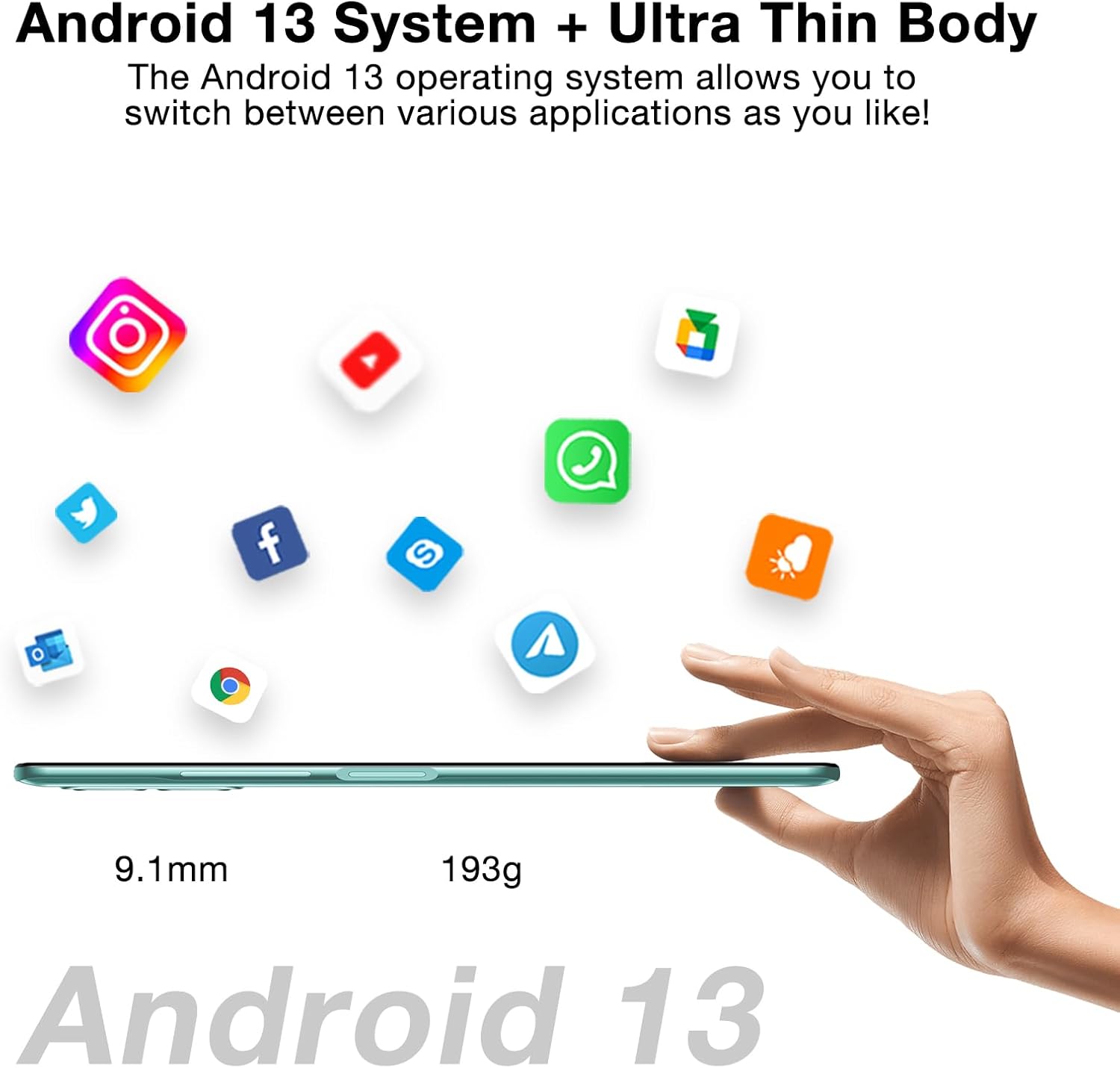
Figure 3.1: The DOOGEE N50PRO running Android 13, showcasing ഇത് സ്ലിം പ്രോ ആണ്file (9.1mm) and light weight (193g).
3.2 കോളുകൾ വിളിക്കുകയും സന്ദേശങ്ങൾ അയയ്ക്കുകയും ചെയ്യുന്നു
- കോളുകൾ: ഫോൺ ആപ്പ് തുറന്ന് നമ്പർ നൽകുക, തുടർന്ന് കോൾ ഐക്കണിൽ ടാപ്പ് ചെയ്യുക.
- സന്ദേശങ്ങൾ: മെസേജസ് ആപ്പ് തുറന്ന്, പുതിയ മെസേജ് ഐക്കണിൽ ടാപ്പ് ചെയ്യുക, സ്വീകർത്താവിന്റെ പേരും നിങ്ങളുടെ സന്ദേശവും നൽകുക, തുടർന്ന് അയയ്ക്കുക.
3.3 ക്യാമറ ഉപയോഗം
The DOOGEE N50PRO features a 50MP main rear camera and an 8MP front camera. Open the Camera app to capture photos and videos. Various modes like Panoramic are available.

ചിത്രം 3.2: ഓവർview of the DOOGEE N50PRO's 50MP AI Dual Camera system and 8MP Front Camera, with sampലെ ചിത്രങ്ങൾ.
3.4 ബാറ്ററി മാനേജ്മെൻ്റ്
The device is equipped with a 4200mAh battery and supports 18W fast charging. To charge, connect the USB Type-C cable to the phone and the power adapter, then plug into a wall outlet.

Figure 3.3: The 4200mAh battery and 18W fast charging feature of the DOOGEE N50PRO.
4. പരിപാലനം
4.1 നിങ്ങളുടെ ഉപകരണം വൃത്തിയാക്കൽ
ഫോണിന്റെ സ്ക്രീനും ബോഡിയും വൃത്തിയാക്കാൻ മൃദുവായ, ലിന്റ് രഹിത തുണി ഉപയോഗിക്കുക. കഠിനമായ രാസവസ്തുക്കളോ ഉരച്ചിലുകളോ ഉള്ള വസ്തുക്കൾ ഉപയോഗിക്കുന്നത് ഒഴിവാക്കുക. കഠിനമായ കറകൾക്ക്, ചെറുതായി ഡി.ampഇലക്ട്രോണിക് ഉപകരണങ്ങൾക്കായി രൂപകൽപ്പന ചെയ്ത വെള്ളമുള്ള തുണി അല്ലെങ്കിൽ സ്ക്രീൻ ക്ലീനർ.
4.2 സോഫ്റ്റ്വെയർ അപ്ഡേറ്റുകൾ
മികച്ച പ്രകടനം, സുരക്ഷ, പുതിയ സവിശേഷതകളിലേക്കുള്ള ആക്സസ് എന്നിവ ഉറപ്പാക്കാൻ സോഫ്റ്റ്വെയർ അപ്ഡേറ്റുകൾ പതിവായി പരിശോധിച്ച് ഇൻസ്റ്റാൾ ചെയ്യുക. ഇതിലേക്ക് നാവിഗേറ്റ് ചെയ്യുക ക്രമീകരണങ്ങൾ > സിസ്റ്റം > സിസ്റ്റം അപ്ഡേറ്റ് ലഭ്യമായ അപ്ഡേറ്റുകൾ പരിശോധിക്കാൻ.
4.3 സ്റ്റോറേജ് മാനേജ്മെൻ്റ്
The phone comes with 128GB of internal storage. To manage storage, go to ക്രമീകരണങ്ങൾ > സംഭരണം. You can clear cache, delete unnecessary files, or move data to an external microSD card (up to 1TB).

Figure 4.1: Representation of the DOOGEE N50PRO's internal components, highlighting its 20GB RAM (8GB+12GB virtual) and 256GB ROM (expandable to 1TB).
5. പ്രശ്നപരിഹാരം
This section addresses common issues you might encounter with your DOOGEE N50PRO.
| പ്രശ്നം | സാധ്യമായ കാരണം | പരിഹാരം |
|---|---|---|
| ഫോൺ ഓണാക്കുന്നില്ല | ബാറ്ററി ചാർജ് കുറവാണ്; സോഫ്റ്റ്വെയർ ക്രാഷ് | കുറഞ്ഞത് 30 മിനിറ്റെങ്കിലും ഫോൺ ചാർജ് ചെയ്യുക. പവർ ബട്ടൺ 10-15 സെക്കൻഡ് അമർത്തിപ്പിടിച്ച് നിർബന്ധിതമായി റീബൂട്ട് ചെയ്യുക. |
| ആപ്പുകൾ ക്രാഷാകുന്നു അല്ലെങ്കിൽ മരവിക്കുന്നു | ആവശ്യത്തിന് RAM ഇല്ല; ആപ്പ് വൈരുദ്ധ്യം; കാലഹരണപ്പെട്ട ആപ്പ് | പശ്ചാത്തല ആപ്പുകൾ അടയ്ക്കുക. ആപ്പ് കാഷെ മായ്ക്കുക (ക്രമീകരണങ്ങൾ > ആപ്പുകൾ > [ആപ്പ് നാമം] > സംഭരണം > കാഷെ മായ്ക്കുക). Update the app from the Play Store. |
| മോശം കോൾ നിലവാരം | ദുർബലമായ സിഗ്നൽ; മൈക്രോഫോൺ/സ്പീക്കർ തടസ്സം | Move to an area with better network coverage. Ensure microphone and speaker are not blocked. Restart the phone. |
| ബാറ്ററി പെട്ടെന്ന് തീരുന്നു | പശ്ചാത്തല ആപ്പുകൾ; ഉയർന്ന സ്ക്രീൻ തെളിച്ചം; നെറ്റ്വർക്ക് പ്രശ്നങ്ങൾ | Reduce screen brightness. Close unused apps. Disable Wi-Fi/Bluetooth when not in use. Check battery usage in ക്രമീകരണങ്ങൾ > ബാറ്ററി. |
പ്രശ്നം നിലനിൽക്കുകയാണെങ്കിൽ, ഒരു ഫാക്ടറി റീസെറ്റ് നടത്തുന്നത് പരിഗണിക്കുക (ക്രമീകരണങ്ങൾ > സിസ്റ്റം > റീസെറ്റ് ഓപ്ഷനുകൾ > എല്ലാ ഡാറ്റയും മായ്ക്കുക (ഫാക്ടറി റീസെറ്റ്)). മുന്നറിയിപ്പ്: ഇത് നിങ്ങളുടെ ഫോണിലെ എല്ലാ ഡാറ്റയും മായ്ക്കും. തുടരുന്നതിന് മുമ്പ് പ്രധാനപ്പെട്ട ഡാറ്റയുടെ ബാക്കപ്പ് എടുക്കുക.
6 സ്പെസിഫിക്കേഷനുകൾ
Below are the key technical specifications for the DOOGEE N50PRO:
- മോഡലിൻ്റെ പേര്: N50PRO
- ഓപ്പറേറ്റിംഗ് സിസ്റ്റം: ആൻഡ്രോയിഡ് 13.0
- സ്ക്രീൻ വലിപ്പം: 6.52 Inches (HD+ Waterdrop Display, 720x1600 Resolution, 340 nits Brightness)
- മെമ്മറി സ്റ്റോറേജ് കപ്പാസിറ്റി: 128 GB (expandable up to 1TB via microSD)
- റാം: 20GB (8GB ഫിസിക്കൽ + 12GB വെർച്വൽ)
- സെല്ലുലാർ ടെക്നോളജി: 4G LTE (Unlocked for All Carriers)
- കണക്റ്റിവിറ്റി ടെക്നോളജി: വൈഫൈ
- പിൻ ക്യാമറ: 50MP AI ഡ്യുവൽ ക്യാമറ
- മുൻ ക്യാമറ: 8എംപി
- ബാറ്ററി: 4200mAh Lithium Polymer (18W Fast Charging)
- ഉൽപ്പന്ന അളവുകൾ: 2.99 x 0.35 x 6.5 ഇഞ്ച്
- ഇനത്തിൻ്റെ ഭാരം: 6.8 ഔൺസ് (193 ഗ്രാം)
- നിറം: ചാരനിറം
- ഓഡിയോ ജാക്ക്: ഹെഡ്ഫോൺ ജാക്ക് ഇല്ല
- ഹ്യൂമൻ ഇന്റർഫേസ് ഇൻപുട്ട്: ടച്ച് സ്ക്രീൻ
- നിർമ്മാതാവ്: ഡോഗി
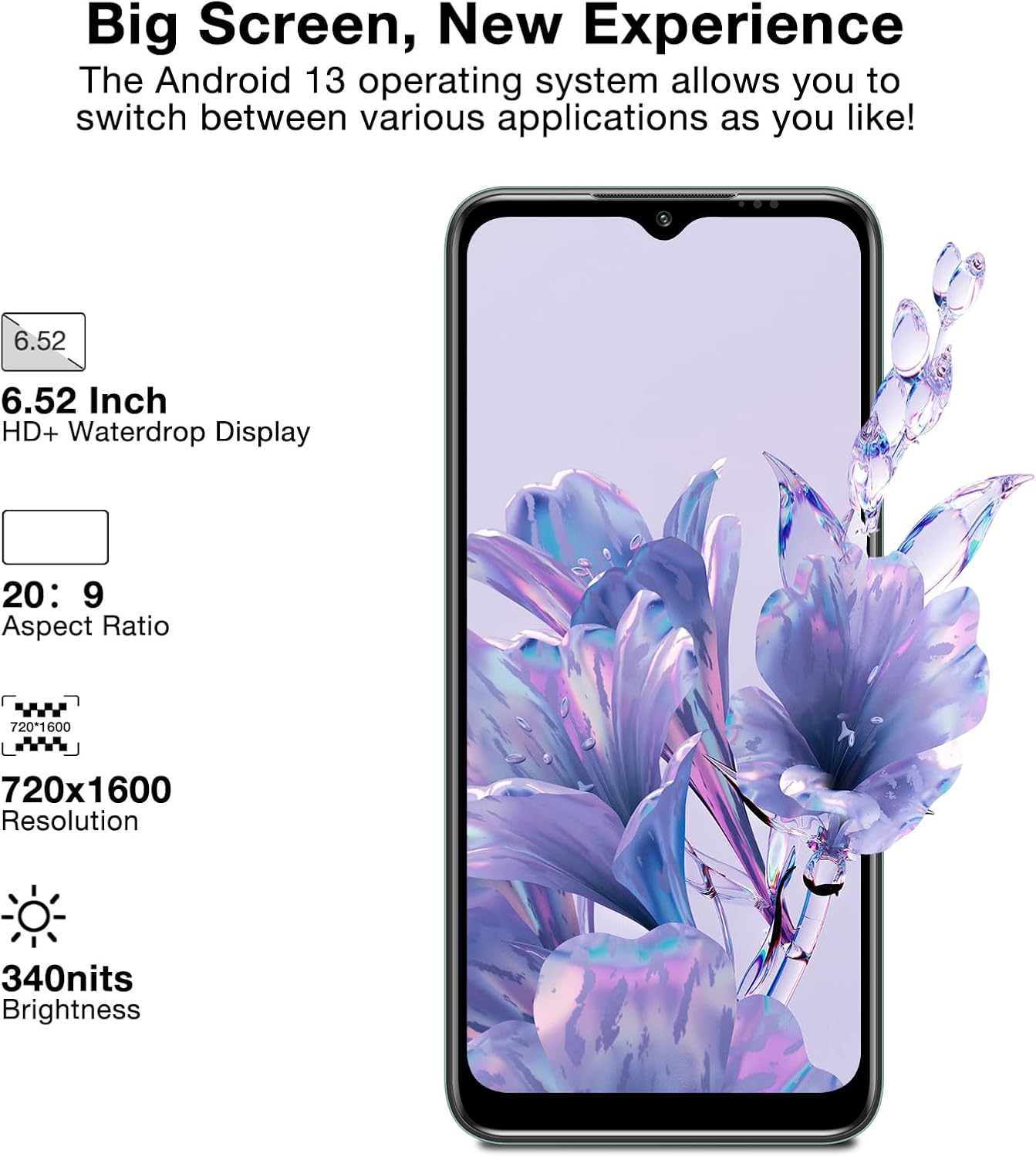
Figure 6.1: Display specifications of the DOOGEE N50PRO, highlighting its screen size and resolution.
7. വാറൻ്റിയും പിന്തുണയും
For warranty information and customer support, please refer to the warranty card included with your product or visit the official DOOGEE website. Warranty terms may vary based on region and purchase location.
കുറിപ്പ്: As per customer reviews, the manufacturer's guarantee may primarily apply to purchases made directly through their official website. Please verify warranty terms with your point of purchase.
For further assistance, you may contact DOOGEE customer service through their official channels. Keep your proof of purchase for any warranty claims.