
1. ആമുഖം
This manual provides essential information for the safe and effective use of your Toputure 2-in-1 Walking Pad Treadmill. Please read it thoroughly before operating the device and retain it for future reference. This treadmill is designed for home use, offering both walking and running functionalities with adjustable speed and incline.
2. സുരക്ഷാ നിർദ്ദേശങ്ങൾ
- ട്രെഡ്മിൽ ഒരു പരന്നതും സ്ഥിരതയുള്ളതുമായ പ്രതലത്തിൽ ചുറ്റും മതിയായ വ്യക്തമായ ഇടം നൽകി സ്ഥാപിച്ചിട്ടുണ്ടെന്ന് ഉറപ്പാക്കുക.
- Always wear appropriate athletic footwear during use.
- പരമാവധി ഭാരം ശേഷി 130 കിലോ കവിയരുത്.
- ഓപ്പറേഷൻ സമയത്ത് ട്രെഡ്മില്ലിൽ നിന്ന് കുട്ടികളെയും വളർത്തുമൃഗങ്ങളെയും അകറ്റി നിർത്തുക.
- In case of emergency, pull the safety key to immediately stop the treadmill.
- പവർ കോർഡിന് കേടുപാടുകൾ സംഭവിച്ചിട്ടുണ്ടോ എന്ന് പതിവായി പരിശോധിക്കുക. കേടുപാടുകൾ സംഭവിച്ചിട്ടുണ്ടെങ്കിൽ ഉപയോഗിക്കരുത്.
- ഏതെങ്കിലും പുതിയ വ്യായാമ പരിപാടി ആരംഭിക്കുന്നതിന് മുമ്പ് ഒരു ഡോക്ടറെ സമീപിക്കുക.
3. പാക്കേജ് ഉള്ളടക്കം
പാക്കേജിൽ എല്ലാ ഘടകങ്ങളും ഉണ്ടെന്ന് ഉറപ്പാക്കുക:
- Toputure 2-in-1 Walking Pad Treadmill
- റിമോട്ട് കൺട്രോൾ
- ഉപയോക്തൃ മാനുവൽ
- പവർ കേബിൾ
- സിലിക്കൺ ഓയിൽ (പരിപാലനത്തിന്)
4. സജ്ജീകരണം
The Toputure 2-in-1 Treadmill features a no-assembly-required design. Simply unpack the unit and follow these steps:
- Place the treadmill on a level, hard surface. Ensure there is at least 2 meters of clear space behind the treadmill and 0.5 meters on each side.
- If using in running mode, lift the handlebar until it locks into place. Turn the buckle to secure it.
- Connect the power cable to the treadmill and then to a grounded electrical outlet.
- Attach the safety key to the designated slot on the console.

5. പ്രവർത്തന നിർദ്ദേശങ്ങൾ
5.1. പ്രവർത്തന രീതികൾ
The treadmill offers two primary modes:
- നടത്ത മോഡ്: Speed range from 1 to 6 km/h. Ideal for light exercise or walking while working.
- പ്രവർത്തിക്കുന്ന മോഡ്: Speed range from 1 to 12 km/h. Suitable for jogging and running workouts.

5.2. Speed and Program Adjustment
Adjust speed and select programs using the touch screen on the console or the remote control.
- ടച്ച് സ്ക്രീൻ: Use the '+' and '-' buttons to adjust speed. The console also features quick speed buttons (e.g., 1, 4, 7, 10 km/h).
- റിമോട്ട് കൺട്രോൾ: The remote allows for convenient speed adjustments and program selection. It has a magnetic function for easy storage on the treadmill's riser.
- പ്രവർത്തനം താൽക്കാലികമായി നിർത്തുക: Press the 'Pause' button on the remote or console to temporarily stop your workout without losing data.
- മുൻകൂട്ടി നിശ്ചയിച്ച പ്രോഗ്രാമുകൾ: The treadmill includes 12 pre-defined programs for varied exercise routines.

5.3. Manual Incline Adjustment
The treadmill features a manual incline adjustment to increase workout intensity. The original incline is 2.7°, which can be adjusted to 3.6° by a simple kick mechanism. This allows for enhanced calorie burning and muscle engagement.

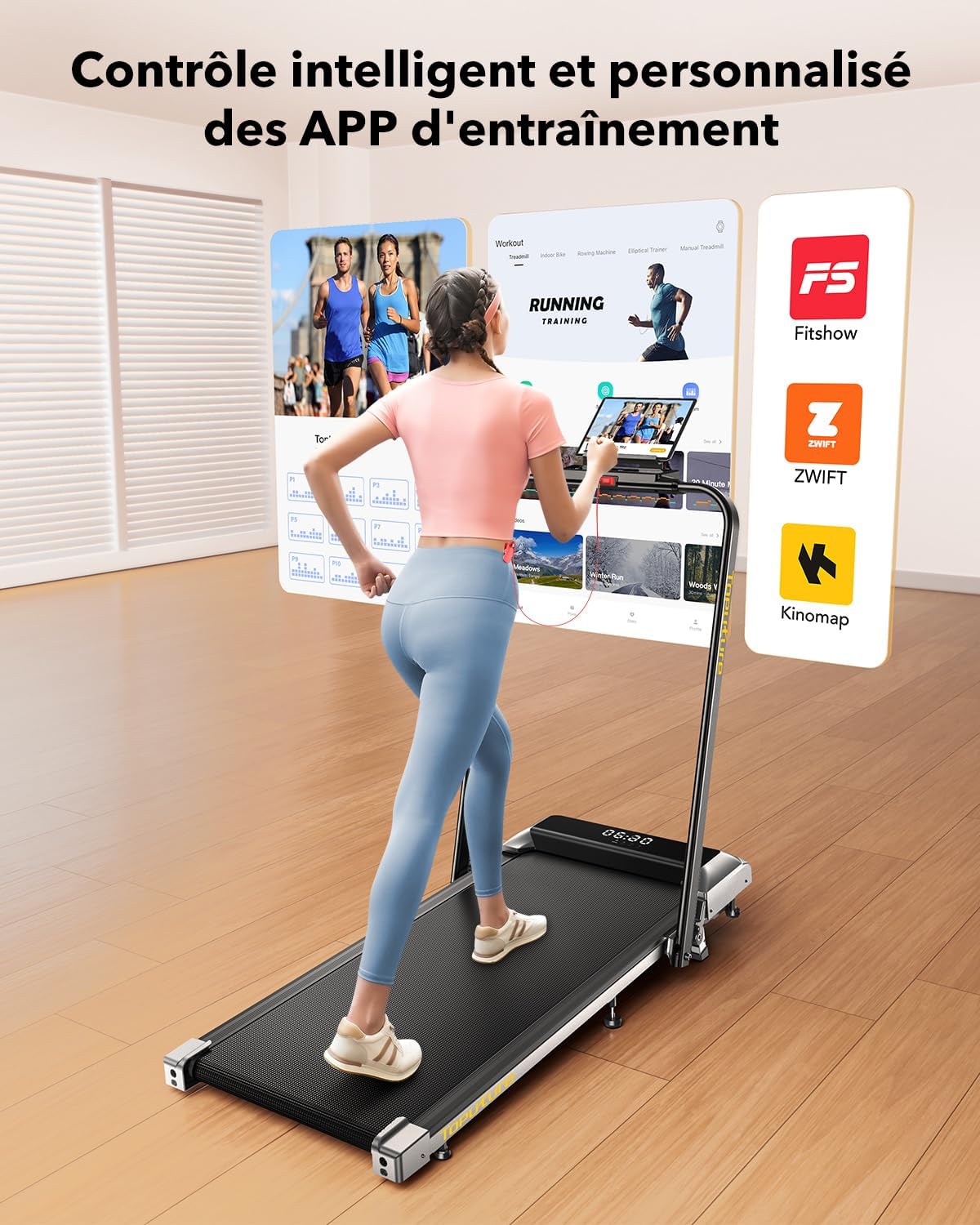
5.4. LED Display and APP Control
The multi-functional LED display shows real-time data including speed, distance, time, and calories burned. For advanced tracking and training, the treadmill can connect to fitness applications like 'FITSHOW'.
- LED ഡിസ്പ്ലേ: Provides immediate feedback on your workout progress.
- APP കണക്റ്റിവിറ്റി: Connect your treadmill to compatible fitness apps via Bluetooth to access personalized training courses, track exercise data, and monitor your progress.
6. പരിപാലനം
6.1. ലൂബ്രിക്കേഷൻ
Regular lubrication of the running belt is crucial for optimal performance and longevity. Apply 10 ml of silicone oil to the reservoir under the running belt periodically, as indicated by usage frequency (e.g., every 30 hours of use).
6.2. വൃത്തിയാക്കൽ
പരസ്യം ഉപയോഗിച്ച് ട്രെഡ്മില്ലിൽ വൃത്തിയാക്കുകamp ഓരോ ഉപയോഗത്തിനു ശേഷവും വിയർപ്പും പൊടിയും നീക്കം ചെയ്യാൻ തുണി ഉപയോഗിക്കുക. അബ്രാസീവ് ക്ലീനറുകളോ ലായകങ്ങളോ ഉപയോഗിക്കുന്നത് ഒഴിവാക്കുക.
7. സംഭരണം
The Toputure treadmill is designed for easy folding and storage, making it suitable for small spaces.
- ട്രെഡ്മിൽ ഓഫാക്കിയിട്ടുണ്ടെന്നും അൺപ്ലഗ് ചെയ്തിട്ടുണ്ടെന്നും ഉറപ്പാക്കുക.
- If the handlebar is up, release the buckle and gently lower it.
- Fold the treadmill by lifting the rear section. It will lock into a compact position.
- Utilize the integrated transport wheels to easily move the folded treadmill.
- Store it under a bed, sofa, or upright against a wall to save space.


8. പ്രശ്നപരിഹാരം
If you encounter any issues with your treadmill, refer to the following common problems and solutions:
- ട്രെഡ്മിൽ ആരംഭിക്കുന്നില്ല: Ensure the power cable is securely plugged in and the safety key is correctly placed. Check the power switch.
- ബെൽറ്റ് സ്ലിപ്പിംഗ്: The running belt may need tensioning or lubrication. Refer to the maintenance section for lubrication instructions. For tensioning, consult the full user manual or contact customer support.
- അസാധാരണമായ ശബ്ദം: Check for loose parts or foreign objects under the belt. Ensure the treadmill is on a level surface. Lubrication may also reduce noise.
- ഡിസ്പ്ലേ പ്രവർത്തിക്കുന്നില്ല: Check power connections. If the issue persists, contact customer support.
For more detailed troubleshooting or issues not listed here, please refer to the comprehensive user manual or contact Toputure customer support.
9 സ്പെസിഫിക്കേഷനുകൾ
| ഫീച്ചർ | സ്പെസിഫിക്കേഷൻ |
|---|---|
| മോഡൽ | B0CNGKBCYF |
| മോട്ടോർ പവർ | 2.5 എച്ച്.പി |
| വേഗത പരിധി | മണിക്കൂറിൽ 1 - 12 കി.മീ. |
| ചരിവ് | Manual (2.7° to 3.6°) |
| റണ്ണിംഗ് സർഫസ് (L x W) | 1000 x 400 മി.മീ |
| പരമാവധി ഉപയോക്തൃ ഭാരം | 130 കി.ഗ്രാം |
| ഉൽപ്പന്ന അളവുകൾ (L x W x H) | 120 x 52 x 12 സെ.മീ (തുറക്കാത്തത്) |
| ഉൽപ്പന്ന ഭാരം | 23 കി.ഗ്രാം |
| മെറ്റീരിയൽ | അലോയ് സ്റ്റീൽ |
| ഡിസ്പ്ലേ തരം | എൽസിഡി |
| പ്രോഗ്രാമുകൾ | 12 പ്രീ-സെറ്റ് പ്രോഗ്രാമുകൾ |
| കണക്റ്റിവിറ്റി | APP (FITSHOW) & Remote Control |
| പ്രത്യേക സവിശേഷതകൾ | Foldable, Transport Wheels, Manual Incline, Touch Screen, Magnetic Remote Storage |
10. വാറൻ്റിയും പിന്തുണയും
For warranty information, product support, or service inquiries, please refer to the warranty card included with your purchase or contact Toputure customer service through the retailer where the product was purchased. Please have your model number (B0CNGKBCYF) and purchase date available when contacting support.