
ആമുഖം
This manual provides instructions for the Akasa AK-CR-12 2-in-1 USB 3.2 Dual Card Reader. This device offers expanded connectivity for common memory cards, including SD, SDHC, SDXC, microSD, microSDHC, and microSDXC, in a compact aluminum housing. It is designed for compatibility with various devices featuring either USB Type-C or USB Type-A connectors.
ഉൽപ്പന്ന സവിശേഷതകൾ
- ഡ്യുവൽ പോർട്ട് ഡിസൈൻ: Features both USB Type-A and Type-C connectors for versatile device compatibility.
- ഹൈ-സ്പീഡ് ഡാറ്റ ട്രാൻസ്ഫർ: Supports USB 3.2 Gen 1, providing data transfer rates up to 5Gbps.
- ഡ്യുവൽ കാർഡ് സ്ലോട്ടുകൾ: Simultaneously reads and writes SD and microSD cards.
- Wide Operating System Compatibility: Works with macOS, Windows, Linux, and Android systems.
- നീണ്ടുനിൽക്കുന്ന നിർമ്മാണം: Premium aluminum housing enhances heat dissipation and protection.
- പ്ലഗ് & പ്ലേ: മിക്ക ഓപ്പറേറ്റിംഗ് സിസ്റ്റങ്ങൾക്കും ഡ്രൈവറുകൾ ആവശ്യമില്ല.
- ഹോട്ട് സ്വാപ്പബിൾ: Allows for connection and disconnection without restarting the device.
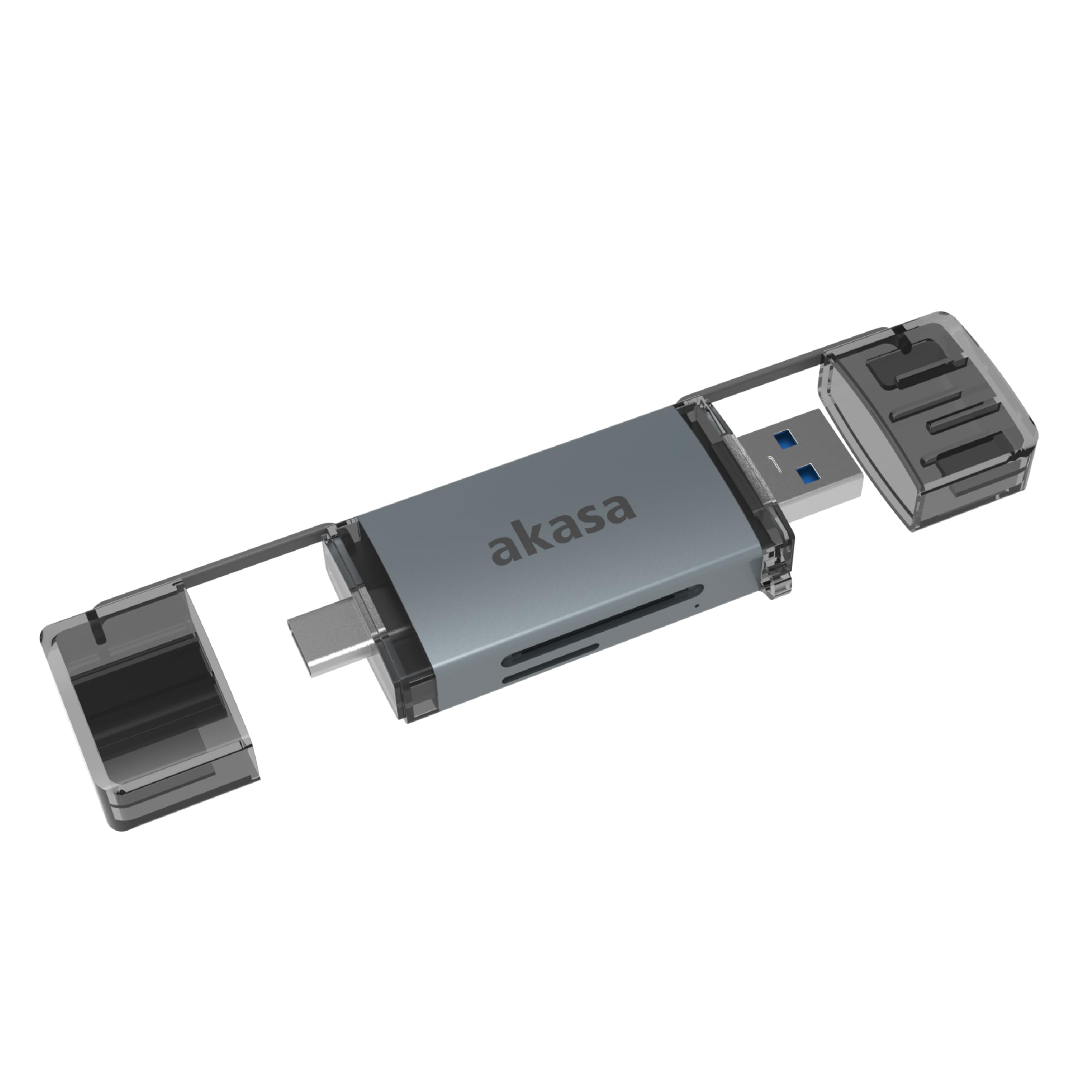
Image: The Akasa AK-CR-12 connected to a laptop, highlighting its USB 3.2 Gen 1 high-speed data transmission capability of up to 5Gbps, compared to USB 2.0's 480Mbps.

ചിത്രം: ഒരു ക്ലോസ്-അപ്പ് view of the Akasa AK-CR-12, emphasizing its aluminum housing designed for enhanced heat dissipation and protection, and its ease of plugging into various devices.
സജ്ജീകരണവും പ്രവർത്തനവും
- മെമ്മറി കാർഡ് ചേർക്കുക: Gently insert your SD or microSD card into the corresponding slot on the Akasa AK-CR-12. Ensure the card is inserted correctly with the contacts facing down.
- ഉപകരണത്തിലേക്ക് കണക്റ്റുചെയ്യുക:
- For devices with a USB Type-C port (e.g., modern laptops, smartphones, tablets), connect the USB Type-C end of the card reader.
- For devices with a USB Type-A port (e.g., older laptops, desktop PCs), connect the USB Type-A end of the card reader.
- ആക്സസ് ഡാറ്റ: Once connected, your operating system should automatically detect the card reader and the inserted memory card. The memory card will appear as a removable drive. You can then access, transfer, and manage fileമറ്റേതൊരു സംഭരണ ഉപകരണത്തിലും ചെയ്യുന്നതുപോലെ.
- സുരക്ഷിതമായി പുറത്താക്കുക: Before disconnecting the card reader, always safely eject the removable drive through your operating system's interface to prevent data corruption.
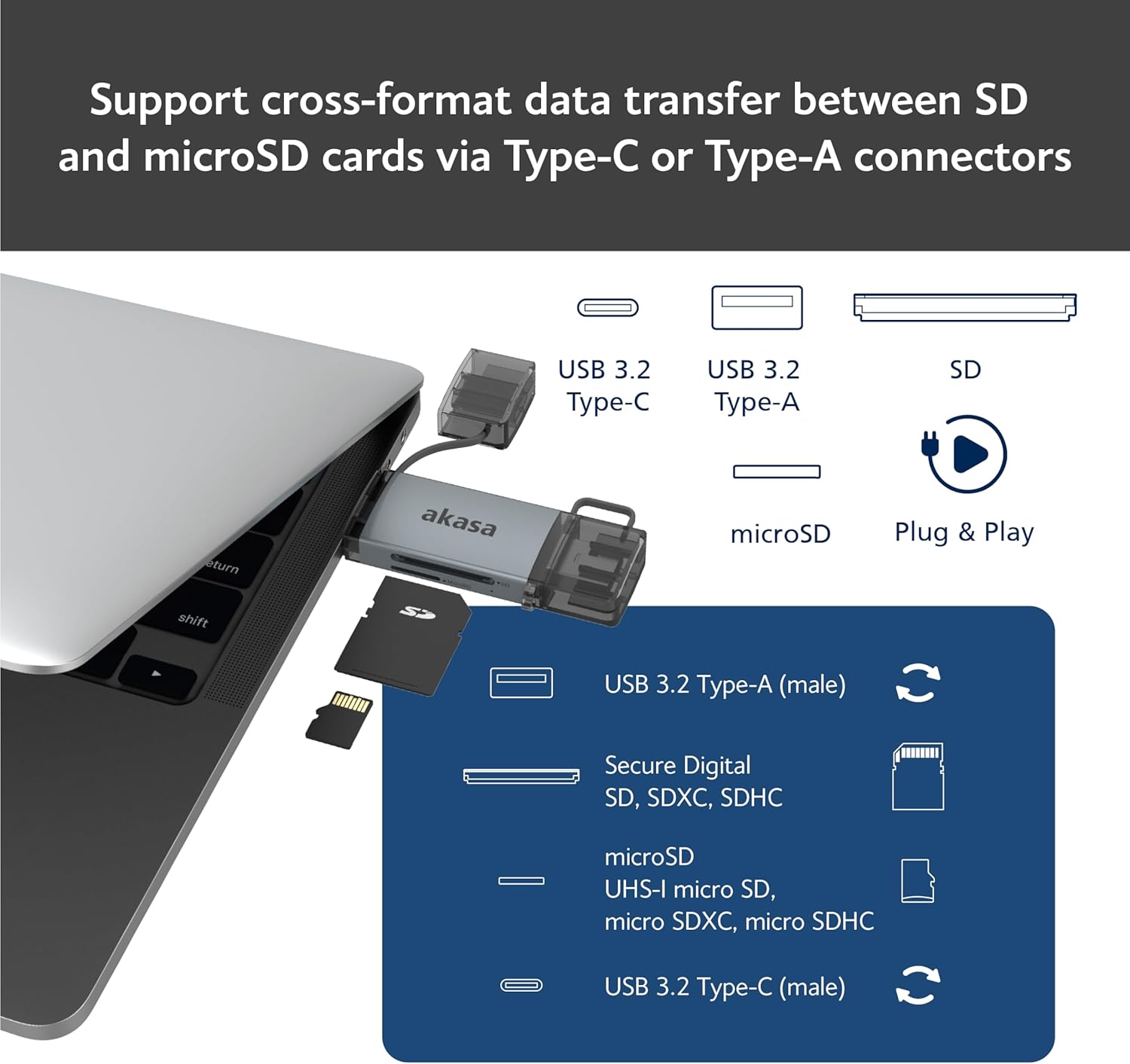
Image: An illustration demonstrating how to support cross-format data transfer between SD and microSD cards using the Type-C or Type-A connectors of the Akasa AK-CR-12, showing the different connector types and card slots.
അനുയോജ്യത
The Akasa AK-CR-12 is designed for broad compatibility with various operating systems and devices:
- ഓപ്പറേറ്റിംഗ് സിസ്റ്റങ്ങൾ:
- macOS 10.6.2 അല്ലെങ്കിൽ ഉയർന്നത്
- Windows XP/7/8/10/11
- Linux Fedora FC8 or higher
- ആൻഡ്രോയിഡ് സിസ്റ്റം
- അനുയോജ്യമായ ഉപകരണങ്ങൾ: Personal Computers, Laptops, Smartphones, Tablets.
- Memory Card Types: Secure Digital (SD, SDHC, SDXC, UHS-I), microSD (microSD, microSDHC, microSDXC).
Note for Smartphone/Tablet Devices:
If an adapter is needed for smartphone/tablet devices, the device must have USB OTG (On-The-Go) functionality to utilize the card reader feature.
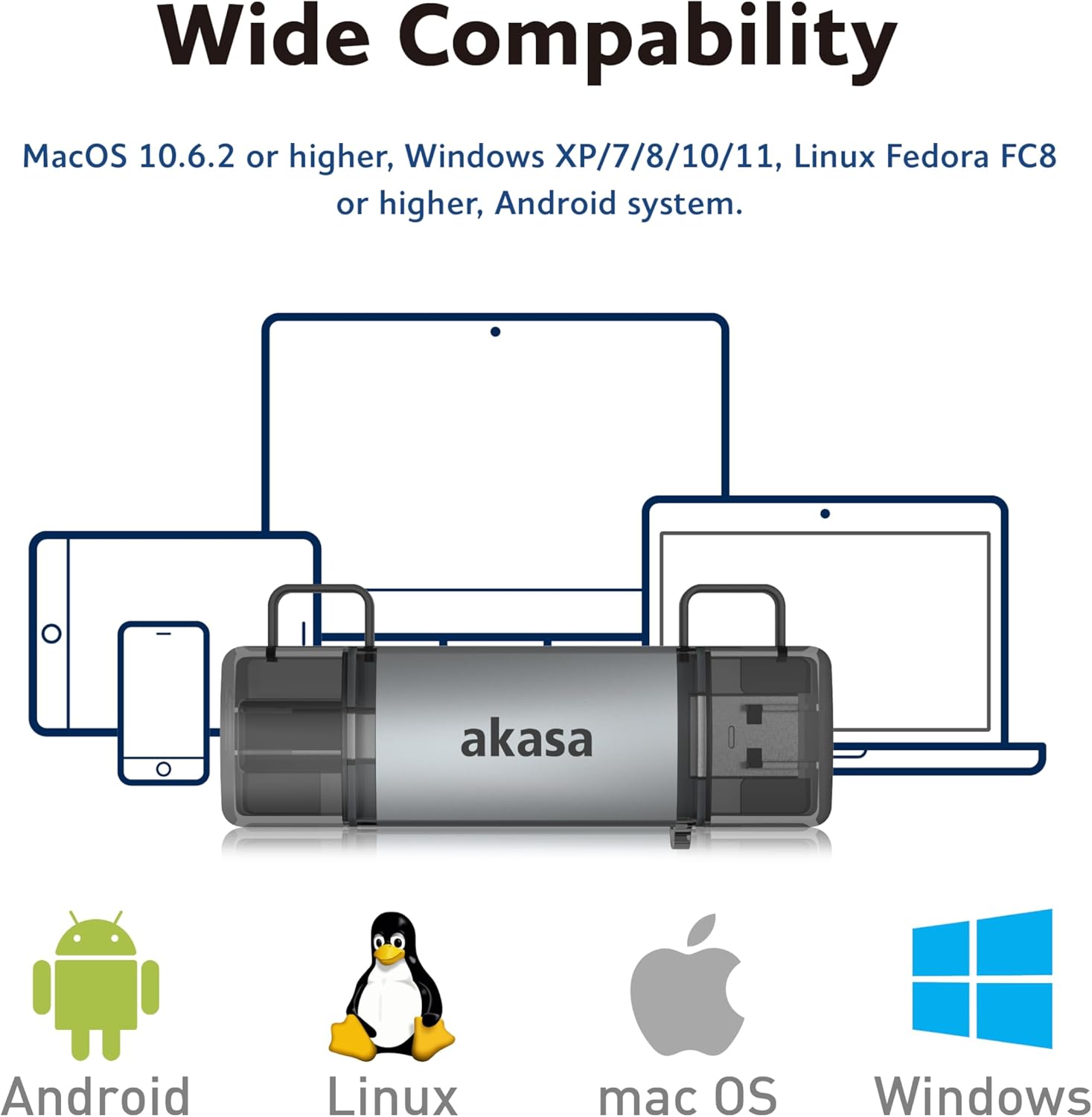
Image: The Akasa AK-CR-12 positioned centrally with logos for Android, Linux, macOS, and Windows operating systems, illustrating its wide compatibility across different platforms.
സ്പെസിഫിക്കേഷനുകൾ
| ഫീച്ചർ | വിശദാംശങ്ങൾ |
|---|---|
| അപേക്ഷ | External USB 3.2 Gen 1 Card Reader |
| അളവുകൾ | 84.5 x 25.35 x 11.4 മിമി |
| അപ്സ്ട്രീം പോർട്ടുകൾ | USB 3.2 Type-C (male) & USB 3.2 Type-A (male) |
| Memory Card Types | Secure Digital (UHS-I micro SD, micro SDXC, micro SDHC), microSD (micro SD, micro SDXC, micro SDHC) |
| പരമാവധി ഡാറ്റ കൈമാറ്റ നിരക്ക് | 5Gb/s (USB 3.2 Gen 1 / USB 3.0), 480Mb/s (USB 2.0) |
| OS അനുയോജ്യത | macOS 10.6.2 or higher, Windows XP/7/8/10/11, Linux Fedora FC8 or higher, Android System |
| പ്ലഗ് & പ്ലേ | പിന്തുണച്ചു |
| ചൂടുള്ള സ്വാപ്പബിൾ | പിന്തുണച്ചു |
| ഉൽപ്പന്ന കോഡ് | എകെ-സിആർ-12 |
| ഇനത്തിൻ്റെ ഭാരം | 20 ഗ്രാം |

Image: A detailed diagram illustrating the physical dimensions of the Akasa AK-CR-12, including its length (84.5mm), width (25.35mm), and thickness (11.4mm).
ട്രബിൾഷൂട്ടിംഗ്
- ഉപകരണം കണ്ടെത്തിയില്ല:
- Ensure the card reader is firmly connected to your device's USB port.
- നിങ്ങളുടെ കമ്പ്യൂട്ടറിലോ ഉപകരണത്തിലോ മറ്റൊരു USB പോർട്ട് പരീക്ഷിക്കുക.
- Verify that the memory card is correctly inserted into the card reader.
- പോർട്ട് പ്രശ്നം ഒഴിവാക്കാൻ മറ്റൊരു അനുയോജ്യമായ ഉപകരണത്തിൽ കാർഡ് റീഡർ പരിശോധിക്കുക.
- മന്ദഗതിയിലുള്ള ഡാറ്റ കൈമാറ്റം:
- Ensure you are connected to a USB 3.0/3.2 port for optimal speeds. Connecting to a USB 2.0 port will result in lower transfer rates (up to 480Mb/s).
- Check the speed class of your memory card; slower cards will limit transfer speeds.
- നിരവധി ചെറിയവ കൈമാറ്റം ചെയ്യുന്നത് ഒഴിവാക്കുക. fileകാരണം ഇത് മൊത്തത്തിലുള്ള വേഗത കുറയ്ക്കും.
- ആക്സസ് ചെയ്യാൻ കഴിയില്ല Files:
- Ensure the memory card is not write-protected (check for a physical lock switch on SD cards).
- Verify the memory card is formatted correctly for your operating system.
- Try accessing the card directly if your device has a built-in card reader to confirm the card itself is functional.
- Smartphone/Tablet Compatibility:
- Confirm your smartphone or tablet supports USB OTG (On-The-Go) functionality. This is essential for the device to recognize external USB storage.
- Some devices may require enabling OTG in their settings.
മെയിൻ്റനൻസ്
- വൃത്തിയാക്കൽ: കാർഡ് റീഡറിന്റെ പുറംഭാഗം വൃത്തിയാക്കാൻ മൃദുവായതും ഉണങ്ങിയതുമായ തുണി ഉപയോഗിക്കുക. ലിക്വിഡ് ക്ലീനറുകളോ ലായകങ്ങളോ ഉപയോഗിക്കുന്നത് ഒഴിവാക്കുക.
- സംഭരണം: കാർഡ് റീഡർ നേരിട്ട് സൂര്യപ്രകാശം ഏൽക്കാത്തതും ഉയർന്ന താപനില ഏൽക്കാത്തതുമായ ഒരു തണുത്ത വരണ്ട സ്ഥലത്ത് സൂക്ഷിക്കുക.
- സംരക്ഷണം: Keep the protective caps on the USB connectors when not in use to prevent dust and damage.
- കൈകാര്യം ചെയ്യൽ: ഉപകരണം ഉപേക്ഷിക്കുകയോ ശക്തമായ ആഘാതങ്ങൾക്ക് വിധേയമാക്കുകയോ ചെയ്യരുത്.
വാറൻ്റിയും പിന്തുണയും
For warranty information and technical support, please refer to the official Akasa webനിങ്ങളുടെ സ്ഥലത്തെ റീട്ടെയിലറെ ബന്ധപ്പെടുക അല്ലെങ്കിൽ ബന്ധപ്പെടുക. വാങ്ങിയതിന്റെ തെളിവായി നിങ്ങളുടെ വാങ്ങൽ രസീത് സൂക്ഷിക്കുക.
Akasa Official Webസൈറ്റ്: www.akasa.com.tw