
G308 (Three Modes)
Eweadn G308 Wireless Mouse User Manual
Model: G308 (Three Modes)
ആമുഖം
This manual provides comprehensive instructions for the Eweadn G308 Wireless Mouse. Designed for versatility, this mouse offers three connectivity modes, ergonomic comfort, and customizable RGB lighting, making it suitable for both PC office work and gaming. Please read this manual thoroughly to ensure proper use and maintenance of your device.
പ്രധാന സവിശേഷതകൾ
- ത്രീ-മോഡ് കണക്റ്റിവിറ്റി: Supports 2.4Ghz Wireless, Bluetooth, and Wired USB connections for maximum flexibility.
- റീചാർജ് ചെയ്യാവുന്ന ബാറ്ററി: Built-in rechargeable battery for convenience and environmental friendliness.
- എർഗണോമിക് ഡിസൈൻ: Crafted for comfortable grip during extended use, reducing hand fatigue.
- Mute Click Buttons: Silent click design for a quiet working or gaming environment.
- ഇഷ്ടാനുസൃതമാക്കാവുന്ന RGB ലൈറ്റിംഗ്: Dynamic RGB lighting with multiple effects to personalize your setup.
- 7 പ്രോഗ്രാം ചെയ്യാവുന്ന ബട്ടണുകൾ: Enhance productivity and gaming performance with customizable button functions.
- Opto-electronic Tracking: Precise and responsive cursor control.
പാക്കേജ് ഉള്ളടക്കം
Before proceeding, please ensure all items are present in your package:
- Eweadn G308 Wireless Mouse
- USB Receiver (for 2.4Ghz Wireless mode)
- യുഎസ്ബി ചാർജിംഗ് കേബിൾ
- ഉപയോക്തൃ മാനുവൽ (ഈ പ്രമാണം)
സജ്ജമാക്കുക
1. മൗസ് ചാർജ് ചെയ്യുന്നു
Before first use, it is recommended to fully charge the mouse. Connect the provided USB charging cable to the mouse's charging port and the other end to a USB power source (e.g., computer USB port, USB wall adapter).

Image: The Eweadn G308 mouse, highlighting its design and button layout.
2. മൗസ് ബന്ധിപ്പിക്കൽ
The Eweadn G308 mouse supports three connection modes:
2.1. 2.4Ghz വയർലെസ് മോഡ്
- സാധാരണയായി മൗസിന്റെ അടിഭാഗത്തുള്ള ഒരു കമ്പാർട്ടുമെന്റിൽ സൂക്ഷിച്ചിരിക്കുന്ന യുഎസ്ബി റിസീവർ കണ്ടെത്തുക.
- നിങ്ങളുടെ കമ്പ്യൂട്ടറിൽ ലഭ്യമായ USB പോർട്ടിലേക്ക് USB റിസീവർ പ്ലഗ് ചെയ്യുക.
- മൗസിന്റെ അടിവശത്തുള്ള പവർ സ്വിച്ച് ഉപയോഗിച്ച് അത് ഓണാക്കുക. മൗസ് യാന്ത്രികമായി കണക്ട് ചെയ്യണം.
- മൗസ് ഉപയോഗത്തിന് തയ്യാറാണ്.
2.2. ബ്ലൂടൂത്ത് മോഡ്
- നിങ്ങളുടെ കമ്പ്യൂട്ടറിന്റെ ബ്ലൂടൂത്ത് പ്രവർത്തനക്ഷമമാക്കിയിട്ടുണ്ടെന്ന് ഉറപ്പാക്കുക.
- Switch the mouse to Bluetooth mode (refer to the operating instructions for mode switching).
- നിങ്ങളുടെ കമ്പ്യൂട്ടറിൽ, ബ്ലൂടൂത്ത് ക്രമീകരണങ്ങളിലേക്ക് പോയി പുതിയ ഉപകരണങ്ങൾക്കായി തിരയുക.
- Select "Eweadn G308" from the list of available devices to pair.
- മൗസ് ഉപയോഗത്തിന് തയ്യാറാണ്.
2.3. വയർഡ് യുഎസ്ബി മോഡ്
- Connect the USB charging cable directly from the mouse to a USB port on your computer.
- ഈ മൗസ് ഒരു വയർഡ് മൗസ് പോലെ പ്രവർത്തിക്കുകയും അതേ സമയം ചാർജ് ചെയ്യുകയും ചെയ്യും.
- No drivers are typically required for basic functionality.
പ്രവർത്തന നിർദ്ദേശങ്ങൾ
1. മോഡ് സ്വിച്ചിംഗ്
The Eweadn G308 mouse features a mode switch on its underside or a dedicated button to cycle between 2.4Ghz Wireless, Bluetooth, and Wired modes. Refer to the markings on the mouse for the exact switch position.

Image: The Eweadn G308 mouse, emphasizing its quiet operation and power-saving features.
2. ബട്ടൺ പ്രവർത്തനങ്ങൾ
The mouse is equipped with 7 buttons. Standard functions include left click, right click, scroll wheel click, and DPI adjustment. The side buttons and additional top buttons may be programmable depending on your operating system or specific software.
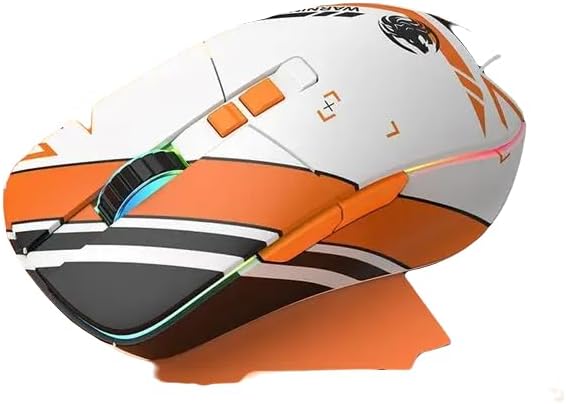
Image: A white and orange variant of the Eweadn G308 mouse, showcasing its ergonomic shape and RGB lighting.
3. RGB ലൈറ്റിംഗ് നിയന്ത്രണം
The RGB lighting can be adjusted or turned off using a dedicated button, often located near the scroll wheel or on the underside. Cycle through different lighting modes and colors to find your preferred aesthetic.
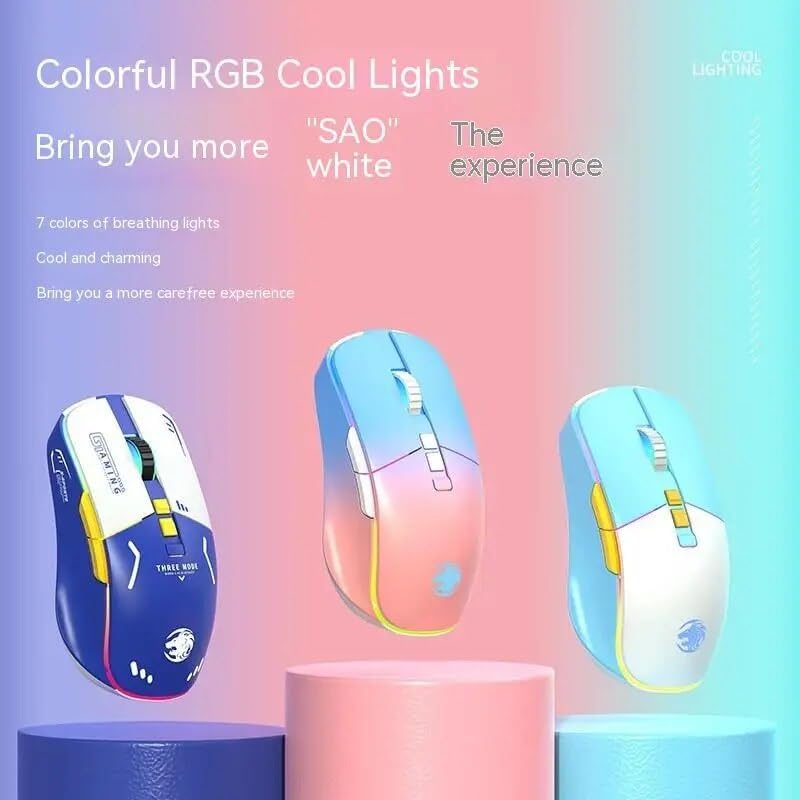
Image: Multiple color variants of the Eweadn G308 mouse demonstrating the customizable RGB lighting.
4. ഡിപിഐ ക്രമീകരണം
The DPI (Dots Per Inch) button allows you to change the mouse's sensitivity on the fly. Press the DPI button to cycle through preset DPI levels, indicated by changes in the RGB lighting or a dedicated indicator light. Higher DPI means faster cursor movement.
മെയിൻ്റനൻസ്
1. വൃത്തിയാക്കൽ
നിങ്ങളുടെ മൗസ് വൃത്തിയാക്കാൻ, മൃദുവായതും ഉണങ്ങിയതുമായ ഒരു തുണി ഉപയോഗിക്കുക. കഠിനമായ അഴുക്കിന്, അല്പം ഡി.amp cloth with mild soap can be used, but ensure no liquid enters the mouse. Avoid using harsh chemicals or abrasive materials.
2. ബാറ്ററി പരിചരണം
To prolong battery life, avoid fully discharging the mouse frequently. Charge the mouse when the battery indicator light suggests low power. Store the mouse in a cool, dry place when not in use for extended periods.
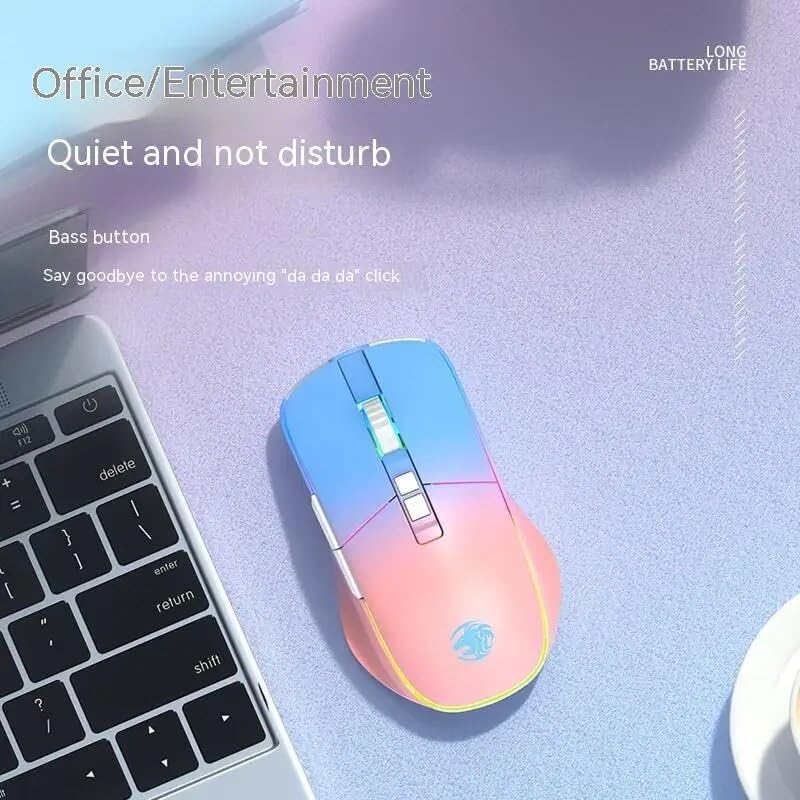
Image: The Eweadn G308 mouse in a typical usage scenario, highlighting its quiet operation.
ട്രബിൾഷൂട്ടിംഗ്
- മൗസ് പ്രതികരിക്കുന്നില്ല:
- മൗസ് ചാർജ് ചെയ്തിട്ടുണ്ടെന്ന് ഉറപ്പാക്കുക.
- Check if the mouse is turned on.
- Verify the correct connection mode (2.4Ghz, Bluetooth, or Wired) is selected.
- For 2.4Ghz, ensure the USB receiver is securely plugged in. Try a different USB port.
- ബ്ലൂടൂത്തിന്, നിങ്ങളുടെ ഉപകരണത്തിൽ ബ്ലൂടൂത്ത് പ്രവർത്തനക്ഷമമാക്കിയിട്ടുണ്ടെന്നും മൗസ് ജോടിയാക്കിയിട്ടുണ്ടെന്നും ഉറപ്പാക്കുക. വീണ്ടും ജോടിയാക്കാൻ ശ്രമിക്കുക.
- Try connecting via wired USB to see if the mouse functions.
- കഴ്സർ ചലനം ക്രമരഹിതമോ മന്ദഗതിയിലുള്ളതോ ആണ്:
- മൗസിന്റെ അടിവശത്തുള്ള ഒപ്റ്റിക്കൽ സെൻസർ വൃത്തിയാക്കുക.
- അനുയോജ്യമായ ഒരു പ്രതലത്തിലാണ് (പ്രതിഫലിപ്പിക്കാത്തതും സുതാര്യമല്ലാത്തതും) മൗസ് ഉപയോഗിക്കുന്നതെന്ന് ഉറപ്പാക്കുക.
- Adjust the DPI setting to a higher level.
- Check for interference if using wireless modes.
- RGB ലൈറ്റിംഗ് പ്രവർത്തിക്കുന്നില്ല:
- മൗസ് ഓണാണെന്ന് ഉറപ്പാക്കുക.
- Press the RGB control button to cycle through modes or turn it on.
- Check battery level; low battery might disable RGB to conserve power.
- ബട്ടണുകൾ പ്രതികരിക്കുന്നില്ല:
- മൗസ് ശരിയായി ബന്ധിപ്പിച്ചിട്ടുണ്ടെന്നും പവർ നൽകുന്നുണ്ടെന്നും ഉറപ്പാക്കുക.
- നിങ്ങളുടെ കമ്പ്യൂട്ടർ പുനരാരംഭിക്കുക.
- If specific buttons are not working, check for software conflicts or custom keybindings.
സ്പെസിഫിക്കേഷനുകൾ
| ഫീച്ചർ | വിവരണം |
|---|---|
| മോഡൽ | G308 |
| ഓപ്പറേഷൻ മോഡ് | ഒപ്റ്റോ-ഇലക്ട്രോണിക് |
| പവർ തരം | റീചാർജ് ചെയ്യാവുന്നത് |
| ബട്ടണുകളുടെ എണ്ണം | 7 |
| റോളറുകളുടെ എണ്ണം | 1 pcs (Scroll Wheel) |
| കൈ ഓറിയൻ്റേഷൻ | ശരിയാണ് |
| ഇൻ്റർഫേസ് തരം | USB |
| കണക്റ്റിവിറ്റി ടെക്നോളജി | 2.4Ghz Wireless, Bluetooth, Wired USB |
| പ്രത്യേക സവിശേഷതകൾ | Wireless, RGB Lighting, Mute Click |
| അനുയോജ്യമായ ഉപകരണങ്ങൾ | Personal Computer (PC, Laptop) |
| മെറ്റീരിയൽ | മറ്റുള്ളവ |
വാറൻ്റിയും പിന്തുണയും
Your Eweadn G308 Wireless Mouse comes with a 12 മാസ വാറൻ്റി വാങ്ങിയ തീയതി മുതൽ. സാധാരണ ഉപയോഗത്തിലുള്ള നിർമ്മാണ വൈകല്യങ്ങളും തകരാറുകളും ഈ വാറന്റി ഉൾക്കൊള്ളുന്നു.
എന്താണ് കവർ ചെയ്തിരിക്കുന്നത്:
- സാമഗ്രികളിലും ജോലിയിലും അപാകതകൾ.
- സാധാരണ പ്രവർത്തന സാഹചര്യങ്ങളിൽ തകരാറുകൾ.
എന്താണ് കവർ ചെയ്യാത്തത്:
- ദുരുപയോഗം, ദുരുപയോഗം, അപകടം അല്ലെങ്കിൽ അവഗണന എന്നിവ മൂലമുണ്ടാകുന്ന നാശനഷ്ടങ്ങൾ.
- അനധികൃത അറ്റകുറ്റപ്പണികൾ അല്ലെങ്കിൽ പരിഷ്കാരങ്ങൾ.
- സാധാരണ തേയ്മാനം.
For Warranty Claims or Support:
If you encounter any issues with your product, such as receiving a damaged or incorrect item, or if you experience any operational problems, please contact the seller directly. We aim to respond to all inquiries within 24 hours to provide assistance and resolution.
വാറന്റി സാധൂകരണത്തിനായി നിങ്ങളുടെ വാങ്ങിയതിന്റെ തെളിവ് സൂക്ഷിക്കുക.
Ask a question about this manual
Ask about setup, troubleshooting, compatibility, parts, safety, or missing instructions. Manuals+ will review the question and use this page’s manual context to help answer it.