
ആമുഖം
Thank you for choosing the LIORQUE S7509 Projection Alarm Clock. This manual provides detailed instructions for setting up and operating your new device. Please read it carefully to ensure proper use and to fully utilize all features.
പാക്കേജ് ഉള്ളടക്കം
അൺപാക്ക് ചെയ്യുമ്പോൾ, ഇനിപ്പറയുന്ന എല്ലാ ഇനങ്ങളും ഉണ്ടെന്ന് ഉറപ്പാക്കുക:
- LIORQUE S7509 Projection Alarm Clock
- പവർ അഡാപ്റ്റർ
- യുഎസ്ബി പവർ കേബിൾ
- ഉപയോക്തൃ മാനുവൽ

Image: The LIORQUE S7509 Projection Alarm Clock, its power adapter, USB cable, and user manual are displayed next to the product box. Product dimensions are indicated as 18cm (7.1in) width, 9.8cm (3.9in) height, and 5cm (2in) depth.
ഉൽപ്പന്ന സവിശേഷതകൾ കഴിഞ്ഞുview
The LIORQUE S7509 Projection Alarm Clock is designed to enhance your daily routine with its versatile features:
- 180° തിരിക്കാവുന്ന പ്രൊജക്ഷൻ: Project the time onto your ceiling or wall with adjustable brightness.
- വലിയ LED ഡിസ്പ്ലേ: Clear time display with 4 adjustable brightness levels.
- ഇരട്ട അലാറങ്ങൾ: Set two separate alarms for different schedules.
- എഫ്എം റേഡിയോ: Enjoy your favorite radio stations with 15 preset memory slots and 15 adjustable volume levels.
- സ്നൂസ് പ്രവർത്തനം: Provides an extra 9 minutes of sleep.
- സ്ലീപ്പ് ടൈമർ: Automatically turns off the radio after a set duration (5-90 minutes).
- 12/24 മണിക്കൂർ ഫോർമാറ്റ്: Easily switch between time formats.
- ബിൽറ്റ്-ഇൻ ബാറ്ററി: ou സമയത്ത് ബാക്കപ്പ് പവറിനായിtages.

Image: The LIORQUE S7509 Projection Alarm Clock is shown with its digital display set to 22:30. Surrounding icons highlight key features including 12/24 hour time, adjustable brightness, FM radio, snooze function, dual alarms, time projection, built-in battery, and a sleep timer.
സജ്ജീകരണ നിർദ്ദേശങ്ങൾ
1. പവർ കണക്ഷൻ
Connect the provided USB power cable to the alarm clock and plug the adapter into a standard wall outlet. The display will light up, indicating the device is powered on.

Image: The LIORQUE S7509 Projection Alarm Clock is shown on a bedside table, connected to a wall outlet via its power adapter. The clock displays 8:30, illustrating its readiness for use after power connection.
2. പ്രാരംഭ സമയ ക്രമീകരണം
- അമർത്തിപ്പിടിക്കുക ടൈം സെറ്റ് button (usually labeled with a clock icon) for 3 seconds to enter time setting mode.
- ഉപയോഗിക്കുക മണിക്കൂർ ഒപ്പം മിനിറ്റ് buttons (often labeled with '+' and '-' or arrows) to adjust the current time.
- അമർത്തുക ടൈം സെറ്റ് സ്ഥിരീകരിക്കാനും പുറത്തുകടക്കാനും വീണ്ടും.
3. 12/24 മണിക്കൂർ ഫോർമാറ്റ്
While in time setting mode, or by a dedicated button (refer to specific button labels on your device), you can toggle between 12-hour (with AM/PM indicator) and 24-hour formats.
പ്രവർത്തന നിർദ്ദേശങ്ങൾ
1. അലാറങ്ങൾ സജ്ജമാക്കുന്നു
ക്ലോക്ക് രണ്ട് സ്വതന്ത്ര അലാറങ്ങളെ പിന്തുണയ്ക്കുന്നു (അലാറം 1 ഉം അലാറം 2 ഉം).
- അമർത്തിപ്പിടിക്കുക അലാറം 1 or അലാറം 2 button for 3 seconds. The alarm time will flash.
- ഉപയോഗിക്കുക മണിക്കൂർ ഒപ്പം മിനിറ്റ് ആവശ്യമുള്ള അലാറം സമയം സജ്ജമാക്കാൻ ബട്ടണുകൾ.
- അമർത്തുക അലാറം സമയം സ്ഥിരീകരിക്കാൻ വീണ്ടും ബട്ടൺ അമർത്തുക.
- You can then select the alarm sound (buzzer or FM radio) and alarm volume.
- അമർത്തുക അലാറം button one more time to save settings and activate the alarm. An alarm icon will appear on the display.

Image: Two LIORQUE S7509 Projection Alarm Clocks are displayed side-by-side. One shows an alarm set for 8:30, labeled 'Workday', and the other shows 10:00, labeled 'Weekend', demonstrating the dual alarm capability.
2. Projection Function
The projector allows you to display the time on your ceiling or wall.
- സജീവമാക്കുക/നിർജ്ജീവമാക്കുക: അമർത്തുക പ്രൊജക്ഷൻ button (often labeled with a projection icon) to turn the projection on or off.
- തെളിച്ചം ക്രമീകരിക്കുക: ആവർത്തിച്ച് അമർത്തുക പ്രൊജക്ഷൻ button to cycle through 3 brightness levels (Low, Medium, High) or turn it off.
- പ്രൊജക്ഷൻ തിരിക്കുക: The projector lens can be physically rotated 180° to adjust the angle of the projected time.

Image: The LIORQUE S7509 Projection Alarm Clock is shown in a bedroom, projecting the time '22:30' onto the ceiling. Below, three smaller images illustrate the three adjustable brightness levels for the projection.

Image: The LIORQUE S7509 Projection Alarm Clock is depicted with its projection arm extended, casting the time '12:45' onto a nearby surface. This image demonstrates the adjustable angle and direction of the projection feature.
3. തെളിച്ചം പ്രദർശിപ്പിക്കുക
Adjust the main display brightness to your preference.
- അമർത്തുക ഡിമ്മർ button (or similar, often labeled with a sun icon) to cycle through 4 levels of display brightness.
- The levels typically range from brightest to off, allowing for comfortable viewരാവും പകലും.

Image: The LIORQUE S7509 Projection Alarm Clock shows the time 22:30. Below, four distinct panels illustrate the four adjustable levels of screen brightness, ranging from completely off to maximum illumination, allowing users to select the appropriate brightness for night vision.
4. എഫ്എം റേഡിയോ
നിങ്ങളുടെ പ്രിയപ്പെട്ട എഫ്എം റേഡിയോ സ്റ്റേഷനുകൾ ശ്രദ്ധിക്കുക.
- ഓൺ/ഓഫ് ചെയ്യുക: അമർത്തുക റേഡിയോ button to turn the FM radio on or off.
- ഓട്ടോ-സ്കാൻ: അമർത്തിപ്പിടിക്കുക റേഡിയോ button for 3 seconds to automatically scan and save up to 15 FM stations.
- സ്റ്റേഷനുകൾ മാറ്റുക: ഉപയോഗിക്കുക PREV/അടുത്തത് buttons (or '+' and '-') to switch between saved stations.
- വോളിയം ക്രമീകരിക്കുക: ഉപയോഗിക്കുക വോളിയം +/- buttons to adjust the radio volume through 15 levels.

Image: The LIORQUE S7509 Projection Alarm Clock displays 'FM 7.84' on its screen, surrounded by graphic representations of radio waves indicating different FM frequencies (e.g., FM90.2, FM95.6, FM96.8, FM97.5, FM98.5). The image also highlights that the device can store 15 favorite radio stations and has 15 adjustable volume levels.
5. സ്നൂസ് ഫംഗ്ഷൻ
അലാറം മുഴങ്ങുമ്പോൾ, വലിയ ബട്ടൺ അമർത്തുക സ്നൂസ് / ലൈറ്റ് button on top of the clock. The alarm will pause for 9 minutes and then sound again.
6. സ്ലീപ്പ് ടൈമർ
സ്ലീപ്പ് ടൈമർ റേഡിയോയെ ഒരു നിശ്ചിത സമയത്തേക്ക് പ്ലേ ചെയ്യാൻ അനുവദിക്കുന്നു, തുടർന്ന് സ്വയമേവ ഓഫാകും.
- റേഡിയോ പ്ലേ ചെയ്യുമ്പോൾ, അമർത്തുക ഉറങ്ങുക button (or similar).
- ആവർത്തിച്ച് അമർത്തുക ഉറങ്ങുക button to cycle through preset sleep times (e.g., 5, 10, 15, 30, 60, 90 minutes).
- തിരഞ്ഞെടുത്ത സമയത്തിന് ശേഷം റേഡിയോ സ്വയമേവ ഓഫാകും.
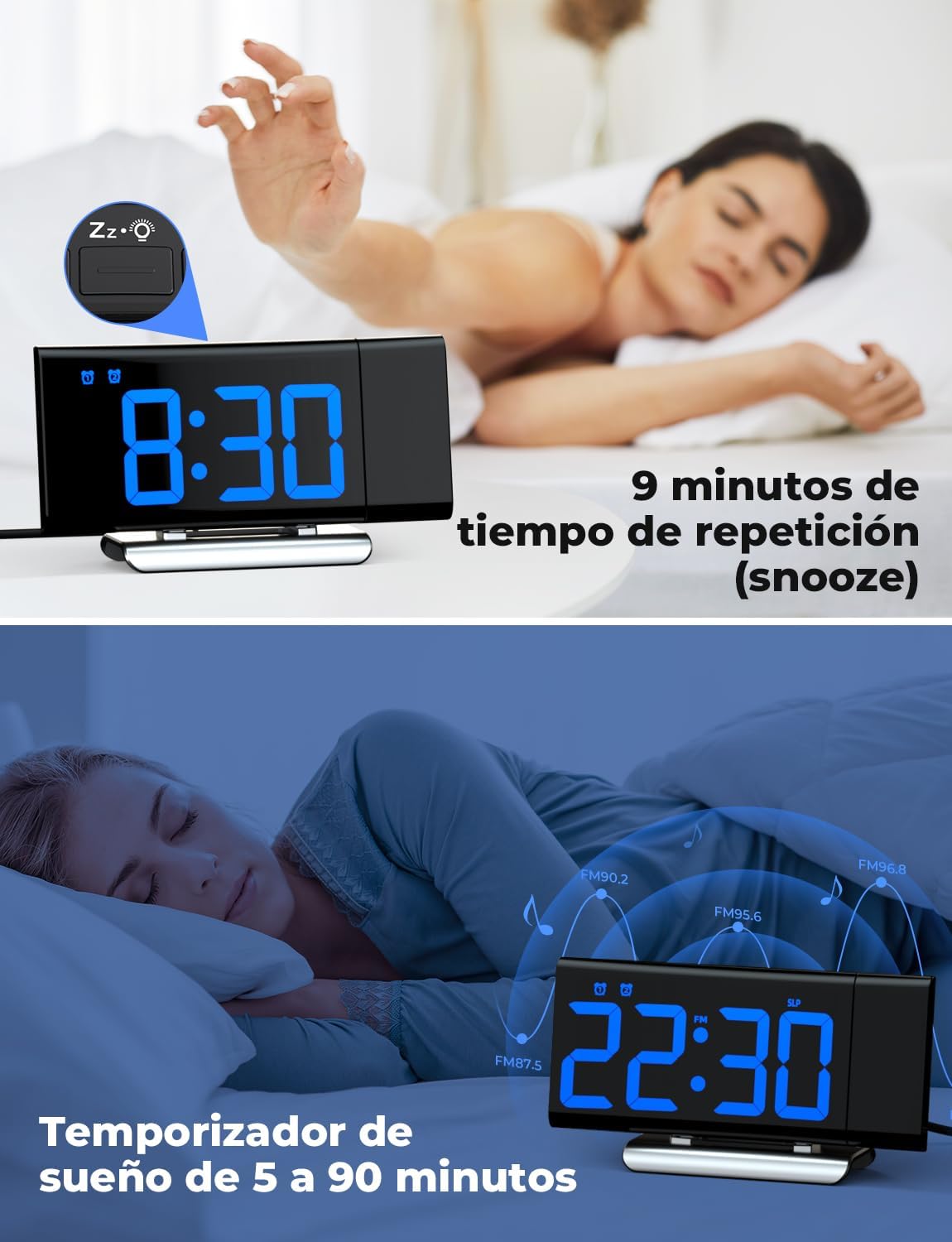
Image: The top section shows a person reaching for the snooze button on the LIORQUE S7509 Projection Alarm Clock, which displays 8:30, indicating a 9-minute snooze period. The bottom section features the clock displaying 22:30 with radio waves, illustrating the sleep timer function which can be set from 5 to 90 minutes, with a person sleeping peacefully in the background.
മെയിൻ്റനൻസ്
To ensure the longevity and optimal performance of your LIORQUE S7509 Projection Alarm Clock, follow these simple maintenance guidelines:
- വൃത്തിയാക്കൽ: Use a soft, dry cloth to wipe the surface of the clock. Do not use abrasive cleaners, solvents, or chemical sprays, as these can damage the finish and electronic components.
- പൊടി നീക്കം: Gently wipe the projector lens with a soft, lint-free cloth to maintain clear projection quality.
- പ്ലേസ്മെൻ്റ്: നേരിട്ടുള്ള സൂര്യപ്രകാശം, താപ സ്രോതസ്സുകൾ, അമിതമായ ഈർപ്പം എന്നിവയിൽ നിന്ന് മാറി സ്ഥിരതയുള്ളതും പരന്നതുമായ ഒരു പ്രതലത്തിൽ വാച്ച് സ്ഥാപിക്കുക.
- ശക്തി: Always use the provided power adapter. If the clock is not used for an extended period, you may unplug it. The built-in battery will retain settings for a short duration.
ട്രബിൾഷൂട്ടിംഗ്
If you encounter any issues with your alarm clock, please refer to the following common problems and solutions:
| പ്രശ്നം | സാധ്യമായ കാരണം | പരിഹാരം |
|---|---|---|
| ക്ലോക്ക് ഡിസ്പ്ലേ ശൂന്യമാണ്. | അധികാരമോ ശക്തിയോ ഇല്ലtage. | Ensure the power adapter is securely plugged into the clock and a working outlet. Check if the display brightness is set to 'off'. |
| പ്രൊജക്ഷൻ മങ്ങിയതോ അവ്യക്തമോ ആണ്. | Incorrect focus or distance. | Adjust the distance of the clock from the projection surface. Ensure the projector lens is clean. |
| അലാറം മുഴങ്ങുന്നില്ല. | അലാറം സജീവമാക്കിയിട്ടില്ല അല്ലെങ്കിൽ ശബ്ദം വളരെ കുറവാണ്. | Verify that the alarm icon is displayed on the screen. Check the alarm volume setting. Ensure the alarm time is correctly set. |
| മോശം എഫ്എം റേഡിയോ സ്വീകരണം. | ദുർബലമായ സിഗ്നൽ അല്ലെങ്കിൽ ആന്റിന സ്ഥാനം. | Extend the FM antenna fully. Reposition the clock to improve reception. |
| ബട്ടണുകൾ പ്രതികരിക്കുന്നില്ല. | താൽക്കാലിക സോഫ്റ്റ്വെയർ തകരാർ. | Unplug the power adapter for a few seconds, then plug it back in to reset the device. |
സ്പെസിഫിക്കേഷനുകൾ
| ഫീച്ചർ | വിശദാംശങ്ങൾ |
|---|---|
| ഉൽപ്പന്ന അളവുകൾ | 10.5 x 3.81 x 6.2 സെ.മീ; 340 ഗ്രാം |
| മോഡൽ നമ്പർ | എസ് 7509 |
| ബ്രാൻഡ് | ലിയോർക്ക് |
| നിറം | നീല |
| ഡിസ്പ്ലേ തരം | ഡിജിറ്റൽ |
| പവർ ഉറവിടം | Both: Battery and AC power (with adapter) |
| ആകൃതി | ദീർഘചതുരം |
| ഉപയോഗം | ഇൻഡോർ |
| ഫ്രെയിം മെറ്റീരിയൽ | ലോഹം |
| ബാറ്ററികൾ ഉൾപ്പെടുത്തിയിട്ടുണ്ട് | അതെ |
| മൗണ്ടിംഗ് തരം | ടേബിൾടോപ്പ് |
| അലാറം ക്ലോക്ക് | അതെ |
| ഇനങ്ങളുടെ എണ്ണം | 1 |
വാറൻ്റിയും പിന്തുണയും
The LIORQUE S7509 Projection Alarm Clock comes with a manufacturer's warranty. For specific details regarding warranty coverage and duration, please refer to the warranty card included in your package or contact LIORQUE customer support.
If you require further assistance, have questions, or encounter issues not covered in this manual, please contact LIORQUE customer support. Contact information can typically be found on the product packaging, the official LIORQUE webസൈറ്റ്, അല്ലെങ്കിൽ നിങ്ങളുടെ റീട്ടെയിലർ വഴി.