
1. ആമുഖം
This manual provides essential instructions for the safe and effective use of your Canon EF 28-80mm f/3.5-5.6 II lens. Please read this manual thoroughly before using the lens to ensure proper operation and to achieve optimal photographic results. Keep this manual in a safe place for future reference.
2. ഉൽപ്പന്നം കഴിഞ്ഞുview
The Canon EF 28-80mm f/3.5-5.6 II is a versatile standard zoom lens designed for Canon EF mount cameras. It offers a flexible focal length range suitable for various photographic situations, from wide-angle landscapes to portraits. This lens features manual focus operation and a variable maximum aperture.

ചിത്രം 2.1: മുൻഭാഗം view of the Canon EF 28-80mm f/3.5-5.6 II lens.
പ്രധാന സവിശേഷതകളിൽ ഇവ ഉൾപ്പെടുന്നു:
- ഫോക്കൽ ലെങ്ത്: 28-80mm zoom range.
- അപ്പേർച്ചർ: Variable maximum aperture of f/3.5-5.6.
- മൗണ്ട്: Compatible with Canon EF mount cameras.
- ഫോക്കസ്: മാനുവൽ ഫോക്കസ്.
- ഡിസൈൻ: Zoom lens construction.
3. സജ്ജീകരണം
3.1 ലെൻസ് ഘടിപ്പിക്കൽ
- പിൻ ലെൻസ് ക്യാപ്പും ക്യാമറ ബോഡി ക്യാപ്പും നീക്കം ചെയ്യുക.
- ലെൻസിലെ ചുവന്ന ഇൻഡക്സ് അടയാളം ക്യാമറ ബോഡിയിലെ ചുവന്ന ഇൻഡക്സ് അടയാളവുമായി വിന്യസിക്കുക.
- ക്യാമറ മൗണ്ടിലേക്ക് ലെൻസ് തിരുകുക, അത് ശരിയായ സ്ഥാനത്ത് ക്ലിക്ക് ചെയ്യുന്നത് വരെ ഘടികാരദിശയിൽ തിരിക്കുക.
- Ensure the lens is securely locked.
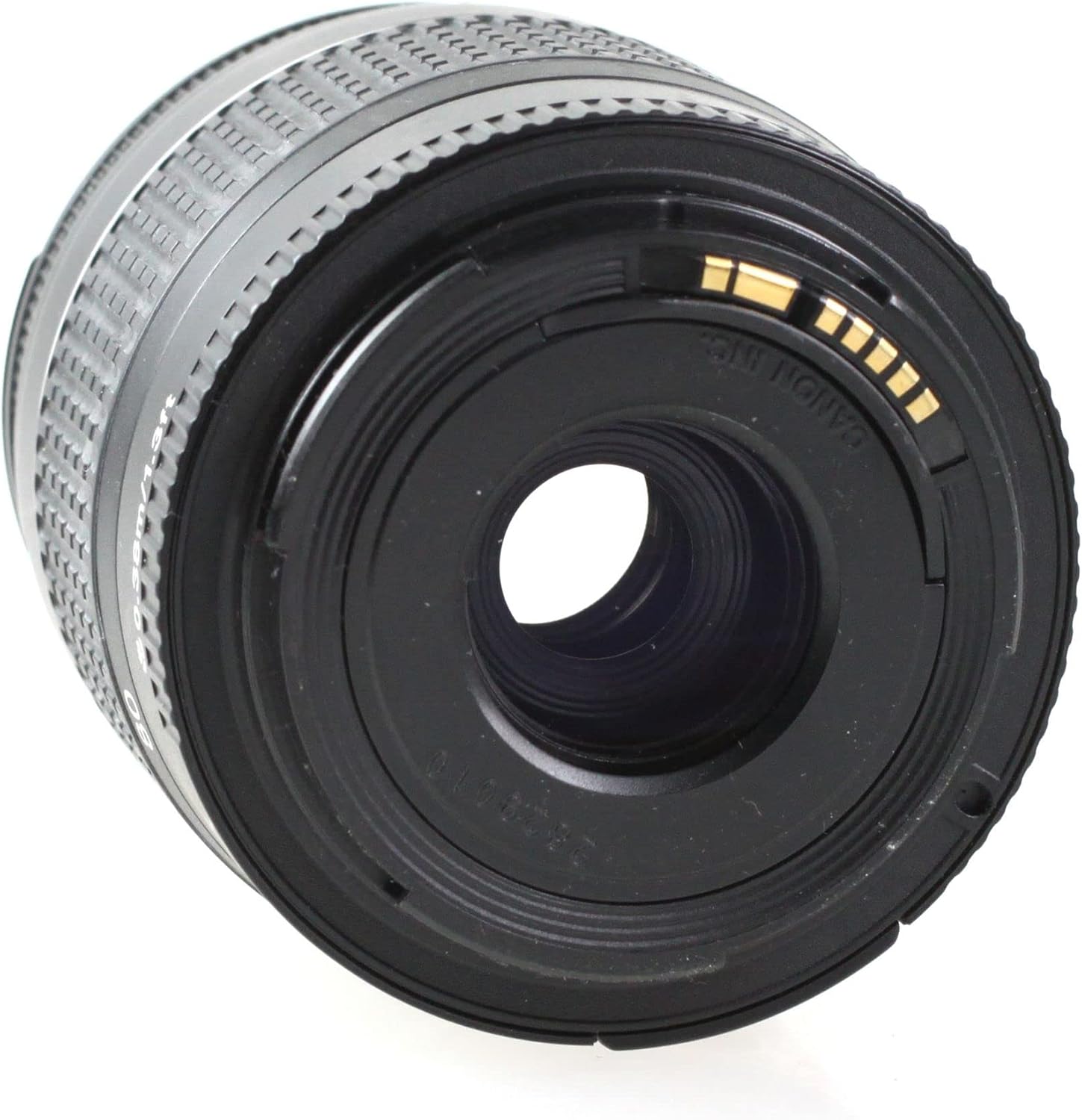
ചിത്രം 3.1: പിൻഭാഗം view of the lens, showing the EF mount.
3.2 ലെൻസ് വേർപെടുത്തൽ
- ക്യാമറ ഓഫ് ചെയ്യുക.
- ക്യാമറ ബോഡിയിലെ ലെൻസ് റിലീസ് ബട്ടൺ അമർത്തുമ്പോൾ, ലെൻസ് നിർത്തുന്നത് വരെ എതിർ ഘടികാരദിശയിൽ തിരിക്കുക.
- ക്യാമറയിൽ നിന്ന് ലെൻസ് നീക്കം ചെയ്യുക.
- Attach the rear lens cap to the lens and the body cap to the camera.
4. ലെൻസ് പ്രവർത്തിപ്പിക്കൽ
4.1 സൂം ചെയ്യുന്നു
To change the focal length, rotate the zoom ring on the lens. The focal length markings (28, 35, 50, 70, 80mm) indicate the current focal length. Rotate the ring clockwise to zoom in (increase focal length) and counter-clockwise to zoom out (decrease focal length).

Figure 4.1: Zoom ring on the lens.
4.2 Focusing (Manual Focus)
This lens features manual focus. To focus, rotate the focus ring until the subject appears sharp in the viewfinder or on the camera's LCD screen. For precise focusing, use the camera's focus assist features if available.
4.3 അപ്പർച്ചർ നിയന്ത്രണം
The aperture of this lens is controlled electronically via the camera body. Refer to your camera's instruction manual for details on how to adjust the aperture settings (f-number).
5. Maintenance and Handling
- വൃത്തിയാക്കൽ: Use a lens blower to remove dust from the lens surface. For smudges, use a soft, clean lens cloth and a specialized lens cleaning solution. Never use organic solvents or harsh chemicals.
- സംഭരണം: When not in use, attach the front and rear lens caps. Store the lens in a cool, dry, and well-ventilated place, away from direct sunlight and high humidity.
- കൈകാര്യം ചെയ്യൽ: Avoid dropping or subjecting the lens to strong impacts. Do not leave the lens in direct sunlight for extended periods, as this can damage internal components.
- ജല പ്രതിരോധം: This lens is not water resistant. Avoid exposure to rain, splashes, or high humidity.
6. പ്രശ്നപരിഹാരം
If you encounter issues with your lens, please refer to the following common solutions:
- ക്യാമറയിൽ ലെൻസ് ഘടിപ്പിക്കാത്തത്: Ensure the red index marks on both the lens and camera body are aligned, and rotate until it clicks. Check for any obstructions on the mount.
- Difficulty focusing: Ensure you are rotating the focus ring correctly. Check your camera's manual for manual focus assist features.
- Image quality issues: Ensure the lens elements are clean. Check camera settings (e.g., ISO, shutter speed, aperture).
For camera-specific issues or persistent problems, consult your camera's instruction manual or contact Canon customer support.
7 സ്പെസിഫിക്കേഷനുകൾ
| ഫീച്ചർ | വിവരണം |
|---|---|
| ബ്രാൻഡ് | കാനൻ |
| മോഡലിൻ്റെ പേര് | Canon EF 28-80mm f/3.5-5.6 II |
| ഫോക്കൽ ലെങ്ത് വിവരണം | 28-80 മില്ലിമീറ്റർ |
| പരമാവധി അപ്പേർച്ചർ | 3.5 എഫ് |
| കുറഞ്ഞ ഫോക്കൽ ലെങ്ത് | 28 മില്ലിമീറ്റർ |
| പരമാവധി ഫോക്കൽ ദൈർഘ്യം | 80 മില്ലിമീറ്റർ |
| ലെൻസ് തരം | സ്റ്റാൻഡേർഡ് |
| അനുയോജ്യമായ മൗണ്ടിംഗുകൾ | കാനൻ ഇ.എഫ് |
| ഫോക്കസ് തരം | മാനുവൽ ഫോക്കസ് |
| ഇമേജ് സ്റ്റെബിലൈസേഷൻ | No image stabilization |
| ഡയഫ്രം ബ്ലേഡുകളുടെ എണ്ണം | 3 |
| യു.പി.സി | 657768819438 |
| നിർമ്മാതാവിൻ്റെ ഭാഗം നമ്പർ | EF 28-80 1:3,5-5,6 DC-cr |
| ജല പ്രതിരോധ നില | വാട്ടർ റെസിസ്റ്റൻ്റ് അല്ല |
8. വാറൻ്റിയും പിന്തുണയും
This Canon EF 28-80mm f/3.5-5.6 II lens comes with a 90 ദിവസത്തെ പരിമിത വാറൻ്റിവാറന്റി ക്ലെയിമുകൾക്കായി നിങ്ങളുടെ വാങ്ങിയതിന്റെ തെളിവ് സൂക്ഷിക്കുക.
For technical support, service, or further inquiries, please contact Canon customer support or visit the official Canon website. You may also refer to the Amazon Renewed store for specific return or replacement policies related to renewed products.