
Desk 2600, Desk/2600
User Manual: AC DC Adapter Charger for Ingenico Desk 2600 / Desk/2600 POS Terminal
Model: Ingenico Desk 2600, Desk/2600 Compatible Adapter
1. ഉൽപ്പന്നം കഴിഞ്ഞുview
This document provides instructions for the use and maintenance of the AC DC Adapter Charger designed as a compatible replacement for Ingenico Desk 2600 and Desk/2600 POS Card Payment Terminal Readers. This power supply ensures reliable charging and operation of your device.
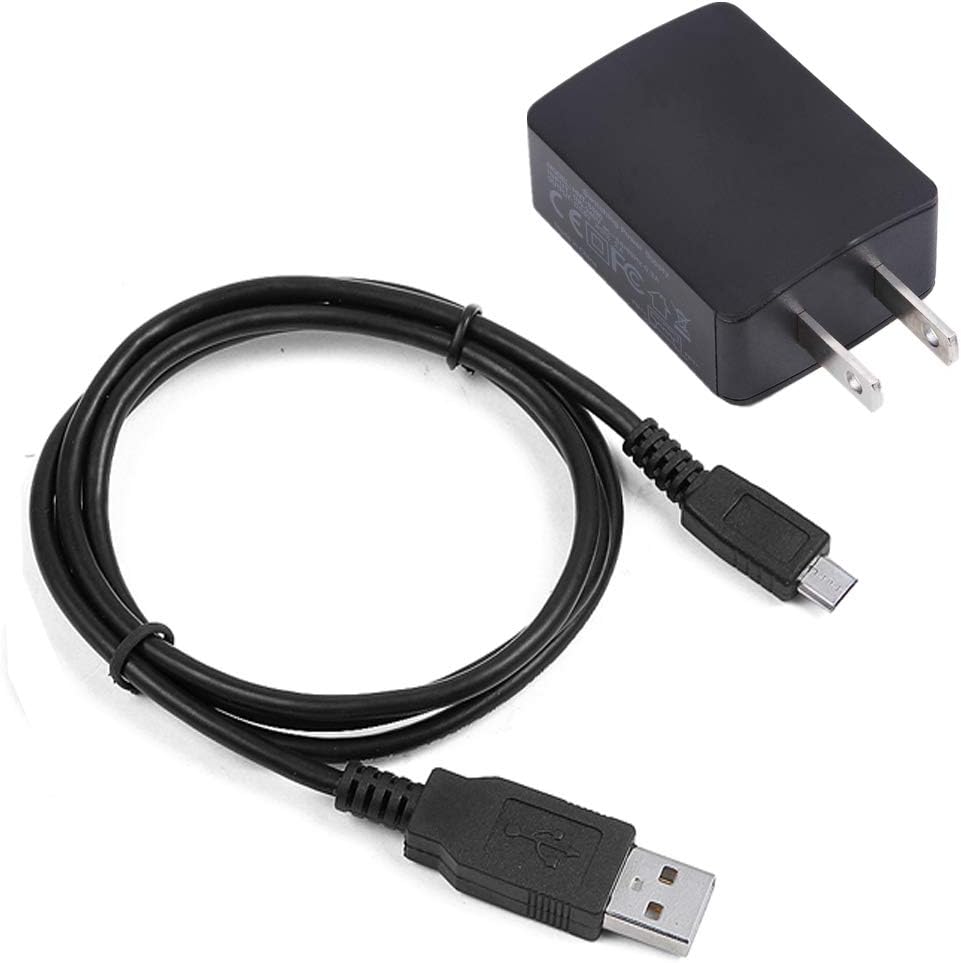
ചിത്രം 1.1: The complete AC DC Adapter Charger with its integrated USB cord. This image displays the wall plug adapter unit connected to a USB cable, which terminates in a micro-USB connector, suitable for the Ingenico Desk 2600 terminal.
പ്രധാന സവിശേഷതകൾ:
- അനുയോജ്യത: Specifically designed as a compatible replacement for Ingenico Desk 2600 and Desk/2600 models. Note: This adapter is not compatible with other models.
- ഗ്ലോബൽ ഇൻപുട്ട് വോളിയംtage: വിശാലമായ ഇൻപുട്ട് വോളിയം പിന്തുണയ്ക്കുന്നുtage range of 100V - 240V, making it suitable for worldwide use.
- സുരക്ഷാ പരിരക്ഷകൾ: Equipped with Over Voltage Output Protection, Over Current Output Protection, and Short Circuit Output Protection to ensure safe operation and protect your device.
- കേബിൾ നീളം: Features a 6-foot long USB cord for flexible placement and convenience.

ചിത്രം 1.2: An illustration highlighting the 6-foot length of the adapter's cable, providing ampവിവിധ സജ്ജീകരണങ്ങളിൽ എത്തിച്ചേരുക.
2. സജ്ജീകരണ നിർദ്ദേശങ്ങൾ
Follow these steps to properly set up your AC DC Adapter Charger:
- അനുയോജ്യത പരിശോധിക്കുക: Before connecting, ensure your device is an Ingenico Desk 2600 or Desk/2600 model. This adapter is specifically designed for these models.
- അഡാപ്റ്റർ പരിശോധിക്കുക: Visually inspect the adapter and cable for any signs of damage (e.g., frayed wires, bent pins, cracks). Do not use if damaged.
- Connect to Terminal: Carefully insert the micro-USB connector of the adapter's cord into the charging port of your Ingenico Desk 2600 or Desk/2600 terminal. Ensure a snug fit.
- പവർ ഔട്ട്ലെറ്റിൽ പ്ലഗ് ഇൻ ചെയ്യുക: Insert the AC plug of the adapter into a standard wall power socket (100V - 240V).
- ചാർജ് ചെയ്യുന്നത് സ്ഥിരീകരിക്കുക: Once connected, your Ingenico terminal should indicate that it is receiving power or charging. Refer to your terminal's user manual for specific charging indicators.

ചിത്രം 2.1: എ വിശദമായി view of the AC wall adapter unit, showing its prongs and compact design, ready for insertion into a power outlet.
3. അഡാപ്റ്റർ പ്രവർത്തിപ്പിക്കൽ
The adapter operates automatically once connected to a power source and your device. It provides a stable power supply for both charging the internal battery and operating the terminal directly.
- തുടർച്ചയായ ശക്തി: The adapter can be left plugged in to provide continuous power to your Ingenico terminal during extended use.
- ബാറ്ററി ചാർജിംഗ്: When the terminal's battery is low, the adapter will automatically initiate charging. The charging status is typically indicated on the terminal's display.
- വിച്ഛേദിക്കുന്നു: To disconnect, first unplug the adapter from the wall outlet, then gently remove the micro-USB connector from your terminal. Avoid pulling the cable forcefully.

ചിത്രം 3.1: A close-up of the USB and micro-USB connectors on the cable, illustrating the connection points for the power adapter and the Ingenico terminal.
4. പരിപാലനവും പരിചരണവും
Proper care will extend the lifespan of your adapter:
- വൃത്തിയാക്കൽ: Disconnect the adapter from all power sources and devices before cleaning. Use a soft, dry cloth to wipe the surface. Do not use liquid cleaners or abrasive materials.
- സംഭരണം: When not in use, store the adapter in a cool, dry place away from direct sunlight and extreme temperatures. Avoid tightly coiling the cable to prevent damage.
- കൈകാര്യം ചെയ്യൽ: Always grasp the plug when inserting or removing the adapter from an outlet or device. Do not pull on the cable.
- പരിസ്ഥിതി വ്യവസ്ഥകൾ: Avoid exposing the adapter to water, high humidity, or dusty environments.
5. പ്രശ്നപരിഹാരം
If you encounter issues with your adapter, consider the following:
| പ്രശ്നം | സാധ്യമായ കാരണം | പരിഹാരം |
|---|---|---|
| ഉപകരണം ചാർജ് ചെയ്യുന്നില്ല/ഓൺ ചെയ്യുന്നില്ല. |
|
|
| ഉപയോഗിക്കുമ്പോൾ അഡാപ്റ്റർ ചൂടുള്ളതായി അനുഭവപ്പെടുന്നു. | സാധാരണ പ്രവർത്തനം. | A slight warmth is normal during operation. If the adapter becomes excessively hot or emits a burning smell, immediately unplug it and discontinue use. |
6 സ്പെസിഫിക്കേഷനുകൾ
| ഫീച്ചർ | വിശദാംശങ്ങൾ |
|---|---|
| ഉൽപ്പന്നത്തിൻ്റെ പേര് | AC DC Adapter Charger + USB Cord |
| ബ്രാൻഡ് | ജനറിക് |
| അനുയോജ്യമായ ഉപകരണങ്ങൾ | Ingenico Desk 2600, Desk/2600 POS Card Payment Terminal Reader (NOT fit Other Models) |
| ഇൻപുട്ട് വോളിയംtage | 100V - 240V AC (Worldwide Compatible) |
| ഔട്ട്പുട്ട് Ampഉന്മേഷം | 2 Amps |
| കണക്റ്റിവിറ്റി ടെക്നോളജി | Wall power socket |
| കണക്റ്റർ തരം | Flat Connector (AC plug), Micro-USB (device connector) |
| കേബിൾ നീളം | 6 അടി |
| നിറം | കറുപ്പ് |
| ഉൽപ്പന്ന അളവുകൾ | 2 x 2 x 2 inches (approximate adapter unit size) |
| ഇനത്തിൻ്റെ ഭാരം | 4 ഔൺസ് |
| നിർമ്മാതാവ് | GettyPower |
| മാതൃരാജ്യം | ചൈന |
7. വാറൻ്റിയും പിന്തുണയും
This product is manufactured by GettyPower. For specific warranty information or technical support, please refer to the seller's return policy or contact the seller directly through the platform where the purchase was made.
- തിരികെ നൽകൽ നയം: Typically, a 30-day refund/replacement policy is offered by the seller. Please check your purchase details for exact terms.
- Contacting Seller: For any issues or questions, it is recommended to contact "GettyPower" directly via the Amazon messaging system or their provided contact information.
Ask a question about this manual
Ask about setup, troubleshooting, compatibility, parts, safety, or missing instructions. Manuals+ will review the question and use this page’s manual context to help answer it.