
Phomemo 344WF
Phomemo 344WF Shipping Label Printer User Manual
Model: 344WF | Brand: Phomemo
ഉൽപ്പന്നം കഴിഞ്ഞുview
The Phomemo 344WF is an upgraded Wi-Fi thermal label printer designed for efficient and high-quality label printing. It features 300 DPI resolution, 100mm/s printing speed, and compatibility with various operating systems and shipping platforms. This manual provides detailed instructions for setup, operation, and maintenance.

Phomemo 344WF printer with various label types, highlighting Wi-Fi connectivity.
ബോക്സിൽ എന്താണുള്ളത്
Verify that all components are present in your Phomemo 344WF package:
- 344WF Wi-Fi Thermal Label Printer
- ലേബലുകൾ
- പവർ അഡാപ്റ്ററും കേബിളും
- USB Cord & Type C Convertor
- ഉപയോക്തൃ ഗൈഡ്

Contents of the Phomemo 344WF printer package, including the printer, cables, and user guide.
സജ്ജീകരണ ഗൈഡ്
ഫിസിക്കൽ കണക്ഷൻ
Connect the power cable to the printer and a power outlet. Ensure the printer is switched on. Insert the labels into the printer, ensuring they are straight and smooth. The printer will automatically calibrate the labels.
Video demonstrating the physical connection of the Phomemo 344WF printer and proper label insertion.
Software Installation & Connectivity
The Phomemo 344WF supports both Wi-Fi and USB connections for various operating systems.
Mobile App (iOS/Android) Setup
Download the "Labelife" app from your device's app store. Turn on Bluetooth and Wi-Fi on your phone. Open the Labelife app and connect to the printer via Wi-Fi.

Diagram showing mobile app connectivity for Phomemo 344WF via Wi-Fi for Android and iOS devices.


Computer (Windows/Mac) Setup
For PC printing, download the driver and Printer Setting Tool from pm344.labelife.cc.
വിൻഡോസ് സജ്ജീകരണം:
Detailed video guide on connecting the Phomemo 344WF printer to a Windows operating system, including driver installation and Wi-Fi configuration.
Mac OS Setup:
Detailed video guide on connecting the Phomemo 344WF printer to a Mac operating system, including driver installation and Wi-Fi configuration.

Image illustrating multi-system compatibility for Phomemo 344WF, supporting Chrome OS, Mac OS, Windows, and Linux via Wi-Fi or USB.
പ്രവർത്തന നിർദ്ദേശങ്ങൾ
ഒരു ലേബൽ അച്ചടിക്കുന്നു
Ensure the printer is connected and labels are loaded. Open your document (e.g., PDF shipping label) and select the Phomemo 344WF printer from your print options. Adjust paper size and print settings as needed before sending the print job.

Phomemo 344WF printer being used to print a shipping label, compatible with various e-commerce and shipping platforms.
Custom Label Creation
Use the Labelife application to design custom labels of various widths (1 inch to 4.6 inches) for barcodes, product labels, QR codes, and more. This allows for versatile use beyond just shipping labels.
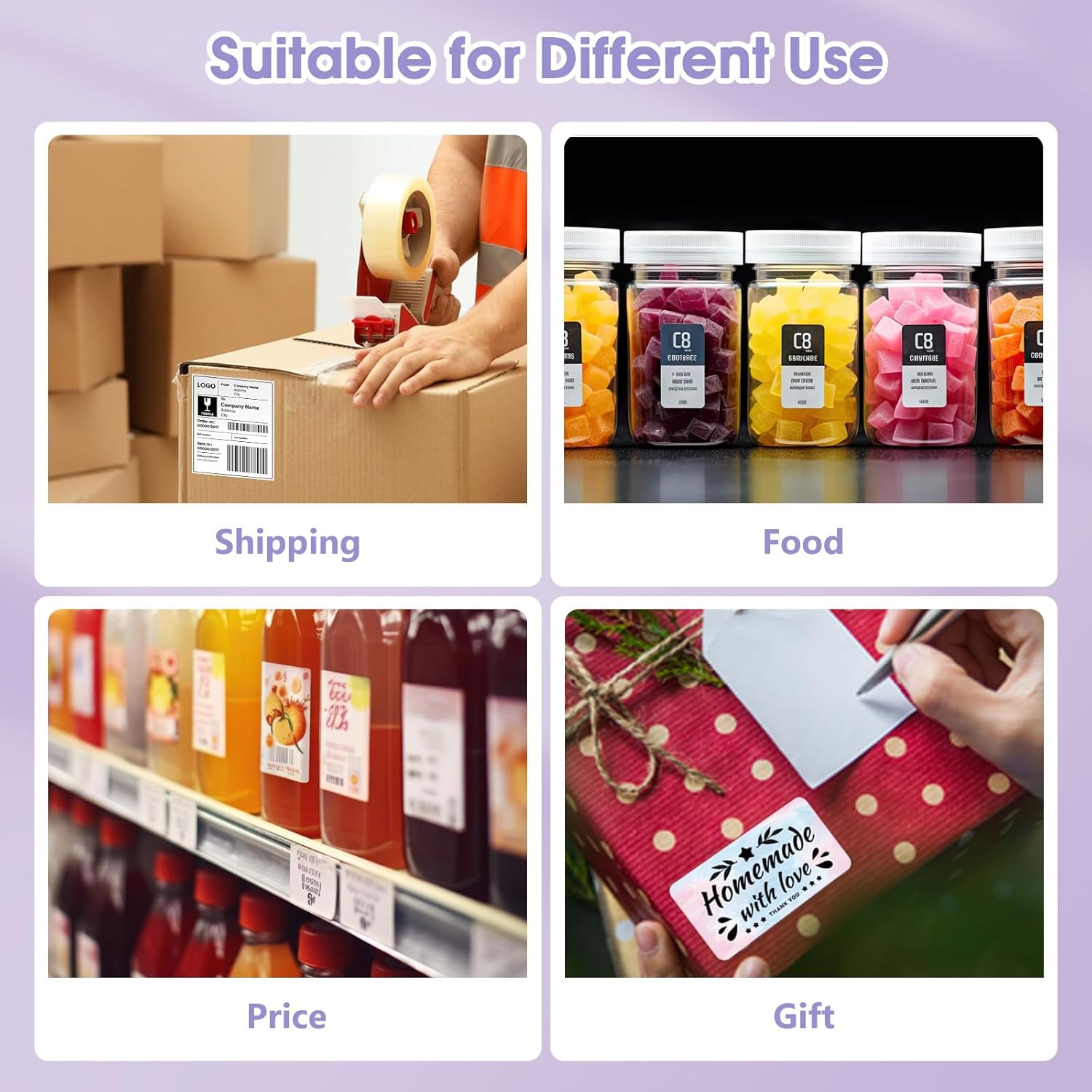
Examples of various custom labels and stickers that can be printed with the Phomemo 344WF, including circular, square, and rectangular labels.
ബട്ടൺ പ്രവർത്തനങ്ങൾ
The printer features intuitive button controls for common tasks. Refer to the video below for visual guidance.
Video demonstrating key button operations on the Phomemo 344WF printer, such as feeding labels, printing test pages, and restoring factory settings.
- Feed Button (Single Press): Feeds one blank label when idle. Pauses/resumes printing when active.
- Feed Button (Hold until 1 flash): Prints a test page.
- Feed Button (Hold until 2 flashes): Runs automatic label identification for labels with gaps.
- Feed Button (Hold until 3 flashes): Runs automatic label identification for labels with black marks.
- Feed Button (Hold until 4 flashes): ഫാക്ടറി ക്രമീകരണങ്ങൾ പുനഃസ്ഥാപിക്കുന്നു.
- Wi-Fi Button (Hold until 1 flash): Prints network test page.
- Wi-Fi Button (Hold until 2 flashes): Performs Wi-Fi factory reset.
മെയിൻ്റനൻസ്
പരിചരണവും ശുചീകരണവും
Regularly clean the print head with an alcohol swab to ensure optimal print quality. Keep the printer free from dust and debris. Avoid using abrasive cleaners or solvents that could damage the printer's surface.
ട്രബിൾഷൂട്ടിംഗ്
പൊതുവായ പ്രശ്നങ്ങൾ
മോശം പ്രിന്റ് ക്വാളിറ്റി
- Check label quality and ensure they are thermal labels.
- Adjust print density settings in the printer driver/app.
- പ്രിന്റ് ഹെഡ് വൃത്തിയാക്കുക.
കണക്റ്റിവിറ്റി പ്രശ്നങ്ങൾ
- പ്രിന്ററും നിങ്ങളുടെ ഉപകരണവും ഒരേ വൈഫൈ നെറ്റ്വർക്കിലേക്ക് കണക്റ്റുചെയ്തിട്ടുണ്ടെന്ന് ഉറപ്പാക്കുക.
- Restart the printer and your device.
- Re-run Wi-Fi setup or try a USB connection.
Labels Not Feeding Correctly
- Ensure labels are loaded straight and not jammed.
- Run automatic label identification (hold feed button until 2 or 3 flashes, depending on label type).
സ്പെസിഫിക്കേഷനുകൾ
സാങ്കേതിക വിശദാംശങ്ങൾ
| ഫീച്ചർ | വിശദാംശങ്ങൾ |
|---|---|
| ഉൽപ്പന്ന അളവുകൾ | 7.2"D x 3.5"W x 3.5"H |
| കൺട്രോളർ തരം | iOS, Android |
| പരമാവധി പ്രിന്റർ മീഡിയ വലുപ്പം | 4 x 6 ഇഞ്ച് |
| അച്ചടി മാധ്യമം | ലേബലുകൾ |
| പരമാവധി ഇൻപുട്ട് ഷീറ്റ് ശേഷി | 72 |
| പരമാവധി പകർത്തൽ വേഗത (കറുപ്പും വെളുപ്പും) | 72 പി.പി.എം |
| അനുയോജ്യമായ ഉപകരണങ്ങൾ | PC |
| പരമാവധി കളർ പ്രിന്റ് റെസല്യൂഷൻ | 300 x 300 |
| ഷീറ്റ് വലിപ്പം | 4x6 ഇഞ്ച് |
| പരമാവധി കറുപ്പും വെളുപ്പും പ്രിന്റ് റെസല്യൂഷൻ | 300 ഡിപിഐ |
| വാറൻ്റി തരം | പരിമിത വാറൻ്റി |
| ഇരട്ട-വശങ്ങളുള്ള പ്രിന്റിംഗ് | അതെ |
| പരമാവധി പകർപ്പ് റെസല്യൂഷൻ നിറം | 300 x 300 |
| പരമാവധി കോപ്പി റെസല്യൂഷൻ കറുപ്പും വെളുപ്പും | 300 ഡിപിഐ |
| ഡ്യൂപ്ലക്സ് | സിംപ്ലക്സ് |
| ഹാർഡ്വെയർ ഇന്റർഫേസ് | USB |
| മഷി നിറം | കറുപ്പ് |
| റെസലൂഷൻ | 300 x 300 |
| അധിക പ്രിന്റർ പ്രവർത്തനങ്ങൾ | പ്രിൻ്റ് മാത്രം |
| നിയന്ത്രണ രീതി | ആപ്പ് |
| ഔട്ട്പുട്ട് ഷീറ്റ് ശേഷി | 72 |
| ഡ്രൈവർമാരുടെ എണ്ണം | 2 |
| പ്രോസസ്സർ എണ്ണം | 1 |
| സീരീസ് നമ്പർ | 344 |
| മൊത്തം USB പോർട്ടുകൾ | 1 |
| ഉൽപ്പന്നത്തിൻ്റെ പ്രത്യേക ഉപയോഗങ്ങൾ | ഷിപ്പിംഗ് |
| ഇനത്തിൻ്റെ ഭാരം | 1.59 പൗണ്ട് |
| ASIN | B0CQYJTPQX |
| ഇനത്തിൻ്റെ മോഡൽ നമ്പർ | 344WF |
| ആദ്യ തീയതി ലഭ്യമാണ് | ഡിസംബർ 26, 2023 |
| നിർമ്മാതാവ് | ഫേമോമോ |
| മാതൃരാജ്യം | ചൈന |
| ബ്രാൻഡ് | ഫേമോമോ |
| കണക്റ്റിവിറ്റി ടെക്നോളജി | വൈ-ഫൈ, യു.എസ്.ബി |
| പ്രിൻ്റിംഗ് ടെക്നോളജി | തെർമൽ |
| നിറം | പർപ്പിൾ |
| മോഡലിൻ്റെ പേര് | 344WF |
| പ്രിൻ്റർ ഔട്ട്പുട്ട് | മോണോക്രോം |
| പരമാവധി പ്രിൻ്റ് വേഗത (നിറം) | 100 പി.പി.എം |
| പരമാവധി പ്രിന്റ് സ്പീഡ് മോണോക്രോം | 72 പി.പി.എം |
| ഇനത്തിൻ്റെ ഭാരം | 720 ഗ്രാം |
വാറൻ്റിയും പിന്തുണയും
The Phomemo 344WF printer comes with a Limited Warranty. For detailed warranty information and support, please refer to the official Phomemo webസൈറ്റ് അല്ലെങ്കിൽ ഉപഭോക്തൃ സേവനവുമായി ബന്ധപ്പെടുക.
ഔദ്യോഗിക ഉപയോക്തൃ ഗൈഡ് (PDF): PDF ഡൗൺലോഡ് ചെയ്യുക
Ask a question about this manual
Ask about setup, troubleshooting, compatibility, parts, safety, or missing instructions. Manuals+ will review the question and use this page’s manual context to help answer it.