
1. ആമുഖം
Thank you for choosing the Johgee 3 Zones Water Timer. This device is designed to automate your garden watering, providing convenience and efficiency. It features three independent programmable outlets, allowing you to manage different watering needs simultaneously. Please read this manual carefully before operation to ensure proper use and longevity of your product.

Figure 1: Johgee 3 Zones Water Timer Overview
2. ഉൽപ്പന്ന സവിശേഷതകൾ
- 3 Independent Programmable Outlets: Control three separate watering zones from a single faucet.
- Automatic and Manual Watering Modes: Set precise schedules or initiate temporary watering without disrupting existing programs.
- മഴ വൈകൽ പ്രവർത്തനം: Pause watering schedules to conserve water during rainy periods.
- Child Safety Mode: ക്രമീകരണങ്ങളിൽ ആകസ്മികമായ മാറ്റങ്ങൾ തടയുന്നു.
- Durable and Waterproof Design: IPX5 rated for outdoor use, featuring an upgraded aluminum alloy filter to prevent leaks.
- വായിക്കാൻ എളുപ്പമുള്ള ഡിസ്പ്ലേ: High-resolution screen with automatic sleep mode to save battery power.
- നീണ്ട ബാറ്ററി ലൈഫ്: Operates for approximately 6 months on 2 AA alkaline batteries.

Figure 2: Key Features of the Water Timer

Figure 3: Three Independent Programmable Outlets
3. പാക്കേജ് ഉള്ളടക്കം
- 1 x Johgee 3 Zones Water Timer (Model: FY#HCT-378)
- 1 x ഉപയോക്തൃ മാനുവൽ
Note: AA alkaline batteries are not included and must be purchased separately.
4. സജ്ജീകരണം
4.1 ബാറ്ററി ഇൻസ്റ്റാളേഷൻ
- ടൈമറിന്റെ പിൻഭാഗത്ത് ബാറ്ററി കമ്പാർട്ട്മെന്റ് കണ്ടെത്തുക.
- ബാറ്ററി കവർ തുറക്കുക.
- Insert two (2) new 1.5V 'AA' alkaline batteries, ensuring correct polarity (+/-).
- Close the battery cover securely to maintain waterproof sealing.
പ്രധാനപ്പെട്ടത്: Use only new alkaline batteries. Rechargeable batteries may not provide sufficient voltagഒപ്റ്റിമൽ പ്രകടനത്തിന് ഇ.
4.2 Connecting the Timer
- Screw the timer onto your outdoor faucet (3/4" thread) by hand until it is snug. Do not overtighten.
- Connect your garden hoses or irrigation lines to the three independent outlets (A, B, C) at the bottom of the timer.

Figure 4: Battery Compartment and Drain Holes
4.3 നിലവിലെ സമയം ക്രമീകരിക്കുന്നു
Upon initial power-up or after battery replacement, the display will show the default time. Refer to the labeled diagram below for button functions.

Figure 5: Timer Display and Control Buttons
- അമർത്തുക ഇപ്പോൾ സമയ ക്രമീകരണ മോഡിൽ പ്രവേശിക്കാൻ ബട്ടൺ അമർത്തുക. മണിക്കൂർ അക്കങ്ങൾ മിന്നിമറയും.
- ഉപയോഗിക്കുക + or - മണിക്കൂർ ക്രമീകരിക്കാനുള്ള ബട്ടണുകൾ.
- അമർത്തുക OK മണിക്കൂർ സ്ഥിരീകരിച്ച് മിനിറ്റ് ക്രമീകരണത്തിലേക്ക് നീങ്ങാൻ.
- ഉപയോഗിക്കുക + or - മിനിറ്റ് ക്രമീകരിക്കാനുള്ള ബട്ടണുകൾ.
- അമർത്തുക OK to confirm the minute and save the current time.
5. പ്രവർത്തന നിർദ്ദേശങ്ങൾ
5.1 Automatic Watering Program
The timer allows for independent programming of each of the three zones (A, B, C).
- അമർത്തുക A / B / C. button to select the zone you wish to program (A, B, or C). The selected zone indicator will light up.
- അമർത്തുക OK to enter programming mode for the selected zone.
- വെള്ളമൊഴിക്കുന്നതിനുള്ള ദൈർഘ്യം സജ്ജമാക്കുക (എത്ര കാലം): The 'HOW LONG' value will flash. Use + or - to set the watering duration from 1 second to 59 seconds, or from 1 minute to 360 minutes. Press OK സ്ഥിരീകരിക്കാൻ.
- വെള്ളമൊഴിക്കുന്നതിന്റെ ആവൃത്തി സജ്ജമാക്കുക (എത്ര തവണ): The 'HOW OFTEN' value will flash. Use + or - to set the frequency from 1 hour to 23 hours, or from 1 day to 15 days. Press OK സ്ഥിരീകരിക്കാൻ.
- Set Start Time (START TIME): The 'START TIME' value will flash. Use + or - to set the desired start time for the watering cycle. Press OK to confirm and save the program for the selected zone.
- Repeat steps 1-5 for zones B and C if desired.
5.2 മാനുവൽ നനവ്
Manual watering allows you to water immediately without interrupting your preset schedules.
- അമർത്തുക A / B / C. button to select the zone (A, B, C, or ALL) you wish to water manually.
- അമർത്തുക OK button and hold for 3 seconds. The 'HOW LONG' value will flash.
- ഉപയോഗിക്കുക + or - buttons to set the manual watering duration (from 1 second to 360 minutes).
- അമർത്തുക OK to start manual watering. The timer will automatically return to its scheduled program after the manual watering is complete.

Figure 6: Manual Watering in Progress
5.3 Rain Delay Mode
The rain delay function helps conserve water by pausing your watering schedule during rainy conditions.
- പിടിക്കുക കാലതാമസം button for 3 seconds. The rain delay symbol will flash on the screen.
- ഉപയോഗിക്കുക + or - buttons to select the desired delay duration (e.g., 24 hours, 48 hours, 72 hours).
- അമർത്തുക OK to confirm the rain delay. The timer will pause all scheduled watering for the selected duration and resume automatically afterward.
- To cancel rain delay, hold the കാലതാമസം 3 സെക്കൻഡ് വീണ്ടും ബട്ടൺ.
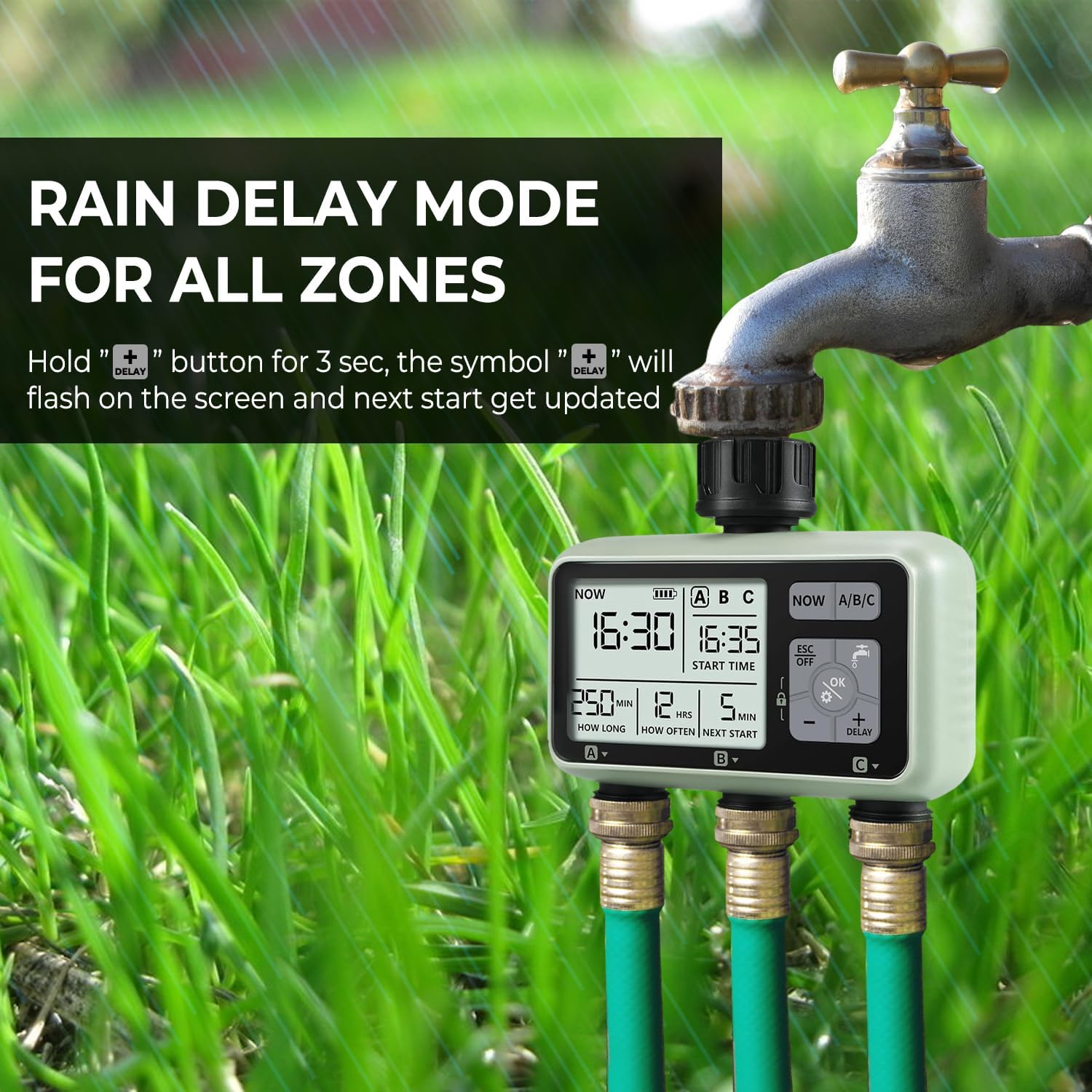
Figure 7: Rain Delay Mode Activated
5.4 Child Safety Mode
To prevent accidental changes to your watering programs, activate the child safety lock.
- To activate: Hold the OK ബട്ടൺ ഒപ്പം - button simultaneously for 3 seconds. A lock icon will appear on the display.
- To deactivate: Hold the OK ബട്ടൺ ഒപ്പം - button simultaneously for 3 seconds. The lock icon will disappear.
6. പരിപാലനം
6.1 ഫിൽട്ടർ വൃത്തിയാക്കുന്നു
The timer is equipped with an aluminum alloy filter to prevent debris from entering the unit. Periodically check and clean the filter to ensure optimal water flow and prevent blockages.
- ടാപ്പിൽ നിന്ന് ടൈമർ അഴിക്കുക.
- Remove the filter screen from the inlet.
- Rinse the filter under running water to remove any accumulated debris.
- Reinsert the clean filter and reattach the timer to the faucet.
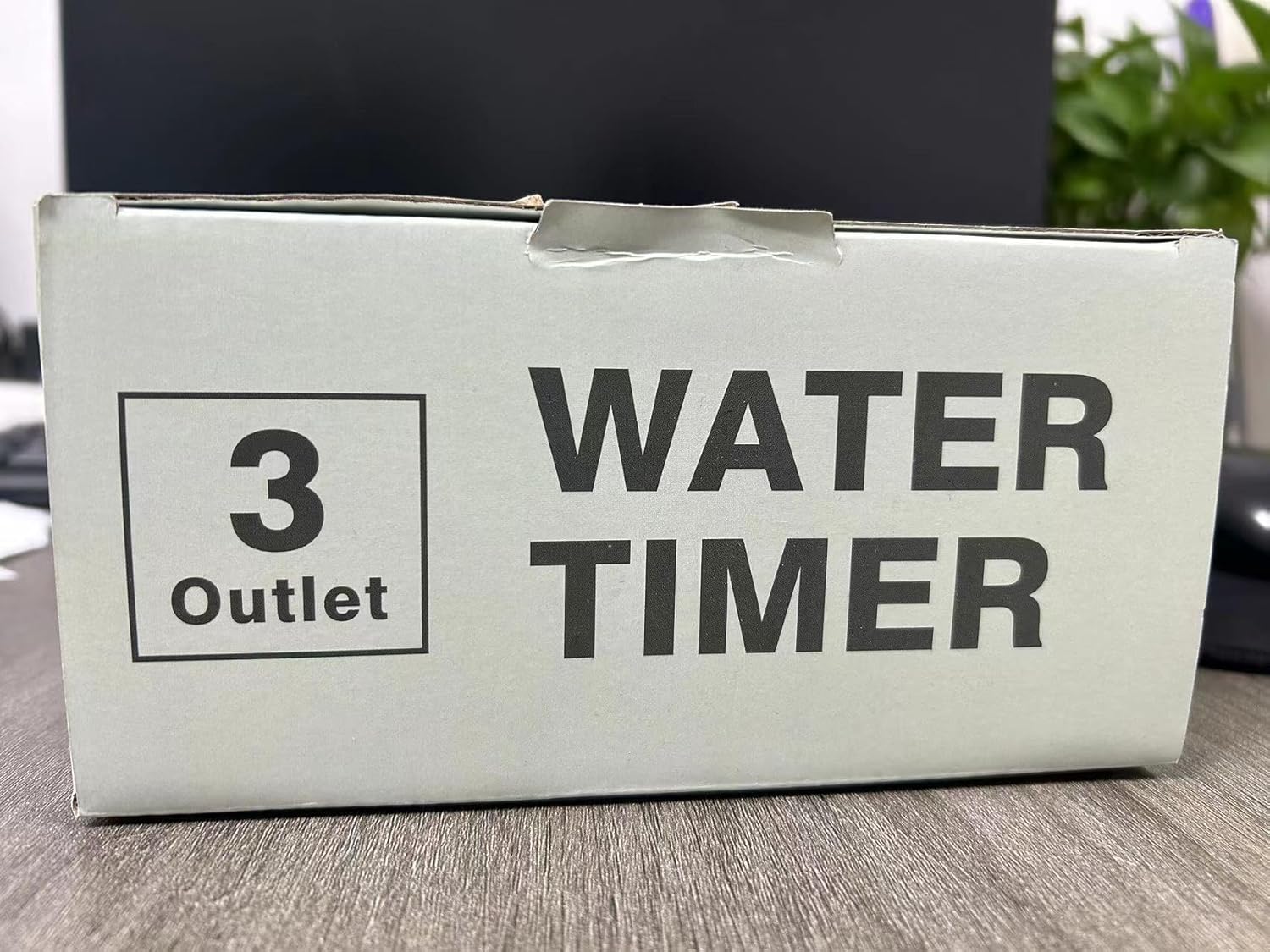
Figure 8: Inlet Filter Screen
6.2 ബാറ്ററി മാറ്റിസ്ഥാപിക്കൽ
When the battery indicator on the display shows low power, replace the batteries promptly to avoid interruption of watering schedules. Follow the battery installation steps in Section 4.1.
6.3 ശീതകാല സംഭരണം
ആദ്യത്തെ മഞ്ഞുവീഴ്ചയ്ക്ക് മുമ്പ്, ടാപ്പിൽ നിന്ന് വാട്ടർ ടൈമർ വിച്ഛേദിച്ച് ബാക്കിയുള്ള വെള്ളം വറ്റിക്കുക. തണുത്തുറഞ്ഞ താപനിലയിൽ നിന്നുള്ള കേടുപാടുകൾ തടയാൻ ടൈമർ വീടിനുള്ളിൽ വരണ്ടതും മഞ്ഞ് രഹിതവുമായ സ്ഥലത്ത് സൂക്ഷിക്കുക.
7. പ്രശ്നപരിഹാരം
| പ്രശ്നം | സാധ്യമായ കാരണം | പരിഹാരം |
|---|---|---|
| ടൈമർ ഓണാക്കുന്നില്ല/പ്രദർശിപ്പിക്കുന്നില്ല ശൂന്യമാണ് | ഡെഡ് അല്ലെങ്കിൽ തെറ്റായി ഇൻസ്റ്റാൾ ചെയ്ത ബാറ്ററികൾ. | Replace with new 1.5V 'AA' alkaline batteries, ensuring correct polarity. |
| No water flow from outlets | Faucet is off; low water pressure; clogged filter; timer not programmed or in manual mode. | Ensure faucet is fully open. Check water pressure. Clean the inlet filter (Section 6.1). Verify program settings or activate manual watering. |
| ടൈമർ ഷെഡ്യൂൾ പാലിക്കുന്നില്ല. | Incorrect program settings; rain delay active; child lock active; low battery. | Review and adjust program settings (Section 5.1). Check if rain delay is active (Section 5.3). Deactivate child lock (Section 5.4). Replace batteries. |
| കണക്ഷനുകളിൽ നിന്നുള്ള വെള്ളം ചോർച്ച | അയഞ്ഞ കണക്ഷനുകൾ; തേഞ്ഞ വാഷറുകൾ; കേടായ നൂലുകൾ. | Ensure all connections are tight. Check rubber washers for wear and replace if necessary. |
| Timer runs during rain | Rain delay not activated. | Manually activate the rain delay function when rain is expected (Section 5.3). This timer does not have an automatic rain sensor. |
8 സ്പെസിഫിക്കേഷനുകൾ
| ഫീച്ചർ | വിശദാംശങ്ങൾ |
|---|---|
| മോഡൽ നമ്പർ | FY#HCT-378 |
| മെറ്റീരിയൽ | അക്രിലോണിട്രൈൽ ബ്യൂട്ടാഡീൻ സ്റ്റൈറൈൻ (എബിഎസ്) |
| പ്രവേശന സംരക്ഷണം | IPX5 (വാട്ടർപ്രൂഫ്) |
| Inlet & Outlet Thread | 3/4" |
| പ്രവർത്തന താപനില | 1°C - 45°C (34°F - 113°F) |
| പ്രവർത്തന സമ്മർദ്ദം | 0.05 - 0.8 Mpa |
| വൈദ്യുതി വിതരണം | 2 x 1.5V 'AA' Alkaline Batteries |
| നനവ് കാലാവധി | 1 sec to 59 sec, or 1 min to 360 min |
| വെള്ളമൊഴിക്കുന്നതിന്റെ ആവൃത്തി | 1 hour to 23 hours, or 1 day to 15 days |
| ക്രമീകരണങ്ങളുടെ എണ്ണം | 3 സ്വതന്ത്ര പ്രോഗ്രാമുകൾ |
| സ്ക്രീൻ വലിപ്പം | 2 ഇഞ്ച് |
| ഇനത്തിൻ്റെ ഭാരം | 300 ഗ്രാം |

ചിത്രം 9: വിശദമായ ഉൽപ്പന്ന സ്പെസിഫിക്കേഷനുകൾ
9. വാറൻ്റിയും പിന്തുണയും
Johgee products are manufactured to high-quality standards. This product comes with a standard manufacturer's warranty against defects in materials and workmanship. For specific warranty details, please refer to the product packaging or contact your retailer.
If you encounter any issues or have questions regarding your Johgee 3 Zones Water Timer, please contact the seller or manufacturer's customer support for assistance. Provide your model number (FY#HCT-378) and purchase details when seeking support.