
1. ആമുഖം
This manual provides essential information for the safe and efficient operation of your ColorKey Mover Spot 150 LED Moving Head Light. Please read this manual thoroughly before use and retain it for future reference. This fixture is designed for professional lighting applications, offering powerful illumination and versatile effects.

Image: The ColorKey Mover Spot 150 LED Moving Head Light, showcasing its compact design and powerful output.
2 പ്രധാന സവിശേഷതകൾ
- 90W White LED: Provides powerful, high-intensity illumination, ensuring your light show stands out with stunning brilliance.
- ഗോബോ ഇഫക്റ്റുകൾ: Features 7 static metal gobos and 6 rotating glass gobos, plus 2 open spots. Superimpose gobos to create mesmerizing visual effects with a wide array of intricate patterns and designs. The Gobo Shake feature adds more dimension to your show.
- വർണ്ണ ചക്രം: Equipped with 7 colors plus white and split colors for up to 16 color combinations, giving you the ability to set the perfect mood and ambiance for any occasion.
- 5-Facet Rotating Prism: Delivers captivating split beam effects, adding an extra dimension to your lighting, making it more visually engaging and immersive.
- മോട്ടറൈസ്ഡ് ഫോക്കസ്: Enables on-the-fly adjustments for sharp and clear projections.
- ഒതുക്കമുള്ളതും ഭാരം കുറഞ്ഞതും: Designed for portability and easy setup, weighing approximately 15 lbs (6.8 kg).
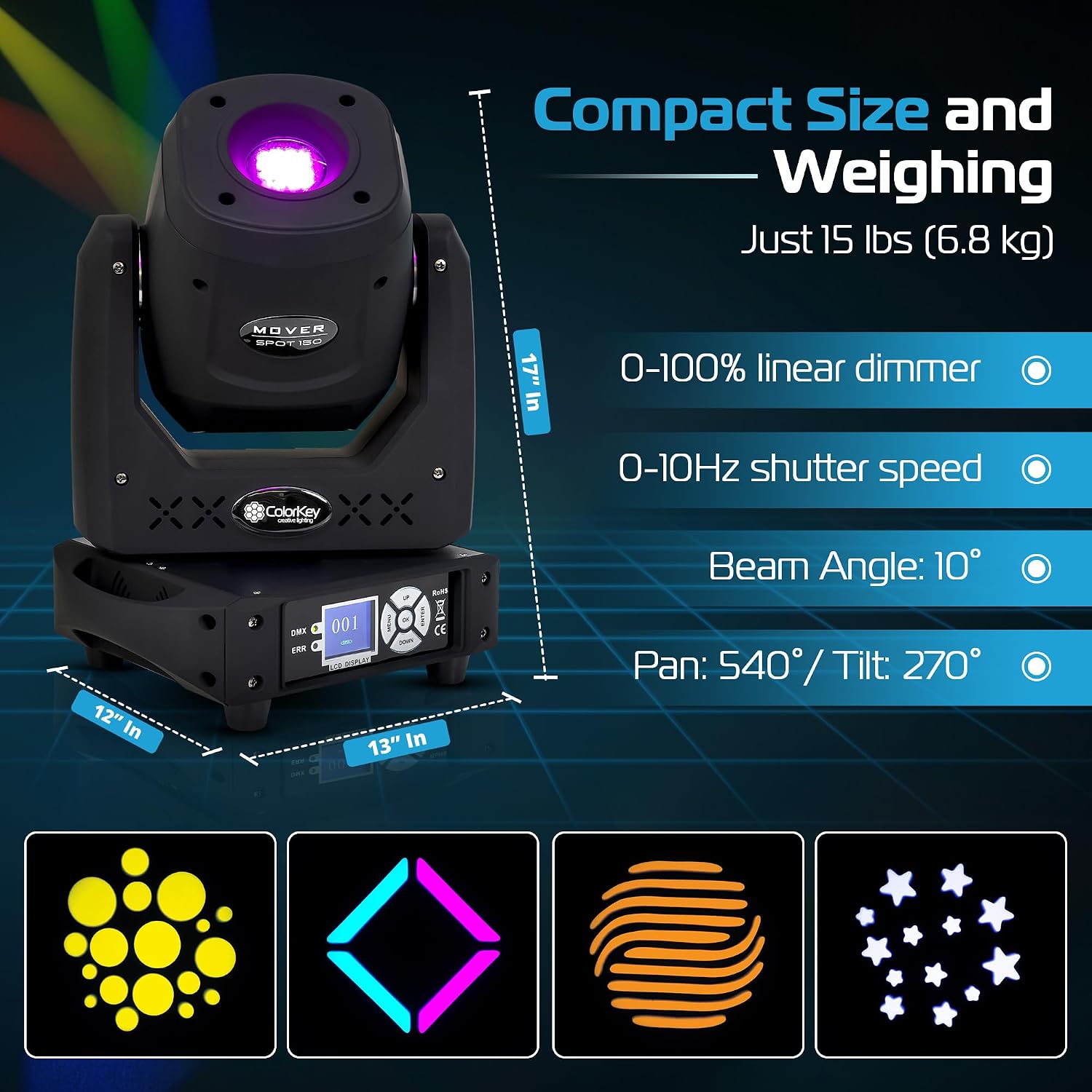
ചിത്രം: വിശദമായ ഒരു ചിത്രം view of the ColorKey Mover Spot 150, highlighting its compact size, dimensions (17"L x 13"W x 12"H), and key operational parameters like 0-100% linear dimmer, 0-10Hz shutter speed, 10° beam angle, and Pan 540°/Tilt 270°.

ചിത്രം: ഉദാamples of various static metal gobo patterns projected by the ColorKey Mover Spot 150, including circles, squares, and abstract shapes.

ചിത്രം: ഉദാamples of various rotating glass gobo patterns projected by the ColorKey Mover Spot 150, including hearts, spirals, and intricate designs.
3. സജ്ജീകരണം
- അൺപാക്ക് ചെയ്യുന്നു: Carefully remove the fixture from its packaging. Inspect for any signs of damage during transit.
- പ്ലേസ്മെൻ്റ്: Position the Mover Spot 150 on a stable, flat surface or mount it securely using appropriate clamps and safety cables. Ensure adequate ventilation around the unit to prevent overheating.
- പവർ കണക്ഷൻ: Connect the provided power cable to the "POWER IN" port on the rear of the unit and then to a suitable power outlet (AC 90V-240V 50/60Hz). The "POWER OUT" port can be used to daisy-chain power to other compatible fixtures.
- DMX കണക്ഷൻ (ഓപ്ഷണൽ): For DMX control, connect a DMX cable (3-pin XLR) from your DMX controller to the "DMX IN" port. Use the "DMX OUT" port to connect to other DMX fixtures in a chain.
- പ്രാരംഭ പവർ-അപ്പ്: Turn on the power. The LCD display will illuminate, and the unit will perform a self-test and reset to its default position.

Image: The rear panel of the ColorKey Mover Spot 150, illustrating the DMX OUT, DMX IN, POWER IN, and POWER OUT ports for seamless connectivity and power linking.
4. പ്രവർത്തന നിർദ്ദേശങ്ങൾ
4.1. On-board Menu Control
The Mover Spot 150 features an intuitive LCD display and control buttons (MENU, UP, DOWN, OK) for navigating settings and modes.
- മെനു: Press to enter the main menu, navigate through options, or go back to the previous menu level.
- UP / DOWN: Use to scroll through menu options or adjust parameter values.
- ശരി: Press to confirm a selection or enter a submenu.
4.2. ഡിഎംഎക്സ് മോഡ്
The fixture supports 15-channel DMX mode for advanced control. Refer to the DMX chart in the full product manual (available on the manufacturer's webസൈറ്റ്). നിർദ്ദിഷ്ട ചാനൽ പ്രവർത്തനങ്ങൾക്കായി.
- Set the DMX address using the on-board menu.
- Connect to a DMX controller for external control of pan, tilt, color, gobos, prism, dimmer, and shutter functions.
4.3. Standalone Modes
The Mover Spot 150 can operate in various standalone modes without a DMX controller:
- യാന്ത്രിക മോഡ്: Cycles through pre-programmed light shows.
- സൗണ്ട് ആക്റ്റീവ് മോഡ്: Responds to music beats via a built-in microphone.
- മാസ്റ്റർ/സ്ലേവ് മോഡ്: Link multiple units for synchronized operation.

Image: The ColorKey Mover Spot 150 in action, showcasing the captivating split beam effects produced by its 5-facet rotating prism.
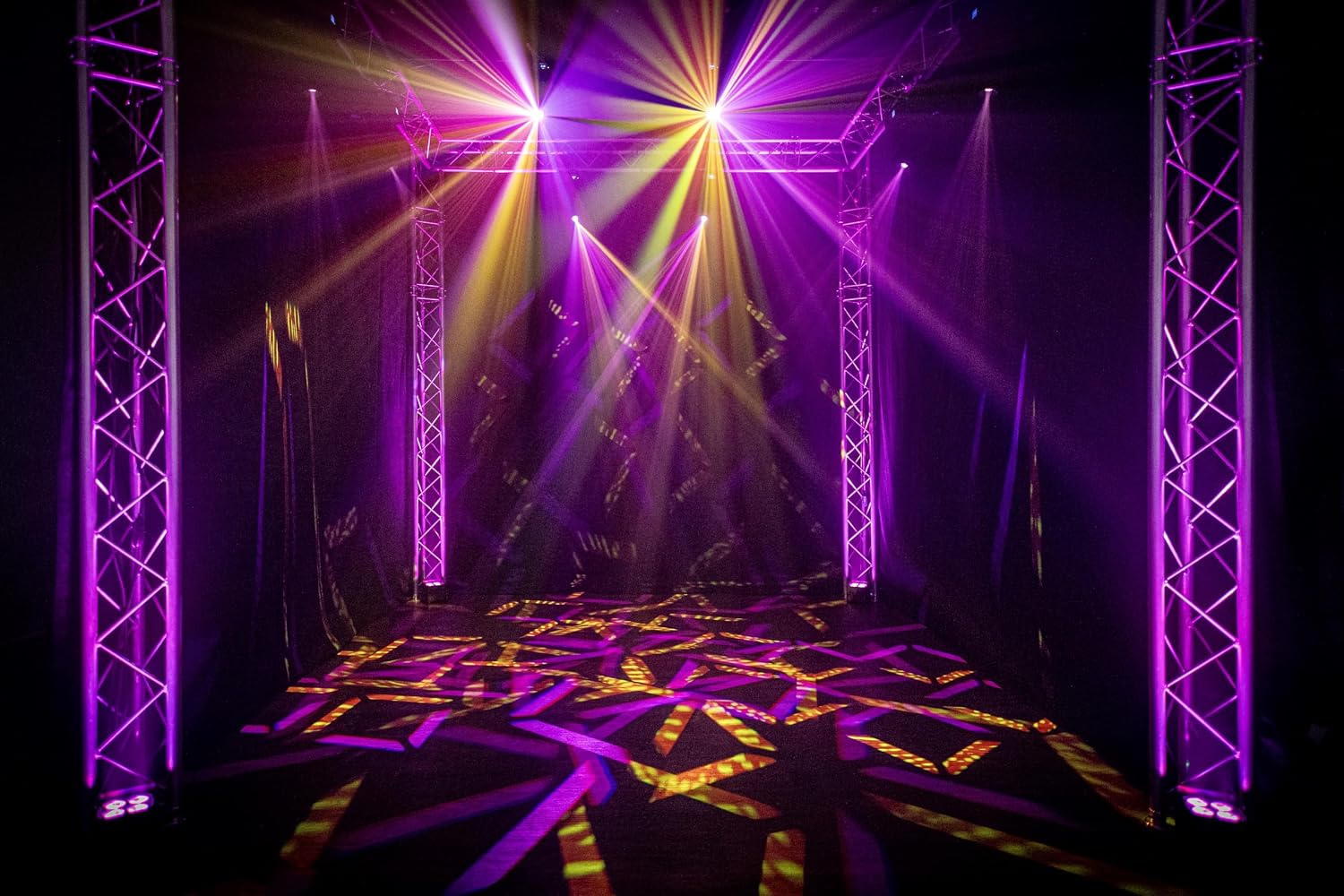
Image: A stage illuminated by multiple ColorKey Mover Spot 150 units, demonstrating dynamic light patterns and vibrant color combinations.
5. പരിപാലനം
- വൃത്തിയാക്കൽ: Regularly clean the lenses and exterior with a soft, lint-free cloth. Avoid abrasive cleaners, as they can damage the finish or optical components.
- പരിശോധന: Periodically check all cables, connections, and mounting hardware for wear, damage, or loose fittings. Replace any damaged components immediately.
- വെൻ്റിലേഷൻ: Ensure ventilation openings are clear of dust and debris to prevent overheating. Proper airflow is crucial for the longevity of the LED and internal components.
- സംഭരണം: When not in use, store the fixture in a cool, dry place, ideally in a protective bag or case to prevent dust accumulation and physical damage.

Image: A ColorKey Mover Spot 150 being carefully placed into a protective carrying bag, emphasizing proper storage and transport.
6. പ്രശ്നപരിഹാരം
| പ്രശ്നം | സാധ്യമായ കാരണം | പരിഹാരം |
|---|---|---|
| പവർ ഇല്ല | പവർ കേബിൾ വിച്ഛേദിച്ചു; ഔട്ട്ലെറ്റിൽ നിന്ന് പവർ ഇല്ല; ഫ്യൂസ് പൊട്ടി. | Check power cable connection; test outlet with another device; inspect and replace fuse if necessary. |
| DMX നിയന്ത്രണമില്ല | Incorrect DMX address; faulty DMX cable; DMX controller issue; incorrect DMX mode selected. | Verify DMX address and channel settings; check DMX cable integrity; ensure DMX controller is functioning correctly; select appropriate DMX mode on the fixture. |
| Fixture Overheating | Blocked ventilation; prolonged use in high ambient temperature; fan malfunction. | Clear all ventilation openings; ensure adequate airflow; allow unit to cool down; check fan operation. |
| Gobos/Colors Not Changing | Motor malfunction; DMX signal issue; internal error. | Check DMX connection and settings; perform a factory reset; contact support if issue persists. |
| Motorized Focus Not Working | Motor malfunction; DMX signal issue; internal error. | Check DMX connection and settings; perform a factory reset; contact support if issue persists. |
7 സ്പെസിഫിക്കേഷനുകൾ
| ഫീച്ചർ | വിശദാംശങ്ങൾ |
|---|---|
| മോഡൽ നമ്പർ | CKU-5052 |
| പ്രകാശ സ്രോതസ്സ് തരം | 90W വൈറ്റ് LED |
| പവർ ഉറവിടം | Corded Electric (AC 90V-240V 50/60Hz) |
| ഗോബോസ് | 7 Static Metal Gobos, 6 Rotating Glass Gobos + 2 Open Spots |
| കളർ വീൽ | 7 Colors + White, Split Colors |
| പ്രിസം | 5-Facet Rotating Prism |
| ഫോക്കസ് ചെയ്യുക | മോട്ടറൈസ്ഡ് ഫോക്കസ് |
| ഡിമ്മർ | 0-100% ലീനിയർ ഡിമ്മർ |
| ഷട്ടർ സ്പീഡ് | 0-10Hz |
| ബീം ആംഗിൾ | 10° |
| പാൻ/ടിൽറ്റ് | Pan: 540° / Tilt: 270° |
| DMX ചാനലുകൾ | 15-ചാനൽ DMX മോഡ് |
| അളവുകൾ (L x W x H) | 17"L x 13"W x 12"H |
| ഭാരം | ഏകദേശം 15 പൗണ്ട് (6.8 കി.ഗ്രാം) |
| മെറ്റീരിയൽ | Acrylonitrile Butadiene Styrene (ABS), Glass, Metal |
| നിറം | കറുപ്പ് |
| യു.പി.സി | 860011327103 |
8. വാറണ്ടിയും പിന്തുണയും
The ColorKey Mover Spot 150 comes with a 2 വർഷത്തെ നിർമ്മാതാവിന്റെ വാറന്റി. This warranty covers defects in materials and workmanship under normal use. For technical support, service, or warranty claims, please contact ColorKey customer service through their official website or your authorized retailer.
Always refer to the official ColorKey website for the most up-to-date information, detailed DMX charts, and additional resources.