
1. ആമുഖം
This manual provides essential information for the safe and efficient use of your DOOGEE T30SE Android 14 Tablet. Please read this manual thoroughly before operating the device and retain it for future reference.
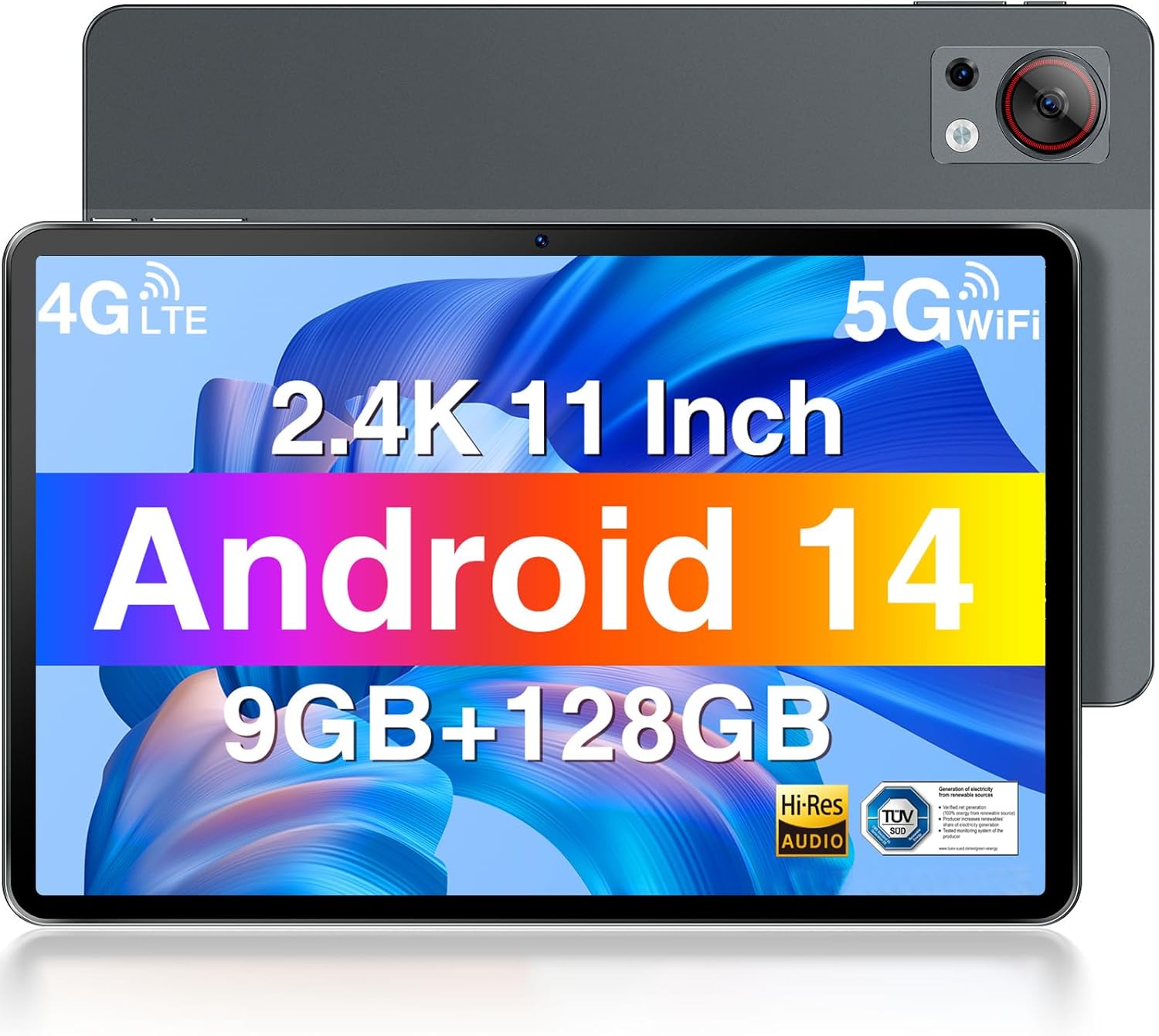
മുന്നിലും പിന്നിലും view of the DOOGEE T30SE tablet, highlighting its display and camera module.
2. പാക്കേജ് ഉള്ളടക്കം
പാക്കേജിൽ എല്ലാ ഇനങ്ങളും ഉണ്ടെന്ന് ഉറപ്പാക്കുക:
- DOOGEE T30SE Tablet
- പവർ അഡാപ്റ്റർ
- യുഎസ്ബി ടൈപ്പ്-സി കേബിൾ
- സിം എജക്ടർ ഉപകരണം
- ദ്രുത ആരംഭ ഗൈഡ് (പ്രദേശത്തിനനുസരിച്ച് വ്യത്യാസപ്പെടാം)
3. സജ്ജീകരണം
3.1 പ്രാരംഭ ചാർജിംഗ്
Before first use, fully charge the tablet using the provided power adapter and USB Type-C cable. The battery indicator on the screen will show charging status.
3.2 പവർ ഓൺ/ഓഫ്
- പവർ ഓണാക്കാൻ: Press and hold the Power button until the DOOGEE logo appears.
- പവർ ഓഫ് ചെയ്യാൻ: പവർ ബട്ടൺ അമർത്തിപ്പിടിക്കുക, തുടർന്ന് സ്ക്രീനിലെ ഓപ്ഷനുകളിൽ നിന്ന് "പവർ ഓഫ്" തിരഞ്ഞെടുക്കുക.
- പുനരാരംഭിക്കാൻ: പവർ ബട്ടൺ അമർത്തിപ്പിടിക്കുക, തുടർന്ന് സ്ക്രീനിലെ ഓപ്ഷനുകളിൽ നിന്ന് "പുനരാരംഭിക്കുക" തിരഞ്ഞെടുക്കുക.
3.3 സിം കാർഡും മൈക്രോ എസ്ഡി കാർഡും ഇൻസ്റ്റാൾ ചെയ്യൽ
The DOOGEE T30SE supports dual Nano SIM cards or one Nano SIM card and one MicroSD/TF card for expanded storage.
- ടാബ്ലെറ്റിന്റെ വശത്ത് സിം കാർഡ് ട്രേ കണ്ടെത്തുക.
- ട്രേയുടെ അടുത്തുള്ള ചെറിയ ദ്വാരത്തിലേക്ക് സിം എജക്റ്റർ ഉപകരണം തിരുകുക, ട്രേ പുറത്തേക്ക് വരുന്നത് വരെ സൌമ്യമായി അമർത്തുക.
- Place the Nano SIM card(s) and/or MicroSD card into the tray with the gold contacts facing down, ensuring they are correctly oriented.
- ട്രേ അതിന്റെ സ്ഥാനത്ത് ക്ലിക്കായി വരുന്നത് വരെ ശ്രദ്ധാപൂർവ്വം ടാബ്ലെറ്റിലേക്ക് തിരികെ തള്ളുക.

Diagram illustrating the DOOGEE T30SE's storage and connectivity options, including 9GB RAM, 128GB ROM, 1TB expandable storage, dual-band Wi-Fi, and 4G Dual SIM support.
3.4 പ്രാരംഭ സജ്ജീകരണ വിസാർഡ്
ആദ്യമായി പവർ-ഓൺ ചെയ്യുമ്പോൾ, സ്ക്രീനിലെ നിർദ്ദേശങ്ങൾ പാലിക്കുക:
- നിങ്ങളുടെ ഭാഷ തിരഞ്ഞെടുക്കുക.
- ഒരു Wi-Fi നെറ്റ്വർക്കിലേക്ക് കണക്റ്റുചെയ്യുക.
- നിങ്ങളുടെ Google അക്കൗണ്ട് ഉപയോഗിച്ച് സൈൻ ഇൻ ചെയ്യുക അല്ലെങ്കിൽ പുതിയൊരെണ്ണം സൃഷ്ടിക്കുക.
- സ്ക്രീൻ ലോക്കും മറ്റ് സുരക്ഷാ സവിശേഷതകളും സജ്ജമാക്കുക.
4. പ്രവർത്തന നിർദ്ദേശങ്ങൾ
4.1 ഡിസ്പ്ലേ സവിശേഷതകൾ
The DOOGEE T30SE features an 11-inch 2.4K IPS display (1920 x 1200 pixels) with a 16:10 aspect ratio, offering vibrant colors and a wide viewing angle. It includes TÜV SÜD Low Blue Light Certification for reduced eye strain during prolonged use.

The DOOGEE T30SE tablet displaying a high-resolution video, emphasizing its 2.4K IPS display, quad stereo speakers, and Hi-Res Audio support.

A user working on the DOOGEE T30SE tablet with an external keyboard, demonstrating the TÜV SÜD Low Blue Light certified display for eye protection.
The tablet also supports Widevine L1, enabling high-definition streaming from compatible services.
4.2 പ്രകടനവും ഓപ്പറേറ്റിംഗ് സിസ്റ്റവും
Powered by an Octa-Core processor and running Android 14, the T30SE offers a smooth user experience. Android 14 provides enhanced privacy controls, multi-user profiles, parental controls, and split-screen functionality for improved multitasking.
- റാം: 9GB (4GB base + 5GB expansion) for efficient app handling.
- ROM: 128GB internal storage, expandable up to 1TB via MicroSD/TF card.

Screenshot of the Android 14 interface on the DOOGEE T30SE, highlighting features like parental control, privacy settings, and multi-tasking capabilities.
4.3 കണക്റ്റിവിറ്റി
- വൈഫൈ: Supports 2.4G and 5G dual-band Wi-Fi for stable and fast internet access.
- 4G LTE: Dual SIM support allows for mobile data and calling capabilities.
- ബ്ലൂടൂത്ത് 5.0: For connecting wireless accessories like headphones and speakers.
- GPS/AGPS: Integrated for precise navigation and location services.
- തുറമുഖങ്ങൾ: 1x USB Type-C port for charging and data transfer, 1x 3.5mm AUX headphone jack.
4.4 ക്യാമറ
The tablet is equipped with a 13MP rear camera for capturing photos and videos, and a 5MP front camera suitable for video calls and selfies.

Details of the DOOGEE T30SE's camera system, featuring a 13MP rear camera and a 5MP front camera, alongside the 3.5mm headphone jack.
4.5 ബാറ്ററി മാനേജ്മെൻ്റ്
The 8580mAh battery provides extended usage times. To optimize battery life:
- സ്ക്രീൻ തെളിച്ചം ക്രമീകരിക്കുക.
- ഉപയോഗിക്കാത്ത ആപ്ലിക്കേഷനുകൾ അടയ്ക്കുക.
- ഉപയോഗത്തിലില്ലാത്തപ്പോൾ വൈഫൈ, ബ്ലൂടൂത്ത് അല്ലെങ്കിൽ ജിപിഎസ് ഓഫാക്കുക.
- Utilize power-saving modes.

Visual representation of the DOOGEE T30SE's 8580mAh large capacity battery, indicating extended usage and standby times.
4.6 ഓഡിയോ
The T30SE is equipped with 4 stereo speakers, delivering clear and immersive audio for media consumption.
5. പരിപാലനം
- വൃത്തിയാക്കൽ: സ്ക്രീനും ബോഡിയും വൃത്തിയാക്കാൻ മൃദുവായ, ലിന്റ് രഹിത തുണി ഉപയോഗിക്കുക. കഠിനമായ രാസവസ്തുക്കൾ ഒഴിവാക്കുക.
- സോഫ്റ്റ്വെയർ അപ്ഡേറ്റുകൾ: മികച്ച പ്രകടനവും സുരക്ഷയും ഉറപ്പാക്കാൻ സിസ്റ്റം അപ്ഡേറ്റുകൾ പതിവായി പരിശോധിച്ച് ഇൻസ്റ്റാൾ ചെയ്യുക. ക്രമീകരണങ്ങൾ > സിസ്റ്റം > സിസ്റ്റം അപ്ഡേറ്റ് എന്നതിലേക്ക് പോകുക.
- സ്റ്റോറേജ് മാനേജ്മെന്റ്: അനാവശ്യമായത് ഇടയ്ക്കിടെ നീക്കം ചെയ്യുക files and apps to maintain sufficient storage space. The Memory Manager provides cleaning suggestions.
- പരിസ്ഥിതി വ്യവസ്ഥകൾ: Avoid exposing the tablet to extreme temperatures, direct sunlight, or excessive moisture.
6. പ്രശ്നപരിഹാരം
| ഇഷ്യൂ | സാധ്യമായ പരിഹാരം |
|---|---|
| ടാബ്ലെറ്റ് ഓണാക്കുന്നില്ല | ബാറ്ററി ചാർജ് ചെയ്തിട്ടുണ്ടെന്ന് ഉറപ്പാക്കുക. കുറഞ്ഞത് 30 മിനിറ്റെങ്കിലും ചാർജറുമായി കണക്റ്റ് ചെയ്യുക, തുടർന്ന് വീണ്ടും പവർ ചെയ്യാൻ ശ്രമിക്കുക. |
| Wi-Fi കണക്ഷൻ പ്രശ്നങ്ങൾ | Restart the tablet and your Wi-Fi router. Check Wi-Fi settings on the tablet to ensure correct network selection and password. |
| മന്ദഗതിയിലുള്ള പ്രകടനം | Close unused apps. Clear cache and junk files using the Memory Manager. Restart the tablet. |
| ആപ്പുകൾ ക്രാഷാകുന്നു അല്ലെങ്കിൽ മരവിക്കുന്നു | Update the app to the latest version. Clear the app's cache and data (Settings > Apps > [App Name] > Storage). If the issue persists, uninstall and reinstall the app. |
| സ്ക്രീൻ പ്രതികരിക്കുന്നില്ല | Restart the tablet by holding the power button for approximately 10-15 seconds until it reboots. |
7 സ്പെസിഫിക്കേഷനുകൾ

Comparison illustrating the DOOGEE T30SE's 11-inch display size and its ultra-thin 7.6mm profile and 506g weight.
| ഫീച്ചർ | വിശദാംശങ്ങൾ |
|---|---|
| മോഡൽ | DOOGEE T30SE |
| ഓപ്പറേറ്റിംഗ് സിസ്റ്റം | ആൻഡ്രോയിഡ് 14 |
| പ്രദർശിപ്പിക്കുക | 11-inch IPS 2.4K (1920 x 1200 pixels) |
| പ്രോസസ്സർ | Octa-Core (6x 1.6 GHz Cortex-A55, 2x 1.6 GHz Cortex-A75), Mali-G57 GPU |
| റാം | 9GB (4GB + 5GB എക്സ്പാൻഷൻ) |
| ആന്തരിക സംഭരണം (ROM) | 128 ജിബി |
| വികസിപ്പിക്കാവുന്ന സംഭരണം | Up to 1TB via MicroSD/TF card |
| പിൻ ക്യാമറ | 13എംപി |
| മുൻ ക്യാമറ | 5എംപി |
| ബാറ്ററി | 8580mAh |
| കണക്റ്റിവിറ്റി | Wi-Fi (2.4G/5G), 4G LTE (Dual SIM), Bluetooth 5.0, GPS/AGPS |
| തുറമുഖങ്ങൾ | USB Type-C, 3.5mm AUX Headphone Jack |
| അളവുകൾ | 26 x 17 x 0.76 സെ.മീ |
| ഭാരം | 506 ഗ്രാം |
8. വാറൻ്റിയും പിന്തുണയും
DOOGEE provides the following support for your T30SE tablet:
- 30 ദിവസത്തെ പണം തിരികെ നൽകൽ ഗ്യാരണ്ടി: For eligible returns.
- 2-വർഷ പരിമിത വാറൻ്റി: നിർമ്മാണ വൈകല്യങ്ങൾ കവർ ചെയ്യുന്നു.
- 24/7 ഓൺലൈൻ പിന്തുണ: For technical assistance and inquiries.
For detailed warranty terms and to contact support, please visit the official DOOGEE webസൈറ്റ് അല്ലെങ്കിൽ നിങ്ങളുടെ ഉൽപ്പന്നത്തിൽ ഉൾപ്പെടുത്തിയിരിക്കുന്ന വാറന്റി കാർഡ് പരിശോധിക്കുക.