
ജോഡ്നോ F11
JODNO F11 Portable Handheld Fan User Manual
മോഡൽ: F11
ഉൽപ്പന്നം കഴിഞ്ഞുview
The JODNO F11 Portable Handheld Fan is a versatile and compact personal cooling device designed for various uses. It features a foldable design, multiple speed settings, a rechargeable battery, and a digital display for convenience. This manual provides detailed instructions for its setup, operation, and maintenance.

Image: The JODNO F11 Portable Handheld Fan, available in black and pink, demonstrating its multi-functional design for handheld, neck-worn, and desk use.
പ്രധാന സവിശേഷതകൾ
- 3-in-1 Multi-function Design: Can be used handheld, worn around the neck with the included lanyard, or folded for use as a desk fan with 180-degree rotation.
- 2400mAh റീചാർജ് ചെയ്യാവുന്ന ബാറ്ററി: Provides 3-12 hours of operation on a full charge, rechargeable via USB-C.
- Powerful 5-Speed Setting: Equipped with a copper brushless motor for strong airflow, adjustable via a single power button.
- വളരെ നിശബ്ദമായ പ്രവർത്തനം: Noise reduction technology ensures operation below 20dB at top speed.
- Visualized Digital Display: Shows current wind speed and remaining battery level.
- നവീകരിച്ച മെറ്റീരിയലുകൾ: Features PP material blades and a high-quality ABS plastic body with a non-slip ergonomic handle.

Image: Illustration of the fan's 5-speed adjustable wind settings, ranging from 2600r/min to 4500r/min.
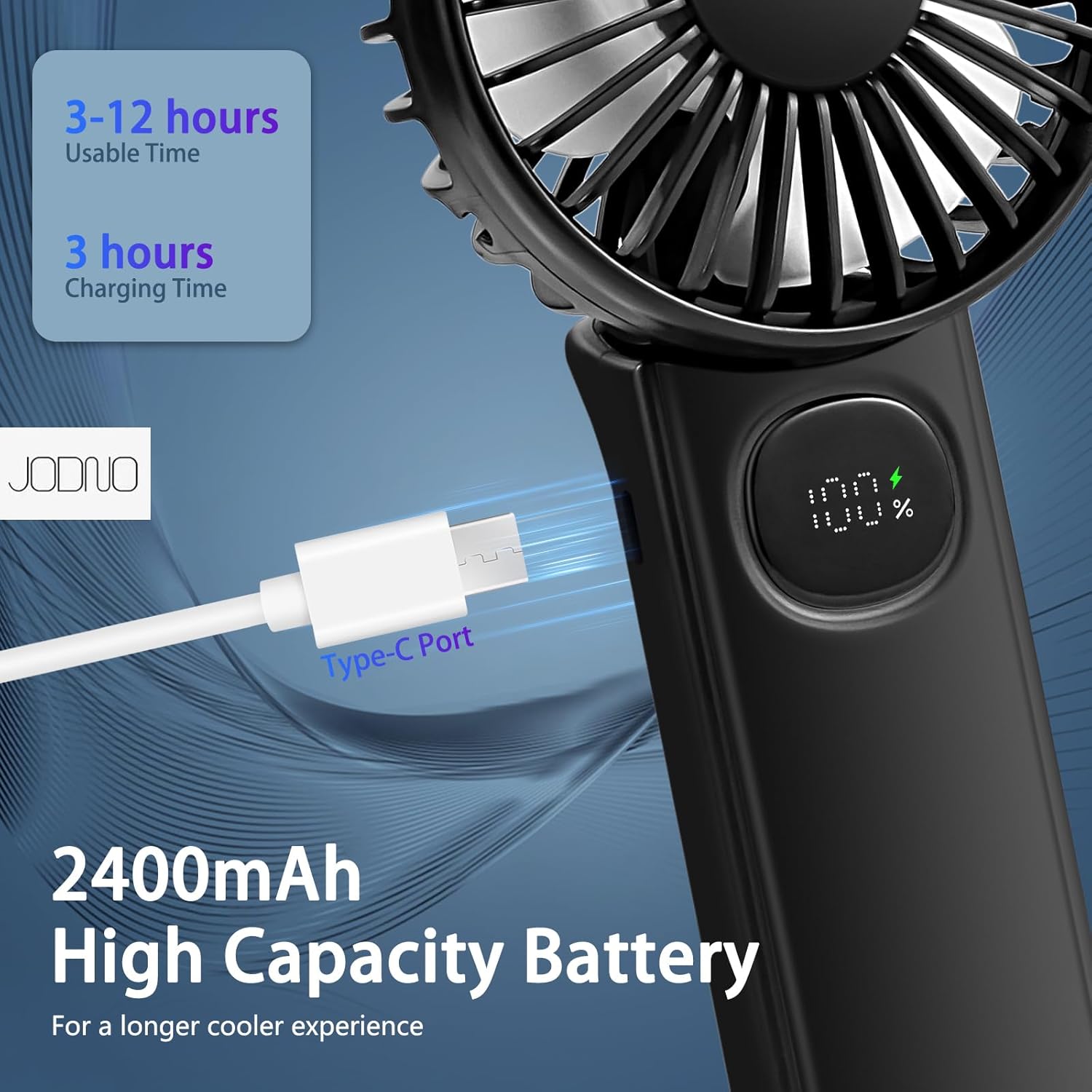
Image: The fan's 2400mAh high-capacity battery and USB Type-C charging port, providing 3-12 hours of usable time after a 3-hour charge.

Image: The fan's super-quiet operation, with noise levels as low as 10dB on the lowest setting and under 20dB on the top setting, ensuring minimal disturbance.
സജ്ജമാക്കുക
- അൺബോക്സിംഗ്: Carefully remove the fan, USB-A to USB-C cable, and lanyard from the packaging.
- പ്രാരംഭ ചാർജ്: Before first use, fully charge the fan using the provided USB-C cable. Connect the USB-C end to the fan's charging port (located on the side of the handle) and the USB-A end to a compatible USB power source (e.g., wall charger, power bank, computer USB port). The digital display will show the charging progress. A full charge typically takes about 3 hours.
- Lanyard അറ്റാച്ചുചെയ്യുക (ഓപ്ഷണൽ): If desired, attach the lanyard to the designated loop on the fan's handle for hands-free carrying around the neck.
Image: The fan's USB Type-C charging port, indicating where to connect the charging cable for initial setup and recharging.
പ്രവർത്തന നിർദ്ദേശങ്ങൾ
- പവർ ഓൺ/ഓഫ്: Press the power button (located on the handle below the digital display) once to turn the fan on to Speed 1. To turn off, long-press the power button.
- ഫാൻ വേഗത ക്രമീകരിക്കുന്നു: While the fan is on, short-press the power button repeatedly to cycle through the 5 available wind speeds (1-5). The digital display will show the current speed setting.
- ബാറ്ററി നില പരിശോധിക്കുന്നു: When the fan is idle (off), a short press of the power button will briefly display the remaining battery percentage on the digital screen.
- Using as a Handheld Fan: Hold the fan by its handle.
- Using as a Neck Fan: Unfold the fan head to a 90-degree angle, then attach the lanyard to the designated loops and wear it around your neck.
- Using as a Desk Fan: Fold the handle back completely (180-degree rotation) to form a stable base. Place the fan on a flat surface. The fan head can be adjusted to direct airflow.

Image: Demonstrations of the fan's diverse applications, including handheld use, worn around the neck with the lanyard, and folded for desk use.
Video: Official demonstration of the JODNO F11 Portable Foldable Handheld Fan, showcasing its features and various modes of operation.
മെയിൻ്റനൻസ്
- വൃത്തിയാക്കൽ: The front mesh shell of the fan is detachable for easy cleaning of the blades. Gently twist or unclip the front cover to remove it. Use a soft, dry cloth to wipe the blades and the interior. Ensure the fan is completely dry before reattaching the cover and using it.
- സംഭരണം: When not in use for extended periods, store the fan in a cool, dry place away from direct sunlight and extreme temperatures. Ensure the battery is partially charged (around 50%) before storage to prolong battery life.
- ബാറ്ററി കെയർ: Avoid fully discharging the battery frequently. Recharge the fan when the battery level is low to maintain optimal battery health.

Image: The fan's design details, including the detachable mesh shell for easy cleaning and the intelligent LED display.
ട്രബിൾഷൂട്ടിംഗ്
| പ്രശ്നം | സാധ്യമായ കാരണം | പരിഹാരം |
|---|---|---|
| ഫാൻ ഓണാകുന്നില്ല. | ബാറ്ററി തീർന്നു. | Charge the fan using the provided USB-C cable. Check the digital display for battery level. |
| ദുർബലമായ വായുസഞ്ചാരം. | ഫാൻ കുറഞ്ഞ വേഗതയിലാണ് പ്രവർത്തിക്കുന്നത്. | Press the power button to increase the speed setting (up to 5). |
| ഡിജിറ്റൽ ഡിസ്പ്ലേ പ്രവർത്തിക്കുന്നില്ല. | Fan is off or battery is very low. | Short-press the power button to check battery level. If still unresponsive, try charging the fan. |
| ഫാൻ അസാധാരണമായ ശബ്ദമുണ്ടാക്കുന്നു. | ഫാൻ ബ്ലേഡുകളിൽ തടസ്സം അല്ലെങ്കിൽ ആന്തരിക പ്രശ്നം. | Turn off the fan immediately. Check for any obstructions (e.g., hair, debris) and carefully remove them. If the issue persists, discontinue use and contact customer support. |
സ്പെസിഫിക്കേഷനുകൾ
| ഫീച്ചർ | വിശദാംശങ്ങൾ |
|---|---|
| മോഡലിൻ്റെ പേര് | F11 |
| ബ്രാൻഡ് | ജോഡ്നോ |
| പവർ ഉറവിടം | ബാറ്ററി പവർ (റീചാർജ് ചെയ്യാവുന്നത്) |
| ബാറ്ററി ശേഷി | 2400mAh |
| ചാർജിംഗ് പോർട്ട് | യുഎസ്ബി ടൈപ്പ്-സി |
| വേഗതകളുടെ എണ്ണം | 5 |
| ശബ്ദ നില | Less than 20dB (at top speed) |
| ഉൽപ്പന്ന അളവുകൾ | 1"D x 1"W x 1"H (folded/compact) |
| ഇനത്തിൻ്റെ ഭാരം | 6.8 ഔൺസ് |
| മെറ്റീരിയൽ | ABS Plastic (body), PP (blades) |
| നിയന്ത്രണ രീതി | Touch (button) |

Image: Detailed dimensions of the JODNO F11 fan, showing its compact size for portability.
വാറൻ്റിയും പിന്തുണയും
JODNO products are designed for quality and reliability. For any questions, concerns, or warranty claims regarding your F11 Portable Handheld Fan, please contact JODNO customer support through the retailer's platform or the official JODNO webസൈറ്റ്. വാറന്റി സാധൂകരണത്തിനായി നിങ്ങളുടെ വാങ്ങലിന്റെ തെളിവ് സൂക്ഷിക്കുക.
ഏറ്റവും കാലികമായ പിന്തുണാ വിവരങ്ങൾക്ക്, ദയവായി സന്ദർശിക്കുക JODNO Store on Amazon.
Ask a question about this manual
Ask about setup, troubleshooting, compatibility, parts, safety, or missing instructions. Manuals+ will review the question and use this page’s manual context to help answer it.