
MADHUR ENTERPRISE Works 291
User Manual for Buds A520 TWS Earbuds
Model: A520_BLK KK
1. ആമുഖം
Thank you for choosing the Buds A520 TWS Earbuds. These earphones are designed to provide a high-fidelity audio experience with wireless convenience. Featuring a sleek design, comfortable fit, and long battery life, they are your perfect companion for an elevated and wire-free audio journey.
പ്രധാന സവിശേഷതകളിൽ ഇവ ഉൾപ്പെടുന്നു:
- Seamless Bluetooth connectivity for tangle-free listening.
- High-quality audio with passive noise cancellation for an immersive experience.
- Extended playtime on a single charge, ideal for all-day use.
- Built-in microphone for clear, hands-free communication.
- Smart touch controls for easy operation.
2. ഉൽപ്പന്നം കഴിഞ്ഞുview
The Buds A520 TWS Earbuds come with a protective charging case. Familiarize yourself with the components:
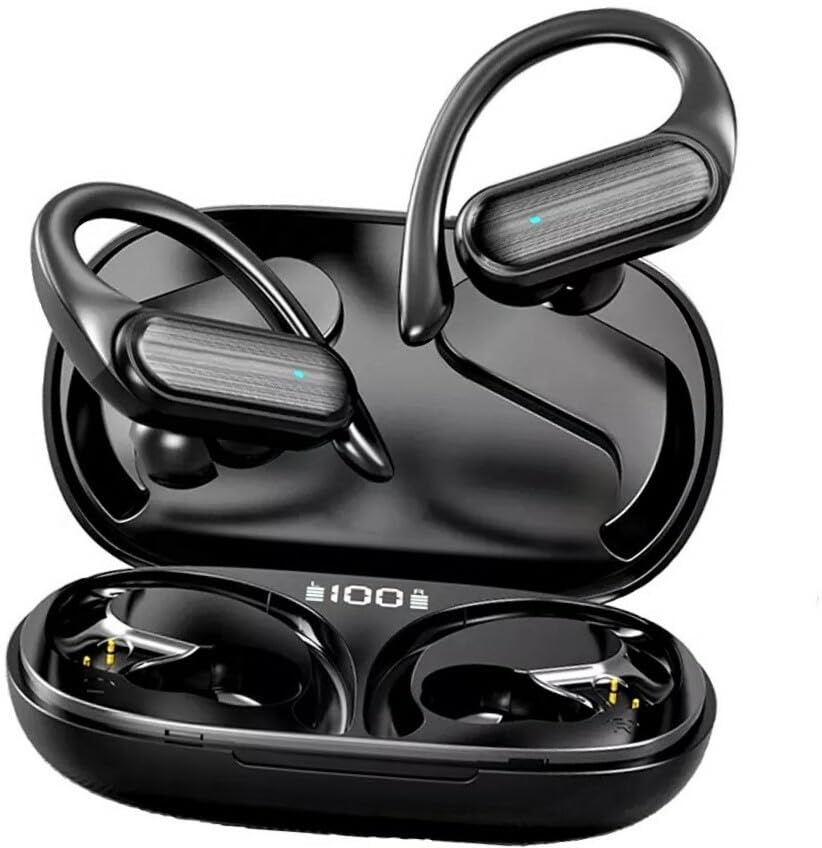
Figure 2.1: Buds A520 TWS Earbuds and Charging Case. The image shows the two earbuds resting in their open charging case, displaying their sleek black design and the digital battery indicator on the case.
ബോക്സിൽ എന്താണുള്ളത്:
- Buds A520 TWS Earbuds (Left and Right)
- പ്രൊട്ടക്റ്റീവ് ചാർജിംഗ് കേസ്
- ഉപയോക്തൃ മാനുവൽ (ഈ പ്രമാണം)
- യുഎസ്ബി ചാർജിംഗ് കേബിൾ
3. സജ്ജീകരണം
3.1 ഇയർബഡുകളും കേസും ചാർജ് ചെയ്യുന്നു
ആദ്യമായി ഉപയോഗിക്കുന്നതിന് മുമ്പ്, ഇയർബഡുകളും ചാർജിംഗ് കേസും പൂർണ്ണമായും ചാർജ് ചെയ്യുക.
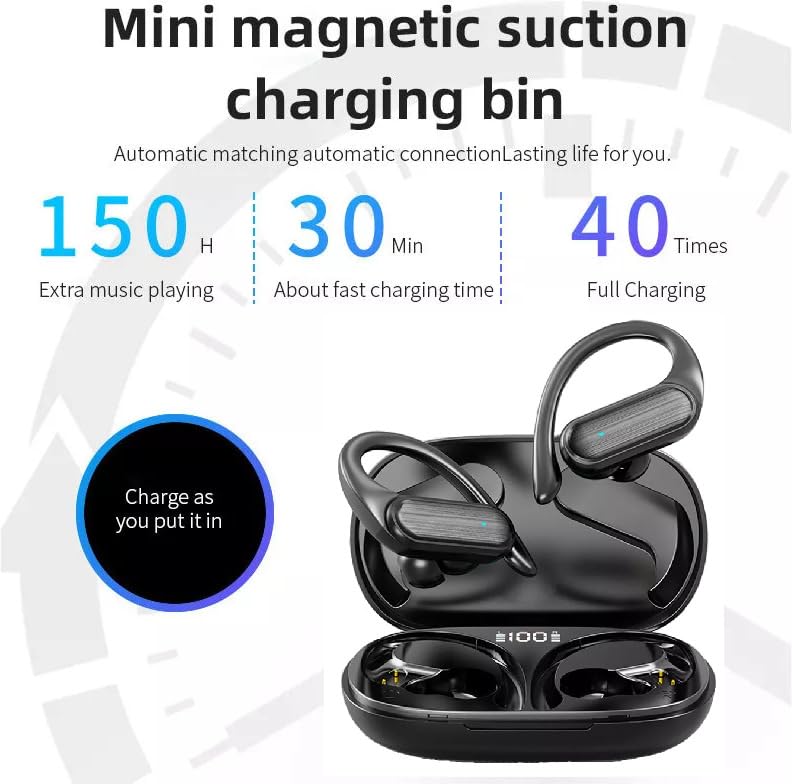
Figure 3.1: Mini Magnetic Suction Charging Bin. This image illustrates the charging capabilities, showing the earbuds in the case with a digital display indicating 100% charge, and text highlighting 150 hours extra music playing, 30 minutes fast charging time, and 40 full charges.
- ഇയർബഡുകൾ ചാർജിംഗ് കേസിൽ വയ്ക്കുക. അവ ശരിയായി ഘടിപ്പിച്ചിട്ടുണ്ടെന്ന് ഉറപ്പാക്കുക; കാന്തിക കോൺടാക്റ്റുകൾ അവയെ സ്ഥാനത്ത് ഉറപ്പിക്കും.
- നൽകിയിരിക്കുന്ന USB കേബിൾ ഉപയോഗിച്ച് ചാർജിംഗ് കേസ് ഒരു USB പവർ സ്രോതസ്സുമായി ബന്ധിപ്പിക്കുക.
- The digital display on the case will show the charging status. A full charge is indicated by 100%.
- The earbuds offer approximately 150 hours of extra music playing time with multiple charges from the case, and the case supports fast charging, reaching full charge in about 30 minutes.
3.2 ഒരു ബ്ലൂടൂത്ത് ഉപകരണവുമായി ജോടിയാക്കൽ
- ചാർജിംഗ് കേസ് തുറക്കുക. ഇയർബഡുകൾ സ്വയമേവ ഓണാകുകയും ജോടിയാക്കൽ മോഡിലേക്ക് പ്രവേശിക്കുകയും ചെയ്യും.
- നിങ്ങളുടെ ഉപകരണത്തിൽ (സ്മാർട്ട്ഫോൺ, ടാബ്ലെറ്റ് മുതലായവ), ബ്ലൂടൂത്ത് പ്രവർത്തനക്ഷമമാക്കുക.
- ഇതിനായി തിരയുക "Buds A520" or a similar name in the list of available Bluetooth devices.
- Select "Buds A520" to connect. Once connected, you will hear a confirmation tone, and the indicator light on the earbuds may change.
- The earbuds support wide compatibility and can connect to multiple devices.
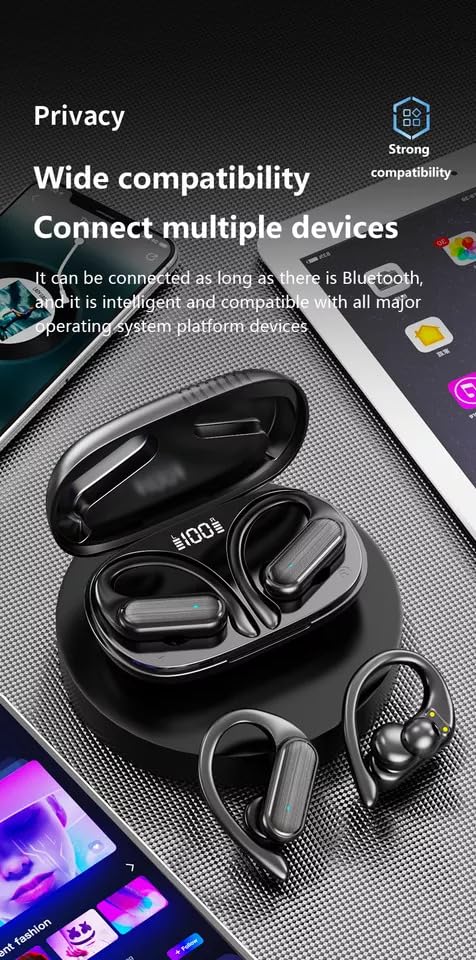
Figure 3.2: Wide Compatibility. This image shows the earbuds and case alongside various smart devices (phone, tablet), emphasizing their ability to connect with all major operating system platform devices via Bluetooth.
Note: Once paired, the earbuds will automatically connect to the last paired device when taken out of the case, provided Bluetooth is enabled on the device.
4. ഇയർബഡുകൾ പ്രവർത്തിപ്പിക്കൽ
4.1 സ്മാർട്ട് ടച്ച് നിയന്ത്രണങ്ങൾ
The Buds A520 feature intuitive touch controls on each earbud. Specific functions may vary slightly based on your device and application.
| ആക്ഷൻ | ഫംഗ്ഷൻ |
|---|---|
| ഒറ്റ ടാപ്പ് (ഇടത്/വലത്) | സംഗീതം പ്ലേ ചെയ്യുക/താൽക്കാലികമായി നിർത്തുക, കോൾ സ്വീകരിക്കുക/അവസാനിപ്പിക്കുക |
| ഡബിൾ ടാപ്പ് (വലത്) | അടുത്ത ട്രാക്ക് |
| ഡബിൾ ടാപ്പ് (ഇടത്) | മുമ്പത്തെ ട്രാക്ക് |
| ദീർഘനേരം അമർത്തുക (ഇടത്/വലത്) | വോയ്സ് അസിസ്റ്റന്റ് സജീവമാക്കുക / കോൾ നിരസിക്കുക |
4.2 കോൾ മാനേജ്മെന്റ്
- മറുപടി കോൾ: ഇയർബഡുകളിലൊന്നിൽ ഒറ്റത്തവണ ടാപ്പ് ചെയ്യുക.
- കോൾ അവസാനിപ്പിക്കുക: കോൾ ചെയ്യുമ്പോൾ ഇയർബഡുകളിലൊന്നിൽ ഒറ്റത്തവണ ടാപ്പ് ചെയ്യുക.
- കോൾ നിരസിക്കുക: ഇയർബഡുകളിലൊന്നിൽ ദീർഘനേരം അമർത്തുക.
- ബിൽറ്റ്-ഇൻ മൈക്രോഫോൺ വ്യക്തമായ ആശയവിനിമയം ഉറപ്പാക്കുന്നു.
4.3 Music Playback and Sound Quality
Enjoy high-definition music with the Buds A520. The earbuds are designed to effectively reduce sound leakage, ensuring your privacy and preventing disturbance to those around you.
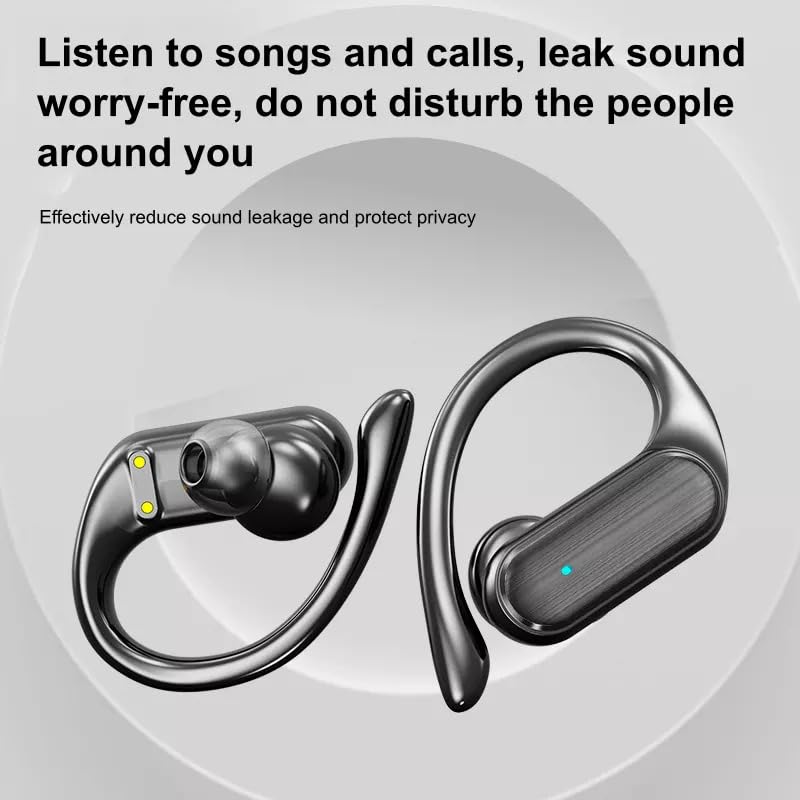
Figure 4.1: Leak Sound Worry-Free. This image highlights the design of the earbuds that effectively reduces sound leakage, ensuring privacy and preventing disturbance to others.
The earbuds feature 9D stereo high-fidelity sound quality, utilizing a 14mm customized unit and a metal composite diaphragm for rich, clear audio.

Figure 4.2: 9D Stereo High Fidelity Sound Quality. This diagram illustrates the internal components responsible for sound quality, including a 14mm customized unit, metal composite diaphragm, and high-quality voice coil, emphasizing transparent and natural hearing.
4.4 ഗെയിമിംഗ് മോഡ് (കുറഞ്ഞ ലേറ്റൻസി)
For an enhanced gaming experience, the earbuds feature dual-channel low latency, powered by an intelligent new generation BT 5.3 chip. This ensures audio and video synchronization, providing a barrier-free voice dialogue.
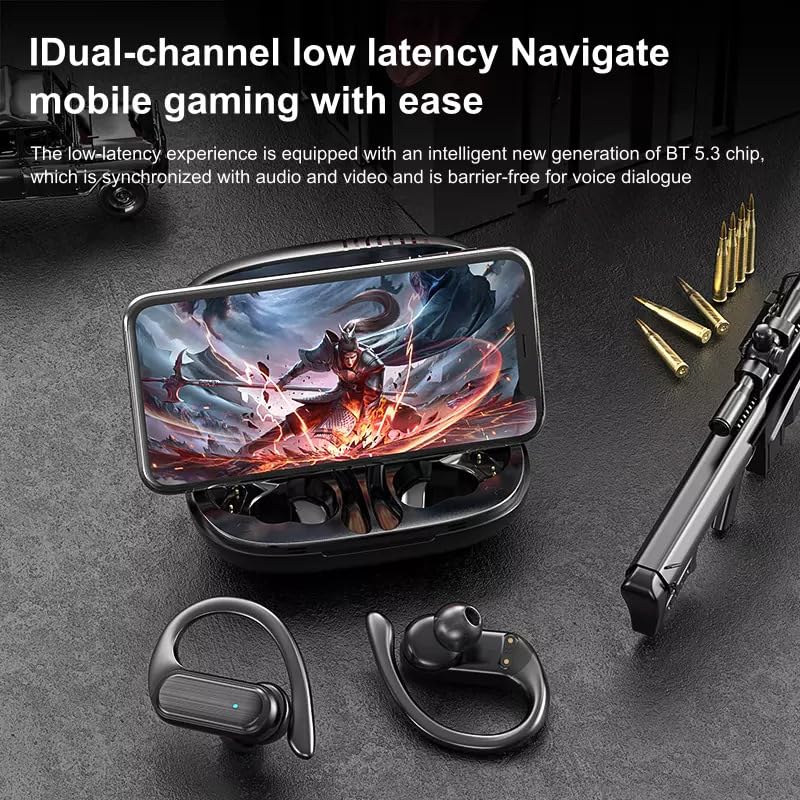
Figure 4.3: Dual-channel Low Latency for Mobile Gaming. This image shows the earbuds and case with a smartphone displaying a game, highlighting the low-latency experience for synchronized audio and video.
5. സുഖവും ഫിറ്റും
The Buds A520 are designed for long-wearing comfort, featuring a "half into the ear" ergonomic design that prevents swelling or aching even after extended use. This design also helps prevent ear inflammation caused by blocked ear canals, allowing you to enjoy sports calmly.
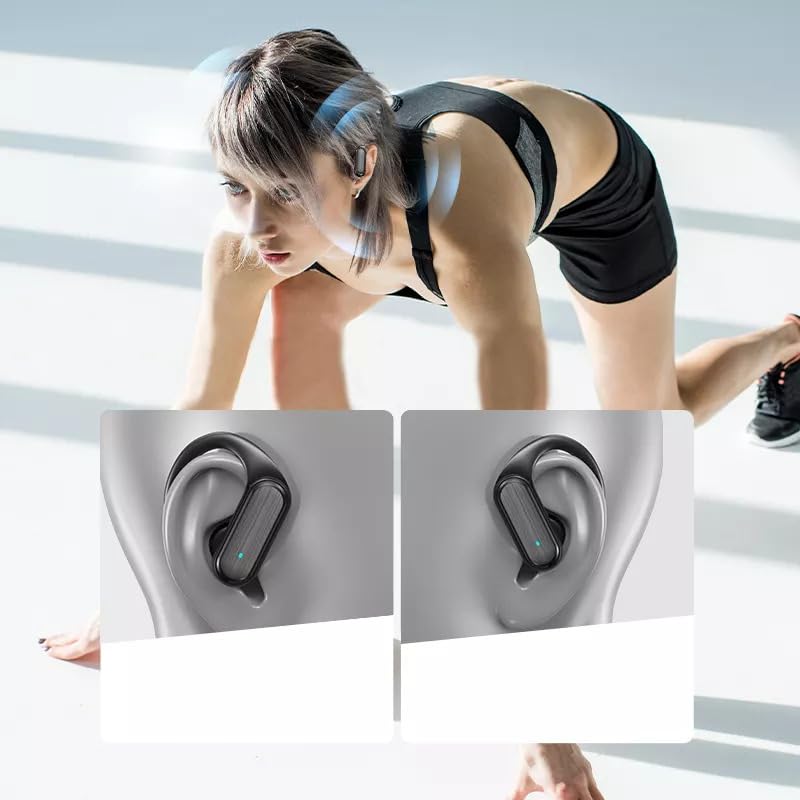
Figure 5.1: Secure and Comfortable Fit. This image shows the earbuds securely fitted on a person's ear during physical activity, demonstrating their stability and ergonomic design.
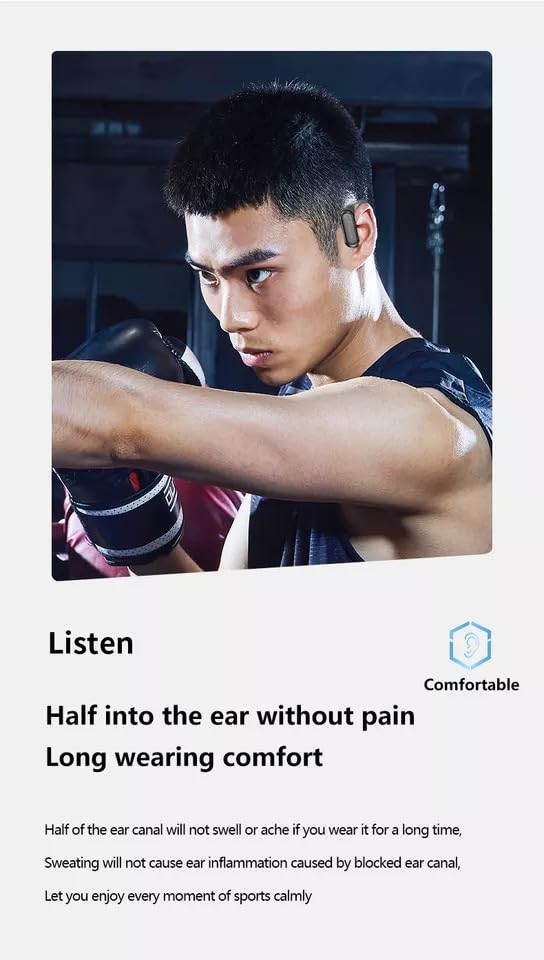
Figure 5.2: Half into the Ear Without Pain. This image emphasizes the comfortable design, stating that half of the ear canal will not swell or ache, and sweating will not cause ear inflammation, ensuring long wearing comfort.
The "hanging ear sports in-ear headphones" design provides additional security, making them suitable for active use.
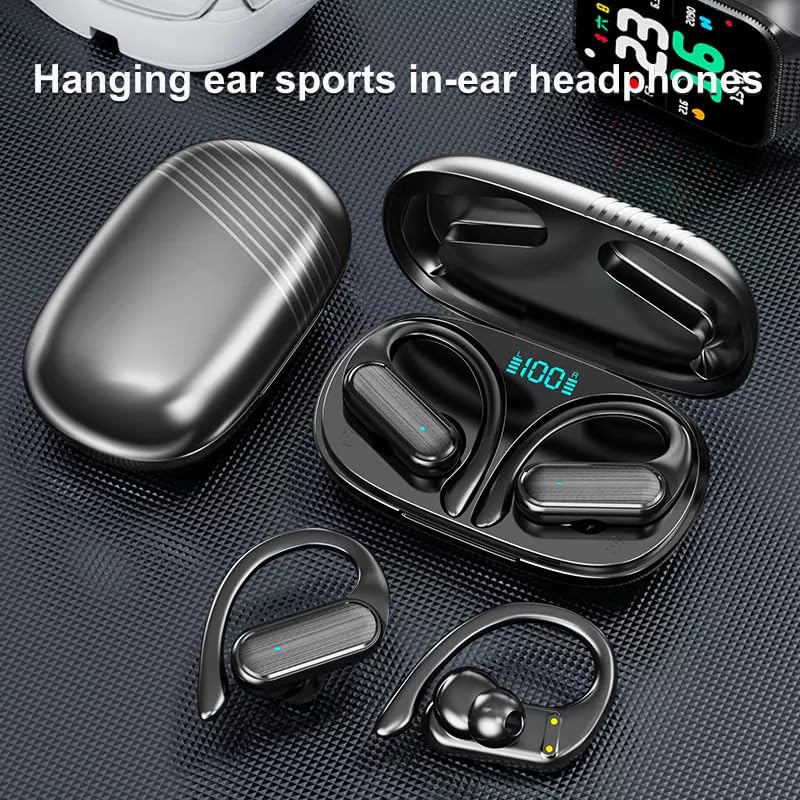
Figure 5.3: Hanging Ear Sports In-Ear Headphones. This image showcases the design of the earbuds with ear hooks, indicating their suitability for sports and active lifestyles.
6. പരിപാലനം
- വൃത്തിയാക്കൽ: ഇയർബഡുകളും ചാർജിംഗ് കെയ്സും മൃദുവായതും ഉണങ്ങിയതും ലിന്റ് രഹിതവുമായ തുണി ഉപയോഗിച്ച് പതിവായി വൃത്തിയാക്കുക. കഠിനമായ രാസവസ്തുക്കളോ ഉരച്ചിലുകളോ ഉള്ള വസ്തുക്കൾ ഉപയോഗിക്കരുത്.
- ജല പ്രതിരോധം: The earbuds are waterproof. However, avoid prolonged submersion in water. Dry them thoroughly if they get wet before placing them back in the charging case.
- സംഭരണം: ഉപയോഗത്തിലില്ലാത്തപ്പോൾ, ഇയർബഡുകൾ ചാർജിംഗ് കേസിൽ സൂക്ഷിക്കുക, അതുവഴി അവയെ സംരക്ഷിക്കുകയും ചാർജ്ജ് ആയി നിലനിർത്തുകയും ചെയ്യുക. ഉയർന്ന താപനിലയിൽ നിന്ന് മാറി തണുത്തതും വരണ്ടതുമായ സ്ഥലത്ത് സൂക്ഷിക്കുക.
- ബാറ്ററി കെയർ: ബാറ്ററി ലൈഫ് വർദ്ധിപ്പിക്കാൻ, ഇയർബഡുകളും കെയ്സും ഇടയ്ക്കിടെ പൂർണ്ണമായും ഡിസ്ചാർജ് ചെയ്യുന്നത് ഒഴിവാക്കുക. തുടർച്ചയായ ഉപയോഗത്തിലല്ലെങ്കിൽ പോലും അവ പതിവായി ചാർജ് ചെയ്യുക.
7. പ്രശ്നപരിഹാരം
If you encounter issues with your Buds A520 TWS Earbuds, please refer to the following common solutions:
| പ്രശ്നം | പരിഹാരം |
|---|---|
| ഇയർബഡുകൾ ജോടിയാക്കുന്നില്ല/കണക്റ്റ് ചെയ്യുന്നില്ല |
|
| ഒരു ഇയർബഡിൽ നിന്ന് ശബ്ദമില്ല |
|
| ചാർജിംഗ് പ്രശ്നങ്ങൾ |
|
| മോശം ശബ്ദ നിലവാരം |
|
8 സ്പെസിഫിക്കേഷനുകൾ
| ഫീച്ചർ | വിശദാംശങ്ങൾ |
|---|---|
| മോഡലിൻ്റെ പേര് | ME |
| കണക്റ്റിവിറ്റി ടെക്നോളജി | വയർലെസ് (ബ്ലൂടൂത്ത്) |
| വയർലെസ് കമ്മ്യൂണിക്കേഷൻ ടെക്നോളജി | ബ്ലൂടൂത്ത് |
| ശബ്ദ നിയന്ത്രണം | നിഷ്ക്രിയ ശബ്ദം റദ്ദാക്കൽ |
| നിയന്ത്രണ രീതി | സ്പർശിക്കുക |
| ജല പ്രതിരോധ നില | വാട്ടർപ്രൂഫ് |
| മെറ്റീരിയൽ | പ്ലാസ്റ്റിക് |
| ഫോം ഫാക്ടർ | In ear, In Ear |
| ചെവി പ്ലേസ്മെൻ്റ് | ചെവിയിൽ |
| മൈക്രോഫോൺ ഫോർമാറ്റ് | ബിൽറ്റ്-ഇൻ |
| പ്രത്യേക സവിശേഷതകൾ | ഫാസ്റ്റ് ചാർജിംഗ് |
| പ്രതിരോധം | 100 ഓം |
| നിർമ്മാതാവ് | MADHUR ENTERPRISE Works |
| മോഡൽ നമ്പർ | MADHUR ENTERPRISE Works 291 |
| ഇനം മോഡൽ നമ്പർ | MADHUR ENTERPRISE Works 291 |
| ആദ്യ തീയതി ലഭ്യമാണ് | 2 ഫെബ്രുവരി 2024 |
9 സുരക്ഷാ വിവരങ്ങൾ
- ഇയർബഡുകളോ ചാർജിംഗ് കേസോ ഡിസ്അസംബ്ലിംഗ് ചെയ്യുകയോ പരിഷ്കരിക്കുകയോ ചെയ്യരുത്.
- തീവ്രമായ താപനില, നേരിട്ടുള്ള സൂര്യപ്രകാശം, തുറന്ന തീജ്വാലകൾ എന്നിവയിൽ നിന്ന് അകന്നുനിൽക്കുക.
- Do not expose to corrosive liquids.
- ശക്തമായ ആഘാതങ്ങൾക്ക് ഉപകരണം ഇടുകയോ ഇടുകയോ ചെയ്യുന്നത് ഒഴിവാക്കുക.
- പ്രാദേശിക ചട്ടങ്ങൾക്കനുസൃതമായി ഉൽപ്പന്നം ഉത്തരവാദിത്തത്തോടെ വിനിയോഗിക്കുക.
- കേൾവിക്ക് കേടുപാടുകൾ സംഭവിക്കാതിരിക്കാൻ, ദീർഘനേരം അമിതമായി ഉയർന്ന ശബ്ദത്തിൽ ഇയർബഡുകൾ ഉപയോഗിക്കരുത്.
10. വാറൻ്റിയും പിന്തുണയും
For warranty information and customer support, please contact the manufacturer or retailer where you purchased the product.
നിർമ്മാതാവ്: MADHUR ENTERPRISE Works
ഇറക്കുമതിക്കാരൻ: madhurent1@gmail.com
ഏതെങ്കിലും വാറന്റി ക്ലെയിമുകൾക്കായി നിങ്ങളുടെ വാങ്ങിയതിന്റെ തെളിവ് സൂക്ഷിക്കുക.
Ask a question about this manual
Ask about setup, troubleshooting, compatibility, parts, safety, or missing instructions. Manuals+ will review the question and use this page’s manual context to help answer it.