
1. ഉൽപ്പന്നം കഴിഞ്ഞുview
The Maxell MXH-BTW401 True Wireless Earbuds are designed for comfort and convenience. Featuring a lightweight and compact design, they offer a secure fit that minimizes protrusion from the ear, making them suitable for use even while lying down. The stick-type charging case is slim and customizable, allowing users to personalize it with stickers.
These earbuds support Bluetooth 5.3 for stable connectivity, hands-free calling, and multi-pairing with up to four devices. Enjoy clear audio for music, calls, and web സമ്മേളനങ്ങൾ.

Image: Maxell MXH-BTW401 earbud shown in a person's ear, emphasizing its lightweight design and comfortable fit. The text "Light weight" is visible.

Image: A person lying down comfortably, using the Maxell MXH-BTW401 earbuds. This illustrates the earbuds' design for minimal protrusion, allowing for use in various relaxed positions.
2. പാക്കേജ് ഉള്ളടക്കം
പാക്കേജിൽ എല്ലാ ഇനങ്ങളും ഉണ്ടെന്ന് ഉറപ്പാക്കുക:
- Maxell MXH-BTW401 True Wireless Earbuds (Left and Right)
- ചാർജിംഗ് കേസ്
- Earpieces: 3 sizes (S, M, L), 2 pieces each. (M size is pre-installed on the earbuds)
- Charging Cable: USB-A to Type-C (approx. 45 cm)
- നിർദ്ദേശ മാനുവൽ (ഈ പ്രമാണം)

Image: A flat lay of the included accessories, showing the different sizes of earpieces and the USB-A to Type-C charging cable.
3. സജ്ജീകരണവും ചാർജിംഗും
3.1 പ്രാരംഭ ചാർജിംഗ്
- ചാർജിംഗ് കെയ്സിലേക്ക് ഇയർബഡുകൾ സ്ഥാപിക്കുക.
- Connect the provided USB-A to Type-C charging cable to the charging case and a USB power adapter (not included).
- The indicator light on the charging case will show charging status. A full charge for the case takes approximately 2 hours.
- The charging case can fully recharge the earbuds approximately 2 times.
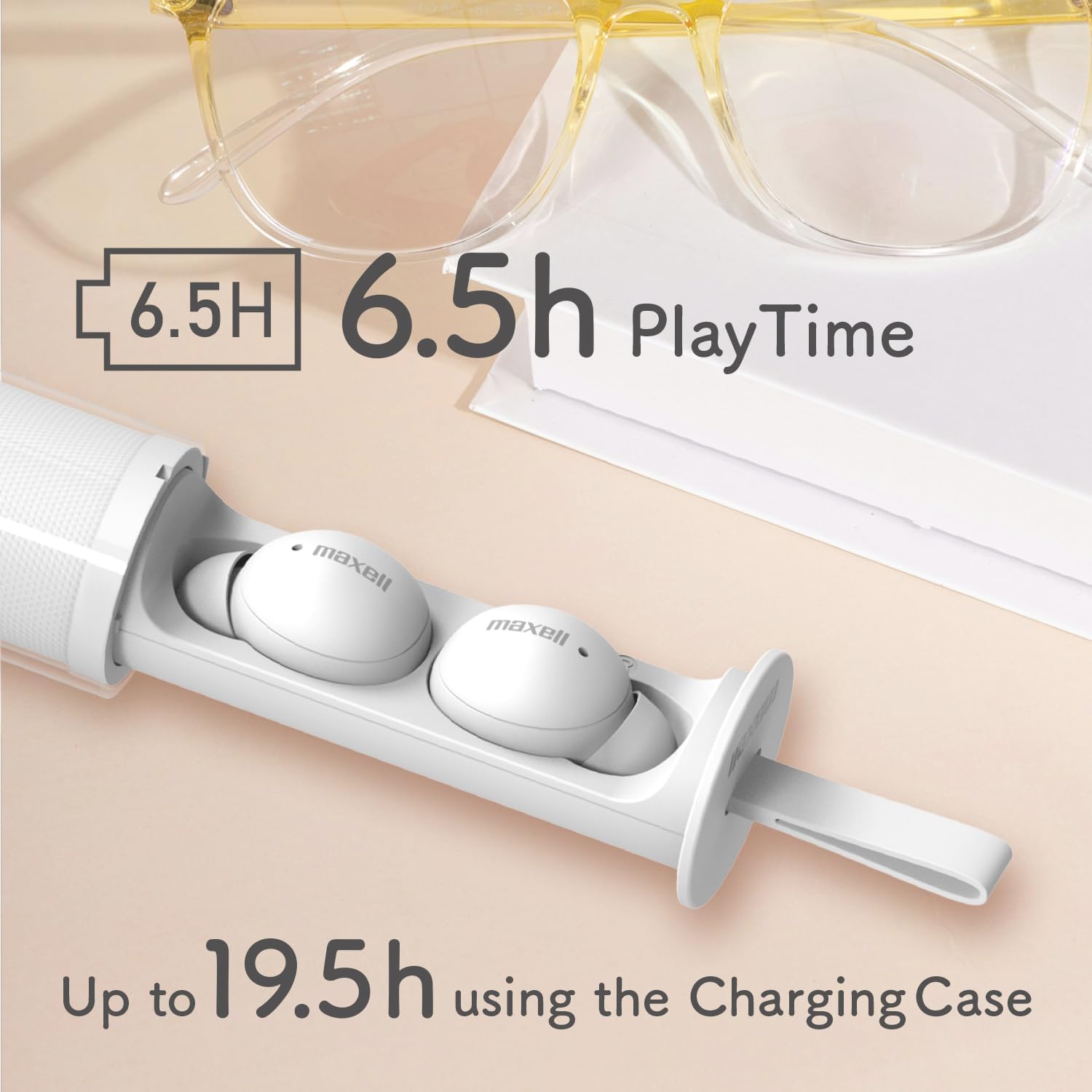
Image: The Maxell MXH-BTW401 earbuds inside their stick-type charging case. The image highlights the battery life: 6.5 hours of continuous playback for the earbuds and up to 19.5 hours total with the charging case.
3.2 ഒരു ഉപകരണവുമായി ജോടിയാക്കൽ
- ചാർജിംഗ് കേസ് തുറക്കുക. ഇയർബഡുകൾ സ്വയമേവ ജോടിയാക്കൽ മോഡിലേക്ക് പ്രവേശിക്കും.
- നിങ്ങളുടെ ഉപകരണത്തിൽ (സ്മാർട്ട്ഫോൺ, ടാബ്ലെറ്റ് മുതലായവ), ബ്ലൂടൂത്ത് പ്രവർത്തനക്ഷമമാക്കി ലഭ്യമായ ഉപകരണങ്ങൾക്കായി തിരയുക.
- Select "MXH-BTW401" from the list of found devices to connect.
- Once connected, a confirmation sound will play from the earbuds.
Multi-pairing: The earbuds support multi-pairing with up to 4 devices. To switch between paired devices, simply connect from the desired device's Bluetooth settings.
4. പ്രവർത്തന നിർദ്ദേശങ്ങൾ
4.1 Basic Controls (Touch Control)
വിവിധ പ്രവർത്തനങ്ങൾക്കായി ഇയർബഡുകൾ ടച്ച് നിയന്ത്രണങ്ങൾ അവതരിപ്പിക്കുന്നു:
- പ്ലേ/താൽക്കാലികമായി നിർത്തുക: ഇയർബഡുകളിൽ ഏതെങ്കിലുമൊന്നിൽ ഒറ്റ ടാപ്പ് ചെയ്യുക.
- അടുത്ത ട്രാക്ക്: വലതുവശത്തെ ഇയർബഡിൽ രണ്ടുതവണ ടാപ്പ് ചെയ്യുക.
- മുമ്പത്തെ ട്രാക്ക്: ഇടതുവശത്തെ ഇയർബഡിൽ രണ്ടുതവണ ടാപ്പ് ചെയ്യുക.
- ഉത്തരം/അവസാന കോൾ: ഇൻകമിംഗ് കോൾ വരുമ്പോൾ ഏത് ഇയർബഡിലും ഒറ്റ ടാപ്പ് ചെയ്യുക.
- കോൾ നിരസിക്കുക: ഇൻകമിംഗ് കോൾ വരുമ്പോൾ ഇയർബഡുകളിൽ ഏതെങ്കിലുമൊന്ന് 2 സെക്കൻഡ് അമർത്തിപ്പിടിക്കുക.
- വോയ്സ് അസിസ്റ്റന്റിനെ സജീവമാക്കുക: ഇയർബഡുകളിൽ ഏതെങ്കിലുമൊന്നിൽ മൂന്ന് തവണ ടാപ്പ് ചെയ്യുക.
- വോളിയം നിയന്ത്രണം: വോളിയം കൂട്ടാൻ വലത് ഇയർബഡ് അമർത്തിപ്പിടിക്കുക, വോളിയം കുറയ്ക്കാൻ ഇടത് ഇയർബഡ് അമർത്തിപ്പിടിക്കുക.
കുറിപ്പ്: If the case is difficult to remove, twist it approximately 90 degrees until it detaches. If you experience accidental touches, ensure the earbuds are properly seated in your ear.
4.2 Single-Ear Mode
You can use either the left or right earbud independently. Simply remove one earbud from the charging case, and it will automatically connect to your paired device. The other earbud can remain in the case or be turned off.
4.3 ഹാൻഡ്സ്-ഫ്രീ കോളിംഗ്
The built-in microphone allows for clear hands-free calls and participation in web conferences. Ensure the earbuds are connected to your device via Bluetooth.
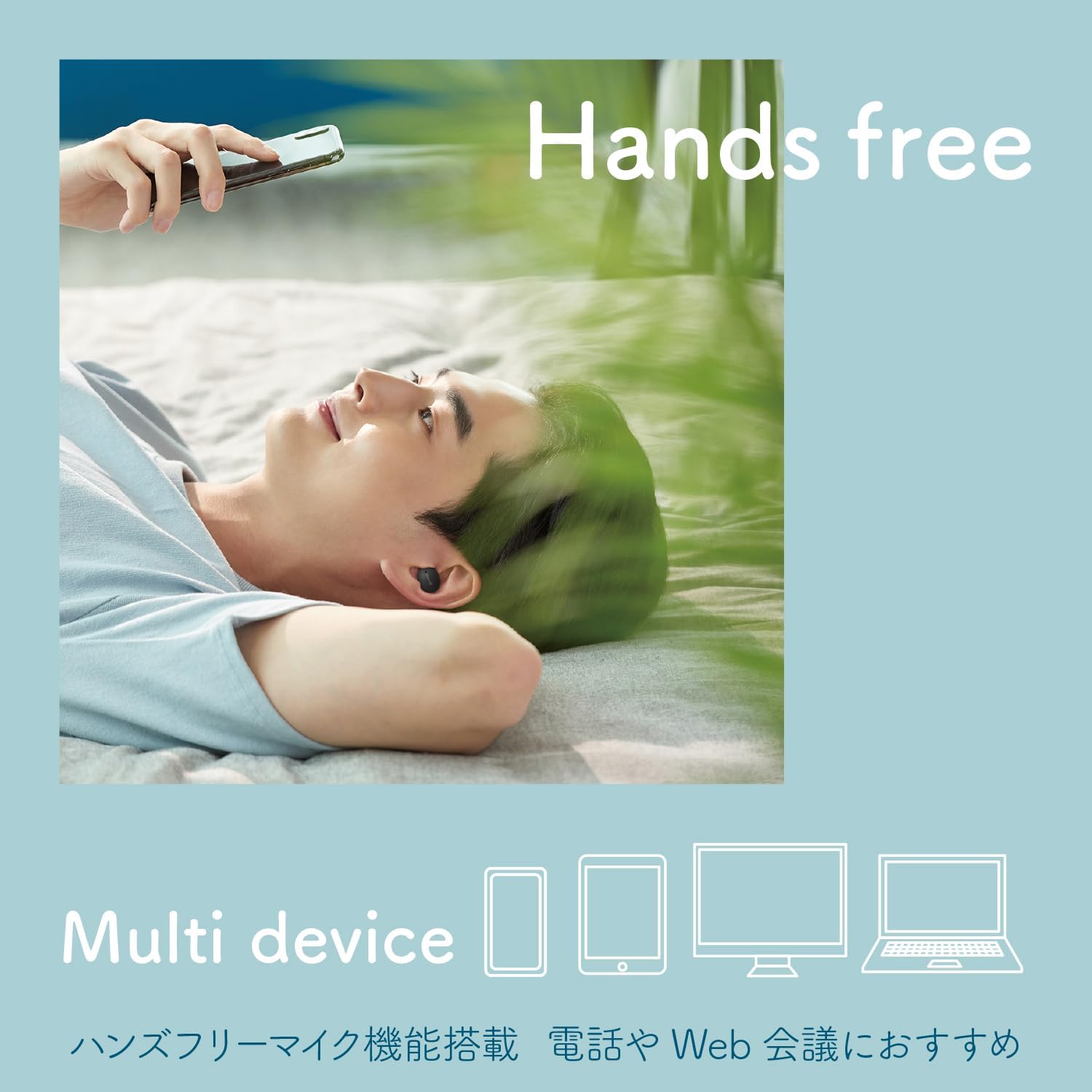
Image: A person using the earbuds for hands-free communication, with icons representing multiple devices (smartphone, tablet, laptop, desktop) to illustrate multi-device compatibility.
5. Customization (Sticker Application)
The transparent outer case of the charging case can be customized with stickers. This allows you to create a unique and personalized look for your earbuds.
Important: The thickness of the sticker must be 0.12mm or less to ensure the case closes properly.
- Twist the outer case approximately 90 degrees to separate it from the inner earbud holder.
- Apply your desired sticker(s) to the inner surface of the transparent outer case.
- Reattach the outer case by aligning and twisting it back into place.

Image: Three stick-type charging cases, each customized with different stickers, demonstrating the personalization feature.

Image: A step-by-step diagram illustrating how to remove the outer case, apply stickers, and reassemble the charging case for customization.
Video: A short demonstration showing how to apply stickers to the charging case and highlighting the lightweight design and hands-free calling features of the Maxell MXH-BTW401 earbuds.
6. പരിപാലനം
- വൃത്തിയാക്കൽ: Regularly clean the earbuds and charging case with a soft, dry cloth. Do not use liquids or abrasive cleaners.
- ഇയർപീസുകൾ: Remove earpieces and clean them with a damp ആവശ്യമെങ്കിൽ തുണി ഉപയോഗിക്കുക. വീണ്ടും ഘടിപ്പിക്കുന്നതിന് മുമ്പ് അവ പൂർണ്ണമായും ഉണങ്ങിയെന്ന് ഉറപ്പാക്കുക.
- സംഭരണം: ഉപയോഗത്തിലില്ലാത്തപ്പോൾ, ഇയർബഡുകൾ സംരക്ഷിക്കുന്നതിനും ചാർജ്ജ് ചെയ്ത നിലയിൽ നിലനിർത്തുന്നതിനും അവ ചാർജിംഗ് കേസിൽ സൂക്ഷിക്കുക.
- വാട്ടർ എക്സ്പോഷർ: These earbuds are not waterproof. Avoid exposure to water, moisture, or excessive humidity.
7. പ്രശ്നപരിഹാരം
- ശബ്ദമില്ല:
- ഇയർബഡുകൾ ചാർജ് ചെയ്തിട്ടുണ്ടെന്ന് ഉറപ്പാക്കുക.
- Check if Bluetooth is enabled on your device and connected to "MXH-BTW401".
- നിങ്ങളുടെ ഉപകരണത്തിലും ഇയർബഡുകളിലും വോളിയം ക്രമീകരിക്കുക.
- ജോടിയാക്കാൻ കഴിയില്ല:
- Ensure earbuds are in pairing mode (indicator light flashing).
- നിങ്ങളുടെ ഉപകരണത്തിൽ ബ്ലൂടൂത്ത് ഓഫാക്കി ഓണാക്കുക.
- Try resetting the earbuds (refer to the full manual for specific reset instructions if needed).
- ഇയർബഡുകൾ ചാർജ് ചെയ്യുന്നില്ല:
- ചാർജിംഗ് കേബിൾ കേസിലേക്കും പവർ സ്രോതസ്സിലേക്കും സുരക്ഷിതമായി ബന്ധിപ്പിച്ചിട്ടുണ്ടെന്ന് ഉറപ്പാക്കുക.
- ഇയർബഡുകളിലെയും കേസിനുള്ളിലെയും ചാർജിംഗ് കോൺടാക്റ്റുകൾ വൃത്തിയുള്ളതാണോയെന്ന് പരിശോധിക്കുക.
- Accidental Touch Controls:
- ഇയർബഡുകൾ നിങ്ങളുടെ ചെവിയിൽ ശരിയായി ഘടിപ്പിച്ചിട്ടുണ്ടെന്ന് ഉറപ്പാക്കുക.
- Avoid touching the touch-sensitive area unnecessarily when adjusting the earbuds.
For further assistance, please refer to the full product manual or contact Maxell customer support.
8 സ്പെസിഫിക്കേഷനുകൾ
| മോഡൽ | MXH-BTW401 |
| ടൈപ്പ് ചെയ്യുക | അടച്ച ഡൈനാമിക് |
| ഡ്രൈവർ യൂണിറ്റ് | വ്യാസം 6 എംഎം |
| ഫ്രീക്വൻസി പ്രതികരണം | 20 - 20,000 ഹെർട്സ് |
| പവർ ഉറവിടം | ബിൽറ്റ്-ഇൻ റീചാർജ് ചെയ്യാവുന്ന ലിഥിയം-അയൺ ബാറ്ററി |
| Continuous Playback Time (Earbuds) | ഏകദേശം 6.5 മണിക്കൂർ |
| തുടർച്ചയായ സ്റ്റാൻഡ്ബൈ സമയം | ഏകദേശം 70 മണിക്കൂർ |
| ചാർജിംഗ് സമയം (കേസ്) | ഏകദേശം 2 മണിക്കൂർ |
| Earbud Weight (each) | ഏകദേശം 3.3 ഗ്രാം |
| ചാർജിംഗ് കേസ് ഭാരം | ഏകദേശം 35 ഗ്രാം |
| മൾട്ടി-ജോടിയാക്കൽ | 4 ഉപകരണങ്ങൾ വരെ |
| വയർലെസ് തരം | ബ്ലൂടൂത്ത് 5.3 |
| വാട്ടർപ്രൂഫ് | ഇല്ല |
| മാതൃരാജ്യം | ചൈന |

Image: An exploded diagram of the earbud, illustrating its internal components, including the 6mm driver for clear sound quality.
9. വാറൻ്റിയും പിന്തുണയും
The Maxell MXH-BTW401 True Wireless Earbuds come with a 1 വർഷത്തെ നിർമ്മാതാവിന്റെ വാറന്റി വാങ്ങിയ തീയതി മുതൽ.
For warranty claims, technical support, or any inquiries regarding your product, please contact Maxell customer service. Keep your proof of purchase for warranty validation.
Please visit the official Maxell webഏറ്റവും കാലികമായ പിന്തുണാ വിവരങ്ങൾക്കും ബന്ധപ്പെടാനുള്ള വിശദാംശങ്ങൾക്കുമുള്ള സൈറ്റ്.