
1. ആമുഖം
Thank you for choosing the eLinkSmart Smart Fingerprint and Bluetooth Chain Lock. This manual provides essential information for the proper setup, operation, and maintenance of your new lock. This advanced keyless chain lock offers enhanced security and convenience for various applications, including bicycles, scooters, motorcycles, doors, fences, and gates.
The lock features both fingerprint recognition and Bluetooth app control for unlocking, eliminating the need for traditional keys or complex passwords. Its durable, waterproof design ensures reliable performance in diverse outdoor conditions.
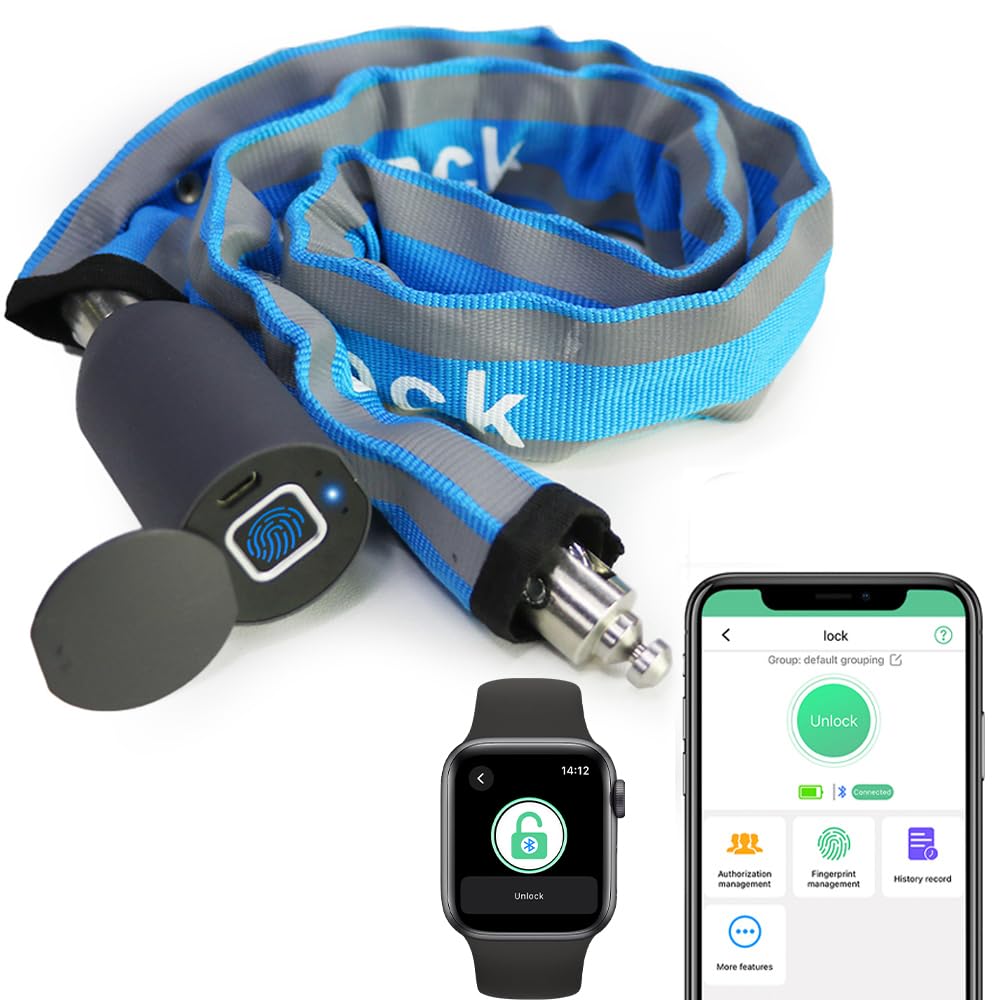
Image 1.1: Smart unlocking methods (fingerprint, Bluetooth app) compared to traditional lock issues (forgotten password, lost key).
2. ഉൽപ്പന്നം കഴിഞ്ഞുview
The eLinkSmart Smart Chain Lock is constructed with a robust metal chain, protected by a durable blue nylon cover. The lock head integrates a fingerprint sensor and a micro-USB charging port, protected by a sliding waterproof cover.
2.1 ഘടകങ്ങൾ
- eLinkSmart Smart Chain Lock (Model YL-C6BF-Blue)
- ഉപയോക്തൃ മാനുവൽ (ഈ പ്രമാണം)
- യുഎസ്ബി ചാർജിംഗ് കേബിൾ

ചിത്രം 2.1: ക്ലോസ്-അപ്പ് view of the chain's waterproof design, the USB charging port with its protective cover, and the secure chain connection point.
3. സജ്ജീകരണം
3.1 പ്രാരംഭ ചാർജിംഗ്
Before first use, fully charge the lock using the provided USB cable. Connect the cable to the lock's micro-USB port (located under the sliding cover) and a standard USB power source (e.g., computer, wall adapter, power bank). The indicator light will show charging status.
3.2 ആപ്പ് ഇൻസ്റ്റാളേഷനും ജോടിയാക്കലും
- Download the eLinkSmart app from your device's app store (iOS or Android).
- ആപ്പ് തുറന്ന് ഒരു അക്കൗണ്ട് സൃഷ്ടിക്കുക അല്ലെങ്കിൽ ലോഗിൻ ചെയ്യുക.
- Follow the in-app instructions to add your new eLinkSmart lock. Ensure your device's Bluetooth is enabled and the lock is within range.
- The app supports over 500 users for remote access management.

Image 3.1: The eLinkSmart mobile application interface, used for managing and unlocking the device via Bluetooth.
3.3 Fingerprint Registration
The lock supports up to 20 unique fingerprint users.
- Access the fingerprint management section within the eLinkSmart app.
- Follow the on-screen prompts to register new fingerprints. You will typically be asked to place your finger on the sensor multiple times from different angles to ensure accurate recognition.
- Ensure the fingerprint sensor is clean and dry during registration.
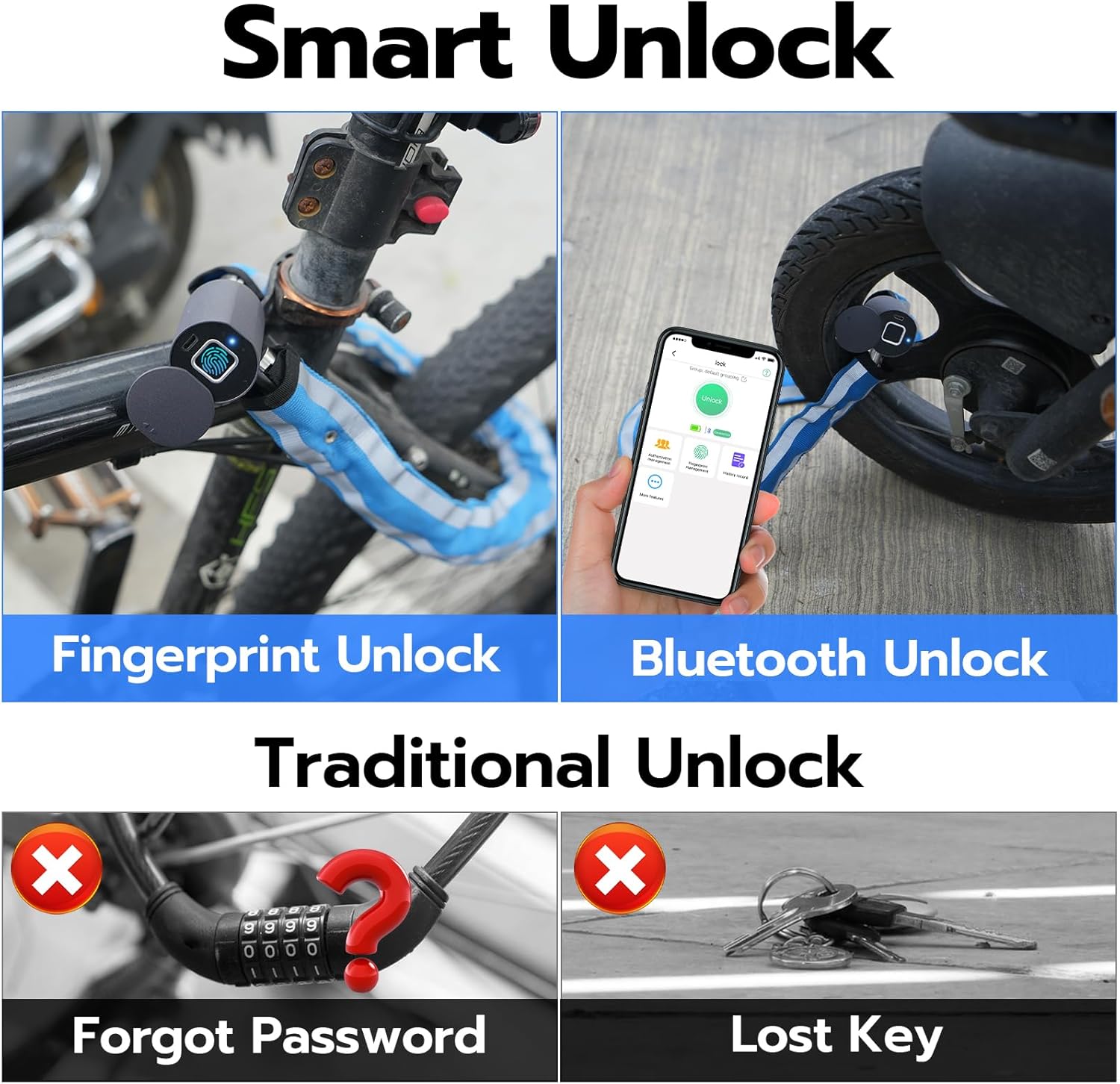
Image 3.2: A finger positioned on the biometric sensor of the eLinkSmart lock for fingerprint registration or unlocking.
4. പ്രവർത്തന നിർദ്ദേശങ്ങൾ
4.1 ഉപകരണം ലോക്ക് ചെയ്യുന്നു
To lock the device, simply push the locking pin into the lock body until it clicks securely into place. No key or app interaction is required for locking.
4.2 ഫിംഗർപ്രിൻ്റ് ഉപയോഗിച്ച് അൺലോക്ക് ചെയ്യുന്നു
Place a registered finger firmly on the fingerprint sensor. The lock will unlock if the fingerprint is recognized. A green light or audible confirmation will indicate successful unlocking.
4.3 Unlocking with Bluetooth App
- Ensure your smartphone's Bluetooth is active and you are within range of the lock.
- Open the eLinkSmart app.
- Select your lock from the device list and tap the unlock button within the app.
4.4 Remote App Unlocking
The eLinkSmart app allows you to grant remote access to family, friends, or colleagues. When you are away, authorized users can request access, and you can unlock the device with a single tap in the app.

ചിത്രം 4.1: ഉദാamples of remote unlocking functionality, where a user can grant access to others via the app.
5. പരിപാലനം
5.1 ബാറ്ററി മാനേജ്മെൻ്റ്
The lock is equipped with a 110 mAh rechargeable lithium battery. A full charge provides approximately 6 months of standby time or over 2000 unlocks.
- കുറഞ്ഞ ബാറ്ററി അലേർട്ട്: When the battery is low, the app will issue audible alerts, and the lock's indicator light will flash red.
- ചാർജിംഗ്: Recharge the lock using the provided USB cable and a standard USB power source.
5.2 Waterproof and Dustproof Features
The lock has an IP67 rating for water and dust resistance, making it suitable for outdoor use. The durable nylon cover and sliding protector for the fingerprint area help prevent rust and damage from environmental elements. While designed for outdoor use, avoid prolonged submersion or exposure to extreme weather conditions to ensure longevity.
5.3 വൃത്തിയാക്കൽ
Regularly wipe the lock body and fingerprint sensor with a clean, dry cloth to remove dirt and debris. Do not use abrasive cleaners or solvents.
6. പ്രശ്നപരിഹാരം
- ലോക്ക് പ്രതികരിക്കുന്നില്ല: Ensure the battery is charged. If the battery is low, connect it to a USB power source.
- വിരലടയാളം തിരിച്ചറിയാൻ കഴിഞ്ഞില്ല: Ensure your finger and the sensor are clean and dry. Try re-registering your fingerprint if issues persist.
- ആപ്പ് കണക്ഷൻ പ്രശ്നങ്ങൾ: Verify Bluetooth is enabled on your smartphone and the lock is within range. Restart the app or your phone if necessary.
- Performance in cold weather: Extreme cold can affect battery performance. In very cold conditions, the battery may drain faster. Consider charging more frequently or keeping the lock in a warmer environment when not in use.
- Water exposure concerns: While the lock is IP67 rated, prolonged exposure to heavy rain or snow, or submersion, may impact its long-term functionality. Ensure the USB port cover is always securely closed.
- Returning the product: If you intend to return the product, it is crucial to remove the device from the eLinkSmart app and perform a factory reset. This ensures that the lock can be used by another owner, as there is no other method to open the lock once it's linked to an account.
7 സ്പെസിഫിക്കേഷനുകൾ
| ഫീച്ചർ | സ്പെസിഫിക്കേഷൻ |
|---|---|
| മോഡൽ നമ്പർ | YL-C6BF-Blue |
| ബ്രാൻഡ് | eLinkSmart |
| ലോക്ക് തരം | Biometric (Fingerprint) / Bluetooth App |
| ചെയിൻ നീളം | 100 സെ.മീ (3.28 അടി) |
| ചെയിൻ വ്യാസം | 5 മി.മീ |
| മെറ്റീരിയൽ | Metal chain with durable nylon cover |
| ഭാരം | 862 ഗ്രാം (0.7 കി.ഗ്രാം) |
| അളവുകൾ (L x W x H) | 18.01 x 5.99 x 22 സെ.മീ |
| വെള്ളം/പൊടി പ്രതിരോധം | IP67 റേറ്റുചെയ്തത് |
| Pulling Force Resistance | 2600 പൗണ്ടിലധികം |
| ബാറ്ററി | 110 mAh Rechargeable Lithium Battery (built-in) |
| ബാറ്ററി ലൈഫ് | Up to 6 months standby, 2000+ unlocks per charge |
| Fingerprint Users | 20 വരെ |
| ആപ്പ് ഉപയോക്താക്കൾ | 500-ൽ കൂടുതൽ |
| ഉൾപ്പെടുത്തിയ ഘടകങ്ങൾ | Lock, User Manual, USB Cable |
| നിർമ്മാതാവ് | Shenzhen Elink Smart Co., Ltd. |
8. വാറൻ്റിയും പിന്തുണയും
eLinkSmart is committed to providing quality products. If you encounter any questions or issues with your Smart Fingerprint and Bluetooth Chain Lock, please do not hesitate to contact our customer support team. We offer 24-hour service to assist you.
For support, please refer to the contact information provided with your purchase or visit the official eLinkSmart webസൈറ്റ്.