
ആമുഖം
This manual provides comprehensive instructions for the Micool F3 Open Ear Wireless Earbuds. Please read this manual carefully before using the product to ensure proper operation and to maximize your user experience. Keep this manual for future reference.
പാക്കേജ് ഉള്ളടക്കം
നിങ്ങളുടെ പാക്കേജിൽ എല്ലാ ഇനങ്ങളും ഉണ്ടെന്ന് ഉറപ്പാക്കുക:
- Micool F3 Open Ear Wireless Earbuds (Left and Right)
- ചാർജിംഗ് കേസ്
- ചാർജിംഗ് കേബിൾ (USB)
- ഉപയോക്തൃ മാനുവൽ (ഈ പ്രമാണം)
ഉൽപ്പന്നം കഴിഞ്ഞുview
The Micool F3 earbuds feature an open-ear, ear-clip design for comfortable wear. They utilize Bluetooth 5.3 for stable wireless connectivity and deliver HiFi sound quality.
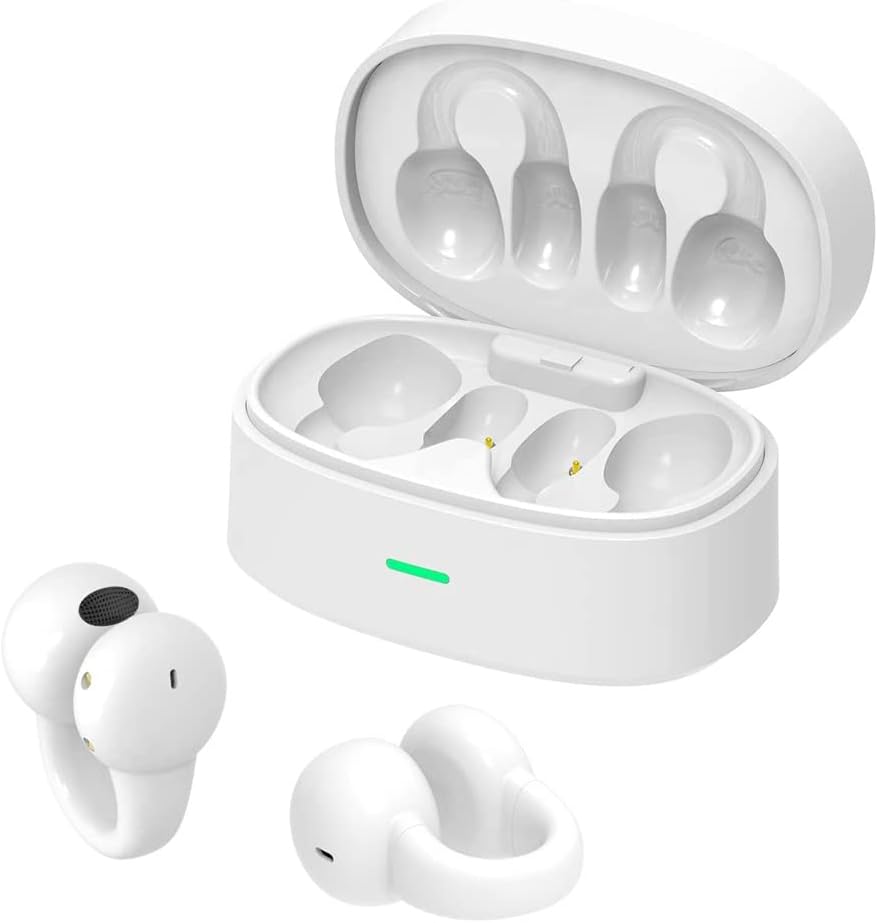
Image: Micool F3 Open Ear Wireless Earbuds shown with their charging case. The earbuds are white and feature an ear-clip design, while the charging case is also white with an indicator light.
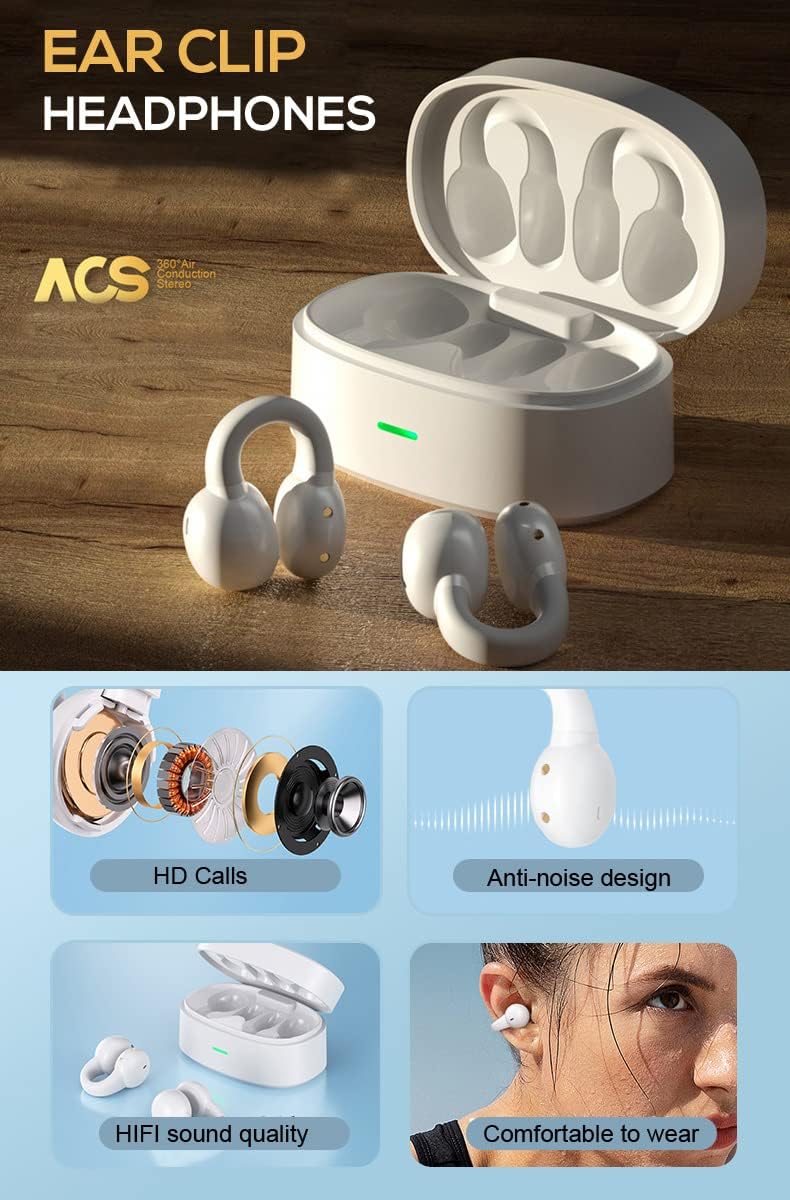
Image: Diagram illustrating key features of the Micool F3 earbuds, including HD Calls, anti-noise design, HiFi sound quality, and comfortable wear, alongside an open charging case.

Image: A person wearing a Micool F3 earbud, highlighting its comfortable and lightweight design (4.5g per earbud).
സജ്ജമാക്കുക
1. ഇയർബഡുകളും കേസും ചാർജ് ചെയ്യുന്നു
ആദ്യമായി ഉപയോഗിക്കുന്നതിന് മുമ്പ്, ഇയർബഡുകളും ചാർജിംഗ് കേസും പൂർണ്ണമായും ചാർജ് ചെയ്യുക.
- ചാർജിംഗ് കെയ്സിലേക്ക് ഇയർബഡുകൾ സ്ഥാപിക്കുക.
- ചാർജിംഗ് കേബിൾ കേസിലെ ചാർജിംഗ് പോർട്ടിലേക്കും ഒരു USB പവർ സ്രോതസ്സിലേക്കും ബന്ധിപ്പിക്കുക.
- The indicator light on the charging case will show charging status. A full charge typically takes approximately 1 hour for the case.
The earbuds provide up to 4 hours of continuous playback, with the charging case extending total playtime to 25 hours.

Image: Illustration of the Micool F3 earbuds and charging case, highlighting battery life: 72 hours music time (likely total with case), 30 days standby time, and 1 hour fast charging.
2. ബ്ലൂടൂത്ത് ജോടിയാക്കൽ
To connect your Micool F3 earbuds to your device:
- ഇയർബഡുകൾ ചാർജ്ജ് ചെയ്തിട്ടുണ്ടെന്ന് ഉറപ്പാക്കുക.
- ചാർജിംഗ് കേസ് തുറക്കുക. ഇയർബഡുകൾ സ്വയമേവ ജോടിയാക്കൽ മോഡിലേക്ക് പ്രവേശിക്കും.
- നിങ്ങളുടെ ഉപകരണത്തിൽ (സ്മാർട്ട്ഫോൺ, ടാബ്ലെറ്റ് മുതലായവ), ബ്ലൂടൂത്ത് പ്രവർത്തനക്ഷമമാക്കുക.
- ഇതിനായി തിരയുക ലഭ്യമായ Bluetooth ഉപകരണങ്ങൾ തിരഞ്ഞെടുത്ത് "Micool F3" പട്ടികയിൽ നിന്ന്.
- കണക്റ്റ് ചെയ്തുകഴിഞ്ഞാൽ, ഒരു സ്ഥിരീകരണ ടോൺ നിങ്ങൾ കേൾക്കും, ഇയർബഡുകൾ ഉപയോഗത്തിന് തയ്യാറാകും.
The earbuds support Bluetooth 5.3 for broad compatibility with Bluetooth-enabled devices.
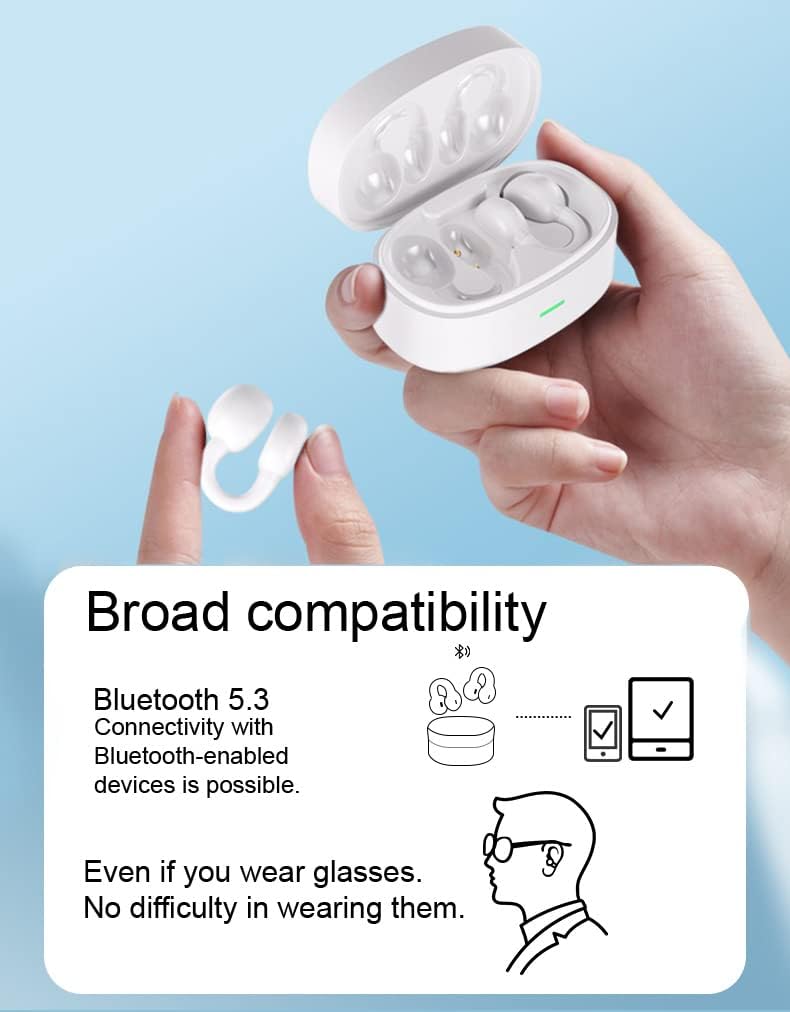
Image: Depiction of Micool F3 earbuds demonstrating broad compatibility with Bluetooth 5.3 devices, including a smartphone and tablet, and showing comfortable wear even with glasses.
പ്രവർത്തന നിർദ്ദേശങ്ങൾ
The Micool F3 earbuds feature touch controls for various functions.
പവർ ഓൺ/ഓഫ്
- പവർ ഓൺ: Open the charging case, or long-press the touch area on both earbuds for 3 seconds.
- പവർ ഓഫ്: Place the earbuds back into the charging case and close the lid, or long-press the touch area on both earbuds for 5 seconds.
സംഗീത പ്ലേബാക്ക്
- പ്ലേ/താൽക്കാലികമായി നിർത്തുക: ഇയർബഡുകളിൽ ഏതെങ്കിലുമൊന്നിൽ ഒറ്റ ടാപ്പ് ചെയ്യുക.
- അടുത്ത ട്രാക്ക്: വലതുവശത്തെ ഇയർബഡിൽ രണ്ടുതവണ ടാപ്പ് ചെയ്യുക.
- മുമ്പത്തെ ട്രാക്ക്: ഇടതുവശത്തെ ഇയർബഡിൽ രണ്ടുതവണ ടാപ്പ് ചെയ്യുക.
കോൾ മാനേജുമെന്റ്
- ഉത്തരം/അവസാന കോൾ: ഇയർബഡുകളിൽ ഏതെങ്കിലുമൊന്നിൽ ഒറ്റ ടാപ്പ് ചെയ്യുക.
- കോൾ നിരസിക്കുക: Long press on either earbud for 2 seconds.
വോളിയം നിയന്ത്രണം
നിങ്ങളുടെ കണക്റ്റുചെയ്ത ഉപകരണത്തിൽ നിന്ന് നേരിട്ട് വോളിയം നിയന്ത്രണം സാധാരണയായി നിയന്ത്രിക്കപ്പെടുന്നു.
മെയിൻ്റനൻസ്
വൃത്തിയാക്കൽ
- ഇയർബഡുകളും ചാർജിംഗ് കെയ്സും വൃത്തിയാക്കാൻ മൃദുവായതും ഉണങ്ങിയതും ലിന്റ് രഹിതവുമായ തുണി ഉപയോഗിക്കുക.
- അബ്രാസീവ് ക്ലീനറുകൾ, ആൽക്കഹോൾ, കെമിക്കൽ ലായകങ്ങൾ എന്നിവ ഉപയോഗിക്കരുത്.
- ഏതെങ്കിലും ദ്വാരങ്ങളിൽ ഈർപ്പം കയറുന്നത് ഒഴിവാക്കുക.
സംഭരണം
- ഉപയോഗത്തിലില്ലാത്തപ്പോൾ, ഇയർബഡുകൾ സംരക്ഷിക്കുന്നതിനും ചാർജ്ജ് ചെയ്ത നിലയിൽ നിലനിർത്തുന്നതിനും അവ ചാർജിംഗ് കേസിൽ സൂക്ഷിക്കുക.
- തീവ്രമായ താപനിലയിൽ നിന്നും നേരിട്ടുള്ള സൂര്യപ്രകാശത്തിൽ നിന്നും അകന്ന്, തണുത്തതും വരണ്ടതുമായ സ്ഥലത്ത് സൂക്ഷിക്കുക.
ട്രബിൾഷൂട്ടിംഗ്
| പ്രശ്നം | പരിഹാരം |
|---|---|
| ഇയർബഡുകൾ പവർ ഓൺ ആകുന്നില്ല. | ഇയർബഡുകളും ചാർജിംഗ് കെയ്സും പൂർണ്ണമായും ചാർജ് ചെയ്തിട്ടുണ്ടെന്ന് ഉറപ്പാക്കുക. |
| ഉപകരണവുമായി ജോടിയാക്കാൻ കഴിയില്ല. |
|
| ശബ്ദമില്ല അല്ലെങ്കിൽ കുറഞ്ഞ ശബ്ദമില്ല. |
|
| ഇടവിട്ടുള്ള കണക്ഷൻ. |
|
സ്പെസിഫിക്കേഷനുകൾ
| ഫീച്ചർ | വിശദാംശങ്ങൾ |
|---|---|
| മോഡലിൻ്റെ പേര് | F3 |
| കണക്റ്റിവിറ്റി ടെക്നോളജി | വയർലെസ് (ബ്ലൂടൂത്ത്) |
| ബ്ലൂടൂത്ത് പതിപ്പ് | 5.3 |
| ചെവി പ്ലേസ്മെൻ്റ് | തുറന്ന ചെവി |
| ഫോം ഫാക്ടർ | On Ear (Ear Clip) |
| നിയന്ത്രണ രീതി | സ്പർശിക്കുക |
| പ്രത്യേക ഫീച്ചർ | Sweatproof, Noise-Canceling Calls (ENC) |
| ബാറ്ററി ലൈഫ് (ഇയർബഡുകൾ) | Up to 4 hours continuous playback |
| മൊത്തം ബാറ്ററി ലൈഫ് (കേസിനൊപ്പം) | 25 മണിക്കൂർ വരെ |
| ചാർജിംഗ് സമയം (കേസ്) | Approx. 1 hour (Fast Charging) |
| മെറ്റീരിയൽ | പ്ലാസ്റ്റിക് |
| ഭാരം (ഓരോ ഇയർബഡിനും) | ഏകദേശം 4.5 ഗ്രാം |
വാറൻ്റിയും പിന്തുണയും
For warranty information and technical support, please refer to the official Micool webസൈറ്റിൽ ബന്ധപ്പെടുക അല്ലെങ്കിൽ അവരുടെ ഉപഭോക്തൃ സേവനവുമായി നേരിട്ട് ബന്ധപ്പെടുക. വാങ്ങിയതിന്റെ തെളിവായി നിങ്ങളുടെ വാങ്ങൽ രസീത് സൂക്ഷിക്കുക.
നിർമ്മാതാവ്: MICOOL