
1. ആമുഖം
Thank you for choosing Music Hero TWS Rash Wireless Earbuds. These earbuds are designed for convenience and high-quality audio, featuring True Wireless Stereo (TWS) technology, touch controls, and an integrated microphone. This manual provides detailed instructions for setup, operation, and maintenance to ensure optimal performance.
2. പാക്കേജ് ഉള്ളടക്കം
പാക്കേജിൽ ഇനിപ്പറയുന്ന ഇനങ്ങൾ ഉണ്ടോ എന്ന് പരിശോധിക്കുക:
- Music Hero TWS Rash Wireless Earbuds (Left and Right)
- 200 mAh Wireless Charging Case
- USB-A മുതൽ USB-C വരെ ചാർജിംഗ് കേബിൾ
- ഉപയോക്തൃ മാനുവൽ (ഈ പ്രമാണം)
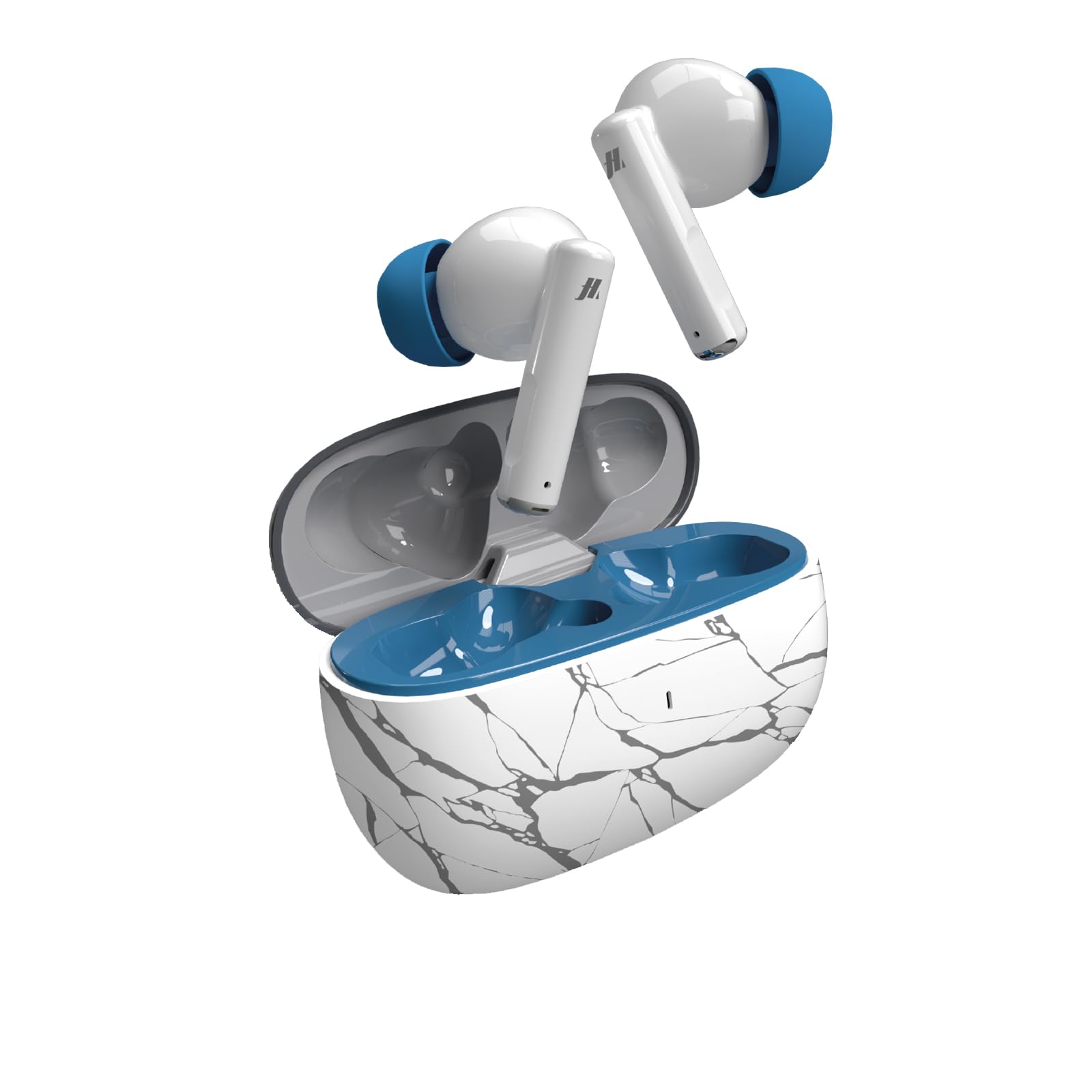
Image: Music Hero TWS Rash Wireless Earbuds and their charging case, displayed within their retail packaging.
3. സജ്ജീകരണം
3.1 ചാർജിംഗ് കേസ് ചാർജ് ചെയ്യുന്നു
- Connect the provided USB-A to USB-C charging cable to the charging port on the case.
- കേബിളിന്റെ മറ്റേ അറ്റം ഒരു USB പവർ സ്രോതസ്സുമായി ബന്ധിപ്പിക്കുക (ഉദാ: വാൾ അഡാപ്റ്റർ, കമ്പ്യൂട്ടർ USB പോർട്ട്).
- The charging indicator on the case will show charging status. A full charge takes approximately 1 hour.
3.2 ഇയർബഡുകൾ ചാർജ് ചെയ്യുന്നു
- Place the earbuds into their respective slots in the fully charged charging case.
- The earbuds will automatically begin charging. The charging case will indicate the charging status of the earbuds.
- A full charge for the earbuds takes approximately 1 hour.
3.3 നിങ്ങളുടെ ഉപകരണവുമായി ജോടിയാക്കൽ
- ഇയർബഡുകൾ ചാർജ്ജ് ചെയ്തിട്ടുണ്ടെന്ന് ഉറപ്പാക്കുക.
- ചാർജിംഗ് കേസ് തുറക്കുക. ഇയർബഡുകൾ സ്വയമേവ ഓണാകുകയും ജോടിയാക്കൽ മോഡിലേക്ക് പ്രവേശിക്കുകയും ചെയ്യും.
- നിങ്ങളുടെ സ്മാർട്ട്ഫോണിലോ ടാബ്ലെറ്റിലോ ലാപ്ടോപ്പിലോ ബ്ലൂടൂത്ത് പ്രവർത്തനക്ഷമമാക്കുക.
- ഇതിനായി തിരയുക available Bluetooth devices and select "TWS RASH" from the list.
- കണക്റ്റ് ചെയ്തുകഴിഞ്ഞാൽ, ഒരു സ്ഥിരീകരണ ടോൺ നിങ്ങൾ കേൾക്കും, ഇയർബഡുകൾ ഉപയോഗത്തിന് തയ്യാറാകും.
- The TWS technology ensures a stable connection up to 10 meters (33 feet) away from your device.

Image: A pair of Music Hero TWS Rash wireless earbuds, removed from their charging case, showcasing their in-ear design.
4. പ്രവർത്തന നിർദ്ദേശങ്ങൾ
4.1 പവർ ഓൺ/ഓഫ്
- പവർ ഓൺ: ചാർജിംഗ് കെയ്സ് തുറക്കുക, ഇയർബഡുകൾ സ്വയമേവ ഓണാകും.
- പവർ ഓഫ്: ഇയർബഡുകൾ തിരികെ ചാർജിംഗ് കെയ്സിലേക്ക് വയ്ക്കുക, ലിഡ് അടയ്ക്കുക. അവ യാന്ത്രികമായി ഓഫാകുകയും ചാർജ് ചെയ്യാൻ തുടങ്ങുകയും ചെയ്യും.
4.2 ടച്ച് നിയന്ത്രണങ്ങൾ
The TWS Rash earbuds feature integrated touch controls for easy management of music, calls, and voice assistant functions without needing to access your connected device.
| ആക്ഷൻ | ഫംഗ്ഷൻ |
|---|---|
| ഒറ്റ ടാപ്പ് (ഇടത്/വലത് ഇയർബഡ്) | സംഗീതം പ്ലേ ചെയ്യുക/താൽക്കാലികമായി നിർത്തുക, കോൾ സ്വീകരിക്കുക/അവസാനിപ്പിക്കുക |
| ഡബിൾ ടാപ്പ് (ഇടത് ഇയർബഡ്) | മുമ്പത്തെ ട്രാക്ക് |
| ഡബിൾ ടാപ്പ് (വലത് ഇയർബഡ്) | അടുത്ത ട്രാക്ക് |
| ട്രിപ്പിൾ ടാപ്പ് (ഇടത്/വലത് ഇയർബഡ്) | വോയ്സ് അസിസ്റ്റൻ്റ് സജീവമാക്കുക |
| ദീർഘനേരം അമർത്തുക (ഇടത്/വലത് ഇയർബഡ്) | കോൾ നിരസിക്കുക |
| വോളിയം നിയന്ത്രണം | Adjust volume via connected device. |
4.3 കോളുകൾ ചെയ്യലും സ്വീകരിക്കലും
The integrated microphone allows for clear communication during calls and voice recordings. Use the touch controls as described above to manage calls.
5. പരിപാലനം
- വൃത്തിയാക്കൽ: Gently wipe the earbuds and charging case with a soft, dry, lint-free cloth. Do not use abrasive cleaners or immerse in liquids.
- സംഭരണം: ഉപയോഗത്തിലില്ലാത്തപ്പോൾ, ഇയർബഡുകൾ ചാർജിംഗ് കേസിൽ സൂക്ഷിക്കുക, അതുവഴി അവയെ സംരക്ഷിക്കുകയും ചാർജ്ജ് ആയി നിലനിർത്തുകയും ചെയ്യുക. ഉയർന്ന താപനിലയിൽ നിന്ന് മാറി തണുത്തതും വരണ്ടതുമായ സ്ഥലത്ത് സൂക്ഷിക്കുക.
- ജല പ്രതിരോധം: These earbuds are not water-resistant. Avoid exposure to water or excessive moisture.
6. പ്രശ്നപരിഹാരം
- ഇയർബഡുകൾ ജോടിയാക്കുന്നില്ല: Ensure both earbuds are charged and placed in the case. Open the case, then check your device's Bluetooth settings to reconnect. If issues persist, try forgetting the device on your phone and re-pairing.
- ഒരു ഇയർബഡ് മാത്രമേ പ്രവർത്തിക്കുന്നുള്ളൂ: രണ്ട് ഇയർബഡുകളും ചാർജിംഗ് കെയ്സിലേക്ക് തിരികെ വയ്ക്കുക, ലിഡ് അടയ്ക്കുക, കുറച്ച് സെക്കൻഡ് കാത്തിരിക്കുക, തുടർന്ന് അത് വീണ്ടും തുറക്കുക. ഇത് പലപ്പോഴും അവയെ വീണ്ടും സമന്വയിപ്പിക്കുന്നു.
- ചാർജിംഗ് പ്രശ്നങ്ങൾ: Verify the charging cable is securely connected to both the case and the power source. Ensure the power source is active. Clean the charging contacts on the earbuds and inside the case if necessary.
- ശബ്ദമില്ല: Check the volume level on both your connected device and the earbuds. Ensure the earbuds are properly paired and selected as the audio output device.
7 സ്പെസിഫിക്കേഷനുകൾ
| ഫീച്ചർ | സ്പെസിഫിക്കേഷൻ |
|---|---|
| ബ്രാൻഡ് | സംഗീത നായകൻ |
| മോഡലിൻ്റെ പേര് | TWS RASH |
| മോഡൽ നമ്പർ | MHTWSRASHBTB |
| കണക്റ്റിവിറ്റി ടെക്നോളജി | വയർലെസ് (ബ്ലൂടൂത്ത്) |
| ബ്ലൂടൂത്ത് പതിപ്പ് | 4.0 |
| വയർലെസ് ശ്രേണി | 10 മീറ്റർ വരെ (33 അടി) |
| Earbud Placement | ചെവിയിൽ |
| നിയന്ത്രണ രീതി | സ്പർശിക്കുക |
| സംയോജിത മൈക്രോഫോൺ | അതെ |
| ചാർജിംഗ് കേസ് കപ്പാസിറ്റി | 200 mAh |
| Earbud Playback Time | 3 മണിക്കൂർ വരെ |
| Charging Time (Earbuds/Case) | ഏകദേശം 1 മണിക്കൂർ |
| ഫ്രീക്വൻസി റേഞ്ച് | 20 ഹെർട്സ് - 20,000 ഹെർട്സ് |
| ഭാരം | 95 ഗ്രാം (ആകെ) |
| മെറ്റീരിയൽ | പ്ലാസ്റ്റിക് |
| ജല പ്രതിരോധം | ഇല്ല |
8. വാറൻ്റിയും പിന്തുണയും
The Music Hero TWS Rash Wireless Earbuds come with a 2 വർഷത്തെ നിർമ്മാതാവിന്റെ വാറന്റി വാങ്ങിയ തീയതി മുതൽ. സാധാരണ ഉപയോഗത്തിലുള്ള നിർമ്മാണ വൈകല്യങ്ങൾ ഈ വാറന്റി ഉൾക്കൊള്ളുന്നു.
For warranty claims, technical support, or any questions regarding your product, please refer to the contact information provided on the product packaging or the official Music Hero webസൈറ്റ്.