
Toputure TP8
Toputure TP8 Electric Treadmill User Manual
Brand: Toputure | Model: TP8
ആമുഖം
Thank you for choosing the Toputure TP8 Electric Treadmill. This manual provides essential information for the safe and efficient use, setup, operation, and maintenance of your new fitness equipment. Please read this manual thoroughly before first use and keep it for future reference.
പ്രധാനപ്പെട്ട സുരക്ഷാ വിവരങ്ങൾ
- ഏതെങ്കിലും പുതിയ വ്യായാമ പരിപാടി ആരംഭിക്കുന്നതിന് മുമ്പ് എല്ലായ്പ്പോഴും ഒരു ആരോഗ്യ സംരക്ഷണ വിദഗ്ദ്ധനുമായി കൂടിയാലോചിക്കുക.
- ട്രെഡ്മില്ല് ഒരു പരന്നതും സ്ഥിരതയുള്ളതുമായ പ്രതലത്തിൽ ചുറ്റും മതിയായ ക്ലിയറൻസോടെ സ്ഥാപിച്ചിട്ടുണ്ടെന്ന് ഉറപ്പാക്കുക.
- ഓപ്പറേഷൻ സമയത്ത് ട്രെഡ്മില്ലിൽ നിന്ന് കുട്ടികളെയും വളർത്തുമൃഗങ്ങളെയും അകറ്റി നിർത്തുക.
- ട്രെഡ്മിൽ കേടായാലോ തകരാറിലായാലും അത് പ്രവർത്തിപ്പിക്കരുത്.
- Always use the safety key/lanyard during operation. The treadmill will not start without it.
- ഉചിതമായ അത്ലറ്റിക് പാദരക്ഷകൾ ധരിക്കുക.
പാക്കേജ് ഉള്ളടക്കം
പായ്ക്ക് ചെയ്യുമ്പോൾ, ഇനിപ്പറയുന്ന എല്ലാ ഇനങ്ങളും നിങ്ങളുടെ പാക്കേജിൽ ഉൾപ്പെടുത്തിയിട്ടുണ്ടെന്ന് ദയവായി പരിശോധിക്കുക:
- Toputure TP8 Electric Treadmill
- Tool Kit (for minor adjustments)
- പവർ കേബിൾ
- റിമോട്ട് കൺട്രോൾ
- ലൂബ്രിക്കേഷൻ ഓയിൽ
- ഉപയോക്തൃ മാനുവൽ

ചിത്രം 1: Included accessories with the Toputure TP8 Electric Treadmill.
സജ്ജമാക്കുക
The Toputure TP8 Electric Treadmill features a no-installation design, making it ready for use almost immediately after unboxing.
വിരിയിക്കലും സ്ഥാനനിർണ്ണയവും
- ട്രെഡ്മിൽ അതിന്റെ പാക്കേജിംഗിൽ നിന്ന് ശ്രദ്ധാപൂർവ്വം നീക്കം ചെയ്യുക.
- Place the treadmill on a flat, level surface. Ensure there is at least 0.6 meters (2 feet) of clear space on all sides and 2 meters (6.5 feet) behind the treadmill for safety.
- If using the handlebar, lift it into the upright position and secure it using the provided locking pins or screws.
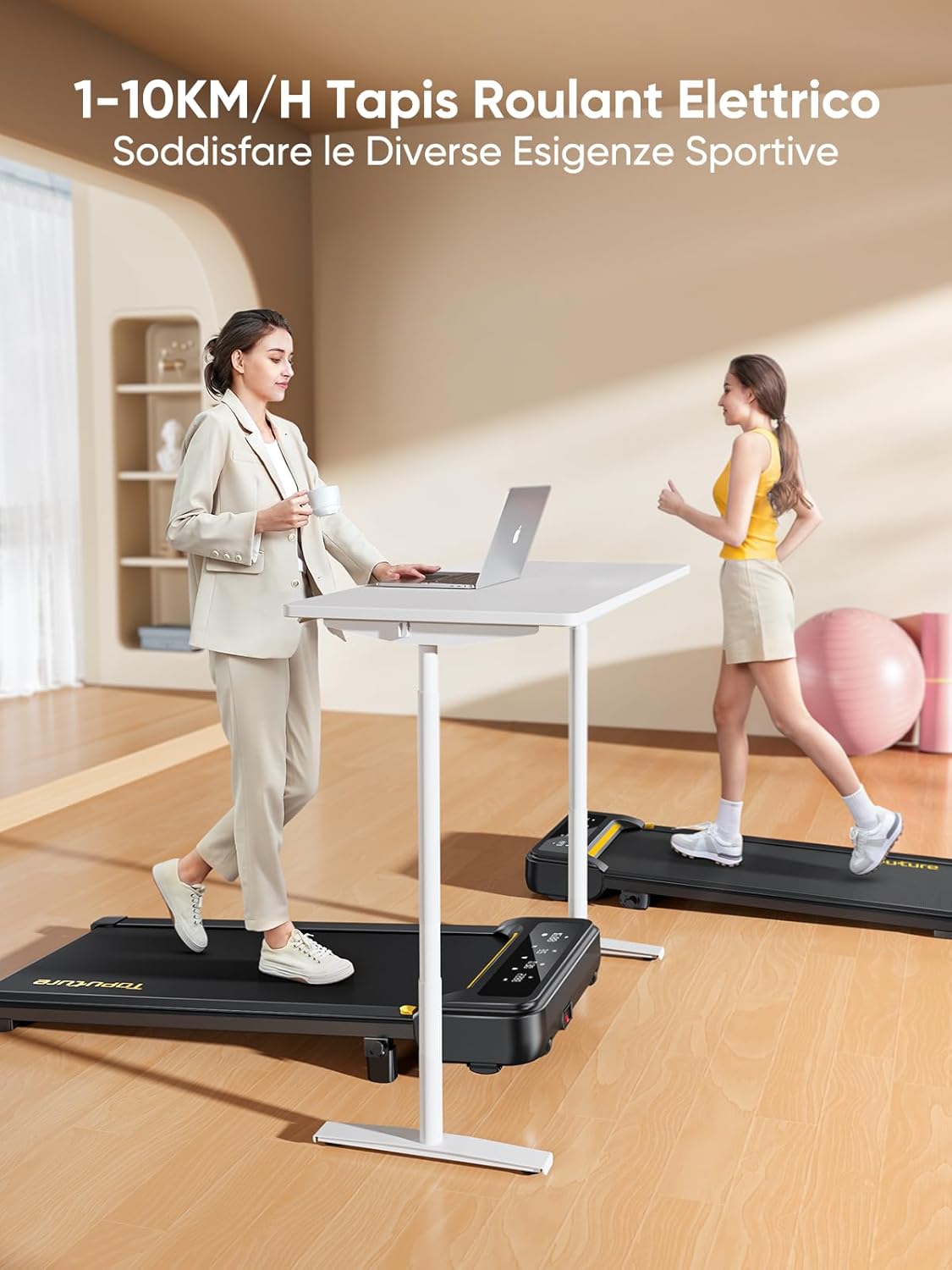
ചിത്രം 2: Treadmill ready for use in a home environment.
ചരിവ് ക്രമീകരണം
The treadmill offers a 10% incline feature, adjustable in 2 steps to simulate varied terrain and increase calorie burn. To adjust the incline:
- Locate the incline adjustment mechanism at the rear of the treadmill.
- Pull out the bolt and rotate the incline block to the desired position.
- Insert the bolt securely into the corresponding hole to lock the incline in place.

ചിത്രം 3: Manual incline adjustment mechanism.
പവർ കണക്ഷൻ
Connect the power cable to the treadmill and then to a suitable power outlet. Ensure the power switch is in the 'OFF' position before plugging in.
പ്രവർത്തന നിർദ്ദേശങ്ങൾ
ട്രെഡ്മിൽ ആരംഭിക്കുന്നു
- Ensure the safety key is properly inserted into its designated slot on the console. The treadmill will not operate without it.
- ട്രെഡ്മിൽ ബെൽറ്റിൽ കയറുക.
- Press the 'Start' button on the console or remote control. The treadmill will begin at a low speed.
Adjusting Speed and Mode
The speed range is 1-10 km/h, suitable for walking, jogging, and running. You can adjust the speed using the console buttons or the remote control.
- കൺസോൾ: Use the '+' and '-' buttons to increase or decrease speed.
- റിമോട്ട് കൺട്രോൾ: The remote allows for easy speed adjustments and stopping the machine. It features magnets on the back for convenient attachment to the treadmill, preventing loss.
- പ്രവർത്തനം താൽക്കാലികമായി നിർത്തുക: The remote control includes a pause button. Pressing this button will temporarily stop the belt while preserving your workout data.

ചിത്രം 4: Multifunction LED display and remote control storage.
Multifunction LED Display
The integrated LED display clearly shows real-time workout data, including time, distance, speed, and calories burned, providing a clear overview of your exercise progress.

ചിത്രം 5: Clear display of workout metrics.
സ്മാർട്ട് ആപ്പ് കണക്റ്റിവിറ്റി
This walking pad can connect to multiple exercise apps, offering various training courses and allowing you to interact with other users online. Refer to the app's instructions for pairing and usage.

ചിത്രം 6: Treadmill connected to a smart fitness app.
ട്രെഡ്മിൽ നിർത്തുന്നു
To stop the treadmill, press the 'Stop' button on the console or remote control. For emergency stops, pull the safety key from its slot.
മെയിൻ്റനൻസ്
Regular maintenance ensures the longevity and optimal performance of your Toputure TP8 Electric Treadmill.
വൃത്തിയാക്കൽ
- വൃത്തിയാക്കുന്നതിന് മുമ്പ് എല്ലായ്പ്പോഴും ട്രെഡ്മിൽ അഴിക്കുക.
- കൺസോളിന്റെയും പുറം പ്രതലങ്ങളുടെയും തുടയ്ക്കൽ മൃദുവായ, damp തുണി. ഉരച്ചിലുകൾ ഉണ്ടാക്കുന്ന ക്ലീനറുകളോ ലായകങ്ങളോ ഒഴിവാക്കുക.
- പൊടിയും അവശിഷ്ടങ്ങളും അടിഞ്ഞുകൂടുന്നത് തടയാൻ ട്രെഡ്മില്ലിന്റെ അടിയിൽ ഇടയ്ക്കിടെ വാക്വം ക്ലീനർ ഉപയോഗിക്കുക.
ലൂബ്രിക്കേഷൻ
The unique lubrication hole design makes maintenance more convenient. Apply the provided lubrication oil to the running belt as instructed in the detailed manual or when the treadmill indicates it's needed. Proper lubrication reduces friction and extends belt life.
ബെൽറ്റ് അഡ്ജസ്റ്റ്മെൻ്റ്
If the running belt becomes misaligned or too loose/tight, refer to the detailed manual for instructions on how to adjust it using the included tool kit. Incorrect adjustment can damage the treadmill.
ട്രബിൾഷൂട്ടിംഗ്
നിങ്ങളുടെ ട്രെഡ്മില്ലിൽ നിങ്ങൾ നേരിട്ടേക്കാവുന്ന സാധാരണ പ്രശ്നങ്ങൾ ഈ വിഭാഗം അഭിസംബോധന ചെയ്യുന്നു. ഇവിടെ പട്ടികപ്പെടുത്തിയിട്ടില്ലാത്ത പ്രശ്നങ്ങൾക്ക്, ദയവായി ഉപഭോക്തൃ പിന്തുണയുമായി ബന്ധപ്പെടുക.
| പ്രശ്നം | സാധ്യമായ കാരണം | പരിഹാരം |
|---|---|---|
| ട്രെഡ്മിൽ ആരംഭിക്കുന്നില്ല | Safety key not inserted; Power cable not connected; Power switch off. | Insert safety key; Check power connections; Turn power switch ON. |
| Belt slips or hesitates | ബെൽറ്റ് വളരെ അയഞ്ഞിരിക്കുന്നു; ലൂബ്രിക്കേഷൻ അപര്യാപ്തമാണ്. | Adjust belt tension (refer to manual); Apply lubrication oil. |
| പ്രവർത്തന സമയത്ത് അസാധാരണമായ ശബ്ദം | Loose components; Belt misalignment; Motor issue. | Check and tighten all bolts; Adjust belt alignment; Contact customer support. |
സ്പെസിഫിക്കേഷനുകൾ
| ഫീച്ചർ | വിശദാംശങ്ങൾ |
|---|---|
| ബ്രാൻഡ് | ടോപ്യൂട്ടർ |
| മോഡൽ നമ്പർ | TP8 |
| ഉൽപ്പന്ന ക്ലാസ് | ഇലക്ട്രിക് ട്രെഡ്മിൽ |
| നിറം | കറുപ്പ് |
| മെറ്റീരിയൽ | അലോയ് സ്റ്റീൽ |
| ഉൽപ്പന്ന അളവുകൾ (L x W x H) | 130P x 60lx 14H സെ.മീ (ഏകദേശം 51.2 x 23.6 x 5.5 ഇഞ്ച്) |
| ഇനത്തിൻ്റെ ഭാരം | 34.5 കിലോഗ്രാം (ഏകദേശം 76 പൗണ്ട്) |
| പരമാവധി വേഗത | മണിക്കൂറിൽ 10 കിലോമീറ്റർ |
| കുറഞ്ഞ വേഗത | 1 Kilometer per hour |
| പരമാവധി ചരിവ് ശതമാനംtage | 9% (manual adjustment) |
| മോട്ടോർ പവർ | 2.5 കുതിരശക്തി |
| ശുപാർശ ചെയ്യുന്ന പരമാവധി ഭാരം | 130 കി.ഗ്രാം (ഏകദേശം. 300 പൗണ്ട്) |
| Running Deck Length | 100 സെന്റീമീറ്റർ (ഏകദേശം 39.4 ഇഞ്ച്) |
| Running Deck Width | 40 സെന്റീമീറ്റർ (ഏകദേശം 15.7 ഇഞ്ച്) |
| ഡിസ്പ്ലേ തരം | എൽഇഡി |
| കണക്റ്റിവിറ്റി ടെക്നോളജി | Power Cable (App connectivity via Bluetooth) |
| പ്രോഗ്രാമുകളുടെ എണ്ണം | 12 |
| പ്രത്യേക സവിശേഷതകൾ | Pre-installed workouts, Wheels for portability, Compact design, Manual incline, Portable |
| ശുപാർശ ചെയ്യുന്ന ഉപയോഗങ്ങൾ | Walking, jogging, running, home workouts, office workouts |
| ടാർഗെറ്റ് പ്രേക്ഷകർ | മുതിർന്നവർ |
| അസംബ്ലി ആവശ്യമാണ് | ഇല്ല |
വാറൻ്റിയും പിന്തുണയും
ഉൽപ്പന്ന വാറൻ്റി
The Toputure TP8 Electric Treadmill comes with a 2 വർഷത്തെ വാറൻ്റി വാങ്ങിയ തീയതി മുതൽ. സാധാരണ ഉപയോഗത്തിലുള്ള നിർമ്മാണ വൈകല്യങ്ങളും തകരാറുകളും ഈ വാറന്റി ഉൾക്കൊള്ളുന്നു. വാറന്റി ക്ലെയിമുകൾക്കായി നിങ്ങളുടെ വാങ്ങിയതിന്റെ തെളിവ് സൂക്ഷിക്കുക.
ഉപഭോക്തൃ പിന്തുണ
For any questions, technical assistance, or warranty claims, please contact Toputure customer support through the retailer's platform or the official Toputure website. Our support team is available to assist you with any issues you may encounter.
അധിക വിഭവങ്ങൾ
ഉൽപ്പന്നം കഴിഞ്ഞുview വീഡിയോ
വീഡിയോ 1: ഒരു ഓവർview of the WalkingPad foldable electric treadmill, demonstrating its compact design, ease of use, and various features. This video highlights how the treadmill can be easily stored and used in different home or office settings.
Ask a question about this manual
Ask about setup, troubleshooting, compatibility, parts, safety, or missing instructions. Manuals+ will review the question and use this page’s manual context to help answer it.