
ആമുഖം
Welcome to your new RadioShack 1702-2 LM Cordless Phone System. This system includes two handsets designed for clear communication in your home or office. This manual provides instructions for setting up, operating, and maintaining your phone system.
പ്രധാന സവിശേഷതകൾ:
- വ്യക്തവും എളുപ്പത്തിൽ വായിക്കാവുന്നതുമായ ഡിസ്പ്ലേ.
- Quick dialing and easy number editing before calls.
- Access to essential functions with a single button.
- Storage for up to 30 incoming numbers.
- Phonebook capacity for up to 50 numbers (12 characters, 20 digits).
1. സജ്ജീകരണം
1.1 അൺപാക്കിംഗ്
പാക്കേജിംഗിൽ നിന്ന് എല്ലാ ഘടകങ്ങളും ശ്രദ്ധാപൂർവ്വം നീക്കം ചെയ്യുക. നിങ്ങൾക്ക് ഇവ ഉണ്ടെന്ന് ഉറപ്പാക്കുക:
- 2 ഹാൻഡ്സെറ്റുകൾ
- 2 Charging Bases
- 1 എസി പവർ അഡാപ്റ്റർ
- 1 ടെലിഫോൺ ലൈൻ കോർഡ്
- ഉപയോക്തൃ മാനുവൽ
1.2 ബേസ് യൂണിറ്റ് ബന്ധിപ്പിക്കുന്നു
- Connect the AC power adapter to the main charging base and plug it into a standard electrical outlet.
- Connect the telephone line cord to the main charging base and plug the other end into your telephone wall jack.
1.3 Charging the Handsets
Place each handset onto its respective charging base. The handsets will begin charging automatically. For optimal battery performance, allow the handsets to charge for at least 12-15 hours before initial use.
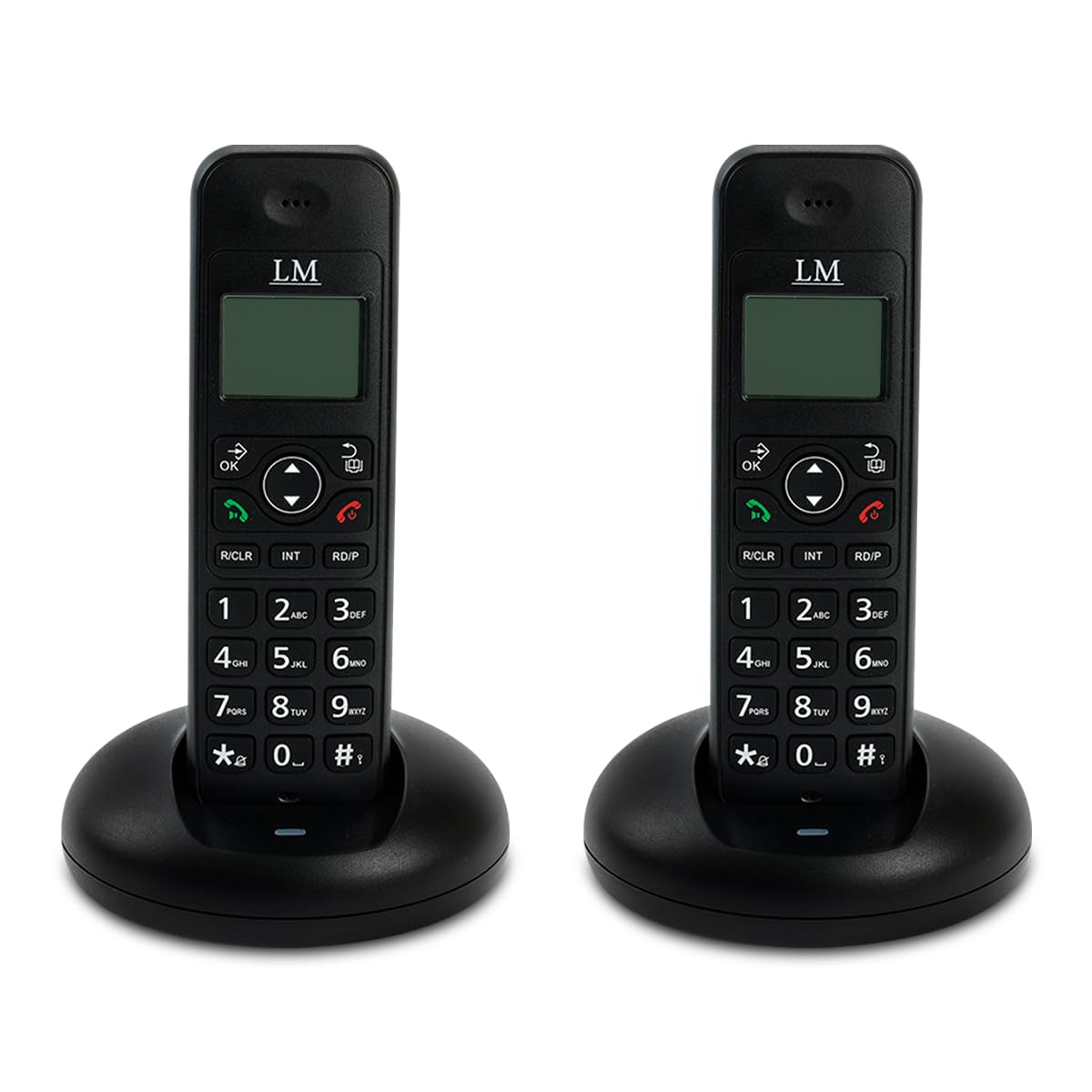
Image: Two RadioShack 1702-2 LM cordless phones on their charging bases, ready for setup.
2. നിങ്ങളുടെ ഫോൺ പ്രവർത്തിപ്പിക്കുക
2.1 ഒരു കോൾ ചെയ്യുന്നു
- Pick up a handset from its base or press the സംസാരിക്കുക ബട്ടൺ.
- Dial the desired phone number. The number will appear on the display.
- അമർത്തുക സംസാരിക്കുക നിങ്ങൾ ആദ്യം ഹാൻഡ്സെറ്റ് എടുത്തെങ്കിൽ വീണ്ടും ബട്ടൺ അമർത്തുക, അല്ലെങ്കിൽ കോൾ കണക്റ്റ് ആകുന്നതുവരെ കാത്തിരിക്കുക.
- കോൾ അവസാനിപ്പിക്കാൻ, അമർത്തുക അവസാനിക്കുന്നു button or place the handset back on its charging base.
2.2 ഒരു കോളിന് ഉത്തരം നൽകൽ
ഫോൺ റിംഗ് ചെയ്യുമ്പോൾ, ഹാൻഡ്സെറ്റ് എടുക്കുക അല്ലെങ്കിൽ അമർത്തുക സംസാരിക്കുക ബട്ടൺ.
2.3 ഫോൺബുക്ക്
Your phone can store up to 50 contacts. Refer to the on-screen menu for adding, editing, and deleting entries.
2.4 വീണ്ടും ഡയൽ ചെയ്യുക
അമർത്തുക റിഡിയൽ അവസാനം ഡയൽ ചെയ്ത നമ്പറിലേക്ക് വിളിക്കാനുള്ള ബട്ടൺ.
2.5 Intercom (Internal Calls)
To call another handset within your system, press the INT button and then the number of the desired handset (e.g., 1 or 2).

Image: Close-up of a single RadioShack 1702-2 LM cordless phone on its charging base, highlighting the keypad and display for operation.
3. പരിപാലനം
3.1 വൃത്തിയാക്കൽ
ഫോണും ബേസ് യൂണിറ്റുകളും ഒരു സോഫ്റ്റ്, ഡി ക്ലീനർ ഉപയോഗിച്ച് തുടയ്ക്കുക.amp തുണി. ഉരച്ചിലുകളുള്ള ക്ലീനറുകളോ ലായകങ്ങളോ ഉപയോഗിക്കരുത്.
3.2 ബാറ്ററി കെയർ
The handsets use rechargeable batteries. If the battery indicator is low, place the handset on its charging base. Over time, rechargeable batteries may lose capacity. If you notice a significant decrease in talk time, consider replacing the batteries with compatible ones.
3.3 സംഭരണം
ഫോൺ ദീർഘനേരം സൂക്ഷിക്കുകയാണെങ്കിൽ, ഹാൻഡ്സെറ്റുകളിൽ നിന്ന് ബാറ്ററികൾ നീക്കം ചെയ്യുക.
4. പ്രശ്നപരിഹാരം
പൊതുവായ പ്രശ്നങ്ങളും പരിഹാരങ്ങളും:
- No dial tone:
- ടെലിഫോൺ ലൈൻ കോർഡ് ബേസ് യൂണിറ്റിലേക്കും വാൾ ജാക്കിലേക്കും സുരക്ഷിതമായി ബന്ധിപ്പിച്ചിട്ടുണ്ടെന്ന് ഉറപ്പാക്കുക.
- എസി പവർ അഡാപ്റ്റർ ബേസ് യൂണിറ്റിലേക്കും പ്രവർത്തിക്കുന്ന ഒരു ഇലക്ട്രിക്കൽ ഔട്ട്ലെറ്റിലേക്കും ശരിയായി ബന്ധിപ്പിച്ചിട്ടുണ്ടോയെന്ന് പരിശോധിക്കുക.
- Verify that your telephone service is active.
- കോളുകൾ വിളിക്കാനോ സ്വീകരിക്കാനോ കഴിയില്ല:
- Check the battery level of the handset. Place it on the charging base if low.
- ഹാൻഡ്സെറ്റ് അടിസ്ഥാന യൂണിറ്റിന്റെ പരിധിക്കുള്ളിലാണെന്ന് ഉറപ്പാക്കുക.
- Temporarily disconnect the base unit's power adapter and telephone line cord, wait a few minutes, then reconnect them.
- ഡിസ്പ്ലേ ശൂന്യമോ മങ്ങിയതോ ആണ്:
- ഹാൻഡ്സെറ്റ് ബാറ്ററി ചാർജ് ചെയ്യുക.
- Adjust contrast settings if available (refer to on-screen menu).
- Poor sound quality or static:
- ബേസ് യൂണിറ്റിന് അടുത്തേക്ക് നീങ്ങുക.
- Ensure the base unit is not near other electronic devices that may cause interference (e.g., microwaves, Wi-Fi routers).
- ടെലിഫോൺ ലൈൻ കോഡിന് കേടുപാടുകൾ സംഭവിച്ചിട്ടുണ്ടോ എന്ന് പരിശോധിക്കുക.
5 സ്പെസിഫിക്കേഷനുകൾ
- ബ്രാൻഡ്: റേഡിയോഷാക്ക്
- മോഡൽ: 1702-2 എൽഎം
- നിറം: കറുപ്പ്
- തരം: Cordless Phone System (2 Handsets)
- മെറ്റീരിയൽ: പ്ലാസ്റ്റിക്
- ഊർജ്ജ സ്രോതസ്സ്: കോർഡഡ് ഇലക്ട്രിക്
- ഫോൺബുക്ക് ശേഷി: 50 എൻട്രികൾ
- കോളർ ഐഡി മെമ്മറി: 30 incoming numbers
- കോൺഫറൻസ് കോൾ ശേഷി: 1-വഴി
- മൾട്ടി-ലൈൻ പ്രവർത്തനം: സിംഗിൾ ലൈൻ പ്രവർത്തനം
- പാക്കേജ് അളവുകൾ: 20.7 x 17.2 x 10.7 സെ.മീ; 650 ഗ്രാം

ചിത്രം: പിൻഭാഗം view of the RadioShack 1702-2 LM cordless phone and its base, illustrating the power input and telephone line port connections.
6. വാറൻ്റിയും പിന്തുണയും
6.1 വാറൻ്റി വിവരങ്ങൾ
This RadioShack 1702-2 LM Cordless Phone System comes with an extended 5-year warranty. Please retain your proof of purchase for warranty claims.
6.2 ഉപഭോക്തൃ പിന്തുണ
For technical assistance or warranty service, please contact RadioShack customer support. Refer to the product packaging or official RadioShack webബന്ധപ്പെടാനുള്ള വിശദാംശങ്ങൾക്കുള്ള സൈറ്റ്.

Image: Product packaging for the LM Duo Wireless Phone, clearly indicating the '5 YEARS WARRANTY' for the system.