
1. ആമുഖം
Thank you for choosing the CHiQ 22F650 22-inch FHD Monitor. This manual provides essential information for setting up, operating, and maintaining your monitor. Please read it thoroughly before use to ensure optimal performance and safety.
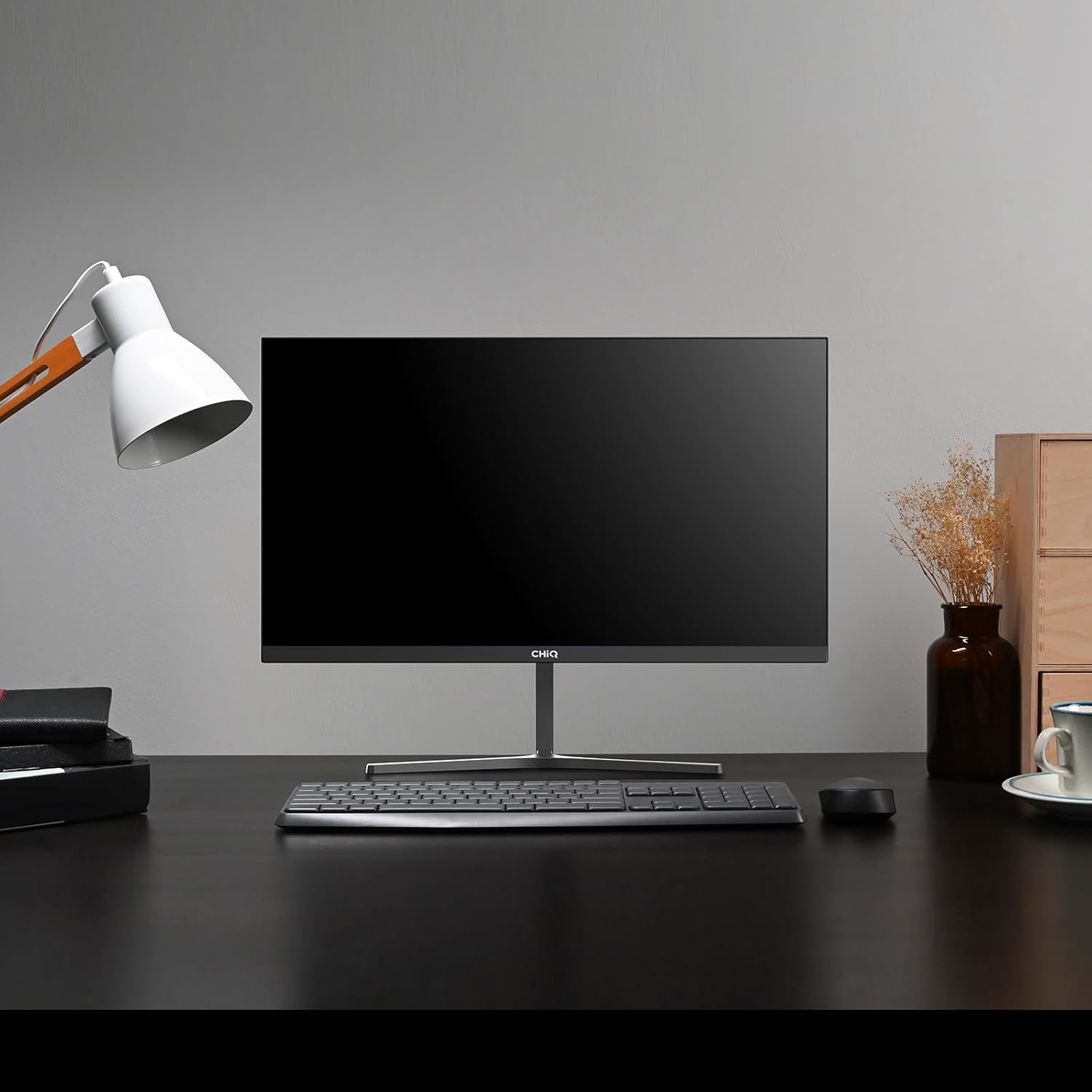
Image 1.1: The CHiQ 22F650 monitor set up on a desk.
The CHiQ 22F650 monitor features a 22-inch Full HD (1920 x 1080) display with a 100Hz refresh rate and AMD FreeSync technology for smooth visuals. Its ultra-thin, borderless design offers an immersive viewing experience, complemented by 100% sRGB color gamut and DC dimming for eye comfort.
2 സുരക്ഷാ വിവരങ്ങൾ
Please observe the following safety precautions to prevent damage to the monitor and ensure your safety:
- മഴ, ഈർപ്പം അല്ലെങ്കിൽ തീവ്രമായ താപനിലകൾ മോണിറ്ററിനെ ഏൽപ്പിക്കരുത്.
- മോണിറ്ററിന് ചുറ്റും ശരിയായ വായുസഞ്ചാരം ഉറപ്പാക്കുക. വായുസഞ്ചാര ദ്വാരങ്ങൾ അടയ്ക്കരുത്.
- Use only the power adapter and cables provided or recommended by the manufacturer.
- വൈദ്യുതി കമ്പിയിൽ ഭാരമുള്ള വസ്തുക്കൾ വയ്ക്കുന്നത് ഒഴിവാക്കുക.
- മോണിറ്റർ കൂടുതൽ നേരം ഉപയോഗിക്കുന്നില്ലെങ്കിൽ ഔട്ട്ലെറ്റിൽ നിന്ന് പവർ പ്ലഗ് വിച്ഛേദിക്കുക.
- മോണിറ്റർ സ്വയം നന്നാക്കാൻ ശ്രമിക്കരുത്. എല്ലാ സേവനങ്ങളും യോഗ്യതയുള്ള ഉദ്യോഗസ്ഥരെ ഏൽപ്പിക്കുക.
3. പാക്കേജ് ഉള്ളടക്കം
നിങ്ങളുടെ പാക്കേജിൽ എല്ലാ ഇനങ്ങളും ഉണ്ടെന്ന് ഉറപ്പാക്കുക:
- CHiQ 22F650 Monitor
- മോണിറ്റർ സ്റ്റാൻഡ് (ബേസും കഴുത്തും)
- പവർ അഡാപ്റ്ററും കേബിളും
- HDMI കേബിൾ
- ഉപയോക്തൃ മാനുവൽ (ഈ പ്രമാണം)
4. അസംബ്ലിയും സജ്ജീകരണവും
4.1 സ്റ്റാൻഡ് കൂട്ടിച്ചേർക്കൽ
- സ്ക്രീൻ സംരക്ഷിച്ചുകൊണ്ട് മോണിറ്റർ അതിന്റെ പാക്കേജിംഗിൽ നിന്ന് ശ്രദ്ധാപൂർവ്വം നീക്കം ചെയ്യുക.
- മോണിറ്റർ പാനലിലേക്ക് സ്റ്റാൻഡ് നെക്ക് ഘടിപ്പിക്കുക.
- നൽകിയിരിക്കുന്ന സ്ക്രൂ ഉപയോഗിച്ച് സ്റ്റാൻഡ് ബേസ് സ്റ്റാൻഡ് നെക്കിൽ ഉറപ്പിക്കുക.
The monitor features a quick detachable Y-shaped metal stand for easy assembly.
4.2 മോണിറ്റർ ബന്ധിപ്പിക്കുന്നു
ലഭ്യമായ പോർട്ടുകൾ ഉപയോഗിച്ച് മോണിറ്റർ നിങ്ങളുടെ കമ്പ്യൂട്ടറിലേക്കോ മറ്റ് ഉപകരണങ്ങളിലേക്കോ ബന്ധിപ്പിക്കുക:
- എച്ച്ഡിഎംഐ: നിങ്ങളുടെ കമ്പ്യൂട്ടറിന്റെ HDMI ഔട്ട്പുട്ടിൽ നിന്ന് ഒരു HDMI കേബിൾ മോണിറ്ററിന്റെ HDMI ഇൻപുട്ടിലേക്ക് ബന്ധിപ്പിക്കുക.
- വി.ജി.എ: നിങ്ങളുടെ കമ്പ്യൂട്ടറിന്റെ VGA ഔട്ട്പുട്ടിൽ നിന്ന് ഒരു VGA കേബിൾ മോണിറ്ററിന്റെ VGA ഇൻപുട്ടിലേക്ക് ബന്ധിപ്പിക്കുക.
- ഓഡിയോ: Connect headphones or external speakers to the 3.5mm headphone output jack.
- ശക്തി: Connect the power adapter to the monitor's DC input and then plug it into a power outlet.

Image 4.1: Monitor connectivity ports (HDMI, VGA, Headphone Output).
4.3 മോണിറ്റർ ആംഗിൾ ക്രമീകരിക്കൽ
The monitor's stand allows for tilt adjustment from +5° to -15° to achieve an optimal viewing ആംഗിൾ.

Image 4.2: Monitor tilt adjustment and VESA mount points.
4.4 VESA Wall Mounting
The monitor is compatible with VESA 75x75mm wall mounts. To mount the monitor on a wall, remove the stand and attach a compatible VESA bracket (sold separately) to the mounting holes on the back of the monitor.
5. പ്രവർത്തന നിർദ്ദേശങ്ങൾ
5.1 പവർ ഓൺ/ഓഫ്
മോണിറ്റർ ഓൺ അല്ലെങ്കിൽ ഓഫ് ചെയ്യുന്നതിന് അതിന്റെ പിൻഭാഗത്തുള്ള പവർ ബട്ടൺ അമർത്തുക.
5.2 ഓൺ-സ്ക്രീൻ ഡിസ്പ്ലേ (OSD) മെനു
The monitor features joystick-type buttons on the rear for navigating the OSD menu. Use these buttons to adjust various display settings:
- തെളിച്ചം/തീവ്രത: പ്രകാശ, ഇരുണ്ട പ്രദേശങ്ങൾ തമ്മിലുള്ള മൊത്തത്തിലുള്ള പ്രകാശവും വ്യത്യാസവും ക്രമീകരിക്കുക.
- വർണ്ണ ക്രമീകരണങ്ങൾ: വർണ്ണ താപനില, ഗാമ, വ്യക്തിഗത RGB മൂല്യങ്ങൾ എന്നിവ പരിഷ്കരിക്കുക.
- ഇൻപുട്ട് ഉറവിടം: HDMI, VGA ഇൻപുട്ടുകൾക്കിടയിൽ സ്വമേധയാ തിരഞ്ഞെടുക്കുക.
- ചിത്ര മോഡ്: Choose from preset display modes (e.g., Standard, Game, Movie).
- ഓഡിയോ: Adjust volume for the headphone output.

Image 5.1: Visual features of the CHiQ 22F650 monitor, including 100% sRGB and DC Dimming.
5.3 ഫ്രീസിങ്ക് സാങ്കേതികവിദ്യ
The CHiQ 22F650 monitor supports AMD FreeSync technology, which synchronizes the monitor's refresh rate with your graphics card's frame rate. This helps eliminate screen tearing and stuttering, providing a smoother gaming and viewing experience. FreeSync is typically enabled automatically when connected to a compatible AMD graphics card.
Video 5.1: This video demonstrates the smooth performance of the CHiQ 22F650 monitor, highlighting features like 100Hz refresh rate and FreeSync technology, and its ultra-thin design.
6. പരിപാലനം
6.1 മോണിറ്റർ വൃത്തിയാക്കുന്നു
- വൃത്തിയാക്കുന്നതിന് മുമ്പ് എല്ലായ്പ്പോഴും പവർ ഔട്ട്ലെറ്റിൽ നിന്ന് മോണിറ്റർ അഴിക്കുക.
- നനവില്ലാത്തതും ലിനില്ലാത്തതുമായ തുണി ചെറുതായി ഉപയോഗിക്കുകampവെള്ളം അല്ലെങ്കിൽ നേരിയതും, ഉരച്ചിലുകളില്ലാത്തതുമായ സ്ക്രീൻ ക്ലീനർ ഉപയോഗിച്ച് തുടയ്ക്കുക.
- ക്ലീനർ നേരിട്ട് സ്ക്രീനിൽ സ്പ്രേ ചെയ്യരുത്.
- പൊടിയും പാടുകളും നീക്കം ചെയ്യാൻ സ്ക്രീൻ സൌമ്യമായി തുടയ്ക്കുക.
- മോണിറ്ററിന് വേണ്ടി സിasing, മൃദുവായതും ഉണങ്ങിയതുമായ ഒരു തുണി ഉപയോഗിക്കുക.
6.2 സംഭരണം
If storing the monitor for an extended period, place it in its original packaging in a dry, cool environment to protect it from dust and damage.
7. പ്രശ്നപരിഹാരം
നിങ്ങളുടെ മോണിറ്ററിൽ പ്രശ്നങ്ങൾ നേരിടുകയാണെങ്കിൽ, ഇനിപ്പറയുന്ന പൊതുവായ പ്രശ്നങ്ങളും പരിഹാരങ്ങളും പരിശോധിക്കുക:
| പ്രശ്നം | സാധ്യമായ കാരണം | പരിഹാരം |
|---|---|---|
| സ്ക്രീനിൽ ചിത്രമൊന്നുമില്ല | Power cable disconnected, video cable loose/disconnected, incorrect input source selected. | Check power and video cable connections. Ensure the correct input source (HDMI/VGA) is selected in the OSD menu. |
| ചിത്രം മങ്ങിയതോ വളച്ചൊടിച്ചതോ ആണ് | തെറ്റായ റെസല്യൂഷൻ, തകരാറുള്ള വീഡിയോ കേബിൾ. | Set the display resolution to 1920 x 1080. Try a different video cable. |
| നിറങ്ങൾ തെറ്റാണ് | Color settings in OSD, faulty video cable. | OSD മെനുവിൽ കളർ സെറ്റിംഗ്സ് ക്രമീകരിക്കുക. മറ്റൊരു വീഡിയോ കേബിൾ പരീക്ഷിക്കുക. |
| സ്ക്രീൻ മിന്നിമറയുന്നു | Refresh rate mismatch, FreeSync issue, faulty cable. | Ensure your graphics card output matches the monitor's 100Hz refresh rate. Check FreeSync settings. Try a different video cable. |
| No audio from headphone output | Volume too low, incorrect audio output selected on computer. | Adjust volume in OSD. Ensure the monitor is selected as the audio output device on your computer. |
8 സ്പെസിഫിക്കേഷനുകൾ
Detailed technical specifications for the CHiQ 22F650 monitor:
| ഫീച്ചർ | സ്പെസിഫിക്കേഷൻ |
|---|---|
| ബ്രാൻഡ് | ചിക്യൂ |
| മോഡൽ നമ്പർ | 22F650 |
| നിർമ്മാതാവ് | ചാങ്ഹോങ് |
| സ്ക്രീൻ വലിപ്പം | 22 ഇഞ്ച് |
| റെസലൂഷൻ | FHD 1080p (1920 x 1080 പിക്സലുകൾ) |
| വീക്ഷണാനുപാതം | 16:9 |
| സ്ക്രീൻ ഉപരിതലം | Anti-glare / Anti-slip |
| കോൺട്രാസ്റ്റ് റേഷ്യോ | 3000:1 |
| പ്രതികരണ സമയം | 6 മില്ലിസെക്കൻഡ് |
| പുതുക്കിയ നിരക്ക് | 100 Hz |
| അഡാപ്റ്റീവ് സമന്വയം | FreeSync |
| ഡിസ്പ്ലേ തരം | എൽസിഡി |
| Viewing ആംഗിൾ | 178 ഡിഗ്രി |
| തെളിച്ചം | 250 candelas per square meter |
| ഇമേജ് മെച്ചപ്പെടുത്തൽ | DC Dimming, Anti-glare coating |
| അളവുകൾ (D x W x H) | 13.9 x 49.3 x 37.7 സെ.മീ |
| ഭാരം | 1.92 കിലോഗ്രാം |
| കണക്റ്റിവിറ്റി | 1x HDMI, 1x VGA, 1x Headphone Output |
| വെസെ മൌണ്ട് | Wall mount (75x75mm) |
| വാല്യംtage | 220 വോൾട്ട് |
| നിറം | കറുപ്പ് |
Image 8.1: Product Information Sheet with technical data. For more details, visit the EPREL ഡാറ്റാബേസ്.
Image 8.2: EU Energy Label for the CHiQ 22F650 monitor. For more details, visit the EPREL ഡാറ്റാബേസ്.
9. വാറൻ്റിയും പിന്തുണയും
9.1 വാറൻ്റി വിവരങ്ങൾ
CHiQ monitors are protected by a 3 വർഷത്തെ വാറൻ്റിവാറന്റി ക്ലെയിമുകൾക്കായി നിങ്ങളുടെ വാങ്ങിയതിന്റെ തെളിവ് സൂക്ഷിക്കുക.
9.2 ഉപഭോക്തൃ പിന്തുണ
If you encounter any problems or have questions regarding your CHiQ 22F650 monitor, please do not hesitate to contact CHiQ customer service. An online hotline managed by professional staff is available on weekdays to assist you.
For further assistance, please visit the official CHiQ webസൈറ്റ് അല്ലെങ്കിൽ നിങ്ങളുടെ ഉൽപ്പന്ന ഡോക്യുമെന്റേഷനോടൊപ്പം നൽകിയിരിക്കുന്ന കോൺടാക്റ്റ് വിവരങ്ങൾ റഫർ ചെയ്യുക.