
Bluevua ROPOT-Lite(UV) Blue
Bluevua RO100ROPOT-Lite(UV) Countertop Reverse Osmosis Water Filter System
Model: ROPOT-Lite(UV) Blue | Brand: Bluevua
ആമുഖം
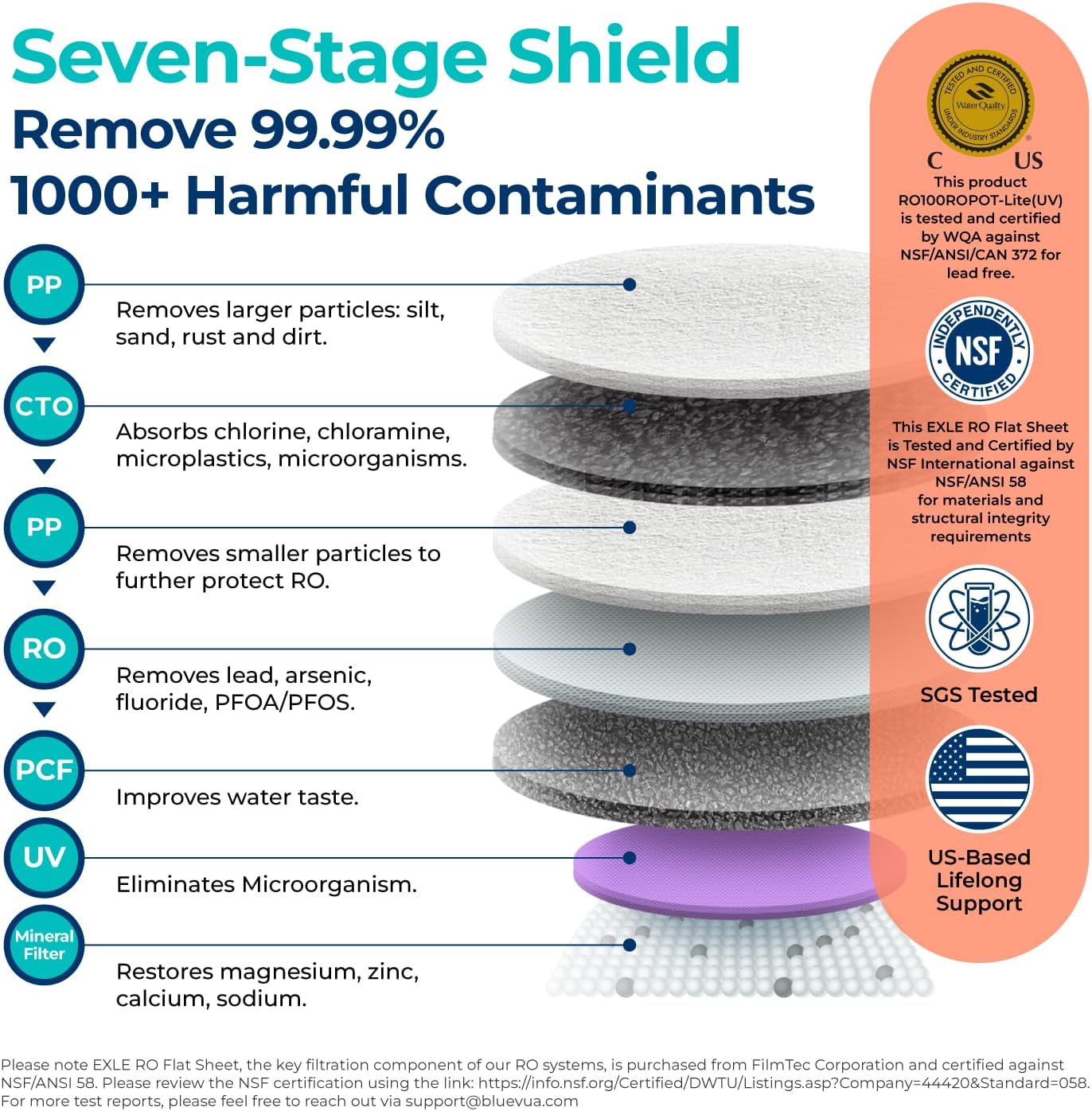
The Bluevua RO100ROPOT-Lite(UV) is an advanced 7-stage countertop reverse osmosis water filter system designed to provide pure, mineral-enriched drinking water. This user manual provides essential information for setting up, operating, maintaining, and troubleshooting your new water purifier, ensuring optimal performance and longevity.
സുരക്ഷാ വിവരങ്ങൾ
- നൽകിയിരിക്കുന്ന പവർ അഡാപ്റ്റർ എപ്പോഴും ഉപയോഗിക്കുക.
- പ്രധാന യൂണിറ്റ് വെള്ളത്തിൽ മുക്കരുത്.
- യൂണിറ്റ് ഒരു സ്ഥിരതയുള്ളതും പരന്നതുമായ പ്രതലത്തിൽ സ്ഥാപിച്ചിട്ടുണ്ടെന്ന് ഉറപ്പാക്കുക.
- കുട്ടികൾക്ക് ലഭ്യമാകാതെ സൂക്ഷിക്കുക.
- Do not use with water temperatures outside the specified range (41-100°F).
- വൃത്തിയാക്കുന്നതിനോ അറ്റകുറ്റപ്പണികൾ നടത്തുന്നതിനോ മുമ്പ് യൂണിറ്റ് അൺപ്ലഗ് ചെയ്യുക.
ഉൽപ്പന്നം കഴിഞ്ഞുview
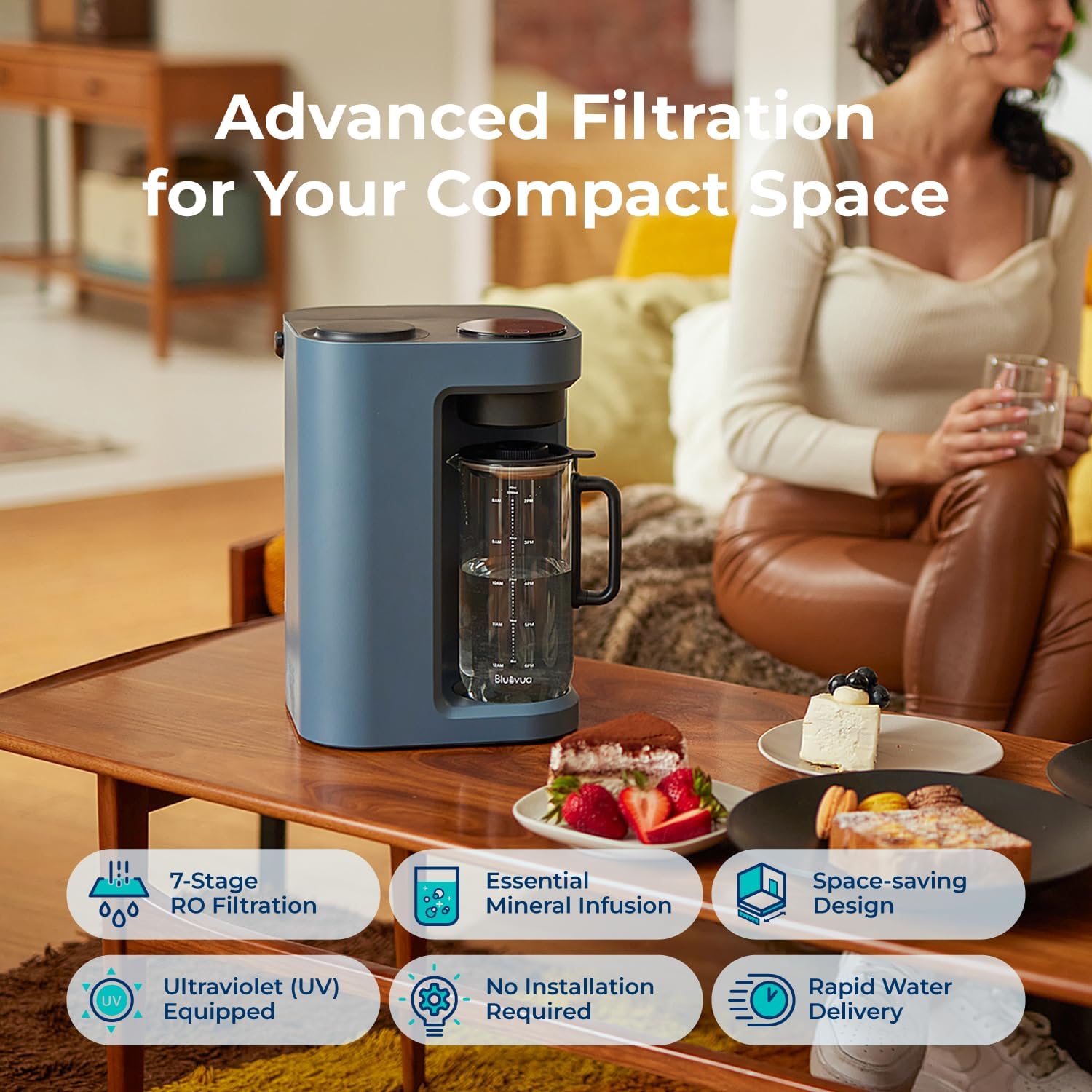
This countertop system offers a comprehensive 7-stage purification process, including UV sterilization and remineralization, to deliver high-quality drinking water. Its compact design and plug-and-play functionality make it ideal for various living spaces.
പ്രധാന സവിശേഷതകൾ:
- 7-എസ്tage Advanced Filtration: Includes PP, CTO, RO, PCF, UV, and Remineralization filters for comprehensive purification.
- അൾട്രാവയലറ്റ് വന്ധ്യംകരണം: Eliminates microorganisms for enhanced water safety.
- Remineralization: Adds essential minerals back into the water for improved taste and health benefits.
- Countertop Design: No installation or plumbing required, offering portability and convenience.
- High Borosilicate Glass Carafe: Ensures safe, pollutant-free water storage.
- One-Touch LED Control Panel: Easy operation with smart display for monitoring and alerts.
- Real-time TDS Monitor: Provides instant water quality readings.
- Filter Life Monitor: Tracks filter lifespan for timely replacement.
- Auto Self-cleaning: Maintains system hygiene.
- Efficient Water Delivery: Features a 3:1 pure to drain ratio, reducing water waste.
- Fruit-Infused Water Feature: Includes a glass infuser for customized beverages.
ഘടകങ്ങൾ:
The system includes the main unit, a high borosilicate glass carafe, a 5-in-1 RO filter, a glass infuser, and a filter wrench.



സജ്ജമാക്കുക
The Bluevua RO100ROPOT-Lite(UV) system is designed for quick and easy setup, requiring no plumbing or complex installation. Simply follow these steps:
- യൂണിറ്റ് അൺപാക്ക് ചെയ്യുക: പാക്കേജിംഗിൽ നിന്ന് എല്ലാ ഘടകങ്ങളും ശ്രദ്ധാപൂർവ്വം നീക്കം ചെയ്യുക.
- യൂണിറ്റ് സ്ഥാപിക്കുക: Position the main unit on a stable, flat countertop near a power outlet.
- ഫിൽറ്റർ ഇൻസ്റ്റാൾ ചെയ്യുക: Open the filter compartment (usually on the side or top, refer to diagram). Insert the 5-in-1 RO filter and twist to secure it.
- വാട്ടർ ടാങ്ക് നിറയ്ക്കുക: Remove the raw water tank from the back of the unit. Fill it with tap water up to the MAX line.
- സ്ഥലം കരാഫെ: Ensure the glass carafe is correctly positioned in the dispensing area.
- പ്രാരംഭ ഫ്ലഷ്: For first-time use, it is crucial to perform an initial flush to clean the system and filters. Fill the raw water tank and dispense water through the system completely, discarding the first few batches of purified water as per the quick operation guide. This ensures optimal water quality and removes any manufacturing residues.
സജ്ജീകരണ വീഡിയോ:
Official product video demonstrating the simple setup process of the Bluevua RO100ROPOT-Lite(UV) system, including filling the water tank and initial operation. This video is provided by the seller.
പ്രവർത്തന നിർദ്ദേശങ്ങൾ
Using your Bluevua water filter is straightforward thanks to its intuitive LED control panel.
- പവർ ഓൺ: നിയന്ത്രണ പാനലിലെ പവർ ബട്ടൺ അമർത്തുക.
- വോളിയം തിരഞ്ഞെടുക്കുക: Use the volume selection button to choose your desired water quantity (e.g., full carafe, half carafe).
- വെള്ളം വിതരണം ചെയ്യുക: Press the water drop icon to start dispensing purified water into the carafe. The system will automatically stop when the selected volume is reached.
- ജലത്തിന്റെ ഗുണനിലവാരം നിരീക്ഷിക്കുക: The real-time TDS (Total Dissolved Solids) monitor displays the water purity level. Lower TDS indicates purer water.
- മോണിറ്റർ ഫിൽറ്റർ ലൈഫ്: The filter life indicators on the display show the remaining lifespan of your filters.
പ്രവർത്തന വീഡിയോ:
Official product video demonstrating the simple operation of the Bluevua RO100ROPOT-Lite(UV) system, including dispensing water and using the smart display. This video is provided by the seller.
മെയിൻ്റനൻസ്
Regular maintenance ensures your Bluevua water filter continues to provide high-quality water.
ഫിൽട്ടർ മാറ്റിസ്ഥാപിക്കൽ:
The 5-in-1 RO filter typically requires replacement once a year, depending on usage and water quality. The filter life monitor will indicate when a replacement is needed.
- പവർ ഓഫ്: പവർ ഔട്ട്ലെറ്റിൽ നിന്ന് യൂണിറ്റ് അൺപ്ലഗ് ചെയ്യുക.
- പഴയ ഫിൽറ്റർ നീക്കം ചെയ്യുക: Open the filter compartment. Use the provided filter wrench to twist and remove the old filter.
- പുതിയ ഫിൽറ്റർ ഇൻസ്റ്റാൾ ചെയ്യുക: Insert the new 5-in-1 RO filter and twist it into place until secure.
- പുതിയ ഫിൽട്ടർ ഫ്ലഷ് ചെയ്യുക: After replacing the filter, perform an initial flush cycle as described in the Setup section to prepare the new filter for use.
വൃത്തിയാക്കൽ:
- Carafe and Reservoir: Regularly clean the glass carafe and raw water reservoir with mild soap and water. Rinse thoroughly.
- പുറം: ഒരു സോഫ്റ്റ്, ഡി ഉപയോഗിച്ച് യൂണിറ്റിൻ്റെ പുറംഭാഗം തുടയ്ക്കുകamp തുണി. ഉരച്ചിലുകൾ ഉള്ള ക്ലീനറുകൾ ഉപയോഗിക്കരുത്.
- Auto Self-cleaning: The system features an auto self-cleaning function. Refer to the control panel for initiating this cycle.
ട്രബിൾഷൂട്ടിംഗ്
If you encounter any issues with your Bluevua water filter, refer to the common problems and solutions below:
- വെള്ളം വിതരണം ഇല്ല: Check if the unit is plugged in, the water tank is filled, and the carafe is correctly positioned. Ensure filters are properly installed.
- അസാധാരണമായ രുചി/ഗന്ധം: Perform an additional flush cycle. Ensure filters are not expired and replace if necessary.
- ഉയർന്ന ടിഡിഎസ് വായന: This indicates filters may need replacement. Check the filter life monitor.
- ചോർച്ച: Ensure all components, especially filters and tanks, are securely seated.
- പിശക് കോഡുകൾ: Refer to the detailed troubleshooting section in the full product manual for specific error code meanings and solutions.
സ്പെസിഫിക്കേഷനുകൾ
| ആട്രിബ്യൂട്ട് | മൂല്യം |
|---|---|
| ബ്രാൻഡ് | ബ്ലൂവുവ |
| മോഡൽ നമ്പർ | ROPOT-Lite(UV) Blue |
| ഉൽപ്പന്ന അളവുകൾ | 9.7"L x 9.5"W x 14.1"H |
| ഇനത്തിൻ്റെ ഭാരം | 17.96 പൗണ്ട് |
| ഇൻസ്റ്റലേഷൻ തരം | കൗണ്ടർടോപ്പ് |
| പരമാവധി ഒഴുക്ക് നിരക്ക് | മിനിറ്റിൽ 0.26 ലിറ്റർ |
| പ്രവർത്തന സമ്മർദ്ദ ശ്രേണി | 0-30 പി.എസ്.ഐ. |
| താഴ്ന്ന താപനില റേറ്റിംഗ് | 41 ഡിഗ്രി ഫാരൻഹീറ്റ് |
| ഉയർന്ന താപനില റേറ്റിംഗ് | 100 ഡിഗ്രി ഫാരൻഹീറ്റ് |
| യു.പി.സി | 198168191057 |
വാറൻ്റിയും പിന്തുണയും
Bluevua stands behind the quality of its products. The RO100ROPOT-Lite(UV) system comes with a 1 വർഷത്തെ വാറൻ്റി. For any questions, technical assistance, or warranty claims, please contact Bluevua customer support. You can find contact information on the official Bluevua webസൈറ്റ് അല്ലെങ്കിൽ നിങ്ങളുടെ വാങ്ങൽ പ്ലാറ്റ്ഫോം വഴി.
Bluevua is committed to providing exceptional service and ensuring customer satisfaction.
Ask a question about this manual
Ask about setup, troubleshooting, compatibility, parts, safety, or missing instructions. Manuals+ will review the question and use this page’s manual context to help answer it.