
nubia nubia Flip
nubia Flip 5G User Manual
Model: nubia Flip
ആമുഖം
Welcome to the nubia Flip 5G user manual. This guide provides comprehensive instructions for setting up, operating, maintaining, and troubleshooting your new foldable smartphone. The nubia Flip 5G combines innovative foldable technology with powerful performance, featuring a dual-screen design, a 50MP AI dual camera, and a robust 4310 mAh battery with 33W fast charging.
Please read this manual carefully to ensure proper use and to maximize your device's potential.
1. സജ്ജീകരണം
1.1 ബോക്സിൽ എന്താണുള്ളത്
- nubia Flip 5G സ്മാർട്ട്ഫോൺ
- Clear phone case
- ചാർജർ
- ടൈപ്പ്-സി ഡാറ്റ കേബിൾ
1.2 പ്രാരംഭ ചാർജിംഗ്
Before first use, fully charge your nubia Flip 5G using the provided charger and Type-C data cable. The device supports 33W fast charging, allowing for a rapid charge.
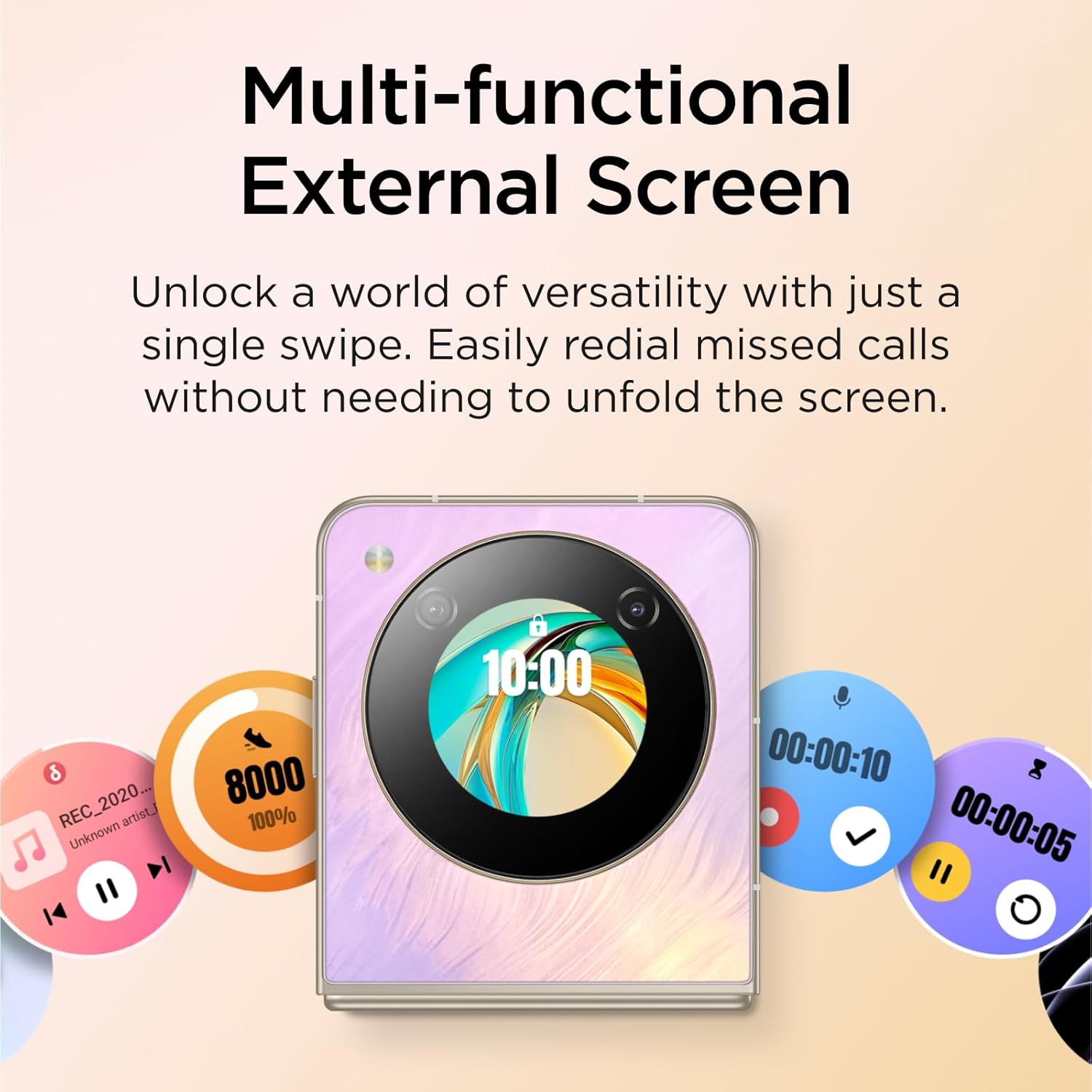
Image: The nubia Flip 5G in its folded state, connected to a charging cable, illustrating the charging process.
1.3 സിം കാർഡ് ചേർക്കൽ
Locate the SIM card tray on the side of the device. Use the SIM ejector tool (not explicitly listed in box contents, but standard) to open the tray. Insert your Nano-SIM card(s) into the designated slots. Ensure the card is correctly oriented before reinserting the tray.
1.4 പവർ ഓൺ/ഓഫ്
- പവർ ഓൺ: Press and hold the Power button (located on the side) until the nubia logo appears.
- പവർ ഓഫ്: പവർ ബട്ടൺ അമർത്തിപ്പിടിക്കുക, തുടർന്ന് സ്ക്രീനിൽ ദൃശ്യമാകുന്ന ഓപ്ഷനുകളിൽ നിന്ന് "പവർ ഓഫ്" തിരഞ്ഞെടുക്കുക.
- പുനരാരംഭിക്കുക: പവർ ബട്ടൺ അമർത്തിപ്പിടിക്കുക, തുടർന്ന് ഓപ്ഷനുകളിൽ നിന്ന് "പുനരാരംഭിക്കുക" തിരഞ്ഞെടുക്കുക.
1.5 പ്രാരംഭ സജ്ജീകരണ വിസാർഡ്
Upon first power-on, the device will guide you through an initial setup process. This includes selecting your language, connecting to a Wi-Fi network, setting up your Google account, and configuring security options like fingerprint and face unlock.
2. നിങ്ങളുടെ ഉപകരണം പ്രവർത്തിപ്പിക്കുന്നു
2.1 Foldable Design and Displays
The nubia Flip 5G features a revolutionary foldable design, allowing it to transform from a compact, pocket-sized device to a full-sized smartphone. It has two main displays:
- Main Internal Display: A 6.9-inch FHD+ screen that unfolds for an immersive viewഅനുഭവം.
- External OLED Display: A 1.43-inch interactive display accessible when the phone is folded.
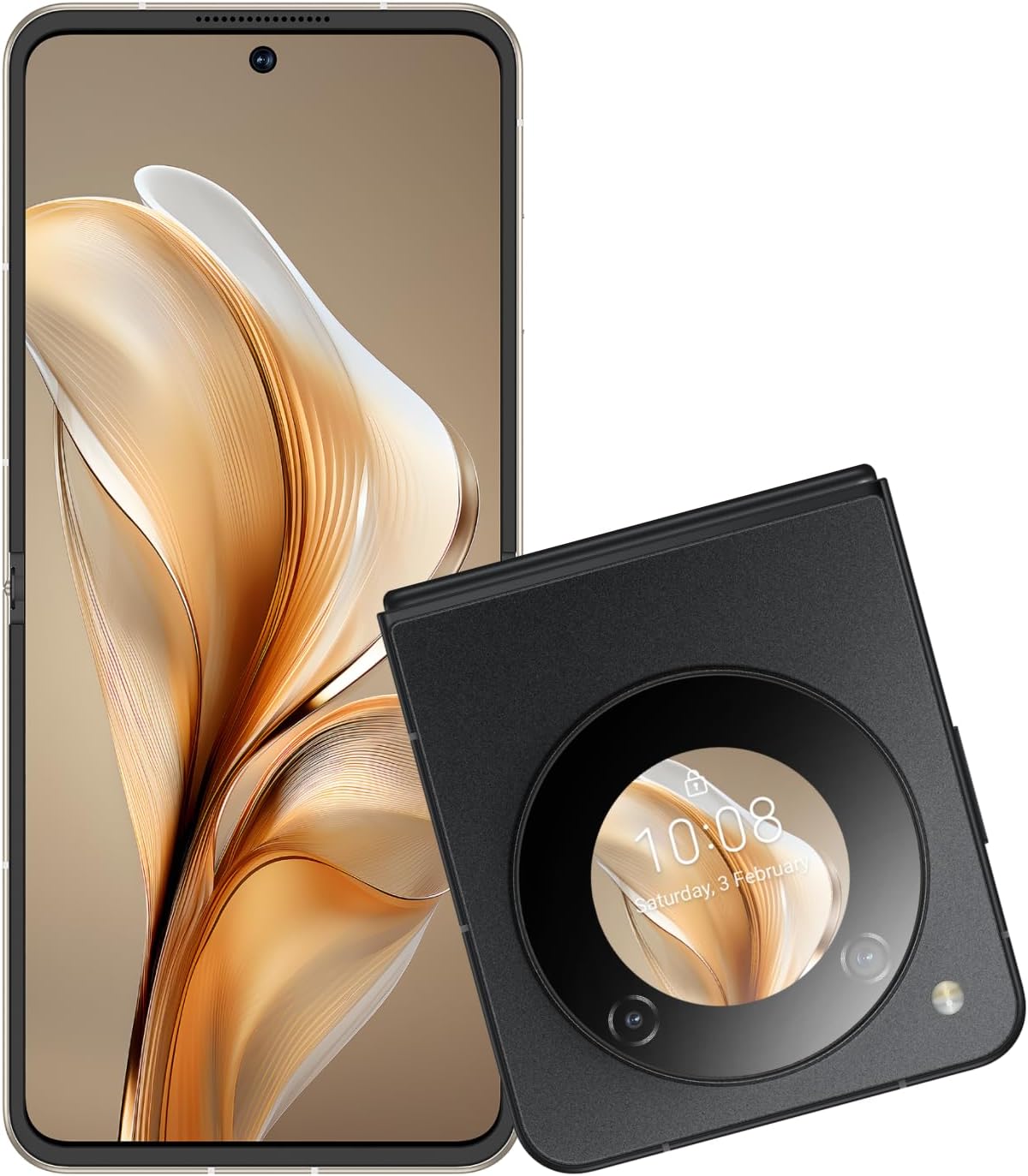
Image: The nubia Flip 5G shown both unfolded and folded, highlighting its dual-screen capability.

Image: A hand holding the folded nubia Flip 5G, illustrating its compact and pocket-friendly design.
2.2 External Display Functions
The 1.43-inch external OLED display provides quick access to essential information and controls without unfolding the phone. Swipe across the external screen to:
- View missed notifications and messages.
- Reply to texts (limited functionality).
- സംഗീത പ്ലേബാക്ക് നിയന്ത്രിക്കുക.
- Answer or redial calls.
- Access quick settings.
- Interact with a virtual animated 'pet'.

Image: The external display of the nubia Flip 5G showcasing its multi-functional capabilities with various interactive widgets.
2.3 ക്യാമറ ഉപയോഗം
The nubia Flip 5G is equipped with a versatile camera system:
- പിൻ ക്യാമറകൾ: 50MP Main Camera (f/1.8) and a 2MP Depth Lens.
- മുൻ ക്യാമറ: 16 എംപി.
The foldable design allows for unique photography angles. You can stand the phone at multiple angles for hands-free shooting.
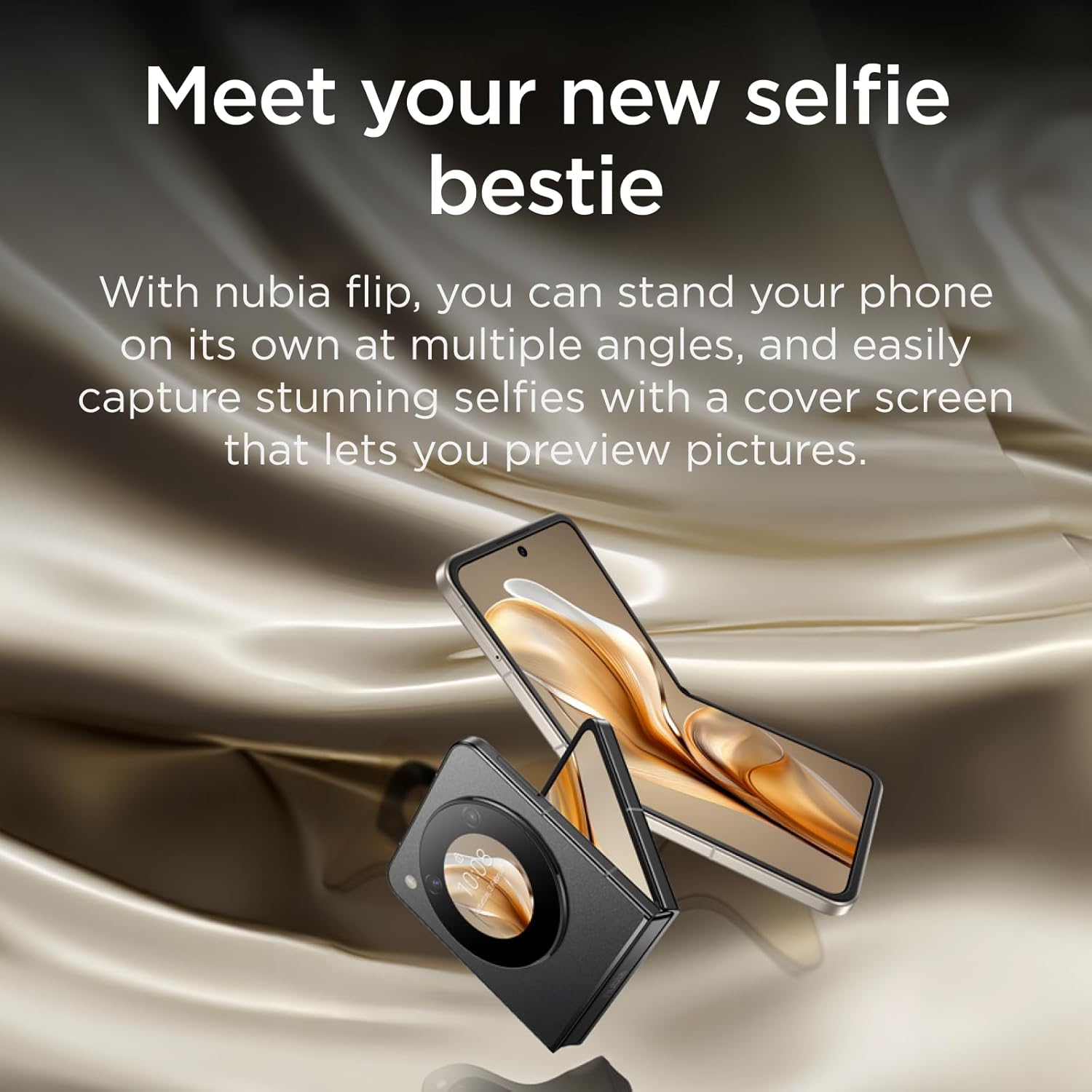
Image: A person using the nubia Flip 5G's external display for a selfie, demonstrating the camera's capabilities.

Image: The nubia Flip 5G in a partially folded position, used as a stand for taking a selfie, showcasing its flexible design for photography.
2.4 അൺലോക്ക് രീതികൾ
Your nubia Flip 5G offers multiple secure unlocking options:
- ഫിംഗർപ്രിന്റ് സെൻസർ: The power button integrates a fast and accurate fingerprint sensor. Register your fingerprints in the Security settings.
- Face Wake-up: Use facial recognition to unlock your device. Set this up in the Security settings.
- പിൻ/പാറ്റേൺ/പാസ്വേഡ്: സ്റ്റാൻഡേർഡ് Android സുരക്ഷാ ഓപ്ഷനുകൾ.

Image: Visual representation of the dual unlocking methods: Face Wake-up and Fingerprint Unlock.
2.5 MyOS 13 Features
The nubia Flip 5G runs on MyOS 13, offering a straightforward and convenient user experience with various customization options:
- Animation Speed Adjustment: Customize system animation speeds for a smoother or faster feel.
- Wallpaper Color Picker: Easily select and apply colors from your wallpaper to theme your interface.
- സ്പ്ലിറ്റ് സ്ക്രീൻ: Multitask efficiently by running two apps side-by-side on the main display.
2.6 കണക്റ്റിവിറ്റി
ഉപകരണം വൈവിധ്യമാർന്ന കണക്റ്റിവിറ്റി ഓപ്ഷനുകളെ പിന്തുണയ്ക്കുന്നു:
- 5G നെറ്റ്വർക്ക്: Enjoy lightning-fast 5G network speeds for browsing, streaming, and gaming.
- വൈഫൈ: ഇന്റർനെറ്റ് ആക്സസ്സിനായി വയർലെസ് നെറ്റ്വർക്കുകളിലേക്ക് കണക്റ്റുചെയ്യുക.
- ബ്ലൂടൂത്ത്: Pair with Bluetooth accessories like headphones and speakers.
- യുഎസ്ബി ടൈപ്പ്-സി: For charging, data transfer, and connecting peripherals.
3. പരിപാലനം
3.1 നിങ്ങളുടെ ഉപകരണം വൃത്തിയാക്കൽ
To keep your nubia Flip 5G in optimal condition:
- സ്ക്രീനും ബോഡിയും തുടയ്ക്കാൻ മൃദുവായ, ലിന്റ് രഹിത തുണി ഉപയോഗിക്കുക.
- കഠിനമായ രാസവസ്തുക്കൾ, അബ്രസീവ് ക്ലീനറുകൾ, അല്ലെങ്കിൽ എയറോസോൾ സ്പ്രേകൾ എന്നിവ ഉപയോഗിക്കുന്നത് ഒഴിവാക്കുക.
- ഉപകരണം അമിതമായ ഈർപ്പം കാണിക്കരുത്.
3.2 സോഫ്റ്റ്വെയർ അപ്ഡേറ്റുകൾ
നിങ്ങളുടെ ഉപകരണത്തിൽ ഏറ്റവും പുതിയ ഫീച്ചറുകൾ, സുരക്ഷാ പാച്ചുകൾ, പ്രകടന മെച്ചപ്പെടുത്തലുകൾ എന്നിവ ഉണ്ടെന്ന് ഉറപ്പാക്കാൻ സോഫ്റ്റ്വെയർ അപ്ഡേറ്റുകൾ പതിവായി പരിശോധിച്ച് ഇൻസ്റ്റാൾ ചെയ്യുക. ഇതിലേക്ക് പോകുക ക്രമീകരണങ്ങൾ > സിസ്റ്റം > സിസ്റ്റം അപ്ഡേറ്റ് അപ്ഡേറ്റുകൾ പരിശോധിക്കാൻ.
3.3 ബാറ്ററി കെയർ
ബാറ്ററി ആയുസ്സ് വർദ്ധിപ്പിക്കാൻ:
- തീവ്രമായ താപനില ഒഴിവാക്കുക.
- ഇടയ്ക്കിടെ റീചാർജ് ചെയ്യുന്നതിനുമുമ്പ് ബാറ്ററി പൂർണ്ണമായും തീർന്നുപോകാൻ അനുവദിക്കരുത്.
- ഒപ്റ്റിമൽ ചാർജിംഗിനായി ഒറിജിനൽ ചാർജറും കേബിളും ഉപയോഗിക്കുക.
4. പ്രശ്നപരിഹാരം
4.1 പൊതുവായ പ്രശ്നങ്ങളും പരിഹാരങ്ങളും
| ഇഷ്യൂ | പരിഹാരം |
|---|---|
| ഉപകരണം ഓണാക്കുന്നില്ല | ബാറ്ററി ചാർജ്ജ് ചെയ്തിട്ടുണ്ടെന്ന് ഉറപ്പാക്കുക. റീസ്റ്റാർട്ട് ചെയ്യാൻ നിർബന്ധിക്കുന്നതിന് പവർ ബട്ടൺ കുറഞ്ഞത് 10 സെക്കൻഡ് അമർത്തിപ്പിടിക്കുക. |
| No mobile data connection | Check SIM card insertion. Verify APN settings (consult your carrier). Ensure mobile data is enabled in settings. Confirm your SIM card's frequency bands are supported by the device. |
| സ്ക്രീൻ പ്രതികരിക്കുന്നില്ല | Restart the device. If the issue persists, consider a factory reset (backup data first). |
| ആപ്പുകൾ ക്രാഷാകുന്നു/ഫ്രീസാകുന്നു | Clear app cache/data (Settings > Apps). Update the app. Reinstall the app. |
4.2 ഫാക്ടറി റീസെറ്റ്
ഒരു ഫാക്ടറി റീസെറ്റ് നിങ്ങളുടെ ഉപകരണത്തിലെ എല്ലാ ഡാറ്റയും മായ്ക്കുകയും അതിന്റെ യഥാർത്ഥ ഫാക്ടറി ക്രമീകരണങ്ങളിലേക്ക് പുനഃസ്ഥാപിക്കുകയും ചെയ്യും. തുടരുന്നതിന് മുമ്പ് എല്ലാ പ്രധാനപ്പെട്ട ഡാറ്റയും ബാക്കപ്പ് ചെയ്യുക.
ഫാക്ടറി റീസെറ്റ് നടത്താൻ: പോകുക ക്രമീകരണങ്ങൾ > സിസ്റ്റം > റീസെറ്റ് ഓപ്ഷനുകൾ > എല്ലാ ഡാറ്റയും മായ്ക്കുക (ഫാക്ടറി റീസെറ്റ്). Follow the on-screen prompts.
5 സ്പെസിഫിക്കേഷനുകൾ
| ഫീച്ചർ | വിശദാംശങ്ങൾ |
|---|---|
| മോഡലിൻ്റെ പേര് | nubia Flip |
| ഓപ്പറേറ്റിംഗ് സിസ്റ്റം | ആൻഡ്രോയിഡ് 13.0 |
| Main Screen Size | 6.9 ഇഞ്ച് |
| Main Screen Resolution | 2790*1188 |
| പുതുക്കിയ നിരക്ക് | 120 Hz |
| External Screen Size | 1.43 Inches (OLED) |
| പ്രോസസ്സർ | Qualcomm Snapdragon 7 Gen 1 (up to 2.4GHz) |
| റാം | 8 ജിബി |
| സംഭരണ ശേഷി | 256 ജിബി |
| പിൻ ക്യാമറ | 50MP AI ഡ്യുവൽ ക്യാമറ |
| മുൻ ക്യാമറ | 16എംപി |
| ബാറ്ററി ശേഷി | 4310 mAh |
| ചാർജിംഗ് | 33W ഫാസ്റ്റ് ചാർജ് |
| അളവുകൾ (മടക്കിയത്) | ഏകദേശം 8.7 x 7.55 x 1.4 സെ.മീ (വിരിച്ച അളവുകളിൽ നിന്ന് കണക്കാക്കിയത്) |
| അളവുകൾ (തുറന്നു) | 17 x 7.55 x 0.7 സെ.മീ |
| ഭാരം | 209 ഗ്രാം |
| Supported Bands (NR) | n1/n3/n5/n8/n28A/n41/n78 |
| Supported Bands (FDD) | B1/B2/B3/B4/B5/B7/B8/B12/B17/B20 |
| Supported Bands (TDD) | B34/B38/39/40/41 |
| Supported Bands (UMTS) | B1/B2/B4/B5/B8 |
| Supported Bands (CDMA) | BC0 |
| Supported Bands (GSM) | B2/B3/B5/B8 |
6. വാറൻ്റിയും പിന്തുണയും
6.1 വാറൻ്റി വിവരങ്ങൾ
Your nubia Flip 5G comes with a standard manufacturer's warranty. Please refer to the warranty card included in your product packaging or visit the official nubia webവാറന്റി കവറേജും കാലാവധിയും സംബന്ധിച്ച വിശദമായ നിബന്ധനകൾക്കും വ്യവസ്ഥകൾക്കും സൈറ്റ് സന്ദർശിക്കുക.
6.2 ഉപഭോക്തൃ പിന്തുണ
For technical assistance, troubleshooting beyond this manual, or warranty claims, please contact nubia customer support through their official website or the contact information provided in your product documentation. Ensure you have your product model number and purchase details ready when contacting support.
നിങ്ങൾക്ക് സന്ദർശിക്കാനും കഴിയും nubia Store on Amazon കൂടുതൽ ഉൽപ്പന്ന വിവരങ്ങൾക്കും പിന്തുണാ ഉറവിടങ്ങൾക്കും.