
1. പ്രധാന സുരക്ഷാ നിർദ്ദേശങ്ങൾ
Before using this treadmill, please read all instructions carefully to ensure safe operation and prevent injury. Keep this manual for future reference.
- ട്രെഡ്മിൽ എപ്പോഴും പരന്നതും സ്ഥിരതയുള്ളതുമായ ഒരു പ്രതലത്തിൽ വയ്ക്കുക.
- Ensure adequate clear space (at least 2 meters behind and 0.6 meters on each side) around the treadmill during use.
- ഓപ്പറേഷൻ സമയത്ത് ട്രെഡ്മില്ലിൽ നിന്ന് കുട്ടികളെയും വളർത്തുമൃഗങ്ങളെയും അകറ്റി നിർത്തുക.
- ഉചിതമായ കായിക പാദരക്ഷകളും വസ്ത്രങ്ങളും ധരിക്കുക.
- Use the safety key at all times. Attach the clip to your clothing. If you fall or move too far back, the safety key will detach, stopping the treadmill.
- ട്രെഡ്മില്ലിൽ കേടുപാടുകളുണ്ടെങ്കിൽ, അല്ലെങ്കിൽ അത് ശരിയായി പ്രവർത്തിക്കുന്നില്ലെങ്കിൽ, അത് പ്രവർത്തിപ്പിക്കരുത്.
- ഏതെങ്കിലും വ്യായാമ പരിപാടി ആരംഭിക്കുന്നതിന് മുമ്പ് ഒരു ഡോക്ടറെ സമീപിക്കുക, പ്രത്യേകിച്ച് നിങ്ങൾക്ക് മുൻകാല ആരോഗ്യപ്രശ്നങ്ങൾ ഉണ്ടെങ്കിൽ.
- ട്രെഡ്മിൽ പുറത്ത് അല്ലെങ്കിൽ ഇരുവശത്തും ഉപയോഗിക്കരുത്.amp പരിസരങ്ങൾ.
- Maximum user weight capacity: 130 kg.
2. ഉൽപ്പന്നം കഴിഞ്ഞുview
The Toputure 2-in-1 Walking Pad Treadmill offers versatile exercise options, functioning as both a walking pad and a traditional treadmill. Its compact, foldable design makes it ideal for home use, allowing for easy storage.
പ്രധാന സവിശേഷതകൾ:
- 2-ഇൻ-1 പ്രവർത്തനം: Easily switch between walking pad mode (1-6 km/h) and treadmill mode (1-12 km/h).
- ശക്തവും നിശബ്ദവുമായ മോട്ടോർ: Equipped with a 2.5 HP motor for smooth and quiet operation.
- ക്രമീകരിക്കാവുന്ന ചരിവ്: Features a manual incline adjustment up to 7% for varied workout intensity.
- വൈഡ് റണ്ണിംഗ് ബെൽറ്റ്: An extra-wide 40cm running surface (1000x400mm) for comfort and safety.
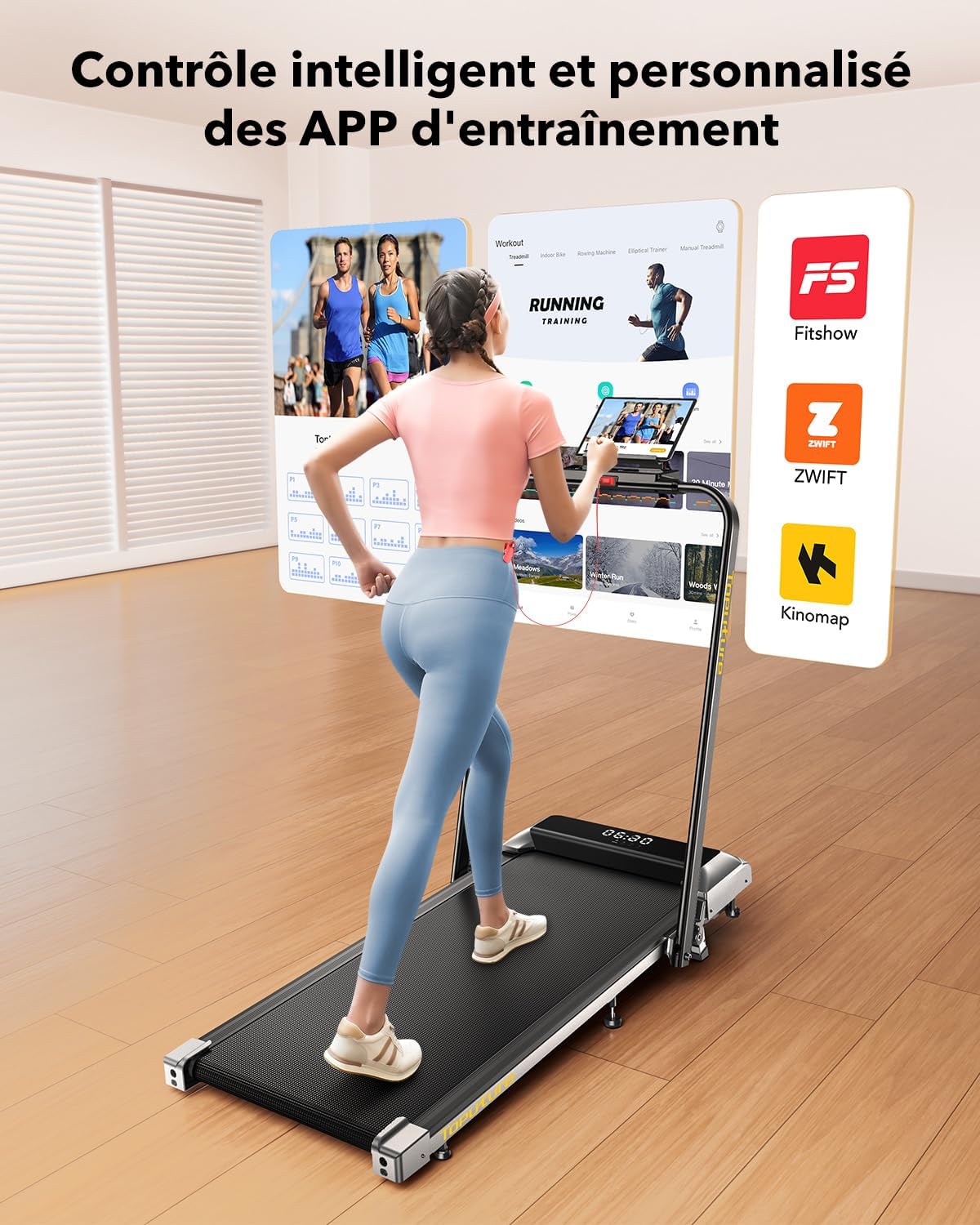
- LED Display & APP Control: Monitor speed, distance, time, and calories on the integrated LED screen. Connect to apps like Fitshow for smart control and training programs.
- സ്പേസ് സേവിംഗ് ഡിസൈൻ: Foldable with transport wheels for easy storage under furniture.
- ഷോക്ക് അബ്സോർപ്ഷൻ സിസ്റ്റം: 7-layer anti-slip running belt with internal silicone columns to reduce impact on joints.
പാക്കേജ് ഉള്ളടക്കം:
- Toputure 2-in-1 Walking Pad Treadmill
- റിമോട്ട് കൺട്രോൾ
- സുരക്ഷാ കീ
- ഉപയോക്തൃ മാനുവൽ (ഈ പ്രമാണം)
- പവർ കേബിൾ

3. സജ്ജീകരണം
The Toputure 2-in-1 Walking Pad Treadmill comes pre-assembled, requiring minimal setup before first use.
3.1 അൺപാക്കിംഗ്
- ട്രെഡ്മിൽ അതിന്റെ പാക്കേജിംഗിൽ നിന്ന് ശ്രദ്ധാപൂർവ്വം നീക്കം ചെയ്യുക.
- Place the treadmill on a flat, level surface in your desired exercise area. Ensure sufficient clearance around the unit as described in the safety instructions.
- എല്ലാ പാക്കിംഗ് മെറ്റീരിയലുകളും നീക്കം ചെയ്യുക.
3.2 Unfolding for Treadmill Mode
- Locate the quick-release handle or buckle mechanism on the side of the treadmill.
- Release the mechanism to allow the handlebar to be raised.
- Gently lift the handlebar until it locks securely into the upright position. Ensure it is fully locked before use.
- Connect the power cable to the treadmill and then to a grounded electrical outlet.

3.3 Adjusting Incline
The treadmill features a manual incline adjustment. The original incline is approximately 2.7°, which can be adjusted to 3.6° or up to a maximum of 7% by manipulating the front support feet. Refer to the specific mechanism on your unit for detailed instructions on how to engage and disengage the incline.

4. പ്രവർത്തന നിർദ്ദേശങ്ങൾ
4.1 പവർ ഓൺ/ഓഫ്
- പവർ കോർഡ് ഒരു ഗ്രൗണ്ടഡ് out ട്ട്ലെറ്റിലേക്ക് പ്ലഗ് ചെയ്യുക.
- Locate the main power switch, usually at the front base of the treadmill, and switch it to the 'ON' position.
- LED ഡിസ്പ്ലേ പ്രകാശിക്കും.
- To power off, switch the main power switch to 'OFF' and unplug the unit.
4.2 Using the Safety Key
The safety key is a crucial safety feature. Attach the magnetic end of the safety key to the designated area on the console. Clip the other end to your clothing. The treadmill will not operate without the safety key in place. If the key detaches during your workout, the treadmill will stop immediately.
4.3 Modes of Operation (2-in-1 Functionality)
The treadmill automatically detects its configuration:
- Walking Pad Mode (Handlebar Folded): When the handlebar is folded down, the treadmill operates as a walking pad with a speed range of 1 to 6 km/h. This mode is suitable for walking or light jogging, often used under a standing desk.
- Treadmill Mode (Handlebar Upright): When the handlebar is in the upright position, the treadmill functions as a traditional treadmill with a speed range of 1 to 12 km/h, suitable for running and more intense workouts.

4.4 Console and Remote Control
The treadmill can be controlled via the integrated LED touch screen or the remote control.
- LED ഡിസ്പ്ലേ: Shows real-time data including speed, distance, time, and calories burned.
- വേഗത ക്രമീകരണം: Use the '+' and '-' buttons on the console or remote to adjust speed in increments.
- ആരംഭിക്കുക/നിർത്തുക: Press the 'Start' button to begin your workout and 'Stop' or 'Pause' to end or temporarily halt it. The pause function retains your workout data.
- പ്രോഗ്രാമുകൾ: Select from 12 preset programs for varied workout routines.

4.5 APP Connectivity (Fitshow)
Enhance your workout experience by connecting your treadmill to compatible fitness applications like 'FITSHOW'.
- Download the 'FITSHOW' app from your device's app store.
- നിങ്ങളുടെ സ്മാർട്ട്ഫോണിലോ ടാബ്ലെറ്റിലോ ബ്ലൂടൂത്ത് പ്രവർത്തനക്ഷമമാക്കുക.
- Open the 'FITSHOW' app and follow the on-screen instructions to pair with your treadmill.
- Once connected, you can control the treadmill, track your progress, and access various training courses through the app.
5. പരിപാലനം
പതിവ് അറ്റകുറ്റപ്പണികൾ നിങ്ങളുടെ ട്രെഡ്മില്ലിന്റെ ദീർഘായുസ്സും മികച്ച പ്രകടനവും ഉറപ്പാക്കുന്നു.
5.1 ലൂബ്രിക്കേഷൻ
The running belt requires regular lubrication with silicone oil to reduce friction and wear. A small hole is provided for easy application.
- Apply approximately 10 ml of silicone oil every 30-50 hours of use, or every 1-2 months depending on usage frequency.
- Turn off and unplug the treadmill before lubrication.
- Lift the edge of the running belt and apply the oil directly onto the center of the deck, beneath the belt.
- Run the treadmill at a low speed (e.g., 3 km/h) for 5 minutes to distribute the lubricant evenly.
5.2 വൃത്തിയാക്കൽ
- പരസ്യം ഉപയോഗിച്ച് ട്രെഡ്മില്ലിന്റെ പ്രതലങ്ങൾ തുടയ്ക്കുകamp ഓരോ ഉപയോഗത്തിനു ശേഷവും വിയർപ്പും പൊടിയും നീക്കം ചെയ്യാൻ തുണി ഉപയോഗിക്കുക.
- ഉരച്ചിലുകളുള്ള ക്ലീനറുകളോ ലായകങ്ങളോ ഉപയോഗിക്കരുത്.
- Periodically vacuum around and under the treadmill to prevent dust buildup from affecting motor performance.
5.3 ബെൽറ്റ് ക്രമീകരണം
If the running belt feels loose, slips, or drifts to one side, it may need adjustment. Refer to the detailed instructions in the included user manual for specific belt tensioning and centering procedures using the provided Allen wrench.
6. പ്രശ്നപരിഹാരം
നിങ്ങളുടെ ട്രെഡ്മില്ലിൽ നിങ്ങൾ നേരിട്ടേക്കാവുന്ന സാധാരണ പ്രശ്നങ്ങൾ ഈ വിഭാഗം അഭിസംബോധന ചെയ്യുന്നു. ഇവിടെ പട്ടികപ്പെടുത്തിയിട്ടില്ലാത്ത പ്രശ്നങ്ങൾക്ക്, ദയവായി ഉപഭോക്തൃ പിന്തുണയുമായി ബന്ധപ്പെടുക.
| പ്രശ്നം | സാധ്യമായ കാരണം | പരിഹാരം |
|---|---|---|
| ട്രെഡ്മിൽ പവർ ഓൺ ആകുന്നില്ല. | Power cord not plugged in, main switch off, circuit breaker tripped. | Check power connections, ensure main switch is ON, reset circuit breaker if necessary. |
| ട്രെഡ്മിൽ സ്റ്റാർട്ട് ആകുന്നില്ല. | Safety key not in place, emergency stop button pressed. | Ensure safety key is correctly attached, release emergency stop button. |
| ഓടുമ്പോൾ ബെൽറ്റ് തെന്നി വീഴുകയോ മടി കാണിക്കുകയോ ചെയ്യുന്നു. | Belt too loose, insufficient lubrication. | Adjust belt tension (refer to manual), apply silicone lubricant. |
| പ്രവർത്തന സമയത്ത് അസാധാരണമായ ശബ്ദം. | Loose parts, belt rubbing, motor issue. | Check for loose screws, ensure belt is centered, contact support if noise persists. |
| APP connection issues. | Bluetooth off, app not updated, incorrect pairing. | Ensure Bluetooth is on, update app, re-pair device following app instructions. |
7 സ്പെസിഫിക്കേഷനുകൾ
| ഫീച്ചർ | സ്പെസിഫിക്കേഷൻ |
|---|---|
| ബ്രാൻഡ് | ടോപ്യൂട്ടർ |
| മോഡൽ | B0CNGKBCYF |
| നിറം | കറുപ്പ് |
| മോട്ടോർ പവർ | 2.5 എച്ച്.പി |
| Speed Range (Walking Pad Mode) | മണിക്കൂറിൽ 1 - 6 കി.മീ. |
| Speed Range (Treadmill Mode) | മണിക്കൂറിൽ 1 - 12 കി.മീ. |
| പരമാവധി ചരിവ് | 7% (Manual Adjustment) |
| പ്രവർത്തിക്കുന്ന ഉപരിതല അളവുകൾ | 1000 x 400 mm (Length x Width) |
| പരമാവധി ഉപയോക്തൃ ഭാരം | 130 കി.ഗ്രാം |
| ഡിസ്പ്ലേ തരം | എൽസിഡി |
| Display Metrics | Speed, Distance, Time, Calories Burned |
| പ്രോഗ്രാമുകളുടെ എണ്ണം | 12 പ്രീസെറ്റ് പ്രോഗ്രാമുകൾ |
| കണക്റ്റിവിറ്റി | APP (e.g., Fitshow) |
| ഫ്രെയിം മെറ്റീരിയൽ | അലോയ് സ്റ്റീൽ |
| ഉൽപ്പന്ന അളവുകൾ (L x W x H) | 120 x 52 x 12 സെ.മീ (തുറക്കാത്തത്) |
| മടക്കിയ അളവുകൾ (L x W x H) | 130 x 56 x 13.5 സെ.മീ (ഏകദേശം) |
| ഉൽപ്പന്ന ഭാരം | 23 കി.ഗ്രാം |
| പവർ ഉറവിടം | ഇലക്ട്രിക് കേബിൾ |
8. വാറൻ്റിയും പിന്തുണയും
വാറന്റി വിവരങ്ങൾക്കും ഉപഭോക്തൃ പിന്തുണയ്ക്കും, നിങ്ങളുടെ വാങ്ങലിനൊപ്പം നൽകിയിരിക്കുന്ന ഡോക്യുമെന്റേഷൻ പരിശോധിക്കുകയോ വിൽപ്പനക്കാരനെ നേരിട്ട് ബന്ധപ്പെടുകയോ ചെയ്യുക. ഏതെങ്കിലും വാറന്റി ക്ലെയിമുകൾക്കായി നിങ്ങളുടെ വാങ്ങലിന്റെ തെളിവ് സൂക്ഷിക്കുക.