
1. ആമുഖം
This manual provides comprehensive instructions for the safe and efficient use of your NEC VKT16XZG5 laptop. Please read this manual thoroughly before using the product and retain it for future reference. This laptop is equipped with Windows 11, an Intel Core i5-8th Generation processor, and solid-state drive (SSD) storage, designed for general computing tasks.
2 സുരക്ഷാ വിവരങ്ങൾ
Observe the following safety precautions to prevent damage to the laptop or injury to yourself.
- ലാപ്ടോപ്പിനെ തീവ്രമായ താപനിലയിലോ, നേരിട്ടുള്ള സൂര്യപ്രകാശത്തിലോ, ഉയർന്ന ആർദ്രതയിലോ തുറന്നുകാട്ടരുത്.
- ലാപ്ടോപ്പിൽ ഭാരമുള്ള വസ്തുക്കൾ വയ്ക്കുന്നത് ഒഴിവാക്കുക.
- വൈദ്യുതാഘാതമോ കേടുപാടുകളോ ഒഴിവാക്കാൻ ലാപ്ടോപ്പിൽ നിന്ന് ദ്രാവക വസ്തുക്കൾ അകറ്റി നിർത്തുക.
- നൽകിയിരിക്കുന്ന എസി അഡാപ്റ്റർ അല്ലെങ്കിൽ അനുയോജ്യമായ മറ്റേതെങ്കിലും അഡാപ്റ്റർ മാത്രം ഉപയോഗിക്കുക.
- ലാപ്ടോപ്പ് സ്വയം വേർപെടുത്താനോ നന്നാക്കാനോ ശ്രമിക്കരുത്. യോഗ്യതയുള്ള സർവീസ് ഉദ്യോഗസ്ഥരെ സമീപിക്കുക.
- അമിതമായി ചൂടാകുന്നത് തടയാൻ ശരിയായ വായുസഞ്ചാരം ഉറപ്പാക്കുക. എയർ വെന്റുകൾ അടയ്ക്കരുത്.
3. പാക്കേജ് ഉള്ളടക്കം
പാക്കേജിൽ എല്ലാ ഇനങ്ങളും ഉണ്ടെന്ന് ഉറപ്പാക്കുക:
- NEC VKT16XZG5 Laptop
- എസി അഡാപ്റ്റർ
- Security Zero License Card
- 64GB USB Recovery Storage
- Digital Recovery Manual (pre-saved on the laptop)

Image: 64GB USB Recovery Storage device. This USB drive contains essential recovery files for your laptop.

Image: ZERO Security software box. A license card for this security software is included.
4. ഉൽപ്പന്നം കഴിഞ്ഞുview
Familiarize yourself with the components of your NEC VKT16XZG5 laptop.
4.1 ടോപ്പ് View (കീബോർഡും ടച്ച്പാഡും)

ചിത്രം: മുകളിൽ view of the NEC VKT16XZG5 laptop. This image highlights the Japanese keyboard layout and the integrated touchpad for navigation.
- കീബോർഡ്: Standard Japanese layout for text input.
- ടച്ച്പാഡ്: For cursor control and gesture input.
- പവർ ബട്ടൺ: Located above the keyboard, typically on the right side.
4.2 Exterior Design and Durability
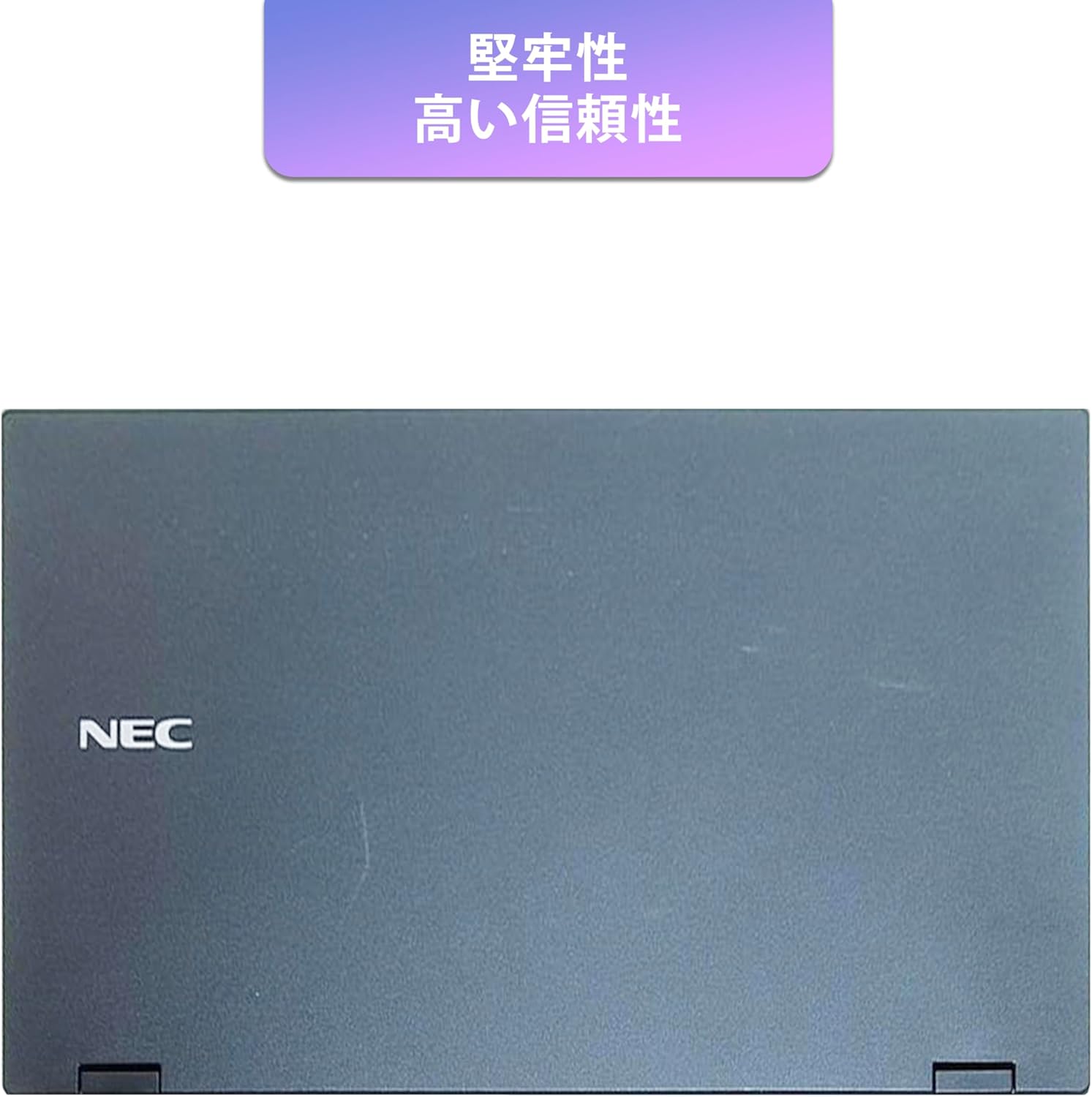
Image: Closed NEC VKT16XZG5 laptop, top casing. The design emphasizes durability and high reliability.
The laptop features a robust casing designed for durability and reliable performance.
4.3 Integrated Camera and Battery Life

ചിത്രം: വശം view of the open NEC VKT16XZG5 laptop. This view indicates the presence of an integrated camera and highlights the laptop's long battery life capability.
- സംയോജിത ക്യാമറ: Located at the top center of the display for video conferencing and other applications.
- ബാറ്ററി: Designed for extended usage on a single charge.
4.4 പ്രകടന സവിശേഷതകൾ

ചിത്രം: വശം view of the open NEC VKT16XZG5 laptop. This image emphasizes the Intel Core i5-8th Generation processor and the high-speed SSD for enhanced performance.
- സിപിയു: Intel Core i5-8th Generation processor for efficient multitasking.
- SSD: High-speed Solid State Drive for faster boot times and application loading.
5. സജ്ജീകരണം
Follow these steps for initial setup of your laptop:
- അൺപാക്ക്: ലാപ്ടോപ്പും എല്ലാ അനുബന്ധ ഉപകരണങ്ങളും പാക്കേജിംഗിൽ നിന്ന് ശ്രദ്ധാപൂർവ്വം നീക്കം ചെയ്യുക.
- പവർ ബന്ധിപ്പിക്കുക: എസി അഡാപ്റ്റർ ലാപ്ടോപ്പിന്റെ പവർ പോർട്ടിലേക്കും പിന്നീട് ഒരു വാൾ ഔട്ട്ലെറ്റിലേക്കും പ്ലഗ് ചെയ്യുക.
- പ്രാരംഭ പവർ ഓൺ: Open the laptop lid and press the power button. The laptop will begin the Windows 11 setup process.
- വിൻഡോസ് സജ്ജീകരണം: Follow the on-screen prompts to configure Windows 11, including language, region, network connection, and user account creation.
- WPS Office Activation: Your laptop comes with WPS Office pre-installed. Use the provided license card to activate the software upon first use.
- Security Software Installation: Install the included ZERO Security software using the license card for protection against malware.

Image: Laptop screen displaying information about the WPS Office 2 license card. This indicates that WPS Office is ready for use immediately after activation.
6. പ്രവർത്തന നിർദ്ദേശങ്ങൾ
This section covers basic operation of your NEC VKT16XZG5 laptop.
6.1 പവർ ഓൺ/ഓഫ്
- പവർ ഓൺ: പവർ ബട്ടൺ അമർത്തുക.
- ഷട്ട് ഡൗൺ: വിൻഡോസിൽ സ്റ്റാർട്ട് ബട്ടൺ ക്ലിക്ക് ചെയ്യുക, തുടർന്ന് പവർ > ഷട്ട് ഡൗൺ തിരഞ്ഞെടുക്കുക.
- പുനരാരംഭിക്കുക: ആരംഭിക്കുക ബട്ടൺ ക്ലിക്ക് ചെയ്യുക, തുടർന്ന് പവർ > പുനരാരംഭിക്കുക തിരഞ്ഞെടുക്കുക.
- ഉറക്കം: Close the lid or click the Start button, then select Power > Sleep.
6.2 കീബോർഡും ടച്ച്പാഡും ഉപയോഗിക്കൽ
- കീബോർഡ്: Type text and use function keys (Fn) for special commands (e.g., volume, brightness).
- ടച്ച്പാഡ്: Move your finger across the surface to control the cursor. Tap to click, use two fingers to scroll.
6.3 Wi-Fi-ലേക്ക് ബന്ധിപ്പിക്കുന്നു
- ടാസ്ക്ബാറിലെ വൈഫൈ ഐക്കണിൽ ക്ലിക്കുചെയ്യുക.
- ലിസ്റ്റിൽ നിന്ന് നിങ്ങൾക്ക് ആവശ്യമുള്ള നെറ്റ്വർക്ക് തിരഞ്ഞെടുക്കുക.
- ആവശ്യപ്പെടുകയാണെങ്കിൽ നെറ്റ്വർക്ക് സുരക്ഷാ കീ (പാസ്വേഡ്) നൽകുക.
- "ബന്ധിപ്പിക്കുക" ക്ലിക്ക് ചെയ്യുക.
6.4 Using the DVD-ROM Drive
- ട്രേ തുറക്കാൻ ഡ്രൈവിലെ എജക്റ്റ് ബട്ടൺ അമർത്തുക.
- Place a DVD or CD onto the tray, ensuring it is seated correctly.
- Gently push the tray back into the laptop.
- The disc content should appear in File എക്സ്പ്ലോറർ.
7. പരിപാലനം
ശരിയായ അറ്റകുറ്റപ്പണി നിങ്ങളുടെ ലാപ്ടോപ്പിന്റെ ദീർഘായുസ്സും പ്രകടനവും ഉറപ്പാക്കുന്നു.
- വൃത്തിയാക്കൽ: സ്ക്രീനും പുറംഭാഗവും വൃത്തിയാക്കാൻ മൃദുവായ, ലിന്റ് രഹിത തുണി ഉപയോഗിക്കുക. കഠിനമായ പാടുകൾക്ക്, dampവെള്ളം അല്ലെങ്കിൽ സ്ക്രീൻ ക്ലീനർ ഉപയോഗിച്ച് തുണിയിൽ അൽപം തടവുക. കഠിനമായ രാസവസ്തുക്കൾ ഒഴിവാക്കുക.
- ബാറ്ററി കെയർ: To maximize battery life, avoid fully discharging the battery frequently. Store the laptop in a cool, dry place if not used for extended periods.
- സോഫ്റ്റ്വെയർ അപ്ഡേറ്റുകൾ: സിസ്റ്റം സ്ഥിരതയും സുരക്ഷയും ഉറപ്പാക്കാൻ വിൻഡോസ് അപ്ഡേറ്റുകളും ഡ്രൈവർ അപ്ഡേറ്റുകളും പതിവായി പരിശോധിച്ച് ഇൻസ്റ്റാൾ ചെയ്യുക.
- Recovery Function: Your laptop includes a recovery area and a 64GB USB recovery storage. In case of system issues, refer to the digital recovery manual saved on your laptop for instructions on how to restore the system.

Image: Laptop screen displaying information about the recovery area, large capacity USB storage for recovery, and the performance benefits of the high-speed SSD.
8. പ്രശ്നപരിഹാരം
നിങ്ങൾ നേരിട്ടേക്കാവുന്ന പൊതുവായ പ്രശ്നങ്ങളെ ഈ വിഭാഗം അഭിസംബോധന ചെയ്യുന്നു.
| പ്രശ്നം | സാധ്യമായ പരിഹാരം |
|---|---|
| ലാപ്ടോപ്പ് പവർ ഓൺ ആകുന്നില്ല. | Ensure the AC adapter is securely connected to both the laptop and a working power outlet. Check if the power outlet is functional. Try charging the battery for a while before attempting to power on again. |
| വൈഫൈ കണക്ഷനൊന്നുമില്ല. | Check if Wi-Fi is enabled in Windows settings. Ensure your router is working correctly. Try restarting the laptop and the router. Verify the Wi-Fi password. |
| ലാപ്ടോപ്പ് മന്ദഗതിയിലാണ് പ്രവർത്തിക്കുന്നത്. | Close unnecessary applications. Check for background processes consuming high resources (Task Manager). Ensure Windows and drivers are up to date. Run a virus scan using the ZERO Security software. |
| കീബോർഡോ ടച്ച്പാഡോ പ്രതികരിക്കുന്നില്ല. | Restart the laptop. Check for any physical obstructions. Ensure drivers are updated. |
9 സ്പെസിഫിക്കേഷനുകൾ
Detailed technical specifications for the NEC VKT16XZG5 laptop.
| ഫീച്ചർ | സ്പെസിഫിക്കേഷൻ |
|---|---|
| ബ്രാൻഡ് | NEC |
| മോഡലിൻ്റെ പേര് | VKT16XZG5 |
| സ്ക്രീൻ വലിപ്പം | 15.6 ഇഞ്ച് |
| ഡിസ്പ്ലേ തരം | എൽഇഡി |
| പരമാവധി ഡിസ്പ്ലേ റെസല്യൂഷൻ | 1366x768 പിക്സലുകൾ |
| ഹാർഡ് ഡിസ്ക് ശേഷി | 256 GB (SSD) |
| സിപിയു മോഡൽ | Intel Core i5-8th Generation |
| സിപിയു വേഗത | 1.6 GHz (പരമാവധി 3.9 GHz) |
| പ്രോസസ്സർ എണ്ണം | 4 |
| ഇൻസ്റ്റാൾ ചെയ്ത RAM മെമ്മറി വലുപ്പം | 8 GB / 16 GB |
| റാം മെമ്മറി ടെക്നോളജി | DDR4 |
| ഓപ്പറേറ്റിംഗ് സിസ്റ്റം | വിൻഡോസ് 11 |
| ഗ്രാഫിക്സ് കോപ്രൊസസർ | ഇൻ്റൽ UHD ഗ്രാഫിക്സ് 620 |
| Optical Storage Device | ഡിവിഡി-റോം |
| വയർലെസ് തരം | Bluetooth, Wireless LAN |
| ആശയവിനിമയ ഇൻ്റർഫേസ് | USB |
| ഇനത്തിന്റെ അളവുകൾ (LxWxH) | 37.6 x 25.4 x 2.5 സെ.മീ |
| കീബോർഡ് വിവരണം | JP (Japanese) |
| ഉൾപ്പെടുത്തിയ ഘടകങ്ങൾ | AC Adapter, Security Zero License Card, 64GB USB Recovery Storage |
| ബാറ്ററി തരം | ലിഥിയം അയോൺ |
| ബാറ്ററി വാട്ട് മണിക്കൂർ | 45 വാട്ട് മണിക്കൂർ |
| Release Year/Model Year | 2019 |
10. വാറൻ്റിയും പിന്തുണയും
Your NEC VKT16XZG5 laptop comes with a warranty to ensure your peace of mind.
- വാറൻ്റി കാലയളവ്: 6 months of free repair service from the date of purchase.
- മാറ്റിസ്ഥാപിക്കൽ നയം: If a repair is not possible, the product will be replaced with an equivalent item.
- For technical support or warranty claims, please refer to the contact information provided at the point of purchase or on the official NEC support webസൈറ്റ്.