
FOREVER SW-710
ഫോർഎവർ സ്മാർട്ട് വാച്ച് ഗ്രാൻഡ് 2 SW-710 ഉപയോക്തൃ മാനുവൽ
മോഡൽ: SW-710
ആമുഖം
The FOREVER Smartwatch Grand 2 SW-710 is designed to enhance your daily life with its advanced features and intuitive interface. Featuring a vibrant 1.45-inch TFT screen with 412 x 412 px resolution, it offers clear visuals and efficient energy consumption. This manual provides comprehensive instructions for setting up, operating, and maintaining your smartwatch to ensure optimal performance and longevity.

Image: The FOREVER Smartwatch Grand 2 SW-710, showcasing its sleek design with both metal and silicone strap options. The display shows various functionalities including call management and fitness tracking.
സുരക്ഷാ വിവരങ്ങൾ
നിങ്ങളുടെ ഉപകരണം സുരക്ഷിതവും ശരിയായതുമായ ഉപയോഗം ഉറപ്പാക്കാൻ ഉപയോഗിക്കുന്നതിന് മുമ്പ് ദയവായി ഈ വിഭാഗം ശ്രദ്ധാപൂർവ്വം വായിക്കുക.
- Do not attempt to disassemble, repair, or modify the device. Unauthorized modifications may void your warranty and cause damage.
- ഉപകരണത്തെ തീവ്രമായ താപനില, നേരിട്ടുള്ള സൂര്യപ്രകാശം, ഉയർന്ന ഈർപ്പം എന്നിവയിൽ നിന്ന് അകറ്റി നിർത്തുക.
- ശക്തമായ ആഘാതങ്ങൾക്കോ വൈബ്രേഷനുകൾക്കോ ഉപകരണം വിധേയമാക്കുന്നത് ഒഴിവാക്കുക.
- ഒറിജിനൽ അല്ലെങ്കിൽ സാക്ഷ്യപ്പെടുത്തിയ ചാർജിംഗ് കേബിളുകളും അഡാപ്റ്ററുകളും മാത്രം ഉപയോഗിക്കുക.
- If the device becomes excessively hot, discontinue use immediately and contact customer support.
- This device is IP67 waterproof, meaning it is resistant to dust and can withstand immersion in water up to 1 meter for 30 minutes. Avoid prolonged immersion or use in hot water/steam.
പാക്കേജ് ഉള്ളടക്കം
പാക്കേജിൽ എല്ലാ ഇനങ്ങളും ഉണ്ടെന്ന് ഉറപ്പാക്കുക:
- FOREVER Smartwatch Grand 2 SW-710
- ചാർജിംഗ് കേബിൾ
- ഉപയോക്തൃ മാനുവൽ (ഈ പ്രമാണം)
- Additional wristband (silicone and metal options may be included)
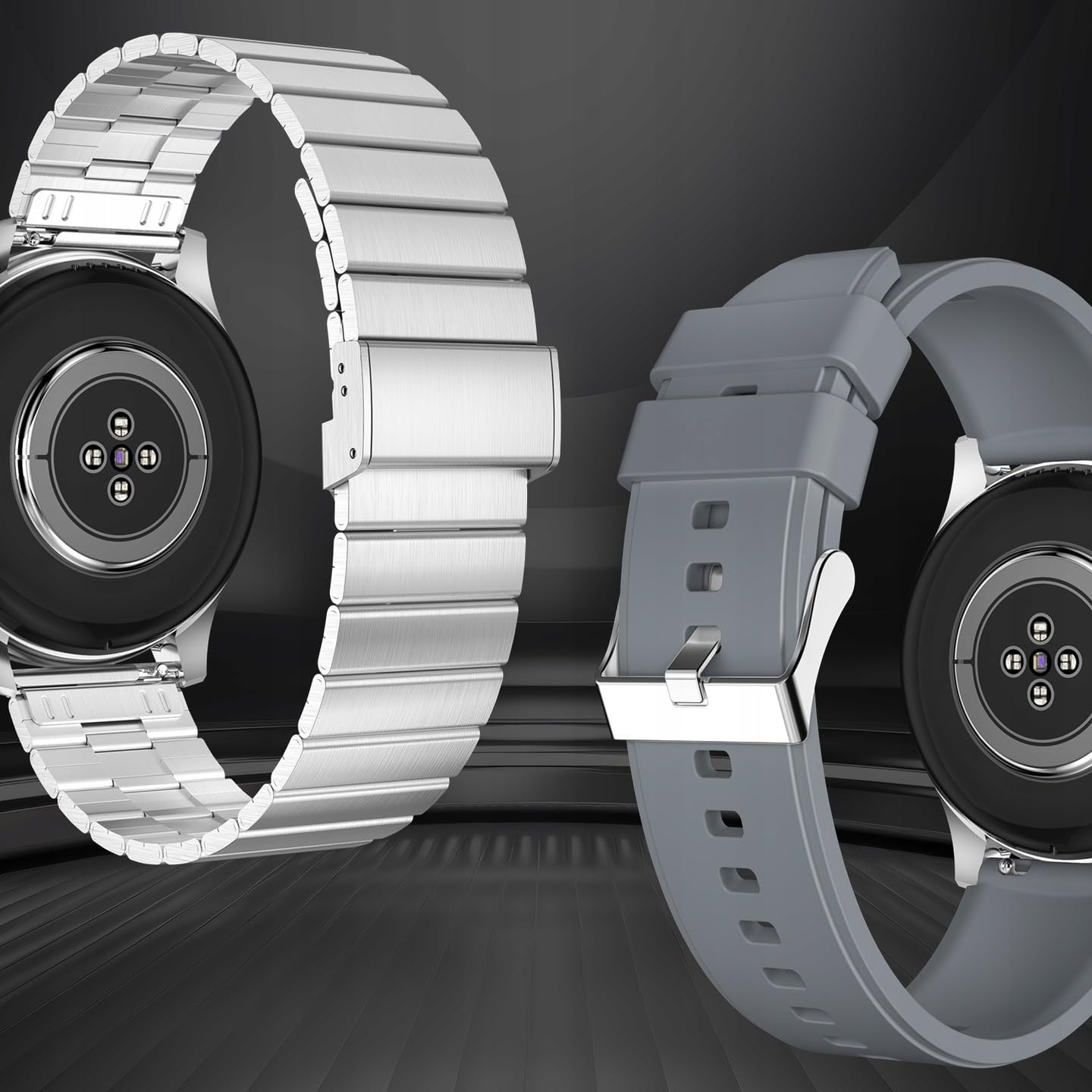
ചിത്രം: പിൻഭാഗം view of the smartwatch, highlighting its health sensors and the two included wristbands (metal and silicone), allowing for style customization.
സജ്ജമാക്കുക
1 ഉപകരണം ചാർജ് ചെയ്യുന്നു
ആദ്യ ഉപയോഗത്തിന് മുമ്പ്, നിങ്ങളുടെ സ്മാർട്ട് വാച്ച് പൂർണ്ണമായും ചാർജ് ചെയ്യുക. വാച്ചിന്റെ പിൻഭാഗത്തുള്ള ചാർജിംഗ് കോൺടാക്റ്റുകളുമായി മാഗ്നറ്റിക് ചാർജിംഗ് കേബിൾ ബന്ധിപ്പിച്ച് യുഎസ്ബി എൻഡ് ഒരു പവർ അഡാപ്റ്ററിലേക്കോ (ഉൾപ്പെടുത്തിയിട്ടില്ല) കമ്പ്യൂട്ടറിന്റെ യുഎസ്ബി പോർട്ടിലേക്കോ പ്ലഗ് ചെയ്യുക.
- ഒരു പൂർണ്ണ ചാർജ് സാധാരണയായി ഏകദേശം 2 മണിക്കൂർ എടുക്കും.
- സ്ക്രീനിലെ ബാറ്ററി ഐക്കൺ ചാർജിംഗ് നിലയെ സൂചിപ്പിക്കും.

Image: The smartwatch connected to its magnetic charging cable, displaying a battery charging indicator on its screen.
2. പവർ ഓൺ/ഓഫ്
- പവർ ഓൺ: Press and hold the side button (digital crown) for a few seconds until the FOREVER logo appears.
- പവർ ഓഫ്: From the watch face, swipe down to access quick settings, or navigate to the settings menu. Locate the power off option and confirm. Alternatively, press and hold the side button until the power off prompt appears.
3. നിങ്ങളുടെ സ്മാർട്ട്ഫോണുമായി ജോടിയാക്കൽ
നിങ്ങളുടെ സ്മാർട്ട് വാച്ചിന്റെ മുഴുവൻ സാധ്യതകളും ഉപയോഗപ്പെടുത്താൻ, ബ്ലൂടൂത്ത് വഴി അത് നിങ്ങളുടെ സ്മാർട്ട്ഫോണുമായി ജോടിയാക്കുക.
- ആപ്പ് ഡൗൺലോഡ് ചെയ്യുക: Scan the QR code in the manual or on the watch screen (if available) or search for the official FOREVER smartwatch app in your phone's app store (compatible with Android and iOS).
- ബ്ലൂടൂത്ത് പ്രവർത്തനക്ഷമമാക്കുക: നിങ്ങളുടെ സ്മാർട്ട്ഫോണിൽ ബ്ലൂടൂത്ത് പ്രവർത്തനക്ഷമമാക്കിയിട്ടുണ്ടെന്ന് ഉറപ്പാക്കുക.
- ആപ്പ് തുറക്കുക: Launch the FOREVER app on your phone and follow the on-screen instructions to create an account or log in.
- ഉപകരണം ചേർക്കുക: In the app, select "Add Device" or "Pair New Device". The app will search for available smartwatches.
- നിങ്ങളുടെ വാച്ച് തിരഞ്ഞെടുക്കുക: Choose "SW-710" or "Grand 2" from the list of found devices.
- ജോടിയാക്കൽ സ്ഥിരീകരിക്കുക: A pairing request will appear on both your phone and the watch. Confirm the pairing on both devices.
Once paired, the watch will synchronize data with your phone and receive notifications.
പ്രവർത്തന നിർദ്ദേശങ്ങൾ
1. ഇന്റർഫേസ് നാവിഗേറ്റ് ചെയ്യുന്നു
- ടച്ച് സ്ക്രീൻ: Swipe left/right to access different widgets (e.g., activity, heart rate, weather). Swipe up to view notifications. Swipe down to access quick settings. Tap to select an option.
- Digital Crown (Side Button): Press to return to the watch face or to enter the app menu. Rotate to scroll through lists or zoom in/out (functionality may vary by app).
2 പ്രധാന സവിശേഷതകൾ
- സമയ പ്രദർശനം: The main watch face displays time, date, and other customizable information.
- റിട്ടയർമീറ്റർ: ദിവസം മുഴുവൻ നിങ്ങളുടെ ചുവടുകൾ, ദൂരം, കത്തിച്ച കലോറികൾ എന്നിവ യാന്ത്രികമായി ട്രാക്ക് ചെയ്യുന്നു. View your daily progress on the watch or in the app.
- Pulse Monitor: Measures your heart rate. Access this feature from the app menu or a dedicated widget. Ensure the watch is snug on your wrist for accurate readings.
- Fitness Tracking (Sports Modes): The watch supports various sports modes (e.g., running, cycling, walking). Select a mode before starting your activity to track specific metrics.
- അറിയിപ്പുകൾ: Receive call, SMS, and app notifications directly on your wrist. Manage which app notifications you receive through the companion app on your phone.
- സംഗീത നിയന്ത്രണം: Control music playback on your paired smartphone (play, pause, skip tracks, adjust volume) directly from your watch.
- ക്യാമറ നിയന്ത്രണം: നിങ്ങളുടെ സ്മാർട്ട്ഫോണിന്റെ ക്യാമറയ്ക്കായി വാച്ച് ഒരു റിമോട്ട് ഷട്ടറായി ഉപയോഗിക്കുക.
- കാലാവസ്ഥ: View current weather conditions and forecasts after syncing with the app.
- ഉറക്ക നിരീക്ഷണം: Tracks your sleep patterns (deep sleep, light sleep, awake time). View ആപ്പിൽ വിശദമായ വിശകലനം.

Image: The smartwatch screen showing fitness data, surrounded by icons representing different sports activities it can track, such as running, cycling, and walking.
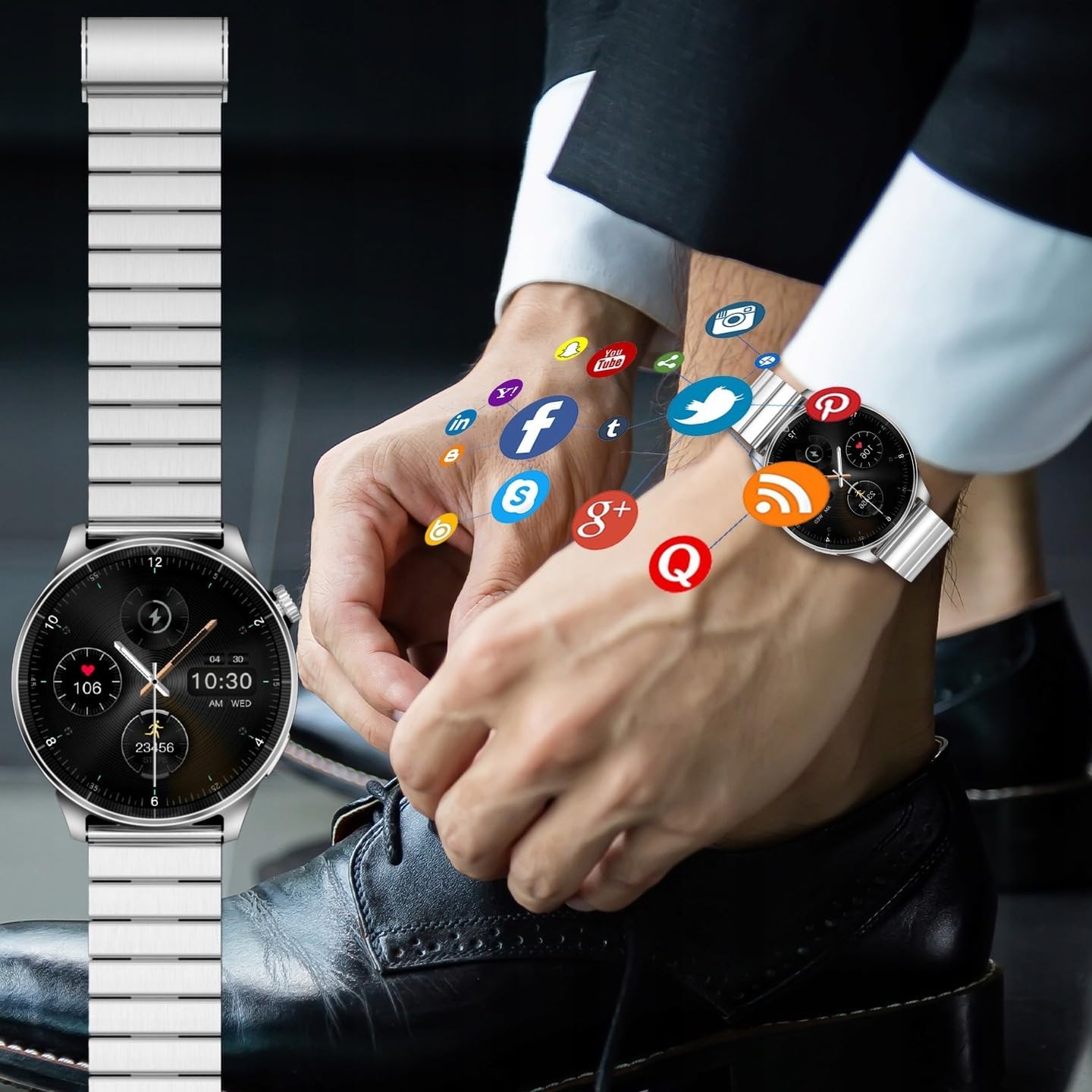
Image: A smartwatch on a wrist, with various social media and application icons digitally overlaid, illustrating its ability to display notifications from connected apps.
3. ഇഷ്ടാനുസൃതമാക്കൽ
- മുഖങ്ങൾ കാണുക: Change the watch face from the watch settings or through the companion app. Many designs are available to suit your style.
- കൈത്തണ്ടകൾ: The FOREVER Smartwatch Grand 2 SW-710 comes with interchangeable wristbands (metal and silicone). Refer to the package contents for details. To change, locate the quick-release pins on the underside of the strap and gently pull to detach. Attach the new strap by aligning the pins and pushing them into place.
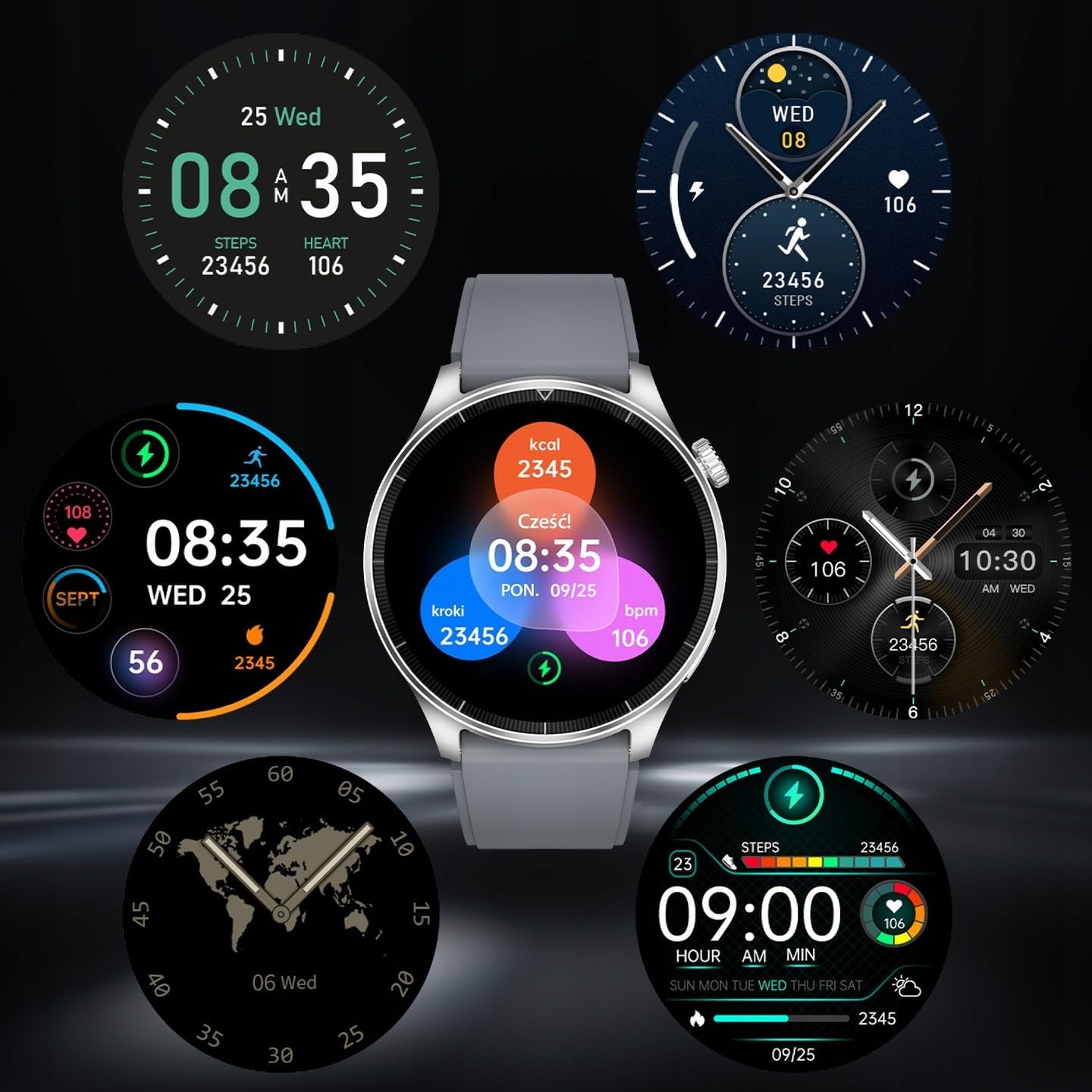
Image: A collection of diverse watch face designs for the smartwatch, demonstrating the customization options available to users, from minimalist to data-rich displays.
മെയിൻ്റനൻസ്
- വൃത്തിയാക്കൽ: മൃദുവായ, ഡി ക്ലീനർ ഉപയോഗിച്ച് വാച്ചും സ്ട്രാപ്പും പതിവായി തുടയ്ക്കുക.amp തുണി. കഠിനമായ രാസവസ്തുക്കളോ ഉരച്ചിലുകളോ ഉപയോഗിക്കുന്നത് ഒഴിവാക്കുക.
- ജല പ്രതിരോധം (IP67): The watch is IP67 rated, meaning it is protected from dust and can withstand immersion in up to 1 meter of fresh water for 30 minutes. It is suitable for daily use, hand washing, and light rain. It is not suitable for swimming, diving, hot showers, or saunas. Always dry the watch thoroughly after exposure to water.
- ബാറ്ററി കെയർ: To prolong battery life, avoid fully discharging the battery frequently. Charge the device when the battery level is low. Store the device in a cool, dry place if not used for extended periods.
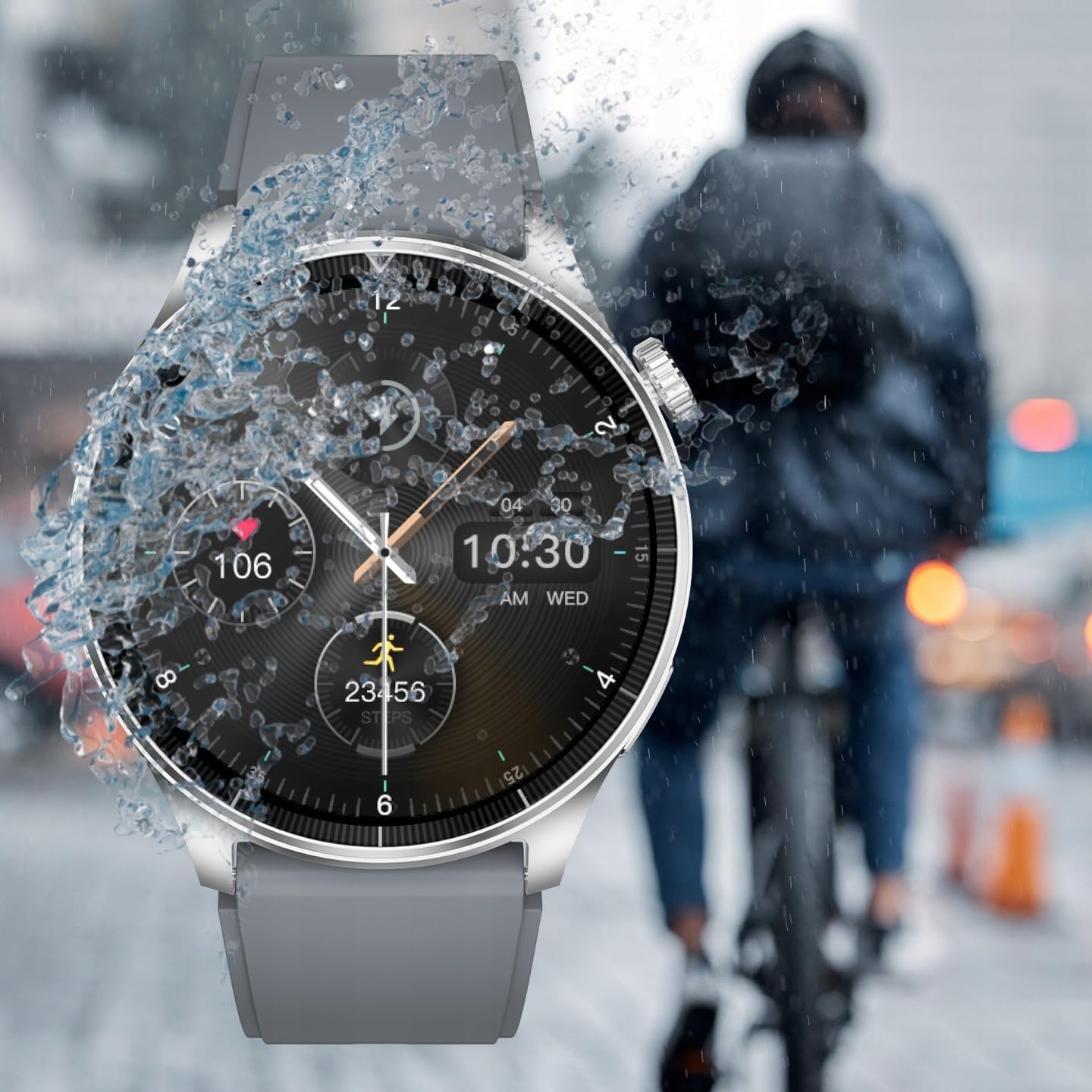
Image: The smartwatch being splashed with water, demonstrating its IP67 water resistance, suitable for use in light rain or during hand washing.
ട്രബിൾഷൂട്ടിംഗ്
| പ്രശ്നം | സാധ്യമായ പരിഹാരം |
|---|---|
| വാച്ച് ഓണാകുന്നില്ല. | വാച്ച് പൂർണ്ണമായും ചാർജ് ചെയ്തിട്ടുണ്ടെന്ന് ഉറപ്പാക്കുക. കുറഞ്ഞത് 30 മിനിറ്റെങ്കിലും ചാർജറുമായി ബന്ധിപ്പിക്കുക. |
| സ്മാർട്ട്ഫോണുമായി ജോടിയാക്കാൻ കഴിയില്ല. |
|
| അറിയിപ്പുകൾ ലഭിക്കുന്നില്ല. |
|
| Inaccurate heart rate readings. | വാച്ച് നിങ്ങളുടെ കൈത്തണ്ടയിൽ നന്നായി ധരിച്ചിട്ടുണ്ടെന്ന് ഉറപ്പാക്കുക, അധികം അയഞ്ഞതോ അധികം ഇറുകിയതോ അല്ല. വാച്ചിന്റെ പിൻഭാഗത്തുള്ള സെൻസർ വൃത്തിയാക്കുക. |
| സ്ക്രീൻ പ്രതികരിക്കുന്നില്ല. | Restart the watch by pressing and holding the side button. If the issue persists, ensure the screen is clean and dry. |
സ്പെസിഫിക്കേഷനുകൾ
| ഫീച്ചർ | വിശദാംശങ്ങൾ |
|---|---|
| മോഡൽ | SW-710 (Grand 2) |
| പ്രദർശിപ്പിക്കുക | 1.45 inches TFT, 412 x 412 px resolution |
| കണക്റ്റിവിറ്റി | ബ്ലൂടൂത്ത് v5.0 |
| ബാറ്ററി ശേഷി | 300 mAh ലിഥിയം അയോൺ |
| വാട്ടർപ്രൂഫ് റേറ്റിംഗ് | IP67 |
| ഓപ്പറേറ്റിംഗ് സിസ്റ്റം അനുയോജ്യത | ആൻഡ്രോയിഡ്, ഐഒഎസ് |
| അളവുകൾ (പാക്കേജ്) | 12 x 9.5 x 7 സെ.മീ |
| ഭാരം (പാക്കേജ്) | 400 ഗ്രാം |
| നിർമ്മാതാവ് | TelForceOne SA |
| EAN/UPC | 5907457734883 |

Image: The back of the product packaging, detailing technical specifications such as display type, resolution, battery, and waterproof rating, along with manufacturer information and EAN code.
വാറൻ്റിയും പിന്തുണയും
For warranty information, please refer to the warranty card included in your product packaging or visit the official FOREVER website. For technical support, troubleshooting assistance, or service inquiries, please contact FOREVER customer support through their official channels.
വാറന്റി ക്ലെയിമുകൾക്കുള്ള വാങ്ങിയതിന്റെ തെളിവായി നിങ്ങളുടെ വാങ്ങൽ രസീത് സൂക്ഷിക്കുക.
Ask a question about this manual
Ask about setup, troubleshooting, compatibility, parts, safety, or missing instructions. Manuals+ will review the question and use this page’s manual context to help answer it.