
1. ഉൽപ്പന്നം കഴിഞ്ഞുview
The Woputne HL-TJ8010A Desk Clip-on Lamp is designed to provide versatile and adjustable lighting for various tasks and environments. Featuring a sturdy clamp, flexible gooseneck, multiple light modes, and dimmable brightness levels, it is ideal for reading, home office work, crafting, and more. This lamp is USB-powered and includes a 5V 2A adapter for convenient use.
2. പ്രധാന സുരക്ഷാ നിർദ്ദേശങ്ങൾ
- ഉപയോഗിക്കുന്നതിന് മുമ്പ് എല്ലാ നിർദ്ദേശങ്ങളും വായിക്കുക.
- എൽ വെളിപ്പെടുത്തരുത്amp to water or excessive moisture. This product is not waterproof.
- Use only with the provided 5V 2A adapter or a compatible USB power source.
- Avoid looking directly into the LED light source for extended periods to prevent eye strain.
- cl ഉറപ്പാക്കുകamp is securely fastened to a stable surface before adjusting the lamp.
- കുട്ടികൾക്ക് ലഭ്യമാകാതെ സൂക്ഷിക്കുക.
- l ഡിസ്അസംബ്ലിംഗ് ചെയ്യാനോ നന്നാക്കാനോ ശ്രമിക്കരുത്amp സ്വയം. സഹായത്തിന് ഉപഭോക്തൃ പിന്തുണയുമായി ബന്ധപ്പെടുക.
- എൽ അൺപ്ലഗ് ചെയ്യുകamp from the power source when not in use or before cleaning.
3. ബോക്സിൽ എന്താണുള്ളത്?
Your Woputne HL-TJ8010A Desk Clip-on Lamp പാക്കേജ് ഉൾപ്പെടുന്നു:
- Woputne Desk Clip-on Lamp (2 pieces for 2-pack variant)
- 5V 2A USB Power Adapter (2 pieces for 2-pack variant)
4. സജ്ജീകരണ ഗൈഡ്
- എൽ അറ്റാച്ചുചെയ്യുകamp:
Locate a suitable surface (desk, headboard, shelf) for clamping the lamp. The sturdy clamp can open up to 5cm (2 inches) wide. Ensure the surface is stable and the clamp is securely fastened to prevent accidental falls.
വിശദമായി view യുടെ എൽampന്റെ clamp, demonstrating its secure attachment to a surface. The clamp features scratch-resistant foam for protection.
- പവർ ബന്ധിപ്പിക്കുക:
Plug the USB cable from the lamp into the provided 5V 2A USB power adapter. Then, plug the adapter into a standard wall outlet. Alternatively, you can plug the USB cable directly into a compatible USB port on a computer or power bank.

എൽamp's USB cable and the included 5V 2A power adapter. The USB cable is approximately 150cm long.
- വെളിച്ചം സ്ഥാപിക്കുക:
Utilize the 360° flexible gooseneck to adjust the lamp head to your desired angle and position. The gooseneck is approximately 38cm long, allowing for extensive customization of light direction.
Video demonstrating the flexibility of the gooseneck and how to position the lamp head. This video is provided by Woputne-US.
5. പ്രവർത്തന നിർദ്ദേശങ്ങൾ
The Woputne Desk Clip-on Lamp features an inline control panel for easy adjustment of light settings.

Close-up of the control panel with buttons for power, mode, and brightness adjustment.
- പവർ ഓൺ/ഓഫ്: പവർ ബട്ടൺ അമർത്തുക (O) എൽ തിരിക്കാൻamp ഓൺ അല്ലെങ്കിൽ ഓഫ്.
- ലൈറ്റ് മോഡ് മാറ്റുക: മോഡ് ബട്ടൺ അമർത്തുക (M) to cycle through the 3 available light colors:
- ഊഷ്മള വെളിച്ചം
- സ്വാഭാവിക വെളിച്ചം
- വൈറ്റ് ലൈറ്റ്

Visual representation of the three distinct color temperatures offered by the lamp.
- തെളിച്ചം ക്രമീകരിക്കുക: Use the '+' and '-' buttons to adjust the brightness level. There are 10 dimmable brightness levels, from 10% to 100%.
- Auto Turn Off Function: The reading light can be set to turn off automatically after 1 minute. This feature allows you to settle into bed under illumination before it switches off.
- മെമ്മറി പ്രവർത്തനം: എൽamp remembers the last used brightness and mode settings until the power supply is disconnected.
6 പ്രധാന സവിശേഷതകൾ
- 3 Light Colors & 10 Brightness Levels: Offers cool light, warm light, and natural light with 10 adjustable brightness levels (10% to 100%) for various activities like painting, reading, or studying.
- Sturdy Clip & 360° Flexible Gooseneck: കരുത്തുറ്റ clamp securely attaches to surfaces up to 5cm thick. The 360° flexible gooseneck (approx. 38cm long) allows for precise light positioning.
- Auto Turn Off & Memory Function: Includes a 1-minute auto-off timer and remembers the last brightness and mode settings.
- Compact & Versatile Design: Small, round lamp head (8.8cm diameter) provides uniform light. The compact clamp design saves desktop space.
- USB-Powered with Adapter: Comes with a 5V 2A mains plug for convenient power.
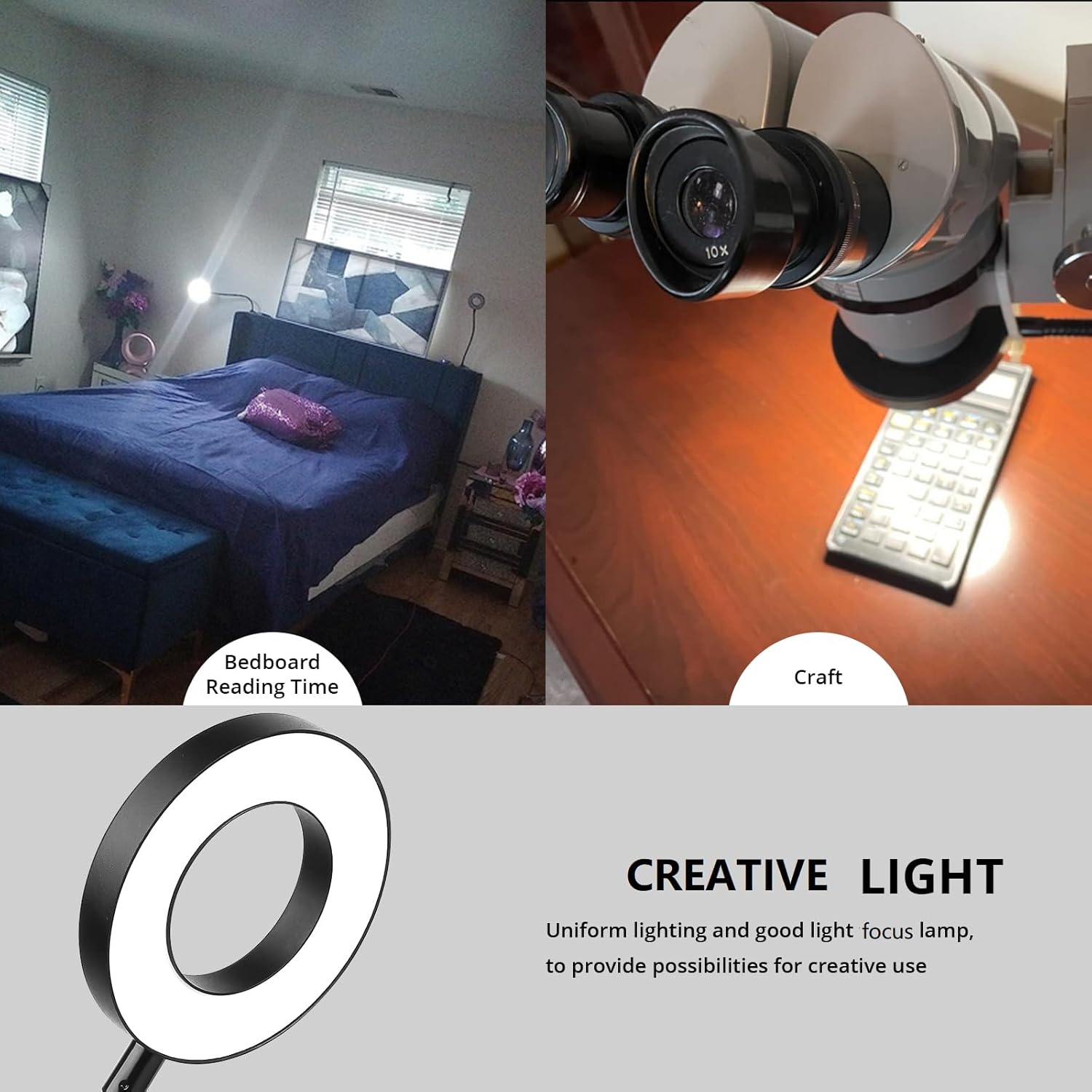
- മൾട്ടി-ആപ്ലിക്കേഷൻ: Suitable for bedside reading, college dorm study, painting, sewing, nail art, makeup, crafts, and baby night care.

എൽamp in use, highlighting its adaptability for different environments and tasks.
7. പരിചരണവും പരിപാലനവും
- വൃത്തിയാക്കൽ: വൃത്തിയാക്കുന്നതിന് മുമ്പ് വൈദ്യുതി ബന്ധം വിച്ഛേദിക്കുക. മൃദുവായതും ഉണങ്ങിയതുമായ തുണി ഉപയോഗിച്ച് എൽ തുടയ്ക്കുക.amp. Do not use liquid cleaners or abrasive materials.
- സംഭരണം: ദീർഘനേരം ഉപയോഗിക്കാത്തപ്പോൾ, l സൂക്ഷിക്കുകamp നേരിട്ട് സൂര്യപ്രകാശത്തിൽ നിന്ന് അകലെ തണുത്ത വരണ്ട സ്ഥലത്ത്.
- കൈകാര്യം ചെയ്യൽ: Avoid excessive force when adjusting the gooseneck to prevent damage.
8. പ്രശ്നപരിഹാരം
| പ്രശ്നം | സാധ്യമായ കാരണം | പരിഹാരം |
|---|---|---|
| Lamp ഓണാക്കുന്നില്ല. | ശരിയായി പ്ലഗ് ഇൻ ചെയ്തിട്ടില്ല; പവർ ഇല്ലtage; faulty adapter/cable. |
|
| വെളിച്ചം മിന്നിമറയുന്നു അല്ലെങ്കിൽ മങ്ങുന്നു. | Insufficient power supply; loose connection. |
|
| Lamp അപ്രതീക്ഷിതമായി ഓഫാകുന്നു. | Auto-off timer activated; power interruption. |
|
| Cannot change light mode or brightness. | നിയന്ത്രണ പാനൽ തകരാർ. |
|
9. ഉൽപ്പന്ന സവിശേഷതകൾ
| ഫീച്ചർ | വിശദാംശങ്ങൾ |
|---|---|
| ബ്രാൻഡ് | വോപുട്നെ |
| മോഡലിൻ്റെ പേര് | HL-TJ8010A |
| പ്രകാശ സ്രോതസ്സ് തരം | എൽഇഡി |
| പവർ ഉറവിടം | USB-Powered (5V 2A Adapter included) |
| വാട്ട്tage | 5 വാട്ട്സ് |
| തെളിച്ചം | 400 Lumen (Max) |
| ഇളം നിറങ്ങൾ | Warm White, Natural Light, Cool White (3 Modes) |
| തെളിച്ച നിലകൾ | 10 (10% to 100% dimmable) |
| നിയന്ത്രണ രീതി | Touch (Inline Control Panel) |
| മൗണ്ടിംഗ് തരം | Clip On (Clamp മൗണ്ടിംഗ്) |
| Clamp തുറക്കുന്നു | 5 സെ.മീ (2 ഇഞ്ച്) വരെ |
| Gooseneck നീളം | ഏകദേശം 38 സെ.മീ |
| USB കേബിൾ ദൈർഘ്യം | ഏകദേശം 150 സെ.മീ |
| Lamp തല വ്യാസം | ഏകദേശം 8.8 സെ.മീ |
| മെറ്റീരിയൽ | അക്രിലോണിട്രൈൽ ബ്യൂട്ടാഡിയൻ സ്റ്റൈറീൻ, അലുമിനിയം |
| ഇനത്തിൻ്റെ ഭാരം | 1.26 പൗണ്ട് |
| ഉൽപ്പന്ന അളവുകൾ | 8"D x 13"W x 17"H |
| ഇൻഡോർ/ഔട്ട്ഡോർ ഉപയോഗം | ഇൻഡോർ |
| പ്രത്യേക സവിശേഷതകൾ | Dimmable, Auto Turn Off, Memory Function |
10. വാറൻ്റിയും പിന്തുണയും
Woputne products are designed for quality and reliability. For any questions, concerns, or warranty claims, please contact Woputne customer support through your original purchase platform or visit the official Woputne store.
വാറന്റി ആവശ്യങ്ങൾക്കായി നിങ്ങളുടെ വാങ്ങിയതിന്റെ തെളിവ് സൂക്ഷിക്കുക.
Woputne Store: Visit the Woputne Store on Amazon