
TIMESS P34B wall clock
TIMESS 13-Inch Wall Clock User Manual
Model: P34B Wall Clock | Brand: TIMESS
ആമുഖം
Thank you for choosing the TIMESS 13-Inch Wall Clock. This clock combines classic analog timekeeping with a modern LCD display for perpetual calendar and temperature. Its silent, non-ticking movement ensures a peaceful environment. Please read this manual thoroughly before use to ensure proper setup and operation.
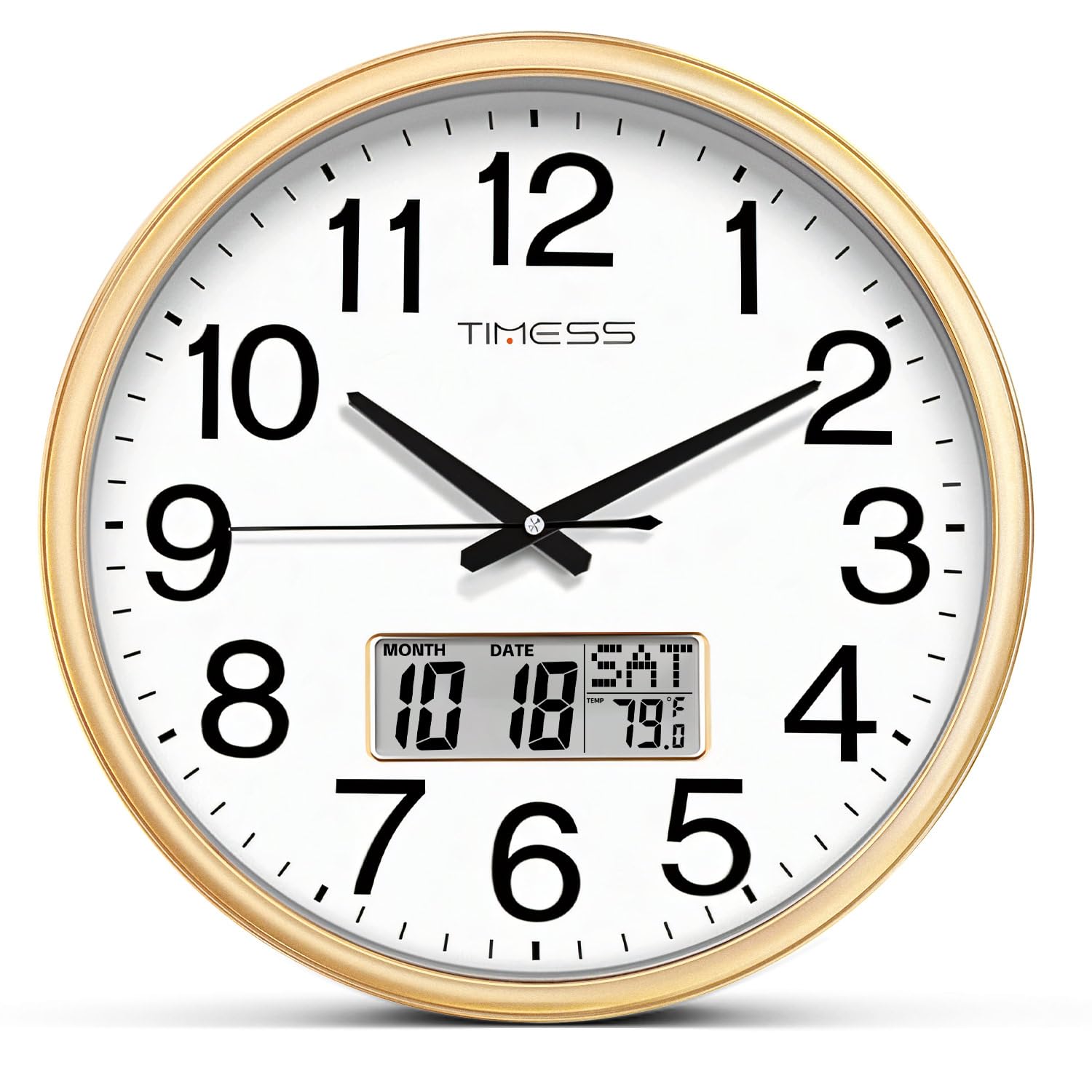
ചിത്രം: മുൻഭാഗം view of the TIMESS 13-Inch Wall Clock, showcasing the analog dial and the integrated LCD display for date and temperature.
സുരക്ഷാ വിവരങ്ങൾ
- മാത്രം ഉപയോഗിക്കുക AA carbon batteries. Do not use alkaline or rechargeable batteries, as they may damage the clock mechanism.
- ബാറ്ററികൾ കുട്ടികൾക്ക് ലഭ്യമാകാതെ സൂക്ഷിക്കുക.
- ക്ലോക്കിനെ ഉയർന്ന താപനിലയിലോ നേരിട്ടുള്ള സൂര്യപ്രകാശത്തിലോ തുറന്നുകാട്ടരുത്.
- ക്ലോക്ക് താഴെയിടുകയോ ശക്തമായ ആഘാതങ്ങൾക്ക് വിധേയമാക്കുകയോ ചെയ്യുന്നത് ഒഴിവാക്കുക.
- മൃദുവായതും ഉണങ്ങിയതുമായ തുണി ഉപയോഗിച്ച് ക്ലോക്ക് വൃത്തിയാക്കുക. അബ്രസീവ് ക്ലീനറുകളോ ലായകങ്ങളോ ഉപയോഗിക്കരുത്.
പാക്കേജ് ഉള്ളടക്കം
- 1 x TIMESS 13-Inch Wall Clock
- 1 x ഉപയോക്തൃ മാനുവൽ (ഈ പ്രമാണം)
- Note: 2x AA carbon batteries are required and not included.
സജ്ജമാക്കുക
1. ബാറ്ററി ഇൻസ്റ്റാളേഷൻ
The clock requires two (2) AA carbon batteries: one for the analog movement and one for the LCD display.
- Locate the battery compartments on the back of the clock. There is one for the clock movement and one for the LCD display.
- Insert one (1) AA carbon battery into the clock movement compartment, ensuring correct polarity (+/-).
- Insert one (1) AA carbon battery into the LCD display compartment, ensuring correct polarity (+/-).

ചിത്രം: പിൻഭാഗം view of the clock, highlighting the separate battery compartments for the analog movement and the LCD display.
2. സമയം ക്രമീകരിക്കുന്നു
After installing the battery for the clock movement:
- Turn the adjustment knob on the back of the clock movement to set the correct analog time.
3. Setting the Perpetual Calendar and Temperature Display
The LCD display has control buttons on the back for setting the date and time for the digital display.
- അമർത്തുക സെറ്റ് ക്രമീകരണ മോഡിൽ പ്രവേശിക്കാൻ ബട്ടൺ.
- ഉപയോഗിക്കുക UP ഒപ്പം താഴേക്ക് buttons to adjust the values (Year, Month, Date, Hour, Minute).
- അമർത്തുക സെറ്റ് again after each adjustment to confirm and move to the next setting.
- The temperature display automatically calibrates after a few minutes.
- അമർത്തുക പുനഃസജ്ജമാക്കുക button to clear all settings and start over if needed.
Video: This video demonstrates the setup process for the TIMESS 13-Inch Silent Wall Clock, including battery installation and setting the perpetual calendar and temperature display.
4. ക്ലോക്ക് മൗണ്ട് ചെയ്യുന്നു
The clock is designed for easy wall mounting.
- Choose a suitable location on a wall, ensuring it is sturdy enough to hold the clock's weight.
- Use a nail or screw (not included) in the desired position.
- Hang the clock using the universal hanging hole located on the back.

Image: Close-up of the back of the clock, showing the universal hanging hole for easy installation.
പ്രവർത്തന നിർദ്ദേശങ്ങൾ
Reading the Analog Time
The clock features a traditional analog display with hour, minute, and second hands. The large, bold numbers ensure clear visibility from a distance.

Image: A close-up of the clock face, emphasizing the large numerals for easy time reading.
എൽസിഡി ഡിസ്പ്ലേ മനസ്സിലാക്കുന്നു
The integrated LCD screen provides three key pieces of information simultaneously:
- ശാശ്വത കലണ്ടർ: Displays the current month and date.
- Weekly Calendar: ആഴ്ചയിലെ നിലവിലെ ദിവസം കാണിക്കുന്നു.
- Real-Time Temperature: Indicates the ambient temperature in Fahrenheit.

ചിത്രം: വിശദമായത് view of the LCD screen, illustrating the perpetual calendar (month, date, day) and real-time temperature display.
നിശബ്ദ പ്രവർത്തനം
The clock features a high-quality quartz sweep movement, ensuring a completely silent, non-ticking operation. This makes it ideal for bedrooms, offices, or any space where quiet is desired.

Image: The TIMESS wall clock displayed in a bedroom, emphasizing its silent operation for undisturbed sleep.
മെയിൻ്റനൻസ്
വൃത്തിയാക്കൽ
- Wipe the clock's frame and glass panel with a soft, dry, lint-free cloth.
- For stubborn marks on the glass, a slightly damp cloth followed by a dry one can be used.
- Do not use chemical cleaners, sprays, or abrasive materials, as these can damage the finish and glass.
Video: This video highlights the silent sweep movement and various color options of the TIMESS wall clock, demonstrating its smooth operation and aesthetic appeal.
ബാറ്ററി മാറ്റിസ്ഥാപിക്കൽ
- Replace batteries when the clock stops or the LCD display fades.
- Always replace both AA carbon batteries simultaneously for optimal performance.
- ഉപയോഗിച്ച ബാറ്ററികൾ പ്രാദേശിക നിയന്ത്രണങ്ങൾ അനുസരിച്ച് ഉത്തരവാദിത്തത്തോടെ നീക്കം ചെയ്യുക.
ട്രബിൾഷൂട്ടിംഗ്
| പ്രശ്നം | സാധ്യമായ കാരണം | പരിഹാരം |
|---|---|---|
| Clock not moving / LCD not displaying | ഡെഡ് അല്ലെങ്കിൽ തെറ്റായി ഇൻസ്റ്റാൾ ചെയ്ത ബാറ്ററികൾ. | Check battery polarity. Replace with fresh AA carbon batteries. |
| തെറ്റായ സമയം | സമയം ശരിയായി സജ്ജീകരിച്ചിട്ടില്ല. | Adjust the time using the knob on the back for analog, and SET/UP/DOWN buttons for LCD. |
| കൃത്യമല്ലാത്ത താപനില വായന | Clock recently moved or in an area with fluctuating temperature. | Allow 15-30 minutes for the sensor to stabilize in its new environment. |
സ്പെസിഫിക്കേഷനുകൾ
- ബ്രാൻഡ്: സമയം
- മോഡൽ: P34B wall clock
- വലിപ്പം: 13 Inch (13"W x 13"H)
- നിറം: Calendar Gold (as per current product)
- ഡിസ്പ്ലേ തരം: Analog with LCD Digital Display
- പ്രത്യേക സവിശേഷതകൾ: Perpetual Calendar Display, Temperature Display
- ഊർജ്ജ സ്രോതസ്സ്: Battery Powered (2x AA carbon batteries required, not included)
- പ്രസ്ഥാനം: Silent Quartz Sweep Movement
- ഫ്രെയിം മെറ്റീരിയൽ: Wood (finish)
- മെറ്റീരിയൽ: അക്രിലോണിട്രൈൽ ബ്യൂട്ടാഡീൻ സ്റ്റൈറൈൻ (എബിഎസ്)
- ഇൻഡോർ/ഔട്ട്ഡോർ ഉപയോഗം: ഇൻഡോർ
- ഇനത്തിൻ്റെ ഭാരം: 2.14 പൗണ്ട് (0.97 കിലോഗ്രാം)
വാറൻ്റിയും പിന്തുണയും
TIMESS products are manufactured with high-quality standards. For any issues or inquiries regarding your wall clock, please contact TIMESS customer support through your purchase platform. Please retain your proof of purchase for warranty claims.
While specific warranty details are not provided in this manual, standard consumer rights and return policies apply. For extended protection, consider purchasing available protection plans at the time of purchase.
Ask a question about this manual
Ask about setup, troubleshooting, compatibility, parts, safety, or missing instructions. Manuals+ will review the question and use this page’s manual context to help answer it.