
1. ആമുഖം
വാങ്ങിയതിന് നന്ദി.asing the plplaaoo Cordless Table Lamp. This manual provides essential information for the safe and efficient operation of your new lamp. Please read it thoroughly before use and retain it for future reference.
2. സുരക്ഷാ നിർദ്ദേശങ്ങൾ
- എൽ വെളിപ്പെടുത്തരുത്amp വെള്ളം അല്ലെങ്കിൽ അമിതമായ ഈർപ്പം.
- Avoid disassembling or modifying the lamp, ഇത് വാറൻ്റി അസാധുവാക്കുകയും സുരക്ഷാ അപകടങ്ങൾ ഉണ്ടാക്കുകയും ചെയ്തേക്കാം.
- ചാർജ് ചെയ്യുന്നതിന് നൽകിയിരിക്കുന്ന യുഎസ്ബി ടൈപ്പ്-സി കേബിൾ മാത്രം ഉപയോഗിക്കുക.
- എൽ സൂക്ഷിക്കുകamp away from heat sources and direct sunlight to prevent battery damage.
- എൽ ഉറപ്പാക്കുകamp ടിപ്പിംഗ് തടയാൻ ഒരു സ്ഥിരതയുള്ള, പരന്ന പ്രതലത്തിൽ സ്ഥാപിച്ചിരിക്കുന്നു.
- ഈ എൽamp ഇൻഡോർ ഉപയോഗത്തിനായി മാത്രം രൂപകൽപ്പന ചെയ്തിരിക്കുന്നു.
3. പാക്കേജ് ഉള്ളടക്കം
നിങ്ങളുടെ പാക്കേജിൽ എല്ലാ ഇനങ്ങളും ഉണ്ടെന്ന് ഉറപ്പാക്കുക:
- 1 x Cordless Table Lamp
- 1 x യുഎസ്ബി ടൈപ്പ്-സി ചാർജിംഗ് കേബിൾ

4. ഉൽപ്പന്നം കഴിഞ്ഞുview
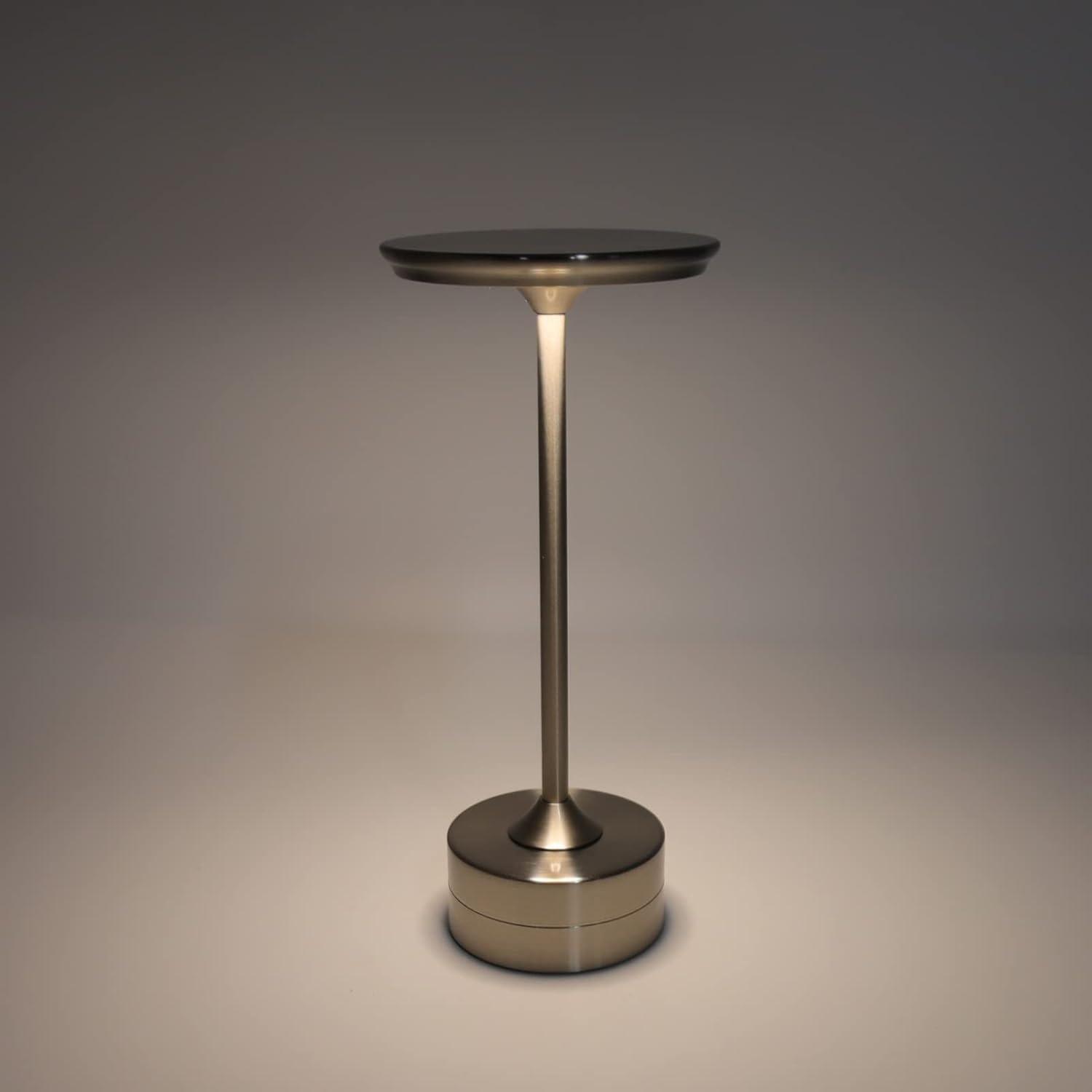
The plplaaoo Cordless Table Lamp features a sleek design with a durable iron, aluminum, and acrylic construction. It includes a built-in 2000mAh rechargeable lithium battery, offering 10-15 hours of working time on a full charge. The lamp provides three light sources: white light, warm light, and ordinary light, with adjustable brightness up to 150lm.


5. സജ്ജീകരണം
പ്രാരംഭ ചാർജിംഗ്
ആദ്യ ഉപയോഗത്തിന് മുമ്പ്, l പൂർണ്ണമായും ചാർജ് ചെയ്യുകamp. Connect the provided USB Type-C cable to the charging port on the lamp's base and plug the other end into a compatible USB power adapter (not included).
- Locate the USB Type-C charging port on the base of the lamp.
- Insert the USB Type-C cable into the lampന്റെ ചാർജിംഗ് പോർട്ട്.
- Connect the USB-A end of the cable to a standard USB power adapter (e.g., phone charger, computer USB port).
- The charging indicator (if present) will show the charging status. Allow several hours for a full charge.
6. പ്രവർത്തന നിർദ്ദേശങ്ങൾ
പവർ ഓൺ/ഓഫ്, തെളിച്ച ക്രമീകരണം
എൽamp features both a bottom switch and a top touch control for operation.
- താഴെയുള്ള സ്വിച്ച്: Flip the switch on the bottom of the lamp to the 'ON' position to enable the touch control function.
- Top Touch Control: Gently touch the top surface of the lamp to cycle through the three light modes: white light, warm light, and ordinary light. Continue touching to adjust brightness levels within each mode.
- എൽ ഓഫ് ചെയ്യാൻamp, either cycle through all light modes until it turns off via touch control, or flip the bottom switch to the 'OFF' position.


7. പരിപാലനം
- വൃത്തിയാക്കൽ: എൽ തുടയ്ക്കുകamp മൃദുവായതും ഉണങ്ങിയതുമായ തുണി ഉപയോഗിച്ച്. അബ്രാസീവ് ക്ലീനറുകളോ ലായകങ്ങളോ ഉപയോഗിക്കരുത്.
- സംഭരണം: ദീർഘനേരം ഉപയോഗിക്കാത്തപ്പോൾ, l സൂക്ഷിക്കുകamp in a cool, dry place. Ensure the battery is partially charged before storage to prolong its lifespan.
- ബാറ്ററി കെയർ: ബാറ്ററിയുടെ ആരോഗ്യം നിലനിർത്താൻ, ബാറ്ററി ഇടയ്ക്കിടെ പൂർണ്ണമായും ചാർജ് ചെയ്യുന്നത് ഒഴിവാക്കുക. l റീചാർജ് ചെയ്യുകamp പ്രകാശ ഔട്ട്പുട്ട് ശ്രദ്ധേയമായി മങ്ങുമ്പോൾ.
8. പ്രശ്നപരിഹാരം
| പ്രശ്നം | സാധ്യമായ കാരണം | പരിഹാരം |
|---|---|---|
| Lamp ഓണാക്കുന്നില്ല. | Battery is depleted. Bottom switch is off. | എൽ ചാർജ് ചെയ്യുകamp using the USB Type-C cable. Ensure the bottom switch is in the 'ON' position. |
| വെളിച്ചം മങ്ങുന്നു അല്ലെങ്കിൽ മിന്നിമറയുന്നു. | കുറഞ്ഞ ബാറ്ററി. | എൽ റീചാർജ് ചെയ്യുകamp. |
| Cannot change light mode/brightness. | Bottom switch is off. Touch control malfunction. | Ensure the bottom switch is 'ON'. Try restarting the lamp by turning the bottom switch off and on again. |
| Lamp ഈടാക്കുന്നില്ല. | Faulty cable or adapter. Charging port issue. | Try a different USB Type-C cable and power adapter. Ensure the cable is fully inserted. |
9 സ്പെസിഫിക്കേഷനുകൾ
| ഫീച്ചർ | വിശദാംശങ്ങൾ |
|---|---|
| മോഡൽ | B0D2LG61MQ |
| മെറ്റീരിയൽ | Iron, Aluminum, Acrylic |
| ഉയരം | ഏകദേശം 28.5 സെ.മീ / 11.2 ഇഞ്ച് |
| വ്യാസം | ഏകദേശം 13 സെ.മീ / 5.1 ഇഞ്ച് |
| ഭാരം | Approx. 0.66 kg / 23.4 oz |
| ബിൽറ്റ്-ഇൻ ബാറ്ററി | ലിഥിയം 2000mAh |
| പ്രകാശ സ്രോതസ്സ് | White light, Warm light, Ordinary light (3 levels brightness) |
| പരമാവധി തെളിച്ചം | 150ലി.മീ |
| ചാർജിംഗ് രീതി | യുഎസ്ബി ടൈപ്പ്-സി |
| നിയന്ത്രണം | Bottom switch, Top touch control |

10. വാറൻ്റിയും പിന്തുണയും
This product is covered by a standard manufacturer's warranty. For specific warranty details, please refer to the product packaging or contact the retailer where you purchased the item. For technical support or inquiries, please visit the official plplaaoo store or contact customer service.