1. ആമുഖം
Thank you for choosing the HY-T26 Headphones. These innovative open-ear earbuds are designed to provide a comfortable and high-quality audio experience, perfect for sports, daily use, and active lifestyles. Featuring Bluetooth 5.4 connectivity, HiFi stereo sound, and intuitive touch controls, the HY-T26 ensures seamless audio playback and communication while keeping you aware of your surroundings.
This manual provides detailed instructions on how to set up, operate, and maintain your new headphones.
2. ബോക്സിൽ എന്താണുള്ളത്?
- 1 x Pair of HY-T26 Earphones
- 1 x ലാനിയാർഡ്
- 1 x വയർലെസ് ചാർജിംഗ് കേസ്
- 1 x ടൈപ്പ്-സി ചാർജിംഗ് കേബിൾ
- 1 x ഉപയോക്തൃ മാനുവൽ (ഈ പ്രമാണം)

Image: The HY-T26 headphones and their packaging, showcasing the black color variant.
3. ഉൽപ്പന്ന സവിശേഷതകൾ
3.1 Innovative Ergonomic Open-Ear Design
The HY-T26 headphones feature a unique open-ear design that rests securely atop your ears, avoiding insertion into the ear canal. This design enhances comfort during prolonged wear and reduces the risk of ear fatigue or hearing loss, allowing you to stay aware of your surroundings.

Image: A close-up of the HY-T26 earbud resting comfortably on an ear model, illustrating its open-ear placement.
3.2 Exceptional HiFi Stereo Sound
Equipped with a built-in 16mm dynamic speaker, these headphones deliver 360° Hi-Fi stereo sound with clear clarity and powerful bass. Advanced noise reduction technology ensures crisp vocals and immersive audio at any volume level.
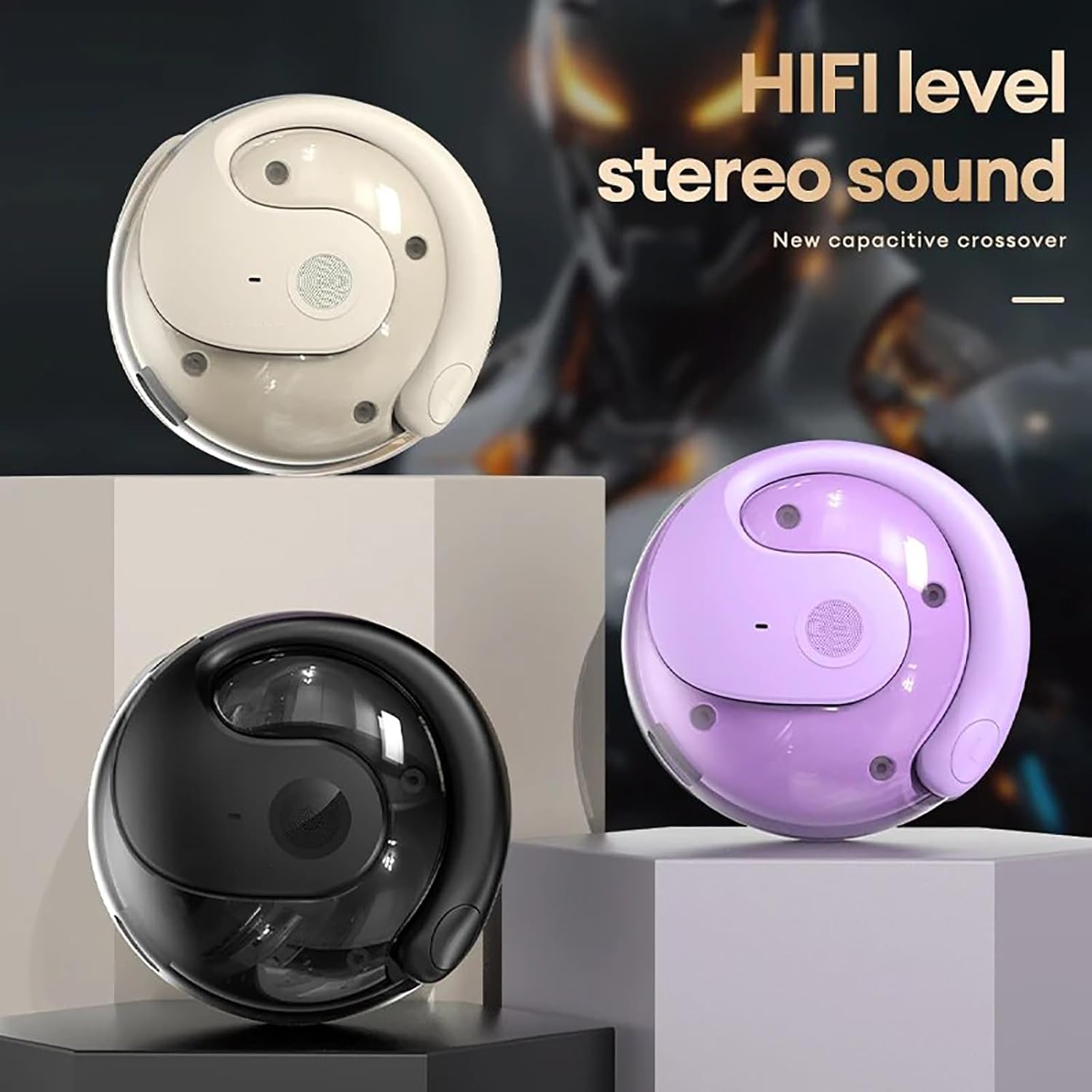
Image: Three HY-T26 charging cases in white, purple, and black, emphasizing the HiFi stereo sound capability.

Image: A detailed diagram illustrating the metal diaphragm component responsible for powerful and immersive sound.
3.3 Secure Fit for Active Lifestyles
Designed with ergonomic and flexible ear hooks, the HY-T26 headphones distribute weight evenly for a secure fit. The soft silicone ear hooks with memory recall ensure comfort and prevent slippage during workouts or outdoor activities.
3.4 അവബോധജന്യമായ ടച്ച് നിയന്ത്രണങ്ങൾ
Each earphone features a touch panel for easy management of audio playback and calls. Functions include play/pause, volume adjustment, answering/hanging up calls, and voice assistant activation.
3.5 Sweatproof Durability
Utilizing new technology, these headphones offer maximum protection against sweat and moisture, safeguarding internal components for enhanced durability and longevity during intense activities.

Image: The HY-T26 earbud with overlaid text emphasizing its pleasant and sound-proof qualities, including HD calls and HiFi sound.
4. സജ്ജീകരണം
4.1 ഹെഡ്ഫോണുകളും കേസും ചാർജ് ചെയ്യുന്നു
Before first use, fully charge the headphones and the charging case. Connect the provided Type-C charging cable to the charging port on the case and a power source. The charging time for the case is approximately 1 hour. The earphones will charge automatically when placed inside the case.

Image: The HY-T26 charging case with a Type-C cable plugged in, demonstrating its large battery life and charging capability.
Video: A demonstration of the HY-T26 charging case and lanyard, highlighting its portability and charging functionality.
4.2 ബ്ലൂടൂത്ത് ജോടിയാക്കൽ
- ചാർജിംഗ് കേസ് തുറക്കുക. ഇയർഫോണുകൾ സ്വയമേവ ഓണാകുകയും ജോടിയാക്കൽ മോഡിലേക്ക് പ്രവേശിക്കുകയും ചെയ്യും.
- നിങ്ങളുടെ ഉപകരണത്തിൽ (സ്മാർട്ട്ഫോൺ, ടാബ്ലെറ്റ് മുതലായവ), ബ്ലൂടൂത്ത് പ്രവർത്തനക്ഷമമാക്കുക.
- ഇതിനായി തിരയുക "HY-T26" in the list of available Bluetooth devices and select it to connect.
- Once connected, you will hear a confirmation prompt, and the indicator light on the earphones will change.
The headphones support Bluetooth 5.4 for a stable connection up to 10 meters (33 feet).

Image: An HY-T26 earbud positioned near a smartphone displaying a video game, illustrating seamless audio and video synchronization.
5. പ്രവർത്തന നിർദ്ദേശങ്ങൾ
5.1 ഇയർഫോണുകൾ ധരിക്കൽ
Gently slide the ear hooks over the top of your ears, ensuring the main earbud unit rests comfortably outside your ear canal. Adjust for a secure and comfortable fit. The earphones are marked 'L' for left and 'R' for right.
5.2 ടച്ച് നിയന്ത്രണങ്ങൾ
The HY-T26 headphones feature intuitive touch controls on each earbud:
- പ്ലേ/താൽക്കാലികമായി നിർത്തുക: ഇയർബഡുകളിൽ ഏതെങ്കിലുമൊന്നിൽ ഒറ്റ ടാപ്പ് ചെയ്യുക.
- വോളിയം കൂട്ടുക/താഴ്ത്തുക: Specific gestures (refer to quick start guide for exact taps, typically long press or multiple taps).
- അടുത്ത ട്രാക്ക്: വലതുവശത്തെ ഇയർബഡിൽ രണ്ടുതവണ ടാപ്പ് ചെയ്യുക.
- മുമ്പത്തെ ട്രാക്ക്: ഇടതുവശത്തെ ഇയർബഡിൽ രണ്ടുതവണ ടാപ്പ് ചെയ്യുക.
- ഉത്തരം/അവസാന കോൾ: ഇൻകമിംഗ് കോൾ വരുമ്പോൾ ഏത് ഇയർബഡിലും ഒറ്റ ടാപ്പ് ചെയ്യുക.
- കോൾ നിരസിക്കുക: ഇൻകമിംഗ് കോൾ വരുമ്പോൾ ഏതെങ്കിലുമൊരു ഇയർബഡിൽ ദീർഘനേരം അമർത്തുക.
- വോയ്സ് അസിസ്റ്റന്റിനെ സജീവമാക്കുക: ഇയർബഡുകളിൽ ഏതെങ്കിലുമൊന്നിൽ മൂന്ന് തവണ ടാപ്പ് ചെയ്യുക.
6. പരിപാലനം
To ensure the longevity and optimal performance of your HY-T26 headphones:
- മൃദുവായതും ഉണങ്ങിയതുമായ തുണി ഉപയോഗിച്ച് ഇയർബഡുകളും ചാർജിംഗ് കേസും പതിവായി വൃത്തിയാക്കുക.
- Avoid exposing the headphones to extreme temperatures or direct sunlight for extended periods.
- While sweatproof, avoid submerging the headphones in water.
- ഹെഡ്ഫോണുകൾ ഉപയോഗിക്കാത്തപ്പോൾ ചാർജിംഗ് കേസിൽ സൂക്ഷിക്കുക, അതുവഴി അവയെ സംരക്ഷിക്കാനും ചാർജ്ജ് ആയി നിലനിർത്താനും കഴിയും.
7. പ്രശ്നപരിഹാരം
If you encounter issues with your HY-T26 headphones, try the following steps:
- ശബ്ദ/കണക്ഷൻ പ്രശ്നങ്ങളില്ല:
- രണ്ട് ഇയർഫോണുകളും ചാർജ് ചെയ്തിട്ടുണ്ടെന്ന് ഉറപ്പാക്കുക.
- Turn off and on your device's Bluetooth, then try re-pairing.
- രണ്ട് ഇയർഫോണുകളും ചാർജിംഗ് കെയ്സിലേക്ക് തിരികെ വയ്ക്കുക, ലിഡ് അടയ്ക്കുക, കുറച്ച് നിമിഷങ്ങൾ കാത്തിരിക്കുക, തുടർന്ന് റീസെറ്റ് ചെയ്യാൻ വീണ്ടും തുറക്കുക.
- Ensure the headphones are within the 10M Bluetooth transmission distance of your device.
- Earphone Not Charging:
- Check if the charging case has sufficient power.
- ഇയർഫോണുകളിലെയും കേസിനുള്ളിലെയും ചാർജിംഗ് കോൺടാക്റ്റുകൾ വൃത്തിയുള്ളതും അവശിഷ്ടങ്ങളില്ലാത്തതുമാണെന്ന് ഉറപ്പാക്കുക.
- Try a different Type-C charging cable and power adapter.
- ശബ്ദ നിലവാര പ്രശ്നങ്ങൾ:
- Ensure the earphones are properly positioned on your ears.
- Clean the speaker mesh if it appears obstructed.
- Try playing audio from a different source or device.
8 സ്പെസിഫിക്കേഷനുകൾ
| ഫീച്ചർ | വിശദാംശങ്ങൾ |
|---|---|
| മോഡലിൻ്റെ പേര് | HY-T26 |
| ബ്ലൂടൂത്ത് പതിപ്പ് | 5.4 |
| ട്രാൻസ്മിഷൻ ദൂരം | 10 മീറ്റർ (33 അടി) |
| ചാർജിംഗ് ഇൻ്റർഫേസ് | ടൈപ്പ്-സി |
| ചാർജിംഗ് കമ്പാർട്ട്മെന്റ് ശേഷി | 300mAh |
| ചാർജിംഗ് സമയം (കേസ്) | ഏകദേശം 1 മണിക്കൂർ |
| തുടർച്ചയായ ഉപയോഗ സമയം | 36 മണിക്കൂർ വരെ (ചാർജിംഗ് കേസ് ഉപയോഗിച്ച്) |
| ഓഡിയോ ഡ്രൈവർ വലിപ്പം | 16 മി.മീ |
| ഫ്രീക്വൻസി റേഞ്ച് | 20 ഹെർട്സ് - 20,000 ഹെർട്സ് |
| ജല പ്രതിരോധ നില | Water Resistant (Sweatproof) |
| നിയന്ത്രണ തരം | ടച്ച് നിയന്ത്രണം |
| ചെവി പ്ലേസ്മെൻ്റ് | തുറന്ന ചെവി |
9. വാറൻ്റിയും പിന്തുണയും
For detailed warranty information and customer support, please refer to the warranty card included with your product or visit the official Generic product support webസൈറ്റ്. വാറൻ്റി ക്ലെയിമുകൾക്കായി നിങ്ങളുടെ വാങ്ങൽ രസീത് സൂക്ഷിക്കുക.


