
1. ഉൽപ്പന്നം കഴിഞ്ഞുview
The DOOGEE T30E is an 11-inch Android 14 tablet designed for a seamless user experience, combining powerful performance with versatile features. It is equipped with an octa-core processor, ample memory, and a large battery, making it suitable for gaming, entertainment, and productivity.
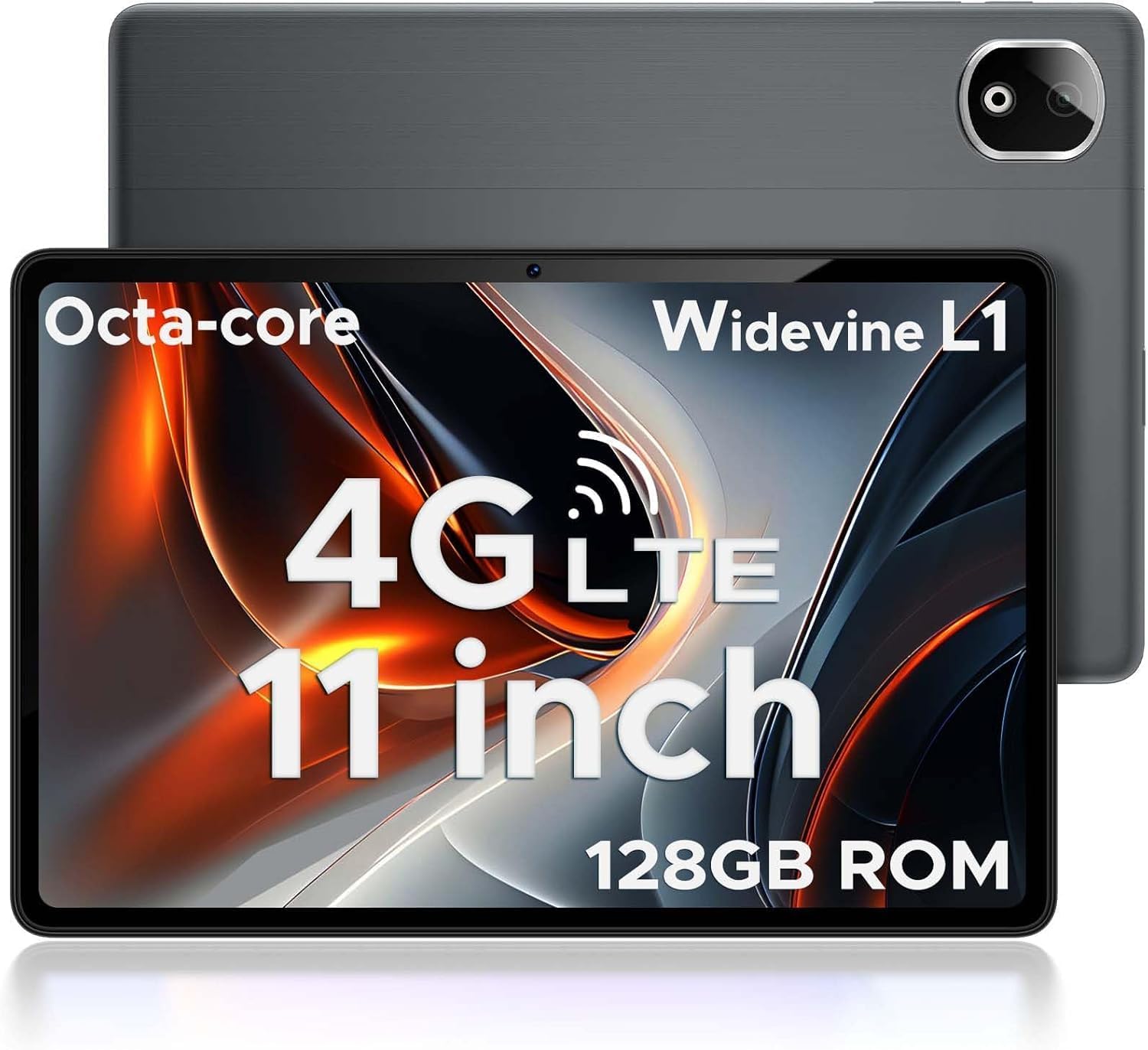
Figure 1.1: DOOGEE T30E Tablet, showcasing അതിന്റെ മിനുസമാർന്ന രൂപകൽപ്പനയും ക്യാമറ മൊഡ്യൂളും.
2. ബോക്സിൽ എന്താണുള്ളത്?
Upon opening the DOOGEE T30E package, you will find the following items:
- DOOGEE T30E Tablet (128GB Storage)
- USB-C ചാർജിംഗ് കേബിൾ
- പവർ അഡാപ്റ്റർ
- ഉപയോക്തൃ മാനുവൽ
- സിം എജക്ടർ ഉപകരണം
Video 2.1: Unboxing the DOOGEE T30E Tablet and its contents.
3. പ്രാരംഭ സജ്ജീകരണം
3.1 ടാബ്ലെറ്റ് ചാർജ് ചെയ്യുന്നു
Before first use, fully charge your DOOGEE T30E tablet. Connect the provided USB-C cable to the tablet's charging port and the power adapter, then plug the adapter into a wall outlet. The battery indicator on the screen will show charging progress.
3.2 പവർ ഓൺ/ഓഫ്
- To power on: Press and hold the Power button located on the side of the tablet until the DOOGEE logo appears.
- പവർ ഓഫ് ചെയ്യാൻ: പവർ ബട്ടൺ അമർത്തിപ്പിടിക്കുക, തുടർന്ന് സ്ക്രീനിൽ ദൃശ്യമാകുന്ന ഓപ്ഷനുകളിൽ നിന്ന് "പവർ ഓഫ്" തിരഞ്ഞെടുക്കുക.
3.3 സിം കാർഡും മൈക്രോ എസ്ഡി കാർഡും ഇൻസ്റ്റാൾ ചെയ്യൽ
The DOOGEE T30E supports dual SIM cards and MicroSD card expansion up to 1TB. Use the provided SIM ejector tool to open the SIM tray.
- ടാബ്ലെറ്റിന്റെ വശത്ത് സിം ട്രേ കണ്ടെത്തുക.
- ട്രേയുടെ അടുത്തുള്ള ചെറിയ ദ്വാരത്തിലേക്ക് സിം എജക്റ്റർ ഉപകരണം തിരുകുക, ട്രേ പുറത്തേക്ക് വരുന്നത് വരെ സൌമ്യമായി അമർത്തുക.
- Place your Nano-SIM cards and/or MicroSD card into the designated slots on the tray. Ensure they are correctly oriented.
- ട്രേ അതിന്റെ സ്ഥാനത്ത് ക്ലിക്കായി വരുന്നത് വരെ ശ്രദ്ധാപൂർവ്വം ടാബ്ലെറ്റിലേക്ക് തിരികെ തള്ളുക.

Figure 3.1: Location of the SIM card tray and dual speakers on the DOOGEE T30E.
Video 3.2: Demonstration of SIM card installation and 4G network capabilities.
4. പ്രവർത്തന നിർദ്ദേശങ്ങൾ
4.1 ആൻഡ്രോയിഡ് 14 ഇന്റർഫേസ് നാവിഗേറ്റ് ചെയ്യൽ
The DOOGEE T30E runs on Android 14, offering an intuitive and secure user experience. Use touch gestures to navigate:
- ടാപ്പ് ചെയ്യുക: ഒരു ഇനം തിരഞ്ഞെടുക്കുകയോ ഒരു ആപ്പ് തുറക്കുകയോ ചെയ്യുക.
- സ്വൈപ്പ്: സ്ക്രീനുകളിലൂടെയോ മെനുകളിലൂടെയോ ഉള്ളടക്കത്തിലൂടെയോ സ്ക്രോൾ ചെയ്യുക.
- പിഞ്ച്: ചിത്രങ്ങൾ സൂം ഇൻ ചെയ്യുകയോ ഔട്ട് ചെയ്യുകയോ ചെയ്യുക, web പേജുകൾ.
- ലോംഗ് പ്രസ്സ്: സന്ദർഭോചിത മെനുകൾ ആക്സസ് ചെയ്യുക അല്ലെങ്കിൽ ഐക്കണുകൾ നീക്കുക.

Figure 4.1: The Android 14 operating system interface on the DOOGEE T30E.
4.2 Connectivity (Wi-Fi, 4G LTE, Bluetooth)
Connect to the internet and other devices:
- വൈഫൈ: Go to Settings > Network & internet > Wi-Fi to connect to available networks. Supports high-speed AC dual-band 2.4Ghz/5Ghz Wi-Fi.
- 4G LTE: With a valid SIM card, the tablet supports TD-LTE and FDD-LTE 4G for mobile data and VoLTE calls.
- ബ്ലൂടൂത്ത് 5.0: Enable Bluetooth in Settings > Connected devices > Connection preferences > Bluetooth to pair with headphones, speakers, or other Bluetooth-enabled devices.
4.3 ക്യാമറ ഉപയോഗം
The tablet features a 13MP rear camera and an 8MP front camera for capturing photos and videos.
- Open the "Camera" app from the home screen or app drawer.
- ഒരു ഫോട്ടോ എടുക്കാൻ ഷട്ടർ ബട്ടൺ ടാപ്പ് ചെയ്യുക.
- ആവശ്യാനുസരണം ഫോട്ടോ, വീഡിയോ മോഡുകൾക്കിടയിൽ മാറുക.
- Use the front/rear camera toggle for selfies or main shots.

Figure 4.2: Details on the 13MP rear camera and 5MP front camera capabilities.
4.4 വൈഡ്വൈൻ എൽ1 പിന്തുണ
The DOOGEE T30E supports Widevine L1, enabling high-definition streaming from popular platforms like Amazon Prime Video, YouTube, Disney+, and Hulu. This ensures a premium visual experience for your entertainment.
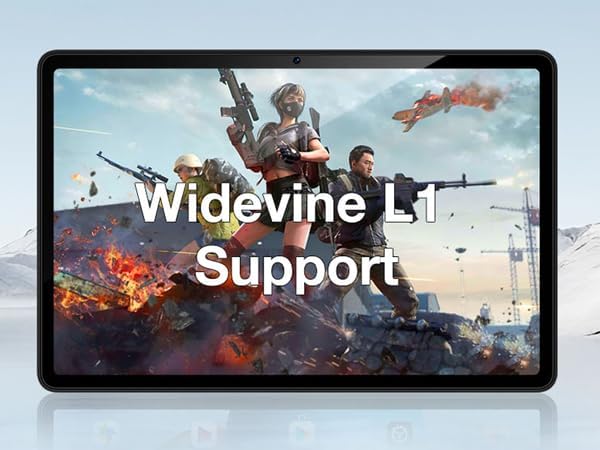
Figure 4.3: The tablet's display highlighting Widevine L1 support for high-definition streaming.
5 പ്രധാന സവിശേഷതകൾ
5.1 ഡിസ്പ്ലേയും പ്രകടനവും
The tablet features an 11-inch HD display with a 1280x800 pixel resolution and an 83.2% screen-to-body ratio, providing an immersive viewing experience. Powered by a Spreadtrum T606 octa-core processor, it delivers superior performance for smooth multitasking and responsive gaming.

Figure 5.1: Visual comparison highlighting the 11-inch IPS large screen of the DOOGEE T30E.
വീഡിയോ 5.2: കഴിഞ്ഞുview of the 11-inch screen and 8000mAh battery capacity.
5.2 മെമ്മറിയും സംഭരണവും
The T30E comes with 9GB RAM (4GB physical + 5GB virtual RAM expansion) and 128GB of internal storage. Storage can be expanded up to 1TB using a MicroSD card, providing ample space for apps, games, and media.

Figure 5.3: Illustration of the tablet's memory and storage capabilities.
Video 5.4: Demonstrating the 9GB RAM and 128GB ROM features of the DOOGEE Android tablet.
5.3 ബാറ്ററി ലൈഫ്
Equipped with an 8000mAh long-lasting battery, the DOOGEE T30E provides extended usage times for movies, music, and gaming, reducing battery anxiety.

Figure 5.5: Diagram illustrating the 8000mAh battery and its estimated usage times.
5.4 ഓഡിയോ നിലവാരം
The tablet is equipped with high-quality stereo speakers, delivering a 3D surround sound experience for enhanced audio enjoyment.
Video 5.6: Highlighting the high-quality stereo speakers of the 11-inch tablet.
6. പരിപാലനം
6.1 നിങ്ങളുടെ ടാബ്ലെറ്റ് വൃത്തിയാക്കൽ
ടാബ്ലെറ്റിന്റെ രൂപഭാവവും പ്രവർത്തനക്ഷമതയും നിലനിർത്താൻ:
- സ്ക്രീനും ബോഡിയും തുടയ്ക്കാൻ മൃദുവായ, ലിന്റ് രഹിത തുണി ഉപയോഗിക്കുക.
- കഠിനമായ പാടുകൾക്ക്, ചെറുതായി dampen വെള്ളമുള്ള തുണി അല്ലെങ്കിൽ ഒരു സ്ക്രീൻ ക്ലീനർ.
- കഠിനമായ രാസവസ്തുക്കൾ, ഉരച്ചിലുകൾ ഉള്ള വസ്തുക്കൾ, അല്ലെങ്കിൽ അമിതമായ ഈർപ്പം എന്നിവ ഉപയോഗിക്കുന്നത് ഒഴിവാക്കുക.
6.2 സോഫ്റ്റ്വെയർ അപ്ഡേറ്റുകൾ
മികച്ച പ്രകടനം, സുരക്ഷ, പുതിയ സവിശേഷതകളിലേക്കുള്ള ആക്സസ് എന്നിവ ഉറപ്പാക്കാൻ സോഫ്റ്റ്വെയർ അപ്ഡേറ്റുകൾ പതിവായി പരിശോധിച്ച് ഇൻസ്റ്റാൾ ചെയ്യുക. ക്രമീകരണങ്ങൾ > സിസ്റ്റം > സിസ്റ്റം അപ്ഡേറ്റ് എന്നതിലേക്ക് പോകുക.
6.3 ബാറ്ററി കെയർ
ബാറ്ററി ആയുസ്സ് വർദ്ധിപ്പിക്കാൻ:
- തീവ്രമായ താപനില ഒഴിവാക്കുക.
- ബാറ്ററി ഇടയ്ക്കിടെ പൂർണ്ണമായും തീർന്നുപോകാൻ അനുവദിക്കരുത്.
- ബാറ്ററി നിറഞ്ഞു കഴിഞ്ഞാൽ ചാർജർ ഊരിവയ്ക്കുക.
7. പ്രശ്നപരിഹാരം
| പ്രശ്നം | സാധ്യമായ പരിഹാരം |
|---|---|
| ടാബ്ലെറ്റ് ഓണാക്കുന്നില്ല. | ബാറ്ററി ചാർജ്ജ് ചെയ്തിട്ടുണ്ടെന്ന് ഉറപ്പാക്കുക. റീസ്റ്റാർട്ട് ചെയ്യാൻ പവർ ബട്ടൺ കുറഞ്ഞത് 10-15 സെക്കൻഡ് അമർത്തിപ്പിടിക്കുക. |
| വൈഫൈ കണക്ഷൻ പ്രശ്നങ്ങൾ. | Restart the tablet and your Wi-Fi router. Forget the network in Wi-Fi settings and reconnect. |
| ആപ്പുകൾ ക്രാഷ് ചെയ്യുകയോ മരവിക്കുകയോ ചെയ്യുന്നു. | Clear the app's cache (Settings > Apps > [App Name] > Storage & cache > Clear cache). If the issue persists, uninstall and reinstall the app. |
| മന്ദഗതിയിലുള്ള പ്രകടനം. | Close unused apps, clear cache, and ensure sufficient storage space. Consider a factory reset as a last resort (backup data first). |
| സിം കാർഡ് കണ്ടെത്തിയില്ല. | Ensure the SIM card is correctly inserted and activated. Restart the tablet. |
8 സ്പെസിഫിക്കേഷനുകൾ
- മോഡൽ: T30E
- ഓപ്പറേറ്റിംഗ് സിസ്റ്റം: ആൻഡ്രോയിഡ് 14
- ഡിസ്പ്ലേ: 11 Inches, 1280 x 800 pixels (HD)
- പ്രോസസ്സർ: Spreadtrum T606 Octa-Core Processor (Unisoc)
- റാം: 9GB (4GB + 5GB RAM expansion)
- ആന്തരിക സംഭരണം: 128 ജിബി
- വികസിപ്പിക്കാവുന്ന സംഭരണം: മൈക്രോഎസ്ഡി കാർഡ് വഴി 1TB വരെ
- പിൻ ക്യാമറ: 13എംപി
- മുൻ ക്യാമറ: 8എംപി
- ബാറ്ററി: 8000mAh Lithium Ion (Average Battery Life: 2 days)
- കണക്റ്റിവിറ്റി: 4G LTE (Dual SIM), 5G WiFi (802.11ac), Bluetooth 5.0
- അളവുകൾ (LxWxH): 10 x 7 x 0.4 ഇഞ്ച്
- ഇനത്തിൻ്റെ ഭാരം: 2.01 പൗണ്ട്
- അധിക സവിശേഷതകൾ: Widevine L1 Support, GPS, Face ID
9. വാറൻ്റിയും പിന്തുണയും
The DOOGEE T30E comes with a 2 വർഷത്തെ വാറൻ്റി. Additionally, DOOGEE provides ആജീവനാന്ത സാങ്കേതിക പിന്തുണ നിറഞ്ഞതും 24/7 ഓൺലൈൻ പിന്തുണ. If you encounter any problems or have questions regarding your tablet, please contact DOOGEE customer service for assistance. They aim to respond within 24 hours.
For further assistance, please visit the official DOOGEE webസൈറ്റ് അല്ലെങ്കിൽ നിങ്ങളുടെ ഉൽപ്പന്ന പാക്കേജിംഗിൽ നൽകിയിരിക്കുന്ന കോൺടാക്റ്റ് വിവരങ്ങൾ റഫർ ചെയ്യുക.