
1. ഉൽപ്പന്നം കഴിഞ്ഞുview
This manual provides essential instructions for the safe and efficient use of your HUAWEI MatePad SE 11" Tablet. Please read this manual thoroughly before using the device and retain it for future reference.

ചിത്രം: പിൻഭാഗം view of the HUAWEI MatePad SE 11" tablet, highlighting its lightweight (475g) and slim (6.9mm) design. The tablet features a premium metal unibody construction.
The HUAWEI MatePad SE 11" is designed for an immersive visual and audio experience, featuring an 11-inch FullView Eye Comfort screen and a powerful quad-speaker system. Its lightweight and slim design make it highly portable.
2. പ്രാരംഭ സജ്ജീകരണം
2.1. അൺബോക്സിംഗും പാക്കേജ് ഉള്ളടക്കങ്ങളും
Carefully unpack your HUAWEI MatePad SE 11" tablet. Ensure all items listed below are present:
- HUAWEI MatePad SE 11" Tablet (6GB+128GB)
- ചാർജർ
- ടൈപ്പ്-സി കേബിൾ
- ദ്രുത ആരംഭ ഗൈഡ്
- വാറൻ്റി കാർഡ്
2.2. ടാബ്ലെറ്റ് ചാർജ് ചെയ്യുന്നു
Before first use, fully charge the tablet. Connect the Type-C cable to the tablet's USB-C port and the charger, then plug the charger into a power outlet. The tablet supports 22.5W fast charging.
2.3. പവർ ഓൺ/ഓഫ്
- പവർ ഓണാക്കാൻ: Press and hold the Power button until the HUAWEI logo appears.
- പവർ ഓഫ് ചെയ്യാൻ: പവർ ബട്ടൺ അമർത്തിപ്പിടിക്കുക, തുടർന്ന് ഓപ്ഷനുകളിൽ നിന്ന് "പവർ ഓഫ്" തിരഞ്ഞെടുക്കുക.
- പുനരാരംഭിക്കാൻ: പവർ ബട്ടൺ അമർത്തിപ്പിടിക്കുക, തുടർന്ന് ഓപ്ഷനുകളിൽ നിന്ന് "പുനരാരംഭിക്കുക" തിരഞ്ഞെടുക്കുക.
2.4. പ്രാരംഭ കോൺഫിഗറേഷൻ
പ്രാരംഭ സജ്ജീകരണം പൂർത്തിയാക്കാൻ സ്ക്രീനിലെ നിർദ്ദേശങ്ങൾ പാലിക്കുക, അതിൽ ഉൾപ്പെടുന്നവ:
- ഭാഷ തിരഞ്ഞെടുക്കൽ
- Wi-Fi നെറ്റ്വർക്ക് കണക്ഷൻ
- HUAWEI ID login (or create a new one)
- Security settings (PIN, password, pattern, or facial recognition)
3. നിങ്ങളുടെ ടാബ്ലെറ്റ് പ്രവർത്തിപ്പിക്കൽ
3.1. ഡിസ്പ്ലേ സവിശേഷതകൾ

Image: The HUAWEI MatePad SE 11" screen, showcasing its 11-inch FHD+ Eye Comfort display. Key features include an 85% screen-to-body ratio, 1920x1200 resolution, and 400 Nits brightness for a clear visual experience.
The 11-inch FHD+ Eye Comfort display provides an immersive visual experience. It features:
- റെസലൂഷൻ: 1920 x 1200 പിക്സലുകൾ
- കണ്ണിന് ആശ്വാസം: TÜV Rheinland certified for low blue light and flicker-free viewing, reducing eye strain during prolonged use.
- തെളിച്ചം: 400 Nits, with 4096-level brightness adjustment.
- E-Book Mode: A dedicated mode for a paper-like reading experience.
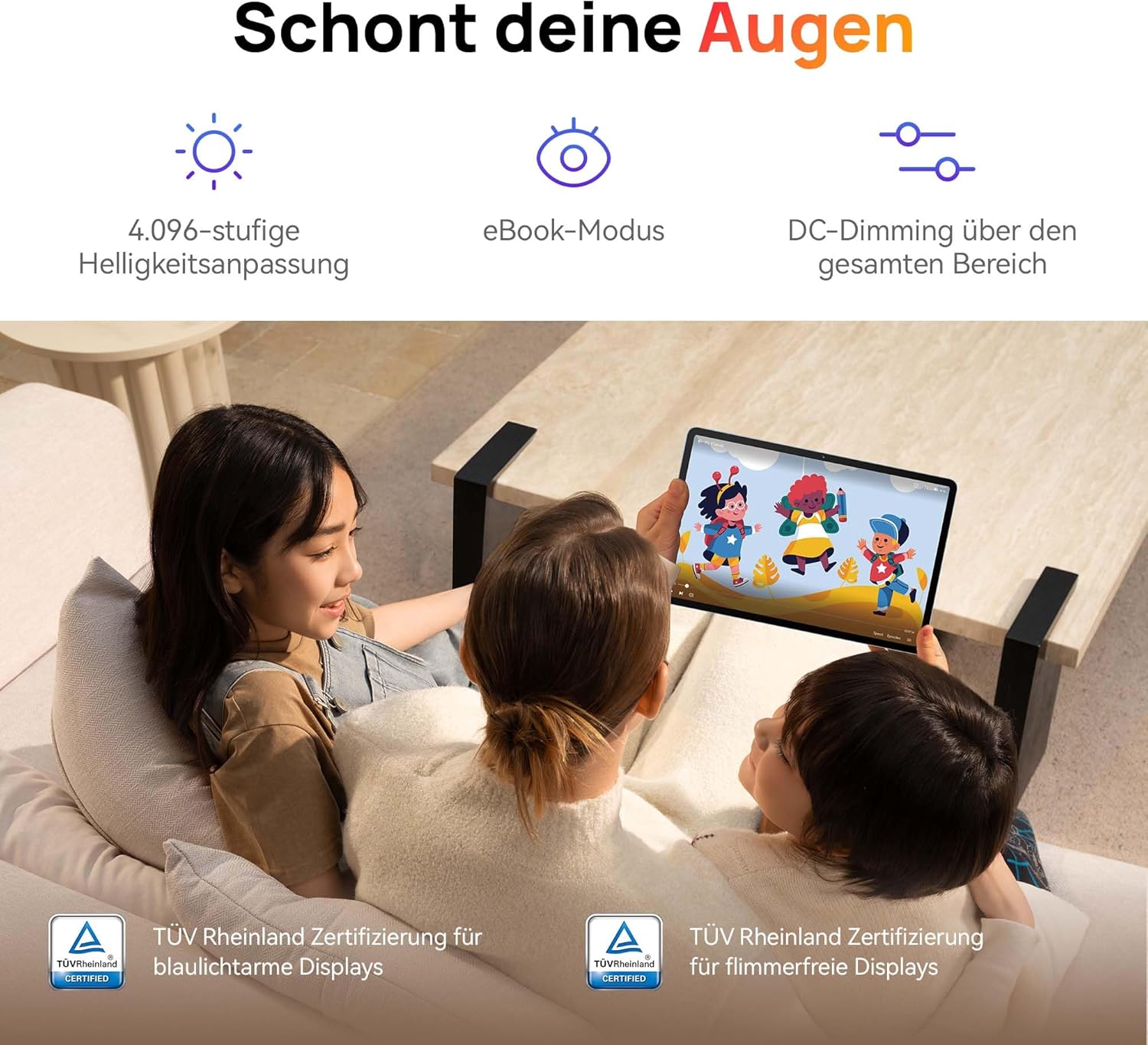
Image: Children using the tablet, illustrating the eye protection features. The display is TÜV Rheinland certified for low blue light and flicker-free operation, ensuring a comfortable viewഅനുഭവം.
3.2. ഓഡിയോ സിസ്റ്റം

Image: A user enjoying music on the tablet, demonstrating the immersive quad-speaker system. This system is optimized by HUAWEI Histen 9.0 technology for high-quality audio.
The tablet features a symmetrical quad-speaker system optimized by HUAWEI Histen 9.0 technology, providing cinematic sound quality for various applications.
3.3. Kids Corner

Image: The Kids Corner interface on the tablet, designed as a safe and engaging environment for children. Features include posture warnings, a blue light filter, and an eBook mode, along with content from BabyBus.
Kids Corner provides a safe and dedicated environment for children to learn and play. Parents can manage:
- Time limits for usage.
- Allowed applications and content.
- Features like posture warnings and blue light filters to promote healthy digital habits.
It also includes content from BabyBus, offering games, stories, and nursery rhymes.
3.4. M-Pen Lite (Optional Accessory)

Image: The HUAWEI M-Pen Lite stylus, an optional accessory that enhances interaction with the tablet for drawing, writing, and note-taking. It is supported by the HUAWEI MatePad SE 11" Stylus Set.
If you have the HUAWEI M-Pen Lite, it can be used for enhanced interaction, drawing, and note-taking. Ensure your tablet supports the M-Pen Lite stylus set.
The tablet also supports applications like GoPaint for professional and easy-to-use digital art, and HUAWEI Note for organized note-taking.

Image: GoPaint application on the tablet, illustrating its interface for digital art creation.

Image: HUAWEI Note application on the tablet, showing its capabilities for detailed note-taking.
3.5. കണക്റ്റിവിറ്റി
- വൈഫൈ: Connect to available Wi-Fi networks for internet access. Supports 802.11ac.
- ബ്ലൂടൂത്ത്: Pair with Bluetooth devices such as headphones, speakers, or keyboards.
- യുഎസ്ബി-സി പോർട്ട്: Used for charging, data transfer, and connecting compatible accessories.
3.6. Multi-Window and Multi-Device Collaboration
The tablet supports multi-window functionality for enhanced multitasking and multi-device screen sharing for seamless integration with other HUAWEI devices.
4. പരിപാലനവും പരിചരണവും
- വൃത്തിയാക്കൽ: സ്ക്രീനും ബോഡിയും വൃത്തിയാക്കാൻ മൃദുവായ, ലിന്റ് രഹിത തുണി ഉപയോഗിക്കുക. ഉരച്ചിലുകളുള്ള വസ്തുക്കളോ കഠിനമായ രാസവസ്തുക്കളോ ഒഴിവാക്കുക.
- ബാറ്ററി കെയർ: To prolong battery life, avoid extreme temperatures. Do not allow the battery to fully discharge frequently.
- സോഫ്റ്റ്വെയർ അപ്ഡേറ്റുകൾ: മികച്ച പ്രകടനവും സുരക്ഷയും ഉറപ്പാക്കാൻ സോഫ്റ്റ്വെയർ അപ്ഡേറ്റുകൾ പതിവായി പരിശോധിച്ച് ഇൻസ്റ്റാൾ ചെയ്യുക.
- സംഭരണം: Keep the tablet in a cool, dry place away from direct sunlight and moisture.
5. പ്രശ്നപരിഹാരം
| പ്രശ്നം | സാധ്യമായ പരിഹാരം |
|---|---|
| ടാബ്ലെറ്റ് ഓണാക്കുന്നില്ല. | ബാറ്ററി ചാർജ്ജ് ചെയ്തിട്ടുണ്ടെന്ന് ഉറപ്പാക്കുക. ചാർജർ കണക്റ്റ് ചെയ്ത് വീണ്ടും പവർ ചെയ്യാൻ ശ്രമിക്കുന്നതിന് മുമ്പ് കുറച്ച് മിനിറ്റ് കാത്തിരിക്കുക. |
| സ്ക്രീൻ പ്രതികരിക്കുന്നില്ല. | Restart the tablet by holding the Power button for approximately 10 seconds. If unresponsive, ensure the screen is clean and dry. |
| വൈഫൈ കണക്ഷൻ പ്രശ്നങ്ങൾ. | Check if Wi-Fi is enabled. Restart your router and the tablet. Ensure you are within range of the Wi-Fi signal. |
| Apps are not downloading from Play Store. | The HUAWEI MatePad SE 11" runs on HarmonyOS and uses HUAWEI AppGallery. Google Play Store services are not natively supported. Use Petal Search to find and install apps or access web versions of services. |
| മന്ദഗതിയിലുള്ള പ്രകടനം. | ആവശ്യമില്ലാത്ത പശ്ചാത്തല ആപ്ലിക്കേഷനുകൾ അടയ്ക്കുക. കാഷെ മായ്ക്കുക, താൽക്കാലികം files. Ensure sufficient storage space is available. Restart the tablet. |
6 സാങ്കേതിക സവിശേഷതകൾ
| ഫീച്ചർ | വിശദാംശങ്ങൾ |
|---|---|
| മോഡലിൻ്റെ പേര് | MatePad SE 11" |
| മോഡൽ നമ്പർ | 53014FHK |
| അളവുകൾ (L x W x H) | 26.23 x 16.38 x 0.69 സെ.മീ |
| ഭാരം | 475 ഗ്രാം |
| ഡിസ്പ്ലേ വലിപ്പം | 11 ഇഞ്ച് |
| ഡിസ്പ്ലേ തരം | എൽസിഡി |
| ഡിസ്പ്ലേ റെസല്യൂഷൻ | 1920 x 1200 പിക്സലുകൾ (FHD+) |
| വീക്ഷണാനുപാതം | 16:9 |
| ഓപ്പറേറ്റിംഗ് സിസ്റ്റം | ഹാർമണിഒഎസ് |
| പ്രോസസ്സർ | Huawei Processor (Agassi6-W09C) |
| റാം | 6 ജിബി |
| സംഭരണ ശേഷി | 128 ജിബി |
| ബാറ്ററി തരം | ലിഥിയം-പോളിമർ |
| ബാറ്ററി ശേഷി | 7700 mAh |
| ചാർജിംഗ് | 22.5W Fast Charging (via USB Type-C) |
| പിൻ ക്യാമറ റെസല്യൂഷൻ | 8 മെഗാപിക്സലുകൾ |
| സ്പീക്കറുകൾ | 4 speakers with HUAWEI Histen 9.0 |
| വയർലെസ് ടെക്നോളജി | വൈഫൈ (802.11ac), ബ്ലൂടൂത്ത് |
| USB പോർട്ടുകൾ | 1 (യുഎസ്ബി ടൈപ്പ്-സി) |
| പ്രത്യേക സവിശേഷതകൾ | 11-inch Eye Comfort Screen, Kids Corner, Multi-window, Multi-device screen sharing |
| ബോക്സിൽ ഉൾപ്പെടുത്തിയിട്ടുണ്ട് | Tablet, Charger, Type-C Cable, Quick Start Guide, Warranty Card |
7. വാറൻ്റിയും പിന്തുണയും
7.1. വാറൻ്റി വിവരങ്ങൾ
Your HUAWEI MatePad SE 11" Tablet comes with a manufacturer's warranty. Please refer to the included Warranty Card for specific terms and conditions. Spare parts availability is guaranteed for 24 months.
7.2. ഉപഭോക്തൃ പിന്തുണ
For technical assistance, troubleshooting beyond this manual, or warranty claims, please contact HUAWEI customer support. Visit the official HUAWEI webബന്ധപ്പെടാനുള്ള വിവരങ്ങൾക്കും പിന്തുണാ ഉറവിടങ്ങൾക്കുമുള്ള സൈറ്റ്.
ഓൺലൈൻ ഉറവിടങ്ങൾ: HUAWEI പിന്തുണ Webസൈറ്റ്