
1. ഉൽപ്പന്നം കഴിഞ്ഞുview
The YESIDO EP06 Wireless Bluetooth Stereo Music Headphones are designed for children, offering a comfortable and engaging audio experience. Featuring Bluetooth 5.3 for stable connectivity, 40mm titanium-plated speakers for quality sound, and active noise cancellation for immersive listening. These headphones also include colorful RGB lighting effects and support memory card playback. The ergonomic design ensures comfort for extended use.
2 സുരക്ഷാ വിവരങ്ങൾ
- ഹെഡ്ഫോണുകൾ തീവ്രമായ താപനിലയിലോ, ഈർപ്പത്തിലോ, ദ്രാവകങ്ങളിലോ ഏൽപ്പിക്കരുത്.
- ഹെഡ്ഫോണുകൾ താഴെയിടുകയോ ശക്തമായ ആഘാതങ്ങൾക്ക് വിധേയമാക്കുകയോ ചെയ്യുന്നത് ഒഴിവാക്കുക.
- ചെറിയ ഭാഗങ്ങളിൽ നിന്നുള്ള ശ്വാസംമുട്ടൽ അപകടങ്ങൾ തടയാൻ ചെറിയ കുട്ടികൾക്ക് ലഭ്യമാകാതെ സൂക്ഷിക്കുക.
- Listen at moderate volume levels to prevent hearing damage, especially for children.
- Do not attempt to disassemble or repair the headphones yourself. Contact qualified service personnel.
- Dispose of the product and battery responsibly according to local regulations.
3. പാക്കേജ് ഉള്ളടക്കം
പാക്കേജിൽ ഇനിപ്പറയുന്ന ഇനങ്ങൾ ഉണ്ടോ എന്ന് പരിശോധിക്കുക:
- YESIDO EP06 Wireless Headphone
- പവർ കേബിൾ (ടൈപ്പ്-സി)
- ഉപയോക്തൃ മാനുവൽ
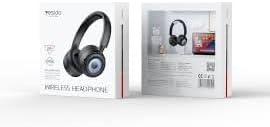
Image: The product packaging for the YESIDO EP06 headphones, displaying the headphones and branding.
4. നിയന്ത്രണങ്ങളും സൂചകങ്ങളും
The headphones feature intuitive controls for easy operation. Specific button functions are detailed below:
- പവർ ബട്ടൺ: പവർ ഓൺ/ഓഫ് ചെയ്യാൻ അമർത്തിപ്പിടിക്കുക. പ്ലേ/താൽക്കാലികമായി നിർത്താൻ ഹ്രസ്വമായി അമർത്തുക.
- വോളിയം കൂട്ടുക/അടുത്ത ട്രാക്ക്: വോളിയം കൂട്ടാൻ ഷോർട്ട് പ്രസ്സ് ചെയ്യുക. അടുത്ത ട്രാക്കിനായി ദീർഘനേരം അമർത്തുക.
- വോളിയം ഡൗൺ/മുൻ ട്രാക്ക്: ശബ്ദം കുറയ്ക്കാൻ ഷോർട്ട് പ്രസ്സ് ചെയ്യുക. മുമ്പത്തെ ട്രാക്കിനായി ദീർഘനേരം അമർത്തുക.
- മോഡ് ബട്ടൺ: Press to switch between Bluetooth, TF card, and AUX modes.
- RGB ലൈറ്റ് ബട്ടൺ: Press to cycle through or turn off RGB lighting effects.
- ചാർജിംഗ് പോർട്ട് (ടൈപ്പ്-സി): ചാർജിംഗ് കേബിൾ ബന്ധിപ്പിക്കുന്നതിന്.
- 3.5mm ഓഡിയോ ജാക്ക്: For wired connection using an AUX cable (not included).
- ടിഎഫ് കാർഡ് സ്ലോട്ട്: Insert a memory card for MP3/WAV/WMA playback.
- LED സൂചകം: പവർ സ്റ്റാറ്റസ്, ജോടിയാക്കൽ മോഡ്, ചാർജിംഗ് സ്റ്റാറ്റസ് എന്നിവ കാണിക്കുന്നു.

ചിത്രം: വിശദമായ ഒരു ചിത്രം view of the headphone's side, highlighting the various control buttons, the Type-C charging port, and the TF card slot.
5. സജ്ജീകരണം
5.1 ഹെഡ്ഫോണുകൾ ചാർജ് ചെയ്യുന്നു
- നൽകിയിരിക്കുന്ന ടൈപ്പ്-സി ചാർജിംഗ് കേബിൾ ഹെഡ്ഫോണുകളിലെ ചാർജിംഗ് പോർട്ടുമായി ബന്ധിപ്പിക്കുക.
- കേബിളിന്റെ മറ്റേ അറ്റം ഒരു USB പവർ അഡാപ്റ്ററുമായി (5V/1A ശുപാർശ ചെയ്യുന്നു) അല്ലെങ്കിൽ ഒരു കമ്പ്യൂട്ടറിന്റെ USB പോർട്ടുമായി ബന്ധിപ്പിക്കുക.
- ചാർജ് ചെയ്യുമ്പോൾ LED ഇൻഡിക്കേറ്റർ പ്രകാശിക്കുകയും പൂർണ്ണമായി ചാർജ് ചെയ്യുമ്പോൾ ഓഫാകുകയും ചെയ്യും.
A full charge takes approximately 2 hours. A 10-minute flash charge can provide up to 2 hours of listening time.

Image: Pink headphones positioned near a smartphone, symbolizing the extended battery life and quick charging capability.
5.2 ബ്ലൂടൂത്ത് ജോടിയാക്കൽ
- ഹെഡ്ഫോണുകൾ പൂർണ്ണമായും ചാർജ്ജ് ചെയ്തിട്ടുണ്ടെന്ന് ഉറപ്പാക്കുക.
- Press and hold the Power Button for 3-5 seconds until the LED indicator flashes blue and red, indicating pairing mode.
- നിങ്ങളുടെ ഉപകരണത്തിൽ (സ്മാർട്ട്ഫോൺ, ടാബ്ലെറ്റ് മുതലായവ), ബ്ലൂടൂത്ത് പ്രവർത്തനക്ഷമമാക്കി ലഭ്യമായ ഉപകരണങ്ങൾക്കായി തിരയുക.
- Select "YESIDO EP06" from the list of devices.
- Once connected, the LED indicator will flash blue slowly or turn solid blue.
6. പ്രവർത്തന നിർദ്ദേശങ്ങൾ
6.1 പവർ ഓൺ/ഓഫ്
- പവർ ഓൺ: 3 സെക്കൻഡ് നേരത്തേക്ക് പവർ ബട്ടൺ അമർത്തിപ്പിടിക്കുക.
- പവർ ഓഫ്: 3 സെക്കൻഡ് നേരത്തേക്ക് പവർ ബട്ടൺ അമർത്തിപ്പിടിക്കുക.
6.2 മ്യൂസിക് പ്ലേബാക്ക്
- പ്ലേ/താൽക്കാലികമായി നിർത്തുക: പവർ ബട്ടൺ ചെറുതായി അമർത്തുക.
- അടുത്ത ട്രാക്ക്: വോളിയം അപ്പ് ബട്ടൺ ദീർഘനേരം അമർത്തുക.
- മുമ്പത്തെ ട്രാക്ക്: വോളിയം ഡൗൺ ബട്ടൺ ദീർഘനേരം അമർത്തുക.
- വോളിയം കൂട്ടുക: വോളിയം അപ്പ് ബട്ടൺ ചുരുക്കി അമർത്തുക.
- വോളിയം താഴേക്ക്: വോളിയം ഡൗൺ ബട്ടൺ ചുരുക്കി അമർത്തുക.
6.3 മോഡ് സ്വിച്ചിംഗ്
Press the Mode Button to cycle through Bluetooth, TF card, and AUX modes.
6.4 RGB ലൈറ്റിംഗ് നിയന്ത്രണം
Press the RGB Light Button to change the lighting effects or turn them off.
6.5 സജീവ ശബ്ദം റദ്ദാക്കൽ (ANC)
The headphones feature Active Noise Cancellation for an immersive listening experience. Refer to the specific button on the headphones for ANC activation/deactivation (usually a dedicated button or a long press on a multi-function button).
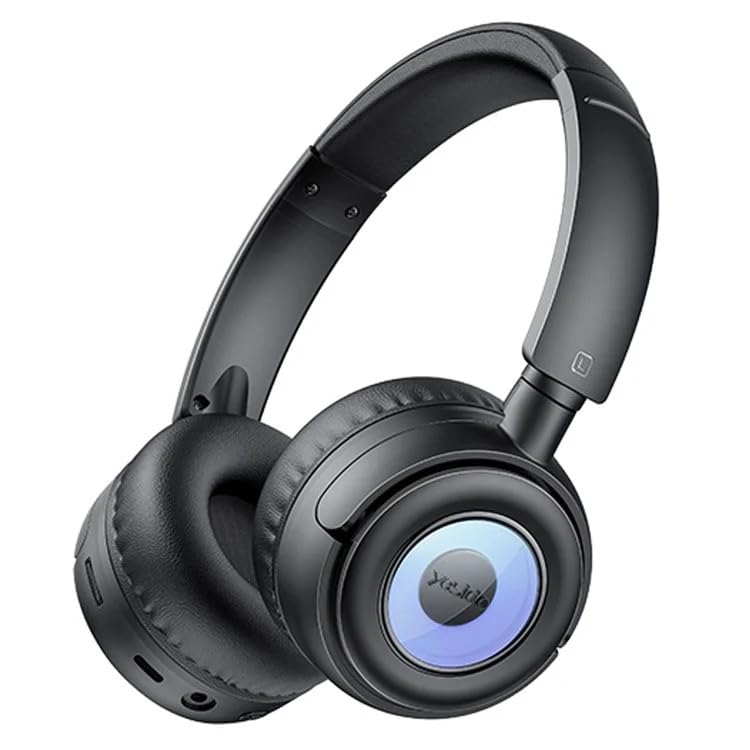
Image: A user wearing the black YESIDO EP06 headphones, engaged in gaming on a laptop, demonstrating the stable and fast Bluetooth 5.3 connectivity.
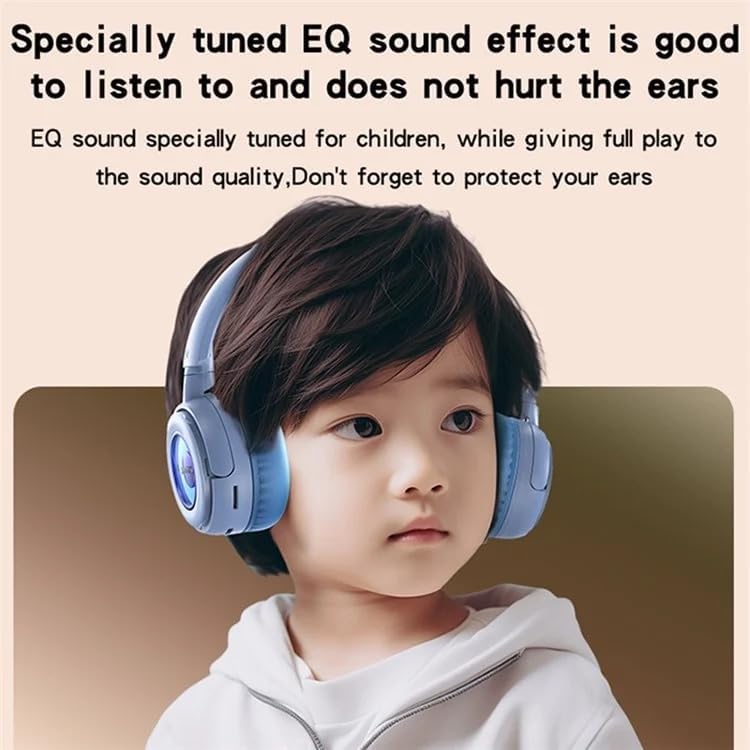
Image: A child wearing the blue YESIDO EP06 headphones, illustrating the specially tuned EQ sound effect designed to be gentle on children's ears.
7. പരിപാലനം
- മൃദുവായതും ഉണങ്ങിയതുമായ തുണി ഉപയോഗിച്ച് ഹെഡ്ഫോണുകൾ പതിവായി വൃത്തിയാക്കുക.
- ഉരച്ചിലുകളുള്ള ക്ലീനറുകളോ ലായകങ്ങളോ ഉപയോഗിക്കരുത്.
- ഉപയോഗിക്കാത്തപ്പോൾ തണുത്തതും ഉണങ്ങിയതുമായ സ്ഥലത്ത് ഹെഡ്ഫോണുകൾ സൂക്ഷിക്കുക.
- നേരിട്ടുള്ള സൂര്യപ്രകാശത്തിലോ ഉയർന്ന താപനിലയിലോ ദീർഘനേരം എക്സ്പോഷർ ചെയ്യുന്നത് ഒഴിവാക്കുക.
8. പ്രശ്നപരിഹാരം
- ശക്തിയില്ല: ഹെഡ്ഫോണുകൾ ചാർജ്ജ് ചെയ്തിട്ടുണ്ടെന്ന് ഉറപ്പാക്കുക.
- ജോടിയാക്കാൻ കഴിയില്ല: Ensure headphones are in pairing mode (flashing red/blue). Turn off and on Bluetooth on your device. Move closer to the headphones.
- ശബ്ദമില്ല: Check volume levels on both headphones and connected device. Ensure the correct mode is selected (Bluetooth, TF card, AUX).
- മോശം ശബ്ദ നിലവാരം: Ensure headphones are within Bluetooth range (10m). Check for interference from other devices.
- RGB ലൈറ്റുകൾ പ്രവർത്തിക്കുന്നില്ല: Press the RGB Light Button to activate or cycle through effects.
9 സ്പെസിഫിക്കേഷനുകൾ
| മോഡൽ നമ്പർ | EP06 |
| കണക്റ്റിവിറ്റി | ബ്ലൂടൂത്ത് 5.3 |
| സ്പീക്കർ വലിപ്പം | 40mm Titanium-plated |
| ബാറ്ററി ലൈഫ് | Up to 20 hours (12 hours with RGB lights on) |
| ചാർജിംഗ് സമയം | ഏകദേശം 2 മണിക്കൂർ |
| ചാർജിംഗ് പോർട്ട് | ടൈപ്പ്-സി |
| ബ്ലൂടൂത്ത് ശ്രേണി | 10 മീറ്റർ വരെ |
| മെമ്മറി കാർഡ് പിന്തുണ | Up to 32GB (MP3/WAV/WMA formats) |
| മെറ്റീരിയൽ | ABS plastic + hardware bracket + PU leather earmuffs |
| ഫീച്ചറുകൾ | Active Noise Cancellation, RGB Lighting, Foldable |
10. വാറൻ്റിയും പിന്തുണയും
The YESIDO EP06 headphones come with a 6 മാസ വാറൻ്റി വാങ്ങിയ തീയതി മുതൽ. ഈ വാറന്റി നിർമ്മാണ വൈകല്യങ്ങൾ ഉൾക്കൊള്ളുന്നു. ദുരുപയോഗം, അപകടങ്ങൾ, അനധികൃത പരിഷ്കാരങ്ങൾ, അല്ലെങ്കിൽ സാധാരണ തേയ്മാനം എന്നിവ മൂലമുണ്ടാകുന്ന നാശനഷ്ടങ്ങൾക്ക് ഇത് പരിരക്ഷ നൽകുന്നില്ല.
For warranty claims or technical support, please contact your retailer or the YESIDO customer service department with your proof of purchase.