
1. ആമുഖം
This manual provides essential information for the safe and efficient use of your DOOGEE T10W Android 14 Tablet. Please read this manual thoroughly before operating the device and retain it for future reference.

The DOOGEE T10W tablet features a sleek design with a light blue finish, showcasing its 10.1-inch display and rear camera module.
2. പാക്കേജ് ഉള്ളടക്കം
നിങ്ങളുടെ ഉൽപ്പന്ന ബോക്സിൽ എല്ലാ ഇനങ്ങളും ഉണ്ടെന്ന് ഉറപ്പാക്കുക:
- DOOGEE T10W Tablet
- പവർ അഡാപ്റ്റർ
- യുഎസ്ബി ടൈപ്പ്-സി കേബിൾ
- സിം എജക്ടർ ഉപകരണം
- ഉപയോക്തൃ മാനുവൽ
- വാറൻ്റി കാർഡ്
- Screen Protector Accessories (film)
This video demonstrates the unboxing process and the items included with the DOOGEE T10W Tablet, such as the tablet itself, charger, cable, and documentation.
3. ഡിവൈസ് ഓവർview
ശാരീരിക സവിശേഷതകൾ
- ഡിസ്പ്ലേ: 10.1-inch IPS HD (1280x800 pixels)
- ക്യാമറകൾ: 5MP ഫ്രണ്ട്, 2MP പിൻഭാഗം
- തുറമുഖങ്ങൾ: USB Type-C (charging/data), 3.5mm Audio Jack
- ബട്ടണുകൾ: Power Button, Volume Up/Down
- സ്പീക്കറുകൾ: ഡ്യുവൽ സ്പീക്കറുകൾ
- സിം/എസ്ഡി കാർഡ് സ്ലോട്ട്: Supports 2 Nano SIMs or 1 Nano SIM + 1 TF Card (up to 1TB)
The tablet's physical features include a Type-C port, 3.5mm headphone jack, and dual speakers.
4. സജ്ജീകരണം
4.1. പവർ ഓൺ/ഓഫ്
- പവർ ഓണാക്കാൻ: Press and hold the Power Button until the DOOGEE logo appears.
- പവർ ഓഫ് ചെയ്യാൻ: Press and hold the Power Button, then select 'Power Off' from the options.
- പുനരാരംഭിക്കാൻ: Press and hold the Power Button, then select 'Restart' from the options.
4.2. സിം കാർഡും TF കാർഡും ഇൻസ്റ്റാൾ ചെയ്യൽ
The tablet supports dual Nano SIM cards or one Nano SIM card and one TF (Micro SD) card for storage expansion.
- Locate the SIM/TF card tray on the side of the tablet.
- Insert the SIM Ejector Tool into the small hole next to the tray to open it.
- Place your Nano SIM card(s) and/or TF card into the designated slots on the tray. Ensure correct orientation.
- ട്രേ അതിന്റെ സ്ഥാനത്ത് ക്ലിക്കു ചെയ്യുന്നത് വരെ ടാബ്ലെറ്റിലേക്ക് പതുക്കെ തിരികെ തള്ളുക.

The SIM tray supports either two Nano SIM cards or one Nano SIM card and one TF card for flexible connectivity and storage options.
4.3. പ്രാരംഭ കോൺഫിഗറേഷൻ
ആദ്യമായി പവർ-ഓൺ ചെയ്യുമ്പോൾ, സ്ക്രീനിലെ നിർദ്ദേശങ്ങൾ പാലിക്കുക:
- നിങ്ങളുടെ ഭാഷ തിരഞ്ഞെടുക്കുക.
- ഒരു Wi-Fi നെറ്റ്വർക്കിലേക്ക് കണക്റ്റുചെയ്യുക.
- നിങ്ങളുടെ Google അക്കൗണ്ട് ഉപയോഗിച്ച് സൈൻ ഇൻ ചെയ്യുക അല്ലെങ്കിൽ പുതിയൊരെണ്ണം സൃഷ്ടിക്കുക.
- സ്ക്രീൻ ലോക്ക് (പിൻ, പാറ്റേൺ, പാസ്വേഡ് അല്ലെങ്കിൽ ഫെയ്സ് അൺലോക്ക്) സജ്ജീകരിക്കുക.
5. പ്രവർത്തന നിർദ്ദേശങ്ങൾ
5.1. ആൻഡ്രോയിഡ് 14 ഓപ്പറേറ്റിംഗ് സിസ്റ്റം
The DOOGEE T10W runs on the Android 14 operating system, offering features such as enhanced privacy controls, optimized multitasking, and a customizable user interface.

Running the latest Android 14 operating system, the tablet offers enhanced privacy controls, efficient multitasking with parallel view and taskbar, and an optimized landscape experience.
5.2. കണക്റ്റിവിറ്റി
- 4G LTE: Insert a Nano SIM card to access 4G LTE mobile data and VoLTE calling.
- വൈഫൈ: ഇന്റർനെറ്റ് ആക്സസിനായി 2.4GHz അല്ലെങ്കിൽ 5GHz വൈഫൈ നെറ്റ്വർക്കുകളിലേക്ക് കണക്റ്റുചെയ്യുക.
- ബ്ലൂടൂത്ത് 5.0: Pair with Bluetooth devices such as headphones or speakers.
- ജിപിഎസ്: Utilize GPS, Beidou, Galileo, and Glonass for navigation.

Stay connected with 4G LTE, dual-band Wi-Fi, and Bluetooth 5.0 for reliable communication and data transfer.
5.3. Multimedia and Display
- The 10.1-inch IPS HD display provides clear visuals for videos and browsing.
- Widevine L1 support allows for high-definition streaming from compatible services.
- Dual speakers deliver clear audio output. A 3.5mm audio jack is available for headphones.

The 10.1-inch IPS HD display offers a 1280x800 resolution and a wide viewing angle for clear visuals.

Widevine L1 certification enables secure playback of high-definition content from streaming services.
6. ക്യാമറ സവിശേഷതകൾ
The tablet is equipped with a 5MP front camera and a 2MP rear camera for photography and video calls.
- ഹോം സ്ക്രീനിൽ നിന്നോ ആപ്പ് ഡ്രോയറിൽ നിന്നോ ക്യാമറ ആപ്പ് തുറക്കുക.
- Switch between front and rear cameras as needed.
- ഫോട്ടോകൾ എടുക്കാൻ ഷട്ടർ ബട്ടൺ ടാപ്പ് ചെയ്യുക അല്ലെങ്കിൽ വീഡിയോ റെക്കോർഡിംഗ് ആരംഭിക്കുക/നിർത്തുക.

The tablet features a 5MP main camera for capturing photos and a 2MP front camera for selfies and video calls.
7. ബാറ്ററി മാനേജ്മെന്റ്
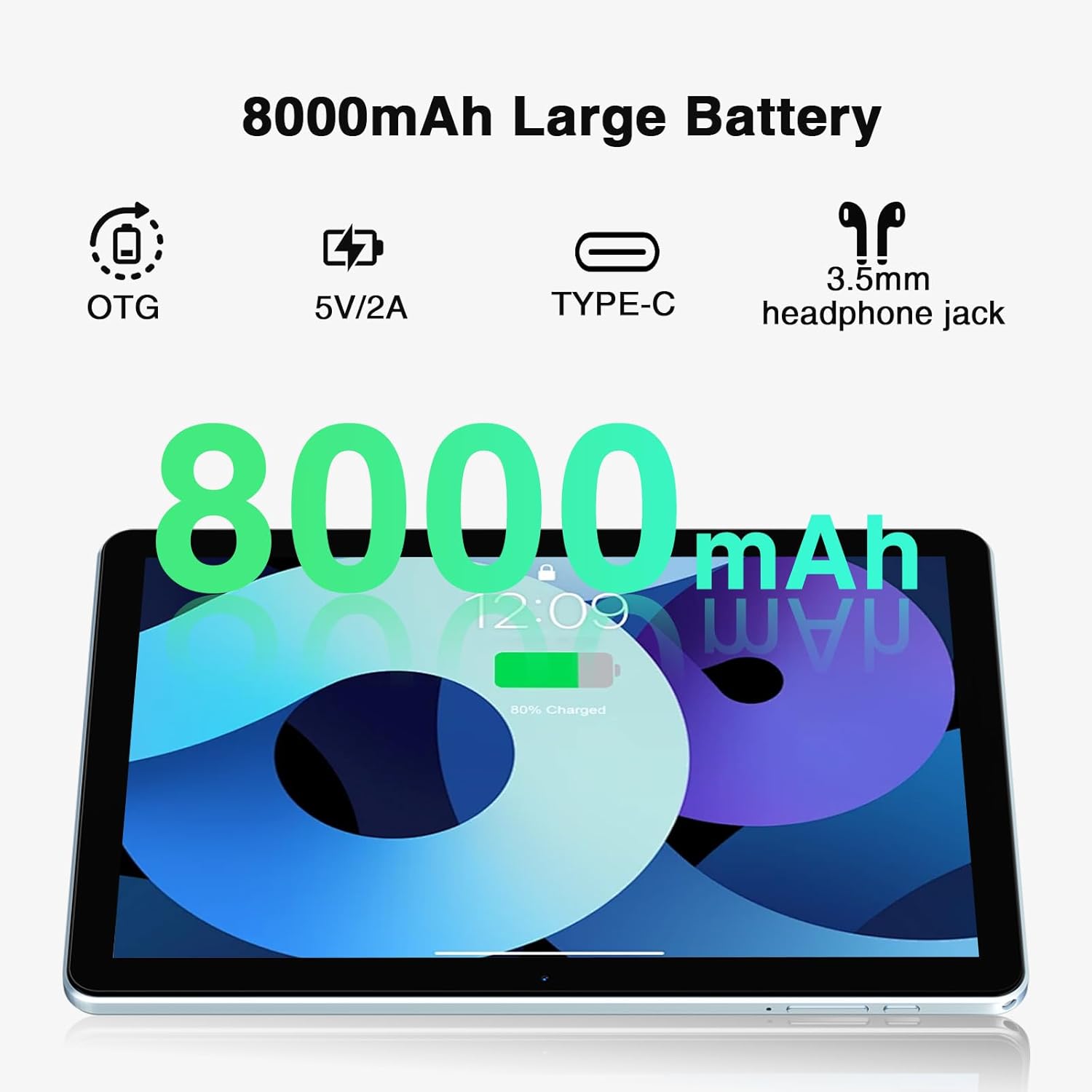
The DOOGEE T10W is powered by an 8000mAh battery.
- ചാർജിംഗ്: Use the provided power adapter and USB Type-C cable to charge the tablet.
- ബാറ്ററി ലൈഫ്: The 8000mAh battery provides up to 700 hours of standby time, 16 hours of talk time, and 58 hours of music playback.
- വിപരീത ചാർജിംഗ്: The tablet supports reverse charging, allowing it to charge other devices.

The 8000mAh large capacity battery provides extended usage times, including up to 10 hours of gaming, 11 hours of video, and 720 hours of standby.
This video highlights the large battery capacity of the DOOGEE T10W Tablet and its ability to provide extended usage.
8 സ്പെസിഫിക്കേഷനുകൾ
| ഫീച്ചർ | സ്പെസിഫിക്കേഷൻ |
|---|---|
| മോഡൽ | T10W |
| ഓപ്പറേറ്റിംഗ് സിസ്റ്റം | ആൻഡ്രോയിഡ് 14 |
| ഡിസ്പ്ലേ വലിപ്പം | 10.1 ഇഞ്ച് |
| സ്ക്രീൻ റെസല്യൂഷൻ | 1280 x 800 പിക്സലുകൾ (IPS HD) |
| പ്രോസസ്സർ | Octa-Core (Spreadtrum T310) |
| റാം | 9GB (4GB physical + 5GB expansion) |
| ആന്തരിക സംഭരണം | 128 ജിബി റോം |
| വികസിപ്പിക്കാവുന്ന സംഭരണം | Up to 1TB (Micro SD/TF Card) |
| ബാറ്ററി ശേഷി | 8000mAh ലിഥിയം അയോൺ |
| പിൻ ക്യാമറ | 2എംപി |
| മുൻ ക്യാമറ | 5എംപി |
| കണക്റ്റിവിറ്റി | 4G LTE, 2.4GHz/5GHz Wi-Fi (802.11ac), Bluetooth 5.0 |
| നാവിഗേഷൻ | GPS, GLONASS, BDS, Galileo |
| അളവുകൾ | 9.6 x 6.4 x 0.38 inches (9mm slim body) |
| ഭാരം | 1.96 പൗണ്ട് (555 ഗ്രാം) |
| അധിക സവിശേഷതകൾ | Face Unlock, OTG, Widevine L1 Support |
9. പരിപാലനം
- Keep the tablet away from extreme temperatures and direct sunlight.
- ഉപകരണം ഉപേക്ഷിക്കുകയോ ശക്തമായ ആഘാതങ്ങൾക്ക് വിധേയമാക്കുകയോ ചെയ്യരുത്.
- മൃദുവായ, ലിന്റ് രഹിത തുണി ഉപയോഗിച്ച് സ്ക്രീൻ വൃത്തിയാക്കുക. കഠിനമായ രാസവസ്തുക്കൾ ഉപയോഗിക്കരുത്.
- Regularly back up important data to prevent loss.
- Keep the software updated to the latest version for optimal performance and security.
10. പ്രശ്നപരിഹാരം
10.1. ഉപകരണം ഓണാക്കുന്നില്ല
- Ensure the battery is charged. Connect the tablet to the charger for at least 30 minutes.
- റീസ്റ്റാർട്ട് ചെയ്യാൻ പവർ ബട്ടൺ 10-15 സെക്കൻഡ് അമർത്തിപ്പിടിക്കുക.
10.2. Poor Wi-Fi Connection
- Check if the Wi-Fi is enabled in Settings.
- വൈഫൈ റൂട്ടറിന് അടുത്തേക്ക് നീങ്ങുക.
- നിങ്ങളുടെ വൈഫൈ റൂട്ടറും ടാബ്ലെറ്റും പുനരാരംഭിക്കുക.
10.3. ആപ്പുകൾ ക്രാഷാകുകയോ മരവിപ്പിക്കുകയോ ചെയ്യുന്നു
- ആപ്പ് അടച്ച് വീണ്ടും തുറക്കുക.
- ക്രമീകരണങ്ങൾ > ആപ്പുകൾ എന്നതിൽ ആപ്പിന്റെ കാഷെയും ഡാറ്റയും മായ്ക്കുക.
- ആപ്പ് അതിന്റെ ഏറ്റവും പുതിയ പതിപ്പിലേക്ക് അപ്ഡേറ്റ് ചെയ്തിട്ടുണ്ടെന്ന് ഉറപ്പാക്കുക.
- ടാബ്ലെറ്റ് പുനരാരംഭിക്കുക.
11. വാറൻ്റിയും പിന്തുണയും
- 30 ദിവസത്തെ പണം തിരികെ നൽകൽ ഗ്യാരണ്ടി: വാങ്ങിയതിന് ശേഷം 30 ദിവസത്തിനുള്ളിൽ സൗജന്യ റിട്ടേണുകൾക്ക് അർഹതയുണ്ട്.
- 2-വർഷ പരിമിത വാറൻ്റി: ഉൽപ്പന്നം 2 വർഷത്തെ പരിമിത വാറൻ്റിയിൽ ഉൾപ്പെടുന്നു.
- 24/7 ഓൺലൈൻ പിന്തുണ: For technical assistance or further inquiries, please contact DOOGEE customer support.