
HPXBTA100 ന്റെ വിവരണം
സെൻട്രി HPXBTA100 ട്രൂ വയർലെസ് ഇയർബഡ്സ് ഉപയോക്തൃ മാനുവൽ
Model: HPXBTA100 | Brand: Generic
ആമുഖം
Welcome to the user manual for your Sentry HPXBTA100 True Wireless Earbuds. These earbuds are designed to provide a premium audio experience with advanced features such as Active Noise Canceling, an in-line microphone for clear calls, and intuitive touch controls. This manual will guide you through the setup, operation, maintenance, and troubleshooting of your new earbuds.

Image: Sentry HPXBTA100 True Wireless Earbuds with their charging case.
ബോക്സിൽ എന്താണുള്ളത്
Upon opening your Sentry HPXBTA100 package, you should find the following items:
- Sentry HPXBTA100 True Wireless Earbuds (Left and Right)
- ചാർജിംഗ് കേസ്
- ഉപയോക്തൃ മാനുവൽ (ഈ പ്രമാണം)
- യുഎസ്ബി ചാർജിംഗ് കേബിൾ
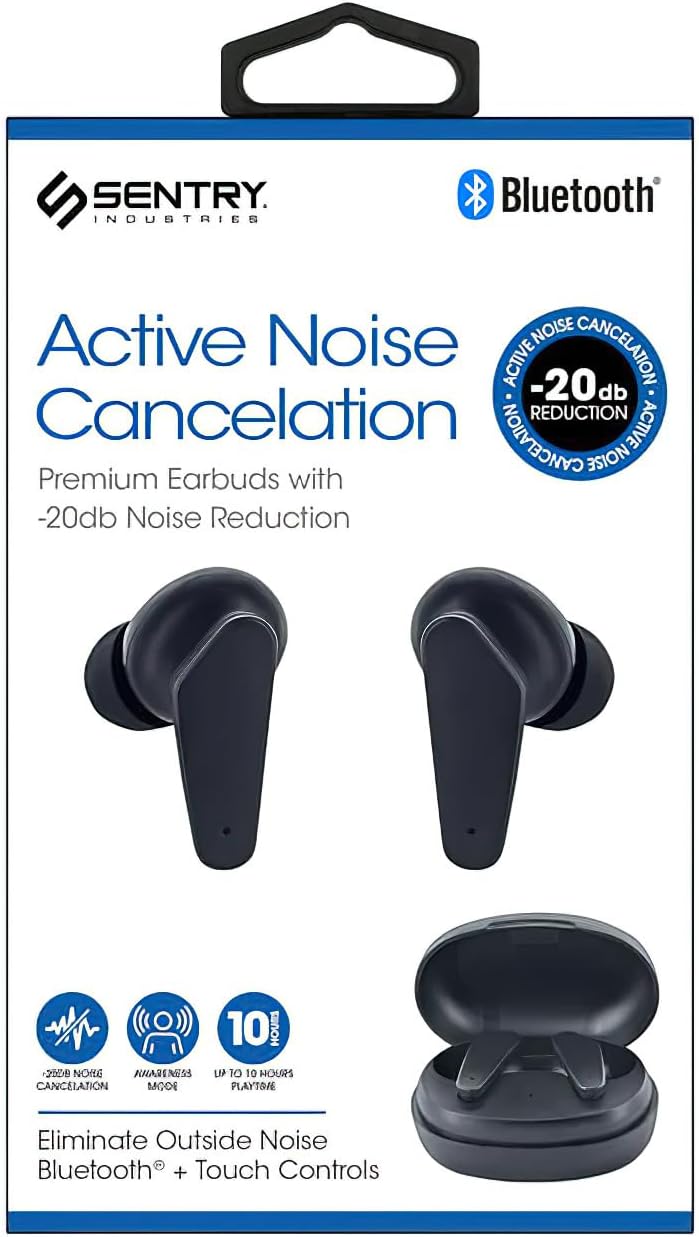
Image: Retail packaging of the Sentry HPXBTA100 Earbuds, showing the earbuds and case.
ഉൽപ്പന്ന സവിശേഷതകൾ
The Sentry HPXBTA100 earbuds are equipped with several features designed to enhance your listening experience:
- ആക്ടീവ് നോയിസ് ക്യാൻസലിംഗ് (ANC): Reduces ambient noise for immersive audio.
- Extra Soft Noise Reduction Earpads: Provides comfort and aids in passive noise isolation.
- In-line Microphone: Enables clear hands-free calls.
- നിയന്ത്രണ ബട്ടണുകൾ സ്പർശിക്കുക: Intuitive controls for managing audio playback and calls.
- വയർലെസ് കണക്റ്റിവിറ്റി: Utilizes Bluetooth for seamless connection to your devices.
വീഡിയോ: ഒരു ഓവർview of the Sentry HPXBTA100 True Wireless Earbuds, highlighting key features and design.
സജ്ജീകരണ ഗൈഡ്
1. ഇയർബഡുകളും കേസും ചാർജ് ചെയ്യുന്നു
ആദ്യമായി ഉപയോഗിക്കുന്നതിന് മുമ്പ്, ഇയർബഡുകളും ചാർജിംഗ് കേസും പൂർണ്ണമായും ചാർജ് ചെയ്തിട്ടുണ്ടെന്ന് ഉറപ്പാക്കുക.
- ചാർജിംഗ് കെയ്സിൽ ഇയർബഡുകൾ അവയുടെ സ്ലോട്ടുകളിൽ സ്ഥാപിക്കുക.
- നൽകിയിരിക്കുന്ന USB കേബിൾ ഉപയോഗിച്ച് ചാർജിംഗ് കേസ് ഒരു USB പവർ സ്രോതസ്സുമായി ബന്ധിപ്പിക്കുക.
- The indicator lights on the case and/or earbuds will show charging status.
- പൂർണ്ണമായി ചാർജ് ചെയ്തുകഴിഞ്ഞാൽ, കേബിൾ വിച്ഛേദിക്കുക.

Image: The Sentry HPXBTA100 Earbuds resting inside their open charging case.
2. നിങ്ങളുടെ ഉപകരണവുമായി ജോടിയാക്കുന്നു
ബ്ലൂടൂത്ത് പ്രവർത്തനക്ഷമമാക്കിയ ഉപകരണവുമായി നിങ്ങളുടെ ഇയർബഡുകൾ ജോടിയാക്കാൻ ഈ ഘട്ടങ്ങൾ പാലിക്കുക:
- ഇയർബഡുകൾ ചാർജ് ചെയ്തിട്ടുണ്ടെന്നും ചാർജിംഗ് കെയ്സിൽ വച്ചിട്ടുണ്ടെന്നും ഉറപ്പാക്കുക.
- ചാർജിംഗ് കേസ് തുറക്കുക. ഇയർബഡുകൾ സ്വയമേവ ജോടിയാക്കൽ മോഡിലേക്ക് പ്രവേശിക്കും.
- നിങ്ങളുടെ ഉപകരണത്തിൽ (സ്മാർട്ട്ഫോൺ, ടാബ്ലെറ്റ്, ലാപ്ടോപ്പ്), ബ്ലൂടൂത്ത് ക്രമീകരണങ്ങളിലേക്ക് പോയി ബ്ലൂടൂത്ത് ഓണാക്കുക.
- ഇതിനായി തിരയുക available devices. You should see "HPXBTA100" or "Sentry HPXBTA100" in the list.
- Select the earbuds to connect. Once connected, you will hear an audio prompt, and the indicator light on the earbuds will change.
- ഉപകരണത്തിൽ ബ്ലൂടൂത്ത് പ്രവർത്തനക്ഷമമാക്കിയിട്ടുണ്ടെങ്കിൽ, കേസിൽ നിന്ന് പുറത്തെടുക്കുമ്പോൾ ഇയർബഡുകൾ അവസാനം ജോടിയാക്കിയ ഉപകരണവുമായി യാന്ത്രികമായി വീണ്ടും കണക്റ്റുചെയ്യും.
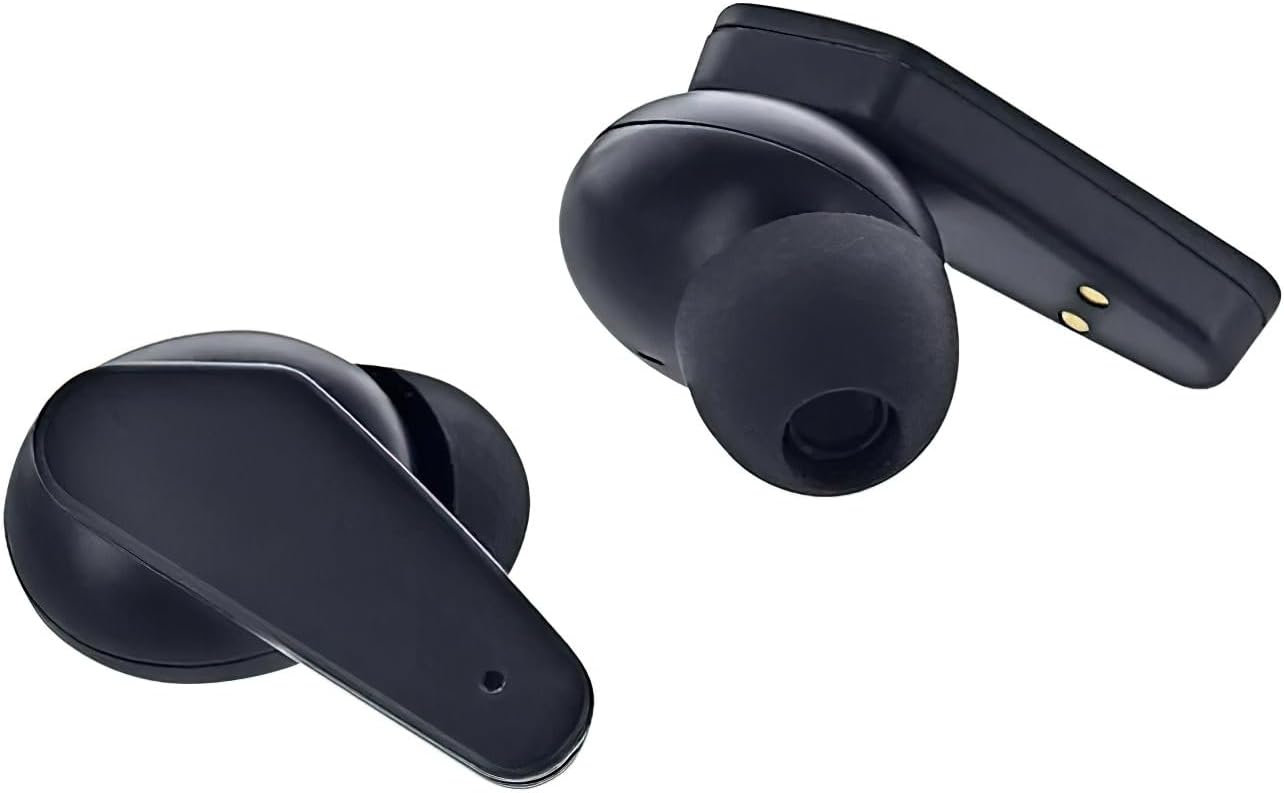
Image: Close-up of the Sentry HPXBTA100 Earbuds, highlighting their design and charging contacts.
പ്രവർത്തന നിർദ്ദേശങ്ങൾ
ടച്ച് നിയന്ത്രണങ്ങൾ
The Sentry HPXBTA100 earbuds feature intuitive touch controls on each earbud. The specific functions may vary slightly, but common controls include:
- ഒറ്റ ടാപ്പ്: സംഗീതം പ്ലേ ചെയ്യുക/താൽക്കാലികമായി നിർത്തുക, കോൾ സ്വീകരിക്കുക/അവസാനിപ്പിക്കുക.
- രണ്ടുതവണ ടാപ്പ് ചെയ്യുക (ഇടത് ഇയർബഡ്): മുമ്പത്തെ ട്രാക്ക്.
- രണ്ടുതവണ ടാപ്പ് ചെയ്യുക (വലത് ഇയർബഡ്): അടുത്ത ട്രാക്ക്.
- ട്രിപ്പിൾ ടാപ്പ്: വോയിസ് അസിസ്റ്റന്റ് സജീവമാക്കുക.
- ലോംഗ് പ്രസ്സ് (ഇടത് ഇയർബഡ്): വോളിയം കുറയ്ക്കുക.
- ലോംഗ് പ്രസ്സ് (വലത് ഇയർബഡ്): വോളിയം കൂട്ടുക.
- Long Press (Either Earbud, during call): കോൾ നിരസിക്കുക.
- Long Press (Either Earbud, not during call): Toggle Active Noise Canceling (ANC) / Awareness Mode.
Note: Specific touch control functions might be detailed further in the product's quick start guide or on the manufacturer's webസൈറ്റ്.
Active Noise Canceling (ANC) and Awareness Mode
Your earbuds are equipped with Active Noise Canceling technology to minimize external distractions. Awareness Mode allows you to hear your surroundings while still enjoying your audio.
- To toggle between ANC, Awareness Mode, and normal mode, perform a long press on the designated touch control area of either earbud.
- An audio prompt will indicate the current mode.
മെയിൻ്റനൻസ്
നിങ്ങളുടെ ഇയർബഡുകൾ വൃത്തിയാക്കുന്നു
പതിവായി വൃത്തിയാക്കുന്നത് ശബ്ദ നിലവാരവും ശുചിത്വവും നിലനിർത്താൻ സഹായിക്കുന്നു.
- ഇയർബഡുകളും ചാർജിംഗ് കെയ്സും തുടയ്ക്കാൻ മൃദുവായതും ഉണങ്ങിയതും ലിന്റ് രഹിതവുമായ ഒരു തുണി ഉപയോഗിക്കുക.
- For ear tips, gently remove them and clean with a mild soap solution if necessary, then rinse and dry thoroughly before reattaching.
- അബ്രാസീവ് ക്ലീനറുകൾ, ആൽക്കഹോൾ, കെമിക്കൽ ലായകങ്ങൾ എന്നിവ ഉപയോഗിക്കരുത്.
- ഏതെങ്കിലും തുറസ്സുകളിൽ ഈർപ്പം ലഭിക്കുന്നത് ഒഴിവാക്കുക.
സംഭരണം
When not in use, store your earbuds in their charging case to protect them and keep them charged. Store in a cool, dry place away from extreme temperatures.
ട്രബിൾഷൂട്ടിംഗ്
If you encounter issues with your Sentry HPXBTA100 earbuds, try the following solutions:
| പ്രശ്നം | പരിഹാരം |
|---|---|
| ഇയർബഡുകൾ ജോടിയാക്കുന്നില്ല |
|
| ഇയർബഡുകളിൽ നിന്ന് ശബ്ദമില്ല |
|
| മൈക്രോഫോൺ പ്രവർത്തിക്കുന്നില്ല |
|
| Active Noise Canceling not effective |
|
സ്പെസിഫിക്കേഷനുകൾ
Detailed technical specifications for the Sentry HPXBTA100 True Wireless Earbuds:
| ഫീച്ചർ | വിശദാംശങ്ങൾ |
|---|---|
| മോഡലിൻ്റെ പേര് | HPXBTA100 ന്റെ വിവരണം |
| കണക്റ്റിവിറ്റി ടെക്നോളജി | വയർലെസ് (ബ്ലൂടൂത്ത്) |
| ഡ്രൈവ് യൂണിറ്റ് | 40 മി.മീ |
| ഫ്രീക്വൻസി റേഞ്ച് | 20Hz - 20KHz |
| സംവേദനക്ഷമത | 100dB +/- 3dB |
| പ്രതിരോധം | 32 +/- 3 Ohms |
| റേറ്റുചെയ്ത പവർ | 150mW |
| നിയന്ത്രണ തരം | മീഡിയ നിയന്ത്രണം (ടച്ച്) |
| ശബ്ദ നിയന്ത്രണം | സജീവ നോയ്സ് റദ്ദാക്കൽ |
| ഇനത്തിൻ്റെ ഭാരം | 6.4 ഔൺസ് |
| പാക്കേജ് അളവുകൾ | 6.93 x 4.02 x 1.54 ഇഞ്ച് |
വാറൻ്റിയും പിന്തുണയും
വാറൻ്റി വിവരങ്ങൾ
Your Sentry HPXBTA100 True Wireless Earbuds come with a standard manufacturer's warranty. Please refer to the product packaging or the manufacturer's official website for specific warranty terms and conditions, including coverage duration and claim procedures. Keep your proof of purchase for warranty claims.
ഉപഭോക്തൃ പിന്തുണ
For further assistance, technical support, or inquiries not covered in this manual, please contact Sentry customer support. Contact details can typically be found on the product packaging, the manufacturer's official webസൈറ്റ്, അല്ലെങ്കിൽ നിങ്ങളുടെ റീട്ടെയിലർ വഴി.
ഓൺലൈൻ ഉറവിടങ്ങൾ: For the most up-to-date information, FAQs, and additional support, please visit the official Sentry product page or support section online.
Ask a question about this manual
Ask about setup, troubleshooting, compatibility, parts, safety, or missing instructions. Manuals+ will review the question and use this page’s manual context to help answer it.