
ആമുഖം
This manual provides essential information for setting up, operating, and maintaining your Nubia Flip 5G smartphone. Please read this guide thoroughly to ensure proper use and to maximize the device's features. Keep this manual for future reference.
ബോക്സിൽ എന്താണുള്ളത്
Upon unboxing your Nubia Flip 5G, verify that all the following items are present:
- Nubia Flip 5G Smartphone
- USB കേബിൾ
- പവർ അഡാപ്റ്റർ
- ഹെഡ്സെറ്റ്
- സിം എജക്ടർ ഉപകരണം
- Quick Start Guide (separate document, not included in this digital manual)
ഉപകരണ ലേഔട്ട്
Familiarize yourself with the physical components and buttons of your Nubia Flip 5G.

ചിത്രം 1: കഴിഞ്ഞുview of the Nubia Flip 5G in various states and angles, highlighting its foldable design and external features.
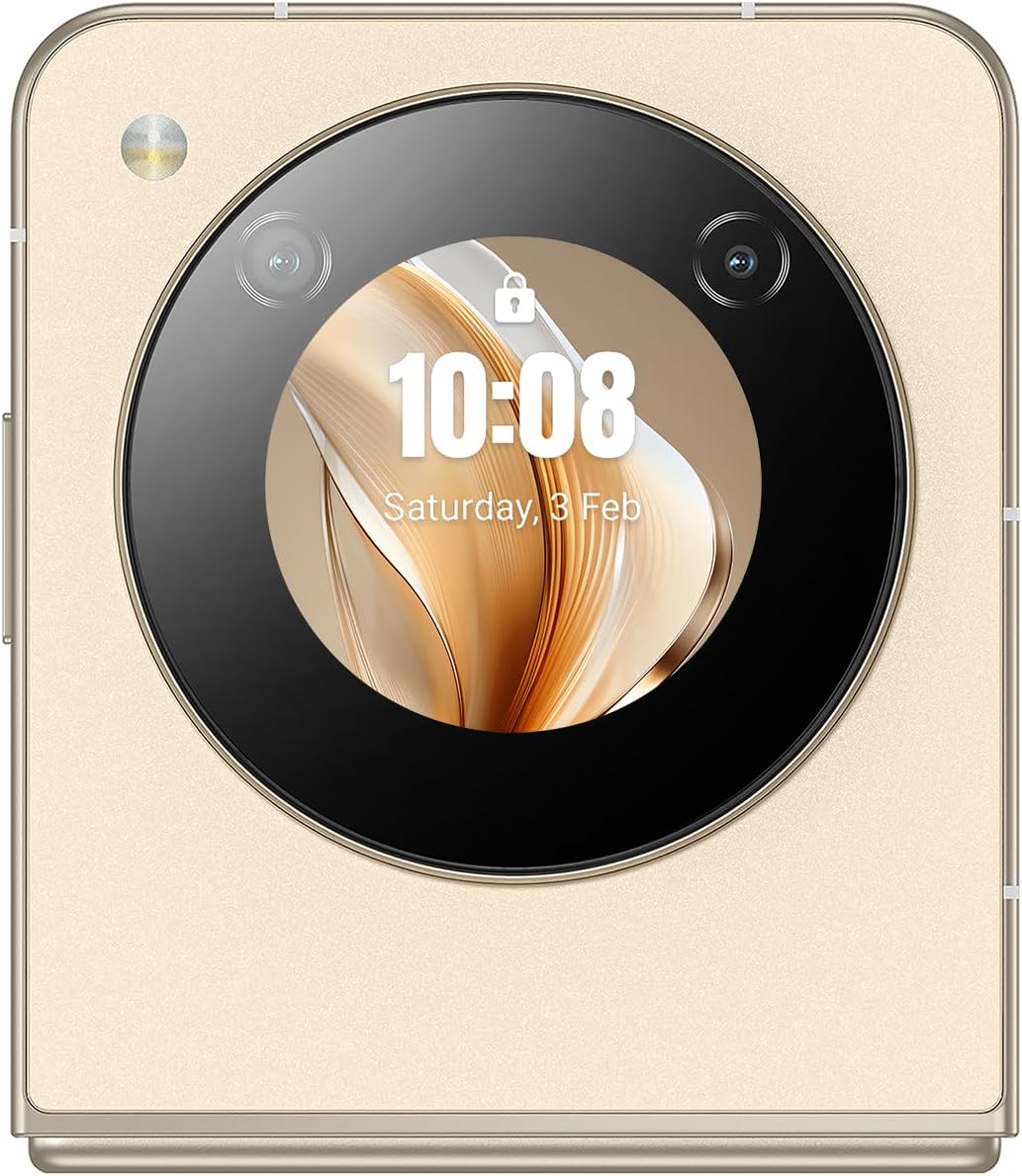
ചിത്രം 2: വിശദമായ വശം view of the Nubia Flip 5G, illustrating the placement of the power button (which often integrates a fingerprint sensor), volume control buttons, and the USB-C charging/data port.
- പ്രധാന ഡിസ്പ്ലേ: The primary 6.9-inch foldable screen.
- കവർ സ്ക്രീൻ: A circular external display for quick information and interactions when folded.
- പവർ ബട്ടൺ/ഫിംഗർപ്രിന്റ് സെൻസർ: Located on the side, used to power on/off and unlock the device.
- വോളിയം ബട്ടണുകൾ: മീഡിയയും കോൾ വോളിയവും ക്രമീകരിക്കുക.
- യുഎസ്ബി-സി പോർട്ട്: ചാർജിംഗിനും ഡാറ്റ കൈമാറ്റത്തിനും.
- സിം കാർഡ് ട്രേ: Slot for inserting Nano-SIM cards.
- പ്രധാന ക്യാമറ: High-resolution camera system on the rear.
- മുൻ ക്യാമറ: Camera located on the main display for selfies and video calls.
സജ്ജമാക്കുക
1. സിം കാർഡ് ഇടുക
- ഉപകരണത്തിന്റെ വശത്ത് സിം കാർഡ് ട്രേ കണ്ടെത്തുക.
- ട്രേ തുറക്കാൻ അതിനടുത്തുള്ള ചെറിയ ദ്വാരത്തിലേക്ക് സിം എജക്റ്റർ ഉപകരണം തിരുകുക.
- Place your Nano-SIM card(s) into the tray with the gold contacts facing down. The Nubia Flip 5G supports Dual SIM functionality.
- Carefully push the tray back into the slot until it is flush with the device body.
2. പ്രാരംഭ പവർ ഓൺ
Press and hold the Power button until the Nubia logo appears on the screen. The device will boot up.
3. അടിസ്ഥാന സജ്ജീകരണം
Follow the on-screen prompts to complete the initial setup process. This typically includes:
- നിങ്ങളുടെ ഭാഷ തിരഞ്ഞെടുക്കുന്നു.
- ഒരു Wi-Fi നെറ്റ്വർക്കിലേക്ക് കണക്റ്റുചെയ്യുന്നു.
- നിങ്ങളുടെ Google അക്കൗണ്ട് ഉപയോഗിച്ച് സൈൻ ഇൻ ചെയ്യുന്നു.
- സ്ക്രീൻ ലോക്ക് (പിൻ, പാറ്റേൺ, പാസ്വേഡ് അല്ലെങ്കിൽ ഫിംഗർപ്രിന്റ്) സജ്ജീകരിക്കുന്നു.
- Reviewനിബന്ധനകളും വ്യവസ്ഥകളും അംഗീകരിക്കുകയും അംഗീകരിക്കുകയും ചെയ്യുന്നു.
നിങ്ങളുടെ ഉപകരണം പ്രവർത്തിപ്പിക്കുന്നു
1. മടക്കിക്കളയുന്നതും തുറക്കുന്നതും
The Nubia Flip 5G features a durable hinge mechanism designed for frequent folding and unfolding. Always unfold the device gently and avoid applying excessive pressure to the screen crease.

ചിത്രം 3: The Nubia Flip 5G in its fully unfolded state, ready for full-screen interaction.
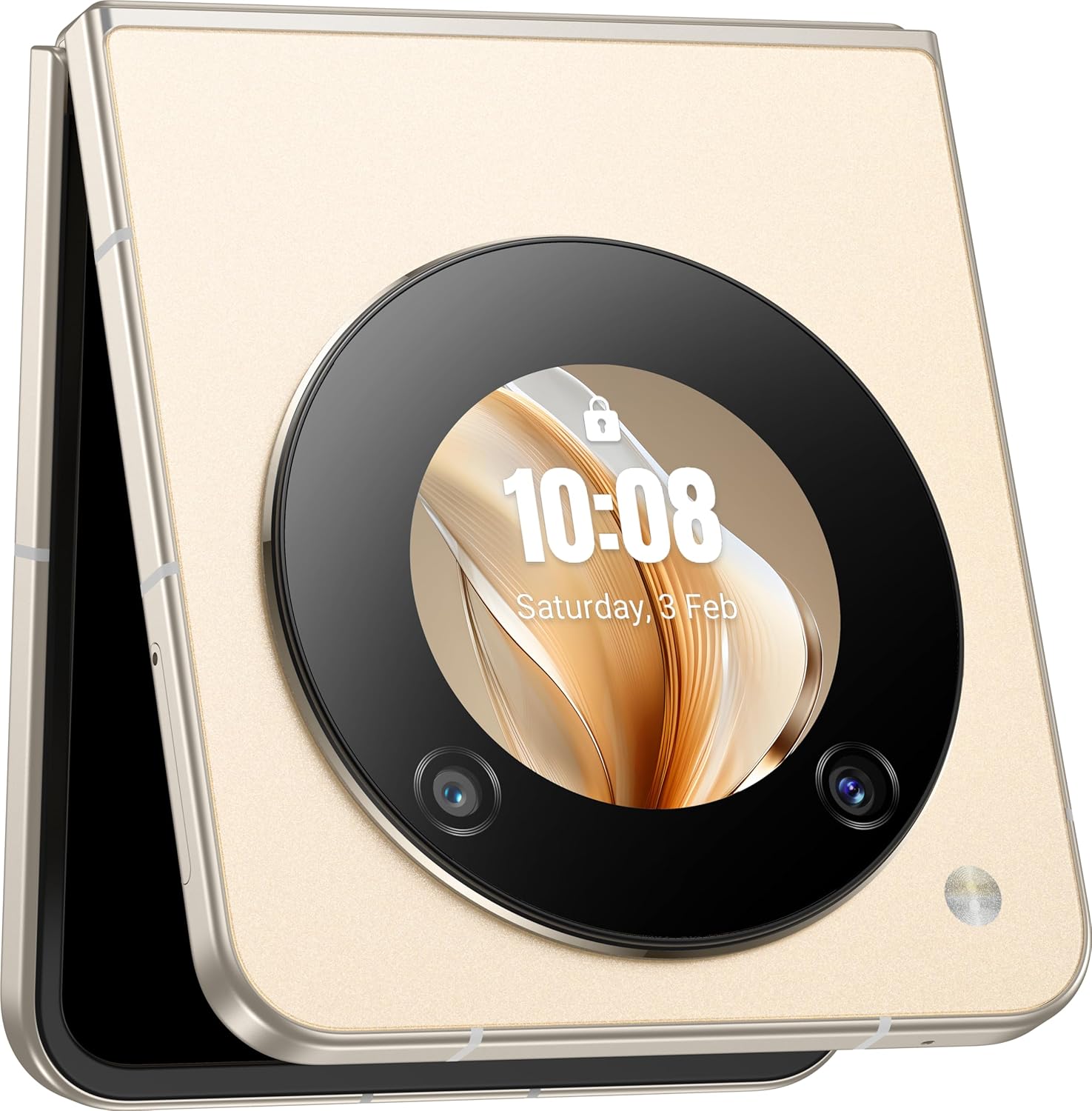
ചിത്രം 4: The Nubia Flip 5G in its compact, folded state, showcasing the functional cover screen.
2. പ്രധാന ഡിസ്പ്ലേ ഉപയോഗം
When unfolded, the 6.9-inch FHD+ display provides a full smartphone experience. Navigate using touch gestures, access apps, browse the internet, and enjoy multimedia content.
3. Cover Screen Usage
The circular cover screen allows for quick access to notifications, time, date, and other widgets without unfolding the phone. It can also be used for quick selfies with the main camera.

ചിത്രം 5: The cover screen displaying a live preview for taking selfies using the high-resolution main camera.
4. ക്യാമറ പ്രവർത്തനങ്ങൾ
The device features a 50 MP main camera and a front camera. Access the camera app to capture photos and videos. Utilize various modes such as Portrait, Night, and Pro mode for enhanced photography.

ചിത്രം 6: The Nubia Flip 5G in a flexed position, demonstrating its utility for hands-free video calls or content viewing.
5. കണക്റ്റിവിറ്റി
- 5G നെറ്റ്വർക്ക്: Enjoy high-speed mobile data connectivity. Ensure your SIM card and plan support 5G.
- വൈഫൈ: ഇന്റർനെറ്റ് ആക്സസിനായി വയർലെസ് നെറ്റ്വർക്കുകളിലേക്ക് കണക്റ്റുചെയ്യുക. ക്രമീകരണങ്ങൾ > നെറ്റ്വർക്കും ഇന്റർനെറ്റും > വൈ-ഫൈ എന്നതിലേക്ക് പോകുക.
- ബ്ലൂടൂത്ത്: Pair with wireless headphones, speakers, and other Bluetooth devices. Go to Settings > Connected devices > Bluetooth.
- NFC: Use Near Field Communication for contactless payments and quick data sharing.
6. ബാറ്ററി മാനേജ്മെന്റ്
The Nubia Flip 5G is equipped with a 4310 mAh battery and supports 33W fast charging. To optimize battery life:
- സ്ക്രീൻ തെളിച്ചം ക്രമീകരിക്കുക.
- ഉപയോഗിക്കാത്ത കണക്റ്റിവിറ്റി സവിശേഷതകൾ (വൈ-ഫൈ, ബ്ലൂടൂത്ത്, ജിപിഎസ്) പ്രവർത്തനരഹിതമാക്കുക.
- പശ്ചാത്തല ആപ്ലിക്കേഷനുകൾ അടയ്ക്കുക.
- ബാറ്ററി സേവർ മോഡുകൾ ഉപയോഗിക്കുക.
മെയിൻ്റനൻസ്
1. നിങ്ങളുടെ ഉപകരണം വൃത്തിയാക്കൽ
Use a soft, lint-free cloth to clean the screen and body of your phone. Avoid abrasive materials or harsh chemicals. For the foldable screen, wipe gently from the center outwards.
2. സോഫ്റ്റ്വെയർ അപ്ഡേറ്റുകൾ
നിങ്ങളുടെ ഉപകരണത്തിന് ഏറ്റവും പുതിയ ഫീച്ചറുകൾ, സുരക്ഷാ പാച്ചുകൾ, പ്രകടന മെച്ചപ്പെടുത്തലുകൾ എന്നിവ ഉറപ്പാക്കാൻ പതിവായി സോഫ്റ്റ്വെയർ അപ്ഡേറ്റുകൾ പരിശോധിച്ച് ഇൻസ്റ്റാൾ ചെയ്യുക. ക്രമീകരണങ്ങൾ > സിസ്റ്റം > സിസ്റ്റം അപ്ഡേറ്റ് എന്നതിലേക്ക് പോകുക.
3. സ്റ്റോറേജ് മാനേജ്മെൻ്റ്
256 GB ഇന്റേണൽ സ്റ്റോറേജിൽ, നിങ്ങൾക്ക് ample space for apps and media. Periodically review your storage usage and delete unnecessary files or apps to maintain optimal performance. Go to Settings > Storage.
ട്രബിൾഷൂട്ടിംഗ്
പൊതുവായ പ്രശ്നങ്ങളും പരിഹാരങ്ങളും
- ഉപകരണം ഓണാക്കുന്നില്ല: Ensure the battery is charged. Connect to the power adapter and try again.
- ആപ്പുകൾ ക്രാഷാകുന്നു: Clear the app's cache (Settings > Apps > [App Name] > Storage & cache > Clear cache) or reinstall the app.
- മോശം നെറ്റ്വർക്ക് സിഗ്നൽ: Check your SIM card insertion. Move to an area with better network coverage.
- സ്ക്രീൻ പ്രതികരിക്കുന്നില്ല: Restart the device by holding the Power button.
ഫാക്ടറി റീസെറ്റ്
മുന്നറിയിപ്പ്: A factory reset will erase all data from your device. Back up important data before proceeding.
ഫാക്ടറി റീസെറ്റ് നടത്താൻ, ക്രമീകരണങ്ങൾ > സിസ്റ്റം > റീസെറ്റ് ഓപ്ഷനുകൾ > എല്ലാ ഡാറ്റയും മായ്ക്കുക (ഫാക്ടറി റീസെറ്റ്) എന്നതിലേക്ക് പോകുക.
സ്പെസിഫിക്കേഷനുകൾ
| ഫീച്ചർ | വിശദാംശങ്ങൾ |
|---|---|
| മോഡലിൻ്റെ പേര് | Nubia Flip |
| മോഡൽ നമ്പർ | 123434301000 |
| ഓപ്പറേറ്റിംഗ് സിസ്റ്റം | ആൻഡ്രോയിഡ് 13.0 |
| പ്രോസസ്സർ | Qualcomm Snapdragon 7 Gen1, Octa-Core, 2.4 GHz |
| റാം | 8 ജിബി |
| ആന്തരിക സംഭരണം | 256 ജിബി |
| പ്രധാന ഡിസ്പ്ലേ | 6.9 Inch FHD+ (1080 x 1920), 120 Hz Refresh Rate |
| പ്രധാന ക്യാമറ | 50 എം.പി |
| മുൻ ക്യാമറ | 50M AF 2M FF |
| ബാറ്ററി ശേഷി | 4310 mAh |
| ചാർജിംഗ് | 33W ഫാസ്റ്റ് ചാർജിംഗ് പിന്തുണ |
| കണക്റ്റിവിറ്റി | 5G, വൈ-ഫൈ, ബ്ലൂടൂത്ത്, NFC, USB-C |
| അളവുകൾ (മടക്കിയത്) | Approximately 8.5 x 7.55 x 1.4 cm (estimated from unfolded dimensions) |
| അളവുകൾ (തുറന്നു) | 17 x 7.55 x 0.7 സെ.മീ |
| ഭാരം | 209 ഗ്രാം |
| പ്രത്യേക സവിശേഷതകൾ | Dual SIM, Foldable Screen, Cover Screen |
സുരക്ഷാ വിവരങ്ങൾ
നിങ്ങളുടെ ഉപകരണത്തിന് കേടുപാടുകൾ സംഭവിക്കാതിരിക്കാനോ നിങ്ങൾക്ക് സ്വയം പരിക്കേൽക്കാതിരിക്കാനോ ഇനിപ്പറയുന്ന സുരക്ഷാ മാർഗ്ഗനിർദ്ദേശങ്ങൾ പാലിക്കുക:
- ഉപകരണത്തെ തീവ്രമായ താപനിലയിലോ, നേരിട്ടുള്ള സൂര്യപ്രകാശത്തിലോ, ഈർപ്പത്തിലോ തുറന്നുകാട്ടരുത്.
- ഉപകരണം താഴെയിടുകയോ ഗുരുതരമായ ആഘാതത്തിന് വിധേയമാക്കുകയോ ചെയ്യുന്നത് ഒഴിവാക്കുക.
- അംഗീകൃത ചാർജറുകളും അനുബന്ധ ഉപകരണങ്ങളും മാത്രം ഉപയോഗിക്കുക.
- ഉപകരണം സ്വയം ഡിസ്അസംബ്ലിംഗ് ചെയ്യാനോ നന്നാക്കാനോ ശ്രമിക്കരുത്.
- Keep the device away from medical implants, as it contains magnets.
- പ്രാദേശിക നിയന്ത്രണങ്ങൾ അനുസരിച്ച് ഉപകരണവും അതിന്റെ ബാറ്ററിയും ഉത്തരവാദിത്തത്തോടെ നിർമാർജനം ചെയ്യുക.
വാറൻ്റിയും പിന്തുണയും
Your Nubia Flip 5G comes with a standard manufacturer's warranty. For detailed warranty terms and conditions, please refer to the warranty card included in your product packaging or visit the official Nubia webസൈറ്റ്.
For technical support, troubleshooting assistance, or service inquiries, please contact Nubia customer support through their official channels. You may find contact information on the Nubia webസൈറ്റ് അല്ലെങ്കിൽ നിങ്ങളുടെ ഉൽപ്പന്ന ഡോക്യുമെന്റേഷനിൽ.
ഓൺലൈൻ ഉറവിടങ്ങൾ: For additional support and FAQs, visit the official നുബിയ webസൈറ്റ്.