
1. ഓവർview
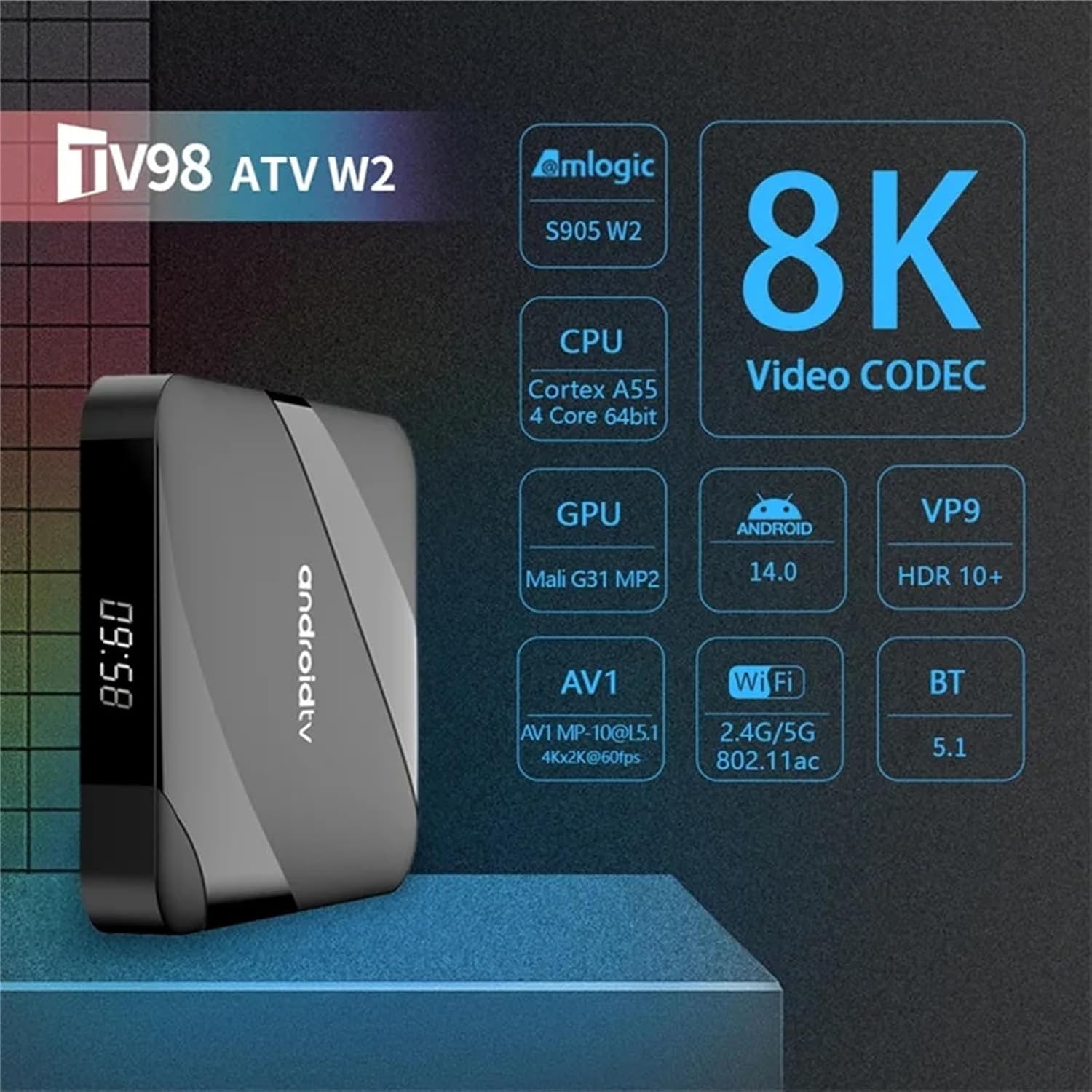
The WUYJTIF TV98 ATV Ultra HD 8K Smart TV Box is a versatile media player designed to enhance your television viewing experience. It features a powerful quad-core processor, supports 8K HDR content, and runs on the Android operating system, providing access to a wide range of applications and streaming services.
പ്രധാന സവിശേഷതകൾ:
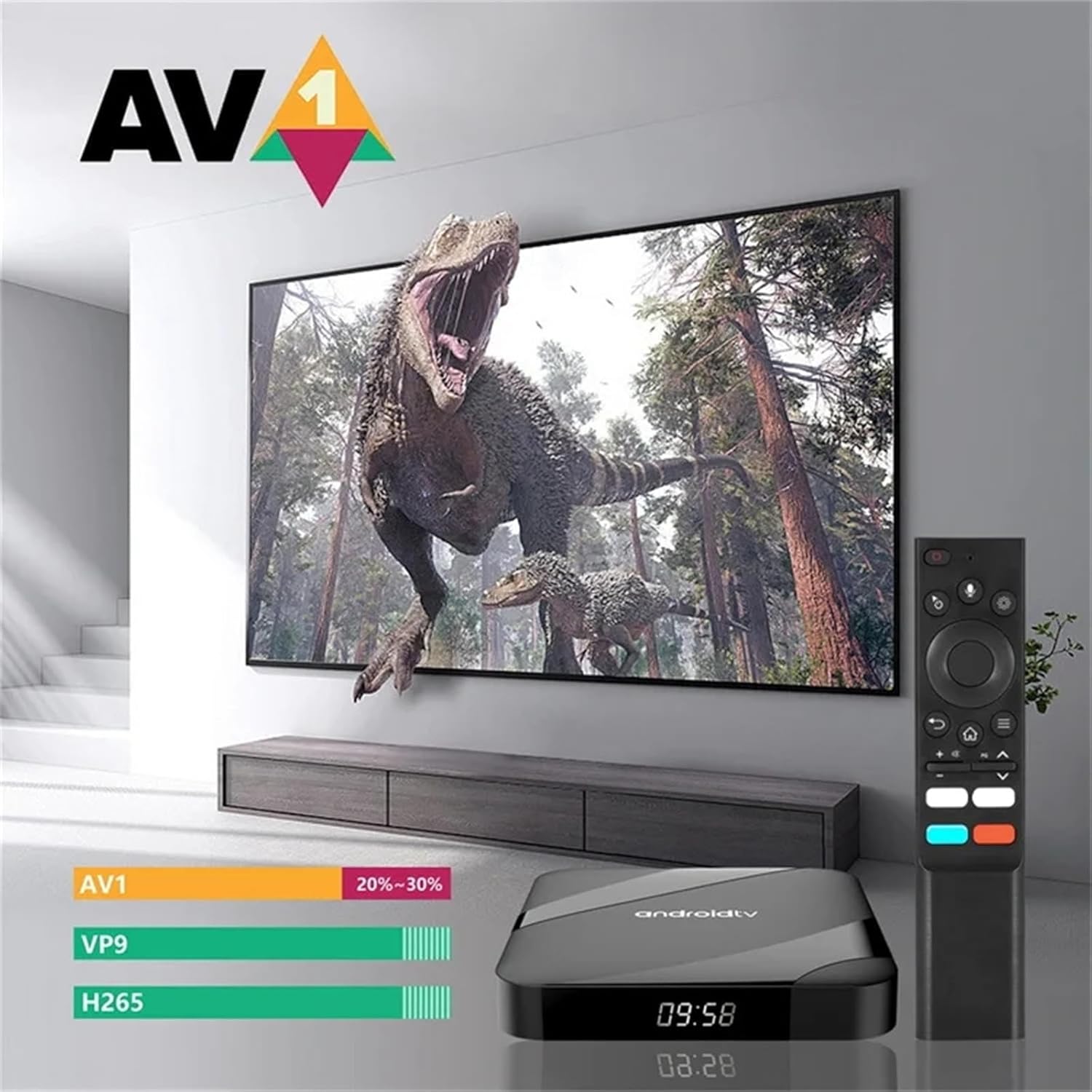
- 8K HDR Support: Compatible with AV1 video codec and HDR 10+ for high-quality content.
- Ample സംഭരണം: Equipped with 4GB RAM and 64GB EMMC Flash storage for applications and media.
- ഡ്യുവൽ-ബാൻഡ് വൈഫൈ & ബ്ലൂടൂത്ത്: Supports 2.4G/5G WiFi (802.11 b/g/n) and Bluetooth 5.1 for stable connectivity.
- Android OS: Runs on Android 10.0 (upgradable to 14), offering a smooth and flexible user experience.
- വിശാലമായ അനുയോജ്യത: Features AV and HDMI interfaces, suitable for various LCD and older televisions.
- മൾട്ടിമീഡിയ കഴിവുകൾ: Enables streaming from YouTube, web browsing, social media, music playback, Google Play apps, and digital TV access.
2. ബോക്സിൽ എന്താണുള്ളത്?
Upon opening your WUYJTIF TV98 ATV Smart TV Box package, you should find the following components:
- TV98 ATV Ultra HD 8K Smart TV Box (Main Device)
- റിമോട്ട് കൺട്രോൾ
- പവർ അഡാപ്റ്റർ (DC 5V/2A)
- HDMI കേബിൾ
- ഉപയോക്തൃ മാനുവൽ (ഈ പ്രമാണം)

അൺബോക്സിംഗും ഘടകങ്ങളും കഴിഞ്ഞുview:
For a visual guide to the contents of your package and a closer look at the device, please refer to the unboxing video below.
3. സജ്ജീകരണം
Follow these steps to set up your WUYJTIF TV98 ATV Smart TV Box:
- പവർ അഡാപ്റ്റർ ബന്ധിപ്പിക്കുക: Plug the DC 5V/2A power adapter into the DC port on the TV Box and then into a power outlet.
- ടിവിയിലേക്ക് കണക്റ്റ് ചെയ്യുക: Use the provided HDMI cable to connect the HDMI port on the TV Box to an available HDMI input on your television. If your TV does not have an HDMI port, use the AV (3-in-1) port with a compatible AV cable (not included).
- പവർ ഓൺ: Turn on your television and the TV Box. Select the correct HDMI or AV input source on your TV.
- റിമോട്ട് കൺട്രോൾ ജോടിയാക്കൽ: Insert two AAA batteries (not included) into the remote control. Follow the on-screen instructions to pair the remote control via Bluetooth. Typically, this involves holding down specific buttons (e.g., Home and Back) near the TV Box for a few seconds until pairing is successful.
- ഭാഷ തിരഞ്ഞെടുക്കൽ: Choose your preferred language from the on-screen menu.
- നെറ്റ്വർക്ക് കണക്ഷൻ: Connect the TV Box to your home network. You can use either Wi-Fi (2.4G or 5G) or an Ethernet cable via the LAN port for a stable connection. Enter your Wi-Fi password if prompted.
- Google അക്കൗണ്ട് സജ്ജീകരണം: Sign in with your Google account to access the Google Play Store and other Google services.

Installation and Initial Boot-up:
Watch the video below for a step-by-step guide on connecting your TV Box and the initial boot-up process.
4. പ്രവർത്തന നിർദ്ദേശങ്ങൾ
Once set up, your TV Box provides a user-friendly interface for accessing various entertainment options.
നാവിഗേഷൻ:
- Use the directional pad on your remote control to navigate through menus and select items.
- The Home button returns you to the main Android TV home screen.
- The Back button allows you to go back to the previous screen or menu.
അപേക്ഷകൾ:
The TV Box comes pre-installed with popular applications like YouTube and Prime Video. You can download additional apps from the Google Play Store.
- To access installed apps, navigate to the 'Apps' section on the home screen.
- To install new apps, open the 'Google Play Store' and search for your desired applications.
ശബ്ദ നിയന്ത്രണം:
The remote control supports voice commands. Press the microphone button on your remote and speak your command to search for content, open apps, or control playback.

5. പരിപാലനം
To ensure optimal performance and longevity of your TV Box, follow these maintenance guidelines:
- വൃത്തിയാക്കൽ: ഉപകരണത്തിന്റെ പുറംഭാഗം വൃത്തിയാക്കാൻ മൃദുവായതും ഉണങ്ങിയതുമായ തുണി ഉപയോഗിക്കുക. ദ്രാവക ക്ലീനറുകളോ ഉരച്ചിലുകളുള്ള വസ്തുക്കളോ ഉപയോഗിക്കുന്നത് ഒഴിവാക്കുക.
- വെൻ്റിലേഷൻ: Ensure the TV Box is placed in a well-ventilated area to prevent overheating. Do not block the ventilation holes.
- സോഫ്റ്റ്വെയർ അപ്ഡേറ്റുകൾ: Regularly check for system updates in the 'Settings' menu to ensure you have the latest features and security patches.
- പവർ സൈക്കിൾ: If the device becomes unresponsive, disconnect the power adapter, wait 10 seconds, and then reconnect it to perform a power cycle.
- സ്റ്റോറേജ് മാനേജ്മെന്റ്: സംഭരണ ഇടം ശൂന്യമാക്കുന്നതിനും പ്രകടനം മെച്ചപ്പെടുത്തുന്നതിനും ഇടയ്ക്കിടെ കാഷെ മായ്ക്കുകയും ഉപയോഗിക്കാത്ത ആപ്ലിക്കേഷനുകൾ അൺഇൻസ്റ്റാൾ ചെയ്യുകയും ചെയ്യുക.
6. പ്രശ്നപരിഹാരം
നിങ്ങൾ നേരിട്ടേക്കാവുന്ന പൊതുവായ പ്രശ്നങ്ങൾക്കുള്ള പരിഹാരങ്ങൾ ഇതാ:
- ശക്തിയില്ല:
- പവർ അഡാപ്റ്റർ ടിവി ബോക്സിലേക്കും പ്രവർത്തിക്കുന്ന ഒരു പവർ ഔട്ട്ലെറ്റിലേക്കും സുരക്ഷിതമായി ബന്ധിപ്പിച്ചിട്ടുണ്ടെന്ന് ഉറപ്പാക്കുക.
- മറ്റൊരു ഉപകരണം പ്ലഗ് ഇൻ ചെയ്ത് പവർ ഔട്ട്ലെറ്റ് പ്രവർത്തനക്ഷമമാണെന്ന് ഉറപ്പാക്കുക.
- ടിവിയിൽ സിഗ്നൽ ഇല്ല:
- Check that the HDMI or AV cable is securely connected to both the TV Box and the television.
- Confirm that your TV is set to the correct input source (HDMI 1, HDMI 2, AV, etc.).
- ലഭ്യമാണെങ്കിൽ മറ്റൊരു HDMI പോർട്ട് അല്ലെങ്കിൽ കേബിൾ പരീക്ഷിച്ചുനോക്കൂ.
- റിമോട്ട് കൺട്രോൾ പ്രതികരിക്കുന്നില്ല:
- റിമോട്ട് കൺട്രോളിൽ ബാറ്ററികൾ മാറ്റിസ്ഥാപിക്കുക.
- Re-pair the remote control by following the instructions in the Setup section.
- Wi-Fi കണക്ഷൻ പ്രശ്നങ്ങൾ:
- നിങ്ങളുടെ വൈഫൈ റൂട്ടർ ഓണാണെന്നും ശരിയായി പ്രവർത്തിക്കുന്നുണ്ടെന്നും ഉറപ്പാക്കുക.
- നിങ്ങൾ ശരിയായ വൈഫൈ പാസ്വേഡ് നൽകിയിട്ടുണ്ടോയെന്ന് പരിശോധിക്കുക.
- Try moving the TV Box closer to your Wi-Fi router or using an Ethernet cable.
- മന്ദഗതിയിലുള്ള പ്രകടനം:
- പശ്ചാത്തലത്തിൽ പ്രവർത്തിക്കുന്ന ഉപയോഗിക്കാത്ത ആപ്ലിക്കേഷനുകൾ അടയ്ക്കുക.
- Clear the cache of frequently used apps.
- മതിയായ സൗജന്യ സംഭരണ സ്ഥലം ഉറപ്പാക്കുക.
7 സ്പെസിഫിക്കേഷനുകൾ
Detailed technical specifications for the WUYJTIF TV98 ATV Ultra HD 8K Smart TV Box:
| ഫീച്ചർ | സ്പെസിഫിക്കേഷൻ |
|---|---|
| സിപിയു | Amlogic S905W2, up to 1.2 GHz, Quad-core ARM Cortex-A35 |
| ജിപിയു | Penta Core Mali-G31 750MHz |
| SDRAM | 4 ജിബി |
| EMMC Flash | 64 ജിബി |
| വൈഫൈ | 802.11 b/g/n 2.4G+5G |
| ബ്ലൂടൂത്ത് | BT5.1 |
| ഓപ്പറേറ്റിംഗ് സിസ്റ്റം | Android 10.0 (upgradable to 14) |
| വീഡിയോ ഔട്ട്പുട്ട് | HDMI2.0 to support maximum 4Kx2K display (8K HDR compatible) |
| USB പോർട്ടുകൾ | 2 High-speed USB 2.0 (supports U DISK and USB HDD) |
| കാർഡ് റീഡർ | TF കാർഡ് റീഡർ |
| ഓഡിയോ ഔട്ട്പുട്ട് | SPDIF Coaxial (Optical) |
| AV put ട്ട്പുട്ട് | AV (3 in 1) port |
| ലാൻ | RJ45 10M/100M ഇഥർനെറ്റ് |
| വൈദ്യുതി വിതരണം | DC Jack 5V/2A |
| ഉൽപ്പന്ന അളവുകൾ | 3.8 x 1.35 x 0.62 ഇഞ്ച് |
| നിറം | കറുപ്പ് |
Device Properties Overview:
പെട്ടെന്നുള്ള ഓവറിനായിview of the device's properties and settings, including memory and storage, please watch the video below.
8. വാറണ്ടിയും പിന്തുണയും
Your WUYJTIF TV98 ATV Ultra HD 8K Smart TV Box is covered by a standard manufacturer's warranty. Please refer to the warranty card included in your package for specific terms and conditions.
For technical support, troubleshooting assistance, or warranty claims, please contact the retailer or manufacturer directly. Contact information can typically be found on the product packaging or the official brand webസൈറ്റ്.