
GOBOULT Airbass Earbuds
GOBOULT x Mustang Derby Truly Wireless Earbuds User Manual
Model: Airbass Earbuds
1. ആമുഖം
Welcome to the GOBOULT x Mustang Derby Truly Wireless Earbuds user manual. This guide provides essential information for setting up, operating, maintaining, and troubleshooting your new earbuds. Please read this manual thoroughly to ensure optimal performance and longevity of your device.
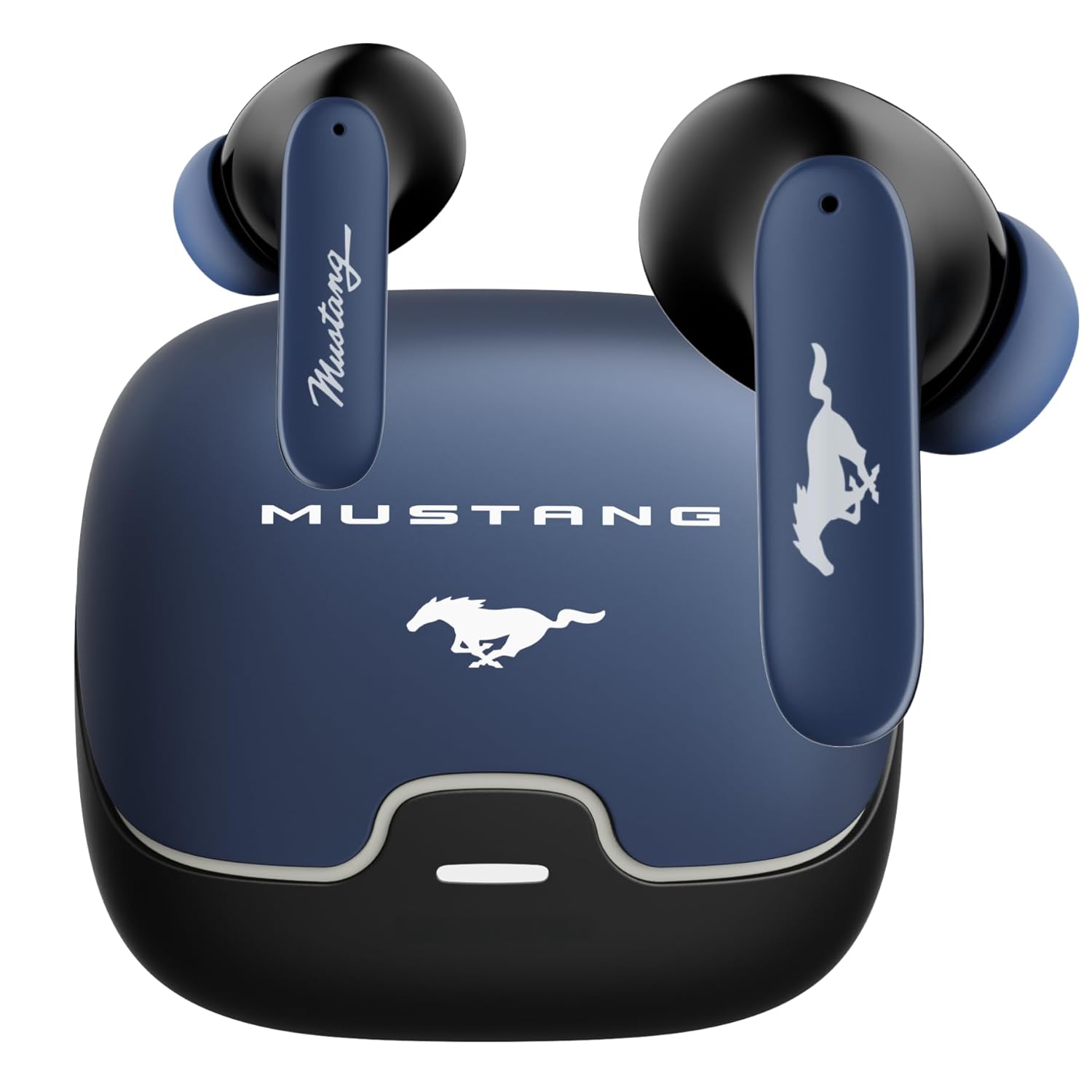
Image: The GOBOULT x Mustang Derby Truly Wireless Earbuds in their charging case.
2. ബോക്സിൽ എന്താണുള്ളത്?
നിങ്ങളുടെ ഉൽപ്പന്ന പാക്കേജിംഗിൽ ഇനിപ്പറയുന്ന എല്ലാ ഇനങ്ങളും ഉൾപ്പെടുത്തിയിട്ടുണ്ടെന്ന് ഉറപ്പാക്കുക:
- GOBOULT x Mustang Derby Truly Wireless Earbuds
- Mustang Derby Charging Case
- ടൈപ്പ്-സി ഫാസ്റ്റ് ചാർജിംഗ് കേബിൾ
- Extra Pair of Eartips (various sizes)
- ഉപയോക്തൃ മാനുവൽ (ഈ പ്രമാണം)
- വാറൻ്റി കാർഡ്

Image: All components included in the GOBOULT x Mustang Derby Earbuds package.
3. ഉൽപ്പന്നം കഴിഞ്ഞുview
The GOBOULT x Mustang Derby Earbuds are designed for a premium audio experience, featuring 13mm bass drivers for rich sound and Bluetooth 5.4 for stable connectivity. The earbuds are IPX5 water-resistant, making them suitable for various activities. The charging case and earbuds feature a distinctive Mustang Derby design.

ചിത്രം: വിശദമായത് view of the earbud's 13mm massive drivers for enhanced audio.
4. സജ്ജീകരണം
4.1 ഇയർബഡുകളും കേസും ചാർജ് ചെയ്യുന്നു
Before first use, fully charge the earbuds and the charging case. Connect the provided Type-C charging cable to the charging port on the case and a compatible USB power source. The charging time for a full charge is approximately 90 minutes. A fully charged case provides up to 100 hours of total playtime with the earbuds.
4.2 പ്രാരംഭ ജോടിയാക്കൽ
- ചാർജിംഗ് കേസ് തുറക്കുക. ഇയർബഡുകൾ സ്വയമേവ ജോടിയാക്കൽ മോഡിലേക്ക് പ്രവേശിക്കും.
- നിങ്ങളുടെ ഉപകരണത്തിൽ (സ്മാർട്ട്ഫോൺ, ടാബ്ലെറ്റ്, ലാപ്ടോപ്പ്), ബ്ലൂടൂത്ത് പ്രവർത്തനക്ഷമമാക്കുക.
- ഇതിനായി തിരയുക available Bluetooth devices and select "GOBOULT Mustang Derby" from the list.
- കണക്റ്റുചെയ്തുകഴിഞ്ഞാൽ, നിങ്ങൾ ഒരു സ്ഥിരീകരണ ടോൺ കേൾക്കും.

Image: The earbuds and charging case, illustrating Bluetooth 5.4 connectivity for fast pairing.
4.3 ഡ്യുവൽ ഡിവൈസ് ജോടിയാക്കൽ
The earbuds support simultaneous connection to two devices. This allows for seamless switching between audio sources without manual re-pairing.
- Pair the earbuds with your first device as described in section 4.2.
- ആദ്യത്തെ ഉപകരണത്തിന്റെ ബ്ലൂടൂത്ത് ക്രമീകരണങ്ങളിൽ നിന്ന് ഇയർബഡുകൾ വിച്ഛേദിക്കുക.
- നിങ്ങളുടെ രണ്ടാമത്തെ ഉപകരണവുമായി ഇയർബഡുകൾ ജോടിയാക്കുക.
- Reconnect the earbuds to the first device. The earbuds will now be connected to both devices.
- Audio will automatically switch to the device currently playing sound.

Image: The earbuds and charging case, illustrating the dual-device pairing feature.
4.4 App Support
Enhance your experience by downloading the dedicated GOBOULT app. The app allows you to:
- Custom-tune your audio with multi-EQ modes.
- Assign custom gestures to your earbuds.
- Utilize the Quick Cleanup feature for optimal performance.
- Rename your earbuds and personalize audio settings.

Image: A smartphone displaying the GOBOULT app, highlighting features like EQ modes and custom gestures.
5. ഇയർബഡുകൾ പ്രവർത്തിപ്പിക്കൽ
5.1 ടച്ച് നിയന്ത്രണങ്ങൾ
The earbuds feature intuitive touch controls for managing various functions. Specific gestures can be customized via the GOBOULT app.
| ആക്ഷൻ | ഫംഗ്ഷൻ |
|---|---|
| ഒറ്റ ടാപ്പ് | സംഗീതം പ്ലേ ചെയ്യുക/താൽക്കാലികമായി നിർത്തുക, കോൾ സ്വീകരിക്കുക/അവസാനിപ്പിക്കുക |
| ഡബിൾ ടാപ്പ് (ഇടത് ഇയർബഡ്) | മുമ്പത്തെ ട്രാക്ക് |
| ഡബിൾ ടാപ്പ് (വലത് ഇയർബഡ്) | അടുത്ത ട്രാക്ക് |
| ട്രിപ്പിൾ ടാപ്പ് (ഇടത് ഇയർബഡ്) | വോളിയം ഡൗൺ |
| ട്രിപ്പിൾ ടാപ്പ് (വലത് ഇയർബഡ്) | വോളിയം കൂട്ടുക |
| ദീർഘനേരം അമർത്തുക (2 സെക്കൻഡ്) | വോയ്സ് അസിസ്റ്റന്റ് സജീവമാക്കുക / കോൾ നിരസിക്കുക |
5.2 കോൾ മാനേജ്മെന്റ്
The earbuds are equipped with 4 Environmental Noise Cancellation (ENC) microphones to ensure clear calls even in noisy environments.
- കോളുകൾക്ക് മറുപടി / അവസാനിപ്പിക്കുക: ഇയർബഡുകളിലൊന്നിൽ ഒറ്റത്തവണ ടാപ്പ് ചെയ്യുക.
- കോളുകൾ നിരസിക്കുന്നു: ഒന്നുകിൽ ഇയർബഡിൽ 2 സെക്കൻഡ് ദീർഘനേരം അമർത്തുക.

Image: Close-up of an earbud showing the Zen™ Quad Mic ENC technology for crystal clear calling.
5.3 ഗെയിമിംഗ് മോഡ്
Activate the 45ms Low Latency Gaming Mode for a synchronized audio-visual experience during gaming. This mode minimizes audio delay, providing a competitive edge.
- സജീവമാക്കൽ: Refer to the GOBOULT app for specific gesture customization or check the user manual for default activation.

Image: The earbuds and charging case, illustrating the Combat™ Gaming Mode with 45ms low latency.
5.4 വോയ്സ് അസിസ്റ്റന്റ്
Access your device's voice assistant (Amazon Alexa, Google Assistant, Siri) by long-pressing either earbud for 2 seconds.
6. പരിപാലനം
6.1 വൃത്തിയാക്കൽ
Regular cleaning helps maintain optimal sound quality and hygiene.
- മൃദുവായതും ഉണങ്ങിയതും ലിന്റ് രഹിതവുമായ ഒരു തുണി ഉപയോഗിച്ച് ഇയർബഡുകളും ചാർജിംഗ് കെയ്സും സൌമ്യമായി തുടയ്ക്കുക.
- കഠിനമായ അഴുക്കിന്, ചെറുതായി dampതുണിയിൽ വെള്ളം ഒഴിക്കുക. കഠിനമായ രാസവസ്തുക്കളോ ഉരച്ചിലുകളോ ഉള്ള വസ്തുക്കൾ ഉപയോഗിക്കുന്നത് ഒഴിവാക്കുക.
- Clean the ear tips regularly. They can be removed and rinsed with water, then dried completely before reattaching.
- ഇയർബഡുകളിലെയും കെയ്സിലെയും ചാർജിംഗ് കോൺടാക്റ്റുകൾ വൃത്തിയുള്ളതും വരണ്ടതുമാണെന്ന് ഉറപ്പാക്കുക.
The earbuds have an IPX5 water resistance rating, meaning they are protected against low-pressure water jets from any direction. However, the charging case is not water-resistant. Do not submerge the earbuds or expose them to strong water streams.

Image: The earbuds and charging case, illustrating IPX5 water resistance.
6.2 സംഭരണം
When not in use, store the earbuds in their charging case to protect them from dust, damage, and to keep them charged. Store the case in a cool, dry place away from direct sunlight and extreme temperatures.
7. പ്രശ്നപരിഹാരം
If you encounter any issues with your GOBOULT x Mustang Derby Earbuds, refer to the following common solutions:
| പ്രശ്നം | പരിഹാരം |
|---|---|
| ഇയർബഡുകൾ ജോടിയാക്കുന്നില്ല | Ensure earbuds are charged. Turn off and on your device's Bluetooth. Place earbuds back in case, close, then reopen to re-enter pairing mode. |
| ഒരു ഇയർബഡ് മാത്രമേ പ്രവർത്തിക്കൂ | Place both earbuds back in the charging case, close the lid, wait a few seconds, then open again. Ensure both earbuds are charged. |
| കുറഞ്ഞ ശബ്ദം അല്ലെങ്കിൽ മോശം ശബ്ദ നിലവാരം | Clean the ear tips and speaker mesh. Adjust volume on both your device and the earbuds. Ensure ear tips provide a good seal in your ear canal. |
| ഇയർബഡുകൾ ചാർജ് ചെയ്യുന്നില്ല | ചാർജിംഗ് കേബിൾ സുരക്ഷിതമായി ബന്ധിപ്പിച്ചിട്ടുണ്ടെന്ന് ഉറപ്പാക്കുക. ചാർജിംഗ് കെയ്സിന് പവർ ഉണ്ടോയെന്ന് പരിശോധിക്കുക. ഇയർബഡുകളിലെയും കെയ്സിലെയും ചാർജിംഗ് കോൺടാക്റ്റുകൾ വൃത്തിയാക്കുക. |
| ബ്ലൂടൂത്ത് കണക്ഷൻ അസ്ഥിരമാണ് | Ensure you are within the 10-meter Bluetooth range. Avoid obstacles between your device and earbuds. Disconnect and reconnect the earbuds. |
പ്രശ്നം നിലനിൽക്കുകയാണെങ്കിൽ, കൂടുതൽ സഹായത്തിനായി വാറന്റി, പിന്തുണ വിഭാഗം പരിശോധിക്കുക.
8 സ്പെസിഫിക്കേഷനുകൾ
| ഫീച്ചർ | വിശദാംശങ്ങൾ |
|---|---|
| മോഡലിൻ്റെ പേര് | എയർബാസ് ഇയർബഡുകൾ |
| കണക്റ്റിവിറ്റി ടെക്നോളജി | ബ്ലൂടൂത്ത് 5.4, വയർലെസ് |
| ബ്ലൂടൂത്ത് ശ്രേണി | 10 മീറ്റർ |
| ഓഡിയോ ഡ്രൈവർ വലിപ്പം | 13 മില്ലിമീറ്റർ |
| ഓഡിയോ ഡ്രൈവർ തരം | ഡൈനാമിക് ഡ്രൈവർ |
| പ്രതിരോധം | 32 ഓം |
| ഫ്രീക്വൻസി പ്രതികരണം | 20 Hz |
| സംവേദനക്ഷമത | 115 ഡി.ബി |
| ഓഡിയോ ലേറ്റൻസി | 45 മില്ലിസെക്കൻഡ് (ഗെയിമിംഗ് മോഡ്) |
| ശബ്ദ നിയന്ത്രണം | Passive Noise Cancellation, Environmental Noise Cancellation (ENC) Mics |
| മൈക്രോഫോൺ ഫോർമാറ്റ് | Built-In (4 Mics) |
| ബാറ്ററി ലൈഫ് (ആകെ) | 100 മണിക്കൂർ വരെ (ചാർജിംഗ് കേസിനൊപ്പം) |
| ചാർജിംഗ് സമയം | ഏകദേശം. 90 മിനിറ്റ് |
| ചാർജിംഗ് പോർട്ട് | ടൈപ്പ്-സി ഫാസ്റ്റ് ചാർജിംഗ് ജാക്ക് |
| ജല പ്രതിരോധ നില | IPX5 (ഇയർബഡുകൾ മാത്രം) |
| നിയന്ത്രണ തരം | ടച്ച് കൺട്രോൾ, വോയ്സ് കൺട്രോൾ |
| അനുയോജ്യമായ ഉപകരണങ്ങൾ | Android, Cellphones, Desktops, Gaming Consoles, Laptops, Tablets, iPhone |
| ഇനത്തിൻ്റെ ഭാരം | 50 ഗ്രാം |
| ഉൽപ്പന്ന അളവുകൾ | 4.7 x 8.9 x 9.6 സെ.മീ |
| മെറ്റീരിയൽ | റബ്ബർ |
| മാതൃരാജ്യം | ഇന്ത്യ |
9. വാറൻ്റിയും പിന്തുണയും
9.1 നിർമ്മാതാവിന്റെ വാറന്റി
Your GOBOULT x Mustang Derby Truly Wireless Earbuds come with a 1 വർഷത്തെ നിർമ്മാതാവിന്റെ വാറന്റി വാങ്ങിയ തീയതി മുതൽ. ഈ വാറന്റി നിർമ്മാണ വൈകല്യങ്ങൾ ഉൾക്കൊള്ളുന്നു, കൂടാതെ സാധാരണ ഉപയോഗത്തിൽ നിങ്ങളുടെ ഉൽപ്പന്നം മെറ്റീരിയൽ, വർക്ക്മാൻഷിപ്പ് വൈകല്യങ്ങളിൽ നിന്ന് മുക്തമാണെന്ന് ഉറപ്പാക്കുന്നു.
Please retain your proof of purchase for warranty claims. The warranty does not cover damage caused by misuse, accidents, unauthorized modifications, or normal wear and tear.
9.2 ഉപഭോക്തൃ പിന്തുണ
For technical assistance, warranty claims, or any other inquiries, please contact GOBOULT customer support through their official webസൈറ്റ് അല്ലെങ്കിൽ നിങ്ങളുടെ വാറന്റി കാർഡിൽ നൽകിയിരിക്കുന്ന ബന്ധപ്പെടാനുള്ള വിവരങ്ങൾ.
നിങ്ങൾക്ക് സന്ദർശിക്കാവുന്നതും GOBOULT Store on Amazon കൂടുതൽ ഉൽപ്പന്ന വിവരങ്ങൾക്കും പിന്തുണാ ഉറവിടങ്ങൾക്കും.
Ask a question about this manual
Ask about setup, troubleshooting, compatibility, parts, safety, or missing instructions. Manuals+ will review the question and use this page’s manual context to help answer it.