
1. ആമുഖം
This user manual provides essential information for the installation, operation, and maintenance of the Coolmay MX3G-32MRT PLC Module. This Programmable Logic Controller (PLC) module is designed for industrial automation applications, offering reliable control and data processing capabilities. It features 16 digital inputs, 16 transistor sink outputs, and 2 analog inputs, making it suitable for a wide range of control tasks.
2 സുരക്ഷാ വിവരങ്ങൾ
വ്യക്തിപരമായ പരിക്കുകളും ഉപകരണങ്ങൾക്ക് കേടുപാടുകളും ഉണ്ടാകാതിരിക്കാൻ ഇനിപ്പറയുന്ന സുരക്ഷാ മുൻകരുതലുകൾ എപ്പോഴും പാലിക്കുക:
- Ensure all power is disconnected before installation, wiring, or maintenance.
- ഇൻസ്റ്റാളേഷനും വയറിംഗും യോഗ്യതയുള്ള ഉദ്യോഗസ്ഥർ മാത്രമേ നടത്താവൂ.
- Proper grounding is essential to prevent electrical shock and ensure stable operation.
- Do not operate the module in environments exceeding its specified temperature, humidity, or vibration limits.
- Avoid exposing the module to direct sunlight, corrosive gases, or excessive dust.
3. ഉൽപ്പന്നം കഴിഞ്ഞുview
The Coolmay MX3G-32MRT PLC Module is a compact and robust industrial control device. It integrates various components for seamless operation within an automation system.
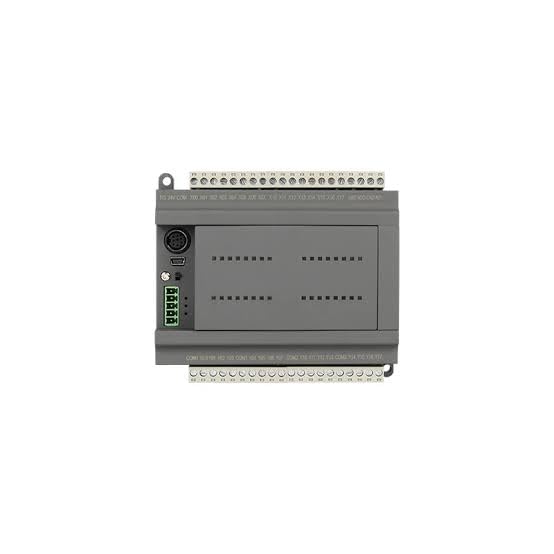
ചിത്രം 3.1: മുകളിൽ View of MX3G-32MRT PLC Module. This image displays the top-down perspective of the PLC module, highlighting the clearly labeled input and output terminal blocks at the top and bottom. Various communication ports, including a USB port, are visible on the left side, along with status indicator LEDs.
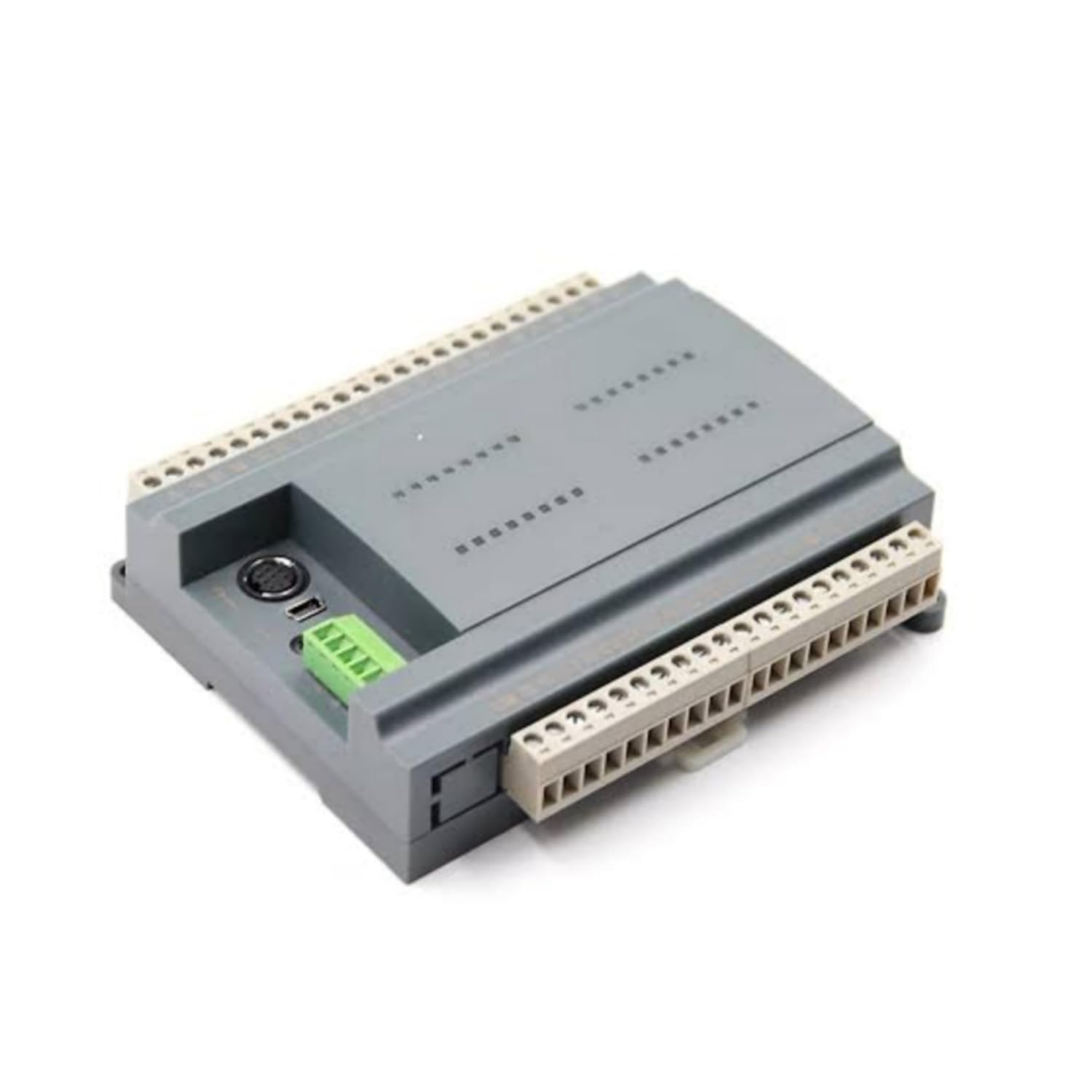
ചിത്രം 3.2: കോണാകൃതിയിലുള്ളത് View of MX3G-32MRT PLC Module. ഈ ചിത്രം ഒരു കോണീയത നൽകുന്നു view of the PLC module, showcasing its compact and sturdy grey casing. The perspective allows for a better understanding of its overall dimensions and the arrangement of its side-mounted connectors and terminal blocks.
പ്രധാന ഘടകങ്ങൾ:
- Digital Input Terminals: For connecting sensors and switches.
- Transistor Sink Output Terminals: For controlling actuators and indicators.
- Analog Input Terminals: For connecting analog sensors.
- പവർ ഇൻപുട്ട്: ഡിസി പവർ സപ്ലൈ ബന്ധിപ്പിക്കുന്നതിന്.
- ആശയവിനിമയ തുറമുഖങ്ങൾ: For programming and data exchange with other devices.
- നില സൂചകങ്ങൾ: LEDs to show power, run, and error status.
4. സജ്ജീകരണം
4.1. മൗണ്ടിംഗ്
The MX3G-32MRT module is designed for DIN rail mounting. Securely attach the module to a standard DIN rail in a control cabinet, ensuring adequate ventilation space around the unit.
4.2. വയറിംഗ്
Follow these general guidelines for wiring the PLC module:
- വൈദ്യുതി വിതരണം: Connect a stable DC power supply to the designated power input terminals. Observe correct polarity.
- ഡിജിറ്റൽ ഇൻപുട്ടുകൾ: Connect your digital input devices (e.g., push buttons, limit switches) to the digital input terminals. Refer to the module's specific wiring diagram for input type (sink/source) compatibility.
- Transistor Sink Outputs: Connect your output devices (e.g., relays, indicator lights) to the transistor sink output terminals. Ensure the load current does not exceed the specified maximum for each output.
- അനലോഗ് ഇൻപുട്ടുകൾ: Connect analog sensors (e.g., temperature, pressure) to the analog input terminals. Ensure proper signal type and range matching.
- ഗ്രൗണ്ടിംഗ്: Connect the module's ground terminal to a reliable earth ground.
4.3. പ്രാരംഭ കണക്ഷൻ
Connect the PLC module to a computer using a compatible programming cable via the designated communication port. Install the necessary drivers and programming software on your computer.
5. പ്രവർത്തന നിർദ്ദേശങ്ങൾ
5.1. പവർ ചെയ്യുന്നു
After completing all wiring and connections, apply power to the PLC module. The power indicator LED should illuminate, indicating successful power-up.
5.2 പ്രോഗ്രാമിംഗ്
Use the compatible programming software to develop and download your control logic program to the PLC. The software provides an environment for creating ladder logic, function block diagrams, or other programming languages supported by the module.
5.3. റൺ മോഡ്
Once the program is downloaded, switch the PLC to RUN mode (either via software or a physical switch if available). The PLC will then execute the loaded program, controlling the connected inputs and outputs according to the logic.
5.4. നിരീക്ഷണം
The programming software allows for real-time monitoring of input/output status, internal registers, and program execution. This is crucial for debugging and verifying system operation.
6. പരിപാലനം
Regular maintenance ensures the longevity and reliable operation of your PLC module:
- വൃത്തിയാക്കൽ: Periodically clean the module and its surroundings to prevent dust accumulation, which can lead to overheating or short circuits. Use a soft, dry cloth. Do not use solvents.
- പരിസ്ഥിതി നിയന്ത്രണം: പ്രവർത്തന അന്തരീക്ഷം നിർദ്ദിഷ്ട താപനിലയിലും ഈർപ്പത്തിലും പരിധിക്കുള്ളിൽ തന്നെയാണെന്ന് ഉറപ്പാക്കുക.
- കണക്ഷൻ പരിശോധനകൾ: Periodically inspect all wiring connections for tightness and signs of corrosion or damage.
- ഫേംവെയർ അപ്ഡേറ്റുകൾ: Check the Coolmay official website for any available firmware updates that may improve performance or add new features. Follow the provided instructions carefully for any update procedures.
7. പ്രശ്നപരിഹാരം
If you encounter issues with your MX3G-32MRT PLC Module, refer to the following common problems and solutions:
| പ്രശ്നം | സാധ്യമായ കാരണം | പരിഹാരം |
|---|---|---|
| PLC does not power on. | No power supply; incorrect wiring; faulty power supply. | പവർ കണക്ഷനുകളും വോളിയവും പരിശോധിക്കുകtage; verify power supply functionality. |
| Inputs not responding. | Incorrect wiring; faulty sensor; program logic error. | Verify input wiring; test sensor functionality; check program logic. |
| Outputs not activating. | Incorrect wiring; faulty actuator; program logic error; overloaded output. | Verify output wiring; test actuator; check program logic; ensure load is within specifications. |
| പിസിയുമായുള്ള ആശയവിനിമയ പിശക്. | Incorrect cable; driver issue; wrong communication settings. | Ensure correct cable is used; reinstall drivers; verify communication parameters in software. |
| PLC in ERROR state (Error LED on). | Program error; hardware fault. | Check error codes in programming software; review program for errors; contact support if hardware fault suspected. |
If the problem persists after attempting these solutions, contact Coolmay customer support for further assistance.
8 സ്പെസിഫിക്കേഷനുകൾ
| ആട്രിബ്യൂട്ട് | വിശദാംശങ്ങൾ |
|---|---|
| ബ്രാൻഡ് | കൂൾമേ |
| മോഡൽ നമ്പർ | MX3G-32MRT |
| നിർമ്മാതാവ് | ഷെൻഷെൻ കൂൾമേ ടെക്നോളജി കോ., ലിമിറ്റഡ് |
| മാതൃരാജ്യം | ചൈന |
| ഡിജിറ്റൽ ഇൻപുട്ടുകൾ | 16 |
| ഡിജിറ്റൽ ഔട്ട്പുട്ടുകൾ | 16 (Transistor Sink Type) |
| അനലോഗ് ഇൻപുട്ടുകൾ | 2 |
| Number of Memory Sticks | 1 |
| ASIN | B0D69LG89H |
| ആദ്യം ലഭ്യമായ തീയതി | 6 ജൂൺ 2024 |
9. വാറൻ്റിയും പിന്തുണയും
For warranty information, please refer to the documentation provided with your purchase or contact your vendor. Coolmay products are designed for reliability, and customer satisfaction is a priority.
For technical support, troubleshooting assistance, or inquiries regarding the Coolmay MX3G-32MRT PLC Module, please visit the official Coolmay website or contact their customer service department. Ensure you have your product model number and any relevant purchase details ready when seeking support.