
1. ഉൽപ്പന്നം കഴിഞ്ഞുview
The Generic LCX-ZJ300-002 WiFi Extender is designed to expand your existing wireless network coverage, eliminate dead zones, and provide a stable, high-speed internet connection throughout your home or office. It supports dual-band 2.4GHz and 5GHz frequencies, offering up to 1200Mbps data transfer rates. Equipped with four high-gain external antennas, it ensures 360-degree signal coverage and enhanced wall penetration.

ചിത്രം 1: മുൻഭാഗം view of the WiFi Extender, showing LED indicators for Power, Data, Signal, LAN1, and LAN2, along with the WPS button.
പാക്കേജ് ഉള്ളടക്കം:
- 1x WiFi Extender (LCX-ZJ300-002)
- 1x ഉപയോക്തൃ മാനുവൽ
2. സജ്ജീകരണവും ഇൻസ്റ്റാളേഷനും
This section guides you through the process of setting up your WiFi Extender. You can choose between two primary modes: Repeater Mode to extend an existing wireless network, or AP Mode to convert a wired network into a wireless one.
2.1. ഭൗതിക ബന്ധം
- Unpack the WiFi Extender and ensure all components are present.
- Plug the WiFi Extender into a standard electrical outlet in a central location between your router and the area where you need improved WiFi coverage. Ensure the Power LED illuminates.
2.2. കോൺഫിഗറേഷൻ രീതികൾ
There are two main methods to configure your WiFi Extender: using the WPS button for quick setup or via a web browser for more detailed control.
Method A: WPS Button Setup (Recommended for quick setup)
- Plug the extender into a power outlet near your main router.
- നിങ്ങളുടെ പ്രധാന റൂട്ടറിലെ WPS ബട്ടൺ അമർത്തുക.
- Within two minutes, press the WPS button on the WiFi Extender.
- Wait for the Signal LED on the extender to turn solid, indicating a successful connection. You can then unplug the extender and move it to your desired location.
രീതി ബി: Web Browser Setup (For detailed configuration)
- Plug the WiFi Extender into a power outlet.
- Connect your computer or smartphone to the extender's default WiFi network (e.g., "WiFi-Repeater" or similar, usually found on a label on the device). No password is required initially.
- എ തുറക്കുക web browser (e.g., Chrome, Firefox) and enter the default IP address: 192.168.11.1 വിലാസ ബാറിൽ.
- Log in using the default username and password (usually "admin" for both, refer to the device label if different).
- Follow the on-screen wizard to select your desired mode (Repeater Mode or AP Mode).
- For Repeater Mode: Select your existing WiFi network from the list, enter its password, and click "Next". The extender will create a new network with "_EXT" appended to your original network name.
- For AP Mode: Connect an Ethernet cable from your main router to the LAN/WAN port on the extender. In the web interface, select AP Mode and configure the new wireless network name (SSID) and password.
- Once configured, the extender will restart. Reconnect your devices to the new extended network.

ചിത്രം 2: ഇതിനായുള്ള വിഷ്വൽ ഗൈഡ് web browser setup, showing steps on a smartphone interface.
3. Operating the WiFi Extender
Once set up, the WiFi Extender operates automatically to provide extended wireless coverage. Understanding its features and indicators will help you optimize its performance.
3.1. എൽഇഡി സൂചകങ്ങൾ
| സൂചകം | നില | വിവരണം |
|---|---|---|
| PWR (പവർ) | സോളിഡ് ഗ്രീൻ | ഉപകരണം ഓണാണ്. |
| ഡാറ്റ | മിന്നുന്ന പച്ച | ഡാറ്റ കൈമാറ്റം ചെയ്യുകയോ സ്വീകരിക്കുകയോ ചെയ്യുന്നു. |
| സിഗ്നൽ | സോളിഡ് ഗ്രീൻ | Good signal strength from the main router. |
| സിഗ്നൽ | മിന്നുന്ന പച്ച | Weak signal strength, consider repositioning. |
| LAN1 / LAN2 | സോളിഡ് ഗ്രീൻ | Ethernet cable connected and active. |
| LAN1 / LAN2 | മിന്നുന്ന പച്ച | Data is being transmitted or received via Ethernet. |
3.2. Dual-Band Technology and Coverage
The LCX-ZJ300-002 utilizes dual-band technology (2.4GHz and 5GHz) to provide flexible and efficient network expansion. The 2.4GHz band offers wider coverage and better penetration through obstacles, while the 5GHz band provides faster speeds for demanding tasks like streaming and gaming over shorter distances.
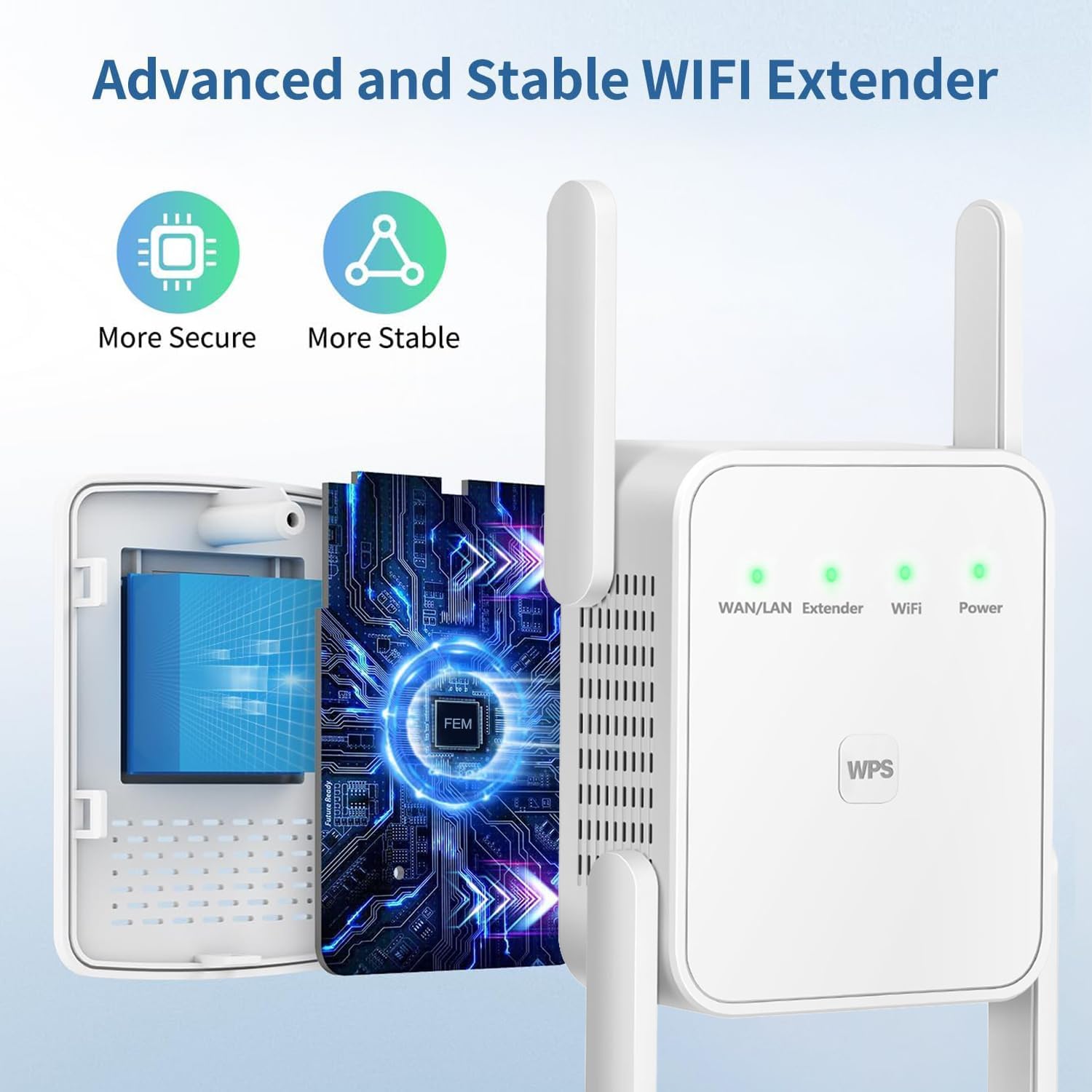
Figure 3: Internal design emphasizing advanced and stable WiFi extension.
With its four high-gain external antennas, the extender delivers 360-degree signal amplification, effectively extending WiFi coverage to areas previously experiencing dead zones, such as bedrooms, basements, garages, and gardens. This design ensures strong signal penetration through walls and floors.
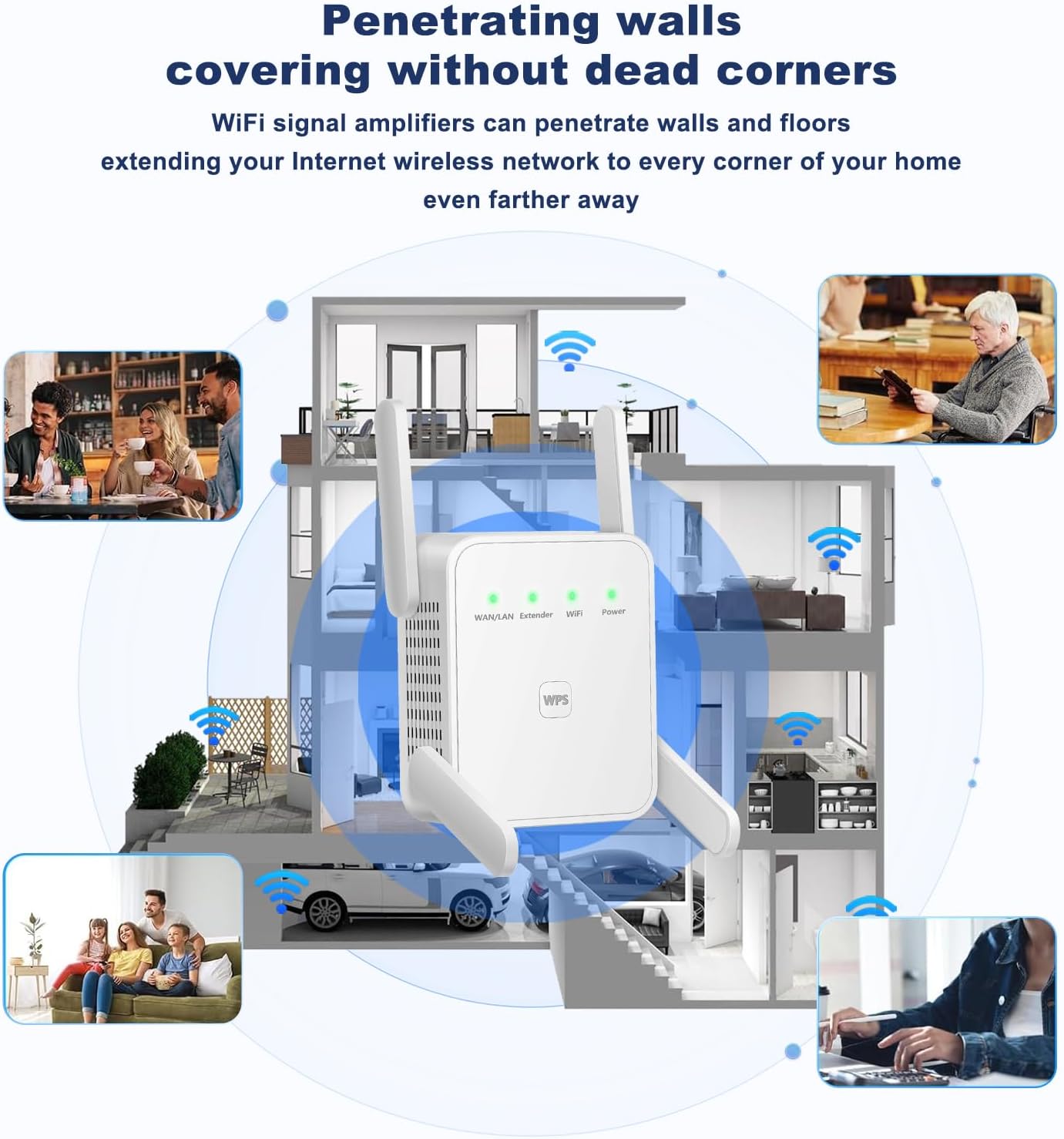
Figure 4: Depiction of the extender's ability to penetrate walls and cover multiple areas.
3.3. Repeater and AP Modes Explained
The device supports two operational modes:
- റിപ്പീറ്റർ മോഡ്: Extends the range of your existing wireless network. It receives the signal from your main router and re-broadcasts it, effectively expanding coverage.
- എപി (ആക്സസ് പോയിന്റ്) മോഡ്: Converts a wired internet connection into a wireless one. This is useful if you have an Ethernet port but need to provide WiFi access in that area.

Figure 5: Operational diagrams for Repeater Mode and AP Mode.
4. പരിപാലനവും മികച്ച രീതികളും
Proper maintenance ensures optimal performance and longevity of your WiFi Extender.
4.1. ഒപ്റ്റിമൽ പ്ലേസ്മെന്റ്
- Place the extender roughly halfway between your main router and the area where you need improved signal.
- Avoid placing the extender near large metal objects, concrete walls, or appliances that emit electromagnetic interference (e.g., microwaves, cordless phones).
- Ensure it is in an open area, away from obstructions, for best signal propagation.
4.2. വൃത്തിയാക്കൽ
- വൃത്തിയാക്കുന്നതിന് മുമ്പ് ഉപകരണം അൺപ്ലഗ് ചെയ്യുക.
- Use a soft, dry cloth to wipe the exterior. Do not use liquid cleaners or aerosols.
- വെന്റിലേഷൻ ഓപ്പണിംഗുകൾ പൊടിയും അവശിഷ്ടങ്ങളും ഇല്ലാതെ വൃത്തിയായി സൂക്ഷിക്കുക.
4.3. Security Protocol
The WiFi Extender supports wireless security protocols to protect your network from unauthorized access. Always use strong passwords for your WiFi networks to safeguard your data and privacy.
5. പ്രശ്നപരിഹാരം
If you encounter issues with your WiFi Extender, refer to the following common problems and solutions.

Figure 6: Common WiFi challenges addressed by the extender.
പൊതുവായ പ്രശ്നങ്ങളും പരിഹാരങ്ങളും:
- ശക്തിയില്ല:
- Ensure the extender is securely plugged into a working electrical outlet.
- മറ്റൊരു ഉപകരണം പ്ലഗ് ഇൻ ചെയ്ത് പവർ ഔട്ട്ലെറ്റ് പ്രവർത്തനക്ഷമമാണോ എന്ന് പരിശോധിക്കുക.
- സിഗ്നൽ ഇല്ല / ദുർബലമായ സിഗ്നൽ:
- Reposition the extender closer to your main router. The Signal LED should be solid green.
- എക്സ്റ്റെൻഡറിനും റൂട്ടറിനും ഇടയിൽ വലിയ തടസ്സങ്ങളൊന്നും (കട്ടിയുള്ള ഭിത്തികൾ, വലിയ ലോഹ വസ്തുക്കൾ) ഇല്ലെന്ന് ഉറപ്പാക്കുക.
- Verify that your main router is broadcasting a strong signal.
- ആക്സസ് ചെയ്യാൻ കഴിയില്ല Web Management Page (192.168.11.1):
- Ensure your device is connected to the extender's WiFi network (not your main router's network).
- മറ്റൊന്ന് പരീക്ഷിക്കുക web ബ്രൗസർ.
- നിങ്ങളുടെ ബ്രൗസറിന്റെ കാഷെയും കുക്കികളും മായ്ക്കുക.
- നിങ്ങളുടെ കമ്പ്യൂട്ടറിലെ ഏതെങ്കിലും VPN അല്ലെങ്കിൽ ഫയർവാൾ സോഫ്റ്റ്വെയർ താൽക്കാലികമായി പ്രവർത്തനരഹിതമാക്കുക.
- Extended Network Not Visible or Not Connecting:
- Verify that the extender is properly configured in Repeater Mode and has successfully connected to your main router.
- Ensure you are selecting the correct extended network name (SSID) and entering the correct password.
- Try resetting the extender to factory defaults (using a pin to press the reset button for 5-10 seconds) and reconfigure it.
- Slow Speed on Extended Network:
- Reposition the extender to a location with a stronger signal from the main router.
- മറ്റ് ഇലക്ട്രോണിക് ഉപകരണങ്ങളിൽ നിന്നുള്ള ഇടപെടൽ കുറയ്ക്കുക.
- Ensure your main router is providing adequate internet speed.
6 സ്പെസിഫിക്കേഷനുകൾ
| ഫീച്ചർ | വിവരണം |
|---|---|
| മോഡൽ നമ്പർ | LCX-ZJ300-002 |
| ഉൽപ്പന്ന അളവുകൾ | 2.3 x 1.3 x 2.3 ഇഞ്ച് |
| ഇനത്തിൻ്റെ ഭാരം | 4.2 ഔൺസ് |
| വയർലെസ് കമ്മ്യൂണിക്കേഷൻ സ്റ്റാൻഡേർഡ് | 802.11a/b/g/n/ac, 2.4 GHz Radio Frequency |
| ഡാറ്റ കൈമാറ്റ നിരക്ക് | 1200 KBps (Kilobytes per second) |
| ഫ്രീക്വൻസി ബാൻഡ് ക്ലാസ് | ഡ്യുവൽ-ബാൻഡ് |
| പ്രത്യേക ഫീച്ചർ | WiFi Mesh (compatible) |
| ആൻ്റിനകൾ | 4 ബാഹ്യ ആൻ്റിനകൾ |
| തുറമുഖങ്ങൾ | 2 ഇഥർനെറ്റ് പോർട്ടുകൾ |
| നിർമ്മാതാവ് | ജനറിക് |
| മാതൃരാജ്യം | ചൈന |
7. വാറൻ്റിയും പിന്തുണയും
For warranty information, please refer to the documentation provided at the time of purchase or contact the seller directly. Keep your purchase receipt as proof of purchase.
ഉപഭോക്തൃ പിന്തുണ:
If you require further assistance or have questions not covered in this manual, please contact the seller or manufacturer through the platform where the product was purchased. Provide your model number (LCX-ZJ300-002) and a detailed description of your issue for faster support.