
1. ആമുഖം
Thank you for choosing the VGKE T28 4K Projector. This manual provides essential information for the safe and efficient operation of your device. Please read it thoroughly before use and retain it for future reference. The VGKE T28 is designed to deliver a high-quality home cinema experience with its advanced features and versatile connectivity.

Figure 1.1: The VGKE T28 Projector in a home cinema setting, showcasing its ability to display content from popular streaming platforms.
2 സുരക്ഷാ വിവരങ്ങൾ
സുരക്ഷിതമായ പ്രവർത്തനം ഉറപ്പാക്കുന്നതിനും കേടുപാടുകൾ തടയുന്നതിനും, ദയവായി ഇനിപ്പറയുന്ന സുരക്ഷാ മുൻകരുതലുകൾ പാലിക്കുക:
- വെന്റിലേഷൻ ദ്വാരങ്ങൾ അടയ്ക്കരുത്. പ്രൊജക്ടറിന് ചുറ്റും മതിയായ വായുസഞ്ചാരം ഉറപ്പാക്കുക.
- വൈദ്യുതാഘാതമോ തീപിടുത്തമോ ഒഴിവാക്കാൻ പ്രൊജക്ടറിൽ മഴയോ ഈർപ്പമോ ഏൽക്കരുത്.
- എൽ ചെയ്യുമ്പോൾ പ്രൊജക്ടർ ലെൻസിലേക്ക് നേരിട്ട് നോക്കുന്നത് ഒഴിവാക്കുകamp തിളക്കമുള്ള വെളിച്ചം കണ്ണിന് കേടുപാടുകൾ വരുത്തുമെന്നതിനാൽ ഓണാണ്.
- പ്രൊജക്ടർ വീഴാതിരിക്കാൻ ഒരു സ്ഥിരതയുള്ള, നിരപ്പായ പ്രതലത്തിൽ വയ്ക്കുക.
- പ്രൊജക്ടറിനൊപ്പം നൽകിയിരിക്കുന്ന പവർ അഡാപ്റ്റർ മാത്രം ഉപയോഗിക്കുക.
- പ്രൊജക്ടർ സ്വയം വേർപെടുത്താനോ നന്നാക്കാനോ ശ്രമിക്കരുത്. എല്ലാ സേവനങ്ങളും യോഗ്യതയുള്ള ഉദ്യോഗസ്ഥർക്ക് റഫർ ചെയ്യുക.
- പ്രൊജക്ടർ താപ സ്രോതസ്സുകളിൽ നിന്നും നേരിട്ടുള്ള സൂര്യപ്രകാശത്തിൽ നിന്നും അകറ്റി നിർത്തുക.
3. ഉൽപ്പന്ന സവിശേഷതകൾ
The VGKE T28 Projector is equipped with advanced features for an immersive viewഅനുഭവം:
- ഉയർന്ന തെളിച്ചവും റെസല്യൂഷനും: 800 ANSI lumens brightness and native 1920x1080p resolution, supporting 4K video decoding for vivid and clear images.
- സ്മാർട്ട് കണക്റ്റിവിറ്റി: Integrated 2.4G+5G WiFi for seamless screen mirroring from mobile devices and built-in Android OS for direct access to streaming apps like YouTube and Netflix.
- Advanced Image Adjustment: Electronic focus via remote control, ±50° 4D keystone correction for flexible placement, and digital zoom (100% to 50%) to adjust screen size.
- മികച്ച ഓഡിയോ: Built-in Bluetooth 5.0 for connecting external audio devices (headphones, speakers) and a 5W HIFI stereo speaker for excellent sound quality.
- ഒന്നിലധികം ഇൻ്റർഫേസുകൾ: HDMI, USB, and RJ45 ports ensure compatibility with laptops, game consoles (PS3/PS4, Xbox), TV boxes, and direct playback of Office fileഎസ്, പവർപോയിൻ്റ് അവതരണങ്ങൾ.

Figure 3.1: The VGKE T28 Projector highlighting its native 1080P resolution capability.

Figure 3.2: Visual representation of the VGKE T28's superior brightness (800 ANSI) and native 1080P resolution compared to other projectors.
4. സജ്ജീകരണം
4.1 പ്ലേസ്മെൻ്റ്
Choose a flat, stable surface for the projector. Ensure there is enough space around the projector for proper ventilation. The projection distance will determine the screen size.

Figure 4.1: The VGKE T28 Projector can produce screen sizes from 45 inches to 300 inches, depending on the projection distance.
4.2 പവർ കണക്ഷൻ
- പ്രൊജക്ടറിന്റെ പവർ ഇൻപുട്ട് പോർട്ടിലേക്ക് പവർ കേബിൾ ബന്ധിപ്പിക്കുക.
- പവർ കേബിളിൻ്റെ മറ്റേ അറ്റം പവർ ഔട്ട്ലെറ്റിലേക്ക് പ്ലഗ് ചെയ്യുക.
- പ്രൊജക്ടറിലോ റിമോട്ട് കൺട്രോളിലോ ഉള്ള പവർ ബട്ടൺ അമർത്തി അത് ഓണാക്കുക.
4.3 ഫോക്കസ് അഡ്ജസ്റ്റ്മെന്റ്
Use the "F+" and "F-" buttons on the remote control to adjust the electronic focus until the image is clear and sharp.
4.4 കീസ്റ്റോൺ തിരുത്തൽ
If the projected image appears trapezoidal, use the 4D keystone correction feature. Navigate to the setup interface and manually adjust the image using the remote control to achieve a rectangular shape. The projector supports ±50° correction.

Figure 4.2: Digital Keystone Correction allows for precise adjustment of the image shape, including 4-point, horizontal, vertical, and rotational corrections.
4.5 ഡിജിറ്റൽ സൂം
To adjust the size of the projected image without moving the projector, use the digital zoom function. This allows you to scale the image from 100% down to 50%.
5. പ്രവർത്തന നിർദ്ദേശങ്ങൾ
5.1 Navigating the Android OS
The VGKE T28 features an integrated Android operating system. Use the remote control to navigate through the user interface. You can access pre-installed applications such as YouTube, Netflix, and Hulu directly.
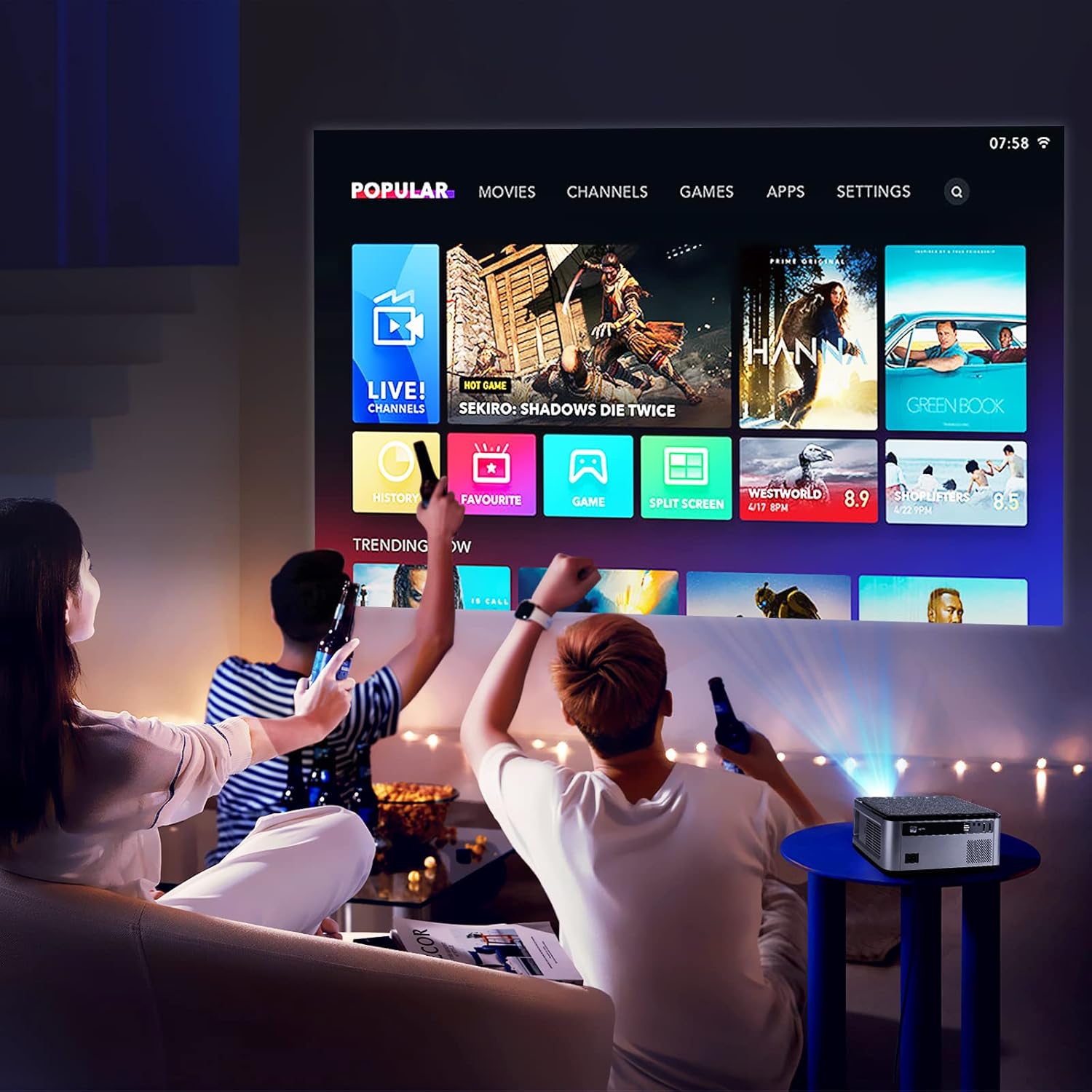
Figure 5.1: The VGKE T28 Projector displaying its smart interface with various content options, suitable for a home entertainment setup.
5.2 Screen Mirroring (WiFi)
To mirror your smartphone or tablet screen:
- Ensure both the projector and your mobile device are connected to the same 2.4G or 5G WiFi network.
- On the projector, select the screen mirroring function (often labeled 'Miracast', 'AirPlay', or 'Screen Mirroring').
- On your mobile device, enable screen mirroring/casting and select the projector from the list of available devices.

Figure 5.2: The VGKE T28 Projector supports wireless screen mirroring from both Android and iOS devices via WiFi.
5.3 ബ്ലൂടൂത്ത് കണക്റ്റിവിറ്റി
To connect external Bluetooth audio devices:
- Go to the Bluetooth settings on the projector.
- Enable Bluetooth and put your audio device (headphones, speakers) into pairing mode.
- Select your device from the list of available devices on the projector to pair.
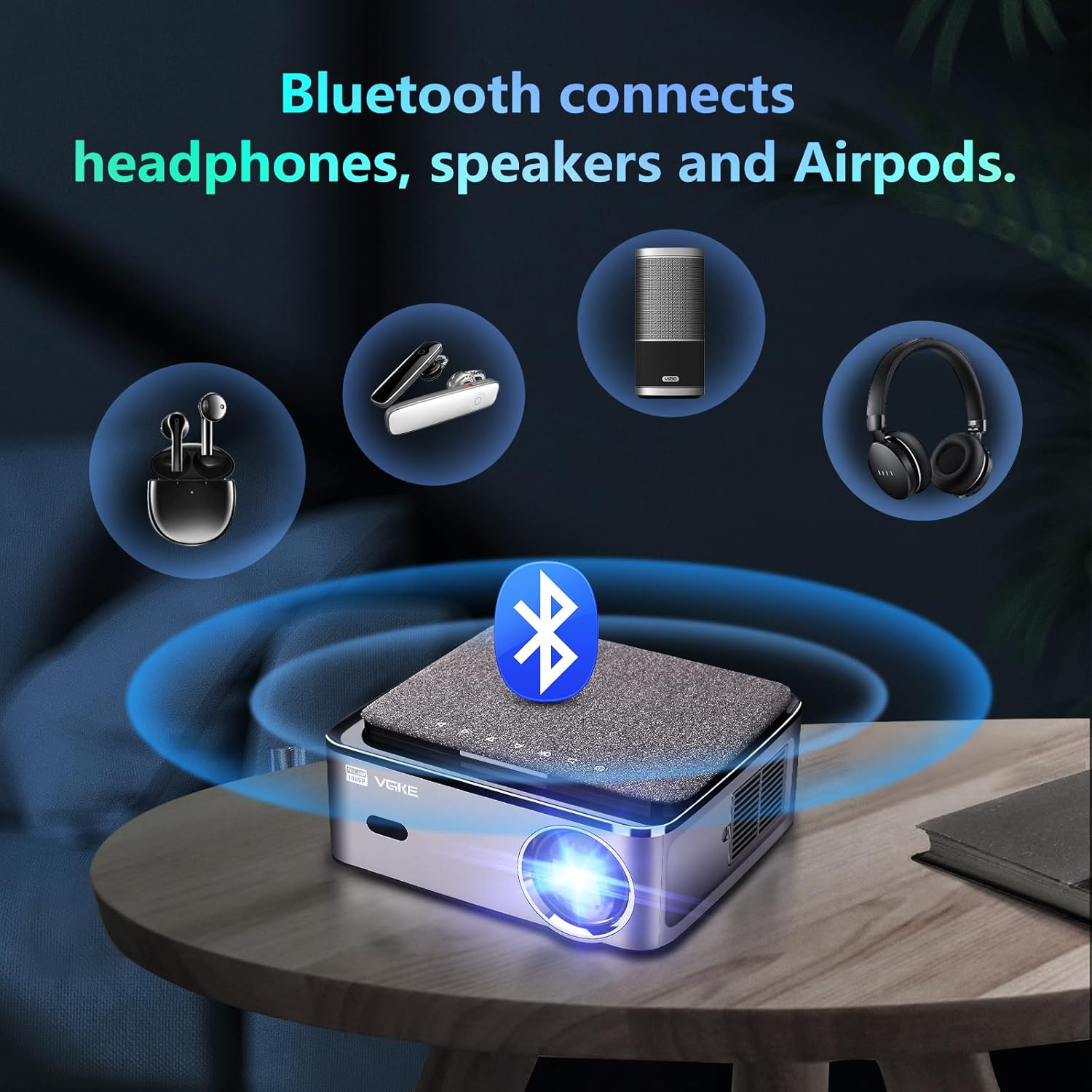
Figure 5.3: The VGKE T28 Projector offers Bluetooth connectivity for headphones, speakers, and other audio accessories.
6. കണക്റ്റിവിറ്റി
The VGKE T28 Projector offers a wide range of input options:
- എച്ച്ഡിഎംഐ: Connect laptops, game consoles (PS3/PS4, Xbox Series), TV boxes, and other HDMI-enabled devices.
- USB: മീഡിയ പ്ലേ ചെയ്യുക files directly from USB drives. The projector also supports direct playback of Office documents and PowerPoint presentations.
- RJ45: For wired network connection, ensuring stable internet access for streaming.
- ഓഫ്: Connect older devices using an AV cable (not specified if included).
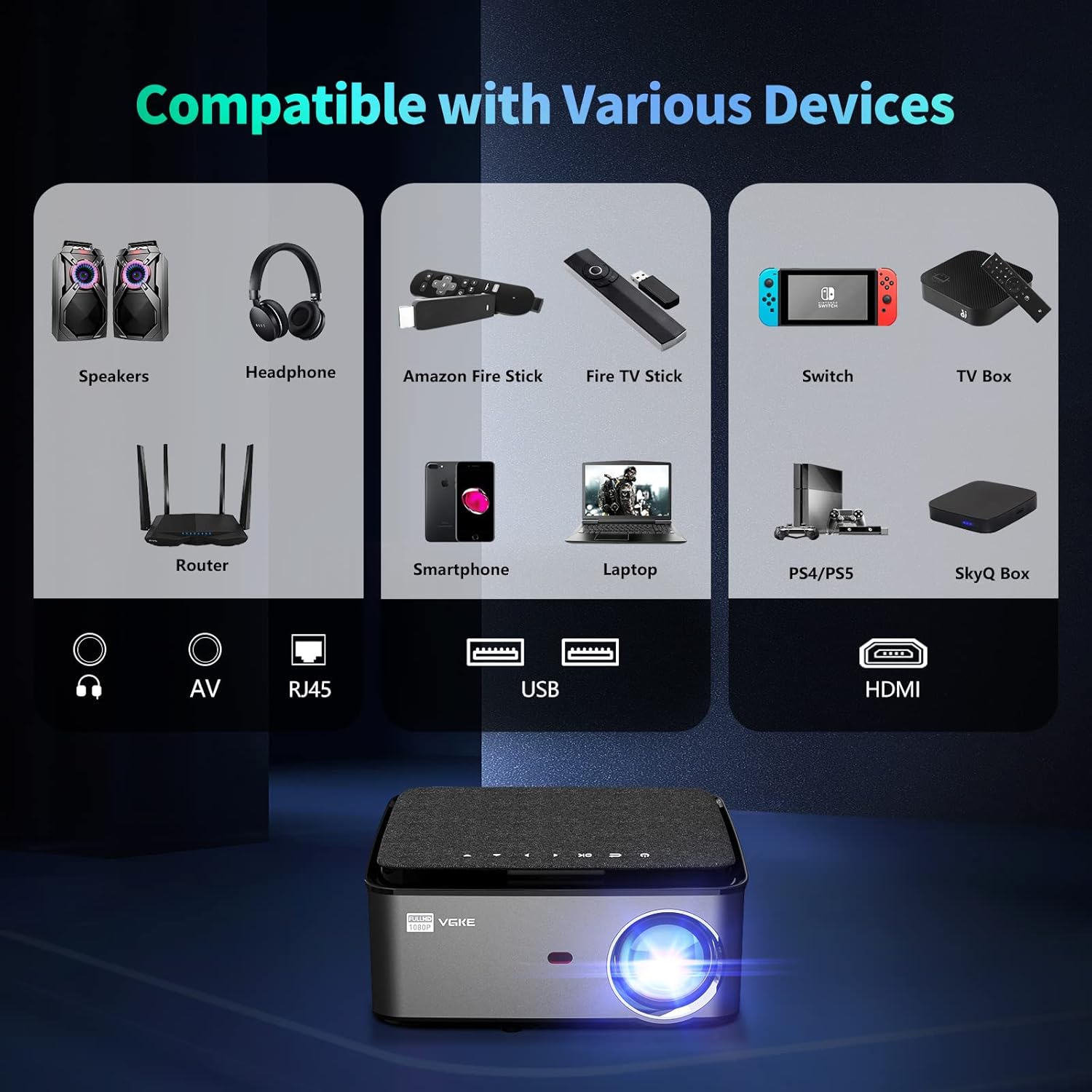
Figure 6.1: The VGKE T28 Projector is compatible with a wide array of devices through its multiple input ports, including HDMI, USB, RJ45, and AV.
7. പരിപാലനം
Regular maintenance helps prolong the life of your projector:
- ലെൻസ് ക്ലീനിംഗ്: പ്രൊജക്ടർ ലെൻസ് മൃദുവായി തുടയ്ക്കാൻ ഒപ്റ്റിക്കൽ ലെൻസുകൾക്കായി പ്രത്യേകം രൂപകൽപ്പന ചെയ്ത മൃദുവായ, ലിന്റ് രഹിത തുണി ഉപയോഗിക്കുക. അബ്രസീവ് ക്ലീനറുകളോ അമിത ബലമോ ഉപയോഗിക്കരുത്.
- വെൻ്റിലേഷൻ: Periodically check and clean the ventilation openings to prevent dust buildup, which can lead to overheating. Use a soft brush or compressed air.
- സംഭരണം: ദീർഘനേരം ഉപയോഗിക്കാത്തപ്പോൾ, പ്രൊജക്ടർ തണുത്തതും വരണ്ടതുമായ സ്ഥലത്ത് സൂക്ഷിക്കുക, നേരിട്ടുള്ള സൂര്യപ്രകാശത്തിൽ നിന്നും കടുത്ത താപനിലയിൽ നിന്നും അകറ്റി നിർത്തുക.
- പവർ ഓഫ്: Always power off the projector correctly and allow it to cool down before unplugging or moving.
8. പ്രശ്നപരിഹാരം
If you encounter issues with your VGKE T28 Projector, refer to the following common problems and solutions:
| പ്രശ്നം | സാധ്യമായ കാരണം | പരിഹാരം |
|---|---|---|
| ചിത്രമൊന്നും പ്രദർശിപ്പിച്ചിട്ടില്ല | പവർ കേബിൾ അയഞ്ഞിരിക്കുന്നു; ഇൻപുട്ട് ഉറവിടം തെറ്റാണ്; ലെൻസ് ക്യാപ്പ് ഓണാണ്. | Check power connection; Select correct input (HDMI, USB); Remove lens cap. |
| ചിത്രം മങ്ങുന്നു | Focus not adjusted; Projector too far/close. | Adjust electronic focus using remote; Adjust projection distance. |
| Image trapezoidal | പ്രൊജക്ടർ സ്ക്രീനിന് ലംബമല്ല. | Adjust 4D keystone correction in settings. |
| ശബ്ദമില്ല | Volume too low; Muted; External audio device not connected. | Increase volume; Unmute; Check Bluetooth connection or external speaker connection. |
| വൈഫൈ കണക്ഷൻ അസ്ഥിരമാണ് | Weak signal; Router issues. | Move projector closer to router; Restart router; Try 5G WiFi if available. |
ഈ പരിഹാരങ്ങൾ പരീക്ഷിച്ചതിന് ശേഷവും പ്രശ്നം നിലനിൽക്കുകയാണെങ്കിൽ, ദയവായി ഉപഭോക്തൃ പിന്തുണയുമായി ബന്ധപ്പെടുക.
9 സ്പെസിഫിക്കേഷനുകൾ
Key technical specifications for the VGKE T28 Projector:
| ഫീച്ചർ | സ്പെസിഫിക്കേഷൻ |
|---|---|
| ബ്രാൻഡ് | വി.ജി.കെ.ഇ |
| മോഡൽ നമ്പർ | T28 |
| നിറം | ചാരനിറം |
| തെളിച്ചം | 800 ആൻസി ലുമെൻസ് |
| നേറ്റീവ് റെസല്യൂഷൻ | 1920 x 1080 (പൂർണ്ണ HD) |
| പിന്തുണയുള്ള റെസല്യൂഷൻ | 4K വരെ |
| ഡിസ്പ്ലേ തരം | എൽസിഡി |
| കണക്റ്റിവിറ്റി ടെക്നോളജി | HDMI, USB, RJ45, Bluetooth 5.0, 2.4G+5G WiFi |
| അനുയോജ്യമായ ഉപകരണങ്ങൾ | Phones, PS3/PS4 Game Consoles, Xbox Series, Laptops |
| കീസ്റ്റോൺ തിരുത്തൽ | ±50° 4D Correction |
| ഫോക്കസ് അഡ്ജസ്റ്റ്മെൻ്റ് | ഇലക്ട്രോണിക് ഫോക്കസ് |
| ഡിജിറ്റൽ സൂം | 100% മുതൽ 50% വരെ |
| പരമാവധി പ്രൊജക്ഷൻ വലുപ്പം | 300 ഇഞ്ച് |
| ഓഡിയോ ഔട്ട്പുട്ട് | 5W HIFI Stereo Speaker |
| വൈദ്യുതി ഉപഭോഗം | 120 വാട്ട്സ് |
10. വാറൻ്റിയും പിന്തുണയും
VGKE offers a comprehensive warranty and dedicated customer support for your T28 Projector:
- ഒരു വർഷത്തെ വാറന്റി: All users are provided with a one-year warranty from the date of purchase.
- 24/7 ഉപഭോക്തൃ സേവനം: Our professional support team is available 24 hours a day, 7 days a week, to assist with any quality issues or technical inquiries that may arise during use.
For assistance, please refer to the contact information provided with your product packaging or visit the official VGKE support webസൈറ്റ്.

Figure 10.1: VGKE provides dedicated customer support, including a one-year warranty and 24/7 assistance.