
ആമുഖം
The AsperX AX2410 Laptop Power Bank is a high-capacity portable charger designed to keep your electronic devices powered on the go. Featuring a 25,000mAh (92.5Wh) battery, 140W Power Delivery (PD 3.1) fast charging, and a TFT Smart Display, this power bank offers efficient and intelligent power management for laptops, smartphones, tablets, and other USB-powered devices. It is also flight-approved for convenient travel.
പാക്കേജ് ഉള്ളടക്കം
- 1 x AsperX 25000mAh Portable Laptop Power Bank (Model: AX2410)
- 1 x 140W USB-C to USB-C Cable
- 2 x ഉപയോക്തൃ മാനുവലുകൾ
- 1 x ചുമക്കുന്ന സഞ്ചി

Image: AsperX Power Bank, USB-C cable, user manual, and carrying pouch, illustrating the items included in the product package.
ഉൽപ്പന്നം കഴിഞ്ഞുview
The AsperX AX2410 features a sleek, deep grey design with a compact form factor. It is equipped with multiple ports and a smart display for optimal user experience.
ശാരീരിക സവിശേഷതകൾ
- അളവുകൾ: 6.56 x 3.21 x 1.08 ഇഞ്ച്
- ഭാരം: 1.37 പൗണ്ട്
- നിറം: കടും ചാരനിറം
ചിത്രം: മുകളിൽ നിന്ന് താഴേക്ക് view of the AsperX Laptop Power Bank in Deep Grey, highlighting its compact and modern design.
തുറമുഖങ്ങൾ
- USB-C1 (IN/OUT): Up to 140W Max (for fast charging laptops and recharging the power bank).
- USB-A (OUTPUT): Up to 22.5W Max (for standard USB devices).
- USB-C2 (IN/OUT): Up to 45W Max (for fast charging phones/tablets and recharging the power bank).
ചിത്രം: വിശദമായ ഒരു ചിത്രം view of the input and output ports on the AsperX Power Bank, clearly labeled with their respective wattagഇ കഴിവുകൾ.
TFT Smart Display
The integrated TFT Smart Display provides real-time information about the power bank's status:
- ബാറ്ററി നില: ശതമാനംtagശേഷിക്കുന്ന ചാർജിന്റെ ഇ.
- Remaining Usage/Recharge Time: Estimated time until empty or fully charged.
- ഇൻപുട്ട്/ഔട്ട്പുട്ട് പവർ: തത്സമയ വാട്ട്സ്ആപ്പ്tage for each connected port.

Image: A close-up of the TFT Smart Display on the power bank, detailing the battery status, time remaining, and individual port power output/input.
ഇന്റേണൽ ഡിസൈൻ
The power bank utilizes high-density automotive-grade power cells, designed to retain over 80% capacity after 5 years. It incorporates a smart chip for efficient power distribution and 14-layer safety protection.

ചിത്രം: ഒരു എക്സ്-റേ ശൈലി view of the AsperX Power Bank, revealing the internal arrangement of its high-density battery cells and electronic components.
സ്പെസിഫിക്കേഷനുകൾ
| ഫീച്ചർ | വിശദാംശങ്ങൾ |
|---|---|
| ഉൽപ്പന്ന അളവുകൾ | 6.56 x 3.21 x 1.08 ഇഞ്ച് |
| ഇനത്തിൻ്റെ ഭാരം | 1.37 പൗണ്ട് |
| മോഡൽ നമ്പർ | AX2410-DG |
| ബാറ്ററി ശേഷി | 25,000mAh (92.5Wh) |
| പരമാവധി ഔട്ട്പുട്ട് പവർ | ആകെ 145W |
| USB-C1 (ഇൻ/ഔട്ട്) | 140W പരമാവധി |
| USB-C2 (ഇൻ/ഔട്ട്) | 45W പരമാവധി |
| USB-A (OUTPUT) | 22.5W പരമാവധി |
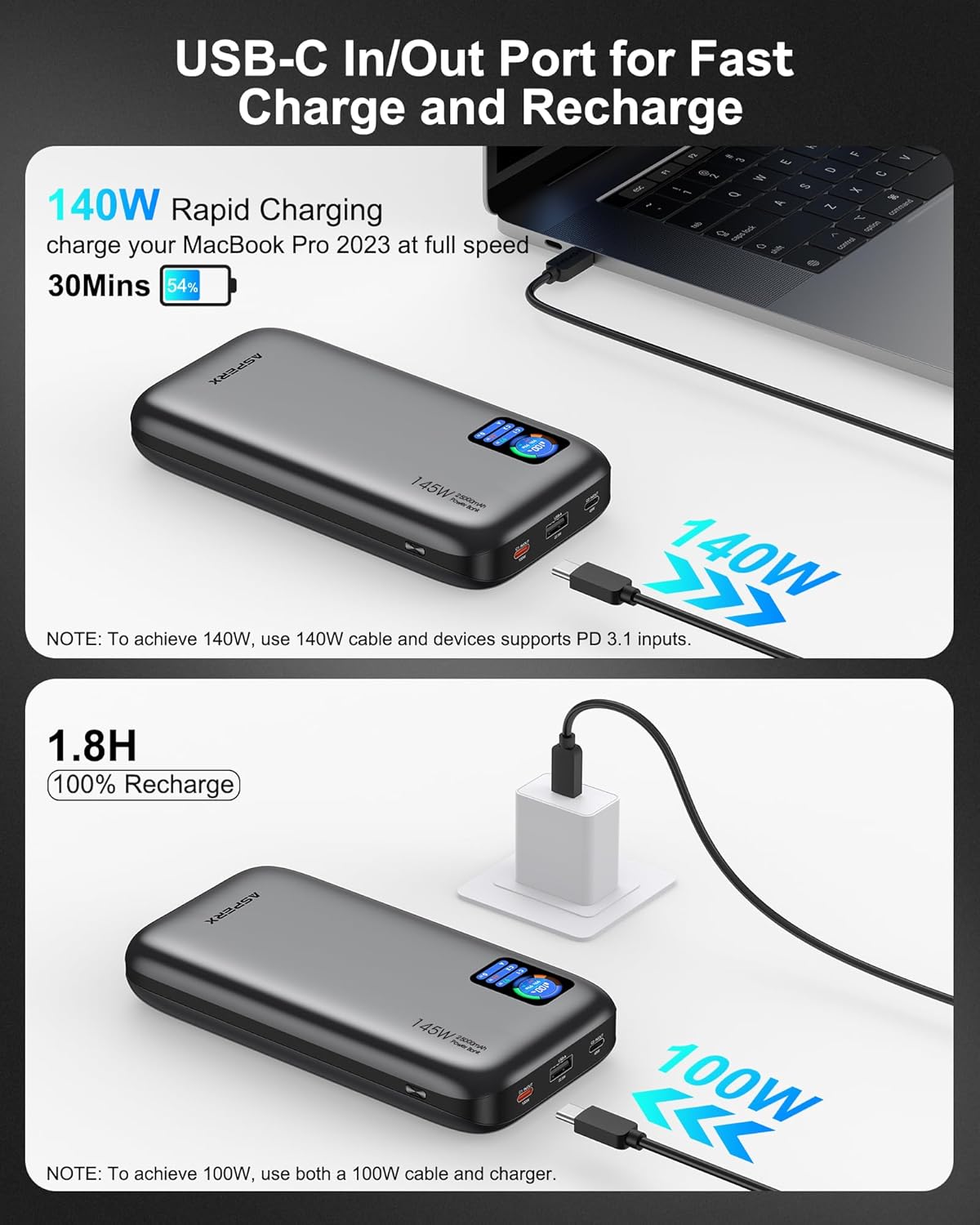
| റീചാർജ് സമയം | Approx. 1.8 hours (with 100W or higher charging adapter) |
| പ്രത്യേക സവിശേഷതകൾ | Digital Display, Fast Charging, Over Charging Protection, Short Circuit Protection |
| അനുയോജ്യത | PD3.0, QC3.0, PPS, AFC, UFCS protocols (MacBook, iPhone, Dell XPS, Galaxy, Steam Deck, iPad, etc.) |
സജ്ജമാക്കുക
പവർ ബാങ്കിന്റെ പ്രാരംഭ ചാർജിംഗ്
- Before first use, fully charge your AsperX Power Bank.
- Connect the included 140W USB-C to USB-C cable to either the USB-C1 or USB-C2 port on the power bank.
- Connect the other end of the cable to a compatible USB-C wall adapter (100W or higher recommended for fastest charging).
- The TFT Smart Display will show the input wattage and estimated time until full charge. A full recharge takes approximately 1.8 hours with a 100W+ adapter.

Image: The AsperX Power Bank connected to a wall adapter for recharging, with the display indicating a fast recharge time of 1.8 hours.
ഡിസ്പ്ലേ സംരക്ഷണം
The TFT Smart Display comes with a transparent protective film. You may remove this film before use for optimal clarity.
പ്രവർത്തന നിർദ്ദേശങ്ങൾ
ഡിസ്പ്ലേ ഓൺ/ഓഫ് ചെയ്യുന്നു
Press the power button located on the side of the power bank to activate the TFT Smart Display. The display will automatically turn off after a few seconds of inactivity to conserve power. Double-click the power button to turn the display off manually.
നിങ്ങളുടെ ഉപകരണങ്ങൾ ചാർജ് ചെയ്യുന്നു
Connect your device to the appropriate port on the power bank using a compatible cable. The power bank will automatically detect the device and begin charging.
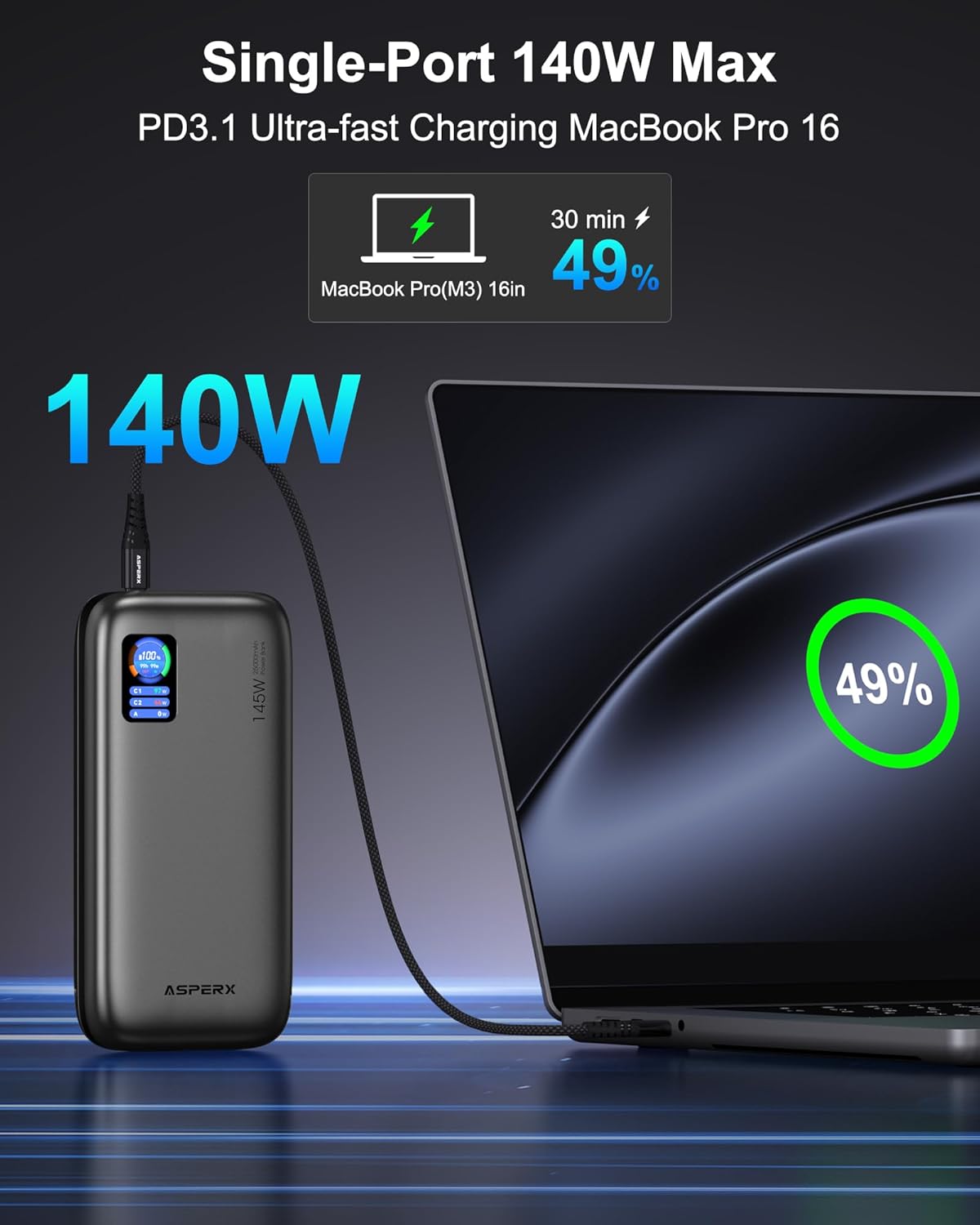
- ഒറ്റ ഉപകരണം ചാർജ് ചെയ്യൽ: For ultra-fast charging of laptops, use the USB-C1 port (up to 140W).

Image: The AsperX Power Bank connected to a laptop, illustrating its capability to provide 140W ultra-fast charging to a single device.
- ഒന്നിലധികം ഉപകരണങ്ങളുടെ ചാർജ്ജിംഗ്: The power bank can charge up to 3 devices simultaneously with a total output of 145W. The smart chip will distribute power optimally.
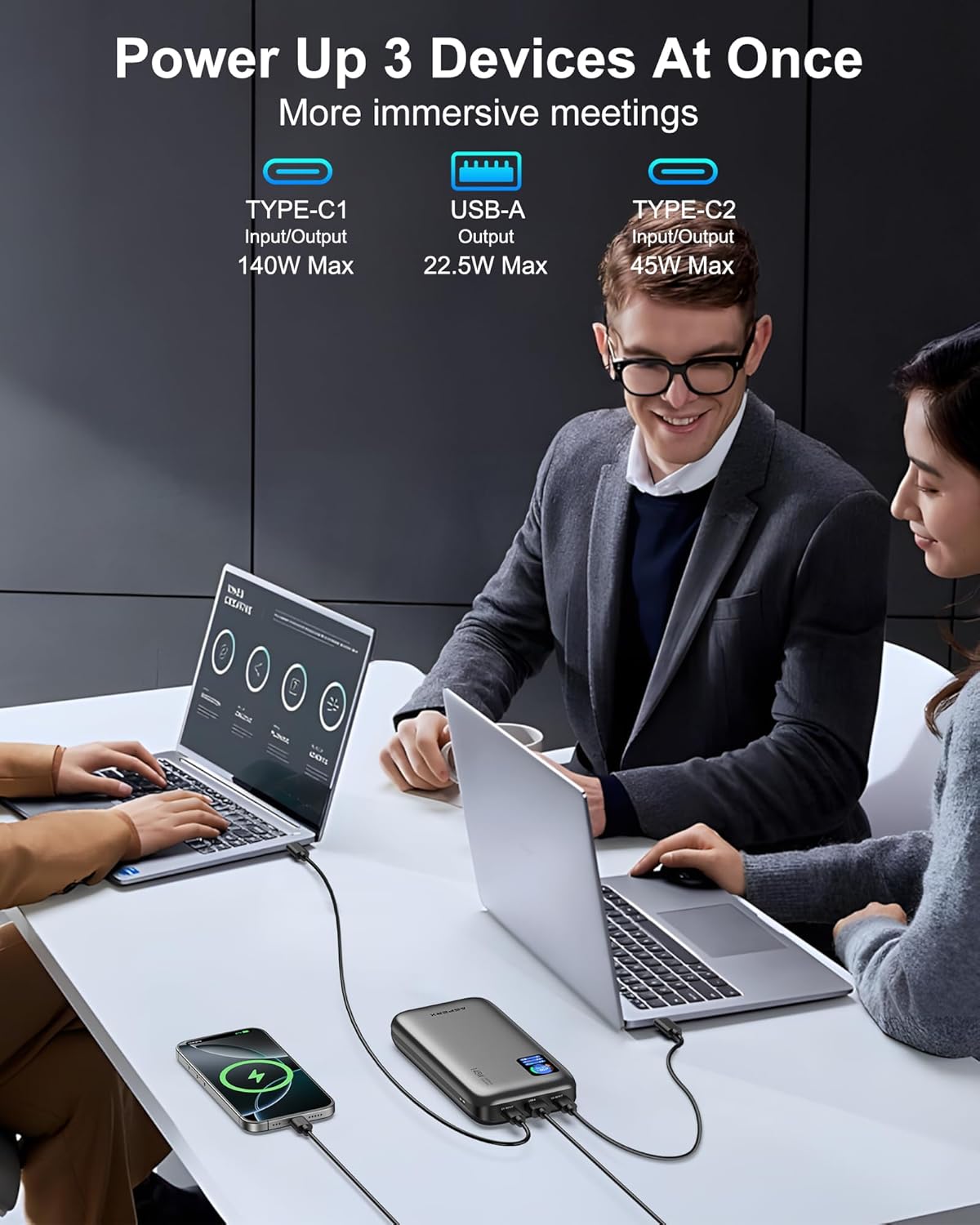
Image: The AsperX Power Bank connected to and charging three different devices concurrently, showcasing its multi-device charging capability.
ലോ-പവർ മോഡ്
For low-power devices such as fans, headphones, or smartwatches, press and hold the power button to enter low-power mode. The 'A' on the screen will change from white to red, indicating activation of this mode.
Understanding the TFT Smart Display
ഡിസ്പ്ലേ ഒറ്റനോട്ടത്തിൽ നിർണായക വിവരങ്ങൾ നൽകുന്നു:
- Battery Circle: നിലവിലെ ബാറ്ററി ശതമാനം കാണിക്കുന്നുtage.
- ശേഷിക്കുന്ന സമയം: Indicates estimated hours and minutes of remaining power (OUT) or time to full charge (IN).
- പോർട്ട് നില: വാട്ട് പ്രദർശിപ്പിക്കുന്നുtage for USB-C1, USB-C2, and USB-A ports.

Image: A graphic illustrating the various indicators on the TFT Smart Display, including battery percentage, time remaining, and individual port power readings.
Flight Approval
With a 92.5Wh capacity, this power bank meets TSA requirements (<100Wh) for safe carry-on use. It is not permitted in checked luggage.

Image: A person using the AsperX Power Bank to charge a laptop on an airplane, emphasizing its flight-approved status and portability for travel.
ഉപയോഗ സാഹചര്യങ്ങൾ
The AsperX Power Bank is versatile for various situations:
- Work & Meetings: Keep your laptop and phone charged during long work sessions.
- യാത്ര: Essential for business trips, long flights, and commutes.
- ഔട്ട്ഡോർ പ്രവർത്തനങ്ങൾ: കാൽനടയാത്രയ്ക്ക് അനുയോജ്യം, സിamping, and as an emergency power source.

Image: The AsperX Power Bank in an outdoor camping setting, charging a laptop, phone, and camera, highlighting its utility for outdoor activities.
Video: A demonstration of the AsperX 145W Laptop Power Bank, showcasing its features and charging capabilities for various devices.
മെയിൻ്റനൻസ്
To ensure the longevity and optimal performance of your AsperX Power Bank, follow these maintenance guidelines:
- സംഭരണം: നേരിട്ടുള്ള സൂര്യപ്രകാശവും കടുത്ത താപനിലയും ഏൽക്കാത്ത തണുത്തതും വരണ്ടതുമായ സ്ഥലത്ത് പവർ ബാങ്ക് സൂക്ഷിക്കുക.
- വൃത്തിയാക്കൽ: പുറംഭാഗം വൃത്തിയാക്കാൻ മൃദുവായതും ഉണങ്ങിയതുമായ തുണി ഉപയോഗിക്കുക. കഠിനമായ രാസവസ്തുക്കളോ ഉരച്ചിലുകളുള്ള വസ്തുക്കളോ ഉപയോഗിക്കുന്നത് ഒഴിവാക്കുക.
- ബാറ്ററി കെയർ: For best battery health, avoid completely draining the power bank regularly. Recharge it when the battery level is low.
- കൈകാര്യം ചെയ്യൽ: Do not drop, puncture, or disassemble the device. Avoid exposing it to water or excessive moisture.
ട്രബിൾഷൂട്ടിംഗ്
If you encounter any issues with your AsperX Power Bank, refer to the following common solutions:
- ഉപകരണം ചാർജ് ചെയ്യുന്നില്ല:
- പവർ ബാങ്ക് ആവശ്യത്തിന് ചാർജ്ജ് ചെയ്തിട്ടുണ്ടെന്ന് ഉറപ്പാക്കുക.
- Check that the charging cable is securely connected to both the power bank and your device.
- Verify that the cable is not damaged and is compatible with your device.
- If charging a low-power device, ensure low-power mode is activated.
- സ്ലോ ചാർജിംഗ്:
- Confirm that your device and cable support fast charging protocols (PD, QC, etc.).
- Use the USB-C1 port for the highest output (up to 140W).
- ഒന്നിലധികം ഉപകരണങ്ങൾ ചാർജ് ചെയ്യുമ്പോൾ, മൊത്തം ഔട്ട്പുട്ട് പങ്കിടുന്നു, ഇത് വ്യക്തിഗത പോർട്ട് വേഗത കുറച്ചേക്കാം.
- ഡിസ്പ്ലേ പ്രവർത്തിക്കുന്നില്ല:
- ഡിസ്പ്ലേ സജീവമാക്കാൻ പവർ ബട്ടൺ അമർത്തുക.
- Ensure the transparent protective film has been removed for clear visibility.
സുരക്ഷാ വിവരങ്ങൾ
ഉപകരണത്തിന് പരിക്കോ കേടുപാടുകളോ ഉണ്ടാകാതിരിക്കാൻ എല്ലാ സുരക്ഷാ നിർദ്ദേശങ്ങളും വായിച്ച് പാലിക്കുക:
- പവർ ബാങ്കിനെ തീ, വെള്ളം, അല്ലെങ്കിൽ തീവ്രമായ താപനില എന്നിവയിൽ തുറന്നുകാട്ടരുത്.
- ഉപകരണം താഴെയിടുകയോ, പഞ്ചർ ചെയ്യുകയോ, വേർപെടുത്തുകയോ ചെയ്യുന്നത് ഒഴിവാക്കുക.
- കുട്ടികൾക്ക് ലഭ്യമാകാതെ സൂക്ഷിക്കുക.
- ഒറിജിനൽ അല്ലെങ്കിൽ സാക്ഷ്യപ്പെടുത്തിയ അനുയോജ്യമായ ചാർജിംഗ് കേബിളുകൾ മാത്രം ഉപയോഗിക്കുക.
- The power bank features 14-layer safety protection, including over-charge, over-discharge, short-circuit, and temperature protection.

Image: A visual representation of the 14-layer safety protection mechanisms integrated into the AsperX Power Bank, ensuring safe operation.
വാറൻ്റി & പിന്തുണ
AsperX offers an industry-leading 18-month technical support warranty covering defects in materials and workmanship. For any questions or assistance, please contact our 24/7 customer service team.
Contact information can typically be found in the included user manuals or on the official AsperX webസൈറ്റ്.
വീഡിയോ: വീണ്ടുംview of the AsperX 140W 25,000mAh Laptop Power Bank, highlighting its features and performance.