
1. ആമുഖം
വാങ്ങിയതിന് നന്ദി.asing the Zenwire D300S Mini Projector. This manual provides essential information for the safe and efficient operation of your device. Please read it thoroughly before use and retain it for future reference.
സുരക്ഷാ മുൻകരുതലുകൾ
- l ചെയ്യുമ്പോൾ പ്രൊജക്ടർ ലെൻസിലേക്ക് നേരിട്ട് നോക്കരുത്amp ഓണാണ്.
- അമിതമായി ചൂടാക്കുന്നത് തടയാൻ ശരിയായ വായുസഞ്ചാരം ഉറപ്പാക്കുക. വെൻ്റിലേഷൻ ഓപ്പണിംഗുകൾ തടയരുത്.
- നൽകിയിരിക്കുന്ന പവർ അഡാപ്റ്റർ മാത്രം ഉപയോഗിക്കുക.
- പ്രൊജക്ടർ വെള്ളത്തിൽ നിന്നോ മറ്റ് ദ്രാവകങ്ങളിൽ നിന്നോ അകറ്റി നിർത്തുക.
- അസ്ഥിരമായ പ്രതലങ്ങളിൽ പ്രൊജക്ടർ സ്ഥാപിക്കുന്നത് ഒഴിവാക്കുക.
- പ്രൊജക്ടർ സ്വയം വേർപെടുത്താനോ നന്നാക്കാനോ ശ്രമിക്കരുത്. യോഗ്യതയുള്ള സേവന ഉദ്യോഗസ്ഥരെ ബന്ധപ്പെടുക.
2. പാക്കേജ് ഉള്ളടക്കം
നിങ്ങളുടെ പാക്കേജിൽ എല്ലാ ഇനങ്ങളും ഉണ്ടോ എന്ന് ദയവായി പരിശോധിക്കുക:
- Zenwire D300S Mini Projector
- റിമോട്ട് കൺട്രോൾ
- പവർ അഡാപ്റ്റർ
- എവി കേബിൾ
- ഉപയോക്തൃ മാനുവൽ (ഈ പ്രമാണം)
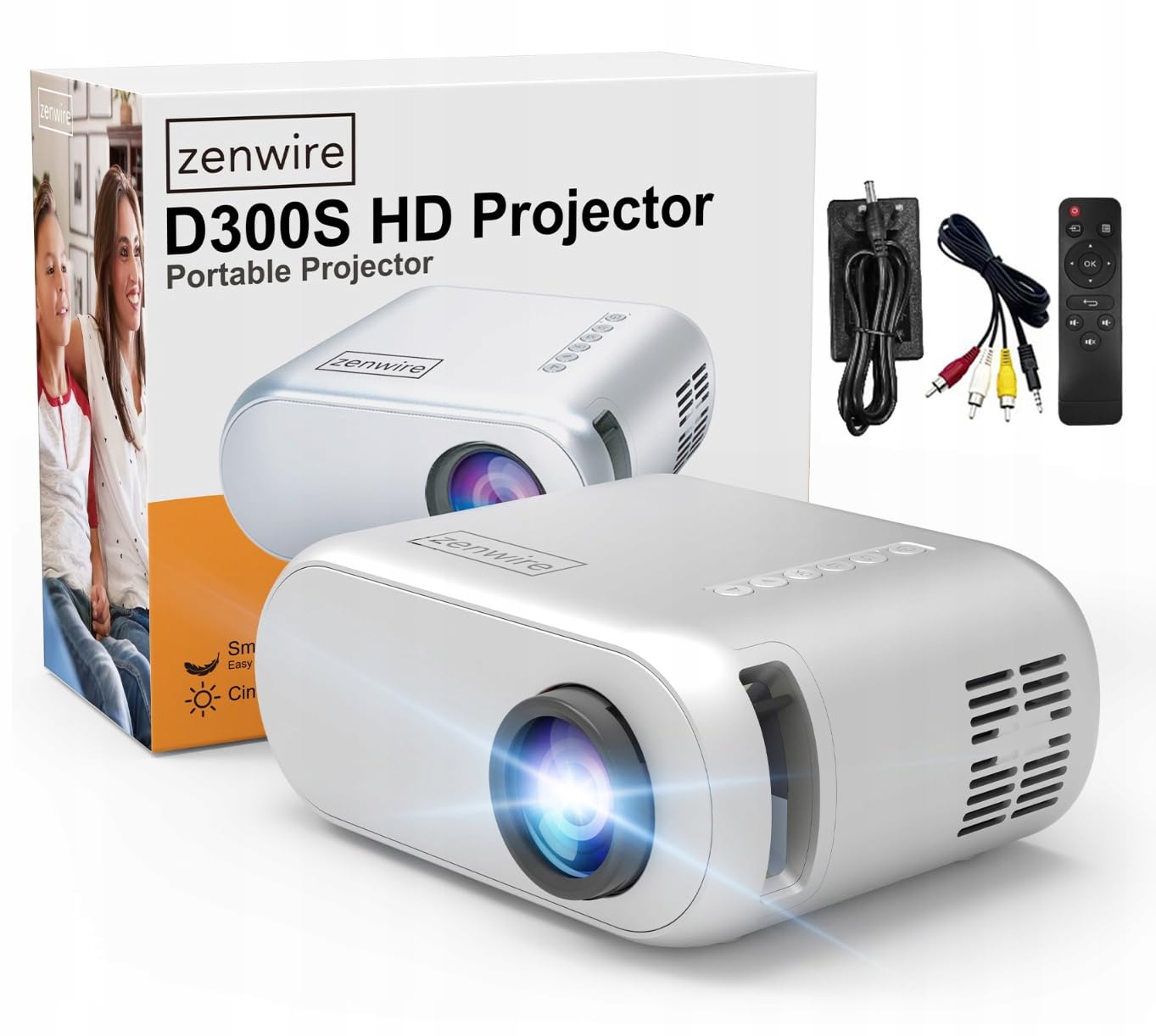
Image 2.1: Zenwire D300S Mini Projector and included accessories.
3. ഉൽപ്പന്നം കഴിഞ്ഞുview
Projector Front and Top View
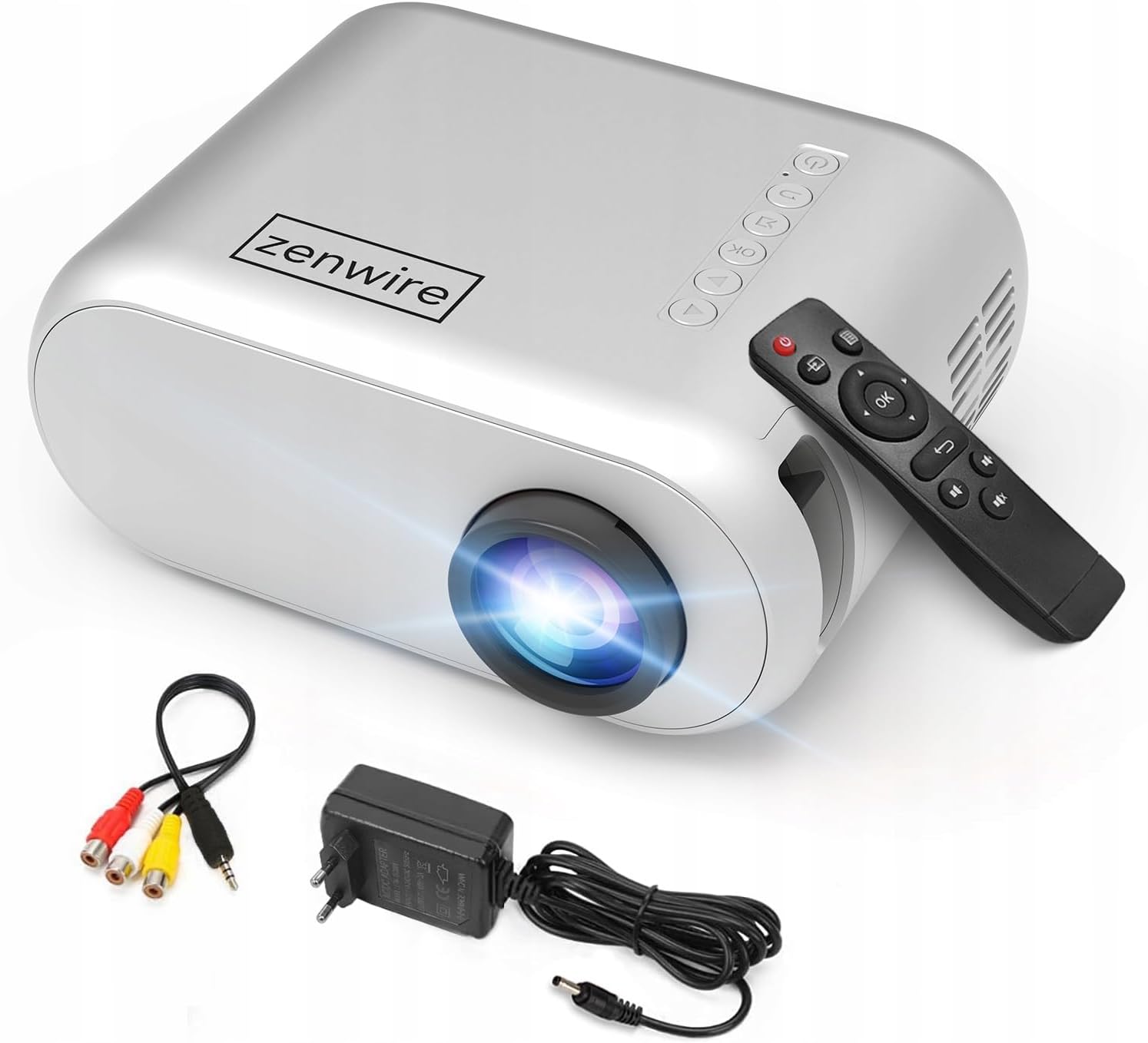
ചിത്രം 3.1: മുന്നിലും മുകളിലും view of the projector, showing the lens and top control panel.
Rear Panel and Connectivity
The rear panel of the projector features various ports for connecting external devices:

ചിത്രം 3.2: പിൻഭാഗം view of the projector, highlighting the input/output ports.
- AV ഇൻപുട്ട്: For connecting devices using the included AV cable.
- എച്ച്ഡിഎംഐ ഇൻപുട്ട്: For connecting devices such as laptops, gaming consoles, or streaming sticks.
- USB പോർട്ട്: മീഡിയ പ്ലേ ചെയ്യുന്നതിന് യുഎസ്ബി ഫ്ലാഷ് ഡ്രൈവുകൾ ബന്ധിപ്പിക്കുന്നതിന് fileനേരിട്ട്.
- ഓക്സ് ഔട്ട്പുട്ട്: ബാഹ്യ സ്പീക്കറുകളോ ഹെഡ്ഫോണുകളോ ബന്ധിപ്പിക്കുന്നതിന്.
- ഡിസി പവർ ഇൻപുട്ട്: പവർ അഡാപ്റ്റർ ബന്ധിപ്പിക്കുന്നതിന്.
ടോപ്പ് കൺട്രോൾ പാനൽ
The top of the projector features a control panel for basic operations:
- പവർ ബട്ടൺ: പ്രൊജക്ടർ ഓണാക്കുകയോ ഓഫാക്കുകയോ ചെയ്യുന്നു.
- നാവിഗേഷൻ ബട്ടണുകൾ (മുകളിലേക്ക്/താഴേക്ക്/ഇടത്/വലത്): മെനുകൾ നാവിഗേറ്റ് ചെയ്യാൻ ഉപയോഗിക്കുന്നു.
- ശരി ബട്ടൺ: തിരഞ്ഞെടുക്കലുകൾ സ്ഥിരീകരിക്കുന്നു.
- ബാക്ക് ബട്ടൺ: മുമ്പത്തെ മെനുവിലേക്കോ സ്ക്രീനിലേക്കോ മടങ്ങുന്നു.
- ഉറവിട ബട്ടൺ: Selects input source (HDMI, AV, USB).
4. സജ്ജീകരണം
4.1 പ്ലേസ്മെൻ്റ്
Place the projector on a stable, flat surface. Ensure there is adequate space around the projector for ventilation. The projection distance affects the screen size. Refer to the image below for recommended distances and corresponding screen sizes.

Image 4.1: Recommended projection distances and screen sizes.
- For a 30-inch screen, place the projector approximately 0.9 meters away.
- For a 50-inch screen, place the projector approximately 1.5 meters away.
- For an 80-inch screen, place the projector approximately 2.4 meters away.
- For a 100-inch screen, place the projector approximately 3.0 meters away.
4.2 പവർ കണക്ഷൻ
Connect the power adapter to the DC Power Input port on the projector, then plug the adapter into a power outlet.
4.3 ഉപകരണങ്ങൾ ബന്ധിപ്പിക്കുന്നു
The Zenwire D300S supports various input sources:
ചിത്രം 4.2: ഉദാamples of devices that can be connected to the projector.
- എച്ച്ഡിഎംഐ: Connect your laptop, gaming console, or streaming device using an HDMI cable.
- USB: മീഡിയ പ്ലേ ചെയ്യാൻ USB പോർട്ടിലേക്ക് ഒരു USB ഫ്ലാഷ് ഡ്രൈവ് ചേർക്കുക. fileനേരിട്ട്.
- ഓഫ്: Use the included AV cable to connect older devices like DVD players.
- Audio Out (AUX): Connect external speakers or headphones to the AUX port for enhanced audio.
4.4 ഫോക്കസ് അഡ്ജസ്റ്റ്മെന്റ്
Turn on the projector. Adjust the focus ring located near the lens until the projected image is clear and sharp.
5. പ്രവർത്തന നിർദ്ദേശങ്ങൾ
5.1 പവർ ഓൺ/ഓഫ്
Press the Power button on the projector or the remote control to turn the device on or off.
5.2 ഉറവിട തിരഞ്ഞെടുപ്പ്
After powering on, use the 'Source' button on the projector or remote control to select the desired input source (HDMI, AV, USB).
5.3 മെനു നാവിഗേഷൻ
Use the navigation buttons (Up/Down/Left/Right) on the projector or remote to browse through menus. Press 'OK' to confirm a selection and 'Back' to return.
5.4 വോളിയം നിയന്ത്രണം
റിമോട്ട് കൺട്രോളിലെ വോളിയം ബട്ടണുകൾ ഉപയോഗിച്ച് വോളിയം ക്രമീകരിക്കുക.
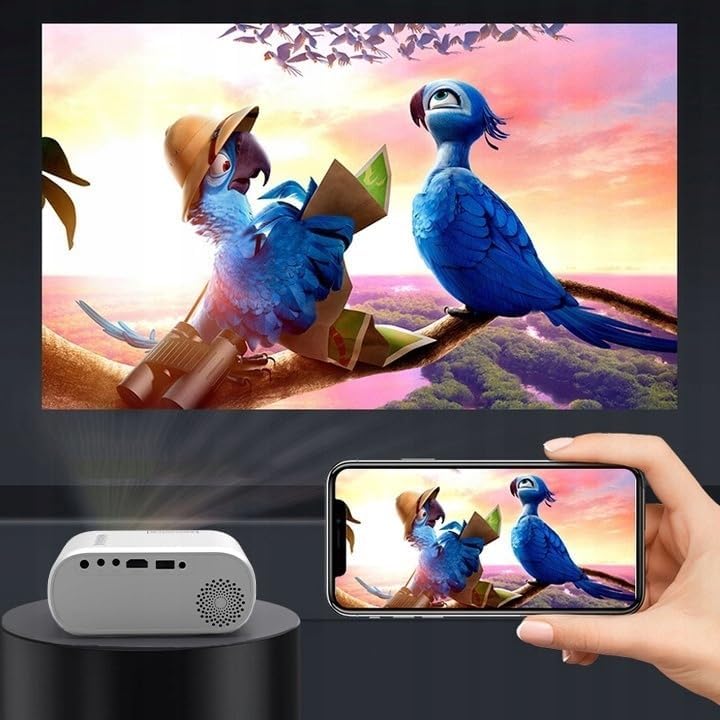
5.5 Connecting to a Phone/Laptop
To project content from a phone or laptop:
- ലാപ്ടോപ്പുകൾക്ക്: Connect via HDMI cable. Select HDMI as the input source on the projector.
- ഫോണുകൾക്കായി: Depending on your phone model, you may need an adapter (e.g., USB-C to HDMI, Lightning to HDMI) to connect via HDMI. Alternatively, some phones support wireless display technologies that can be used with a compatible streaming stick connected to the projector's HDMI port.

Image 5.1: Projecting content from a smartphone to the Zenwire D300S Mini Projector.
6. പരിപാലനം
6.1 ലെൻസ് വൃത്തിയാക്കൽ
പ്രൊജക്ടർ ലെൻസ് മൃദുവായി തുടയ്ക്കാൻ ഒപ്റ്റിക്കൽ ലെൻസുകൾക്കായി പ്രത്യേകം രൂപകൽപ്പന ചെയ്ത മൃദുവായ, ലിന്റ് രഹിത തുണി ഉപയോഗിക്കുക. അബ്രസീവ് ക്ലീനറുകളോ അമിത ബലമോ ഉപയോഗിക്കരുത്.
6.2 പ്രൊജക്ടർ ബോഡി വൃത്തിയാക്കൽ
പ്രൊജക്ടറിന്റെ പുറംഭാഗം മൃദുവായതും ഉണങ്ങിയതുമായ തുണി ഉപയോഗിച്ച് തുടയ്ക്കുക. കഠിനമായ അടയാളങ്ങൾക്ക്, അല്പം ഡി.amp തുണി ഉപയോഗിക്കാം, തുടർന്ന് ഉണങ്ങിയ തുണി ഉപയോഗിക്കാം.
6.3 വെന്റിലേഷൻ
Regularly check that the ventilation openings are free from dust and obstructions to ensure proper airflow and prevent overheating.
7. പ്രശ്നപരിഹാരം
If you encounter issues with your projector, please refer to the following common problems and solutions:
| പ്രശ്നം | സാധ്യമായ കാരണം | പരിഹാരം |
|---|---|---|
| ഒരു ചിത്രവും പ്രൊജക്റ്റ് ചെയ്തിട്ടില്ല. | Power not connected, incorrect input source, device not sending signal. | Check power connection, select correct input source, ensure connected device is on and outputting video. |
| ചിത്രം മങ്ങിയതാണ് | ഫോക്കസ് ക്രമീകരിച്ചിട്ടില്ല, പ്രൊജക്ടർ വളരെ അടുത്താണ്/ദൂരെയാണ്. | Adjust the focus ring, reposition the projector according to recommended distances. |
| ശബ്ദമില്ല | Volume too low, external speakers not connected, audio format not supported. | Increase volume, connect external speakers via AUX, check audio settings on source device. |
| റിമോട്ട് കൺട്രോൾ പ്രവർത്തിക്കുന്നില്ല | Batteries dead, obstruction between remote and projector. | Replace batteries, ensure clear line of sight to the projector's IR receiver. |
8 സ്പെസിഫിക്കേഷനുകൾ
- മോഡൽ: Zenwire D300S
- പ്രാദേശിക റെസലൂഷൻ: 1280 x 720p HD
- തെളിച്ചം: 3000 ല്യൂമെൻസ് (100 ANSI ല്യൂമെൻസ്)
- കണക്റ്റിവിറ്റി: HDMI, USB, AUX, AV
- വീക്ഷണ അനുപാതം: 16:9 / 4:3
- പ്രൊജക്ഷൻ ദൂരം: 0.9m - 3.0m (approx. 30-100 inches)
9. വാറൻ്റിയും പിന്തുണയും
The Zenwire D300S Mini Projector comes with a standard manufacturer's warranty. Please refer to the warranty card included in your package for specific terms and conditions. For technical support or service inquiries, please contact your retailer or the Zenwire customer service department.