
pTron Bassbuds Astra
pTron Bassbuds Astra TWS Earbuds User Manual
Model: Bassbuds Astra
ആമുഖം
Thank you for choosing the pTron Bassbuds Astra TWS Earbuds. This manual provides essential information for setting up, operating, and maintaining your earbuds to ensure optimal performance and longevity. Please read this manual thoroughly before use.

Image: The pTron Bassbuds Astra TWS Earbuds with their charging case, showcasing ഉൽപ്പന്ന രൂപകൽപ്പന.
പാക്കേജ് ഉള്ളടക്കം
നിങ്ങളുടെ പാക്കേജിൽ എല്ലാ ഇനങ്ങളും ഉണ്ടെന്ന് ഉറപ്പാക്കുക:
- pTron Bassbuds Astra TWS Earbuds
- ചാർജിംഗ് കേസ്
- യുഎസ്ബി ടൈപ്പ്-സി ചാർജിംഗ് കേബിൾ
- Silicone Eartips (S/M/L sizes)
- ഉപയോക്തൃ മാനുവൽ
ഉൽപ്പന്നം കഴിഞ്ഞുview
Familiarize yourself with the components of your pTron Bassbuds Astra.

ചിത്രം: മുകളിൽ നിന്ന് താഴേക്ക് view of the pTron Bassbuds Astra earbuds removed from their charging case, illustrating their compact design.
- ഇയർബഡുകൾ: Left and Right earbuds with touch control areas and charging contacts.
- ചാർജിംഗ് കേസ്: Houses and charges the earbuds, with a Type-C charging port and LED indicator.
- ഇയർടിപ്പുകൾ: Replaceable silicone tips for a secure and comfortable fit.
സജ്ജമാക്കുക
1. ഇയർബഡുകളും കേസും ചാർജ് ചെയ്യുന്നു
ആദ്യമായി ഉപയോഗിക്കുന്നതിന് മുമ്പ്, ഇയർബഡുകളും ചാർജിംഗ് കേസും പൂർണ്ണമായും ചാർജ് ചെയ്യുക.
- ഇയർബഡുകൾ ചാർജിംഗ് കേസിൽ വയ്ക്കുക. അവ ശരിയായി സ്ഥാപിച്ചിട്ടുണ്ടെന്ന് ഉറപ്പാക്കുക.
- Connect the USB Type-C cable to the charging port on the case and the other end to a USB power adapter (not included) or a computer's USB port.
- The LED indicator on the case will show charging status. Once fully charged, the indicator will change or turn off.
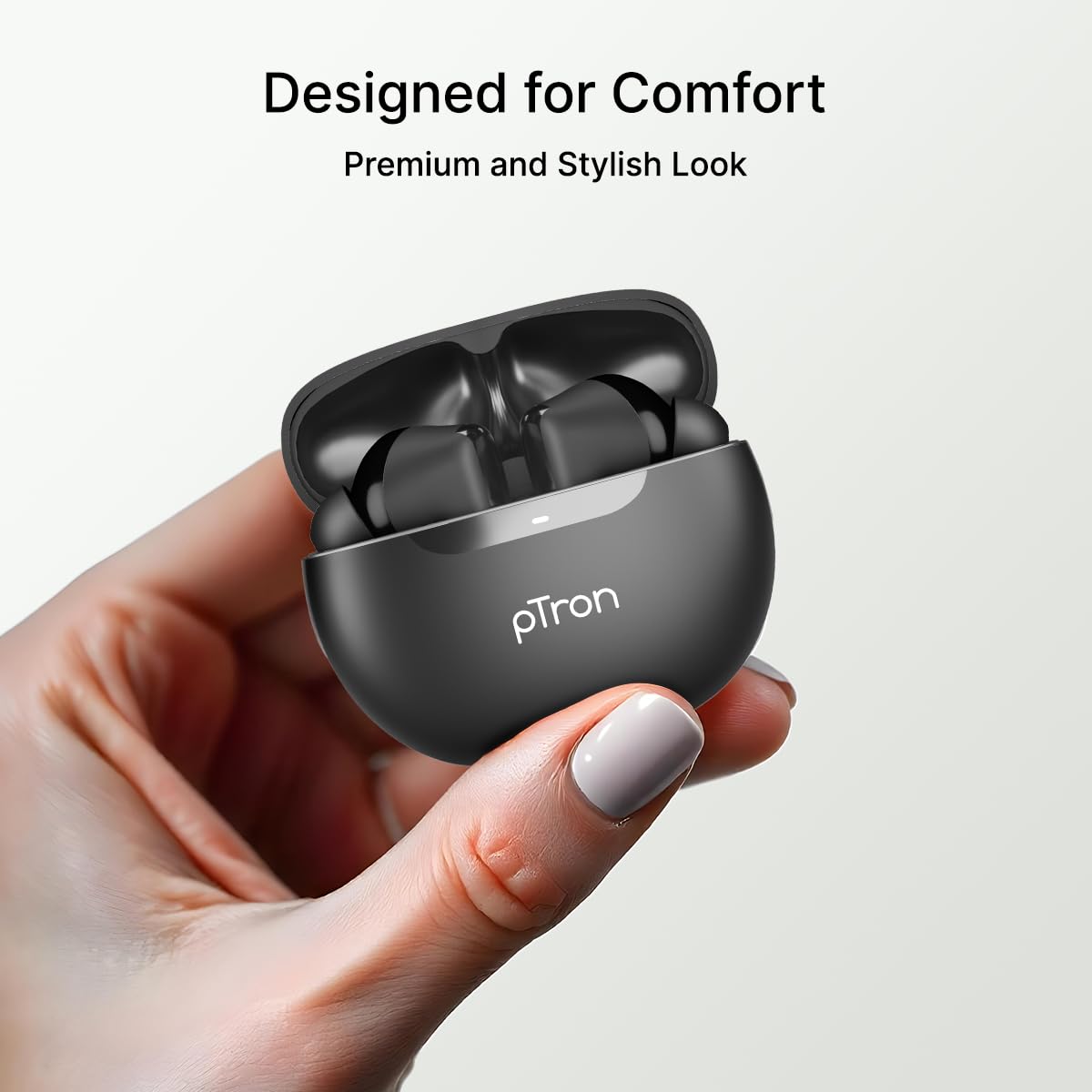
Image: An illustration highlighting the Type-C charging port and the fast charging capability of the earbuds.
കുറിപ്പ്: The earbuds offer approximately 34 hours of total playtime with the charging case.
2. നിങ്ങളുടെ ഉപകരണവുമായി ജോടിയാക്കുന്നു
Follow these steps to connect your earbuds via Bluetooth:
- ചാർജിംഗ് കേസ് തുറക്കുക. ഇയർബഡുകൾ സ്വയമേവ ജോടിയാക്കൽ മോഡിലേക്ക് പ്രവേശിക്കും.
- നിങ്ങളുടെ സ്മാർട്ട്ഫോണിലോ മറ്റ് ഉപകരണത്തിലോ ബ്ലൂടൂത്ത് പ്രവർത്തനക്ഷമമാക്കുക.
- ഇതിനായി തിരയുക "pTron Bassbuds Astra" in the list of available Bluetooth devices.
- Select "pTron Bassbuds Astra" to connect. A voice prompt will confirm successful pairing.

Image: A smartphone screen showing an incoming call from "pTron" next to the earbuds and charging case, demonstrating quick Bluetooth v5.3 connectivity.
ഉപകരണത്തിൽ ബ്ലൂടൂത്ത് പ്രവർത്തനക്ഷമമാക്കിയിട്ടുണ്ടെങ്കിൽ, കേസിൽ നിന്ന് പുറത്തെടുക്കുമ്പോൾ ഇയർബഡുകൾ അവസാനം ജോടിയാക്കിയ ഉപകരണവുമായി യാന്ത്രികമായി വീണ്ടും കണക്റ്റുചെയ്യും.
പ്രവർത്തന നിർദ്ദേശങ്ങൾ
1. ഇയർബഡുകൾ ധരിക്കുന്നു
For optimal sound quality and comfort, choose the correct size eartips and wear the earbuds properly.
- Select the eartips (S/M/L) that provide a snug fit in your ear canal.
- Insert the earbuds into your ears and gently twist them until they feel secure and comfortable.

Image: A woman wearing a pTron Bassbuds Astra earbud, illustrating the ergonomic design for comfortable and secure fit during use.
2. ടച്ച് നിയന്ത്രണങ്ങൾ
The pTron Bassbuds Astra feature intuitive touch controls on each earbud:
| ഫംഗ്ഷൻ | ആക്ഷൻ |
|---|---|
| സംഗീതം പ്ലേ ചെയ്യുക/താൽക്കാലികമായി നിർത്തുക | ഏതെങ്കിലും ഇയർബഡിൽ ഒറ്റ ടാപ്പ് ചെയ്യുക |
| അടുത്ത ട്രാക്ക് | വലതുവശത്തെ ഇയർബഡിൽ രണ്ടുതവണ ടാപ്പ് ചെയ്യുക |
| മുമ്പത്തെ ട്രാക്ക് | ഇടതുവശത്തെ ഇയർബഡിൽ രണ്ടുതവണ ടാപ്പ് ചെയ്യുക |
| ഉത്തരം / കോൾ അവസാനിപ്പിക്കുക | ഏതെങ്കിലും ഇയർബഡിൽ ഒറ്റ ടാപ്പ് ചെയ്യുക |
| കോൾ നിരസിക്കുക | ഏതെങ്കിലും ഇയർബഡിൽ ദീർഘനേരം അമർത്തുക |
| വോയ്സ് അസിസ്റ്റൻ്റ് സജീവമാക്കുക | ഇയർബഡുകളിലൊന്നിൽ മൂന്ന് തവണ ടാപ്പ് ചെയ്യുക |
Image: A visual representation of key features including IPX4 water resistance, voice assistant activation, fast charging, and touch controls.
3. Mono and Stereo Mode
The earbuds support both stereo (using both earbuds) and mono (using a single earbud) modes. Simply take one earbud out of the case to use it in mono mode. The other earbud can remain in the case or be used simultaneously for stereo audio.
മെയിൻ്റനൻസ്
1. വൃത്തിയാക്കൽ
- ഇയർബഡുകളും ചാർജിംഗ് കെയ്സും മൃദുവായതും ഉണങ്ങിയതും ലിന്റ് രഹിതവുമായ തുണി ഉപയോഗിച്ച് പതിവായി വൃത്തിയാക്കുക.
- ചെവിയുടെ അറ്റങ്ങൾ നീക്കം ചെയ്ത് നേരിയ സോപ്പും വെള്ളവും ഉപയോഗിച്ച് വൃത്തിയാക്കുക, തുടർന്ന് വീണ്ടും ഘടിപ്പിക്കുന്നതിന് മുമ്പ് നന്നായി ഉണക്കുക.
- ഇയർബഡുകളിലെയും കെയ്സിലെയും ചാർജിംഗ് കോൺടാക്റ്റുകൾ പൊടിയിൽ നിന്നും അവശിഷ്ടങ്ങളിൽ നിന്നും മുക്തമാണെന്ന് ഉറപ്പാക്കുക.
2. ജല പ്രതിരോധം (IPX4)
The pTron Bassbuds Astra are IPX4 rated, meaning they are resistant to splashing water from any direction. This makes them suitable for workouts and light rain.
- ഇയർബഡുകൾ വെള്ളത്തിൽ മുക്കരുത്.
- ഉയർന്ന മർദ്ദമുള്ള വാട്ടർ ജെറ്റുകൾക്ക് അവരെ വിധേയമാക്കുന്നത് ഒഴിവാക്കുക.
- കേടുപാടുകൾ സംഭവിക്കാതിരിക്കാൻ ചാർജിംഗ് കെയ്സിലേക്ക് തിരികെ വയ്ക്കുന്നതിന് മുമ്പ് ഇയർബഡുകൾ ഉണങ്ങിയിട്ടുണ്ടെന്ന് ഉറപ്പാക്കുക.
3. സംഭരണം
ഉപയോഗത്തിലില്ലാത്തപ്പോൾ, ഇയർബഡുകൾ ചാർജിംഗ് കേസിൽ സൂക്ഷിക്കുക, അതുവഴി അവയെ സംരക്ഷിക്കുകയും ചാർജ്ജ് ആയി നിലനിർത്തുകയും ചെയ്യുക. ഉയർന്ന താപനിലയിൽ നിന്ന് മാറി തണുത്തതും വരണ്ടതുമായ സ്ഥലത്ത് സൂക്ഷിക്കുക.
ട്രബിൾഷൂട്ടിംഗ്
എന്തെങ്കിലും പ്രശ്നങ്ങൾ നേരിടുകയാണെങ്കിൽ, ഇനിപ്പറയുന്ന പൊതുവായ പരിഹാരങ്ങൾ പരിശോധിക്കുക:
| പ്രശ്നം | പരിഹാരം |
|---|---|
| ഇയർബഡുകൾ ജോടിയാക്കുന്നില്ല | Ensure earbuds are charged. Turn off and on Bluetooth on your device. Forget "pTron Bassbuds Astra" from your device's Bluetooth list and re-pair. |
| ഒരു ഇയർബഡ് മാത്രമേ പ്രവർത്തിക്കൂ | രണ്ട് ഇയർബഡുകളും ചാർജിംഗ് കെയ്സിലേക്ക് തിരികെ വയ്ക്കുക, ലിഡ് അടയ്ക്കുക, തുടർന്ന് അത് വീണ്ടും തുറക്കുക. രണ്ട് ഇയർബഡുകളും ചാർജ് ചെയ്തിട്ടുണ്ടെന്ന് ഉറപ്പാക്കുക. |
| ശബ്ദമില്ല | Check device volume. Ensure earbuds are connected. Try playing different audio. |
| ടച്ച് നിയന്ത്രണങ്ങൾ പ്രതികരിക്കുന്നില്ല | നിങ്ങളുടെ വിരലുകൾ വൃത്തിയുള്ളതും വരണ്ടതുമാണെന്ന് ഉറപ്പാക്കുക. ഇയർബഡുകൾ കേസിൽ വച്ച ശേഷം പുറത്തെടുത്ത് പുനരാരംഭിക്കാൻ ശ്രമിക്കുക. |
| ചാർജിംഗ് പ്രശ്നം | Check the charging cable and adapter. Ensure charging contacts on earbuds and case are clean. |
സ്പെസിഫിക്കേഷനുകൾ
Key technical specifications for the pTron Bassbuds Astra TWS Earbuds:
- മോഡലിൻ്റെ പേര്: ബാസ്ബഡ്സ് ആസ്ട്ര
- കണക്റ്റിവിറ്റി: ബ്ലൂടൂത്ത് V5.3
- വയർലെസ് ശ്രേണി: 10 മീറ്റർ വരെ
- ഓഡിയോ ഡ്രൈവർ വലിപ്പം: 13 എംഎം ഡൈനാമിക് ഡ്രൈവർ
- ബാറ്ററി ലൈഫ്: 34 മണിക്കൂർ വരെ (ചാർജിംഗ് കേസ് ഉപയോഗിച്ച്)
- ചാർജിംഗ് പോർട്ട്: യുഎസ്ബി ടൈപ്പ്-സി
- ജല പ്രതിരോധം: IPX4
- നിയന്ത്രണ രീതി: സ്പർശിക്കുക
- മെറ്റീരിയൽ: അക്രിലോണിട്രൈൽ ബ്യൂട്ടാഡീൻ സ്റ്റൈറൈൻ (എബിഎസ്)
- ഇനത്തിൻ്റെ ഭാരം: 40 ഗ്രാം
- ഉൾപ്പെടുത്തിയ ഘടകങ്ങൾ: Earbuds, Charging Case, USB Type-C Cable, Eartips, User Manual

Image: A detailed diagram of a 13mm sonic surge driver alongside the pTron Bassbuds Astra charging case, emphasizing the audio technology and extended 34-hour playtime.
വാറൻ്റിയും പിന്തുണയും
Your pTron Bassbuds Astra TWS Earbuds come with a 6 മാസത്തെ നിർമ്മാതാവിന്റെ വാറന്റി വാങ്ങിയ തീയതി മുതൽ, നിർമ്മാണ വൈകല്യങ്ങൾ മാത്രം ഉൾക്കൊള്ളുന്നു.
For warranty claims, technical support, or any other inquiries, please contact pTron customer care:
- ഫോൺ: 040-67138888
- ഇമെയിൽ: support@ptron.in
വാറന്റി സാധൂകരണത്തിനായി നിങ്ങളുടെ വാങ്ങൽ രസീത് സൂക്ഷിക്കുക.
Ask a question about this manual
Ask about setup, troubleshooting, compatibility, parts, safety, or missing instructions. Manuals+ will review the question and use this page’s manual context to help answer it.