
weelikeit CP35S
Weelikeit Portable Mini Projector CP35S User Manual
Model: CP35S | Brand: Weelikeit
ആമുഖം
This manual provides detailed instructions for the setup, operation, and maintenance of your Weelikeit Portable Mini Projector CP35S. This projector supports 1080P native resolution with 4K support, features 5G WiFi 6 and Bluetooth connectivity, and includes automatic focusing and keystone correction for an optimized viewഅനുഭവം.
ബോക്സിൽ എന്താണുള്ളത്
അൺപാക്ക് ചെയ്യുമ്പോൾ, ഇനിപ്പറയുന്ന എല്ലാ ഇനങ്ങളും ഉണ്ടെന്ന് ഉറപ്പാക്കുക:
- 1x Weelikeit Projector CP35S
- 1x പവർ അഡാപ്റ്റർ
- 1x റിമോട്ട് കൺട്രോൾ
- 1x HDMI കേബിൾ
- 1x ഉപയോക്തൃ മാനുവൽ

Image: Contents of the Weelikeit Projector CP35S retail box.
ഉൽപ്പന്നം കഴിഞ്ഞുview
The Weelikeit CP35S projector is designed for portability and ease of use. It features multiple connectivity options and automatic image adjustment capabilities.
തുറമുഖങ്ങളും കണക്ഷനുകളും
The rear panel of the projector provides various ports for connecting external devices:
- USB പോർട്ടുകൾ: USB സംഭരണ ഉപകരണങ്ങൾ ബന്ധിപ്പിക്കുന്നതിന്.
- എച്ച്ഡിഎംഐ പോർട്ട്: For connecting devices such as laptops, gaming consoles, or media players.
- ഓഡിയോ പോർട്ട് (3.5mm ജാക്ക്): ബാഹ്യ ഓഡിയോ സിസ്റ്റങ്ങളോ ഹെഡ്ഫോണുകളോ ബന്ധിപ്പിക്കുന്നതിന്.
- പവർ ഇൻപുട്ട്: പവർ അഡാപ്റ്റർ ബന്ധിപ്പിക്കുന്നതിന്.

ചിത്രം: പിൻഭാഗം view of the Weelikeit CP35S Projector, highlighting the various input/output ports.
സജ്ജമാക്കുക
- പ്ലേസ്മെൻ്റ്: Place the projector on a stable, flat surface. Ensure there are no obstructions in front of the lens. The optimal projection distance is approximately 3 meters for a 100-inch screen.
- പവർ കണക്ഷൻ: പ്രൊജക്ടറിന്റെ പവർ ഇൻപുട്ട് പോർട്ടിലേക്ക് പവർ അഡാപ്റ്റർ ബന്ധിപ്പിച്ച് ഒരു പവർ ഔട്ട്ലെറ്റിലേക്ക് പ്ലഗ് ചെയ്യുക.
- പവർ ഓൺ: ഉപകരണം ഓണാക്കാൻ പ്രൊജക്ടറിലോ റിമോട്ട് കൺട്രോളിലോ പവർ ബട്ടൺ അമർത്തുക.

Image: Recommended projection distances for different screen sizes.
പ്രവർത്തന നിർദ്ദേശങ്ങൾ
യാന്ത്രിക ഇമേജ് ക്രമീകരണം
The CP35S projector features intelligent automatic focus, keystone correction, and obstacle avoidance. When the projector is moved or initially powered on, it will automatically adjust the image for clarity and proper geometry on the projection surface. This ensures a clear, rectangular image without manual intervention.

Image: Visual representation of the projector's intelligent auto-focus and auto-keystone correction.
വൈഫൈയിലേക്ക് കണക്റ്റ് ചെയ്യുന്നു
To access online content and streaming services, connect your projector to a Wi-Fi network:
- Navigate to the "Settings" menu using the remote control.
- "നെറ്റ്വർക്കും ഇന്റർനെറ്റും" തിരഞ്ഞെടുക്കുക.
- ലിസ്റ്റിൽ നിന്ന് നിങ്ങൾക്ക് ആവശ്യമുള്ള വൈഫൈ നെറ്റ്വർക്ക് തിരഞ്ഞെടുത്ത് ആവശ്യപ്പെടുകയാണെങ്കിൽ പാസ്വേഡ് നൽകുക.
- The projector supports 2.4G/5G dual-band WiFi 6 for stable and fast connections.
ബ്ലൂടൂത്ത് കണക്റ്റിവിറ്റി
Pair Bluetooth devices like external speakers or headphones for enhanced audio:
- Go to the "Settings" menu.
- Select "Bluetooth" and turn it on.
- The projector will scan for available devices. Select your device from the list to pair.
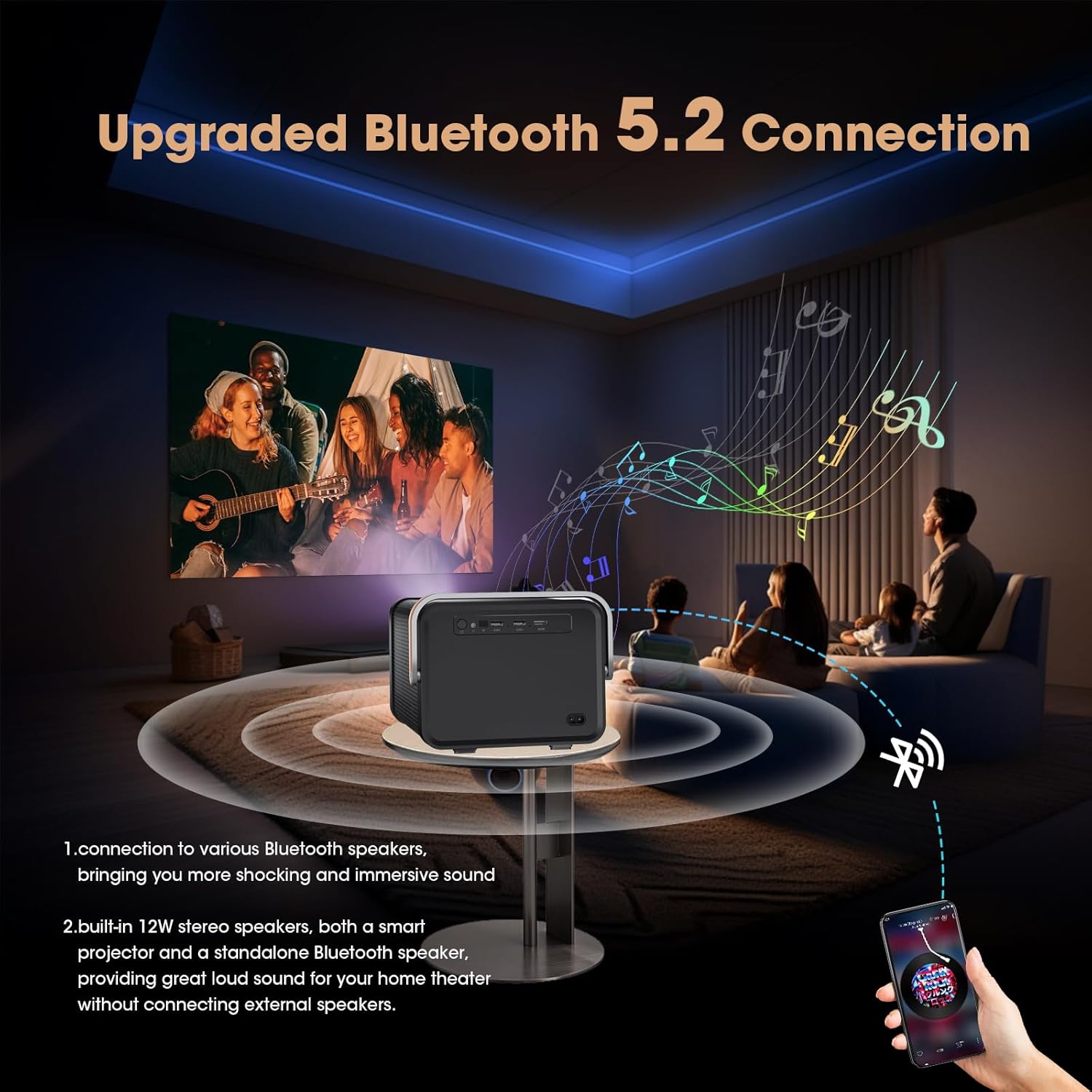
Image: Projector connected to external Bluetooth speakers for an immersive audio experience.
Using HDMI and USB Inputs
To display content from external sources:
- എച്ച്ഡിഎംഐ: Connect your device (e.g., laptop, game console, TV stick) to the projector's HDMI port using an HDMI cable. Select the HDMI input source from the projector's main menu.
- USB: Insert a USB drive into a USB port. The projector's media player will allow you to browse and play compatible files.
Accessing Built-in Apps
The projector comes with a pre-installed Android TV system, offering access to popular streaming applications:
- From the home screen, select the desired application (e.g., Netflix, YouTube, Prime Video).
- Log in with your account credentials to access content.
- Additional applications can be downloaded from the AppMarket or Play Store.

Image: Home screen of the projector showing pre-installed streaming applications.
മെയിൻ്റനൻസ്
- ലെൻസ് ക്ലീനിംഗ്: പ്രൊജക്ടർ ലെൻസ് സൌമ്യമായി തുടയ്ക്കാൻ ഒപ്റ്റിക്കൽ ലെൻസുകൾക്കായി പ്രത്യേകം രൂപകൽപ്പന ചെയ്ത മൃദുവായ, ലിന്റ് രഹിത തുണി ഉപയോഗിക്കുക. ഉരച്ചിലുകളുള്ള വസ്തുക്കളോ കഠിനമായ രാസവസ്തുക്കളോ ഒഴിവാക്കുക.
- പൊടി നീക്കം: പ്രൊജക്ടറിന്റെ പ്രകടനത്തെയും ആയുസ്സിനെയും ബാധിച്ചേക്കാവുന്ന പൊടിപടലങ്ങൾ തടയാൻ പതിവായി വെന്റുകൾ വൃത്തിയാക്കുക. മൃദുവായ ബ്രഷ് അല്ലെങ്കിൽ കംപ്രസ് ചെയ്ത വായു ഉപയോഗിക്കുക.
- സംഭരണം: ദീർഘനേരം ഉപയോഗിക്കാത്തപ്പോൾ, പ്രൊജക്ടർ തണുത്തതും വരണ്ടതുമായ സ്ഥലത്ത് സൂക്ഷിക്കുക, നേരിട്ടുള്ള സൂര്യപ്രകാശത്തിൽ നിന്നും കടുത്ത താപനിലയിൽ നിന്നും അകറ്റി നിർത്തുക.
ട്രബിൾഷൂട്ടിംഗ്
| പ്രശ്നം | സാധ്യമായ കാരണം | പരിഹാരം |
|---|---|---|
| ചിത്രം ഇല്ല അല്ലെങ്കിൽ മങ്ങിയ ചിത്രം | Incorrect focus, projector too far/close, lens obstruction. | Ensure auto-focus is enabled or manually trigger it via remote. Adjust projector distance. Clean the lens. |
| ശബ്ദമില്ല | ശബ്ദം വളരെ കുറവാണ്, ബാഹ്യ ഓഡിയോ ഉപകരണം കണക്റ്റുചെയ്തിട്ടില്ല, തെറ്റായ ഓഡിയോ ഔട്ട്പുട്ട് തിരഞ്ഞെടുത്തു. | Increase volume. Check Bluetooth connection or 3.5mm audio cable. Verify audio settings. |
| Wi-Fi കണക്ഷൻ അസ്ഥിരമാണ് | Weak signal, incorrect password, router issues. | Move projector closer to router. Re-enter Wi-Fi password. Restart router and projector. |
| റിമോട്ട് കൺട്രോൾ പ്രവർത്തിക്കുന്നില്ല | Dead batteries, obstruction, remote not paired. | Replace batteries (AAA). Ensure clear line of sight to projector. Re-pair remote if necessary (refer to device settings). |
സ്പെസിഫിക്കേഷനുകൾ
| ഫീച്ചർ | വിശദാംശങ്ങൾ |
|---|---|
| ഉൽപ്പന്ന അളവുകൾ | 24 x 25.5 x 23.19 സെ.മീ |
| ഇനത്തിൻ്റെ ഭാരം | 1.17 കിലോഗ്രാം (2.59 പൗണ്ട്) |
| ഇനം മോഡൽ നമ്പർ | CP35S |
| ശുപാർശ ചെയ്യുന്ന ഉപയോഗങ്ങൾ | ബിസിനസ്സ്, വിദ്യാഭ്യാസം, ഗെയിമിംഗ്, ഹോം സിനിമ |
| പ്രത്യേക സവിശേഷതകൾ | Auto Focus, Auto Obstacle Avoidance, Auto Screen Alignment, Built-In Speaker, Digital Keystone Correction |
| കണക്റ്റിവിറ്റി ടെക്നോളജി | WiFi (2.4G/5G WiFi 6), Bluetooth, HDMI, USB, VGA, AV, 3.5mm Jack |
| നേറ്റീവ് റെസല്യൂഷൻ | 1920 x 1080 പിക്സലുകൾ |
| ഡിസ്പ്ലേ റെസല്യൂഷൻ പരമാവധി | 1920 x 1080 Pixels (4K Support) |
| ഡിസ്പ്ലേ തരം | എൽസിഡി |
| ഫോം ഫാക്ടർ | പോർട്ടബിൾ |
| മൗണ്ടിംഗ് തരം | ടേബിൾടോപ്പ് മൗണ്ട് |
| തെളിച്ചം | 400 ANSI ല്യൂമെൻ |
| കോൺട്രാസ്റ്റ് റേഷ്യോ | 15000:1 |
| പരമാവധി എറിയുന്ന ദൂരം | 20 അടി |
| പരമാവധി ഇമേജ് വലുപ്പം | 214 ഇഞ്ച് |
| എറിയാനുള്ള ഏറ്റവും കുറഞ്ഞ ദൂരം | 2.6 അടി |
| ഏറ്റവും കുറഞ്ഞ ചിത്ര വലുപ്പം | 29 ഇഞ്ച് |
| കൺട്രോളർ തരം | റിമോട്ട് കൺട്രോൾ |
| അനുയോജ്യമായ ഉപകരണങ്ങൾ | Laptops, smartphones, gaming consoles, media players |
ഔദ്യോഗിക ഉൽപ്പന്ന വീഡിയോ
വീഡിയോ: ഒരു സമഗ്രമായ ഓവർview and demonstration of the Weelikeit CP35S Projector, showcasing its unboxing, port details, automatic focus and keystone correction, built-in app functionality, and outdoor usage scenarios.
വാറൻ്റിയും പിന്തുണയും
The product comes with a 1-year warranty. For technical support, troubleshooting, or warranty claims, please contact Weelikeit customer service.
നിർമ്മാതാവിനെ ബന്ധപ്പെടാനുള്ള വിവരങ്ങൾ: Shenzhenshichengfengleqidianziyouxiangongsi dalangjiedaohenglangshequweihuagongyequAdong1ceng,longhuaqu,shenzhenshi,guangdongsheng,CN Contact: 17711075006
Ask a question about this manual
Ask about setup, troubleshooting, compatibility, parts, safety, or missing instructions. Manuals+ will review the question and use this page’s manual context to help answer it.