
ആമുഖം
This manual provides detailed instructions for the assembly, operation, and maintenance of your FLEXISPOT 180x80cm motorized standing desk. Please read all instructions carefully before use to ensure proper function and safety. The desk is designed to offer a healthy work environment by allowing seamless transitions between sitting and standing positions, reducing fatigue and improving concentration.
Key features include a high-quality desktop, a digital control panel with memory presets, and robust, stable legs made from industrial carbon steel.
സുരക്ഷാ വിവരങ്ങൾ
ഇനിപ്പറയുന്ന സുരക്ഷാ മുൻകരുതലുകൾ എപ്പോഴും നിരീക്ഷിക്കുക:
- ഡെസ്ക് പ്രവർത്തിപ്പിക്കുന്നതിന് മുമ്പ് എല്ലാ കണക്ഷനുകളും സുരക്ഷിതമാണെന്ന് ഉറപ്പാക്കുക.
- Do not overload the desk. The maximum recommended weight capacity is 70 kg.
- അപകടങ്ങൾ തടയുന്നതിന് ജോലി സമയത്ത് കുട്ടികളെയും വളർത്തുമൃഗങ്ങളെയും മേശയിൽ നിന്ന് അകറ്റി നിർത്തുക.
- The control panel includes a child lock function to prevent accidental adjustments. Activate this function when the desk is not in use.
- കൺട്രോൾ പാനലിലോ ഇലക്ട്രിക്കൽ ഘടകങ്ങൾക്ക് സമീപമോ ദ്രാവകങ്ങൾ നേരിട്ട് വയ്ക്കുന്നത് ഒഴിവാക്കുക.
- Do not attempt to disassemble or repair the motor or control system yourself. Contact qualified service personnel for assistance.
- Ensure there are no obstructions in the desk's path when adjusting its height.
ഘടകങ്ങളുടെ പട്ടിക
Before assembly, verify that all components are present and undamaged. The package should include:
- Desktop (180 x 80 cm)
- Desk Frame (legs and crossbar)
- Digital Control Panel with Memory Function
- പവർ അഡാപ്റ്ററും കേബിളും
- ഹെഡ്ഫോൺ ഹുക്ക്
- കപ്പ് ഹോൾഡർ
- അസംബ്ലി ഹാർഡ്വെയർ (സ്ക്രൂകൾ, ഉപകരണങ്ങൾ)
- ഇൻസ്ട്രക്ഷൻ മാനുവൽ
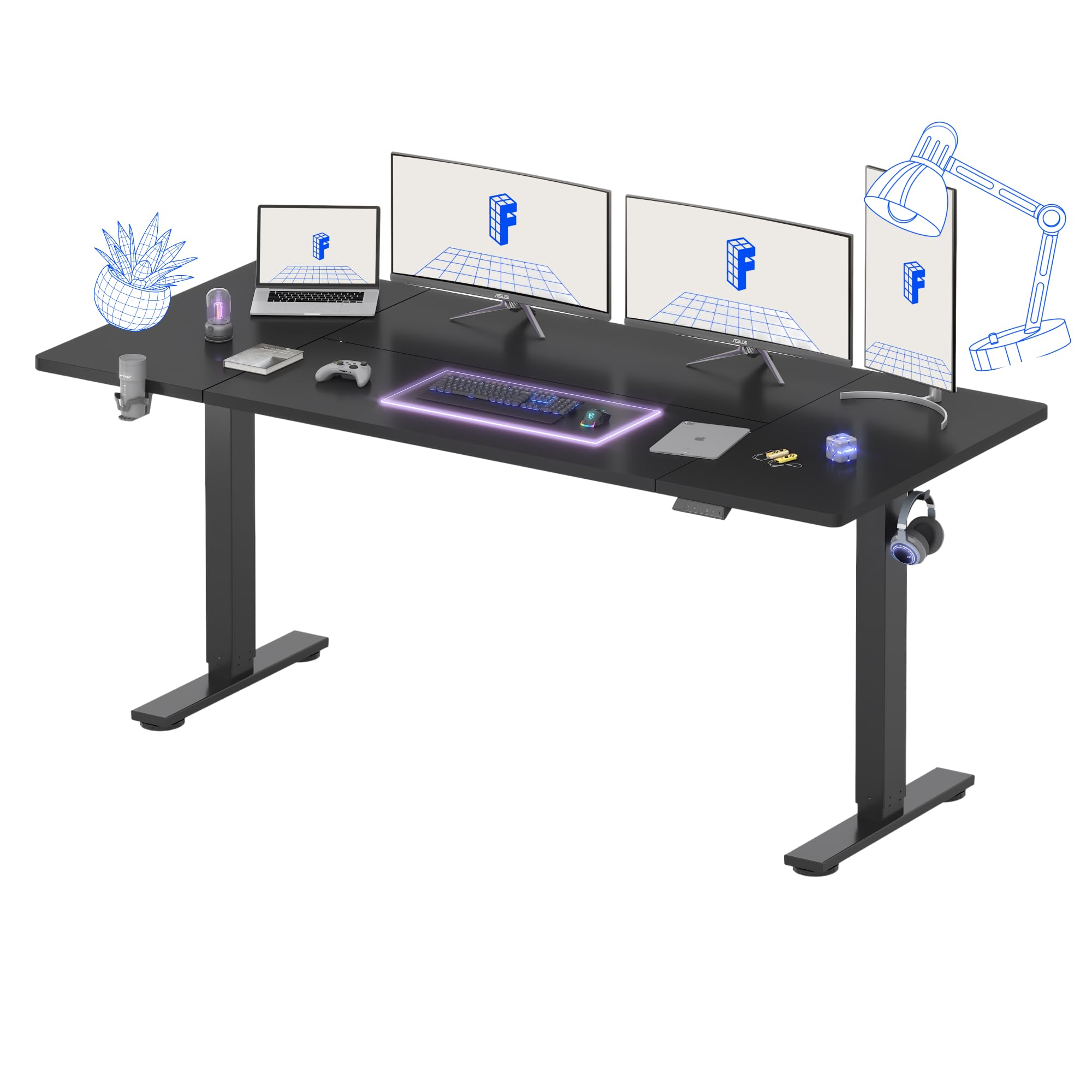
ചിത്രം 1: ഓവർview of the FLEXISPOT Standing Desk.
സജ്ജീകരണ നിർദ്ദേശങ്ങൾ
Assembly is recommended for one person. Follow the included assembly instructions carefully. Ensure you have adequate space and a clean work area.
- ഘടകങ്ങൾ അൺപാക്ക് ചെയ്യുക: പാക്കേജിംഗിൽ നിന്ന് എല്ലാ ഭാഗങ്ങളും ശ്രദ്ധാപൂർവ്വം നീക്കം ചെയ്ത് പോറലുകൾ ഉണ്ടാകാതിരിക്കാൻ മൃദുവായതും വൃത്തിയുള്ളതുമായ ഒരു പ്രതലത്തിൽ വയ്ക്കുക.
- ഡെസ്ക് ഫ്രെയിം കൂട്ടിച്ചേർക്കുക: Attach the desk legs to the crossbar according to the diagrams in the separate assembly guide. Ensure all screws are tightened securely.
- ഡെസ്ക്ടോപ്പ് അറ്റാച്ചുചെയ്യുക: Place the desktop upside down on a soft surface. Carefully align the assembled frame with the pre-drilled holes on the desktop and secure it with the provided screws.
- Install Control Panel and Accessories: Mount the digital control panel, headphone hook, and cup holder in your desired positions using the provided hardware.
- പവർ ബന്ധിപ്പിക്കുക: Connect the power cable to the control box and then to a power outlet.
- കേബിൾ മാനേജുമെന്റ്: Organize cables using the integrated cable management features to maintain a tidy workspace.
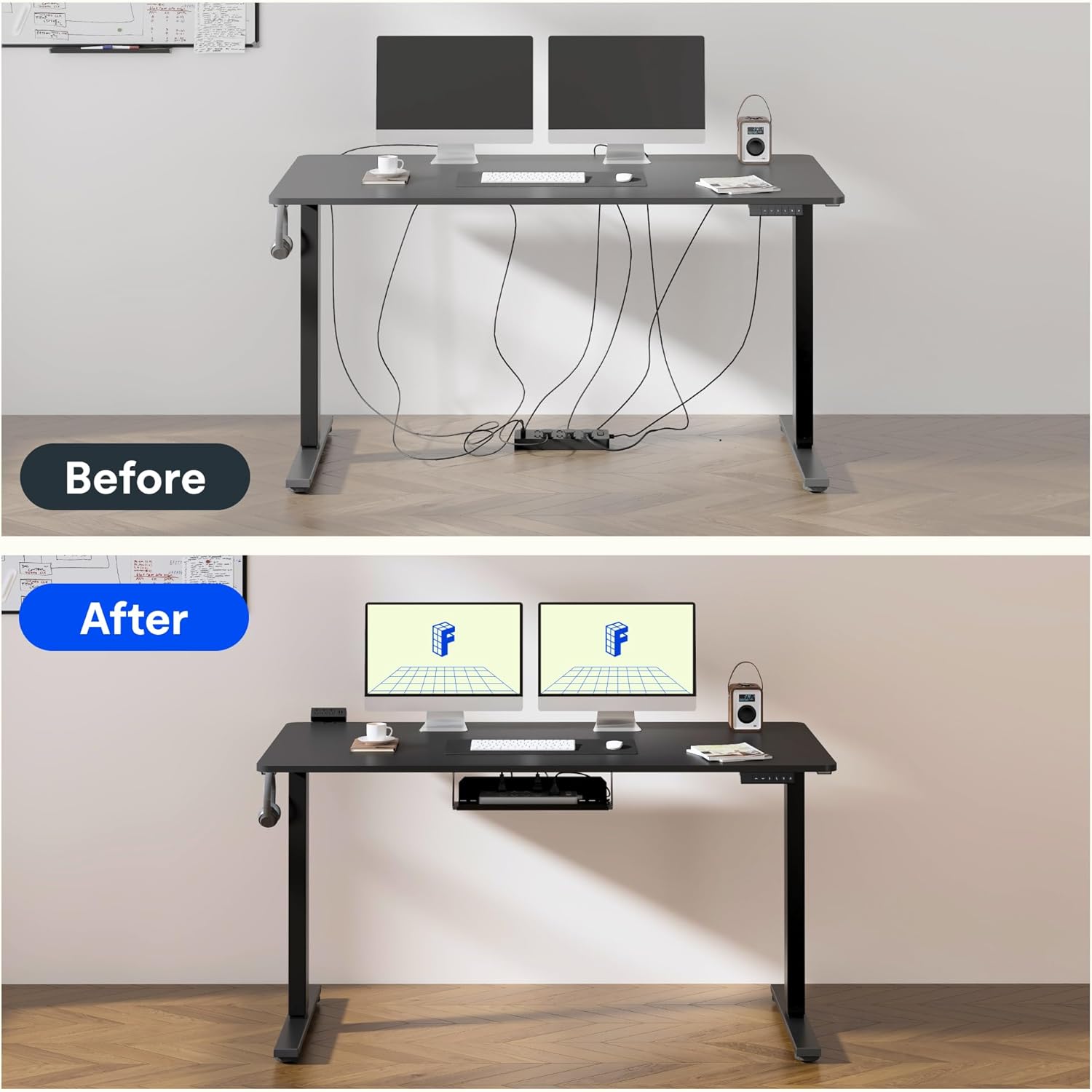
Figure 2: Effective cable management for a tidy workspace.

Figure 3: Close-up of integrated cable organization features.
പ്രവർത്തന നിർദ്ദേശങ്ങൾ
Your FLEXISPOT standing desk features an intuitive digital control panel for easy height adjustments and memory functions.

Figure 4: Digital control panel with LED display and memory buttons.
ഉയരം ക്രമീകരിക്കൽ
- അപ്പ്/ഡൗൺ ബട്ടണുകൾ: Use the ▲ (Up) and ▼ (Down) buttons on the control panel to manually adjust the desk height. The current height will be displayed on the LED screen.
- The desk can be adjusted from a minimum height of 75 cm to a maximum height of 120 cm.

Figure 5: Desk height adjustment range, illustrating minimum and maximum positions.
മെമ്മറി പ്രീസെറ്റുകൾ
The control panel allows you to save preferred sitting and standing heights for quick adjustments.
- മുകളിലേക്കും താഴേക്കും ബട്ടണുകൾ ഉപയോഗിച്ച് നിങ്ങൾക്ക് ആവശ്യമുള്ള ഉയരത്തിലേക്ക് ഡെസ്ക് ക്രമീകരിക്കുക.
- Press the 'M' button (Memory) followed by a number button (1 or 2) to save the current height. The LED display will confirm the save.
- To recall a saved height, simply press the corresponding number button (1 or 2). The desk will automatically move to the preset position.
ചൈൽഡ് ലോക്ക് പ്രവർത്തനം
To activate the child lock, press and hold the 'M' button for 3 seconds until 'LOC' appears on the display. To deactivate, press and hold 'M' again for 3 seconds.
കുറഞ്ഞ ശബ്ദ പ്രവർത്തനം
The desk operates with a low noise level of approximately 50dB, ensuring a quiet environment suitable for focused work or shared spaces.

Figure 6: Illustration of the desk's low noise operation, ideal for quiet environments.
മെയിൻ്റനൻസ്
പതിവ് അറ്റകുറ്റപ്പണികൾ നിങ്ങളുടെ മേശയുടെ ദീർഘായുസ്സും മികച്ച പ്രകടനവും ഉറപ്പാക്കുന്നു.
- വൃത്തിയാക്കൽ: ഡെസ്ക്ടോപ്പും ഫ്രെയിമും ഒരു സോഫ്റ്റ്, ഡി ക്ലീനർ ഉപയോഗിച്ച് തുടയ്ക്കുക.amp തുണി. ഫിനിഷിന് കേടുവരുത്തുന്ന ഉരച്ചിലുകൾ നിറഞ്ഞ ക്ലീനറുകളോ കഠിനമായ രാസവസ്തുക്കളോ ഒഴിവാക്കുക.
- കേബിൾ പരിശോധന: Periodically inspect all cables for wear or damage. Ensure they are properly routed and not pinched.
- ഫാസ്റ്റനർ പരിശോധന: ഇടയ്ക്കിടെ എല്ലാ സ്ക്രൂകളും ഫാസ്റ്റനറുകളും പരിശോധിച്ച് അവ ഇറുകിയതാണെന്ന് ഉറപ്പാക്കുക. ആവശ്യമെങ്കിൽ വീണ്ടും മുറുക്കുക.
- ഭാരം വിതരണം: മോട്ടോറിലും ഫ്രെയിമിലും ആയാസം ഉണ്ടാകാതിരിക്കാൻ ഡെസ്ക്ടോപ്പിലുടനീളം ഭാരം തുല്യമായി വിതരണം ചെയ്യുക.
ട്രബിൾഷൂട്ടിംഗ്
If you encounter issues with your FLEXISPOT standing desk, refer to the following common problems and solutions:
| പ്രശ്നം | സാധ്യമായ കാരണം | പരിഹാരം |
|---|---|---|
| ഡെസ്ക് അനങ്ങുന്നില്ല. | Power cable disconnected; Child lock activated; Overload protection triggered. | Check power connection; Deactivate child lock; Reduce weight on desk. |
| അസമമായ ഉയരം ക്രമീകരിക്കൽ | Obstruction; Loose connection in frame. | Remove obstructions; Check and tighten frame connections. |
| ഡിസ്പ്ലേയിൽ പിശക് കോഡ് | നിർദ്ദിഷ്ട സിസ്റ്റം തകരാറ്. | Refer to the detailed troubleshooting section in the full assembly manual or contact customer support. |
സ്പെസിഫിക്കേഷനുകൾ
Detailed technical specifications for your FLEXISPOT standing desk:
- ബ്രാൻഡ്: ഫ്ലെക്സിസ്പോട്ട്
- മോഡൽ: 180 x 80 സെ.മീ
- ഡെസ്ക് ഡിസൈൻ: സ്റ്റാൻഡിംഗ് ഡെസ്ക്
- ഉൽപ്പന്ന അളവുകൾ (D x W x H): 80പൗണ്ട് x 180lx 73H സെ.മീ
- നിറം: കറുപ്പ്
- ഡെസ്ക്ടോപ്പ് മെറ്റീരിയൽ: മരം
- അടിസ്ഥാന മെറ്റീരിയൽ: Industrial Carbon Steel
- പ്രത്യേക സവിശേഷത: ക്രമീകരിക്കാവുന്ന ഉയരം
- ലിഫ്റ്റിംഗ് മെക്കാനിസം: ഇലക്ട്രിക്
- കുറഞ്ഞ ഉയരം: 75 സെൻ്റീമീറ്റർ
- പരമാവധി ഉയരം: 120 സെൻ്റീമീറ്റർ
- ഡെസ്ക്ടോപ്പ് കനം: 25 മില്ലിമീറ്റർ
- Maximum Recommended Weight: 70 കിലോഗ്രാം
- അസംബ്ലി ആവശ്യമാണ്: Yes (1 person recommended)
- ഉൾപ്പെടുത്തിയ ഘടകങ്ങൾ: Headphone hook, cup holder, control panel with memory function
- GTIN: 810072888365

Figure 7: The robust frame is designed to support up to 70 kg.
വാറൻ്റി വിവരങ്ങൾ
This FLEXISPOT standing desk comes with a Limited Warranty. For specific terms and conditions, please refer to the warranty card included in your product packaging or visit the official FLEXISPOT webസൈറ്റ്. വാറന്റി ക്ലെയിമുകൾക്കായി നിങ്ങളുടെ വാങ്ങലിന്റെ തെളിവ് സൂക്ഷിക്കുക.
പിന്തുണ
For further assistance, technical support, or to order replacement parts, please contact FLEXISPOT customer service. Contact details can typically be found on the official FLEXISPOT webസൈറ്റ് അല്ലെങ്കിൽ ഉൽപ്പന്ന പാക്കേജിംഗിൽ.
ഓൺലൈൻ ഉറവിടങ്ങൾ: സന്ദർശിക്കുക ആമസോണിലെ ഫ്ലെക്സിസ്പോട്ട് സ്റ്റോർ കൂടുതൽ ഉൽപ്പന്ന വിവരങ്ങൾക്കും പിന്തുണയ്ക്കും.