
1. ആമുഖം
This user manual provides detailed instructions for the ATTACK SHARK Wired Keyboard Set, which includes a 68 Key Alice Layout Hotswappable Mechanical Gaming Keyboard and a 62 Key Membrane Keyboard. Please read this manual thoroughly before using the keyboards to ensure proper setup, operation, and maintenance.
2. പാക്കേജ് ഉള്ളടക്കം
നിങ്ങളുടെ പാക്കേജിൽ എല്ലാ ഇനങ്ങളും ഉണ്ടെന്ന് ഉറപ്പാക്കുക:
- 1 x ATTACK SHARK 68 Key Alice Layout Mechanical Keyboard Kit (Gray)
- 1 x Set of Mechanical Switches (for Alice Keyboard)
- 1 x Set of Keycaps (for Alice Keyboard)
- 1 x ATTACK SHARK 62 Key Membrane Keyboard (White)
- 1 x USB Type-C Cable (for Alice Keyboard)
- 1 x USB Cable (for Membrane Keyboard)
- 1 x ഉപയോക്തൃ മാനുവൽ (ഈ പ്രമാണം)
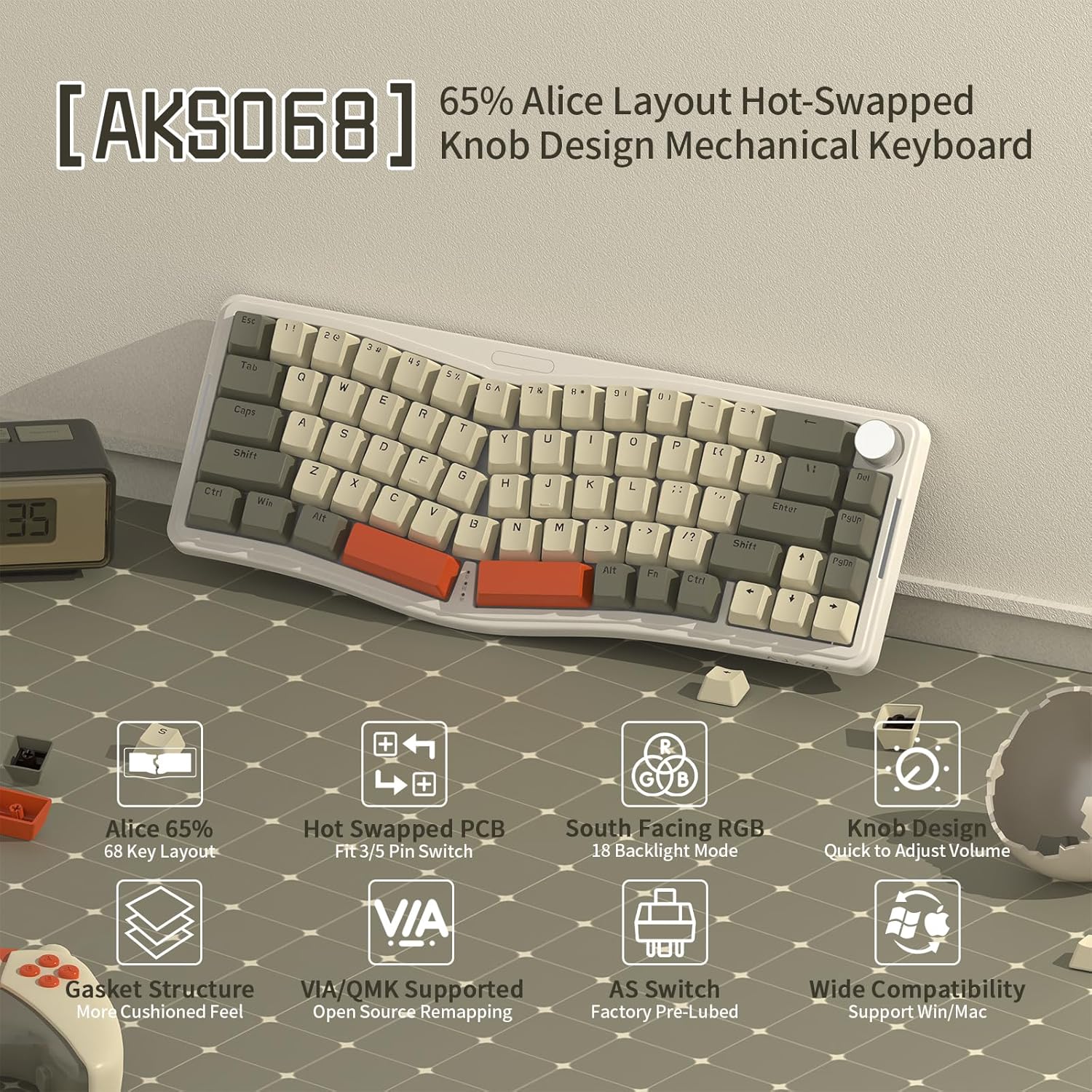
ചിത്രം: കഴിഞ്ഞുview of the ATTACK SHARK Wired Keyboard Set, showing both the Alice layout mechanical keyboard and the 62-key membrane keyboard.
3. 68 Key Alice Layout Mechanical Keyboard (AK9068)
3.1. സവിശേഷതകൾ
- Alice 65% Layout: Ergonomic 68-key design for comfortable typing.
- ഹോട്ട്-സ്വാപ്പ് ചെയ്യാവുന്ന PCB: Supports 3-pin and 5-pin switches, allowing for easy switch replacement without soldering.
- തെക്ക് അഭിമുഖമായുള്ള RGB ബാക്ക്ലൈറ്റ്: Features 18 backlight modes for customizable illumination.
- ഗാസ്കറ്റ് മൗണ്ട് ഘടന: Provides a cushioned feel and reduces typing noise.
- ശബ്ദം ഡിampening: Includes 4 layers of soundproof material to minimize internal resonance.
- Knob Design: Multifunctional knob for quick volume adjustment.
- VIA/QMK Supported: Open-source remapping software for advanced customization.
- AS Switches: Factory pre-lubed switches for smooth and quiet operation.
- വിശാലമായ അനുയോജ്യത: വിൻഡോസ്, മാക് ഓപ്പറേറ്റിംഗ് സിസ്റ്റങ്ങളെ പിന്തുണയ്ക്കുന്നു.
- പൂർണ്ണ കീ ആന്റി-ഗോസ്റ്റിംഗ്: Ensures all key presses are registered accurately during rapid input.
- Double Layer Stand: Adjustable feet for alternative typing angles.
- Tri-Color ABS Keycaps: Durable keycaps for personalization.
- ടൈപ്പ്-സി പോർട്ട്: Detachable USB Type-C cable for reliable wired connection.

Image: The AK9068 Alice Layout Mechanical Keyboard highlighting its key features such as 65% Alice layout, hot-swappable PCB, south-facing RGB, gasket structure, knob design, VIA/QMK support, and wide compatibility.

ചിത്രം: അടിവശം view of the AK9068 Alice Layout Mechanical Keyboard, showing the double-layer stand for adjustable typing angles, the Type-C port for connection, and anti-slip mats for stability.
3.2. സജ്ജീകരണം
The Alice mechanical keyboard comes as a kit. Follow these steps to assemble and set up your keyboard:
- സ്വിച്ചുകൾ ഇൻസ്റ്റാൾ ചെയ്യുക: Carefully align the pins of each mechanical switch with the corresponding holes on the PCB (Printed Circuit Board). Press firmly until the switch is seated securely. Ensure the switch is oriented correctly for south-facing LEDs.
- കീക്യാപ്പുകൾ ഇൻസ്റ്റാൾ ചെയ്യുക: Place the appropriate keycaps onto the installed switches. Refer to the Alice layout for correct keycap placement.
- പിസിയിലേക്ക് കണക്റ്റുചെയ്യുക: Connect the provided USB Type-C cable to the Type-C port on the back of the keyboard and the other end to an available USB port on your computer.
- ഡ്രൈവർ ഇൻസ്റ്റാളേഷൻ: Your computer should automatically detect and install the necessary drivers. No additional software is required for basic functionality.
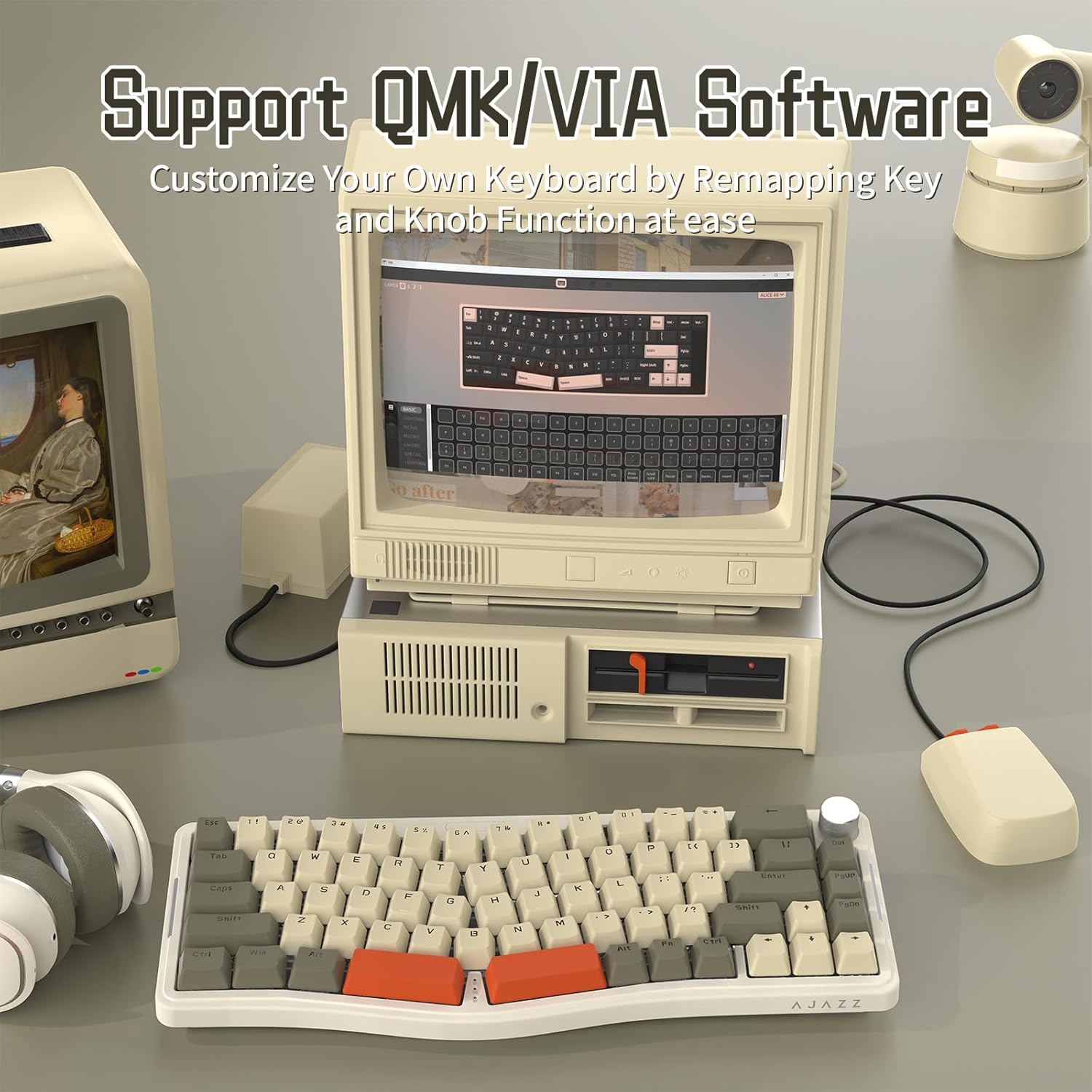
ചിത്രം: ക്ലോസ്-അപ്പ് view of the AK9068 Alice Layout Mechanical Keyboard demonstrating its hot-swappable switch sockets and the AS Red Switches, highlighting the ease of switch installation and replacement.
3.3. ഓപ്പറേഷൻ
The Alice mechanical keyboard offers standard typing functionality along with special features:
- നോബ് പ്രവർത്തനം:
- Turn Left/Right: Adjusts system volume.
- Press: Mutes/Unmutes audio.
- ആന്റി ഗോസ്റ്റിംഗ്: The keyboard supports full key anti-ghosting (NKRO), ensuring all simultaneous key presses are registered accurately.
- ക്രമീകരിക്കാവുന്ന ടൈപ്പിംഗ് ആംഗിൾ: Utilize the double-layer stands on the underside of the keyboard to adjust the typing angle for ergonomic comfort.
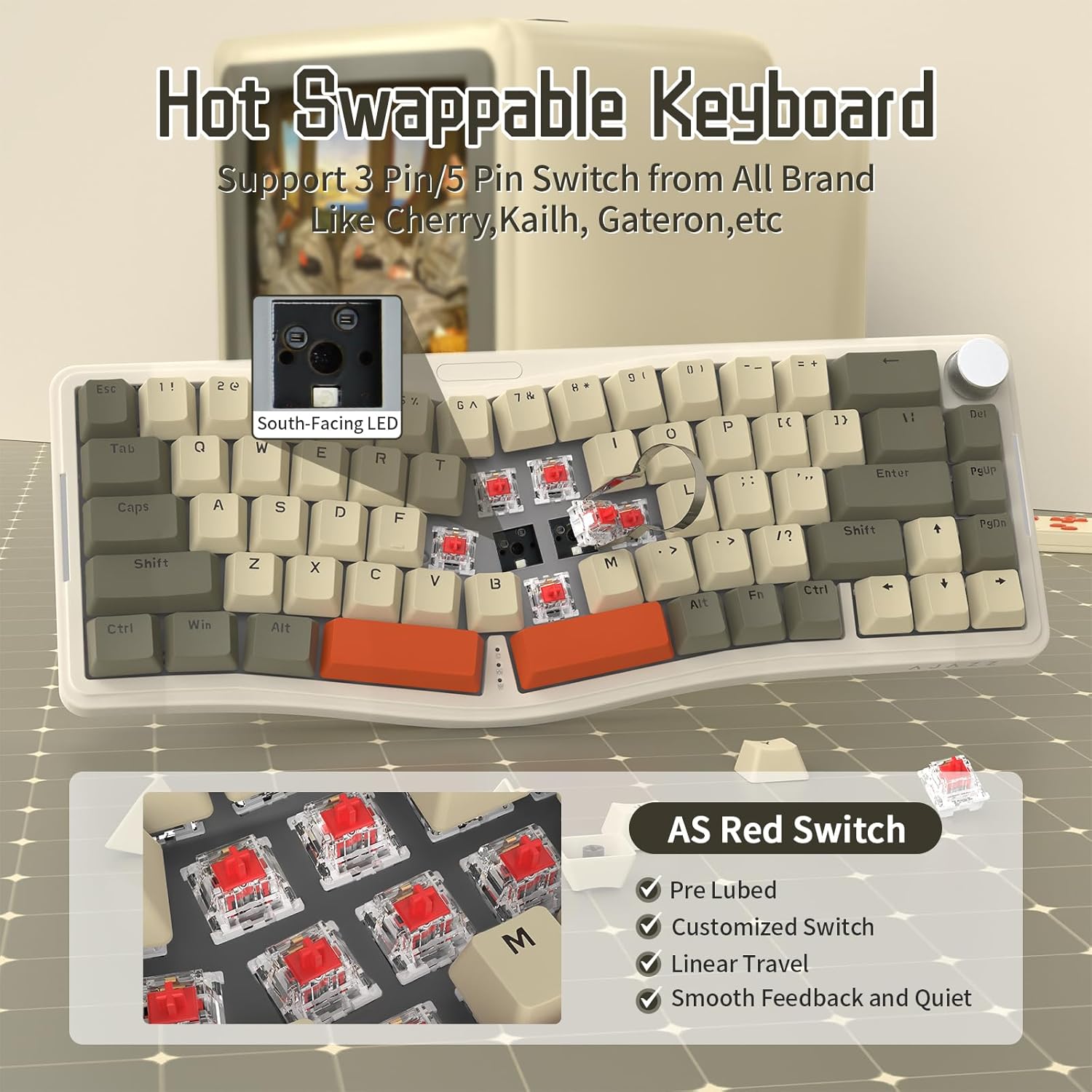
Image: The AK9068 Alice Layout Mechanical Keyboard illustrating the functionality of its metal knob for volume control (turn left/right) and mute/unmute (press), along with the full key anti-ghosting feature.
3.4. Customization (VIA/QMK)
The Alice mechanical keyboard supports VIA and QMK software for advanced key remapping and customization of the knob function.
- സോഫ്റ്റ്വെയർ ഡൗൺലോഡ് ചെയ്യുക: Access the VIA software and JSON file from the official link: bit.ly/4amBzF8.
- JSON ലോഡ് ചെയ്യുക File: Open the VIA software and load the provided JSON file for your keyboard model.
- റീമാപ്പ് കീകൾ: Use the VIA interface to remap individual keys, create macros, and customize the knob's functions according to your preferences.
- മാറ്റങ്ങൾ പ്രയോഗിക്കുക: Save and apply your changes within the VIA software. The customizations will be stored on the keyboard's firmware.

Image: The AK9068 Alice Layout Mechanical Keyboard displayed with a computer screen showing the VIA software interface, demonstrating the ability to customize key mappings and knob functions.
3.5. പരിപാലനം
- വൃത്തിയാക്കൽ: Use a soft, dry cloth to wipe the keyboard surface. For deeper cleaning, remove keycaps and use compressed air to clear debris from between switches.
- സ്വിച്ച് മാറ്റിസ്ഥാപിക്കൽ: To replace switches, use a switch puller tool to gently remove the existing switch. Align the new switch's pins with the PCB sockets and press firmly until it clicks into place.
- കീക്യാപ്പ് മാറ്റിസ്ഥാപിക്കൽ: Use a keycap puller tool to remove keycaps. Ensure new keycaps are compatible with Cherry MX style stems.
4. 62 Key Membrane Keyboard
4.1. സവിശേഷതകൾ
- Compact 62 Key Layout: Space-saving design suitable for various setups.
- RGB ബാക്ക്ലൈറ്റ്: Features rainbow backlighting for visual appeal.
- വയർഡ് കണക്റ്റിവിറ്റി: Reliable USB wired connection.
- 19 Key Anti-Ghosting: Ensures accurate registration of multiple simultaneous key presses.
- Crater Structure: Provides tactile feedback similar to mechanical keyboards.
- Lower Noise: Designed for quieter operation compared to some mechanical keyboards.
- രണ്ട് നിറങ്ങളിലുള്ള ഇഞ്ചക്ഷൻ കീക്യാപ്പുകൾ: Durable keycaps with legends that won't fade.
- Radiant Space Bar: Unique design element.
- Unique Logo Key: The ESC key doubles as a logo key.

Image: The ATTACK SHARK 62 Key Membrane Gaming Keyboard showcasing its compact layout, RGB backlight, wired connectivity, and 19-key anti-ghosting capabilities.

Image: Close-up of the ATTACK SHARK 62 Key Membrane Gaming Keyboard, highlighting its crater structure for tactile feedback, lower noise operation, and two-color injection keycaps.
4.2. സജ്ജീകരണം
- പിസിയിലേക്ക് കണക്റ്റുചെയ്യുക: Connect the USB cable of the membrane keyboard to an available USB port on your computer.
- ഡ്രൈവർ ഇൻസ്റ്റാളേഷൻ: Your computer should automatically detect and install the necessary drivers. No additional software is required for basic functionality.
4.3. ഓപ്പറേഷൻ
- ESC Key Function: The unique logo key functions as the ESC key. To use its ESC function, press FN + Logo Key.
- ആന്റി ഗോസ്റ്റിംഗ്: The keyboard supports 19-key anti-ghosting, ensuring accurate registration of multiple simultaneous key presses.
4.4. ബാക്ക്ലൈറ്റ് നിയന്ത്രണം
Control the RGB backlight settings using the following key combinations:
- ബാക്ക്ലൈറ്റ് മോഡ് മാറ്റുക: അമർത്തുക FN + [Key Combination] (Specific key combination not provided in source, common ones are FN + INS, HOME, PGUP, PGDN, DEL, END or FN + Scroll Lock/Pause/Print Screen).
- തെളിച്ചം ക്രമീകരിക്കുക (3 ലെവലുകൾ): അമർത്തുക FN + [{ / }] (or similar keys, based on image PT08 showing FN + [{ and FN + }]).
- Adjust Changing Speed (3 Speeds): അമർത്തുക FN + [; / '] (or similar keys, based on image PT08 showing FN + ; and FN + ').
- ബാക്ക്ലൈറ്റ് നിറം മാറ്റുക: അമർത്തുക FN + [P] (based on image PT08).
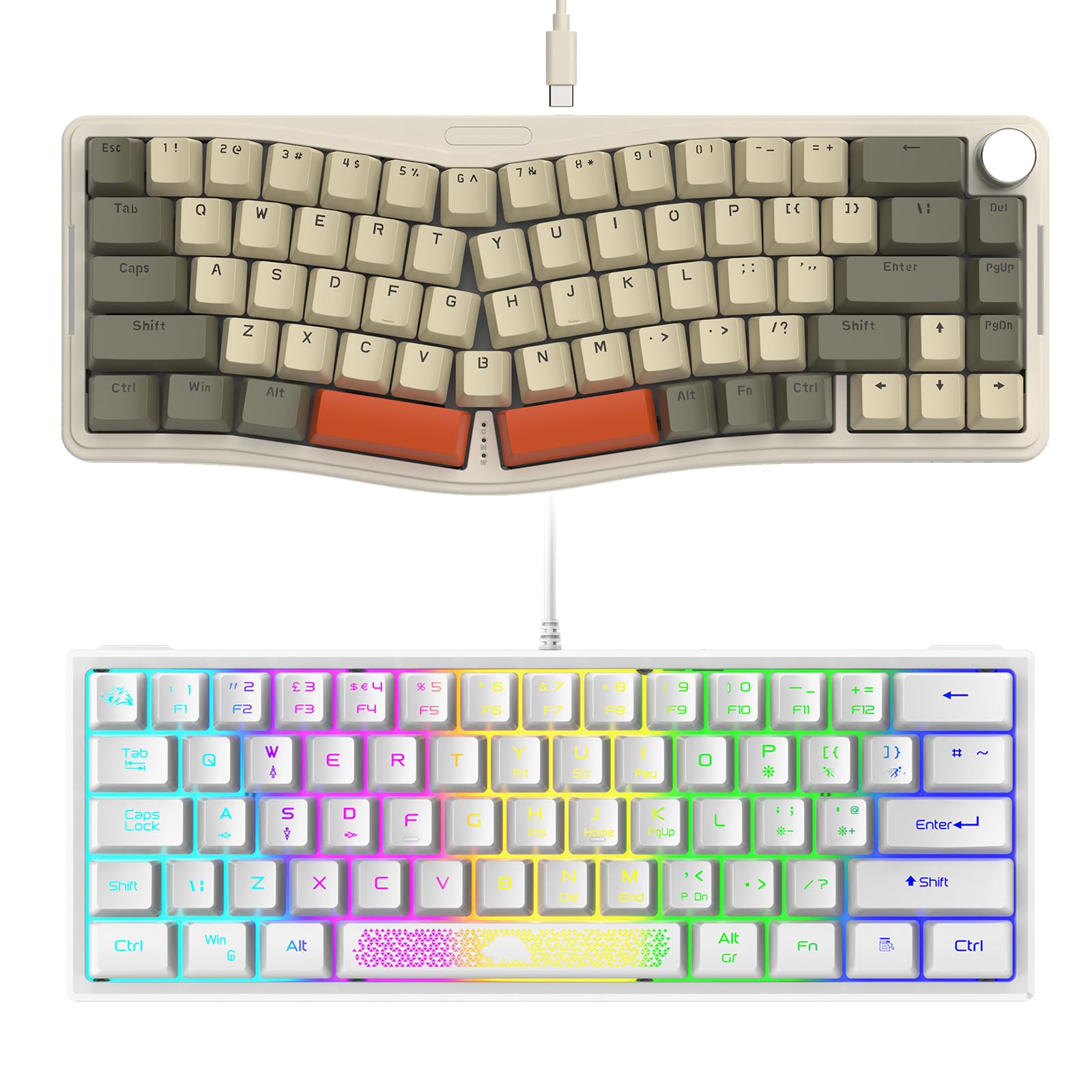
Image: The ATTACK SHARK 62 Key Membrane Gaming Keyboard illustrating its gorgeous rainbow LED backlight and controls for brightness, changing speed, and backlight color using FN key combinations.
4.5. പരിപാലനം
- വൃത്തിയാക്കൽ: Use a soft, dry cloth to wipe the keyboard surface. For deeper cleaning, use compressed air to clear debris from between keycaps. Avoid using harsh chemicals or abrasive materials.
5. പ്രശ്നപരിഹാരം
If you encounter issues with your ATTACK SHARK keyboards, refer to the following common solutions:
| പ്രശ്നം | സാധ്യമായ കാരണം | പരിഹാരം |
|---|---|---|
| കീബോർഡ് പ്രതികരിക്കുന്നില്ല | അയഞ്ഞ യുഎസ്ബി കണക്ഷൻ, തകരാറുള്ള യുഎസ്ബി പോർട്ട്, ഡ്രൈവർ പ്രശ്നം. |
|
| Backlight not working (Membrane Keyboard) | ബാക്ക്ലൈറ്റ് ഓഫാക്കി, തെളിച്ചം ഏറ്റവും കുറഞ്ഞതായി സജ്ജമാക്കി. |
|
| Keys not registering (Alice Keyboard) | Loose or faulty switch. |
|
| Knob not adjusting volume (Alice Keyboard) | Software conflict, knob remapped via VIA. |
|
6 സ്പെസിഫിക്കേഷനുകൾ
| ഫീച്ചർ | 68 Key Alice Mechanical Keyboard (AK9068) | 62 Key Membrane Keyboard |
|---|---|---|
| ബ്രാൻഡ് | അറ്റാക്ക് സ്രാവ് | |
| ലേഔട്ട് | Alice 65% (68 Keys) | Compact (62 Keys) |
| സ്വിച്ച് തരം | Mechanical (Hot-Swappable, 3/5-pin) | Membrane (Crater Structure) |
| കണക്റ്റിവിറ്റി | Wired (USB Type-C for Alice, USB for Membrane) | |
| ബാക്ക്ലൈറ്റ് | South-Facing RGB (18 Modes) | റെയിൻബോ RGB |
| ആൻ്റി-ഗോസ്റ്റിംഗ് | Full Key (NKRO) | 19 കീകൾ |
| ഇഷ്ടാനുസൃതമാക്കൽ | VIA/QMK Programmable | N/A (Backlight controls via FN keys) |
| പ്രത്യേക സവിശേഷതകൾ | Gasket Mount, Sound Dampening, Knob Control | Radiant Space Bar, Unique Logo Key (ESC) |
| അനുയോജ്യമായ ഉപകരണങ്ങൾ | PC, Mac (for Alice) | |
| നിറം | ചാരനിറം | വെള്ള |
7. വാറൻ്റിയും പിന്തുണയും
ATTACK SHARK products are designed for quality and reliability. For warranty information and technical support, please refer to the official ATTACK SHARK webസൈറ്റിൽ ബന്ധപ്പെടുകയോ അവരുടെ ഉപഭോക്തൃ സേവനവുമായി നേരിട്ട് ബന്ധപ്പെടുകയോ ചെയ്യുക. വാറന്റി ക്ലെയിമുകൾക്കുള്ള വാങ്ങലിന്റെ തെളിവായി നിങ്ങളുടെ വാങ്ങൽ രസീത് സൂക്ഷിക്കുക.
For the latest drivers, software, and support resources, please visit the official ATTACK SHARK support page.