
RadioShack 3304244-PNT
RadioShack Stereo Earphones User Manual
Model: 3304244-PNT
ആമുഖം
Thank you for choosing RadioShack Stereo Earphones. These wired earbuds are designed to provide clear audio and convenient hands-free communication, featuring an inline microphone and volume control. This manual will guide you through the setup, operation, maintenance, and troubleshooting of your new earphones to ensure a satisfying listening experience.
സജ്ജമാക്കുക
Setting up your RadioShack Stereo Earphones is straightforward. Follow these steps to begin using your earphones with your compatible device.
നിങ്ങളുടെ ഉപകരണത്തിലേക്ക് കണക്റ്റുചെയ്യുന്നു
- ഓഡിയോ ജാക്ക് തിരിച്ചറിയുക: Locate the 3.5mm audio jack on your smartphone, tablet, laptop, or MP3 player. This is typically a small, circular port.
- പ്ലഗ് തിരുകുക: Gently insert the 3.5mm audio plug of your RadioShack earphones into the device's audio jack until it clicks into place. Ensure a secure connection.
- കണക്ഷൻ സ്ഥിരീകരിക്കുക: Once connected, your device should automatically route audio through the earphones. If not, check your device's audio output settings.

Image: RadioShack Stereo Earphones connected to a smartphone, demonstrating proper plug insertion.

ചിത്രം: വിശദമായത് view of the 3.5mm audio jack, ready for connection.
പ്രവർത്തന നിർദ്ദേശങ്ങൾ
Your RadioShack Stereo Earphones feature an inline control unit for easy management of audio and calls.
ഓഡിയോ നിയന്ത്രണം
- വോളിയം കൂട്ടുക (+): Press the '+' button on the inline control to increase the audio volume.
- വോളിയം ഡൗൺ (-): Press the '-' button on the inline control to decrease the audio volume.
- പ്ലേ/താൽക്കാലികമായി നിർത്തുക: Press the central multi-function button once to play or pause audio playback.
- അടുത്ത ട്രാക്ക്: Double-press the central multi-function button to skip to the next track.
- മുമ്പത്തെ ട്രാക്ക്: Triple-press the central multi-function button to go back to the previous track.
കോൾ മാനേജുമെന്റ്
- ഉത്തരം/അവസാന കോൾ: Press the central multi-function button once to answer an incoming call or end an active call.
- കോൾ നിരസിക്കുക: Press and hold the central multi-function button for approximately 2 seconds to reject an incoming call.
- വോയ്സ് അസിസ്റ്റന്റ്: Press and hold the central multi-function button for approximately 3 seconds to activate your device's voice assistant (e.g., Siri, Google Assistant).
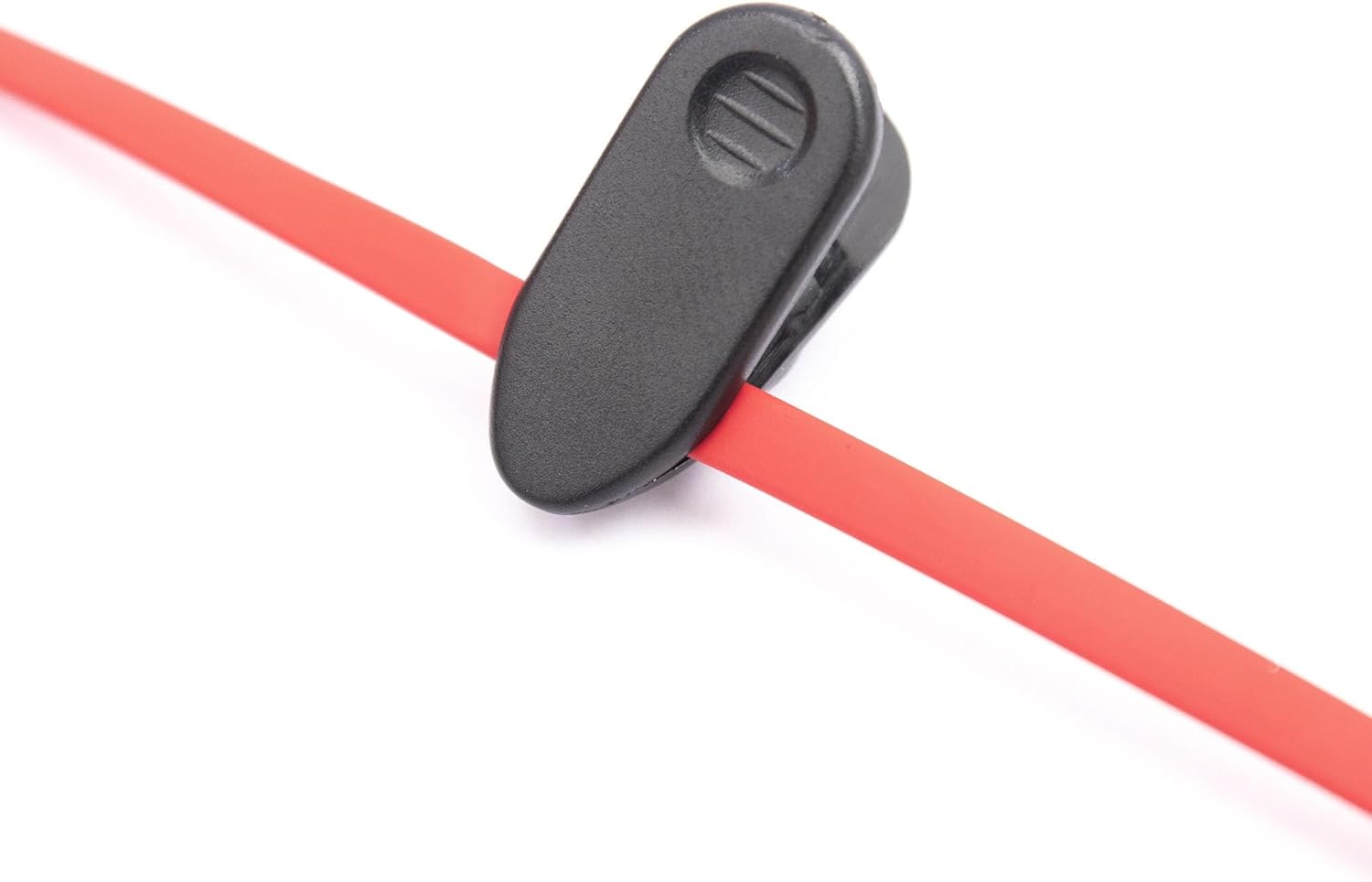
Image: Close-up of the inline control unit, showing volume and multi-function buttons.

Image: Feature diagram highlighting the various functions of the earphones.
മെയിൻ്റനൻസ്
Proper care and maintenance will extend the lifespan of your RadioShack Stereo Earphones and ensure consistent performance.
വൃത്തിയാക്കൽ
- ഇയർബഡുകൾ: Gently wipe the earbud tips with a soft, dry, lint-free cloth. Do not use harsh chemicals or abrasive materials.
- കേബിൾ: The tangle-free flat cable can be wiped clean with a slightly damp cloth if necessary, then immediately dried.
- ജാക്ക്: Keep the 3.5mm audio jack clean and free of dust or debris.
സംഭരണം
- Store your earphones in a clean, dry place when not in use.
- ഉയർന്ന താപനിലയും നേരിട്ടുള്ള സൂര്യപ്രകാശവും ഒഴിവാക്കുക.
- Utilize the included cable clip to manage the cord and prevent tangling during storage or transport.

Image: Cable clip for convenient cable management and storage.
ട്രബിൾഷൂട്ടിംഗ്
If you encounter issues with your RadioShack Stereo Earphones, refer to the following common problems and solutions.
| പ്രശ്നം | സാധ്യമായ കാരണം | പരിഹാരം |
|---|---|---|
| ശബ്ദമോ വികലമായ ശബ്ദമോ ഇല്ല. | Loose connection, incorrect audio output setting, low device volume, damaged cable/jack. | Ensure the 3.5mm jack is fully inserted. Check your device's audio output settings. Increase device volume. Test with another device to rule out earphone damage. |
| മൈക്രോഫോൺ പ്രവർത്തിക്കുന്നില്ല. | Incorrect device settings, app permissions, microphone obstruction. | Verify microphone permissions in your device's settings for the app you are using. Ensure the microphone on the inline control is not obstructed. Test with another app or device. |
| Volume control buttons not responding. | Incompatibility with device, software glitch. | Some older devices may not fully support inline controls. Restart your device. Ensure the connection is secure. |
സ്പെസിഫിക്കേഷനുകൾ
Detailed technical specifications for your RadioShack Stereo Earphones.
| ഫീച്ചർ | വിശദാംശങ്ങൾ |
|---|---|
| മോഡലിൻ്റെ പേര് | RadioShack Stereo Earphones With Microphone |
| മോഡൽ നമ്പർ | 3304244-PNT |
| കണക്റ്റിവിറ്റി ടെക്നോളജി | വയർഡ് |
| ഹെഡ്ഫോണുകൾ ജാക്ക് | 3.5 mm ജാക്ക് |
| ചെവി പ്ലേസ്മെൻ്റ് | ചെവിയിൽ |
| ഫോം ഫാക്ടർ | ചെവിയിൽ |
| നിയന്ത്രണ തരം | വോളിയം നിയന്ത്രണം |
| കേബിൾ സവിശേഷത | പിണങ്ങൽ ഫ്രീ |
| ഇനത്തിൻ്റെ ഭാരം | 1.44 ഔൺസ് |
| പാക്കേജ് അളവുകൾ | 6.06 x 2.64 x 1.06 ഇഞ്ച് |
| നിർമ്മാതാവ് | റേഡിയോഷാക്ക് |
| മാതൃരാജ്യം | ചൈന |
വാറൻ്റിയും പിന്തുണയും
വാറന്റി വിവരങ്ങൾക്കും ഉപഭോക്തൃ പിന്തുണയ്ക്കും, ദയവായി ഔദ്യോഗിക റേഡിയോഷാക്ക് പരിശോധിക്കുക. webസൈറ്റിൽ ബന്ധപ്പെടുക അല്ലെങ്കിൽ വിൽപ്പനക്കാരനെ നേരിട്ട് ബന്ധപ്പെടുക. ഏതെങ്കിലും വാറന്റി ക്ലെയിമുകൾക്കായി നിങ്ങളുടെ വാങ്ങൽ രസീത് സൂക്ഷിക്കുക.
You can find more information and contact details on the official RadioShack store page:
Ask a question about this manual
Ask about setup, troubleshooting, compatibility, parts, safety, or missing instructions. Manuals+ will review the question and use this page’s manual context to help answer it.