
റേഡിയോഷാക്ക് 4001764
RadioShack True Wireless Outdoor Speaker
മോഡൽ: 4001764
ആമുഖം
വാങ്ങിയതിന് നന്ദി.asing the RadioShack True Wireless Outdoor Speaker. This portable speaker delivers high-fidelity sound with 20W output, dynamic RGB lighting, and True Wireless Stereo (TWS) capabilities for an immersive audio experience. Its sleek design and long-lasting rechargeable battery make it ideal for both indoor and outdoor use. Please read this manual carefully to ensure proper use and maintenance of your speaker.

Image: The RadioShack True Wireless Outdoor Speaker, black with an orange accent on the handle, viewed from a slight angle showing the front grille and top controls.
ബോക്സിൽ എന്താണുള്ളത്

Image: A red background with white text listing the contents: 1x Portable Bluetooth Speaker, 1x Type-C Charging cable, 1x Audio cable.
- 1x RadioShack True Wireless Outdoor Speaker
- 1x ടൈപ്പ്-സി ചാർജിംഗ് കേബിൾ
- 1 ഓഡിയോ കേബിൾ
- 1x ഉപയോക്തൃ മാനുവൽ (ഈ പ്രമാണം)
ഉൽപ്പന്നം കഴിഞ്ഞുview
The RadioShack True Wireless Outdoor Speaker is designed for robust performance and portability. Key features include:
- ഉയർന്ന വിശ്വാസ്യതയുള്ള ശബ്ദം: 20W output for clear audio and deep bass.
- ഡൈനാമിക് RGB ലൈറ്റിംഗ്: Built-in customizable lighting to enhance your listening experience.
- ട്രൂ വയർലെസ് സ്റ്റീരിയോ (TWS): Ability to pair two speakers for immersive stereo sound.
- സുഗമവും ആധുനികവുമായ ഡിസൈൻ: Crafted in black for seamless integration into any environment.
- പോർട്ടബിൾ & സൗകര്യപ്രദം: Built-in long-lasting rechargeable battery for on-the-go use.
- ബിൽറ്റ്-ഇൻ എഫ്എം റേഡിയോ: Tune into your favorite stations anytime.

Image: An icon grid illustrating features: 4-hour charging time, Type-C charging port, rechargeable battery, compatible with Bluetooth 5.0, 32ft wireless range, water resistant, 20W output, True Wireless Pairing.
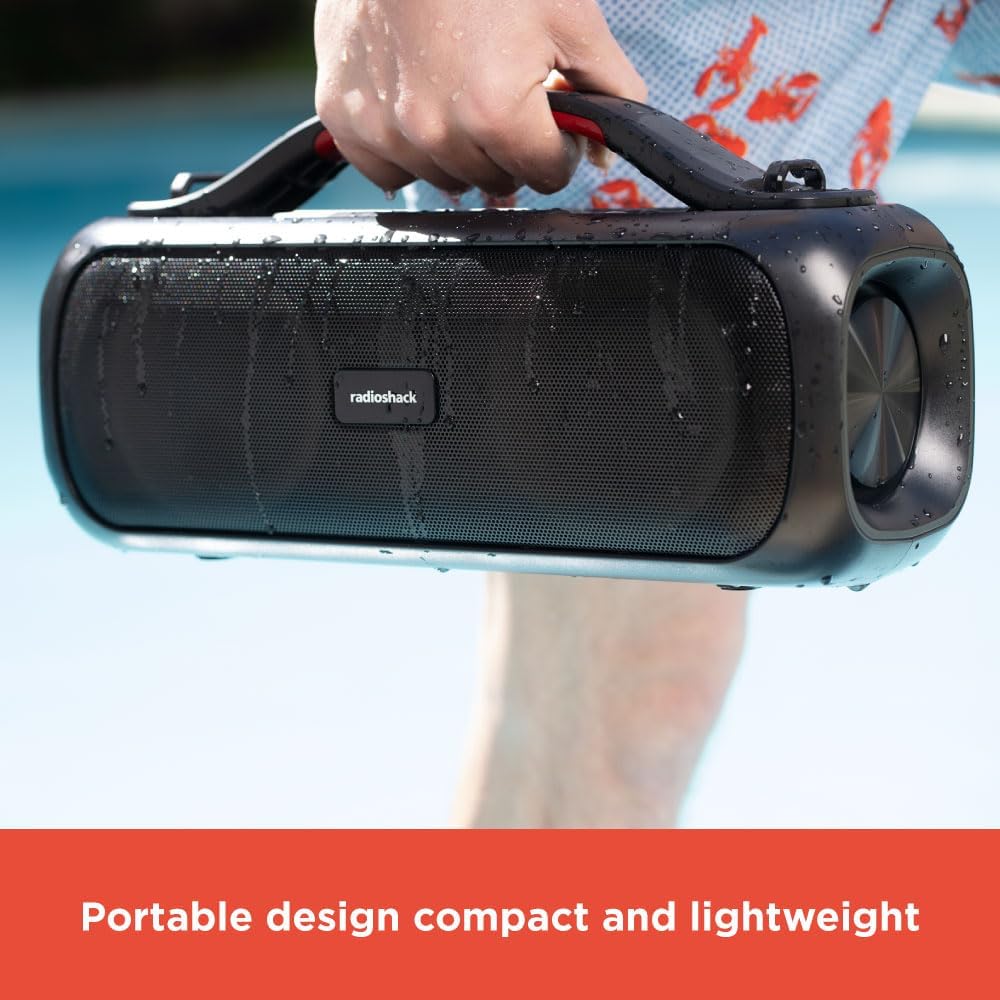
Image: A hand holding the black portable speaker, which appears slightly wet, against a blue background, emphasizing its portability.
സജ്ജമാക്കുക
സ്പീക്കറെ കുറ്റപ്പെടുത്തുന്നു
- Connect the supplied Type-C charging cable to the speaker's charging port.
- കേബിളിന്റെ മറ്റേ അറ്റം അനുയോജ്യമായ ഒരു USB പവർ അഡാപ്റ്ററുമായി ബന്ധിപ്പിക്കുക (ഉൾപ്പെടുത്തിയിട്ടില്ല).
- ചാർജിംഗ് ഇൻഡിക്കേറ്റർ ലൈറ്റ് പ്രകാശിക്കും. പൂർണ്ണമായി ചാർജ് ചെയ്യാൻ ഏകദേശം 4 മണിക്കൂർ എടുക്കും.
- Once fully charged, the indicator light will change or turn off (refer to specific light behavior in the operating section).
പ്രാരംഭ ബ്ലൂടൂത്ത് ജോടിയാക്കൽ
- ആദ്യ ഉപയോഗത്തിന് മുമ്പ് സ്പീക്കർ പൂർണ്ണമായി ചാർജ്ജ് ചെയ്തിട്ടുണ്ടെന്ന് ഉറപ്പാക്കുക.
- പവർ ബട്ടൺ അമർത്തിപ്പിടിക്കുക (⏻) for 2-3 seconds to turn on the speaker. You will hear an audible prompt.
- സ്പീക്കർ സ്വയമേവ ബ്ലൂടൂത്ത് ജോടിയാക്കൽ മോഡിലേക്ക് പ്രവേശിക്കും, ഇത് ഒരു മിന്നുന്ന LED ലൈറ്റ് വഴി സൂചിപ്പിക്കപ്പെടും.
- നിങ്ങളുടെ ഉപകരണത്തിൽ (സ്മാർട്ട്ഫോൺ, ടാബ്ലെറ്റ്, ലാപ്ടോപ്പ്), ബ്ലൂടൂത്ത് പ്രവർത്തനക്ഷമമാക്കി ലഭ്യമായ ഉപകരണങ്ങൾക്കായി തിരയുക.
- Select "RadioShack Speaker" from the list of devices.
- Once connected, you will hear a confirmation sound, and the LED indicator will become solid.
പ്രവർത്തന നിർദ്ദേശങ്ങൾ
പവർ ഓൺ/ഓഫ്
- Press and hold the Power button for 2-3 seconds to turn the speaker ON or OFF.
വോളിയം നിയന്ത്രണം
- അമർത്തുക + വോളിയം വർദ്ധിപ്പിക്കുന്നതിനുള്ള ബട്ടൺ.
- അമർത്തുക - വോളിയം കുറയ്ക്കുന്നതിനുള്ള ബട്ടൺ.
Playback Control (Bluetooth Mode)
- പ്ലേ/പോസ് ബട്ടൺ അമർത്തുക (▶‖) സംഗീതം പ്ലേ ചെയ്യാനോ താൽക്കാലികമായി നിർത്താനോ.
- അമർത്തിപ്പിടിക്കുക + അടുത്ത ട്രാക്കിനായി.
- അമർത്തിപ്പിടിക്കുക - മുമ്പത്തെ ട്രാക്കിനായി.
ഡൈനാമിക് RGB ലൈറ്റിംഗ്
The speaker features dynamic RGB lighting that can be adjusted.
- ലൈറ്റ് ബട്ടൺ അമർത്തുക (💡) to cycle through different lighting modes or turn the lights off.
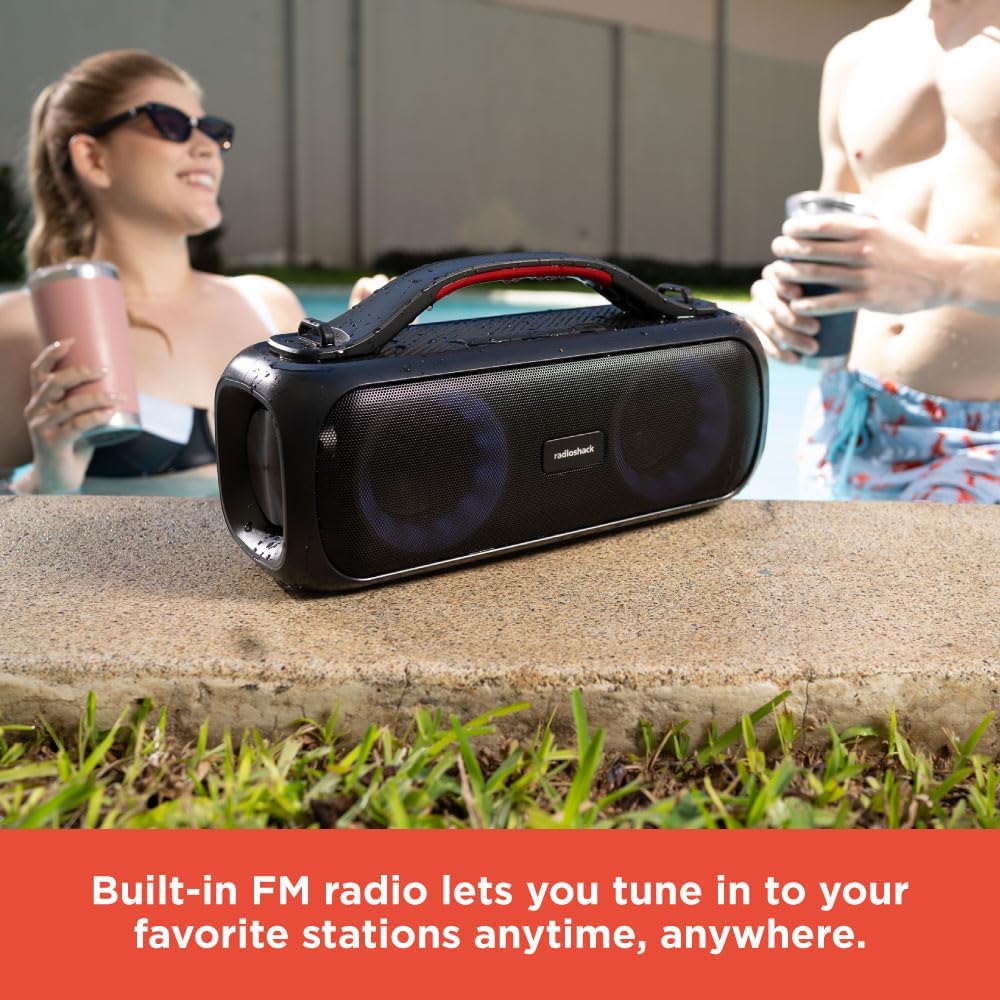
Image: The RadioShack speaker with its RGB lights illuminated, placed outdoors near a pool, with people in the background.
ട്രൂ വയർലെസ് സ്റ്റീരിയോ (ടിഡബ്ല്യുഎസ്) ജോടിയാക്കൽ
To achieve a true stereo sound experience, you can pair two RadioShack True Wireless Outdoor Speakers together.
- രണ്ട് സ്പീക്കറുകളും ഓണാക്കിയിട്ടുണ്ടെന്നും ഏതെങ്കിലും ബ്ലൂടൂത്ത് ഉപകരണവുമായി ബന്ധിപ്പിച്ചിട്ടില്ലെന്നും ഉറപ്പാക്കുക.
- On one speaker (this will be the primary speaker), press and hold the TWS button (TWS icon) for 2-3 seconds. You will hear a pairing tone.
- പ്രാഥമിക സ്പീക്കർ ദ്വിതീയ സ്പീക്കറെ തിരയും.
- Once connected, you will hear a confirmation tone, and the LED indicators on both speakers will synchronize.
- Now, connect your device to the primary speaker via Bluetooth as described in the "Initial Bluetooth Pairing" section.
- രണ്ട് സ്പീക്കറുകളിലും ഓഡിയോ ഇപ്പോൾ സ്റ്റീരിയോയിൽ പ്ലേ ചെയ്യും.
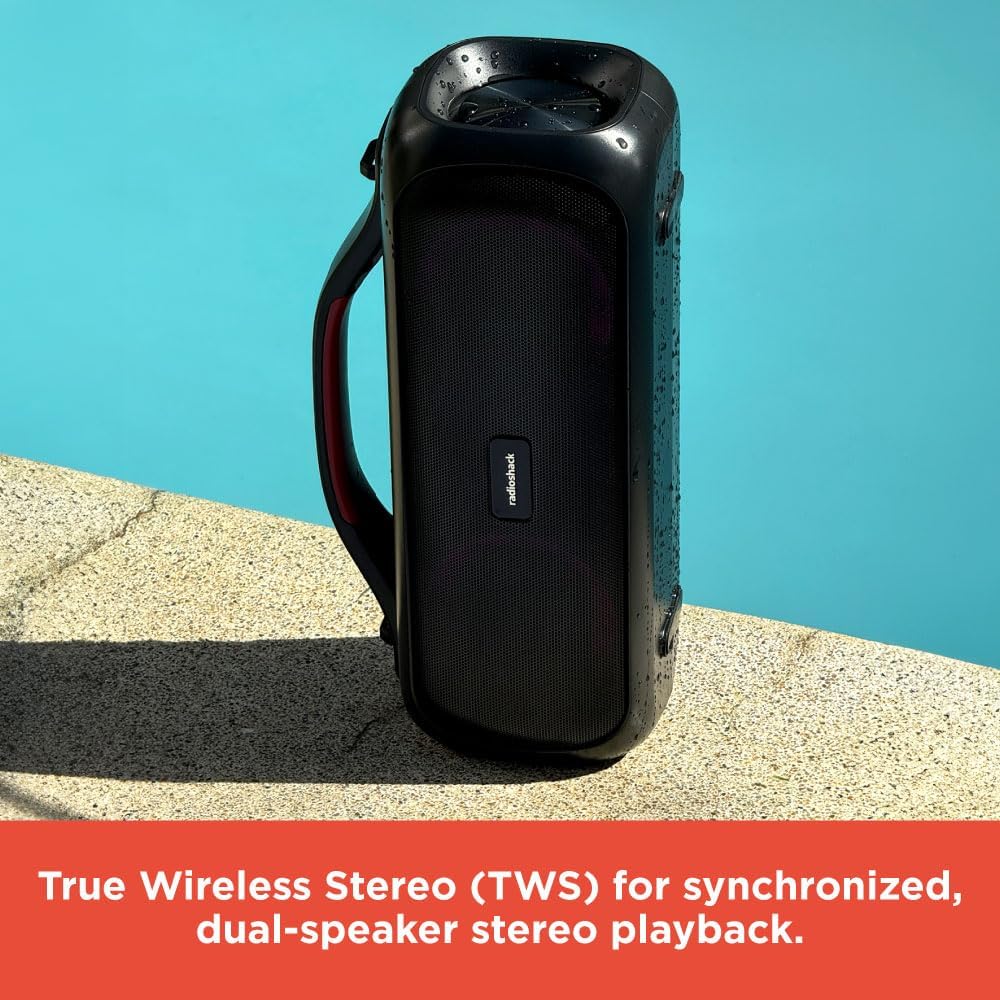
Image: Two RadioShack True Wireless Outdoor Speakers placed near a pool, demonstrating their True Wireless Stereo (TWS) capability for synchronized playback.
എഫ്എം റേഡിയോ മോഡ്
- മോഡ് ബട്ടൺ അമർത്തുക (M) എഫ്എം റേഡിയോ മോഡിലേക്ക് മാറാൻ.
- പ്ലേ/പോസ് ബട്ടൺ അമർത്തുക (▶‖) ലഭ്യമായ എഫ്എം സ്റ്റേഷനുകൾ സ്വയമേവ സ്കാൻ ചെയ്യാനും സംരക്ഷിക്കാനും.
- ഉപയോഗിക്കുക + ഒപ്പം - സംരക്ഷിച്ച സ്റ്റേഷനുകൾക്കിടയിൽ നാവിഗേറ്റ് ചെയ്യാനുള്ള ബട്ടണുകൾ.
ഓക്സ്-ഇൻ മോഡ്
- Connect one end of the supplied audio cable to the speaker's AUX-in port.
- മറ്റേ അറ്റം നിങ്ങളുടെ ഉപകരണത്തിന്റെ ഓഡിയോ ഔട്ട്പുട്ടിലേക്ക് ബന്ധിപ്പിക്കുക.
- സ്പീക്കർ സ്വയമേവ ഓക്സ്-ഇൻ മോഡിലേക്ക് മാറും.
- നിങ്ങളുടെ ബന്ധിപ്പിച്ച ഉപകരണത്തിൽ നിന്ന് നേരിട്ട് പ്ലേബാക്കും ശബ്ദവും നിയന്ത്രിക്കുക.
മെയിൻ്റനൻസ്
- മൃദുവായതും ഉണങ്ങിയതുമായ തുണി ഉപയോഗിച്ച് സ്പീക്കർ വൃത്തിയാക്കുക. അബ്രസീവ് ക്ലീനറുകളോ ലായകങ്ങളോ ഉപയോഗിക്കരുത്.
- Keep the speaker away from extreme temperatures, direct sunlight, and excessive moisture.
- While the speaker is designed for outdoor use, avoid submerging it in water.
- ദീർഘനേരം ഉപയോഗിക്കാത്തപ്പോൾ സ്പീക്കർ തണുത്തതും വരണ്ടതുമായ സ്ഥലത്ത് സൂക്ഷിക്കുക.
- Charge the battery at least once every three months to prolong its lifespan.
ട്രബിൾഷൂട്ടിംഗ്
| പ്രശ്നം | സാധ്യമായ കാരണം | പരിഹാരം |
|---|---|---|
| സ്പീക്കർ ഓണാക്കുന്നില്ല. | ബാറ്ററി ചാർജ് കുറവാണ്; പവർ ബട്ടൺ അധികം നേരം അമർത്തിയിട്ടില്ല. | സ്പീക്കർ പൂർണ്ണമായും ചാർജ് ചെയ്യുക; പവർ ബട്ടൺ 2-3 സെക്കൻഡ് അമർത്തിപ്പിടിക്കുക. |
| ബ്ലൂടൂത്ത് വഴി ജോടിയാക്കാൻ കഴിയില്ല. | Speaker not in pairing mode; Device Bluetooth off; Speaker already connected to another device. | Ensure speaker is in pairing mode (flashing LED); Turn on Bluetooth on your device; Disconnect from other devices. |
| ശബ്ദമില്ല. | ശബ്ദം വളരെ കുറവാണ്; തെറ്റായ മോഡ് തിരഞ്ഞെടുത്തു; ഉപകരണം ഓഡിയോ പ്ലേ ചെയ്യുന്നില്ല. | Increase speaker and device volume; Ensure correct mode (Bluetooth, Aux, FM) is selected; Check audio playback on your device. |
| TWS ജോടിയാക്കൽ പരാജയപ്പെടുന്നു. | Speakers too far apart; One speaker already connected to a device. | Place speakers closer together; Ensure both speakers are disconnected from other Bluetooth devices before TWS pairing. |
സ്പെസിഫിക്കേഷനുകൾ
| ഫീച്ചർ | വിശദാംശങ്ങൾ |
|---|---|
| മോഡലിൻ്റെ പേര് | RadioShack True Wireless Speaker 20 Watts RGB |
| സ്പീക്കർ തരം | പോർട്ടബിൾ |
| ഔട്ട്പുട്ട് പവർ | 20W (RMS) |
| കണക്റ്റിവിറ്റി ടെക്നോളജി | ബ്ലൂടൂത്ത് 5.0 |
| വയർലെസ് ശ്രേണി | 32 അടി വരെ (10 മീറ്റർ) |
| പവർ ഉറവിടം | ബാറ്ററി പവർ (1 ലിഥിയം അയൺ ബാറ്ററി ഉൾപ്പെടുത്തിയിരിക്കുന്നു) |
| ചാർജിംഗ് സമയം | ഏകദേശം 4 മണിക്കൂർ |
| ഉൽപ്പന്ന അളവുകൾ | 5"D x 11.3"W x 4.41"H |
| ഇനത്തിൻ്റെ ഭാരം | 5.52 പൗണ്ട് |
| നിറം | കറുപ്പ് |
| പ്രത്യേക സവിശേഷതകൾ | Multiroom (TWS), RGB Lighting, FM Radio |
| ശുപാർശ ചെയ്യുന്ന ഉപയോഗം | ഇൻഡോർ/ഔട്ട്ഡോർ |
| ജല പ്രതിരോധം | Yes (Splash resistant, not fully waterproof) |
Note: While designed for outdoor use and resistant to splashes, this speaker is not fully waterproof and should not be submerged.
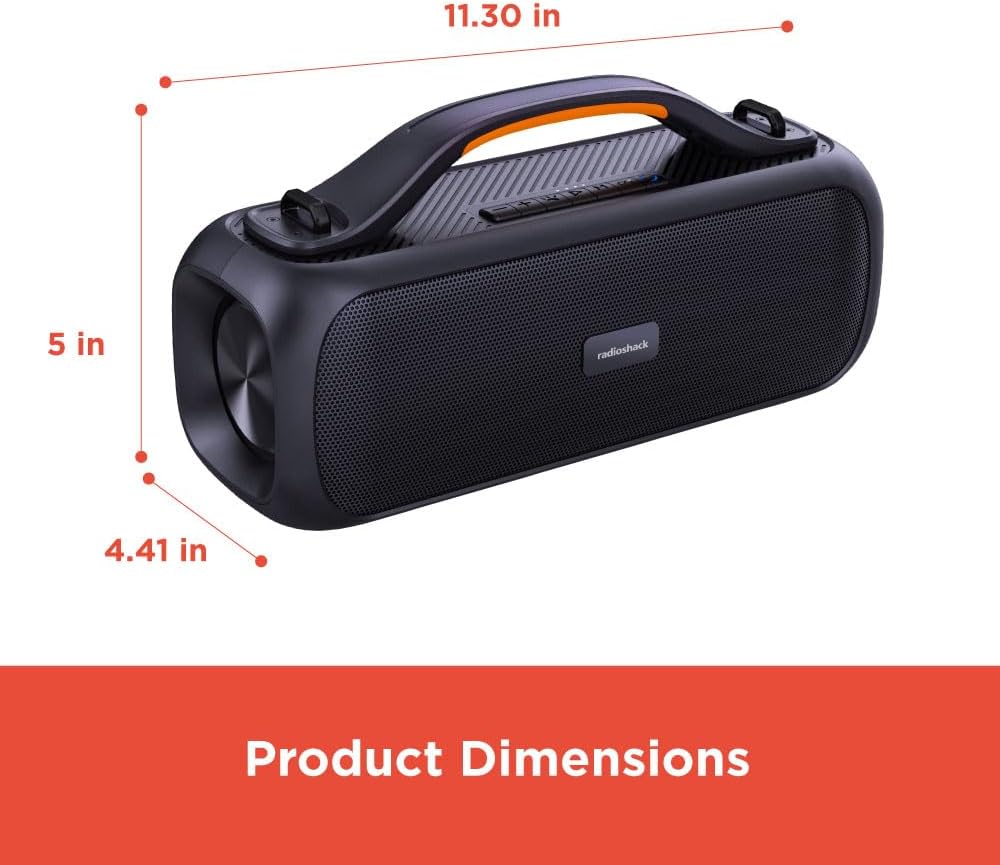
Image: A diagram showing the product dimensions: 11.30 inches (width), 5 inches (depth), and 4.41 inches (height).
ഔദ്യോഗിക ഉൽപ്പന്ന വീഡിയോ
വീഡിയോ: ഒരു ഔദ്യോഗിക ഉൽപ്പന്ന വീഡിയോ പ്രദർശനംasing the RadioShack True Wireless Outdoor Speaker, highlighting its features like portability, TWS, RGB lighting, and high-fidelity sound in various outdoor settings.
വാറൻ്റിയും പിന്തുണയും
RadioShack products come with a limited warranty. For detailed warranty information, technical support, or service inquiries, please refer to the warranty card included with your product or visit the official RadioShack webസൈറ്റ്.
ഓൺലൈൻ പിന്തുണ: www.radioshack.com/support
കസ്റ്റമർ സർവീസ്: Please refer to the contact information provided on the product packaging or the official webസൈറ്റ്.
Ask a question about this manual
Ask about setup, troubleshooting, compatibility, parts, safety, or missing instructions. Manuals+ will review the question and use this page’s manual context to help answer it.