
1. ആമുഖം
This manual provides comprehensive instructions for the installation, operation, and maintenance of your new Android 12 Car Stereo. Designed for Ford F150, F250, and F350 models from 2004 to 2008, this 7-inch IPS touchscreen unit offers advanced features including Wireless CarPlay, Android Auto, GPS navigation, Bluetooth connectivity, and FM/RDS radio. Please read this manual thoroughly before installation and use to ensure proper functionality and safety.
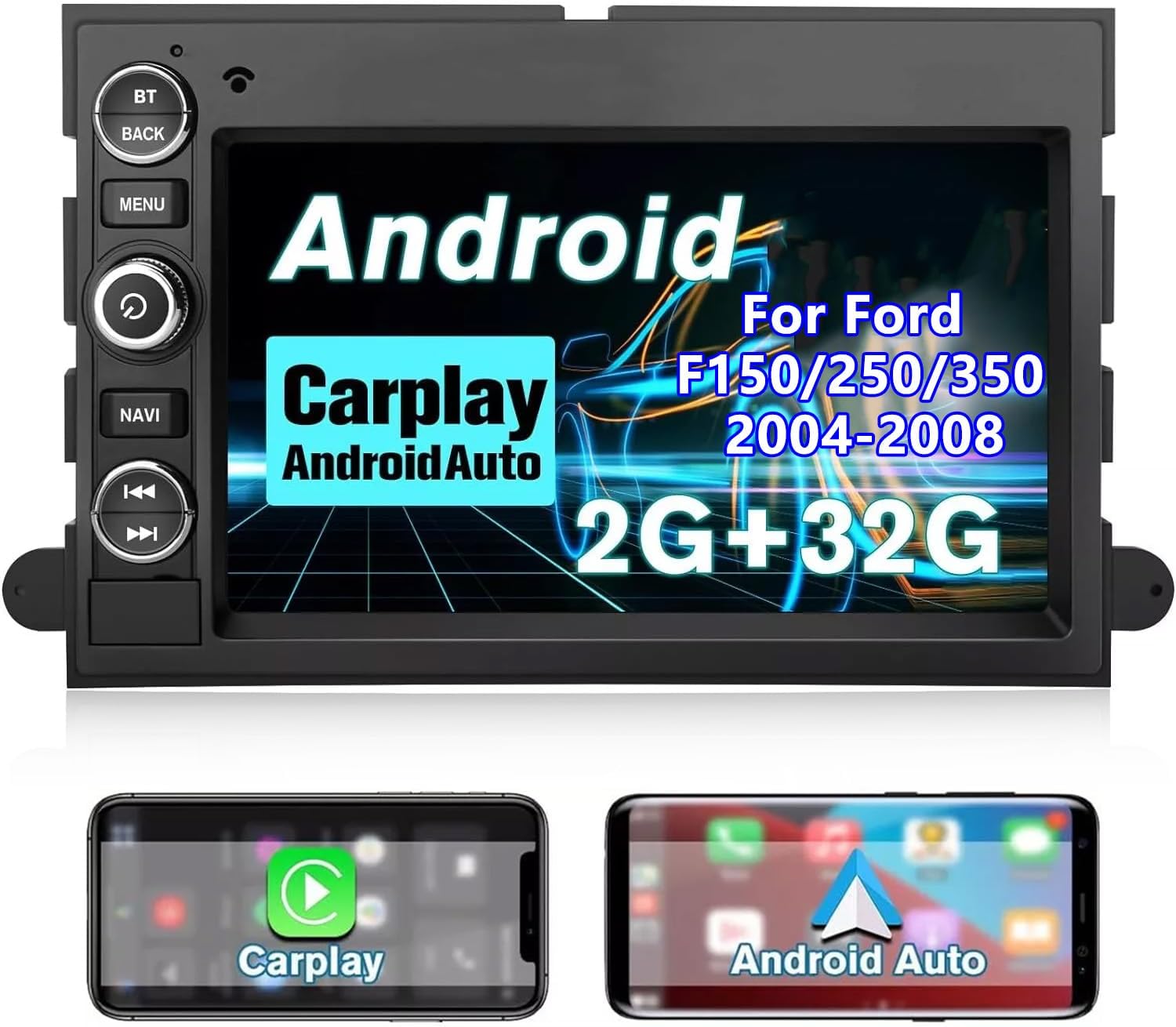
Image: The 7-inch IPS touchscreen car stereo unit, showcasing its Android interface and highlighting Wireless CarPlay and Android Auto capabilities. Below the main unit, two smartphone screens illustrate the CarPlay and Android Auto interfaces.
2. പാക്കേജ് ഉള്ളടക്കം
താഴെ ലിസ്റ്റ് ചെയ്തിരിക്കുന്ന എല്ലാ ഇനങ്ങളും നിങ്ങളുടെ പാക്കേജിൽ ഉൾപ്പെടുത്തിയിട്ടുണ്ടെന്ന് ഉറപ്പാക്കുക:
- 1 x 7-inch Screen Car Radio Unit
- 1 x Power Cord/Harness
- 1 x ജിപിഎസ് ആന്റിന
- 1 x മൈക്രോഫോൺ
- 1 x RCA കേബിൾ
- 1 x USB കേബിൾ
- 1 x ഉപയോക്തൃ ഗൈഡ് (ഈ മാനുവൽ)
- Installation Tools (if included in your specific package)
3. ഉൽപ്പന്ന സവിശേഷതകൾ
3.1 ആൻഡ്രോയിഡ് 12 സിസ്റ്റം
Equipped with Android 12, 2GB RAM, and 32GB ROM, this system ensures smooth operation and quick response times. The ample storage allows for installation of various applications. With Wi-Fi connectivity, you can access the Application Store and enjoy online surfing directly from your car stereo.
3.2 വയർലെസ് കാർപ്ലേയും ആൻഡ്രോയിഡ് ഓട്ടോയും
Seamlessly integrate your smartphone with the car stereo using wireless CarPlay and Android Auto. This feature allows you to use voice commands (Siri or Google Assistant) for calls, music, messages, and navigation, promoting safer driving by minimizing distractions.
3.3 ജിപിഎസ് നാവിഗേഷൻ
The unit supports both offline and online GPS navigation, providing voice and visual turn-by-turn directions. Pre-installed offline maps are available, and the system is compatible with popular navigation apps like Google Maps, Waze, and Navitel.

Image: The car stereo display showing a GPS navigation map with route details, alongside icons for Google Map, Waze, Sygic, and Navitel applications.
3.4 ബ്ലൂടൂത്ത് കണക്റ്റിവിറ്റി
Connect your phone via Bluetooth for hands-free calling and audio streaming. The built-in microphone ensures clear call quality, allowing you to stay connected safely while driving.
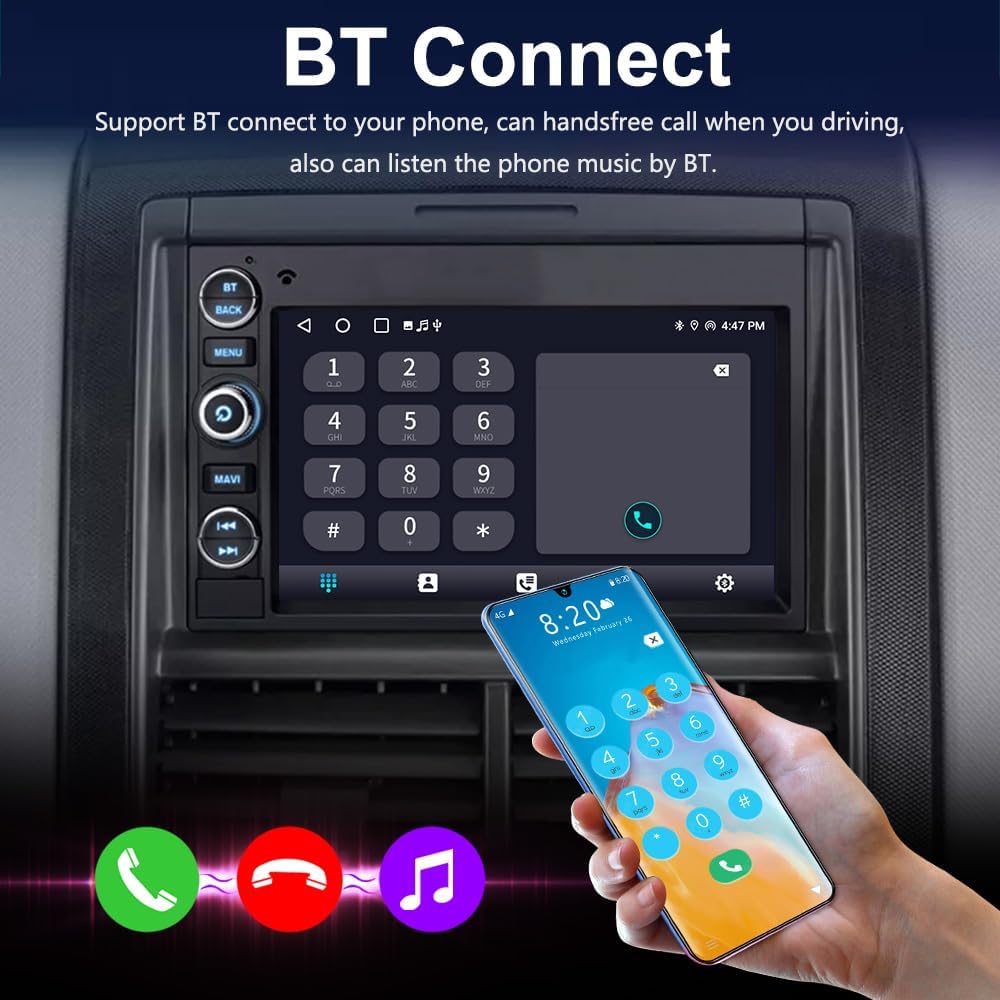
Image: The car stereo display showing the Bluetooth connection interface with a phone dial pad. A hand holds a smartphone, illustrating the connection process, with music and call icons at the bottom.
3.5 Multi EQ Settings & FM/RDS Radio
Customize your audio experience with preset multi EQ settings and adjustable volume, balance, treble, and bass controls. The built-in FM/RDS radio provides excellent reception, allowing you to enjoy your favorite stations.

Image: The car stereo display showing the Digital Sound Processor (DSP) system's equalizer settings with frequency adjustments and sound position adjustment interface.

Image: The car stereo display showing the FM Radio interface, displaying the current frequency (90.10 MHz) and preset station buttons.
4. സജ്ജീകരണവും ഇൻസ്റ്റാളേഷനും
This section provides general guidelines for installing the car stereo. Professional installation is recommended if you are unfamiliar with car audio wiring.
4.1 അനുയോജ്യത
This unit is designed to fit Ford F150, F250, and F350 models manufactured between 2004 and 2008.

Image: A side-by-side comparison showing the vehicle's dashboard with the original radio ("Before installation") and the new Android 12 car stereo installed ("After installation") in a Ford F150 (2004-2008).
4.2 വയറിംഗ് കണക്ഷനുകൾ
Refer to the diagram below for connecting the various cables to the back of the unit. Ensure all connections are secure before powering on the device.

ചിത്രം: വിശദമായ ഒരു ചിത്രം view of the car stereo's rear panel, indicating various connection ports with numbered labels: (1) Power Cable interface, (2) Fuse (10A), (3) RCA harness Cable, (4) USB Cable Adapter 1, (5) Reversing camera adapter cable input, (6) USB Cable Adapter 2, (7) Radio Antenna, (8) GPS Antenna.
- ബാറ്ററി വിച്ഛേദിക്കുക: വാഹനം സ്റ്റാർട്ട് ചെയ്യുന്നതിനു മുമ്പ്, ബാറ്ററിയിൽ നിന്ന് നെഗറ്റീവ് ടെർമിനൽ വിച്ഛേദിച്ച് വൈദ്യുതി ഷോർട്ട് ആകുന്നത് ഒഴിവാക്കുക.
- പഴയ റേഡിയോ നീക്കം ചെയ്യുക: Carefully remove the existing car radio from the dashboard.
- പവർ ഹാർനെസ് ബന്ധിപ്പിക്കുക: Connect the provided power harness to the vehicle's wiring harness. Match wire colors and functions.
- ആന്റിനകൾ ബന്ധിപ്പിക്കുക: Connect the GPS antenna (8) and Radio antenna (7) to their respective ports. Position the GPS antenna in a location with a clear view ആകാശത്തിൻ്റെ.
- Connect USB/RCA Cables: Connect the USB cable adapters (4, 6) and RCA harness cable (3) as needed for external devices or ampജീവപര്യന്തം.
- Connect Reverse Camera (Optional): If installing a reverse camera, connect its cable to the reversing camera adapter cable input (5).
- Mount New Radio: Securely mount the new car stereo into the dashboard opening.
- ടെസ്റ്റ് പ്രവർത്തനം: Reconnect the vehicle battery and test all functions of the stereo (power, audio, radio, GPS, Bluetooth, CarPlay/Android Auto) before fully reassembling the dashboard.
- ഡാഷ്ബോർഡ് വീണ്ടും കൂട്ടിച്ചേർക്കുക: Once all functions are verified, carefully reassemble the dashboard components.
5. പ്രവർത്തന നിർദ്ദേശങ്ങൾ
This section details the operation of your car stereo's main features.
5.1 ഫ്രണ്ട് പാനൽ നിയന്ത്രണങ്ങൾ
Familiarize yourself with the physical buttons on the left side of the unit:

ചിത്രം: മുൻഭാഗം view of the car stereo, highlighting the physical buttons on the left side with corresponding labels: (1) BT (Bluetooth), (2) BACK, (3) MENU, (4) Power, (5) NAVI (Navigation), (6) Previous Track, (7) Next Track.
- 1. BT (Bluetooth): Access Bluetooth functions for pairing and calls.
- 2. വീണ്ടും: മുമ്പത്തെ സ്ക്രീനിലേക്കോ മെനുവിലേക്കോ മടങ്ങുക.
- 3. മെനു: Access the main menu or settings.
- 4. ശക്തി: Turn the unit on/off or mute/unmute audio (short press).
- 5. NAVI (Navigation): Quickly launch the navigation application.
- 6. Previous Track: Skip to the previous audio track.
- 7. Next Track: Skip to the next audio track.
5.2 Android System Navigation
The touchscreen interface operates similarly to an Android tablet. Swipe to navigate between screens, tap icons to open applications, and use the 'Back' button or on-screen navigation bar for system control.
5.3 വയർലെസ് കാർപ്ലേയും ആൻഡ്രോയിഡ് ഓട്ടോയും
- നിങ്ങളുടെ സ്മാർട്ട്ഫോണിൽ ബ്ലൂടൂത്തും വൈഫൈയും പ്രവർത്തനക്ഷമമാക്കിയിട്ടുണ്ടെന്ന് ഉറപ്പാക്കുക.
- On the car stereo, open the CarPlay or Android Auto application.
- Follow the on-screen prompts to pair your phone via Bluetooth.
- Once paired, the system will automatically connect to CarPlay or Android Auto via Wi-Fi.
- Use voice commands (Siri/Google Assistant) or the touchscreen to control navigation, music, calls, and messages.
5.4 ബ്ലൂടൂത്ത് പ്രവർത്തനം
- Press the 'BT' button or tap the Bluetooth icon on the screen.
- നിങ്ങളുടെ ഫോണിൽ ബ്ലൂടൂത്ത് പ്രവർത്തനക്ഷമമാക്കി ലഭ്യമായ ഉപകരണങ്ങൾക്കായി തിരയുക.
- Select "HC-8163-RK-F150" (or similar name) from your phone's list and confirm pairing.
- Once connected, you can make/receive calls, access your phonebook, and stream audio.
5.5 FM/RDS റേഡിയോ
- Tap the "Radio" icon on the main screen.
- Use the on-screen arrows or seek function to tune to stations.
- Press and hold a preset button (P1-P6) to save the current station.
- RDS (റേഡിയോ ഡാറ്റ സിസ്റ്റം) ലഭ്യമാകുന്നിടത്തെല്ലാം സ്റ്റേഷൻ വിവരങ്ങൾ പ്രദർശിപ്പിക്കും.
5.6 ഓഡിയോ ഇക്വലൈസർ (EQ)
- Access the "DSP" or "EQ" application from the main menu.
- Choose from various preset EQ modes (e.g., Pop, Rock, Jazz).
- Adjust individual frequency bands, balance, and fader settings to customize your sound.
6. പരിപാലനം
- വൃത്തിയാക്കൽ: സ്ക്രീനും യൂണിറ്റും വൃത്തിയാക്കാൻ മൃദുവായതും ഉണങ്ങിയതുമായ തുണി ഉപയോഗിക്കുക. കഠിനമായ പാടുകൾക്ക്, അല്പം ഡി.amp cloth with a mild, non-abrasive cleaner can be used, then wipe dry immediately. Do not use harsh chemicals or abrasive materials.
- സോഫ്റ്റ്വെയർ അപ്ഡേറ്റുകൾ: സിസ്റ്റം ക്രമീകരണങ്ങൾ അല്ലെങ്കിൽ നിർമ്മാതാവിന്റെ webമികച്ച പ്രകടനവും പുതിയ സവിശേഷതകളിലേക്കുള്ള ആക്സസും ഉറപ്പാക്കാൻ സൈറ്റ്.
- ഫ്യൂസ് മാറ്റിസ്ഥാപിക്കൽ: If the unit loses power, check the 10A fuse located on the power cable (refer to Section 4.2, item 2). Replace with a fuse of the same rating if blown.
7. പ്രശ്നപരിഹാരം
| പ്രശ്നം | സാധ്യമായ കാരണം | പരിഹാരം |
|---|---|---|
| പവർ ഇല്ല | Blown fuse; incorrect wiring; loose power connection. | Check the 10A fuse. Verify all power connections are secure. Consult a professional if wiring is suspected. |
| ശബ്ദമില്ല | Volume too low; mute activated; speaker wiring issue; incorrect audio source. | Increase volume. Check if unit is muted. Verify speaker connections. Ensure correct audio source is selected. |
| GPS Not Working / Poor Signal | GPS antenna not connected or poorly positioned; software issue. | Ensure GPS antenna is securely connected and placed in a clear line of sight to the sky. Restart the unit. |
| ബ്ലൂടൂത്ത് കണക്റ്റുചെയ്യുന്നില്ല | Bluetooth not enabled on phone/unit; incorrect pairing process; interference. | Ensure Bluetooth is on for both devices. Delete previous pairings and re-pair. Move phone closer to unit. |
| കാർപ്ലേ/ആൻഡ്രോയിഡ് ഓട്ടോ ആരംഭിക്കുന്നില്ല | Incorrect phone settings; app not installed/updated; connection issue. | Ensure Wi-Fi and Bluetooth are on. Check phone settings for CarPlay/Android Auto permissions. Restart phone and unit. |
8 സ്പെസിഫിക്കേഷനുകൾ
Key technical specifications for the HC-8163-RK-F150 Car Stereo:
- മോഡലിൻ്റെ പേര്: HC-8163-RK-F150
- ബ്രാൻഡ്: ജനറിക്
- ഓപ്പറേറ്റിംഗ് സിസ്റ്റം: ആൻഡ്രോയിഡ് 12
- മെമ്മറി: 2 ജിബി റാം + 32 ജിബി റോം
- ഡിസ്പ്ലേ വലുപ്പം: 7 Inches IPS Touchscreen
- ഉൽപ്പന്ന അളവുകൾ: 7.4 x 3.54 x 11.42 ഇഞ്ച്
- ഇനത്തിൻ്റെ ഭാരം: 3.97 പൗണ്ട്
- കണക്റ്റിവിറ്റി ടെക്നോളജി: ബ്ലൂടൂത്ത്, വൈ-ഫൈ, യു.എസ്.ബി
- പ്രത്യേക സവിശേഷതകൾ: Touchscreen, Bluetooth, Wireless CarPlay, Android Auto, GPS, FM/RDS Radio, Multi EQ Settings
- ഓഡിയോ putട്ട്പുട്ട് മോഡ്: സ്റ്റീരിയോ
- മൗണ്ടിംഗ് തരം: ഡാഷ്ബോർഡ് മ .ണ്ട്
- വോയ്സ് കമാൻഡ്: Via Touchscreen, Microphone
- മാപ്പ് തരം: North America (pre-installed offline maps)

Image: A diagram illustrating the physical dimensions of the car stereo unit, showing measurements of 198mm (7.8 inches) width at the top, 188mm (7.4 inches) width at the bottom, 130mm (5.1 inches) height, and 120mm (4.7 inches) screen height, with a total width of 226mm (8.9 inches) including mounting brackets.
9. വാറണ്ടിയും പിന്തുണയും
9.1 വാറൻ്റി വിവരങ്ങൾ
ഈ ഉൽപ്പന്നം എ 1 വർഷത്തെ വാറൻ്റി from the date of purchase. The warranty covers defects in materials and workmanship under normal use. It does not cover damage caused by improper installation, accident, misuse, abuse, neglect, or unauthorized modification.
9.2 ഉപഭോക്തൃ പിന്തുണ
For technical assistance, troubleshooting, or warranty claims, please contact the seller or manufacturer through the platform where the product was purchased. Please have your purchase details and product model number (HC-8163-RK-F150) ready when contacting support.