
റേഡിയോഷാക്ക് 3304382-PRNT
RadioShack Wireless Active Noise Cancelling Bluetooth Earbuds Instruction Manual
മോഡൽ: 3304382-PRNT
1. ആമുഖം
This manual provides detailed instructions for the RadioShack Wireless Active Noise Cancelling Bluetooth Earbuds. Please read this manual thoroughly before using the product to ensure proper operation and to maximize your user experience. Keep this manual for future reference.
2. പാക്കേജ് ഉള്ളടക്കം
പാക്കേജിൽ എല്ലാ ഇനങ്ങളും ഉണ്ടെന്ന് ഉറപ്പാക്കുക:
- RadioShack Wireless Active Noise Cancelling Bluetooth Earbuds (Left and Right)
- ചാർജിംഗ് കേസ്
- സംരക്ഷണ കേസ്
- യുഎസ്ബി ചാർജിംഗ് കേബിൾ (ടൈപ്പ്-സി)
- ഉപയോക്തൃ മാനുവൽ
3. ഉൽപ്പന്നം കഴിഞ്ഞുview
The RadioShack Wireless Earbuds feature Active Noise Cancelling (ANC) technology, IPX5 water resistance, and Bluetooth 5.2 connectivity for a stable audio experience. The earbuds are designed for comfort and durability, suitable for various activities.

Image: The black RadioShack wireless earbuds are shown inside their open charging case, highlighting their compact design.

ചിത്രം: ഒരു ക്ലോസ്-അപ്പ് view of the black wireless earbuds, emphasizing their IPX5 water resistance, which protects against sweat and light rain.
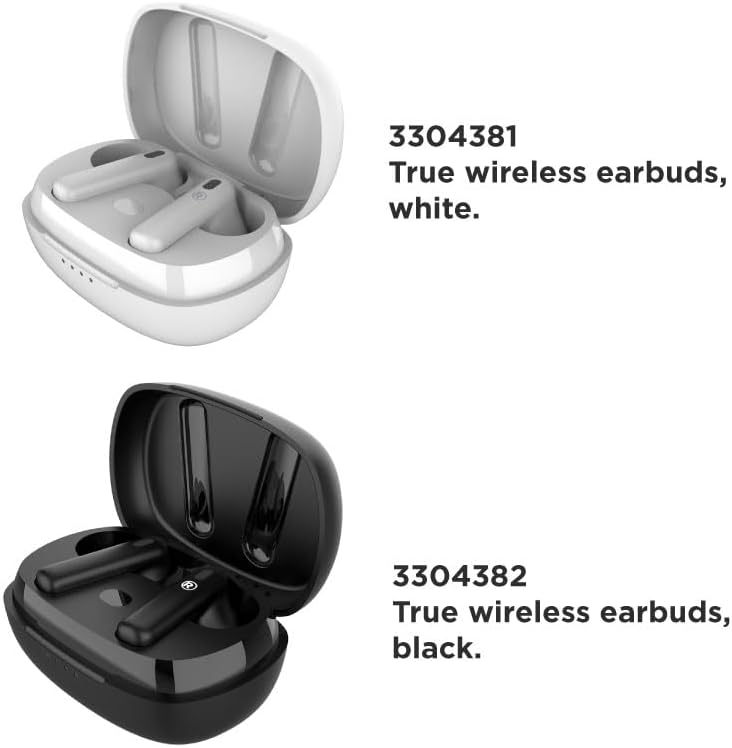
Image: A visual comparison of the white (Model 3304381) and black (Model 3304382) true wireless earbuds, each in their respective charging cases.
4. സജ്ജീകരണം
4.1 ഇയർബഡുകളും കേസും ചാർജ് ചെയ്യുന്നു
ആദ്യമായി ഉപയോഗിക്കുന്നതിന് മുമ്പ്, ഇയർബഡുകളും ചാർജിംഗ് കേസും പൂർണ്ണമായും ചാർജ് ചെയ്യുക. ചാർജിംഗ് കേസിൽ 400mAh ബാറ്ററി ശേഷിയുണ്ട്.
- ചാർജിംഗ് കെയ്സിലേക്ക് ഇയർബഡുകൾ സ്ഥാപിക്കുക.
- യുഎസ്ബി ചാർജിംഗ് കേബിൾ കേസിലെ ചാർജിംഗ് പോർട്ടിലേക്കും ഒരു പവർ സ്രോതസ്സിലേക്കും ബന്ധിപ്പിക്കുക.
- The LED indicators on the case will show the charging status. A full charge typically takes approximately 1 hour.
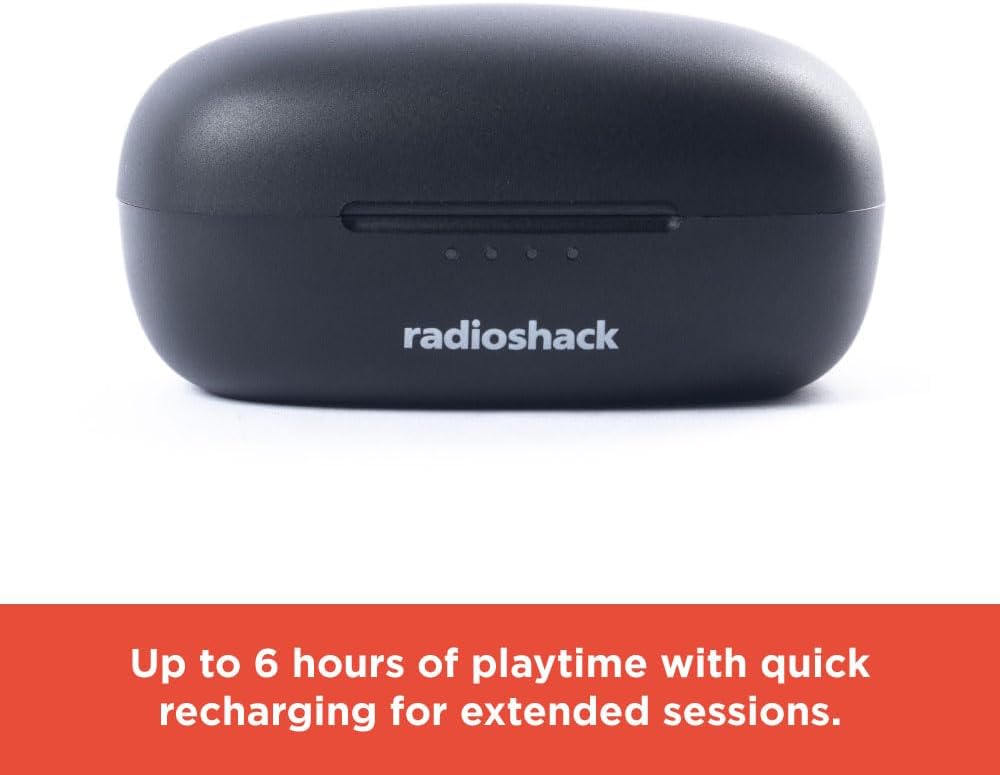
Image: The closed black charging case displays LED indicators, signifying up to 6 hours of playtime with quick recharging capabilities.
4.2 ബ്ലൂടൂത്ത് ജോടിയാക്കൽ
The earbuds utilize Bluetooth 5.2 technology for a stable and quick connection.
- ഇയർബഡുകൾ ചാർജ് ചെയ്തിട്ടുണ്ടെന്നും ചാർജിംഗ് കെയ്സിൽ വച്ചിട്ടുണ്ടെന്നും ഉറപ്പാക്കുക.
- ചാർജിംഗ് കേസ് തുറക്കുക. ഇയർബഡുകൾ സ്വയമേവ ജോടിയാക്കൽ മോഡിലേക്ക് പ്രവേശിക്കും.
- നിങ്ങളുടെ ഉപകരണത്തിൽ (സ്മാർട്ട്ഫോൺ, ടാബ്ലെറ്റ്, ലാപ്ടോപ്പ്), ബ്ലൂടൂത്ത് പ്രവർത്തനക്ഷമമാക്കി ലഭ്യമായ ഉപകരണങ്ങൾക്കായി തിരയുക.
- Select "RadioShack Earbuds" from the list of devices.
- കണക്റ്റുചെയ്തുകഴിഞ്ഞാൽ, ഒരു വോയ്സ് പ്രോംപ്റ്റ് വിജയകരമായ ജോടിയാക്കൽ സ്ഥിരീകരിക്കും.

Image: Hands are shown holding the white wireless earbuds within their open charging case, illustrating the hassle-free setup and stable connection without wires.

Image: Icons representing key features: compatibility with Bluetooth 5.2, a 32 ft wireless range, and a 1-hour charging time.
5. പ്രവർത്തന നിർദ്ദേശങ്ങൾ
5.1 പവർ ഓൺ/ഓഫ്
- പവർ ഓൺ: ചാർജിംഗ് കെയ്സ് തുറക്കുക, ഇയർബഡുകൾ സ്വയമേവ ഓണാകും.
- പവർ ഓഫ്: ഇയർബഡുകൾ തിരികെ ചാർജിംഗ് കെയ്സിലേക്ക് വയ്ക്കുക, ലിഡ് അടയ്ക്കുക. അവ യാന്ത്രികമായി ഓഫാകുകയും ചാർജ് ചെയ്യാൻ തുടങ്ങുകയും ചെയ്യും.
5.2 മ്യൂസിക് പ്ലേബാക്ക്
Use the touch controls on the earbuds for music management:
- പ്ലേ/താൽക്കാലികമായി നിർത്തുക: ഇയർബഡുകളിൽ ഏതെങ്കിലുമൊന്നിൽ ഒറ്റ ടാപ്പ് ചെയ്യുക.
- അടുത്ത ട്രാക്ക്: വലത് ഇയർബഡിൽ രണ്ടുതവണ ടാപ്പ് ചെയ്യുക.
- മുമ്പത്തെ ട്രാക്ക്: ഇടത് ഇയർബഡിൽ രണ്ടുതവണ ടാപ്പ് ചെയ്യുക.
5.3 ആക്ടീവ് നോയ്സ് ക്യാൻസലിംഗ് (ANC)
The Active Noise Cancelling feature reduces external noise for focused listening.
- ANC സജീവമാക്കുക/നിർജ്ജീവമാക്കുക: Triple tap on either earbud. A voice prompt will confirm the mode change.

Image: A person is shown wearing a white earbud, with text indicating that Active Noise Cancelling reduces background noise for focused listening.
5.4 ഫോൺ കോളുകൾ
Manage calls using the earbud touch controls:
- ഉത്തരം/അവസാന കോൾ: ഇയർബഡുകളിൽ ഏതെങ്കിലുമൊന്നിൽ ഒറ്റ ടാപ്പ് ചെയ്യുക.
- കോൾ നിരസിക്കുക: ഏതെങ്കിലും ഇയർബഡിൽ 2 സെക്കൻഡ് അമർത്തിപ്പിടിക്കുക.
Video: This video demonstrates the features and benefits of the RadioShack Noise-Cancelling Wireless Earbuds, including their water resistance, call handling, and playback time.
6. പരിപാലനം
6.1 വൃത്തിയാക്കൽ
- മൃദുവായതും ഉണങ്ങിയതും ലിന്റ് രഹിതവുമായ ഒരു തുണി ഉപയോഗിച്ച് ഇയർബഡുകളും ചാർജിംഗ് കെയ്സും സൌമ്യമായി തുടയ്ക്കുക.
- അബ്രാസീവ് ക്ലീനറുകൾ, ലായകങ്ങൾ, എയറോസോൾ സ്പ്രേകൾ എന്നിവ ഉപയോഗിക്കരുത്.
- ഏതെങ്കിലും തുറസ്സുകളിൽ ഈർപ്പം ലഭിക്കുന്നത് ഒഴിവാക്കുക.
6.2 സംഭരണം
- ഇയർബഡുകൾ ഉപയോഗിക്കാത്തപ്പോൾ അവയുടെ ചാർജ്ജിംഗ് കെയ്സിൽ സൂക്ഷിക്കുക, അവയെ സംരക്ഷിക്കുകയും ചാർജ്ജ് ചെയ്തിരിക്കുകയും ചെയ്യുക.
- Keep the product in a cool, dry place, away from extreme temperatures and direct sunlight.
7. പ്രശ്നപരിഹാരം
നിങ്ങൾക്ക് പ്രശ്നങ്ങൾ നേരിടുകയാണെങ്കിൽ, ഇനിപ്പറയുന്ന പൊതുവായ പരിഹാരങ്ങൾ പരിശോധിക്കുക:
| പ്രശ്നം | പരിഹാരം |
|---|---|
| ഇയർബഡുകൾ ജോടിയാക്കുന്നില്ല | Ensure earbuds are charged. Turn off and on Bluetooth on your device. Forget the device in your Bluetooth settings and re-pair. |
| ഇയർബഡുകളിൽ നിന്ന് ശബ്ദമില്ല | Check volume levels on both earbuds and your connected device. Ensure earbuds are properly paired. |
| ചാർജിംഗ് കേസ് ചാർജുചെയ്യുന്നില്ല | Verify the charging cable is securely connected to both the case and the power source. Try a different USB port or power adapter. |
| ANC ഫലപ്രദമായി പ്രവർത്തിക്കുന്നില്ല. | Ensure ANC is activated (triple tap). Adjust earbud placement for a secure fit. |
8 സ്പെസിഫിക്കേഷനുകൾ
| ഫീച്ചർ | വിശദാംശങ്ങൾ |
|---|---|
| മോഡലിൻ്റെ പേര് | Wireless Headphones 400MAH Active Noise Cancelling IPX5 |
| കണക്റ്റിവിറ്റി ടെക്നോളജി | വയർലെസ്സ് (ബ്ലൂടൂത്ത് 5.2) |
| ജല പ്രതിരോധ നില | IPX5 വാട്ടർ റെസിസ്റ്റൻ്റ് |
| ബാറ്ററി ലൈഫ് | Up to 6 Hours (earbuds) |
| ചാർജിംഗ് കേസ് ബാറ്ററി | 400mAh |
| ചാർജിംഗ് സമയം | ഏകദേശം 1 മണിക്കൂർ |
| വയർലെസ് ശ്രേണി | 32 അടി വരെ |
| ശബ്ദ നിയന്ത്രണം | സജീവ നോയ്സ് റദ്ദാക്കൽ |
| ഇനത്തിൻ്റെ ഭാരം | 0.08 കിലോഗ്രാം (2.89 ഔൺസ്) |
| അനുയോജ്യമായ ഉപകരണങ്ങൾ | Smartphones, Laptops, Tablets, Smart TVs |
9 സുരക്ഷാ വിവരങ്ങൾ
- ഇയർബഡുകളോ ചാർജിംഗ് കേസോ കടുത്ത താപനിലയിലോ നേരിട്ടുള്ള സൂര്യപ്രകാശത്തിലോ തീയിലോ തുറന്നുകാട്ടരുത്.
- കേൾവിക്ക് കേടുപാടുകൾ സംഭവിക്കുന്നത് തടയാൻ ദീർഘനേരം ഉയർന്ന ശബ്ദത്തിൽ കേൾക്കുന്നത് ഒഴിവാക്കുക.
- കുട്ടികൾക്കും വളർത്തുമൃഗങ്ങൾക്കും ലഭ്യമാകാതെ സൂക്ഷിക്കുക.
- ഉൽപ്പന്നം ഡിസ്അസംബ്ലിംഗ് ചെയ്യാനോ പരിഷ്ക്കരിക്കാനോ ശ്രമിക്കരുത്. ഇത് വാറന്റി അസാധുവാക്കും.
- പ്രാദേശിക നിയന്ത്രണങ്ങൾ അനുസരിച്ച് ഉൽപ്പന്നവും ബാറ്ററികളും ഉത്തരവാദിത്തത്തോടെ വിനിയോഗിക്കുക.
10. വാറൻ്റിയും പിന്തുണയും
For warranty information or technical support, please contact RadioShack customer service. Refer to the product packaging or the official RadioShack webബന്ധപ്പെടാനുള്ള വിശദാംശങ്ങൾക്കുള്ള സൈറ്റ്.
Ask a question about this manual
Ask about setup, troubleshooting, compatibility, parts, safety, or missing instructions. Manuals+ will review the question and use this page’s manual context to help answer it.